

UPDATE - Dec. 14, 2024: Version 4.3 Guide is out: added a chapter for FLUX tools (Redux, Inpaint/Outpaint, Depth and Canny). Link: https://civarchive.com/articles/6848/
Uploaded a new file for the workflow ( ModularWFv4.3fix2.json ) to fix a new bug in Redux IP Adapter. Please download the new fixed version.
Please, before downloading and using the new workflow, update ComfyUI and all your Custom Nodes.
This is a modular and easy to use ComfyUI workflow for FLUX (by Black Forest Labs. Inc.). It is still a "work in progress" as FLUX is a new model and new tools for FLUX are coming day after day.
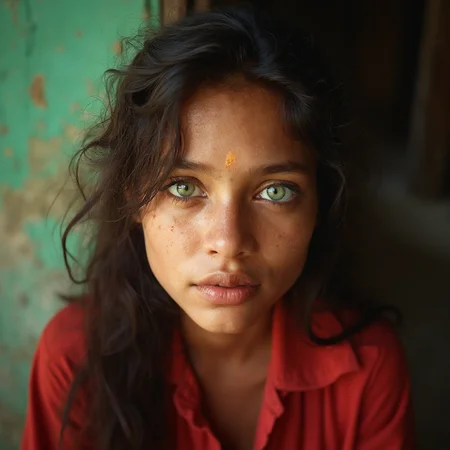
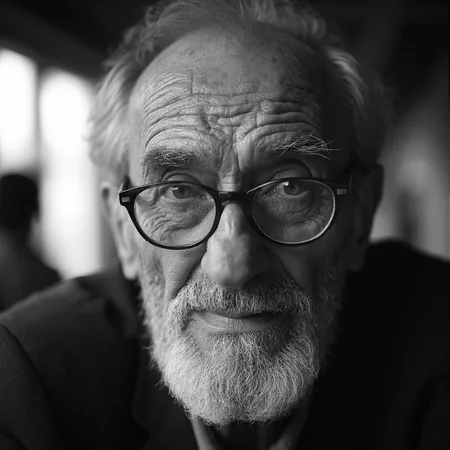
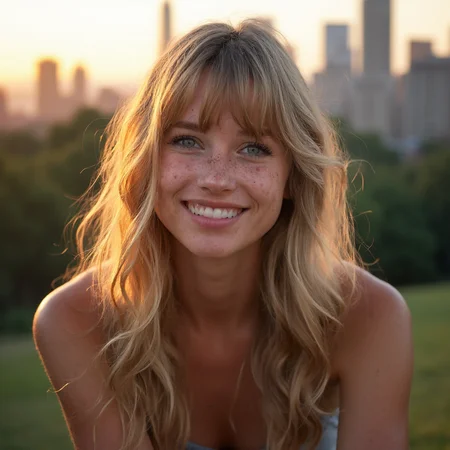
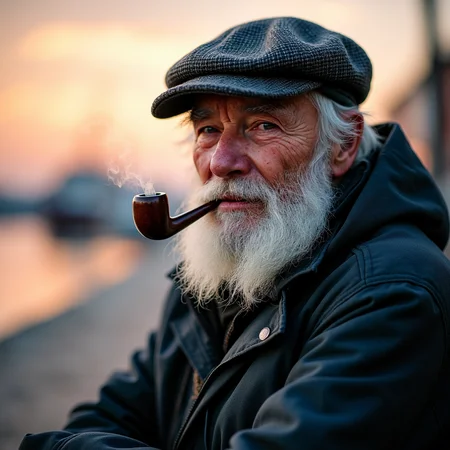
I created this workflow mostly for "realistic portrait photo" images, but it can be used for any kind of image you want to create thanks to its modularity.
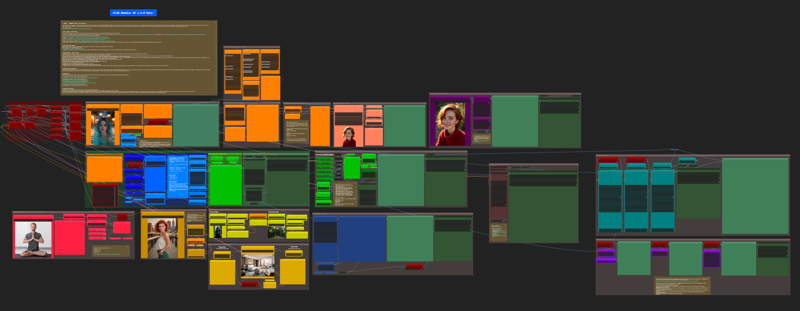
Please, before using the workflow, make sure you updated ComfyUI and all the Custom Nodes that are used in the workflow. This will avoid many possible errors.
The workflow is divided in several nodes' groups (modules) each with a specific color. You can find a detailed guide here: https://civarchive.com/articles/6848 (Now updated to v.4.3)
I will try to keep the guide updated as much as possible, but if you need a better description or explanation of its modules just let me know.
The workflow let you use the following modules:
1) Core FLUX module: just a plain and simple FLUX image generator with multiple LoRA's. You can use the original FLUX models or the GGUF models.
2) Many different Prompt methods (txt2img, img2img, LLM prompt generator...)
3) Latent Noise Injection
4) Face Expression Module
5) ADetailer (face, eyes and hands)
6) Inpaint
7) Faceswap
8) Ultimate SD Upscaler
9) Post Processing module (with LUT, grain and vignette).
If you use this workflow and are happy with its results, I ask you a little favor: post your fantastic images in the Workflow's Gallery by clicking on "+ Add Post" button at the bottom. I will appreciate it very much, thank you.
Description
New modules:
1) Shakker-Labs ControlNet Union Pro for FLUX
2) FLUX Inpaint/Outpaint
3) FLUX Redux model (IpAdapter) with up to 2 images input
4) FLUX Depth/Canny (CNet)
FAQ
Comments (94)
Was able to install other custom nodes but I got this "Empty Latent Ratio Select SDXL" missing
Great workflow! I don't have all the skin elements installed, however it does the job. And, it's a good workflow to use as a learning tool. THUMBS UP!
Awesome workflows! Thank you so much! One small dumb question... Say I didn't want it to pause but just keep running a batch, which mode should I pick in the Preview Chooser? Thanks again, you rock! :)
Latent Space Magic Dimension :)
Fantastic!
any tips to increase generation speeds? First time really messing around with Flux and getting ~2min per generation w/ a 4090
Hi! First of all, thank you very much for this workflow!
I'm having problems with the Api Key, I generated one and put it in the Tara Preset LLM Config Node, I updated ComfyIU but I still get the error "API key not found in API_KEYS", and I don't know how to solve it :/
EDIT: I fixed it by adding credits to my account, I don't know why is necessary tho
Thank you for the updates friend, they are appreciated! 🙏🖤
This is a really great Flux workflow. I've tried a bunch now and this is my favorite starting point for trying different things out. It's very nicely organized! Thank you for sharing and the cool additions.
A very simple and easy to use ComfyUI? Are you kidding me, this is extremely complex with 90% of the nodes being custom. Nodes that i don't want or need. It also seems to use SD1.5 for adding extra details... im very confused by this because I thought that the lora was meant to be added the extra details. Am I missing something, please explain. All I need is a simple example of how to add a lora node for Flux
Thank you for this. I have a question. When I use img2img method, if I change denoise to 0.2 ( less than default setting). It will generate an empty image. Not sure how to keep image original as much as possible?
Thank you for this incredible workflow. It's a Swiss Army knife!
amazing work. having a hard time getting LUT to work, do i need to download a file and load it in?
I've been loving this workflow, thank you so much for sharing. However I've just recently ran into a problem where when I change the text prompt and try to generate a photo it seems to take about 5x as long... So weird. When I restart comfy ui I can then generate the photo and the generation speeds are fine. But as soon as I change the prompt it gets incredibly slow.. Any idea what could be causing that?
when i tried to use your workflow in comfyui i'm getting this warning:
Warning: Missing Node Types
When loading the graph, the following node types were not found:
UltralyticsDetectorProvider
CR Text Input Switch (4 way)
CR Overlay Text
DownloadAndLoadFlorence2Model
Florence2Run
CR Prompt Text
ReActorFaceSwap
ReActorFaceBoost
When i go to comfyui manager to install the missing nodes:
2
81
138
270
1133
I installed , restarted, try again updated and closed my comfyUI. but the nodes still aren't installed and I can't use your workflow.
What are your suggestions?
Can we see Ip-Adapter + Lora in an optimized Workflow? Good Job with rest !!! or maybe CNET + LoRa
Ty! It's amazing!
Really love your workflow, thank you! It's the first modular workflow I've found that covers nearly ever use case I'd have.
I have a couple of suggestions if you are interested. The first would be to include the ability to use Ollama as the LLM so you can run things locally. Nerdy Rodent on YouTube has some examples.
The other suggestion may not be easily added, but it would be nice to be able to generate a prompt with a random seed and then decide to upscale when you find one you like. Currently you have to set the seed to fixed in order to upscale after the fact. There was a workflow here on CivitAI that was recently removed by the author that would pause the workflow and you could click on the image you liked and it would proceed with the upscaling. It was great because if you generated a batch of 4 you could click on just the image you liked and it would upscale that one. I wish I could remember the node name.
Can You please show me how to use LUTs.
I've downloaded the file, connected the LUTs cube file and this is what happens....
UnicodeDecodeError 'charmap' codec can't decode byte 0x81 in position 356 ComfyUI read LUT IridasCube Python
Hello again! i wanted to tell you about a workflow that is built from https://www.youtube.com/watch?v=ooRLYcbjkos&t=219s and it does a really good job with IPA or CNET + Lora. Unfortunately, i have just started to understand how the workflows process the data and it would be much easier if you could add that functionality to your workflow. Thanks again
Can someone guide me on how to fix this? My API keys are all correct. :(
Crazy!
Wow what an update! I'm going through it now.
Have you messed with Bookmarks from the rgthree pack? I always add them to your workflow after I install it.
You might also want to check out Set Node/Get Node, which allow you to set and get variables- handy to save noodle sprawl, but extra nice for one-to-many and things like Booleans for switches.
Current favorite flux workflow, thank you!
Installed everything but stuck on Flux loader crashing?. I cant get past that part with my 4070 Super...
Thank you for your work, this is great! Im trying to get an answer to if it is better to upscale first and then faceswap and then facedetailer, or faceswap first etc. Anyone have thoughts?
Absolutely incredible workflow! It's simple, well-organized, and delivers exceptional results. Thank you so much for sharing!
A workflow prodigy enters the room
This workflow suits for my daily needs, thanks so much!
To people who get the error "Exception during processing !!! expected str, bytes or os.PathLike object, not NoneType"' with the Save image with metadata node and with the newest comfyUI update -> Right click on the Lora loader node and click "Fix Node (Recreate)'
IMO, this is the best workflow on Civit. And you top yourself with each iteration. From ComfyUI "noob" to ninja!
im loving the work flow, only question is how do i do more than 1 image at a time if i do more than 1 on image size batch it does a 100 lol?
also can we add negative prompts to workflow for the flux/lora side?
How can i give credit to your workflow? The metadata is not burning the workflow info when I upload the image to CivitAI?
i think this is one of the best workflows you can find. Im really happy. Thank you very much! Do you plan to add controlnet ?
This workflow forces me to download a gguf model or the node errors out?
Great!
Could you add control net and IPAdapter in the next version? Maybe in a separate workflow.
bro this is crazy
thank you, great workflow!
Simply the best workflow
what happen expected str, bytes or os.PathLike object, not NoneType
Thank you! Great job, I love this workflow. However I have a little problem: the "eyes detectors" module does not find: "bbox/eyeful_v2-paired.pt"
Getting this error when trying to use img2img "DownloadAndLoadFlorence2Model
The checkpoint you are trying to load has model type florence2 but Transformers does not recognize this architecture. This could be because of an issue with the checkpoint, or because your version of Transformers is out of date." for MiaoshouAI/Florence-2-large-PromptGen-v1.5
Best workflow ever, thank you! I have a suggestion. Please add global steps control (for detailer & upscaler). It’s needed when changing the main model to Schnell or Hyper. I’ve done it for myself already, but it might be a useful idea for every user.
Hi, awesome workflow. Well done!
Just a couple things: Is it just me or does it seem like the img2img section does not apply loras? I've played around with the denoise, but would imagine the loras should also have some effect?
Would you please be able to do a detailer for the feet as well? I find that there are time where toes get all mangled in an image.
And how to use the inpaint group? Your article doesn't include that part yet.
Thank You!
Hey Tenofas,
Great job! once again.
I wanted to ask if you its possible you can add the expressions node right after the faceswap.
It would be great to have the ability to control the persons facial expressions.
Also, I wanted to ask if you could add flux controller to the workflow. It would be great to control the subjects positioning when generating images.
Please let me know if it is possible.
Thank you so much
One question about the workflow lets say i want to create an image with everything else disabled just to be sure that i like the image and then enable further latent/detailer and upscaler. i thought that by fixing the seed i would get the same image when turning the latent and the others on. But in reality a new image is generated. Why is that ?
Thank you @Tenofas for this flawless workflow, as an average experienced user it actually helped me to improve on my use and understanding of ComfyUI. Outstanding work !
Getting this error in the sampler 1 node in the latent injection group,
Here img2img and latent injection are enabled.
"RuntimeError: cannot reshape tensor of 0 elements into shape [1, 0, 3, 24, -1] because the unspecified dimension size -1 can be any value and is ambiguous"
I'm using 4.1 and I think it's great! Just one question, the inpaint complains about running out of memory? It wont finnish. How can I use the inpainter? I have a 3090 with 24 GB. Should be enough? most settings are at the workflow standard.
Greetings Tenofas, thank you for 4.1. Absolutely the best!
I wonder if you could help me troubleshoot a recent problem with the Latent Noise Injector. When I hit Queue, the BasicScheduler node lights up in red, denoise circled. If I let the workflow progress, I'll eventually get an exclamation mark popup:
BasicSceduler.get_sigmas() missing 1 required positional argument: 'denoise"
Everything else functions as intended.
Great Workflow, thanks very much. Love it.
.... workaround (and not solution) for the problem with disconnected nodes after update removed. Connect the nodes as Tenofas described.
This is a beautiful and very comprehensive workflow. Thank you!
I also have a question; the results of my prompts still seem quite artificial. I want to create very realistic images with faces that don't look too plastic. Can you share the settings I should use for this?
Thanks for this interesting workflow.
When using the florence 2 img2img prompt generation, is there a way to control the size of the generated image instead of using the size from the input image?
Hello I have an error when using Face detailer. can you help pls? :Could not run 'torchvision::nms' with arguments from the 'CUDA' backend. This could be because the operator doesn't exist for this backend, or was omitted during the selective/custom build process (if using custom build). If you are a Facebook employee using PyTorch on mobile, please visit https://fburl.com/ptmfixes for possible resolutions
I'm having an issue with the SaveImageWithMetaData node, it throws the error: "expected str, bytes or os.PathLike object, not NoneType". If I replace the node with a basic save image node, the error goes away. Any ideas? Also the workflow blue box in ComfyUI says this is v4.2 but 4.1 is your latest... typo?
@Tenofas .. Cool to hear, that you want to add ControlNet in the future. I have done some experiments with your 4.1 workflow combined with controlnet in the last days .. and in conjunction with your latent injections module I got som promising results .. if you want, I can send you my modified workflow.
love your workflows and results it gives, thank you for efforts, realy appreciated. also thank you for sharing and updating!
have you tried adding 2-3 KSamplers, when each of them do 1-10, 10-20, 20-30 steps, was just curious, thank you in advance
4.2 !! Thank you for your work @Tenofas , i will try that as soon as i can !
Thanks for a great update !
Thank you! Perfect workflow!
thank you for updating your Great Workflow! p.s. i have a question: how to reduce noise at Latent Noise Section, it add too much noise, and im using your default setting. Tried to play with settings and lost, hehe
What should I do to make latent nose, detailer and upscale work in the final Reactor photo?
The greatest!
Another incredible iteration. Thank you for all your hard work. I also appreciate that you leave the nodes exposed (unlike many comprehensive workflows that hide them), your notations, and the excellent user guide. Cheers!
For some reason, the node 'Note Plus (mtb)' isn't installing along with the rest of the MTB nodes. Anyone else have this issue or know of a workaround? I've tried completely removing MTB Nodes altogether and reinstalling it, but no change.
Outstanding thank you so much, only thing I would like to add if I had a wish is wildcards
This 4.2 FLUX workflow is awesome and unbelievable, the best thing I've ever come across. The expression module is really impressive. You're a magician :-). It was completely easy to integrate my Controlnet Tests there. Thank you very much for your work
Would it be a good idea to use the upscaled latent size for the second ModelSamplingFlux node?
is it normal when latent injection finishes to add noise to the image, i mean visible noise it the output?
I'm getting this error:
SaveImageWithMetaData
local variable 'lora_hashes_string' referenced before assignment
Any idea what is happening?
Thanks
workflow, as its name indicates is an easy to follow production recipe. At least in my engineering world. Yours are all but. On top of that, they do not work out of the box on 4090??? OOM???
So, i need to untangle this spaghetti to see what is wrong. Time lost.
Wonderful! Thanky you. I really hated ComfyUI noodels. This makes things so much better.
Would love a Controlnet part to be added.
Keep the good work going!
excelent travail, mais depuis la derniere mise a jour de comfyui le workflow ne se charge plus, rgtree indique une erreur et n'arrive pas a la fixer "The workflow you've loaded has corrupt linking data that may be able to be fixed."
Struggling to find a few of the nodes. anyone got git references for
fluxguidance
and
modelsamplingflux
?
I really like your workflow, I've been using it for weeks now. I d'like to try, to inject negative prompt following this : https://openart.ai/workflows/data_lt/flux1-efficient-negative-prompt/ltc4jplkxaFJ8qik6Ojz .
But I need to stop the steps, and it seems I need to replace the "scheduler selection and steps" for this .I can't find a node that can do the job (I'm probably too newbie). What do you think about it?
I resisted using this workflow because the colors killed it for me (I am color blind), but after resetting all the colors, it is one of the best workflows I have ever played with. Keep posting updates!
Hey buddy - great work as ever - even the “fix” version still didn’t connect the latent injector node to “c” again. But at least I know what to look for now lol… When using the Portrait Master Input it kept drawing cartoons and stuff - and no matter what I typed in the input 1 prompt area - it ignored that - any ideas?
Hey buddy, thank you for the great workflow. But why my eyesDetailer node requires models/vae/clip and all the other stuffs whereas yours only need bbox detector ,img input and sam model ?
I am trying to use 'img2img' with an image of a person, and I wish to change their outfit's color to red, so I enter 'change suit to red', but it does not comply. The change is very minimal (more like saturation/hue changes). I am using default values. Changing denoise did not improve the situtaion.
I also tried with the inpaint module, but it does not appear to take a prompt.
Been using this for a month, but since latest update of ComfyUI I'm now getting this error after generating an image:
2024-11-26T10:06:09.707602 - Attempting to release mmap (182)2024-11-26T10:06:09.708604 - 2024-11-26T10:06:36.882917 - 100%|████████████████████████████████████████████████████████████████████████████████████████████████████████████████████████████████████████████████████████████████████████████████| 8/8 [00:22<00:00, 2.81s/it]2024-11-26T10:06:36.882917 - 100%|████████████████████████████████████████████████████████████████████████████████████████████████████████████████████████████████████████████████████████████████████████████████| 8/8 [00:22<00:00, 2.83s/it]2024-11-26T10:06:36.883918 - 2024-11-26T10:06:36.896373 - Requested to load AutoencodingEngine 2024-11-26T10:06:36.896373 - Loading 1 new model 2024-11-26T10:06:37.776032 - loaded completely 0.0 159.87335777282715 True 2024-11-26T10:06:38.373481 - Prompt executed in 44.07 seconds 2024-11-26T10:11:22.097382 - got prompt 2024-11-26T10:11:22.103382 - Failed to validate prompt for output 254: 2024-11-26T10:11:22.103382 - * FaceDetailer 335: 2024-11-26T10:11:22.103382 - - Value 239552353.0 bigger than max of 16384: guide_size 2024-11-26T10:11:22.103382 - Output will be ignored 2024-11-26T10:11:22.104947 - Failed to validate prompt for output 247: 2024-11-26T10:11:22.104947 - Output will be ignored 2024-11-26T10:11:25.868801 - ggml_sd_loader:2024-11-26T10:11:25.868801 - 2024-11-26T10:11:25.868801 - 12 1442024-11-26T10:11:25.869802 - 2024-11-26T10:11:25.869802 - 0 502024-11-26T10:11:25.869802 - 2024-11-26T10:11:25.869802 - 14 252024-11-26T10:11:25.869802 - 2024-11-26T10:11:26.397158 - Warning torch.load doesn't support weights_only on this pytorch version, loading unsafely. 2024-11-26T10:11:26.580989 - Requested to load FluxClipModel_ 2024-11-26T10:11:26.580989 - Loading 1 new model 2024-11-26T10:11:28.784197 - loaded completely 0.0 2997.55810546875 True 2024-11-26T10:11:29.843013 - Unloading models for lowram load. 2024-11-26T10:11:29.921098 - 0 models unloaded. 2024-11-26T10:11:30.925188 - Requested to load Flux 2024-11-26T10:11:30.925188 - Loading 1 new model 2024-11-26T10:11:33.334832 - loaded partially 3735.947192993164 3735.810791015625 0 2024-11-26T10:11:33.338945 - Attempting to release mmap (184)2024-11-26T10:11:33.338945 - 2024-11-26T10:12:04.745743 - 100%|████████████████████████████████████████████████████████████████████████████████████████████████████████████████████████████████████████████████████████████████████████████████| 8/8 [00:29<00:00, 3.71s/it]2024-11-26T10:12:04.746743 - 100%|████████████████████████████████████████████████████████████████████████████████████████████████████████████████████████████████████████████████████████████████████████████████| 8/8 [00:29<00:00, 3.70s/it]2024-11-26T10:12:04.746743 - 2024-11-26T10:12:04.763267 - Requested to load AutoencodingEngine 2024-11-26T10:12:04.763267 - Loading 1 new model 2024-11-26T10:12:06.073373 - loaded completely 0.0 159.87335777282715 True 2024-11-26T10:12:06.582788 - !!! Exception during processing !!! expected str, bytes or os.PathLike object, not NoneType 2024-11-26T10:12:06.584788 - Traceback (most recent call last): File "C:\Comfy\ComfyUI\execution.py", line 323, in execute output_data, output_ui, has_subgraph = get_output_data(obj, input_data_all, execution_block_cb=execution_block_cb, pre_execute_cb=pre_execute_cb) ^^^^^^^^^^^^^^^^^^^^^^^^^^^^^^^^^^^^^^^^^^^^^^^^^^^^^^^^^^^^^^^^^^^^^^^^^^^^^^^^^^^^^^^^^^^^^^^^^^^^^^^^^^ File "C:\Comfy\ComfyUI\execution.py", line 198, in get_output_data return_values = _map_node_over_list(obj, input_data_all, obj.FUNCTION, allow_interrupt=True, execution_block_cb=execution_block_cb, pre_execute_cb=pre_execute_cb) ^^^^^^^^^^^^^^^^^^^^^^^^^^^^^^^^^^^^^^^^^^^^^^^^^^^^^^^^^^^^^^^^^^^^^^^^^^^^^^^^^^^^^^^^^^^^^^^^^^^^^^^^^^^^^^^^^^^^^^^^^^^^^^^^^^^^^^^^^^^^^^^^^^ File "C:\Comfy\ComfyUI\execution.py", line 169, in _map_node_over_list process_inputs(input_dict, i) File "C:\Comfy\ComfyUI\execution.py", line 158, in process_inputs results.append(getattr(obj, func)(**inputs)) ^^^^^^^^^^^^^^^^^^^^^^^^^^^^ File "C:\Comfy\ComfyUI\custom_nodes\ComfyUI-SaveImageWithMetaData\py\nodes\node.py", line 83, in save_images pnginfo_dict_src = self.gen_pnginfo( ^^^^^^^^^^^^^^^^^ File "C:\Comfy\ComfyUI\custom_nodes\ComfyUI-SaveImageWithMetaData\py\nodes\node.py", line 175, in gen_pnginfo inputs = Capture.get_inputs() ^^^^^^^^^^^^^^^^^^^^ File "C:\Comfy\ComfyUI\custom_nodes\ComfyUI-SaveImageWithMetaData\py\capture.py", line 65, in get_inputs v = format(v, input_data) ^^^^^^^^^^^^^^^^^^^^^ File "C:\Comfy\ComfyUI\custom_nodes\ComfyUI-SaveImageWithMetaData\py\defs\formatters.py", line 35, in calc_unet_hash return calc_hash(filename) ^^^^^^^^^^^^^^^^^^^ File "C:\Comfy\ComfyUI\custom_nodes\ComfyUI-SaveImageWithMetaData\py\utils\hash.py", line 12, in calc_hash with open(filename, "rb") as f: ^^^^^^^^^^^^^^^^^^^^ TypeError: expected str, bytes or os.PathLike object, not NoneType 2024-11-26T10:12:06.587066 - Prompt executed in 44.46 secondsAny idea what causes this? I've updated all custom nodes and reloaded the workflow.
Hello, very nice workflow :) Is there a way somehow to load image with metadata then use expression module to change face expression?
Can you do a comparison of the latest flux canny+ipadapter workflows when you have time?
1. lora+flux canny
2. flux canny+(flux+redux)
3. InstantX IPAdapter+flux canny
when will v5.0 be released ??!!
Hi, I am trying to open this but I ma getting this error "Error: Set node input undefined. Most likely you're missing custom nodes" - Then nothing happens. I am on comfy portable. Please help. Thanks
i get an error related to the metadata !!! Exception during processing !!! expected str, bytes or os.PathLike object, not NoneType
when i put preview image node i get the image, otherwise i get nothing but the error
Thank you for this new release .I can't wait to try it
You keep amazing me with your workflows. Love it! Well done, dear sir!
Great workflow! Thank you for your time and efforts you put on it, and shared with us! Just subd on youtube and exploring all moduls you added in last version!
I'm feeling like a total beginner, but I can't seem to get a photorealistic image with this workflow. When I run an img2img, it always outputs some kind of manga image. What am I doing wrong here? Also want to thank you for sharing this incredible workflow, it has taught me a lot!
Hi! Thank you so much for your workflow. Is it possible to set custom resolutions, like 1080x1350 (for Instagram vertical posts), directly in the basic image size node or somewhere else?
Looks like you have a loop issue with the Shaker Labs control net group. The wifi node is broadcasting to the empty conditioning nodes of the switch.
I am getting this error all the time
SaveImageWithMetaData
expected str, bytes or os.PathLike object, not NoneType
hi there. thank you for your workflow the modular flux it is just amazing work I really appreciate it. I was generating images with it and I thought that it would be much better if we had a module for consistent character generation using like pulid flux model inside this workflow I don't know what your opinion is on it please let me know if you interested
Looks like we don't have an active mirror for this file right now.
CivArchive is a community-maintained index — we catalog mirrors that volunteers upload to HuggingFace, torrents, and other public hosts. Looks like no one has uploaded a copy of this file yet.
Some files do get recovered over time through contributions. If you're looking for this one, feel free to ask in Discord, or help preserve it if you have a copy.