



Hello there and thanks for checking out this workflow!
—Purpose : Compare—
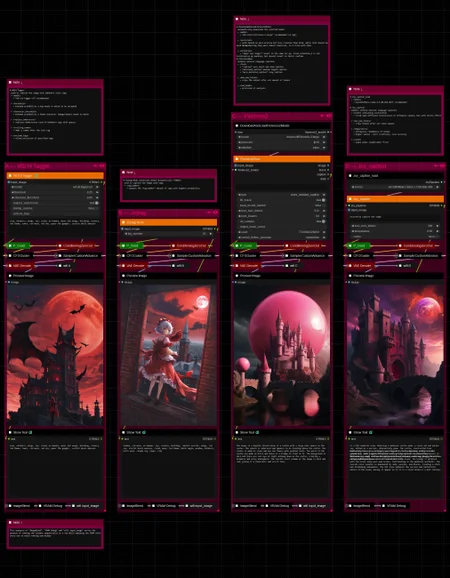
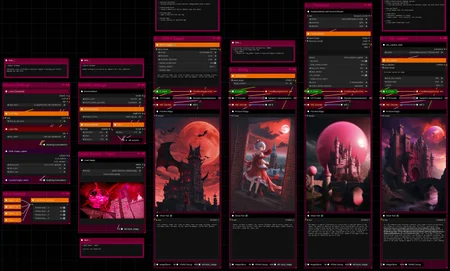
This workflow showcases some commonly used captioning models in a side by side comparison.
Rating a caption's quality or accuracy can be very difficult, especially in case of tags vs. natural language.
So all captions are directly used as prompts instead to generate images, which in turn illustrate their caption's accuracy by the level of resemblance to the original input image.
At least more or less so. Depending on the checkpoint used, tags or natural language could work better with that of course.
But you get the idea. It shows nicely how much the captioning actually picks up on.
Hope it proves helpful/insightful/fun to use!
Feel free to share results, absurd captions, recommendations or other captioning methods you would like to see included. I do have a whole lot more and might add them from time to time.
Features :
WD14-Tagger
Joytag
Florence2
Joy_caption
—Purpose : Auto-Captioning—
The Auto-Captioning workflows (AC) function as dataset preparation tools optimized for convenience, while providing customization options for all common settings to retain adaptability to a variety of use-cases.
Features :
Custom group nodes focused on relevant settings and convenience
Automatic processing of all image files in a directory
Optional fixed-length numerical names (000, 001, ..., 00n)
Optionial trigger word prefix
Optionial image saving alongside captions to follow same naming convention
—Custom Nodes used—
All of which can be installed through the ComfyUI-Manager
If you encounter any nodes showing up red (failing to load), you can install the corresponding custom node packs in most cases through the 'Install Missing Custom Nodes' tab on the ComfyUI Manager as well.
► In case of "execution-inversion-demo-comfyui" you need to set the "Channel" setting to "Channel: dev". (Found in the top left of the ComfyUI Manager Menu)
→ Do not forget to turn the channel setting back to default again afterwards
► If a "Channel: dev" node refuses to install due to some "security level" issue, you can modify the "config.ini" file located in ComfyUI\user\default\ComfyUI-Manager and edit that with any text editor.
The entry "security_level" is likely set to "= normal", which is the default and in some cases prevents installation of custom nodes, especially when using online services.
When you change that setting to "= weak", save and restart Comfy, you should be able to install the nodes just fine.
Detailed instructions and links to required/recommended models, along with the folders they need to be placed in, are included.
—Thanks—
The workflow would not be possible as is without these custom node packs. If you want to support the custom node creators, give them a ⭐ on their github repos! Thank you!
Feel free to ask any questions, share improvements or suggestions in the comment section!
Also let me know if you encounter any confusing points I can elaborate on and focus on improving for the next update!
Description
v1 — initial release
FAQ
Comments (1)
No matter what I do, I can't get the following nodes to not be red.
workflowwifi quad
Joytag
I looked up both and they should be installed, but I can't get it to work.