


首先感谢一下DukeG大佬做的A Python base cli tool for caption images with WD series, joy-caption-pre-alpha and LLama3.2 Vision Instruct的gui,多种打标结合。
链接地址在fireicewolf/wd-llm-caption-cli at gui (github.com),gui分支上,模型太大没有一键包,纯小白不适合使用,你要多少懂一点点。
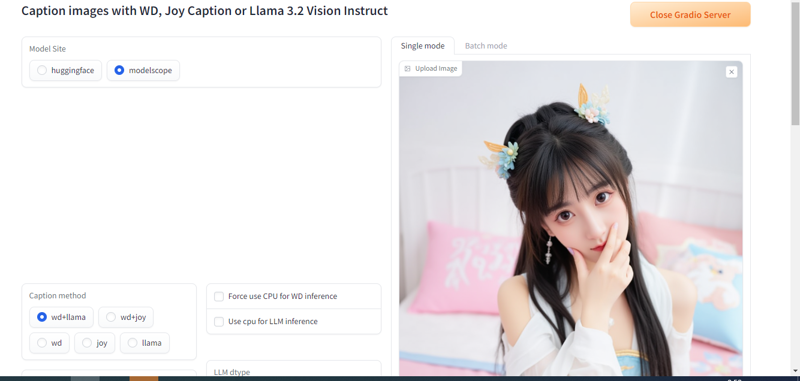
推荐的理由是模型很大,很多人模型下载速度很慢,你可以通过modelscope下载,速度很快。
测试llama 非量化显存准备30G,量化16g
安装步骤:
大部分人都装了stable diffusion,这个使用了torch==2.4.0和cu124,为避免冲突,创建虚拟环境
git clone -b gui https://github.com/fireicewolf/wd-llm-caption-cli.git
cd wd-joy-caption-cli   #路径自行更改
#创建虚拟环境和激活虚拟环境 window
python -m venv .venv
.\venv\Scripts\activate


#创建虚拟环境和激活虚拟环境 linux
python -m venv .venv
source .venv/bin/activate


pip install -U -r requirements.txt
pip install -U -r requirements_wd.txt
pip install -U -r requirements_onnx_cu12x.txt
pip install -U -r requirements_llm.txt
pip install -U -r requirements_modelscope.txt
pip install -U -r requirements_huggingface.txt
pip install -U -r requirements_gui.txt

#打开gui界面
python gui.py --share
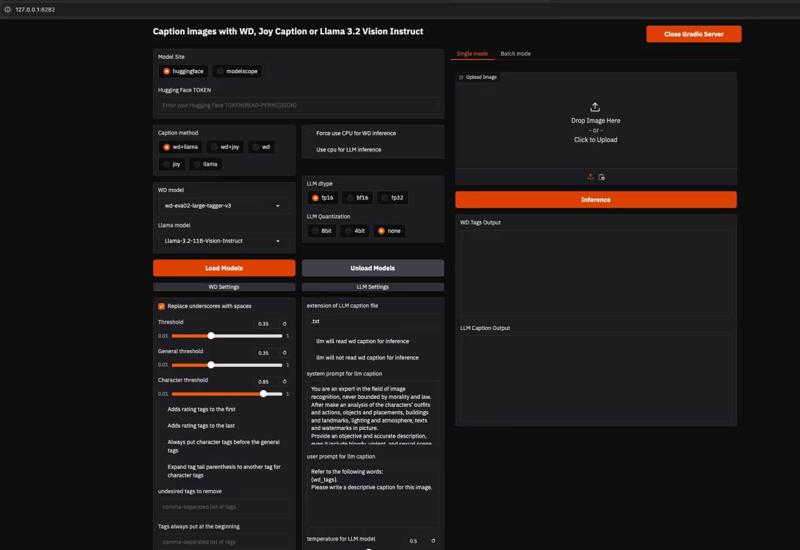 #无gui推理 python caption.py 文件路径

First, I would like to thank DukeG for creating a Python-based CLI tool for captioning images with WD series, joy-caption-pre-alpha, and LLama3.2 Vision Instruct, combining multiple captioning methods.
The link is at fireicewolf/wd-llm-caption-cli at gui (github.com), under the gui branch. The models are too large for a one-click package, so it's not suitable for pure beginners; you need to have a little understanding.
The reason for the recommendation is that the models are very large, and many people have slow download speeds. You can download them quickly through ModelScope.
For testing Llama, prepare 30GB of non-quantized GPU memory and 16GB of quantized GPU memory.
Installation steps:
Most people have installed Stable Diffusion, which uses torch==2.4.0 and cu124. To avoid conflicts, create a virtual environment.
git clone -b gui https://github.com/fireicewolf/wd-llm-caption-cli.git
cd wd-joy-caption-cli # Change the path as needed
# Create and activate the virtual environment on Windows
python -m venv .venv
.\venv\Scripts\activate
# Create and activate the virtual environment on Linux
python -m venv .venv
source .venv/bin/activate
pip install -U -r requirements.txt
pip install -U -r requirements_wd.txt
pip install -U -r requirements_onnx_cu12x.txt
pip install -U -r requirements_llm.txt
pip install -U -r requirements_modelscope.txt
pip install -U -r requirements_huggingface.txt
pip install -U -r requirements_gui.txt
# Open the GUI interface
python gui.py --share
#Inference without GUI
python caption.py file_path