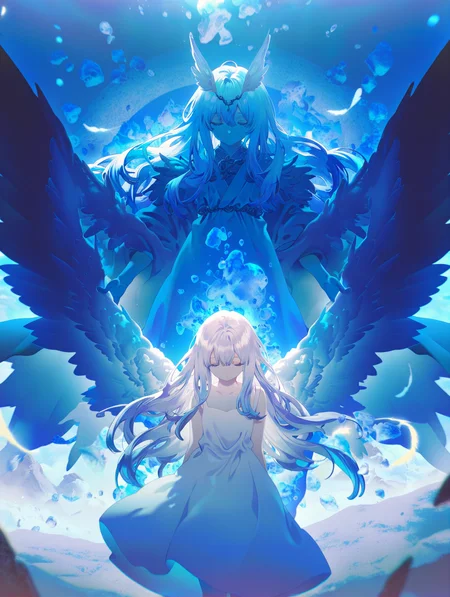
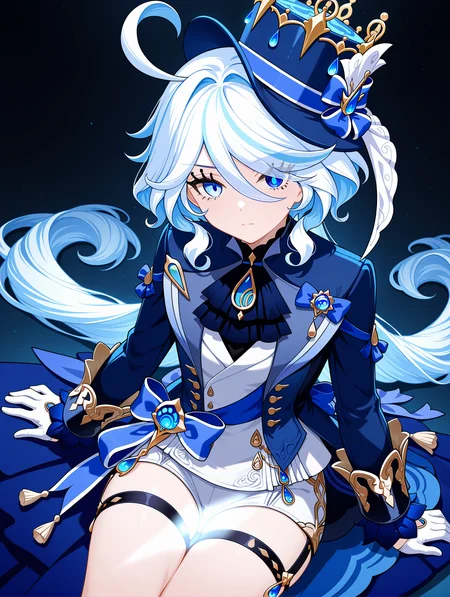
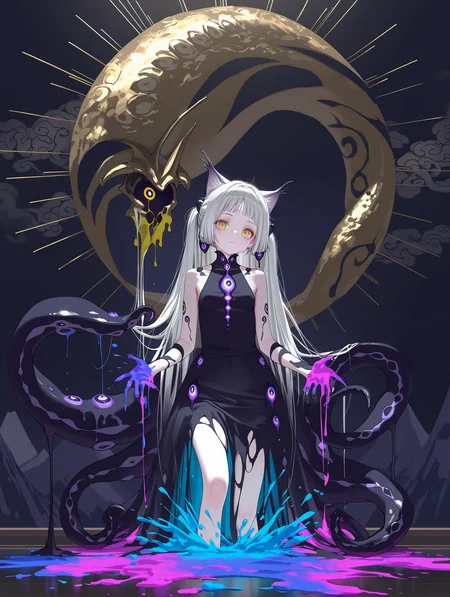


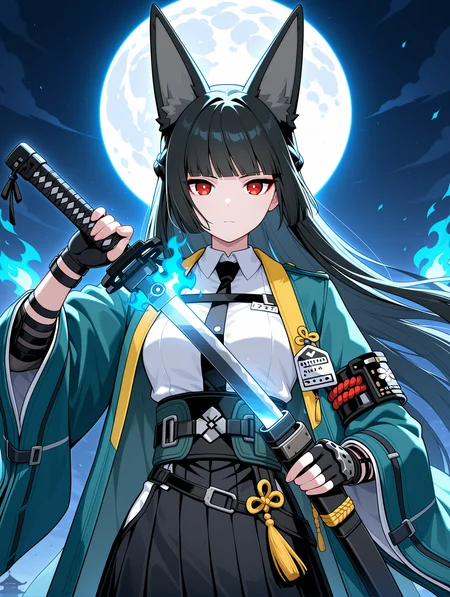

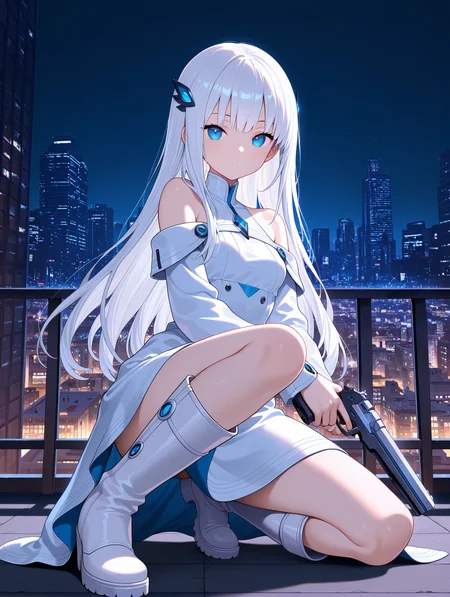


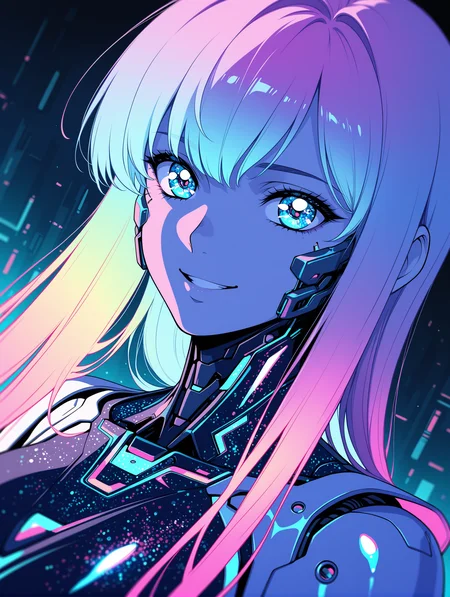


If you want to use more my checkpoint online generation, please visit here.
https://tensor.art/u/762555264535746522
WAI-NSFW-illustrious-SDXL - SeaArt AI Model
Character Select SAA
This is a Stand Alone App with AI prompt, Semi-auto Tag Complete and ComfyUI/WebUI API support.
Now supports 5058 (includes multiple costumes) Character list.
https://github.com/mirabarukaso/character_select_stand_alone_app
One-Click embedded package
In case you don't know how to build your own Python enverment, try the embeded_env_for_SAA
Down and unzip to your computer
Db-click #run_XX.bat
https://huggingface.co/datasets/flagrantia/character_select_stand_alone_app/resolve/main/embeded_env_for_SAA.zip
下载解压到任意目录,运行 #run_CN
Download and extract to any directory. Run #run_CN or #run_EN
Online Quick search character
Character Select Saa - a Hugging Face Space by flagrantia
Please do not add too many quality and aesthetic-related tags, nor overly long negative prompts, as this will actually reduce image quality and make it more blurry.
v17
Fixed issues where some characters had inconsistent color tones with the background.
Attempted to fix the issue where the background had low relevance to the characters.
The overall coloring in this version is slightly smoother and cleaner than before.
Attempted to improve the high-resolution fix’s ability to correct limbs; using it has a high chance of automatically fixing issues with arms, legs, and hands/feet.
If you're not satisfied with the default character age, try adding (aged up:1.0–2.0) or (mature female:1.0–2.0) at the beginning and adjust as needed.
ps
Regarding model updates: I create models purely as a hobby, not as my main job. So I work on them in my spare time, and the update frequency depends on my availability. Recently, my computer suffered hardware damage—both the GPU and hard drive were affected. As a result, updates will likely be slower for quite some time. Thank you for your understanding.
Recommended software: forge-neo.
Recommended settings:
Steps: 15-30
CFG scale: 5-7
Sampler: Euler a
The VAE is already integrated, please do not ask such questions anymore.
use size larger than1024x1024 for the original dimensions.
Example images use 1024×1344.Hires upscale: 1.5, Hires steps: 20, Hires upscaler: R-ESRGAN 4x+ Anime6B,Denoising strength: 0.35~0.5
There are four safety rating tags: general, sensitive, nsfw,explicit.
Users are expected to consciously add "nsfw" to negative prompts to filter inappropriate content.
Positive Prompt
,masterpiece,best quality,amazing quality, Negative Prompt
bad quality,worst quality,worst detail,sketch,censor,V5-V15 User Manual
V1-V4 are outdated,please do not download them anymore.
This is a list of characters that have been tested and are implementable on V11.
sieecc/WAI-NSFW-illustrious-SDXL at main
These are just temporary and not all tests have been completed yet; more will be added subsequently.
Recommended settings:
Steps: 25-40
CFG scale: 5-7
Sampler: Euler a
The VAE is already integrated, please do not ask such questions anymore.
use size larger than1024x1024 for the original dimensions.
Hires upscale: 1.5, Hires steps: 20, Hires upscaler: R-ESRGAN 4x+ Anime6B,Denoising strength: 0.35~0.5
There are four safety rating tags: general, sensitive, nsfw,explicit.
Users are expected to consciously add "nsfw" to negative prompts to filter inappropriate content.
Positive Prompt
masterpiece,best quality,amazing quality,Negative Prompt
bad quality,worst quality,worst detail,sketch,censor,Description
FAQ
Comments (406)
Showing latest 199 of 406.
很棒
List of artist styles that can be used by NSFW-WAI (scroll down after entering the webpage)(The page can be scaled, and you can slide up and down and left and right)
I went from v11 to v13 and images lost the specular highlighting, so the colors look flat. Is there a way to get that back? I tried adding “specular highlight” as a tag, but that does nothing.
I'm not into strong specular highlights, so that's good to hear. "Colors look flat"? Flat like a regular TV anime?
@kintilian45 yes
This is still one of my favourite illustrious models, but it feels like the prompt-adherence has dropped a bit in the latest version. That's what i come to illustrious for, so this may become an impediment...
V10 and 11 are the best, after those the quality becomes more inconsistent. I get worse faces, genitalia and color. Something like that happened with the pony version.
IMO v11 is the best, still using it a lot. The newer versions produce worse results for me.
V10 and V12 are the best
I would have to agree because, apparently the thirteen version would not Let me transform the body form of shape, I like.
Yeah, after trying v13 for a while I switched back to 12.
V13 seemed to give me more artifacts, and was harder to get sfw images in some cases.
WAI is still my go to model though. I train on base Illustrious, but generate with WAI.
They all seem to produce different-looking results. I'm glad we have the options, but I'm not looking forward to losing access to v10-12 on the generator when newer versions come out
Is v13 still firmly based on Illustrious v0.1, or switched to Illustrious v1.1?
0.1 i think
Hello, Im new to ComfyUi and I wondered if this fantastic model can be used within ComfyUi (and how). Cheers.
I use ComfyUI, and there's no doubt it can be used in ComfyUI — the method is the same as with SDXL models.
Yes, you can use this with comfyUI.
Assuming you have comfyUI setup and ready to go.
You can download the checkpoint from the top of this page.
Put it inside your ComfyUI/models/checkpoints folder.
Startup comfyUI (if it’s already open you’ll need to refresh the page).
There should then be a Workflow tab at the top that you can click on. Then go to Browse Templates. I think an Image Generation option should be one of the first things you see. So, load that one up (just ignore a msg if it says you’re missing a model).
You should see a Load Checkpoint node; you want to change the option there to the checkpoint you just downloaded
Then you hit run or ctrl + enter to start the generation.
That should be the basics to get you started.
@LightSwitchy Thanks for your answer and time!
best. model. ever.
can't do dark setting without throwing a flashbang at the chars. Bad prompt adherence compared to other models. using v12. maybe v11 is better. edit: also after longer testing i noticed it has trouble with adhering to prompts even booru wich is ironic... it also ignores negatives. even at :1.3 negative on futanari and several boy prompts including sandwiched between girls. it barely if ever generates the guy and instead produces futa? lipstick marks on penis = generates marks everyhwere but on the penis? sorry but this model is drunk. pony was more accurate than this model. you have to go out of your way to describe the guy and hope it won't fuse with other chars, other models are more flexible and consistent than that. also it can't do veil blojwob despite using all booru tags for it and creates pink liquids all the time. the model was trained on AI images late into the training causing dozen of issues... ugh yeah... gotta fix that until then i switch to another model cause this ain't it
If I want to use a Refiner, is stable-diffusion-xl-refiner-1.0 enough?
Or are there other Refiner models available?
After generating roughly 22,000 images on various scenarios and characters, loras, etc. I can confidently jump on the bandwagon that the more versions get released the worse it gets. I have to unfortunately agree with most people that OVERALL quality and prompt cohesion or even control net, v9 is good, v11 being second, and it goes downhill from there. IF there are more advances to this, I'd say redoing from V9 would give better quality images, or refine the datasets that's messing up this whole thing. Just sayin.
V7 was also great. After that, it became more anime-ish
Can you be more specific about what got worse?
I was wondering what version would be best. Appreciate the heads up, thanks.
Going to try my luck with this one
can't do dark setting without throwing a flashbang at the chars. Bad prompt adherence for more complicated stuff, probably due do the dataset. using v12. maybe v11 is better.
Help. Does anybody run this model works on stable diffusion-directml? When i put this models in models folder. It can not run
you have to put it in the Stable-diffusion in the model folder
@Theunknow106 Already. When load, it said Error, can not load models
i run it with directml works fine for me, try use this versions with your build, try em out one at a time see if they work for you, diffuser=0.30.0 and also, transformers=4.25.1, another thing, you shouyld try using the latest AUTOMATIC1111 build v1.10.1, they resolve a lot of issues with directml, for me it worked instantly just changing those to versions in the requirements_versions.txt file
Preview images & prompts for 20,000+ Danbooru Characters:
https://www.downloadmost.com/NoobAI-XL/danbooru-character/
Preview images & tags for 6,000+ Danbooru Artists' styles:
https://www.downloadmost.com/NoobAI-XL/danbooru-artist/
Preview images & tags for 4,000+ e261 Artists' styles:
https://www.downloadmost.com/NoobAI-XL/e621-artist/
Preview images & tags for 3,000+ e621 Characters:
thank you !!!! awesome breakdown !!!
TLDR: Use V13, with V11 as a refiner model, and you get much better images.
If you use Forge or A1111, go to settings>Stable Diffusion and look for "Hires fix: which pass to enable refiner for". Select "first pass".
Load V13 as your main checkpoint, then enable refiner and choose V11 as the refiner checkpoint and a switch value between 0.3-0.5. If you're using hires fix, select V11 as the hires checkpoint too.
If you do this, V13 will start your image generation with all the new compositions and data, then V11 will take over and prevent the messed up eyes and over saturated colors.
What is the principle of choosing the first pass?
First pass applies the refiner to the initial generation. Second pass applies it to the hires fix portion of the generation
How do I use it? When I use more than one checkpoint during generation, my GPU memory decreases and I get a warning. Is there any way to switch checkpoints without losing memory?
@inside1589 If you use forge, it should unload the first model before loading the next one. I can't remember if A1111 does the same
I've used refiner with fooocus, but I've no idea how to make workflow with comfyui
For me the eyes usually get fixed by just using ADetailer. Thx for the advice anyway, will try it out.
@WAI0731 Do you have any plan on using Illustrious 1.1 as base?
i gotta say illustrious 1.1 is not so good tbh, maybe its just me but that fine tunning has the same problem as ANIMAGINE XL v4, its somehow not that good
I heard there are issues with Illus 1.1 due to it being trained with a sizable chunk of AI images and overfitting
@rivertree same with animagine v4 ive tried everything but still no good results, seems animagine v3.1 is the best still !!!!
illustrious v1.0 is already refined enough to go crazy for next the 5 years !!!
Illustrious 2.0 just got released and i hope they'd use that instead of 1.1 if they can
@tobycortes WAI is using illustrious 0.1 no? not 1.0 from what ik
@DawnDenn It would be crazy if WAI wasn't updated to this even after the 3.5 release.
This is nice
very nice
artist tags don't work very well on the WAI
They definitely do for me.
Try artists with more than 50 danbooru hits, ideally 100+
if they have brackets in their name, put a backslash before each bracket.
Use spaces instead of underscores, unless the underscore is an actual pat of the artist name.
DO
squeezable \(squeezabledraws\)
DONT
squeezable_(squeezabledraws)
its does work with the correct syntaxis as stated above
@FondantViper does this apply to other prompt as well? Because most tags on danbooru has underscore (character name, anime name, etc.)
@Kaze111 Yeah. If you're using a character name or series name, same thing applies.
DO
misty \(pokemon\)
DONT
misty_(pokemon)
it can get pretty crazy for long tags. One of my favourite outfits is very long to correct so I keep a text file for easy copy pasting.
artoria pendragon \(lancer alter\) \(royal icing\) \(fate\) \(cosplay\)
v13的效果不如v12,其他版本没试过,说不定真的就如评论所说v9是最好的版本
同样的词条v13感觉没v12效果好,对人物的特征把握也有退步
cute
In v13 I have artifacts with some models, as well as the image is not always clear. I compared it to version v12 and it works much better!
I usually always use the latest version, but here it was so bad that I had to go back.....
I feel like I'm crazy, but there seems to be something very wrong with the quality tags in v13 per my observations.
Using "best quality" and/or "amazing quality" in the positive prompt seems to make generations notably worse while removing "worst quality" and "bad quality" from negatives make v13 look much closer to generations from v12 and v11. The effect of "masterpiece" and "worst/bad detail" is significant, but I feel the results with or without are equivocal in quality.
I am using euler a, beta scheduler on ComfyUI, 4.0 CFG and only 12-16 steps, but v11 and 12 perform very well with these settings.
Great model
Anyone know how to make this model generate images faster? I think shorter prompts, fewer images, and fewer steps are some ways. But it still usually runs pretty slowly, and I don't know why.
1. What resolution are you using?
2. What sample and scheduler?
3. step count
4. what GPU?
@FondantViper 1. 680x800
2. Euler a & Automatic
3. 90
4. I got a 4060
@Von_BlepThe3rd do 30 steps not 90
is there in plans new version based on Illustrious-XL-v2.0?
Is there any way I can get this to not be "dormant"?
<3 love this
I'm a complete noob, how do I use that controlnet pose thing with illustrious? please help I can't find anything online that works, I need like a skeleton? but which one works with illustrious?
I haven't tried yet, but perhaps this will help:
https://education.civitai.com/civitai-guide-to-controlnet/
Also, any search engine: "Controlnet: A complete guide" pulls up lots of other-site results.
@croutucreicesoi657 those dont seem to work for illustrous, I understand nothing
Do you use Comfy of stable diffusion?
If you use comfy then there are nodes that extract a skeleton from a reference image. (same with midas)
For me the structure is like this: load image>pixel perfect resolution>get image size>AIO aux preprocessor> preview image. In the preview (or save image) you'll get the skeleton or depth map you want.
Keep in mind not all can be used for a skeleton, some simply don't work.
You can use either the Openpose preprocessor or the illustrious one uploaded to this site.
If you use Stablediffusion I sadly can't help you.
@Hati_Hrodvitnisson I made it work, thanks. I have other questions if you don't mind. How can I make a character wear an outfit? Like for example I made my own oc, but I want her to wear rem maid outfit, but I can't find how, all I get when using rem cosplay or roswaal mansion maid uniform is making the girl look in the re:zero style, do you can help¿
@almaqueso Basically what you have to do when using Illustrious or Noobai is make use of danbooru, there you can find tags that suit your needs.
In this instance for example you prompt your oc and then you can add rem \(re:zero\) \(cosplay\).
you could also add it beforehand depending on which one yields the best results.
But alot of prompting is knowing the right words (danbooru tags in this case) and structure.
FIRE
Great
Works great, thank you!
V13 is a lot worse than the others, that new databse fucked up a lot, actually, why even do a new database, that would be like a whole new model
V12, V11 and V9 are the best for now
Please keep up the goodwork, I love your models
Approved
great
Good
This is an absolute masterpiece, it is so easy to generate such incredibly good images, thank you so much for this wonderful model.
Beautiful and works perfectly
Very good works.
too many burnt-in logos
v13 seems to have lower quality. I would use 9,10, or 11 for now.
This or ntr mix as training base?
It depends on what you want , but from personal experience:
- Use SDXL 1.0 as training base if you want general purpose compatibility across many SDXL-based checkpoints, Since is the official base, your trained model should work with every other fine-tuned SDXL checkpoint and not just Illustrious-XL based fine-tunes like WAI-NSFW (this checkpoint) or NTR Mix.
- Use the base fine-tune (Illustrious-XL) for training if you want wider compatibility for you model with most checkpoints that are also based on that specific fine-tune, such as WAI-NSFW or NTR Mix. This will also ensure that your model works well with future versions of WAI-NSFW.
- Use the specific fine-tuned checkpoint (WAI-NSFW, NTR Mix, etc) as training base if you only want to use your model on either of those specific checkpoints but doing so may make the model not compatible or difficult to use for any other fine-tuned checkpoint that's not the one that was used for training, since your model would become biased toward that base fine-tune aesthetics. For Example: a LoRA trained on WAI-NSFW v13 should work well for that same checkpoint but may struggle to generate good results on NTR Mix or even future versions of WAI-NSFW.
go with noobai. this model was trained on ai slop images
@HentAI_Ga_Kill with all due respect. if you have such strong opinions please post some pictures on noobai so we know the difference between ai slop trained model vs the good model.
Thanks for comment guys. I've narrowed it down to Noob and ILXL 1.x
Working fine in a RX 6600
Who tested it on gtx1650? What was the results?
sometimes these v13 models generate noise like this, https://files.catbox.moe/vtnywq.png
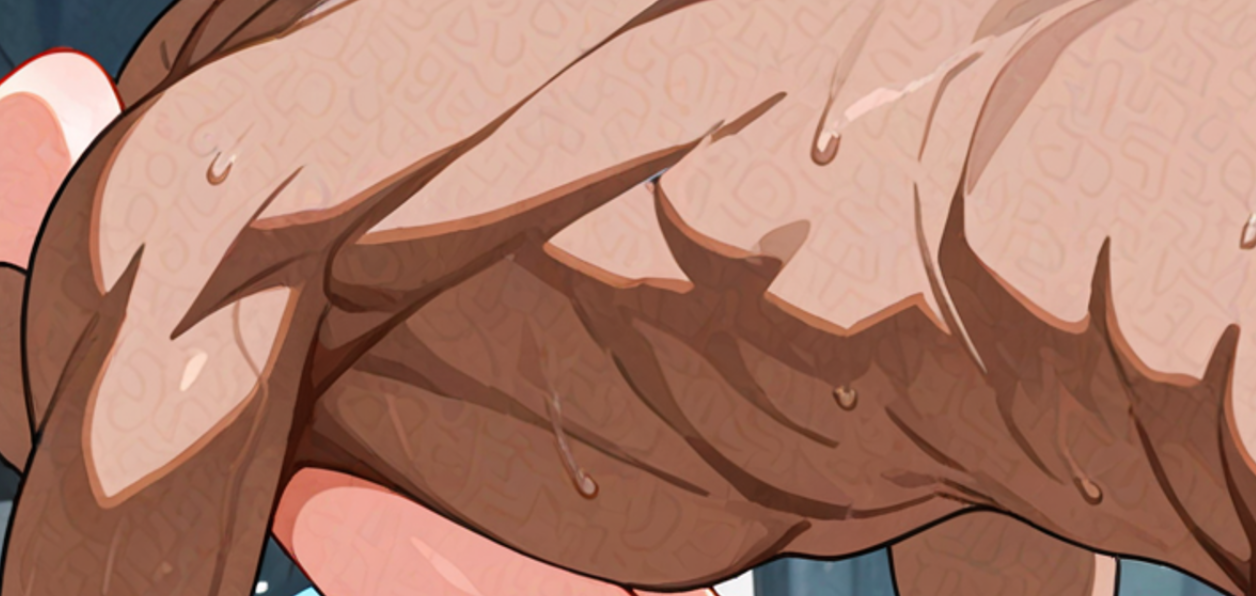
I think they use images that have been poisoned with Glaze for training.
feels downgraded from v11
Great model thank you!!!
Can render basically anything. Very large and consistent set. Compatible with every lora. Big respect for your work.
comfyui工作流中模型不是放在models\diffusion_models吗?为什么一直提示我找不到模型,Prompt outputs failed validation: Checkpoint Loader with Name (Image Saver): - Value not in list: ckpt_name: 'waiNSFWIllustrious_v120.safetensors' not in []
這個應該放ComfyUI\models\checkpoints裡面
diffusion_models是用来放flux模型的,你搞错了
Ye after generating almost 100 pictures with and without style LORAs, different negatives and positions. I can say i agree with people, v9 is objectively better than v13,v11 is better in some situations. i suggest whichever future versions gonna come it should be closer to v9 than v13.
my favorite model
I'd really like to know what training went into this. I'm getting graphic horror like i've never been able to make with AI before
I tried to use the one click embedded install but after starting #run_en.bat I get an error of " File "D:\embeded_env_for_SAA\character_select_stand_alone_app\scripts\metadata.py", line 2, in <module>
from safetensors.torch import safe_open
ModuleNotFoundError: No module named 'safetensors'"
same problem
v13 版本是加了 Illustrious XL 2.0 吗
好像没有,v13是2.0出来前发布的
@1344535564102 好的
As someone with limited storage space at the moment, is it worth going from v12 to v13? Is it an upgrade? Sidegrade? Downgrade? I ask cause a lot of comments here are negative on v13 and I'm not sure if I should bother using it over v12, which I already use.
I think v13 is a slight downgrade.
I find v12 to be better.
v12 is better than v13
The best version in my eye should be the combination of v9's variety & creativity with v11's accuracy & stability.
what resolution should i use? i have a rtx 3060
832x1216
1216x832
1024x1024
@Nephilim ok thx
Love this so much
Good model for scenery.
This model keeps putting things like glitter, rain or similar particles into the background. Does someone else experience something like this?
i have ,i not know how to avoid it ,its like star,but i dont have the prompts like star,i dont know why
@zpmljzzc I might have found a solution. Setting the Denoise option on the second sampler to 1.0 seems to fix it
@Tuti03 thank you,i will try.i found another way ,i put the words"particle,light_particles, particles, "in the negtive prompts,i found it used,please try it
U
perfect
The new update been adding some unwanted stuff to my images, like if I ask for a girl up close, sometimes it gives her tears to her eyes and sometimes when asking for a girl with a man in pov, it start to add an extra man in the background.
Perfect 😉
thanks the model,i have a question,gerating the picture have white point,i dont know why
i use comfyui
I think it's either that impurities are included in the training dataset, or that the color tone settings incorporated into the model itself are incorrect. This was common during the SD1.5 era. If the latter is the cause, it can be fixed using SuperMerger's adjust function.
@watayuki288 thank you very much! one question a little,i use comfyui,i look github,buy not find the nodes about Supermerger,thank you
@zpmljzzc use a different vae
@ofnilthefinegame thank you.i use some vae,but a point a point in the picture also,for example,i use black_backgroud,the point like "star",but i not use the star in prompts.
@zpmljzzc Supermerger is a WebUI exclusive extension. ComfyUI is specialized for image generation, so I think there are no extensions for model modification purposes...
@watayuki288 thank you!
Perfect and smart Model
Anyone know how to get no or less watermarks, scribbles at the sides?
i usually put things like "watermark, signature, text, bad quality,worst quality, patreon signature" on the negative prompt and it seems to work fine.
put (text:1.5), (watermark:1.4), in negative prompt. include the brackets.
As the others have commented, you need tags in your negative prompt to reduce the chances of watermarks, however V13 of this model does seem to force watermarks a bit more than previous versions, regardless of what you place in your prompts.
@dot_original @Cardin @MaGiC48x im using these negative prompts but im still getting them, could it be that certain loras make them appear more often?
@yoyo12333 it would greatly help if you uploaded examples so we can analyze, meta-data important so make sure it's included. on site generations will have it.
generally it would be the checkpoint's fault as the checkpoint is trained on a lot of images with logo/watermark. the negative prompts should cover it however, you may be on a streak of type of images that are very rigid or something. hard to tell.
if you are afraid that your images are to explicit to upload or so, scrap those thoughts. you are anonymous here and there is just no way you will have more explicit images than what is already on site. you can also just delete them later.
@yoyo12333 you're not doing anything wrong and I doubt it's your loras. V13 of this model just seems to force watermarks more often than previously
I'm generating images with an RTX 3060, with a resolution of 1152x1536, then upscaling by 1.5x with 30 steps and Denoising strength 0.75 I saw that it seems that people don't usually generate at this ratio, starting at a smaller one, I would like to know if this affects the image quality in any way
AI is similar to 3D, the higher resolution the higher the quality as the rendering 'software' has more pixels 'to work with', problem is with AI you are bound to find more body deformation the higher the resolution, newer models like Noob even claim to be able to generate at 1824p without the so called 'body horror'.
I do the same, generate at 1024~1536x1024~1536 then upscaled by 2 at a denoise of 0.34 to make it as close as possible to the original image but reducing or removing artifacts entirely thanks to R-ESRGAN 4x+ Anime6B (the best anime upscaler)
But keep in mind, my workflow is agressive, pure gacha, there is nothing wrong with it, but most prefer 1.5 to avoid changing the image to much, I on the other value sharpness and fine details, so I got with 2 and 34.
As for your Denoise think like this, 0 denoise the image is the same as the original image, at 1 the image is entirely different than the original image, you have to find a value that works best for YOU.
@xDegenerate is 100% correct with their comment.
I'll just add, for me personally locally generating on an RTX 3090 in Forge, this model seem to work fairly well on initial resolutions up to and including 1408x1408. I then hires fix upscale to 1920x1920.
From a lot of experimentation, resolutions any higher than this seem to drastically increase the chances of body deformities and graphical errors.
Stable Diffusion XL is trained and optimized for 1024 x 1024, that is why this will give you the best image quality. You can do it higher, i also got good looking results without body horror with generating directly 2048 x 2048 with some checkpoints but as SDXL is optimized and trained on 1024 x 1024 higher resolutions should actually decrease the quality. So i use only 1024 x 1024 for square pictures with my RTX 4090 and then use Hires.fix with R-ESRGAN 4x+ Anime6B upscaler and upscale by 2. But you can also get good results with higher initial size. and for vertical format i use 832 × 1216 or 1024 × 1536 also upscale by 2 with Hires.fix.
I don't know anything about how to do any of this, but this model seems to work better than all the other ones I've tried.
So thank you.
This works really well x3 gj c=
Amazing
Норм
Какое нафиг "норм", когда оно всирает стили и глючит по сравнению с двенашкой!..
@Ptiz уга-буга
epic
coolest
Does using "anime coloring" and "anime screencap" have any effect on the result in color? I noticed the colours aren't as vibrant on this and wonder if that is why as i used these tags by default before.
Yes, 'anime screencap' will desaturate the colors while adding some form of 'gaussian blur' to it, making the render less sharp, and 'anime coloring' will make the lines more thick and will have some saturation compared to 'anime screencap'.
Use both if you want to replicate anime styles (duh).
If you don't use any of these : Anime Coloring, Anime Screencap, cartoon or Toon (/style/) your renders will have by default a more soft-shaded look unless your ckpt is specially trained for anime like Mistoon.
Most people just add tags they don't know how it works, they just mindlessly copy from other users.
@xDegenerate Thanks for the info. I have a potato + it can literally take all day to test simple tweaks and learn how they work. I myself was a mindless copier until learning to optimize properly / after a couple months at it...now I'm only a couple years behind :)
@xDegenerate interesting, thanks for the info.
I been mostly using pony where these tags certainly helped with lora trained on screencaps for newer shows or limited datasets, noticed i was getting pretty bad results until i removed them, sounds like it was probably the screencap causing the issue, i will have some more playing with them, the default (not using them) certainly seems pretty nice. I admit i avoided Illustrious for some time because i have limited time and didn't wish to learn new system when busy but it's actually pretty fun so your input is much appreciated as i play around.
Any plans to update on Illustrious v2?
It looks IL 1.0 now 14V. The reason why he didn't take 2.0 was that it didn't meet his expectations.
Great
Amazing generator!!
What is the normal/best resolution to be using before any upscaling or things like that?
Is it just 1024x1024?
1024x1024 is the officially supported resolution.
I've done a lot of testing with every resolution past 1024x1024, increasing by 64x64 every time, and counting the amount of body deformities and graphical errors.
1024x1024 obviously has the least errors, however 1280x1280 and 1408x1408 also seem to work very well for me.
Added bonus of the higher resolutions is noticeably more detail, but the risk of body deformities does increase, especially at 1536x1536 and higher.
Should mention this is through local generation in Forge on an RTX3090
1216x832 is what I use. Upscale by 1.25 just to add detail.
What is the Character Select SAA stuff and how do I use it? I’m using the v7 model.
มันดีมากๆครับ
Great model
great model
Nice model
Nice
Great
Great!!
action tab is missing on en model of webui extension of wai
Is there a way to make a 2048x2048 image? Either in this version or in other versions? Currently using v10.0
Generate a 1024×1024 image first, then upscale it using Ultimate SD Upscale.
If you're concerned about detail loss or differences after upscaling, you can combine Canny and Color Transfer to help preserve the outlines and keep the color tones consistent.
Recently found many opinions from other sites that the best version for WAI is either v8.0 and v11.0 due to stability and prompt adherence. Is it true though?
Personally, I found v10 to be the best one when used with Loras. Tried 11 and 12, but both were worse with loras and also inconsistent with things like fingers. v11 was really good at regonizing and copying know artists compared to v10 tho.
You will get mixed answers here on CivitAI as some people can be biased (heavy simping), the first day v12 got released people were being downvoted to hell for speaking against the constant updates.
v13 was not much different but more people spoke against it.
The creator excuse as to why he was updating frequently was because the ckpt was generating to many 'minors'.
My opnion is that he was simply farming for likes/buzz, after all this guy is the most well paid creator in the whole site (do the math on the Buzz assuming 1$ = 1K Buzz), plus he is making on average 1.5m Buzz week with this cpkt alone, so he is obviously trying to stay relevant making frequent updates.
As for my opnion on the v13? is uber dogshit, the anatomy is completly destroyed, zero support for futanari content either (as much some people dislike it, it is a thing), anything higher than 1280p and the body deformations are just to much.
v12 is OK.
The best imo are v10 and v9.
v9 is simply an all arounder, if you make a 0.33/0.33/0.33 merge with Personal Merge and Hassaku Style A you got a model that can meet basically all your needs (Minus 3D and Realistic).
@xDegenerate I thought it was, for some reason, my fault, either my generator, my own loras, or my prompts, but indeed with 13 (which I costantly use), give some weird deformities some times. I might go back to 10 and check if it happens as well. thank you for the insight :)
@Liviel Worse in what way? extra fingers etc?
@xDegenerate Wow, thanks for the insightful answer. I will try my Loras in both version because in V11.0 it's a bit unstable, but stilll good.
@Andrach Extra fingers, artifacts, deformed fingers, and when it came to loras they were worse at mimicking styles.
@Andrach arms becoming body and viceversa, legs reversed from front to back, etc lol
great
do i need a RTX gpu for this model ?? all my images come out purple/pink in color and horrible distorted despite looking great in the preview while rendering until the last second. im using automatic1111 with a GTX 1080
its related to VAE in your case since you mention looks great in preview but came out ugly last second, usually the fix is increase the steps from 20 to 25 and set the VAE to auto
Please use a version prior to V13, as this issue only occurs in V13.
I haven't encountered this issue in other versions, but in V13 it happens much more frequently.
@alona_chemerys Thanks for the help, i changed VAE to automatic and now it works great
Which version of IL base model used in that checkpoint?
I think its 0.1
@ps1copato :(
Is the new data training giving us more recent character or only for quality?
I find it perfect, and it complements most of my creations.
Can't generate mustache without beard
Details
Files
waiIllustriousSDXL_v130.safetensors
Mirrors
waiNSFWIllustrious_v130.safetensors
waiNSFWIllustrious_v130.safetensors
WAI-NSFW-illustrious-SDXL-v13.safetensors
waiNSFWIllustrious_v130.safetensors
waiNSFWIllustrious_v130.safetensors
waiNSFWIllustrious_v130.safetensors
waiNSFWIllustrious_v130.safetensors
waiNSFWIllustrious_v130.safetensors
waiNSFWIllustrious_v130.safetensors
waiNSFWIllustrious_v130.safetensors
waiNSFWIllustrious_v130.safetensors
waiIllustriousSDXL_v130.safetensors
waiIllustriousSDXL_v130.safetensors
waiNSFWIllustrious_v130.safetensors
wai-nsfw-illustrious-sdxl-13.safetensors
waiIllustriousSDXL_v130.safetensors
waiNSFWIllustrious_v130.safetensors
waiNSFWIllustrious_v130.safetensors
WAI-NSFW-illustrious-SDXL-v13.safetensors
waiNSFWIllustrious_v130.safetensors
wai_13.safetensors
waiNSFWIllustrious_v130.safetensors
waiNSFWIllustrious_v130.safetensors
waiNSFWIllustrious_v130.safetensors
waiNSFWIllustrious_v130.safetensors
waiNSFWIllustrious_v130.safetensors
Available On (3 platforms)
Same model published on other platforms. May have additional downloads or version variants.