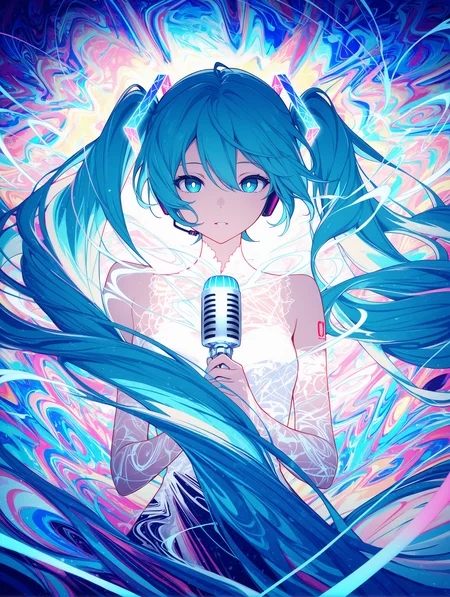


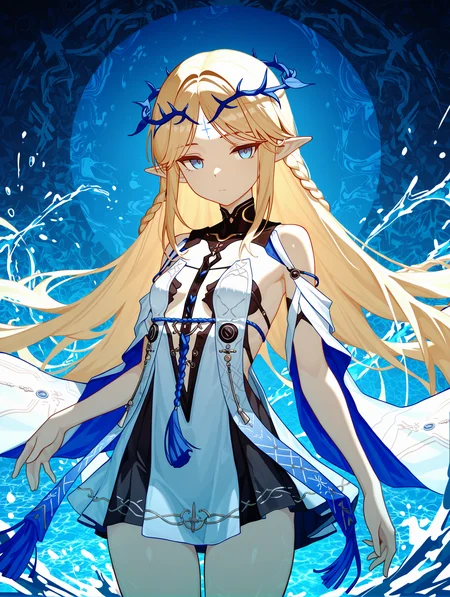

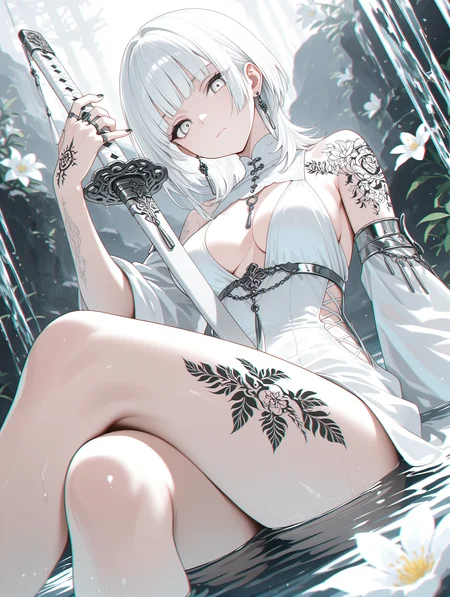


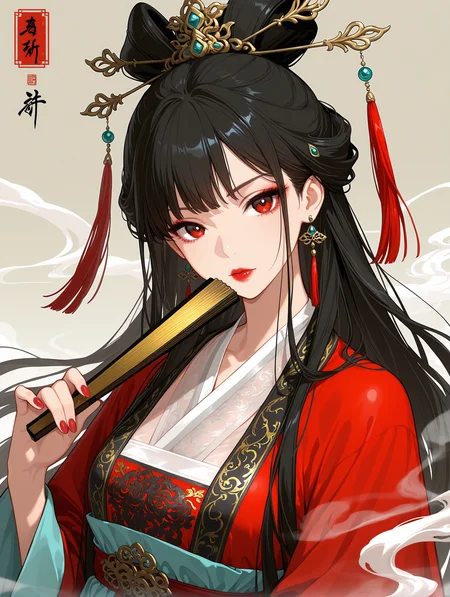


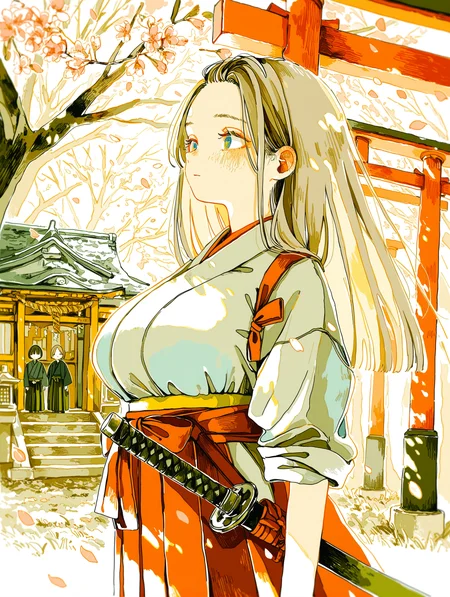


If you want to use more my checkpoint online generation, please visit here.
https://tensor.art/u/762555264535746522
WAI-NSFW-illustrious-SDXL - SeaArt AI Model
Character Select SAA
This is a Stand Alone App with AI prompt, Semi-auto Tag Complete and ComfyUI/WebUI API support.
Now supports 5058 (includes multiple costumes) Character list.
https://github.com/mirabarukaso/character_select_stand_alone_app
One-Click embedded package
In case you don't know how to build your own Python enverment, try the embeded_env_for_SAA
Down and unzip to your computer
Db-click #run_XX.bat
https://huggingface.co/datasets/flagrantia/character_select_stand_alone_app/resolve/main/embeded_env_for_SAA.zip
下载解压到任意目录,运行 #run_CN
Download and extract to any directory. Run #run_CN or #run_EN
Online Quick search character
Character Select Saa - a Hugging Face Space by flagrantia
Please do not add too many quality and aesthetic-related tags, nor overly long negative prompts, as this will actually reduce image quality and make it more blurry.
v17
Fixed issues where some characters had inconsistent color tones with the background.
Attempted to fix the issue where the background had low relevance to the characters.
The overall coloring in this version is slightly smoother and cleaner than before.
Attempted to improve the high-resolution fix’s ability to correct limbs; using it has a high chance of automatically fixing issues with arms, legs, and hands/feet.
If you're not satisfied with the default character age, try adding (aged up:1.0–2.0) or (mature female:1.0–2.0) at the beginning and adjust as needed.
ps
Regarding model updates: I create models purely as a hobby, not as my main job. So I work on them in my spare time, and the update frequency depends on my availability. Recently, my computer suffered hardware damage—both the GPU and hard drive were affected. As a result, updates will likely be slower for quite some time. Thank you for your understanding.
Recommended software: forge-neo.
Recommended settings:
Steps: 15-30
CFG scale: 5-7
Sampler: Euler a
The VAE is already integrated, please do not ask such questions anymore.
use size larger than1024x1024 for the original dimensions.
Example images use 1024×1344.Hires upscale: 1.5, Hires steps: 20, Hires upscaler: R-ESRGAN 4x+ Anime6B,Denoising strength: 0.35~0.5
There are four safety rating tags: general, sensitive, nsfw,explicit.
Users are expected to consciously add "nsfw" to negative prompts to filter inappropriate content.
Positive Prompt
,masterpiece,best quality,amazing quality, Negative Prompt
bad quality,worst quality,worst detail,sketch,censor,V5-V15 User Manual
V1-V4 are outdated,please do not download them anymore.
This is a list of characters that have been tested and are implementable on V11.
sieecc/WAI-NSFW-illustrious-SDXL at main
These are just temporary and not all tests have been completed yet; more will be added subsequently.
Recommended settings:
Steps: 25-40
CFG scale: 5-7
Sampler: Euler a
The VAE is already integrated, please do not ask such questions anymore.
use size larger than1024x1024 for the original dimensions.
Hires upscale: 1.5, Hires steps: 20, Hires upscaler: R-ESRGAN 4x+ Anime6B,Denoising strength: 0.35~0.5
There are four safety rating tags: general, sensitive, nsfw,explicit.
Users are expected to consciously add "nsfw" to negative prompts to filter inappropriate content.
Positive Prompt
masterpiece,best quality,amazing quality,Negative Prompt
bad quality,worst quality,worst detail,sketch,censor,Description
FAQ
Comments (743)
Showing latest 238 of 743.
how do i get consistent natural colors? instead of greyscales, completely blue images etc. that is really annoying
Never had that problem with wai. Maybe you can link a sample picture with your prompt and used Loras. In that case, answering the question would be much easier.
Are you using onsite or Offside Generation?
Just put monochrome in negative dawg
Try "colorful" in usual tags
This was the go-to model for many people generating anime characters before CivitAI became a PG-SFW only site, I highly recommend it when generating locally in the future.
Well, the ship is sinking, so it's time to return to local generation. That brings us back to the big question, guys: V14 or V11? Do we go with V14 as it's the most current model (not counting V15), or do we pick V11, since it's often praised in the comments for being a solid model with great compatibility for many LoRAs?
v14 handles some poses / concepts better than 11, but generally, 11 is better overall. IMHO 11 = 12 > 14 > 13 > 15. 15 also handles some poses / concepts better than everything that came before it, but the anatomy seems unfixable from everything I've tried.
Unable to generate.
Why change the name to remove "NSFW"?
Check the site announcements, basically the whole site has become read only for NSFW free users and for NSFW users who can only pay with credit card. The only way to generate NSFW now is if you pay them with other methods.
@dragonfable081551 So presumably @WAI0731 changed the name to make it not appear as if the model is just for NSFW?
歪大佬为什么把模型名字从原来的WAI-NSFW-illustrious-SDXL改成WAI-illustrious-SDXL了?
RIP free civitai users. Cash grab site suicide killing off all NSFW generators 🫠
Can you explain what you mean? Did I miss something these past few months? 😮 😮
@Eliz99 Civitai now requires you to purchase either a membership or yellow buzz to generate any material that is not PG
Well, then. Life goes on. What will be your new home, guys?
@Asdfghkkn these are nsfw friendly?
@qazwtf Until they get nuked too, yes
OK, but a migration is dutyfull. Users have no other way to dissent than to not follow
@qazwtf I tried them out. It was possible with Pixai.art, but it was already prohibited with Tensor.art.
伟大,无需多言
好吧,我不知道civitai最近的改动会对你们lora创作者有什么影响
From now on after the pay to generate rules, this site will basically lose 90% of all of the audience accordingly and it'll just gonna makes blue buzz USELESS. Great Update once again. We Really appreciate it 👍❤️
Does anyone know a Lora to fix the eyes?
Not getting good eyes.
https://civitai.com/models/1390184/eye-size-slider
This might help. You can also search for iris and pupil size sliders on the creator's profile
However, this LoRA is not guaranteed to fix the eyes if the character's face is far away
This one is pretty good too: https://civitai.com/models/1433845?modelVersionId=1658812
If you're having trouble with eye colors while using Euler a, simply switching the Sampler to DPM++ 2M Karras might improve the situation.
There are a few options, first off depending on what your using, you may have an addetailer function, WebUi Forge has a bog underneath highres fix for it. to use it you need to download files on here or hugging face for face, hand, body, eyes, ect. if your using ComfyUi they have an Addetailer Node that also use the files mentioned above. Also High res fix can correct many of those issue too so make sure you have that set up right. And if all that has been tried, there are some good Loras out there. one of my favorite is "detailed realistic eyes-gmr" by Artikuz_Ai. Hope this helps!
能否改善一下背景,nsfw的时候它总是喜欢出现床,哪怕背景放在沙漠里他也要在地上铺一张床单...负面提示词加了bed也没用
試試看负面提示增加床的權重 或者檢查提示詞是不是有涵蓋的某些XX動作跟床本身有關係。
ЗАЕБИСЬ МОДЕЛЬКА
I can't figure out how comfyUI differs from WebUI. If I used focoos before, which one should I choose?
ComfyUI is like a workflow and customization powerhouse. Usually has the newest features and is really good for video outputs, but has a sort of learning curve for its node based system.
WebUI is a more straightforward and simple approach, letting options and settings easily change results without much hassle.
If you are fine with simply making images and not trying to branch out so far in making other stuff, WebUI is perfectly fine.
But, if you want the most control, is willing to learn, and want to make unique images that you couldn't on WebUI because of limitations or trouble, ComfyUI is great to try.
(I suggest just try both for a good amount of time)
I switched from fooocus to automatic1111. I've been trying ComfyUI these days. If you don't know how nodes work, it's hell.
sea art平台中文用户无法查看或生成nsfw内容,望周知,冲着这个去的别上当了,另外注册完之后,免费三天之后会自动扣费,整整200r啊,血的教训,千万别中招了
seaart确实坑,我唯一能生成的账号是美区谷歌注册的,节点也不挂其他地区的
Is it just the name that has changed? Is the content still the same?
justname changed
Hey, Any update for V16? and Why you didnot use Illustrious V2 as a base but use V1 instead?
The explanation has disappeared now, but apparently v2.0 is of lower quality compared to v1.0, so it seems they decided not to use v2.0.
@emmeria765 hmmm...but it is confusing as on Illustrious website they said V2 is better than V1 but the company is not sharing too much because of some funding I guess.
Pokemon look great with version 11, but they look like a terrible mess in newer versions. (Tried with Ivysaur, Wartortle, Charmeleon, Lilligant, Raichu, Lurantis and Audino)
I want more Project Sekai characters and styles. I can only get the Nai style Prosekai characters.
a very good model, fluid and responsive, i love it
配置文件咋哪里找啊
It's the generator I've used the most, it's actually quite good.
This is really bad only 14 good not 15
what bad about 15?
I also agree that version 14 was much better than version 15.
@Cat_Hisses If you only use it for girls with standard body types, you won't notice, but there is a lot of inconsistency with other body types or with boys.
What's the best version of this model? 14?
9
13
16
I use 11 idk
v14
The name of this model may be a bit confusing to users that are new to AI, and/or that haven't been told that Illustrious (and, even Pony) Is SDXL(or, a branch of it, to be more specific).
Can't decide if I think v15 is garbage or goated. It handles concepts, poses, colors, and some other things better than any other version that came before it. The tradeoff is that the anatomy and other details like background / lighting are worse (or at the very least, more inconsistent). Hands, fingers, feet sometimes gen worse than older pony models.
Can't tell if it's a symptom of being over-trained and bordering on deepfried or if the Ilu v1 data skewed the set or what. I'm about 2 weeks into on again off again testing, and I'm probably just going to wait for a newer version to see if some of these issues are fixed before committing to an upgrade. This is probably the basis (or the direction, at least) that WAI is headed for the future. That's probably a good thing. As long as anatomy and detailes / artifacts are cleaned up a bit, a divisive release isn't a big deal.
Honest thoughts: if you're trying to build a workflow for what's coming in the future, it's probably not a terrible idea to swap. If you're new to genning, it doesn't matter. If you're used to V11, 12 or 14, just stick to your preferred version.
IMHO 11 = 12 > 14 (though these are the most universally loved versions). I tend to like 11 the most because the lighting seems the most consistent with my stack in that version. It's also the version I spent the most time with. I don't like the base look for 14, so I tend not to advocate for it -- but a lot of people do like it. After a couple months on it before swapping to Hassaku 1.3 / 2.2, then to Nova 10, then to Walnut, and back to 11. I don't feel like 14 really does anything better than 11 or 12.
Edit: Also, as an adendum, a fairly loud bit of the complaints are just noise from a clueless (and annoyingly loud) sample size. This model does have flaws -- especially in direct comparison to some of the older, more established releases -- and some of the negative feedback is insanely justified, but glup shitto 10000 complaining about the eyes or faces being bad is mostly just a knowledge dif.
Edit 2, as of 11/4: I walk it back. After further and further testing -- using a wider variety of prompts, loras, and schedulers -- I genuinely don't believe v15 has a use case. The anatomy breaks so much and so often no matter what I do. It handles alternative resolutions outside of 832 x 1216 so much worse than its predecessors. And while the flatter looks of it looks better with my standard combo than it does with previous versions, the murder it does on my prompts just makes it not worth it. After experimenting with some of the newer releases and updates on the website (outside of the most popular 3 or 4 models) there are so many that are just straight up better than WAI 15. And WAI 14 is old enough now that it's missing some pretty important dataset contributions -- though it's not awful if you're willing to make that compromise. But really, you don't need to.
Unless something new comes up for this model, it's probably time to move on.
What other models do you personally recommend?
@DatCivitAIGuy If you're looking for a flat style similar to WAI, the new janku model is nice if you're willing to wait a week for it to come out of early access. Hoseki got an update back in september, and I got some really good gens from that. A 'flat color' tag at a slightly lowered strength made it look pretty similar to WAI 13/14, but it handled hands better in some poses, had better prompt understanding with dynamic angles, and has newer training data. PinkAlchemy by Ramthrust is something I've been messing around with and getting good gens with (though it's closer to 2.5d over wai; I'd still highly recommend it, but it is a bit more different). AdAstra is a NoobAI EPS checkpoint that I really like, but it does have the shortcomings of noob. Amanatsu just got an update recently, though I haven't tried it yet. Historically, I really liked 1.1 when it came out in March. That might be worth looking at as well.
I'd say start there. And don't be afraid to just look around. Some of the newly added checkpoints by random people with 1000 downloads randomly go crazy. I randomly stumbled on the AdAstra checkpoint, and it's honestly one of my favorites.
Your in-depth review is really appreciated.
Which GPU are you using? Because, honestly, with my 5070TI, this model is almost perfect.
Hands and feet are nearly perfect 80% of the time, without LoRA.
I'm coming from PonyV6 where 50% of the hand and foot generations were wrong.
I'm new to this model and the anime generation in general, but seriously, this model is almost perfect for me.
It only has some "green and pink" spotty artifacts on a few generations every now and then.
It's hard to tell if it's the model itself that seems almost fried or if it's the negative prompt + LoRA or a positive prompt versus some words.
Although to tell the truth, I'm now curious to try the 14 or the previous ones, since everyone says they're better.
Ah.. resolution always divisible by 64.. Because over the many years that I have been generating I have always seen that resolution can create distortions of the body.
@REgenerationSD I have a 4080 setup and a separate 3090 setup. I've run the model on different UIs, between reForge, Forge, and currently comfyui with a slap into a couple different workflows I alternate between. If you're coming from pony, it'll feel like an improvement. Pony is so much worse than illustrious in terms of basic anatomy it's not even funny. But as for illustrious models, I found this one to be lacking. Please keep in mind pony hasn't been relevant for an entire year now, and WAI 14 is about 6 months old.
My original review was a bit more positive on v15 as I had mainly only done limited testing. 1 - 2 characters max, limited angles and perspectives, etc. But as I widened my use case, I found more and more issues with the model. Again, there are aspects of it that I like, but nothing about it is good enough where I'd go back to dealing with simple issues that most illustrious models don't have. I personally find most NoobAI models to be comparable in terms of quality, but the issue with that is Noob has significantly more positive variety. Of course, if you're getting good gens with it, that's fine. Don't be afraid to stick to it. 15 just lacks a purpose for me when I've found other models that do much more.
i was also puzzled on how its possible that this model has so many tips and downloads but also on how many gens in the recent tab look odd, something aint adding up.
they probably goofed up release v15
15 bad work. 13 is good
Have you tried weighting "(masterpiece:1.3), (best quality:1.3), (amazing quality:1.2)," and (worst quality:1.35), (worst detail:1.35), (bad quality:1.3), and tiring your own quality tags and quality checks weight by most important to least important and ordering them in that vein. warning do allow a delta in weight of your own quality tags and quality checks by at least 0.1, and specific failure modes should be unweighted or at most weighted at 1.1, for example "extra legs, bad fingernails," etc and you should only weight the most common and worst specific failure modes, limit yourself to at most 3. which will likely be a tag to do with hands, like "worst hands"
Also if you are going for a stylized aesthetic you should probably add "photorealistic, realism, " to your negative prompt, also semireal depending on how hard you are pushing lighting and other stuff which would invoke a realistic aesthetic.
And to the person who voted this down the issue of adding too many tags is you are cluttering the latent space leading to dropped tokens, but prioritizing quality tags and quality checks by their importance you make sure that the weighted tags are the last thing to be dropped, and as for specific failure modes you don't weight those highly because the model will spend undue attention on those areas if you do, which weighting quality tags doesn't have nearly the same issue as they are global tags which will effect the whole image. Also really your goal for putting specific failure modes in the negative prompt should not be to completely eliminate the chance of them, but to reduce the chance to a manageable level.
Am I against weighting heavily in the core prompt, oh hell yes, max 1.2 in extreme circumstance, and the vast vast majority of your core prompt should be unweighted and you should use descriptive language instead, ultra, hyper, best, detailed, exquisite, being examples of descriptive language that generally works well rather than stealing the models attention with weighting.
Are we ever getting a v16?
It's a very good model, but how to make eyes more detailed? "detailed eyes" prompt doesn't seems to work.
You can use UltralyticsDetectorProvider with Eyeful_v2-Paired.pt in ComfyUI, for example.
you will need to use ADetailer with eye detection to redraw eyes in higher resolution.
@lk74 Correct! I don't know why HarblFarmer gave you a thumbs down.
It is a general problem of 1024^2 resolution. Take your pick from: 1) standard high-res fix features, 2) Kohya Deep Shrink and, 3) ADetailer. I love Kohya because of the balance of quality and efficiency. By the way, putting "empty eyes" into negative prompt makes eyes more starry. "Detailed eyes" does not work on IL-based models, basically.
@empanada_48 Will it work in WebUI Forge?
@Aleksey035 I dunno, i used A111 and ComfyUI and they always worked well with Eyeful_v2-Paired.pt.
Any plans on Pony v7?
imagine using Pony in 2025 😂
Thank you, this is the most beautiful SDXL I have ever used. This model draws hands very well.
Just a personal wish
I hope to add umamusume's new characters
I wish landscape aspect ratio images could have been better.
If you use "gotou hitori" or "cube hair ornament", it freaks out and overrides all styling tags / LoRA to display hitori in her original anime style 😊
what's the difference between v15, v14, v13 all the previous versions?
it's difficult to say. if it were me, i ended up downloading several checkpoints and ran the same prompt on a few different versions. compare and contrast, then keep the one that has the best results to you :)
This shit really the bomb fr 🔥
probably not the first person to comment something like this but this is an essential checkpoint. all around high quality illustrious fine-tune that everyone should use at least semi-regularly in their workflow. i'm partial to v13.0.
Godlike checkpoint. Thank you for sharing. Many of my videos are generated from your checkpoint but civitai does not let me give credit.
may i know ur workflow ? please
v16?
Dont quite understand how to install 'Character Select SAA' from the instructions. How do you find the 'Local image generator API' for the API call setup?
Please, in version 16, can you remove the old man or ugly man? When I use 1boy, that annoyance always comes up.
Danggg you just gave me a reason to download this, i was like mehhh another anime checkpoint that i don't need but saw your comment and instantly hit the download. lol
Just throw old_man or ugly_bastard in your neg prompt, it normally gets rid of that
@kotsarelos62662 mature_male, elderly
So using youth or young prompt. Opposite is "mature male".
amazing model
Is this NSFW if i run on local comfyui? or this checkpoint doesnt allow nsfw?
You can create whatever you want with it
good model
Excellent prompt adherence and consistently good anatomy. It performs especially well when using Danbooru tags. Great model overall!
V15 generates finer lines and much more mature girls in general compared to V14. It's all just too different, and also feels somewhat unstable. I think I'll have to go back to V14. I'm worried that I won't be able to use any future versions of WAI. (Q.Q)
I also feel that the same cue words perform very well on v15 and v14, especially in light and shadow
Not had much experience with Illustrious-based models, so any tips to prevent sameface when using 2girls?
Nope, it will do that from time to time
Use inpainting.
Fair enough. It doesn't bother me as such, I was just worried because some images got flagged as "sisters" and "twins", which wasn't my intention. I guess I could try regional prompting too.
@Afgmc Regional prompting is just a shittier and more complicated version of inpainting. Trust me, it's really easy and you'll probably kick yourself for not trying it sooner
@magicballoon, I was having problems with Img2img in general messing up the image colors on A1111 and Forge but it works better in Forge Neo so having tried it a bit, inpainting is clearly the way to go. Thank you. [EDIT] The root cause was the gamma and srgb chunks that Paint.Net was adding to the SD output files when I edited them before using Img2img, so I wrote some code to strip those out and put the original SD text chunk with the prompts back in.
if u use A1111 u can try BREAK word, google it
@evilstormhot109, DAMN! Been using SD for years and never had much faith in BREAK, but just saying something as simple as "dark hair BREAK blonde hair" with 2girls seems to work very well indeed.
Try add clone in Negative prompt.
Guys what model do you use as a refiner for this?
v14
After days of generation using V15, I can confirm that its anatomy is worse than V14. Generation of multiple limbs is much more common now.
ALso has a lot more watermarks... v15 sucks compared to v14
Been trying v14 now as I started off on v15 and it seems much more sensitive to prompt weights. I was having to put some very high values in v15 to get the effects I wanted, but the same prompts on v14 make it produce nightmare fuel.
@haenlesn937 I still haven't had any watermarks since I started using it. I was surprised. I upgraded from Pony to this version V15. No writing, no watermarks for me.
@REgenerationSD yeah, watermarks aren't a big issue.
just curious why did u remove NSFW from the model name? Is it SFW only now?
It's because CivitAI new policy of course.
Yeah, I found WAI's answer on the question, thnx. Looks like it's #1 FAQ
@evilstormhot109 What FAQ?
@evilstormhot109 can you tell me where to find the answer or give a tl;dr? would be much appreciated
@madaraxuchiha88 Frequently Asked Questions = FAQ
@IPrometeoI I get that. I'm asking where is it? I can't find the FAQ that has WAI's answer that @evilstormhot109 is referring to.
@madaraxuchiha88 My bad. I think the FAQ can be found on the CC's discord server
I now did some comparison. V15 has A LOT more watermarks than V14. I can not recommend V15 at this point. Let's hope this is fixed in V16.
watermarks everywhere, weird anatomy as it likes adding extra arms, Not a fan. going back to v14
V14 is much better in everything.
Sad but true...
watermarks? extra limbs? weird anatomy? what chu talkin' about, my clankah?
Extra limbs: The same seed and the same prompt often produce multiple limbs on V15 while V14 is fine.
Weird anatomy: The body in V15 is bigger, longer and more mature overall, and it's much less responsive to artist tags compared to V14.
V16 with the newest gacha waifus when :P ?
Can I find out the artists that are in this model?
How to solve double or triple upper eyelids problem?
Try this amazing LoRA: [for illustrious & noob] Reduce Wrinkles(Lines above eyes)
I am new can i know the workflow.json, for comfyUI
Any workflow Text2Image should work
@victorhugodias2001189 *for SDXL
Love the new version.
Hope i can ask this here, is there a way to make separate characters, because now i put it in the pro promt. And sometimes two people mix together. Is there a way to separate that?
Maybe try using BREAK to define each character?
if you gen locally I use this with comfy https://github.com/Danand/ComfyUI-ComfyCouple. Works pretty great and managed to make it work with wildcards for random prompts on each gen. There's might be a bit of style leak sometimes but characters dont bleed to the other character most of the time
Try using the BREAK command at the end of a line to seperate persons from one another.
Also if you want better control over their position in the resulting image, try using a regional prompter.
@PossibilityWeird5153837 @Mytei it isn't what it's for and it doesn't work, IllustriousXL is enough good to make separate characters and you can inpaint if it doesn't work
@qek Thank you for your response, i wasnt aware illustriousXL couldn't make several characters. I will try inpainting. I hope to find an more advanced version. thanks
This is my absolute favorite checkpoint model. I'm hooked—I can't live without it!
Can't decide between V14 and V15
无敌了
I suspect there might be a problem with version 15; I always have problems with my hands and arms when I'm doing the butt-forward and genital-opening movements.
How can an AI model influence your hands, butt and genitals?
I trained the model using the same training set with versions 15 and 14 respectively, and the conclusion was that version 15 performed better than version 14, especially in terms of lighting and shadows. I encountered arm problems with version 15, and after hearing that version 14 wouldn't have this issue, I trained with version 14. However, the results showed that version 14 didn't look as good as version 15. Regarding the arm problem, their data was the same, and version 14 also had issues. In short, I really like your model and will continue to use it. The LoRa model trained with your version 15 is particularly realistic. For me, realism and aesthetics are the most important things.
Why does the latest version 15 often create green or pink artifacts in genital area?
It's like it's trying to censor.
Any suggestions?
I noticed this is very inaccurate when using certain illustrious Lora’s is there any alternative or fix?
I use ComfyUI, so this might not fit your environment. I found best results if you run a lower strength in the LoRAs (.5-.7) and prompt the model more "(like this:1.1),like this"; it can steer the gen towards the char you want! Seeds are also kinda important, so fixing a good image seed rather than a running numerous random seeds can help you poke the gen towards your vision and desires! I haven't really messed too much with character or style LoRAs yet, so I'm more familiar with prompting. 💋
キャラクターを作るには微妙でしたが、背景画を作るときには他のベースモデルの数段上を行くクオリティーのイラストができています
Can you guys recommend a good workflow for this model? (for comfyui)✨
I just made one for ComfyUI! It's XXX /Hentai Gatcha style - https://civitai.com/models/2166861
I made a "bare" version of my workflow which removed LoRAs and Custom nodes, for your ease of use - https://civitai.com/models/2168743/hentai1911-freyja-pixel-bareback-edition
Where can I find the full model?
It's just renamed, it's the same exact checkpoint as before the rename.
is v15 still shit lmao. v14 and v11 reign supreme
I disagree, V15 is fantastic. I can do so much with it. I can regulate how 2D to semi-realistic it can get, it's very rare when I need to use a lora. I haven't used V14 once I made adjustments of using V15.
v16 ??
宇宙的起点,伟大无需多言
I love v.15 and v.14 both! I can't tell which is better, and I made my first workflow fit for publication using Wai-Illustrious! Thank you for all your hard work!
BTW I'm doing some behind the scenes testing on a Dual model Wai-Illustrious workflow (v. 12, v. 14, v. 15)! Like if you're interested, and I might calibrate and release it 😘
This is like the "Vanilla" Model, like it's the first thing that shows up, and is the most popular.
I think it deserves that title, not a bad one, just a title.
GOAT MODEL
For those wanting the best it's waiNSFWIllustrious_v90. The true mvp of all IL models.
For real? I stuck with 14 instead of 15 but I'll give 9 a try.
I'm going to be doing some research with older Wai models as well! 💖
I tried v90 and I'm hooked
@renderguy I have v10-15 downloaded for my workflow, I'll give v9 a try! 👩💻
@pixelladies45 That's cool. I Have only tried 14,15 and now 9 its pretty good for what I do.
What's the difference between this checkpoint and: WAI-????-illustrious-SDXL & WAI_NSFW-illustrious_NSFW-illustrious-SDXL?
TIA
I can only assume it has to do with the PG version of Civitai.
How can I see the clothing prompts for the built-in characters?
when you say use size larger than1024x1024 for the original dimensions. when I need a vertical ratio, should I use
730x1024 or 1024x1440 ?
832x1216 is pretty common one i see ppl use with XL models
Here's a cheat sheet for you:
640 x 1536: 10:24 or 5:12
768 x 1344: 16:28 or 4:7
832 x 1216: 13:19
896 x 1152: 14:18 or 7:9
1024 x 1024: 1:1
1152 x 896: 18:14 or 9:7
1216 x 832: 19:13
1344 x 768: 21:12 or 7:4
1536 x 640: 24:10 or 12:5
730 is not /16, make sure that's always the case, doesn't really matter otherwise, it does well until 1536x1536, I usually go with 1024x1344 or 1440 or 1536, they all good
Is 1056x1536 crazy town for initial generation size?
Why i am getting bad gens or poor quality with this model while i am getting better results with other illustrios models?
とてもいい芸術を生み出せた作者に感謝!
https://civitai.com/models/2166861?modelVersionId=2475396
SFW and NSFW examples! 👀
Hey cuties, here's the FINALIZED 1911A2 Master Bounty Hunter ComfyUI workflow! It uses v.15 base with a v.14 refiner, dual checkpoint loaders and K-Samplers, high quality fixed gen seeds, 2048x2048 base resolution with noise buffering, default setting notes for readability, and a detailed readme and prompt guide! Other 1911A2 Master workflows are there for 1k (Machine Gun fast), 4k, and 8k (Big Game Hunt UHQ) generations! 💖
If someone is interested in creating a hairy pussy or pregnant LoRA based on this checkpoint please feel free to message me as I am happy to provide you with whatever training images you need! Thank you to WAI and Illustrious for making such an amazing model!
Totally serious! Happy to give back to the wonderful community - LoL
I was very hesitant to allocate the space to start messing around with illustrious, coming from a predominant pony setup. This checkpoint is an amazing starting point and is easy to build a complicated setup on. Works great out of the box and is a lot more comfortable to prompt for, not having to worry about some of the pony prompting quirks is refreshing. Great work love the checkpoint!!
Z-Image PLEASE!
Hope to see a new version release soon :3
I somehow feel that V14 is better than V15. Better anatomy, better prompt-adherence.
your not wrong
Yeah I agree my personal favorite and V11 too
Same
I disagree.
@GM_MD And what is your measurement methodology? I took 10 different seeds, generated the same pic with them, with the same prompt, with V14 vs V15. How did you measure?
I’m just going this comment to get blue buzz
I'm still on WAI V12, been a while now, which one should i switch to? I use a lot of LORAs, styles and so on
i was on v12 for a LONG time and the last months started using v13 and v15. for using "cocktails" combining lots of LORAs i've found in my experience that v15 is a lot more stable.
@SillairArt thanks for the heads up, i'll pick V15 and see how it goes
i'm on v14 right now. before that of course v12. i already testing several image in v15 with many loras combination but i that return too "cook" somehow.
I use v13 mostly
I switched to the "wai Nsfw Branch Rouwei ePred1" version xd Much more stable and no less colorful, although a bit old. V15 may not understand some tags and there will be a conflict, on "wai Nsfw Branch Rouwei ePred1" there is more stability, better at dealing with conflicting tags.
This checkpoint is great!
well its alright
W model but what styles can be recreated on it
Solved. Use "pinup \(style\)" tag instead of "pin up" if you get weird and strange medals in your images(V11). Thanks to Starvader!
I have yet to upgrade from my old v11 due to testing various styles in my collection - which of them are better than the others. It can hardly be done if you're constantly changing checkpoints.
During my tests I noticed that it tends to generate weird medals on characters, even when they are supposed to be naked. At first I thought that a style Lora was at fault, but then it kept happening during tests of other Loras, both style and character ones.
Using "medal, emblem" in the negative prompt didn't help at all, probably because the model doesn't recognise these anomalies as such.
Did anyone else encounter these in their v11 generations, on-site or local ones?
Image example: https://civitai.com/images/113368469
Can you retry that exact same example but instead of "pin up" try "pinup \(style\)"?
Cuz I think that's where those random medals and emblems are coming from.
@Starvader Sadly, couldn't recreate the exact same image - turns out it was an inpaint, tried to remive that stuff. But there were other images:
https://civitai.com/images/113497137
https://civitai.com/images/113497131
https://civitai.com/images/113497282
https://civitai.com/images/113497284
And it indeed helpeed! Thank you so very much!
@JxC Glad to see my observation ended up helping, I just cross referenced that particular tag in your prompt on Danbooru, since everything looked good except for that, and seeing how there is no "pin up" tag over there only "pinup \(style\)", my guess is the model read that as "PIN on the UPper portion of the image/subject body" through Natural Language instead of ignoring it, causing the problems you experienced.
@Starvader always more to learn about Illustrious, it seems x) Pony or SD1.5 weren't as picky about the prompt, but I can't deny the quality upgrade!
@JxC Oh yeah if you come directly from Pony and SD1.5 you gotta be aware Illustrious/NoobAI models are primarily trained on Danbooru tags (NoobAI is also trained on e621 tags), with just a bit of Natural Language to varying degrees depending on the model/model mix used, so to ensure you don't fall into issues like this again I would recommend making a habit of double checking any tag you feels is not working right with that website to ensure you are using the proper tag for it.
@Starvader thanks for the info! It sure is useful! 🙂
@Starvader so to try different Styles om Illustrious it's better to use "artist-name \(style\}" without just using "artist-name" on Promtps?
@TatsuyaAI that depends on the Base Model/Checkpoint actually, some models like this one WAI-illustrious, only require the raw tag of the artist as you see it on Danbooru and nothing else, some models like the ones mixed with the RouWei Checkpoint will require adding a "by", so it ends up looking like this: "by artist_tag, " when you prompt them.
Just be sure to check the description of any new Checkpoint you try to see if they handle this in a particular way, if they don't mention anything at all on artist tags, it probably just means using the tag 1-to-1 with the tag on Danbooru will work just fine.
When using danbooru tags and seeing weirdness, check the tag history, as danbooru is changing tags for various reasons. The model has a time when the data set was created, and those tags may have changed after that date, so the older tags will be needed.
idk why it's giving me uneven and misplaced eyes something's up....
You're probably using a style and a detailer that also has a style; try changing their order to see if that solves the problem.
@Qweser I actually swapped UIs to forge neo and that fixed the problem :)
@AkaliLovr Cool, I also switched to Forge and noticed a huge difference.
amazing!
I cannot get the SAA app work with comfyui, it wont detect the models, and it will give me a http 400 error, halp please... QQ
If i manually edit the default to the name of a model, it will work, but I need to do this to every slot by hand save and exit than reopen each time I wanna change models...
I found the fix, when it asked for file path, like C:\user\models as an example, add 1 extra line like so C:\\user\\models, Enjoy!
@ThatSoKitten I tried it, but it didn't work.
hey this maybe stupid question, is openpose cannot be used in forge or a1111 when its sdxl??
Chek is tutorial https://stable-diffusion-art.com/controlnet/ . Ensure that you select the Allow Preview checkbox. Once you have selected openpose as the Preprocessor and the corresponding openpose model, click the explosion icon next to the Preprocessor drop-down menu to preview the skeleton.
Does anyone know how to create images with just 1 futanari character in it. Whenever I try to create images with multiple characters and try to have just 1 futanari it makes all the characters futanari. If someone can send me fix please do!
try getting a regional prompter when working with 2 characters. i dont usually make 2 character pics bc they're super hard to get but the rp should be an ez fiz 4 u if u know how to use it
Doesn't "futa_with_female" work?
futanari,sex,yuri, or a futanari, a girl,yuri
using the tags "2girls, futa with female" usually helps on that, but there will always be a bit of RNG to it and occasionally you'll still see both as futas or something else, only other extra step you can take to reduce that is Regional Prompter unfortunately.
Was this renamed? I remember it beeing called Wai-NSFW. Or is that another one?
no matter what i do i cant seem to make ipadapter work on this model. can someone help or know why ? thanks.
Details
Files
waiIllustriousSDXL_v150.safetensors
Mirrors
waiNSFWIllustrious_v150.safetensors
waiNSFWIllustrious_v150.safetensors
waiNSFWIllustrious_v150.safetensors
waiNSFWIllustrious_v150.safetensors
waiIllustriousSDXL_v150.safetensors
waiNSFWIllustrious_v150.safetensors
waiIllustriousSDXL_v150.safetensors
waiIllustriousSDXL_v150.safetensors
waiNSFWIllustrious_v150.safetensors
waiIllustriousSDXL_v150.safetensors
waiNsfwIllustrious15.tvs0.safetensors
waiNSFWIllustrious_v150.safetensors
waiNSFWIllustrious_v150.safetensors
waiIllustriousSDXL_v150.safetensors
waiIllustriousSDXL_v150.safetensors
WAI-NSFW-illustrious-SDXL.safetensors
waiNSFWIllustrious_v150.safetensors
waiIllustriousSDXL_v150.safetensors
wai-nsfw-illustrious-v150.safetensors
waiNSFWIllustrious_v150.safetensors
waiNSFWIllustrious_v150.safetensors
waiNSFWIllustrious_v150.safetensors
waiIllustriousSDXL_v150.safetensors
wai_v15.safetensors
waiIllustriousSDXL_v150.safetensors
waiNSFWIllustrious_v150.safetensors
waiNSFWIllustrious_v150.safetensors
WAI-illustrious-v15.safetensors
waiIllustriousSDXL_v150.safetensors
w41_15.safetensors
waiIllustriousSDXL_v150.safetensors
waiIllustriousSDXL_v150.safetensors
waiNSFWIllustrious_v150.safetensors
waiNSFWIllustrious_v150.safetensors
waiNSFWIllustrious_v150.safetensors
waiNSFWIllustrious_v150.safetensors
waiIllustriousSDXL_v150.safetensors
waiNSFWIllustrious_v150.safetensors
waiNSFWIllustrious_v150.safetensors
WAI-Nsfw-Illustrious-15.safetensors
waiIllustriousSDXL_v150.safetensors
waiIllustriousSDXL_v150_NO.safetensors
waiIllustriousSDXL_v150.safetensors
waiIllustriousSDXL_v150.safetensors
waiIllustriousSDXL_v150.safetensors
waiIllustriousSDXL_v150.safetensors
waiNSFWIllustrious_v150.safetensors
WAI-NSFW-ILLUSTRIOUS-SDXL_V150.safetensors
waiNSFWIllustrious_v150.safetensors
Available On (5 platforms)
Same model published on other platforms. May have additional downloads or version variants.