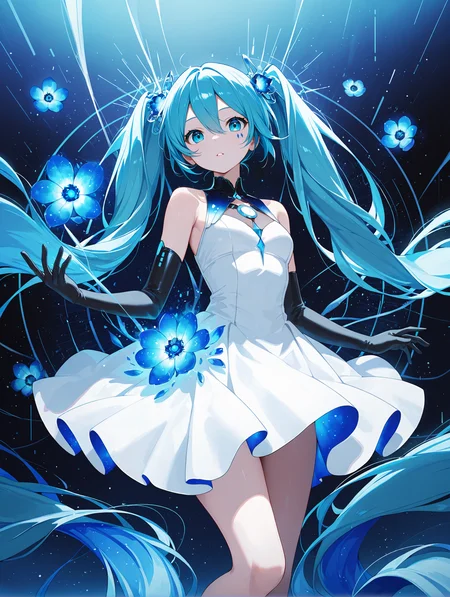


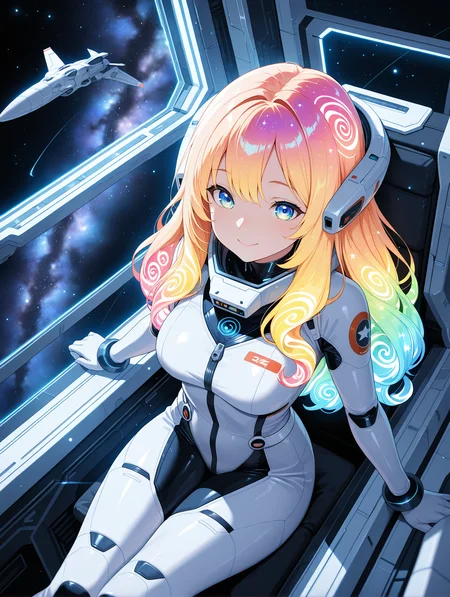


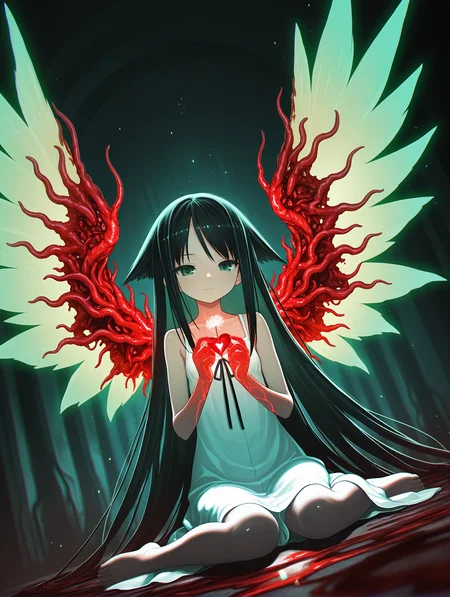


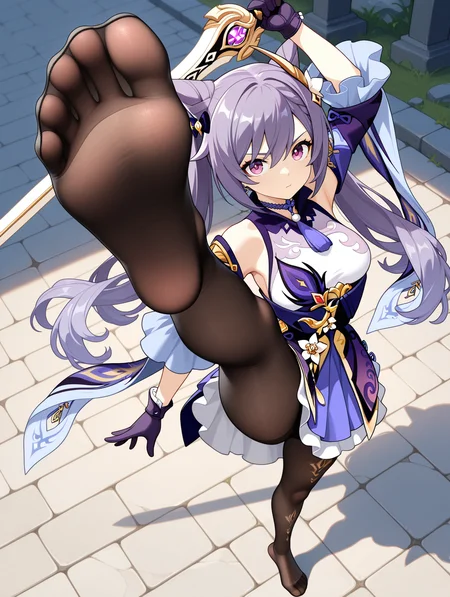
If you want to use more my checkpoint online generation, please visit here.
https://tensor.art/u/762555264535746522
WAI-NSFW-illustrious-SDXL - SeaArt AI Model
Character Select SAA
This is a Stand Alone App with AI prompt, Semi-auto Tag Complete and ComfyUI/WebUI API support.
Now supports 5058 (includes multiple costumes) Character list.
https://github.com/mirabarukaso/character_select_stand_alone_app
One-Click embedded package
In case you don't know how to build your own Python enverment, try the embeded_env_for_SAA
Down and unzip to your computer
Db-click #run_XX.bat
https://huggingface.co/datasets/flagrantia/character_select_stand_alone_app/resolve/main/embeded_env_for_SAA.zip
下载解压到任意目录,运行 #run_CN
Download and extract to any directory. Run #run_CN or #run_EN
Online Quick search character
Character Select Saa - a Hugging Face Space by flagrantia
Please do not add too many quality and aesthetic-related tags, nor overly long negative prompts, as this will actually reduce image quality and make it more blurry.
v17
Fixed issues where some characters had inconsistent color tones with the background.
Attempted to fix the issue where the background had low relevance to the characters.
The overall coloring in this version is slightly smoother and cleaner than before.
Attempted to improve the high-resolution fix’s ability to correct limbs; using it has a high chance of automatically fixing issues with arms, legs, and hands/feet.
If you're not satisfied with the default character age, try adding (aged up:1.0–2.0) or (mature female:1.0–2.0) at the beginning and adjust as needed.
ps
Regarding model updates: I create models purely as a hobby, not as my main job. So I work on them in my spare time, and the update frequency depends on my availability. Recently, my computer suffered hardware damage—both the GPU and hard drive were affected. As a result, updates will likely be slower for quite some time. Thank you for your understanding.
Recommended software: forge-neo.
Recommended settings:
Steps: 15-30
CFG scale: 5-7
Sampler: Euler a
The VAE is already integrated, please do not ask such questions anymore.
use size larger than1024x1024 for the original dimensions.
Example images use 1024×1344.Hires upscale: 1.5, Hires steps: 20, Hires upscaler: R-ESRGAN 4x+ Anime6B,Denoising strength: 0.35~0.5
There are four safety rating tags: general, sensitive, nsfw,explicit.
Users are expected to consciously add "nsfw" to negative prompts to filter inappropriate content.
Positive Prompt
,masterpiece,best quality,amazing quality, Negative Prompt
bad quality,worst quality,worst detail,sketch,censor,V5-V15 User Manual
V1-V4 are outdated,please do not download them anymore.
This is a list of characters that have been tested and are implementable on V11.
sieecc/WAI-NSFW-illustrious-SDXL at main
These are just temporary and not all tests have been completed yet; more will be added subsequently.
Recommended settings:
Steps: 25-40
CFG scale: 5-7
Sampler: Euler a
The VAE is already integrated, please do not ask such questions anymore.
use size larger than1024x1024 for the original dimensions.
Hires upscale: 1.5, Hires steps: 20, Hires upscaler: R-ESRGAN 4x+ Anime6B,Denoising strength: 0.35~0.5
There are four safety rating tags: general, sensitive, nsfw,explicit.
Users are expected to consciously add "nsfw" to negative prompts to filter inappropriate content.
Positive Prompt
masterpiece,best quality,amazing quality,Negative Prompt
bad quality,worst quality,worst detail,sketch,censor,Description
FAQ
Comments (403)
Showing latest 177 of 403.
when i use WAI NSFW Illustrious V11 at civit ai and at anime genius with the same prompt, they have different style and color grading. the anime genius version more sharper than civit ai version. why is that?
In terms of online generation services, the features provided here are limited, and the generated images are small, which cannot fully utilize the capabilities of my model.
thanks for the answer
@WAI0731 can you give me refrences website that can fully ultilize capabilty of WAI NSFW Illustrious model
@serizawakuy911
https://tensor.art/u/762555264535746522
WAI-NSFW-illustrious-SDXL - SeaArt AI Model
These can all be used, you can test and see which one is better.
@WAI0731 thanks you
version 9 is the best to those who generate furry art, it does well with artists styles
It seems like Lora's character is becoming less and less similar with each new version. Personally, I liked Ver 9.
The best NSFW model I've ever seen at the moment. Thank you VERY MUCH!
Why does this version take roughly 10 times longer to render an image compared to the previous version? Im not questioning the quality, but chances are I get better results from making 10 pictures from the v11 compared to a single one from v12.
If the online generation is slow, it's an issue with the website itself and has nothing to do with my checkpoint。
I downloaded the whole thing and is running it in stable diffusion on my own computer.
look like issue on your pc, I have same speed in 12 and 11 version
Yea, probably...
Can someone give me a list of tags that aren't from danbooru? I tried some tags like "manhwa" and it worked even though it's not from danbooru
this might help me for prompting better if I knew more
Feels like v12 has LESS details and is more cartoonish than V11
Is there a way to find out which artist tags were used in an image?
请问您的模型是否已集成了大多数动漫角色,我是否需要额外的lora才能生成特定的动漫角色?
May I ask if your model has already integrated most anime characters, or do I need an additional LoRA to generate specific anime characters?
Character Select Saa - a Hugging Face Space by flagrantia
这是测试过可以生成的角色,其他请自己尝试 注意使用格式 xxx \(xxxxxx\)
It's great but so many version so idk which one to choose, for anyone test them all, may I ask which one is the best for anime style?
Give V12 a try since the description says V1-V4 are outdated. Not sure about the others, but V12 is perfect if you're using the right prompts and art style LoRAs. If you're looking for an anime-style shading LoRA, look for one—it's often a flat anime art style LoRA.
Most Illustrious models can do anime style just fine if you prompt for it properly.
I usually default to these in my prompt for anime style: "anime artwork, illustration, anime screencap, anime style, key visual, vibrant, studio anime," + the respective recommended quality positives of whatever model you use.
Personally, in case of Wai-NSFW, I recommend V11. To me, it feels like V12 is less adherent to prompts. I also prefer the style of V11 more.
V9 is the most anime-like and responsive to artist styles, in my experience. It generally doesn't require style loras.
目前用過最讚的模型
各種角色都能出來
The best model👍
Are you planning to make a version based on IL v.1.0?
1536x1536 drools
anyone have tips for training backgrounds? Step count/base model to use when training?
when img2img occur: NansException: A tensor with NaNs was produced in Unet. This could be either because there's not enough precision to represent the picture, or because your video card does not support half type. Try setting the "Upcast cross attention layer to float32" option in Settings > Stable Diffusion or using the --no-half commandline argument to fix this. Use --disable-nan-check commandline argument to disable this check.
It feels like v12 is a continuation of v10 rather than v11, which I'd say is a good call. v11 has noticeably better detail, but it did weird things with the eyes and body which I can't really say I liked. That said, v12 seems to retain the designs of v10 while adding some level of detail to the overall image. It looks good.
Oh, and v12 does take a noticeably longer time to generate on local, but it's not that much longer and it's worth it for the higher quality image.
Its nuts how this is the best model I've ever used. I deleted pretty much everything I use, just because this model blows them out of the water.
which version
Best model easy to use
Only you~~~~~
signature and dated tags not working in negative prompt
Illustrious XL v1.0 現在開放了,但我看好像沒多大的更新? 連動漫人物都還停留在24年6月,沒多少更新... 是不是打算再觀望一下再考慮要不要針對1.0出微調?
Thanks for this, hard to imagine a better sdxl-based anime model.
i just got this and have no idea what im doing can someone help
What do you mean by that?
Just prompt what you imagine :)
If its bc of resolution etc.... use minimum 1024x1024 / 832x1216 or 1216x832. Steps 15-30, GFG scale between 5-7 (your choise), Sampler Euler a (karras). Use Quality prompts : masterpiece,best quality,amazing quality (at the beginning) and start prompting.
Okay, a short example, just copy it:
masterpiece,best quality,amazing quality,1girl, solo girl, white background, cowboy shot, red hair, blue eyes, bright smile, summer dress, summer hat,
As negative use : bad quality,worst quality,worst detail,sketch,censor
Thats very very basic, i hope you get the gist.
@whity00 my dumbass thought a prompt generator was the actual program. i got that part but im still having some issues. 1. idk how to make the images look like the models 2. i tried to generated 5 characters and it only gave me 3
@hentaigood137997 Honestly, your best bet is to look on Youtube for a bit of training. Learning to prompt isn't something that can easily be conveyed over a simple chat like this. Also, you need to specify what UI you are using - comfyui is very different from Forge/A1111, and results can be very different. Understand that there is nothing intelligent about AI, you can tell it all you want but it will never be even remotely perfect as you've noted. Also the demo models are cherry-picked from hundreds of generations usually. To view what prompt was used, click on the image - if the creator opted to share the prompt it will display there. Play around, remove part of the prompts, change them, you'll get the hang of it.
@sildenafil928 got a low end laptop gtx 970m. tried forge first and now trying comfy
So now that full checkpoint coverage has been shitcanned for now, are you gonna shelve v11 and make v12 the current available version?
V9 is yet by far the best version you made
If you're between v11 and v12 (again, v9 still the best) I would say V12 is way better than v11, fingers, eyes, face, and background details much better than v11
any plan to mix with IL v 1.0?
He/she did it already,look at his profile
@P_Universe and where on his profile do you think you see a mix with 1.0?
@m4rcus the model is called something like fck illst,just read
Since civitai roll back the recent Full Checkpoint Coverage update. will you make the V12 available in onsite generation ?
It will be open, it's being adjusted.
GOAT.
Thanks !
V12 my beloved please come back
Its just me or there are some problem when using the High res fix with this model?
I think it's just you.
Is good
神中神只能说,灵活性很高
look good.
Many thanks :)
Did over 100 comparison generations between versions of this checkpoint and some other popular checkpoints.What i found out is this is by far my favorite checkpoint at replicating anime artstyle and best hands but for complicated clothes and poses in this checkpoint hiccups a lot more than others
What model do you use for inpainting Illustrious gnerations?
god bless you
Which god you had in mind 😂
nice
having a hard time getting it to not generate female characters..
tried using (1boy, male focus:1.2) and my main character is still a female. This is kind of annoying but the model is still insane - awesome understanding of prompts, very cool styles
There are a couple of tropes, as well as anatomy tags that can help with this. Adding "bishounen", "bara", "femboy" and a few others will consistently generate men. Tagging male anatomy also helps (the tag "pecs" will give a rounder look to the chest, and may sometimes create breasts, but "pectorals" will not).
But yeah, overall I agree. This model is fantastic but it has a difficult time with men and androgyny.
@henriqpass Have you tried to generate male bisexual pictures? I got nothing on this topic, just futa or yaoi, but no luck with actual male bisexuality.
I've just tried "2boys, shota, anal, yaoi" prompt and got exactly what it means, and still yaoi picture even with "anal, yaoi" removed from the prompt.
@empanada_48 What do you mean with male bisexual pictures? Like a guy doing it with both a man and a woman? haven't tried it yet, but given that it's a complex prompt I would believe it needs a lora
@henriqpass Well, i mean homosexual-and-heterosexual intercourse involving at least two males and at least one female at the same time. I've tried some loras, but they either affect the style a lot or just ruin the picture by turning it into lovecraftian horror.
@empanada_48 You can circumvent a lot of those issues running it local with extensions like lora control, that allow you to time in which step the lora is going to act and leave, but besides that yeah, I don't know
great
我用的是秋叶的普通webui,没有使用forge,我该怎么弄那个角色选择器?
点开webui右上角的扩展
选择从网址安装
把https://github.com/lanner0403/WAI-NSFW-illustrious-character-select
这个网站复制进”扩展的 git 仓库网址”
安装完后重载ui
@cAzic 谢谢大佬!
One of the best Illustrious models out there for anime/manga style content, can get a bit iffy with backgrounds but character generation is quite good without the need for schizo prompts, great job!
Bro, i love that, you're really good, keep working.
Amazing Work!
Nice
Really nice model, better trained on some characters than others, biased toward more modern characters, and it seems to struggle a bit with swapping clothes when it has many characters from a single entity. Regardless, the output can be incredible with the right character. Putting a poorly trained character's name absent other context yields incorrect outfits, or outright NSFW. Hard to get it to produce correct outfit if it has limited training on a given character.
hrhfh
It’s very good
Good stuff
Very good
Good
没有,这个很垃圾没有练的必要.
Is there even a reason to use a model other than this one? Seems like it does anything 2D the best.
Personally, I like SHUFFLE more, cause v-pred.
like it very good at doing anime characters and with accurate images without much need to a loRa
cool
is this still 0.1 based or updated to 1.0 IL?
Are there any Copyright issues with using this model?
check the illustrious licence to get an answer of range of use.
copyrighting is a case by case basis. if your end output doesn't make a "close" copy of an existing copyrighted picture, then there is no infridgment.
a diffusion model is a transformative work of the original art data feed into it, the model nature is not an art piece and is fair use still today.
know that depending on your workflow, you may even copyright an image that have used AI. txt2ilg only won't be copyrightable, you have to photobash and do post process to inject human input to generated parts. even if you don't create all the visuals, the placement and tweak you bring to your picture might just suffice to make your assisted AI image copyrightable as a whole, but not in parts. you can still rip some part off it's fair use.
Fantastic model, I'm having so much fun using it. I have a problem though, the bottom border of my images is white. Does anyone know how to solve this?
希望大佬以后的模型版本可以有2024年以后的角色,我想生成湊阿库阿和紫咲诗音和mikeneko(潤羽るしあ)她们三人的百合色图,结果mikeneko生成不出来:-)
So far my favorite H-Model. It creates very beautful images.
Very smart ai
Will this model ever support e621 tags?
Overall I get a lot better result with this version. Thanks for the update!
Anyone else having issues where duplicate characters appear?
That happens when you set the resolution too high or a wrong aspect ratio, the model tries to add something to fill the empty space (in your case a duplicate character). Lower the resolution or if you're using A1111 or Forge, use something called Kohya Hires.fix. Look for tutorials about it on the web, it helps with generating stuff without duplicates at different aspect ratios and resolutions. Hope it helps <3
is it me or this model can't do vampire teeth? 😢
https://civitai.com/images/65990815 idk if this can help, you got me curious to try. worked well, just not too big i'd say for me saying i wanted them large.
@SneakyPisces that's not good enough 😢
@evilstormhot109 I think I see what you mean. To be honest all the more 3d models/styles do larger fangs better. 2d needs to catch up.
https://civitai.com/images/66146670 I think it can
@rivertree i don't want to be like all those guys and high likely you won't reveal it but i have to ask; what was your original prompt to get the image looking so clean even with upscaling to 4k?
V12 is much better than V11, Amazing model, thank you for making it!
Wow thank you amazing model, but how can I add loras to the workflow you shared?
Is there any workflow for local lora training for this model? Did'nt found any comprehensive guide. Only small scatters of information.
This model is very best for past years. Don't want to switch from it
illustrious is SDXL, you can train illustrious as following by sdxl lora training tutorial etc. just use weight of illustrious instead of sdxl.
Would love to know what settings people use with this model?
After a lot of comparison, DPM++ 3M SDE, Karras, CFG 7 and 100 steps seems to consistently look the best to me. Obviously takes a little bit longer to generate though. (Local generation)
In v12, for mostly full body prompts, I use 42 steps DPM++ 2S a Karras (txt2img) and 26 steps DPM++2S a AYS (Hires, 0.54), all cfg 5. Consistently found it to be much more logical and better at following prompt than Euler a with different configurations, and the finger consistensy is just impressive. Also painfully long sampling though, 2s a is double per step.
CFG of 3-4, dpm++ 2m, 30 steps + 10 steps of hi-res scaling 1.25, at .60 denoise.
These checkpoints don't look that great without the hi-res.
Since moving from 1.5 to Pony way back in early 2024, I have found that DPM++ 2M (Auto) with CFG 5 and 28 steps strikes the perfect balance between perfomance and looks. I do 28 steps of 1.3 hires upscale with 0.5 denoise on top and if I like the output, I'll top it off with Adetailer. So 1.5 minutes as is or 2-2.5 minutes with Adetailer.
I genuinely don't see the difference between 28 and 30 steps (no cherry-picking), however DPM++2M is vastly superior to Euler(a) even on models that say you should use Euler. I may try DPM++ 3M SDE to see how it affects the composition. With the latest IL models (this one and NTR) composition is the only real thing that AI struggles with. Multiple characters, anatomy and (lately) backgrounds have all passed the "as good as human" treshold for me.
@Noise_Connoisseur With DPM++ 3M SDE, one thing I'd suggest is bumping up steps to at least 40. I would get occasional visual artifacts when using 30 steps or less
My favorite checkpoint hands down. Shame on me for not commenting sooner with how much I've used it. Is good! Thank you!
For better 2D style results, don't use quality tags in positives and remove the negatives; Add 'official art' to positive and 'copyright notice' to negative.
Hi
Anyone figured out how to do a reliable zoom in on body parts? Tested several prompts on many generations but didnt really have that much luck so far.
You could try adding description for only that body part and nothing else. Also you can type the name of a body part, followed by the word focus like this:
ass focus, breast focus, leg focus, face focus.
You can also use multipliers like this:
1girl, aqua \(konosuba\), (ass focus:2),
i figured that "closeup something" is mostly the best tagg to have a good focus
@QH96 I'll try that, ty
Anyone have any suggestions for neg tags to remove all the URLs, tags, and watermarks from the top and bottom corners? All the ones I try don't quite cut it and that's my only issue with this checkpoint, but it's an issue on almost every image. :(
use patreon username, copyright, wordwork and likewise tags as negatives
good
Good
Everything gud execpt random Patreon
No offense or anything but I havent seen any patreon logo, random logo, watermark, signature or distinctive mark since I started experimenting with these models since 7.0. Its probably just your negatives.
@rivertree These mainly come from artist tags, as the base model was trained on an extensive dataset without watermark removal.
@WAI0731 I use artist tags often (daily lol) so I'm thinking basic/good negatives can negate them no problem.
Thank you for all your hard work. You are my hero. <3
@rivertree It is mainly focused on a few artists, such as WLOP.
For me, they pop from time to time, but you can put "patreon username" in the negative prompt to fix it.
@rivertree i see, thanks
大佬你好我在comfyui使用你的模型搭配diffusion_pytorch_model_promax的controlnet model,产生出来的结果总是会变成机械人而且姿势都不正确,请问这是什么原因呢?图
@WAI0731 大佬,我现在把ControlNet模型拿掉了,结果连一般生成角色都变成机械人了,不知道这是不是BUG,我就算重新生成工作流程也一样的结果。https://imgur.com/a/BSkj1Hv
@Foxyilin 种子改随机看看.感觉是种子被固定住了
I am liking it but when I upscale it looks very grainy compared to your examples. I wonder what am I doing wrong. I am using RealESRGAn_x4plus_anime_6B model.
Nevermind I get it the second KSampler is used for the Hiresfix
Сильно искажает оригинальный стиль лоры, используемой с этим чекпоинтом, надеюсь это можно будет как то поправить.
Simply the best anime model
٩( 'ω' )و
very nice
good!
G
good
Good
How can I make the character's front face receive light? The images I get always have the character's front face looking dark, with the light coming from the side or back. Thank you.
Tip: This checkpoint, while you can use negative prompts, fortunately can follow the "no [thing]" words in positive prompts, without needing positive emphasis. This can be great for when you want to include multiple characters in a single image, one with a certain characteristic that the other character doesn't have.
Proof (underwear and shirtless man warning): https://civitai.com/images/52285845
(There's a blonde character with green eyes, light skin, and no beard in the image, and the character doesn't have a beard, following the "without a beard" prompt. I didn't generate this image, I just found that it uses a "without" positive prompt.)
TIL. Thanks kind stranger!
If you encounter issues using ComfyUI, please try using the image reading workflow below. Hopefully, it will help solve the problem.
I don't understand how your screenshot differs from the standard set? Yes you split everything into different assemblies instead of assembling it. Upscale is ignored altogether. But I don't understand how your variant will help those who don't work if it's all the same but for some reason split into unnecessary modules. 🤨
is V12 trained using Illust 1.0? Or still Illust 0.1?
il 0.1 i talked with creator
Great as always. Overall it works almost perfectly💯 Especially if there is no LORA, it is very stable. Some LORAs can cause distortions. But this is not significant.
Is it me or in the v10 version all of the girls somehow have 6 toes?
Good!
Is this the best checkpoint on the site? for me hands and fingers come out as garbled monstrosities more often than not, and no amount of negative tags, like bad anatomy, etc can fix it
The prompts may be demanding that this model is not learning much. Too many negative prompts may also degrade the quality of the generation. If you cannot identify such prompts, you can try lower CFG Scale.
@Hackgets what is that? sorry im a real noob
@Temure its in the advanced settings. Right below the negative prompts. its the first slider above the Steps and above whatever Sampler you're using.
Bad anatomy is a placebo, regardless of model.
If you use negative tags to fix deformities, idk what to tell you. This is not sd 1.5. Use negative tags to remove items only. If you get deformities, I'd have to guess you've overloaded Loras or overloaded prompts.
your loraS bad.
This model can produce high quality images with simple prompts, allowing me to concentrate on thinking about what kind of picture I want.
im kinda confused about noobai loras and illust loras. which one i should be using with this model ?
first of all Illustrious, but if there is no Ill Lora then try to use NoobAI Loras
You should be using loras that are trained on Illustrious v0.1
There's a lot of cross compatibility between the two really
noobai is also trained from illustrious so do what you will with that info
cool
Details
Files
waiIllustriousSDXL_v120.safetensors
Mirrors
waiNSFWIllustrious_v120.safetensors
waiNSFWIllustrious_v120.safetensors
WAI-NSFW-illustrious-SDXL-v12.safetensors
waiNSFWIllustrious_v120.safetensors
waiNSFWIllustrious_v120.safetensors
waiNSFWIllustrious_v120.safetensors
waiNSFWIllustrious_v120.safetensors
waiIllustriousSDXL_v120.safetensors
waiNSFWIllustrious_v120.safetensors
waiNSFWIllustrious_v120.safetensors
wai12.safetensors
waiNSFWIllustrious_v120.safetensors
waiNSFWIllustrious_v120.safetensors
waiNSFWIllustrious_v120.safetensors
waiNSFWIllustrious_v120.safetensors
waiNSFWIllustrious_v120.safetensors
waiIllustriousSDXL_v120.safetensors
waiNSFWIllustrious_v120.safetensors
waiNSFWIllustrious_v120.safetensors
waiIllustriousSDXL_v120.safetensors
WAI-NSFW-illustrious-SDXL-v12.safetensors
waiNSFWIllustrious_v120.safetensors
waiNSFWIllustrious_v120.safetensors
waiNSFWIllustriousSDXL_v120.safetensors
waiNSFWIllustrious_v120.safetensors
wai_12.safetensors
waiNSFWIllustrious_v120.safetensors
waiNSFWIllustrious_v120.safetensors
WAI_NSFW-illustrious_NSFW-illustrious-SDXL_v12.safetensors
waiNSFWIllustrious_v120.safetensors
waiNSFWIllustrious_v120.safetensors
waiIllustriousSDXL_v120.safetensors
waiNSFWIllustrious_v120.safetensors
Available On (6 platforms)
Same model published on other platforms. May have additional downloads or version variants.