


Imagine a fun tool that lets you easily place any character into all sorts of backgrounds while keeping their unique style and mood.
It starts by analyzing the character’s features and giving them a special ID. You can explore a cool library of backgrounds sorted by themes and vibes.
The tool matches your character’s emotions with the perfect backdrop, ensuring everything looks cohesive. It seamlessly blends the character into the background with the right lighting and shadows. With an easy-to-use interface, you can pick and preview your designs effortlessly.
When you’re satisfied, just save your artwork in different formats. It’s a fantastic way to bring your stories to life by combining characters with amazing environments!
CHECK THE SCREENSHOTS ON THIS POST, THANKS :)
Key Features:
Cloning Complex Subjects: Perfect for duplicating subjects within an image while maintaining clarity.
Florence-2 Enhanced: Utilizes Florence-2 for superior captions and model guidance.
Advanced Noise Control: Adjust noise generation with the FluxGuidance node for smooth outputs.
Specificities:
Noise Management: Utilize RandomNoise and FluxGuidance to refine details and reduce distortion.
PulidFlux Integration: Allows for seamless transitions between different model conditions, perfect for intricate compositions.
Spectral Cloning: Create spectral clones of subjects, maintaining clarity and preventing artifacts.
How to Use:
Choose your preferred sampler using KSamplerSelect.
Refine your image with PulidFluxEvaClipLoader and add noise using RandomNoise.
Apply a blind watermark to protect your output while maintaining visual integrity.
Easy to Use:
This workflow allows for complex cloning and detailed noise control, all while integrating a watermark system that protects your work without ruining aesthetics.
Quick Tips:
Install ComfyUI Manager to handle any missing nodes. This makes managing your workflow smooth and error-free.
Instagram : @EKKIVOK
THE BEAST :
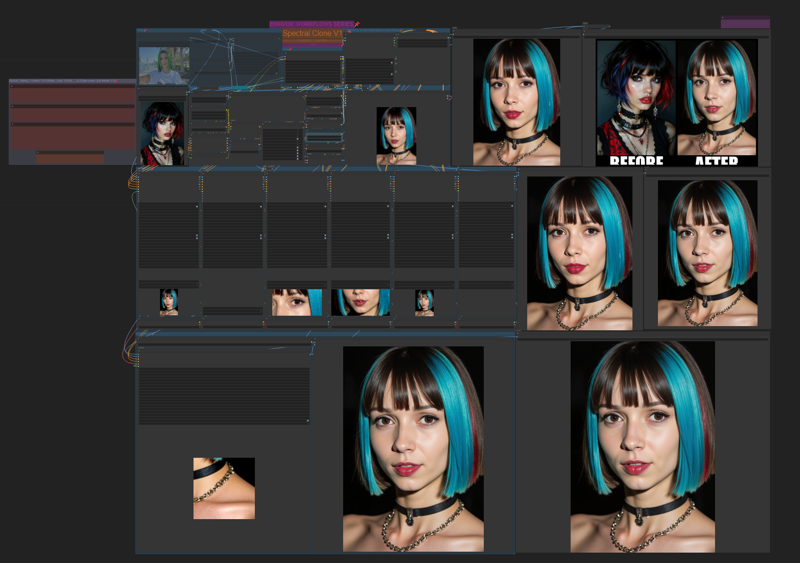
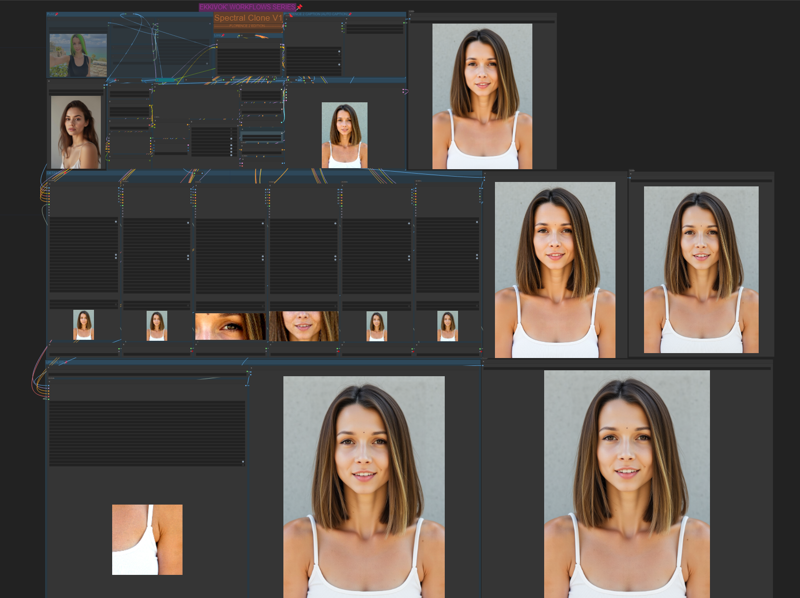
BEFORE / AFTER :
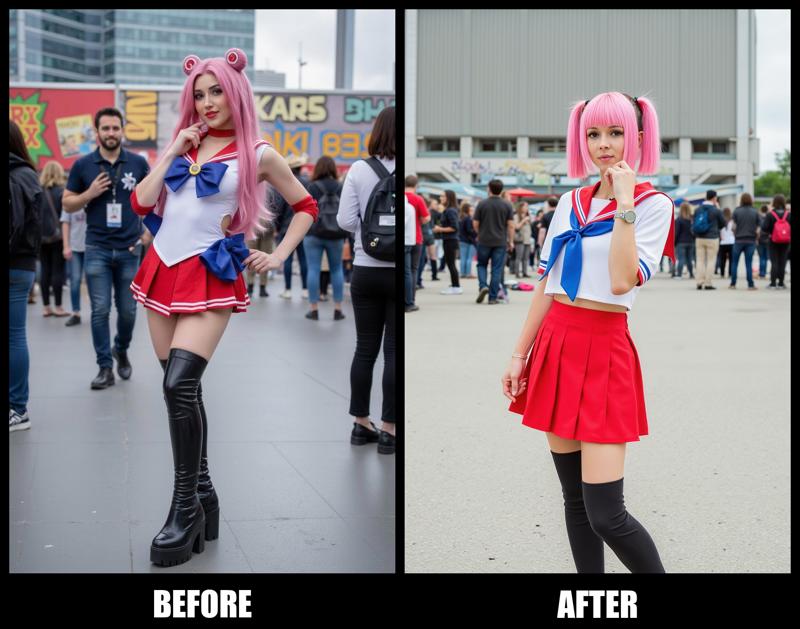
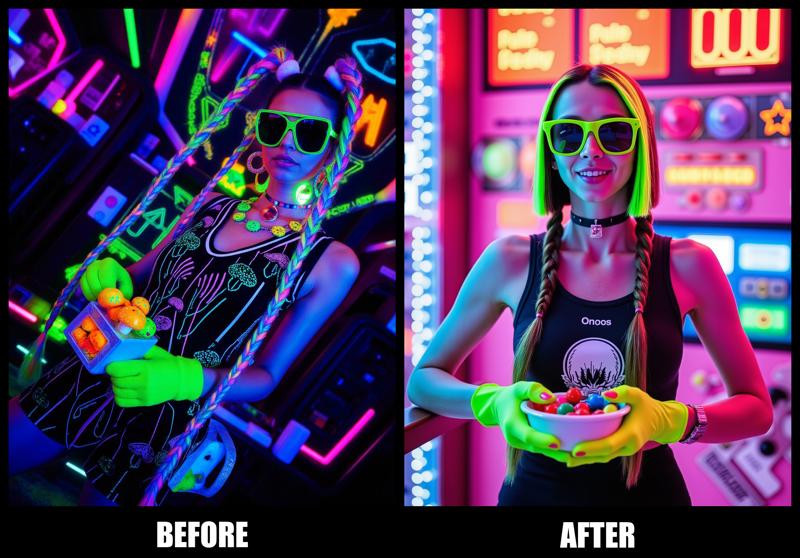

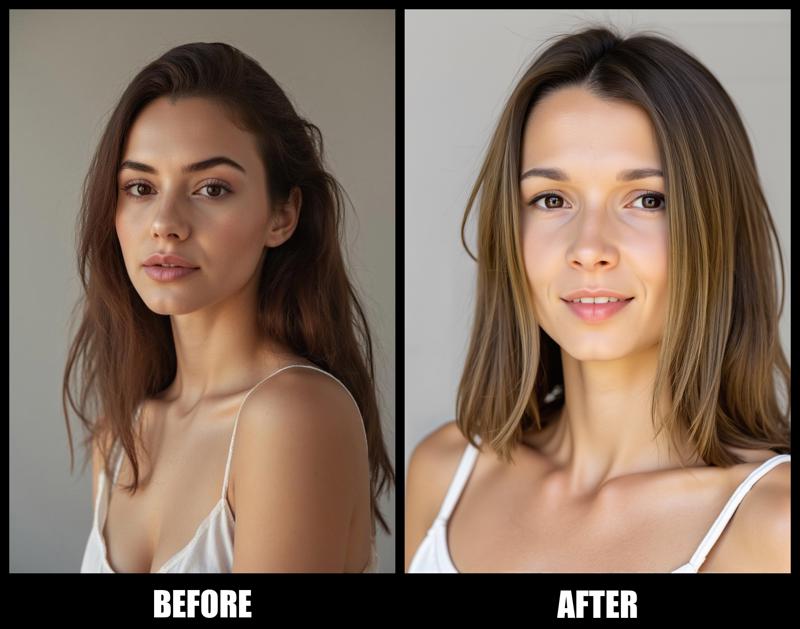
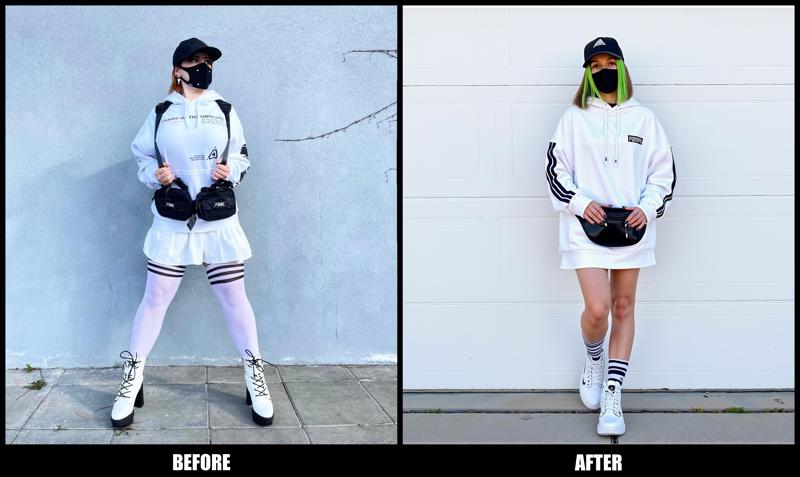
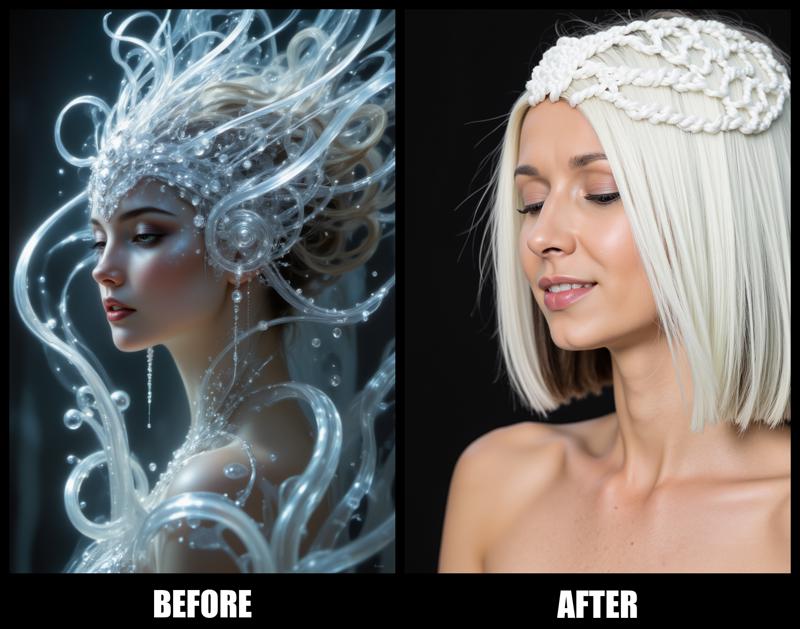
Advice:
To fully utilize this workflow, it is highly recommended that you have ComfyUI Manager installed. This will ensure seamless integration and operation of all features included in the EKKIVOK - SPECTRAL CLONE V1 workflow.
Final Thoughts:
Thank you for exploring this workflow! If you appreciate the hard work and features that went into EKKIVOK - SPECTRAL CLONE V1, please consider subscribing to my Civitai page. If you’re happy with my work, I would greatly appreciate any buzz, likes, and comments you can share! Your support helps motivate me to create even more innovative tools in the future.
Connect with Me on Instagram!
Curious about my latest workflows, LoRA models, and the creative process behind the scenes? 📸 Follow me on Instagram @ekkiv0k for updates, tips, and a glimpse into the world of AI art creation! Join the community and let’s inspire each other!
Note: I kindly request that my work is not stolen. Please respect my efforts and the time invested in creating this workflow.
Description
Nothing to add here (for the moment).