


Controlnet model for use in qr codes
Conditioning only 25% of the pixels closest to black and the 25% closest to white.
Move the model and the .yaml to models/ControlNet
IMPORTANT:

Don't expect the images to be scannable at first, try to generate a lot of images and adjust the parameters. The recommended parameters are only recommendations, many images require different values.
Recommended parameters:

model: meinamix v8
Steps: 30,
Size: 1024x1024,
ControlNet:
preprocessor: none,
weight: 1,
starting/ending: (0, 0.8),
control mode: Balanced

ADetailer steps: 36

I strongly recommend using the ADetailer extension to recover details from character faces.
Better results with a QR with rounded edges from this site:
Complete guide by Antfu:
https://antfu.me/posts/ai-qrcode-101
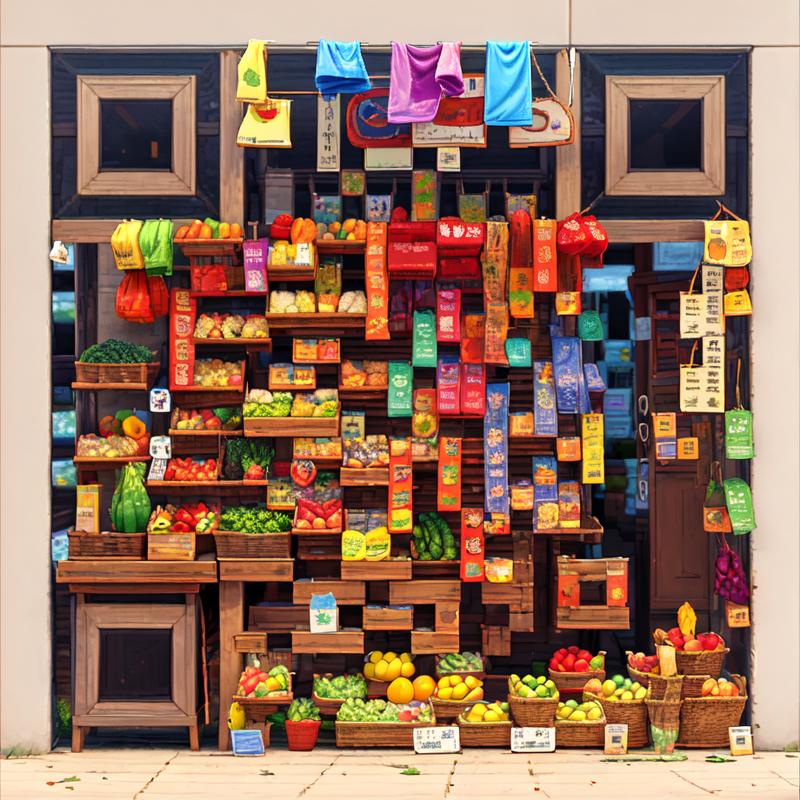
Fruit store by @.pos in discord (With the v1)
QR Pattern and QR Pattern sdxl were created as free community resources by an Argentinian university student. Training AI models requires money, which can be challenging in Argentina's economy.
If you find these models helpful and would like to empower an enthusiastic community member to keep creating free open models, I humbly welcome any support you can offer through ko-fi here
Description
FAQ
Comments (52)
Useless if it's archived and unable to be downloaded. Why even upload this??
@andylehere Its ready now, literally 5min since I press archive by accident lmao
@Sundae Thanks for the quick reply.
For ethical concerns I decided not to make the model public (just kidding).
Can you give more details of how you created the images?
If you mean the dotted qrcode I use this page https://qrbtf.com
Select this option:

@Sundae do you put the qr code on a blank canva to have this look ?
@Elliryk2 All of the images are genereted using the unmodified qr image as come from the site that I link early. Black QR, white background. But it should work with other colors in the qr shape too!
@Sundae don't mind I forgot to put the new QR image 😅😁
How to use this on Invoke IA ?
+1
I don't know if Invoke has support for controlnet, let me check when I get home
It looks like you will have to wait until the next major release of invoke ai to get support for controlnet.
@Nacholmo InvokeAI has recently released a beta update that changes a lot of things, including adding support for ControlNets. Thus far I have been unsuccessful however getting your Controlnet to run on it as the files from huggingface and here have not worked. This might be due to the fact that InvokeAI seems to rely on both a config.json file and a .safetensors file but I'm not really sure. It would be good if you could look into this (I will be as well)
So it turns out it's not working because the existing controlnets in InvokeAI are hardcoded in and controlnet modularity is not yet available. As a result, you may not have to change anything about your controlnet as it's an InvokeAI problem for now. I eagerly await the update that lets me use your controlnet and am assisting them with bug testing
Do you think how to make img2img work? I have another finished image and I want to get a QR code from it
It needs to start en a very early step where the image is blurry to work decently, try cranking up the denoising strength and maybe set controlnet in something like starting/ending: (0.35, 1), to keep the image structure to some degree, but the image it's going to change a lot.
TLDR: Its not a good model for img2img
@Nacholmo Thanks you
I played around a bit to try and get similar results for a barcode, but I couldn't get anything that worked well.
Have you tried anything with that yet @nacholmo?
With lines too tinned and without error correction I see it very difficult, if the qr can work it is because of its redundant information system. But I don't think it's impossible, if you make it work, please share the results
Nice model, I found it easier to make a working code with it than with another model while still keeping the artwork visible. Can you please describe the workflow for making the dataset? Did you generate images and overlaid the codes on top or what were the tricks?
I dont use any qr in the dataset! As I wrote in the description I only isolated 15% of the colors closest to black. More precisely I first applied filters like gaussian blur and smoothing; then converted a copy to grayscale, to calculate the distance to black of the predominant color of the image, with that information I created a mask to which I applied a feather to the content of the mask on a white background and another blur
@Nacholmo Thanks, very interesting! So you first made (or scrapped) random images with descriptions, then created a mask from them using the procedure you described, then used the mask as conditioning? If I understand it correctly, the images conditioned themselves, it looks backwards but the result is great! Very clever idea.
On a second thought, I believe most CN training is like that, only the basic example with color circles is forward (conditioning is created first, expected result is made from it).
@rkfg You are right! Thats the way most controlnet are trained, the first thing created is most of the time is the preprocessor, and then the preprocessor is used to create the dataset
@Nacholmo Awesome! I see that the model doesn't work well on lower resolutions such as 512x512, perhaps because there's not enough space. So you only isolated black and similar dark colors, what if you also isolated white and used some other color (red?) as "neutral"? That way it'd be possible to not only condition the dark spots but also white and leave the rest at the base model's discretion. Of course, the regular QRs would need preprocessing such as making the so called quiet zone (the border) red. But then the model might start working on lower res.
EDIT: oh wait, managed to make it work. But it needs the weight to be 2, otherwise the code is too bleak.
Where I have to put the file: "controlnetQRPatternQR_v10.safetensors"??
In stable-diffusion-webui\extensions\sd-webui-controlnet\models if you are using the default automatic1111, or in models\ControlNet in the vlad fork
Me and another 2 people tried to use it and can't make a proper image, especially not as it shown in the examples.
We tried the reccomended and not recommended settings, but nothing gave the effect... what do we miss?
Someone suggested that it's a loopback few times until it gave the specific effect, but you haven't mention it in any of the tutorials in comments or HF
And thank you for the model :)
Hi, If I use a different generation size than 920 x 920, can I still obtain readable QR codes? The thing is, my GPU doesn't support using that resolution. For some reason, I can use 960 x 960 but not 920. However, I haven't obtained readable results, and I'm not sure if it's just a matter of mishandling the tools or if it's optimized specifically for 920 x 920 generations. Thank you for the model regardless.
You can use other resolution! my recommendation was 920x920 only because the default 512 it was to low to generate enough details. About if a code can be scanned, are you using a long link? That seems to be one of the reasons why people can get it scannable. And the parameters in the model description are just an example, maybe your image needs something different try tweaking it, and generate a bunch of it, as more images you generate more probably one be as the same time cooler and scannable, take more time with some prompts, make sure to tweak it too
Thanks a lot for the model. It was super fun!
I wrote two blog posts about how I use this model to create QR images, hope you can find it useful:
Great! I added it to the model description
@Nacholmo Wow, thanks!
@antfu your guide is amazing!
In your instructions to your guide @anfu, you say to put the controlnet files in to "stable-diffusion-webui/models/ControlNext". Instead it should be in the"stable-diffusion-webui\extensions\sd-webui-controlnet\models". Both folders have a controlnet folder inside them so it makes sense to get them confused.
I am blown away at this controlnet by @Nacholmo and how well written your guide is @antfu.
Well done!
@zuzanaaviel538 What's the difference between those two folders? I found that putting under models would just work (and it's what I am using)
@antfu I am not sure I was just following the instructions from github on Mikubill. Those were his instructions. We also may be using a different Webui. These folders may do the same thing. I am more than happy to delete the comment above if they do the same thing. I just wanted to point it out incase someone got confused.
I see where to put the .yaml file but my download didnt include a .yaml. How do I generate one or where do I get it?
@zuzanaaviel538
The yaml is the config file, look under the blue download button on this page, it looks like this when you click on it.
The controlnet models folder depends on the version of the webui that are you using, if you have the default automatic1111 up to date,
its stable-diffusion-webui\extensions\sd-webui-controlnet\models
move the yaml and the models with the same name there.
Some versions (like the vlad fork) also accept:
stable-diffusion-webui\models\ControlNet
Anyway in the settings should be an option to change the models path, but I recomment just moving together the model and config files to extensions\sd-webui-controlnet\models, because work in most cases.
谢谢!Thank you.
???????这啥问题呀
RuntimeError: "log_vml_cpu" not implemented for 'Half'
Time taken: 0.01s
Torch active/reserved: 9/26 MiB, Sys VRAM: 1312/12282 MiB (10.68%)
First time that I see that error. I was unable to reproduce the error but, in reddit some user commented that adding "--precision full --no half" to the webui parameters fix this issue. Let me know if it helps
Hello creator, after I put the model file and additional files in the controlnet folder, how do I know that the model loaded successfully? I've used it many times without generating the QR code look
/Library/Frameworks/Python.framework/Versions/3.10/lib/python3.10/multiprocessing/resource_tracker.py:224: UserWarning: resource_tracker: There appear to be 1 leaked semaphore objects to clean up at shutdown
Hello, what is the reason for this error?
Seems like a problem with your installation maybe, you only get that error with this model?
Hi. Wanted to get an idea how have you created the dataset for training the controlnet. From what I understood, we would need an QR artwork as well in the training data. BTW great model.
I didn't use any qr in the dataset!
As I wrote in the description I only masked 15% of the colors closest to black.
More precisely I first applied filters like gaussian blur and smoothing;
then converted a copy to grayscale, to calculate the distance to black of the predominant color of the image,
with that information I created a mask to which I applied a feather to the content of the mask on a white background.
And last apply the filters one more time.
Details
Files
Available On (1 platform)
Same model published on other platforms. May have additional downloads or version variants.