Advanced Live Portrait Expressions Pack by OpalSky – Setup and Usage Guide
In the Advanced Live Portrait Expressions Pack, you download and put the exp_data folder in your ./comfyui/output folder. It provides a range of pre-built expressions that can be used with the ComfyUI-AdvancedLivePortrait custom nodes. With these expressions, you can easily adjust expressions to images or create animations by combining expressions together.
 Prerequisites
To use this expression pack, you must install the ComfyUI-AdvancedLivePortrait node pack. You can find it on GitHub here:
ComfyUI-AdvancedLivePortrait Node Pack
This node pack is required to load and apply the expressions within ComfyUI.
Setting Up the Expressions Pack
Follow these steps to set up the Advanced Live Portrait Expressions Pack in ComfyUI.
Step 1: Download and Place the Expression Data File
Download the .zip file from this page and extract it. This file contains all the pre-configured expressions in a folder named exp_data.
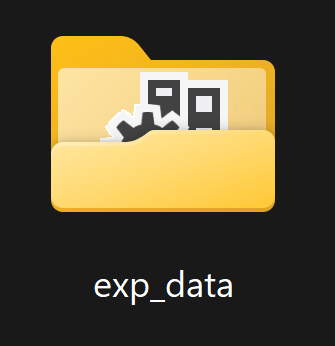
Place the File in the Correct Folder
Once extracted, mode it to your ComfyUI output folder:./ComfyUI/output
Step 2: Restart ComfyUI
This step is necessary for ComfyUI to load the new expressions and make them available within the node interface.
Step 3: Load and Use Expressions in Your Workflow
Open Your Workflow
Open a new or existing workflow where you plan to use the expressions. (you can use the .json file from the download on this page to pull up the workflow with all the expressions)Add a
Load Exp Data (PHM)Node from the ComfyUI-AdvancedLivePortrait node pack. This node will allow you to access the loaded expression data.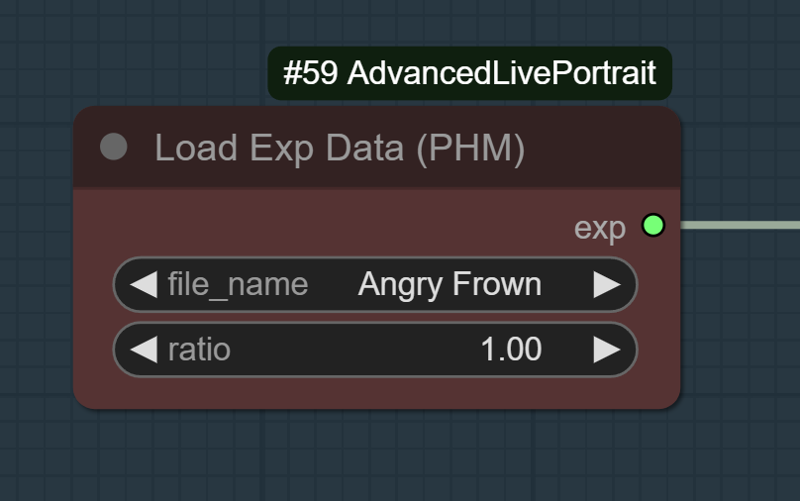
Select and Pipe Expressions into the
Expression EditorNode
(1 is the full expression; less than 1 will be more subtle)
Connect the output to the
Expression Editornode.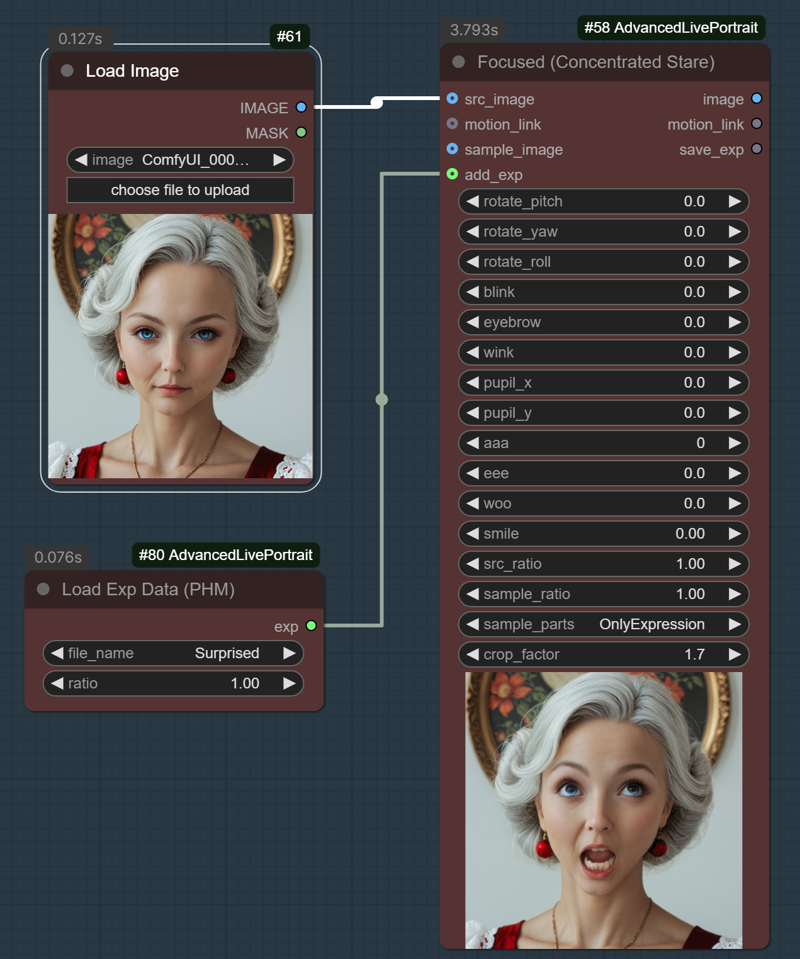 Tip:
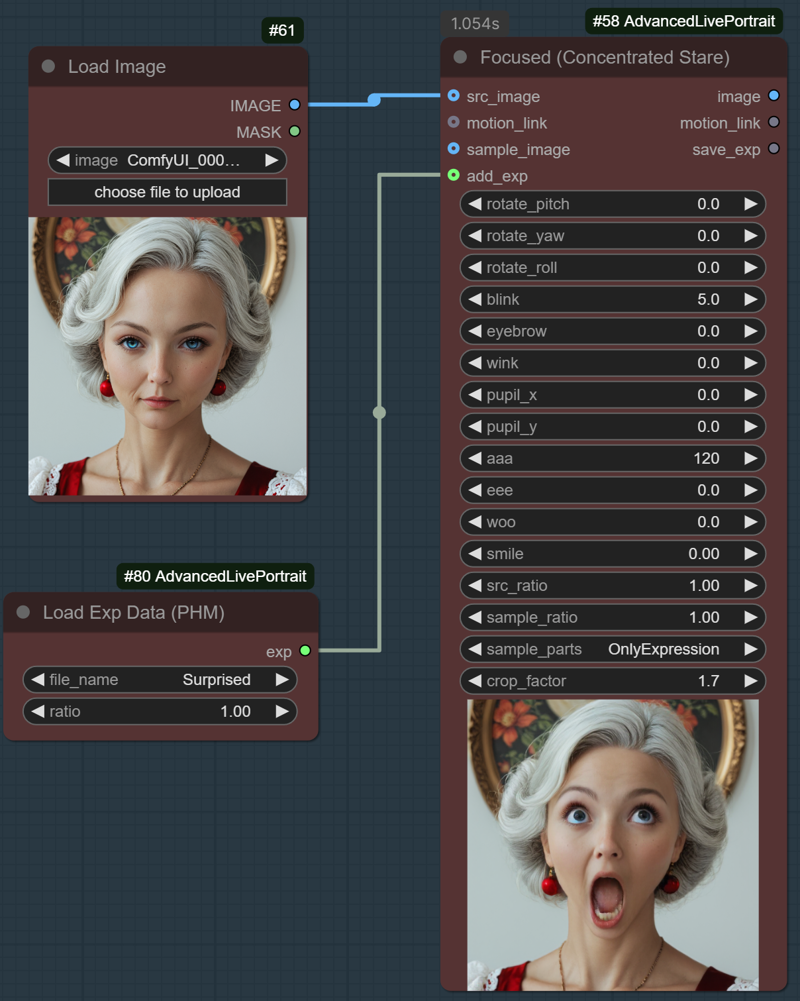
Tip:You can also make selections in the expression editor in addition to the expression from the 'load exp data' node, allowing you to make more extreme expressions and other combinations not available with the expression editor alone. For example, normally, the highest setting for aaa is 120, but you can use the 'surprised' expression from this pack and add aaa to go further than the editor would normally go. This character is extra surprised 😮. (FYI, you can achieve this by chaining the expression editor nodes, but it tends to lead to worse results)
I have included a .json and a .png to load up the workflow and see the settings for every expression in the pack. If you are using the editor and a setting won't go as far as you want, you can find an expression with that setting turned up and use it to give you more control over the live portrait nodes!
Customizing and Experimenting
The expressions provide a variety of moods and facial adjustments, and you can combine them with other effects in ComfyUI to create unique animated portraits.
Feedback is welcome. Posting creations to this page is appreciated for the buzz ⚡😊⚡
Please let me know if this was helpful and if you want more/different expressions.
Included expressions --
Wink
Confident Closed Lip Smile
Smile, Looking Away from the Viewer
Smile Looking at Viewer
Kiss Lips Chin Down
Kiss Lips Chin Up
Skeptical
Big Laugh
Shy
Angry Frown
Excited (Big Eyes)
Confused (Eyebrow Raised)
Surprised
Dumbfounded
Smolder
Sad
Scared
Disgusted
Laughing with Closed Eyes
Tired (Heavy Eyes)
Yawning
Focused (Concentrated Stare)
Credits
Expression Data Pack by OpalSky
The node pack by PowerHouseMan is available on GitHub here.
Description
22 expressions --
FAQ
Comments (4)
Googled this: "It's important to know that the .exp file extension can be used by various programs, not just the ones you expect. This includes potentially harmful software or malware that might create .exp files. Be cautious when dealing with .exp files from unknown sources."
Can you use another format?
I'm curious, how did you get these new expressions? by experimenting with PowerHouseMan widgets?
im an getting error
LoadExpData
No module named 'ComfyUI-AdvancedLivePortrait'
though it is installed and working solo perfectly, just not with this expressions
the exps included are for the old version of the nodes. Just run the workflow and save as your own. This should enable the load expression without any error
Looks like we don't have an active mirror for this file right now.
CivArchive is a community-maintained index — we catalog mirrors that volunteers upload to HuggingFace, torrents, and other public hosts. Looks like no one has uploaded a copy of this file yet.
Some files do get recovered over time through contributions. If you're looking for this one, feel free to ask in Discord, or help preserve it if you have a copy.