


Happy with version 1.0 of that "FLUX your OOTD workflow?
Wait—there’s something even better now! ✨
I've added several new features to boost the incredible power of this workflow!
🌟 Foreground Magic!
Now, you can add foreground details to create a stronger depth effect, making your character blend seamlessly into the background! It’s super easy to use, so you can feel like a pro (but hey, aren’t you already?).
I added a new image section named "Foreground"! Just upload any image you like with elements such as light effects or objects in the foreground, and place it there.
For the rest, proceed as usual!
📝 New Prompt Visualizer: "FOREGROUND"
(Yes, you guessed it!) You can now see exactly what my VLM CORE caption system detects! As always, all prompts—foreground, character, clothes, and background are isolated by color to help you navigate this mess of prompts.
All prompts are sent to the COMBINATOR, which merges them into a single prompt for the main text encoder. Then, sit back and watch the magic unfold!
⚙️ Total Controller
For even more control, I've added a TOTAL CONTROLLER below this note. It may look “tricky” at first, but don’t worry! I’ve labeled each setting with the elements they affect, like camera lens, lighting, EXIF data, people info, and more. Think of it as a differential prompt that guides the VLM core on what you want for each image.
Oh, and one last thing! I swapped the FLORENCE2 captioning system for LAMA3.1.
Like my work? You know what to do: Like, Share, Buzz! ❤️
🚀 Join my Discord server: https://discord.gg/fW4zVnDaNx
See you there!
-Ekkivok
THE BEAST :
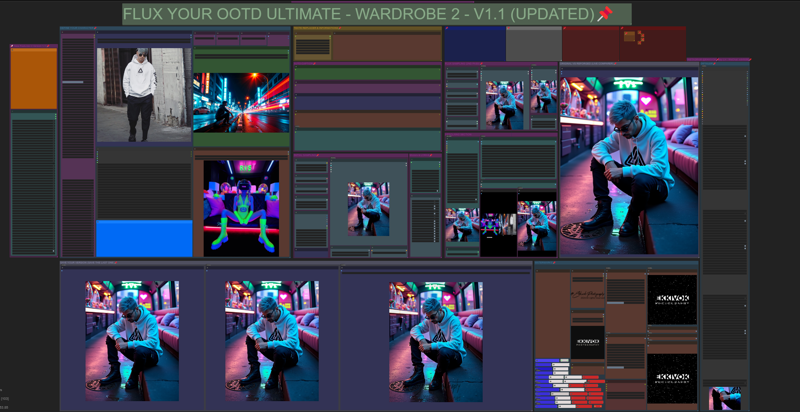
WANT A TASTE ?
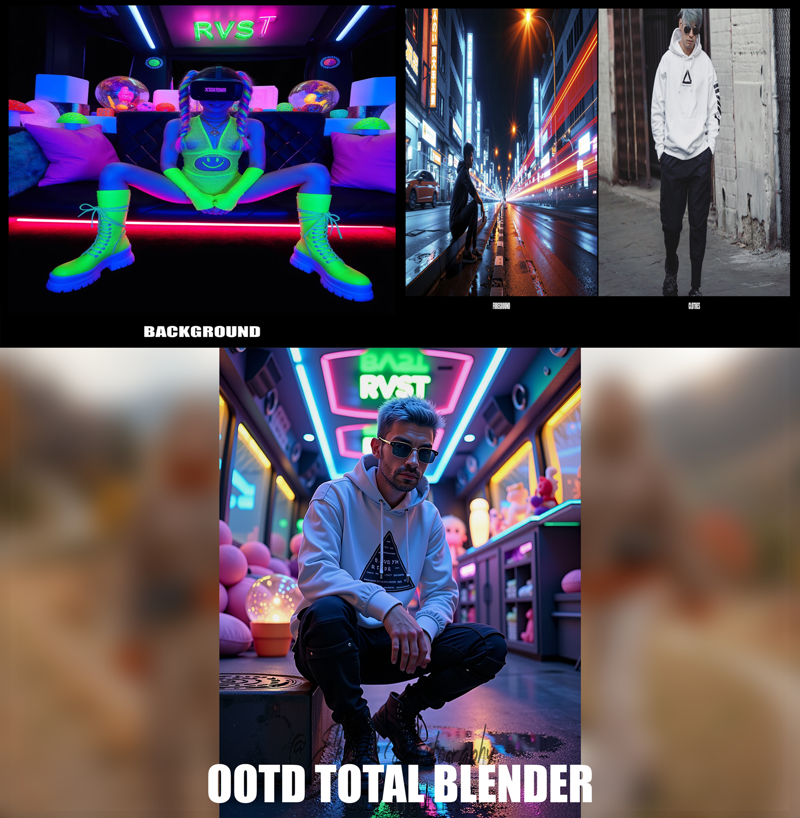

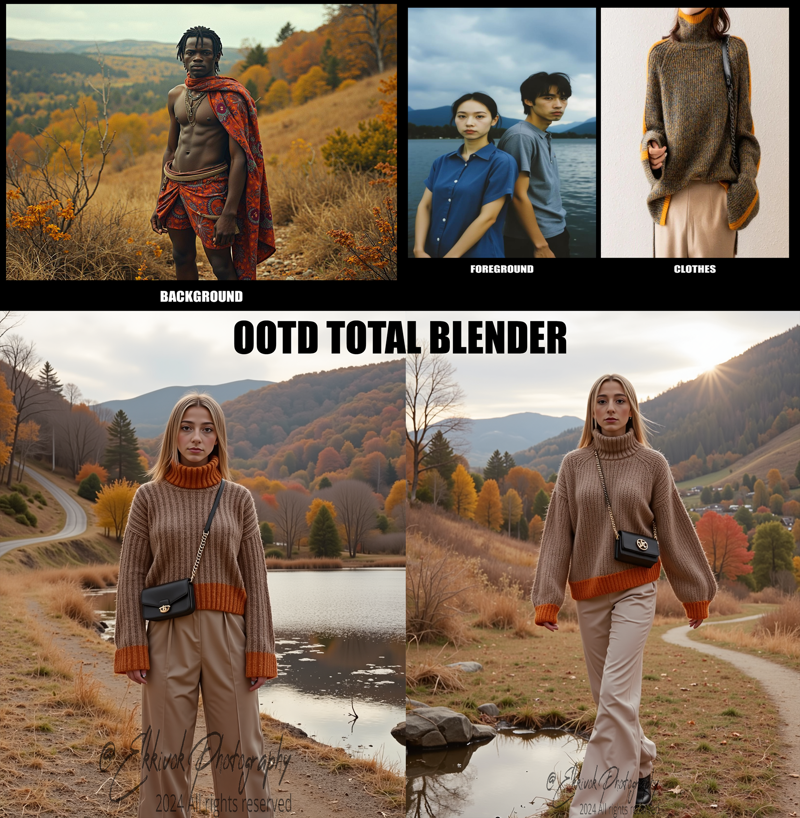
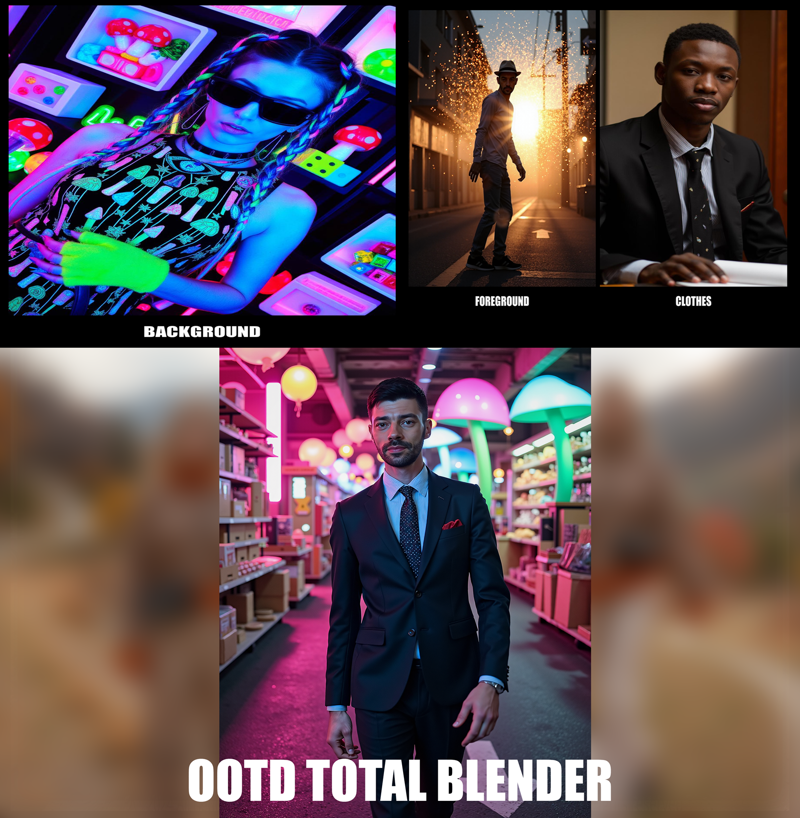
Come on don't be shy !!!
Feel free to follow me on Instagram for updates and more content: @EKKIVOK !
And if you have discord please join me on my server : 👌https://discord.gg/fW4zVnDaNx 👍
I started a server discord for helps, collaborations, or problems with my creations !
Thanks to like, sub, buzz, review my works, if you like what i do. it help a lot !
Description
🌟 Foreground Magic!
Now, you can add foreground details to create a stronger depth effect, making your character blend seamlessly into the background! It’s super easy to use, so you can feel like a pro (but hey, aren’t you already?).
I added a new image section named "Foreground"! Just upload any image you like with elements such as light effects or objects in the foreground, and place it there.
For the rest, proceed as usual!
📝 New Prompt Visualizer: "FOREGROUND"
(Yes, you guessed it!) You can now see exactly what my VLM CORE caption system detects! As always, all prompts—foreground, character, clothes, and background are isolated by color to help you navigate this mess of prompts.
All prompts are sent to the COMBINATOR, which merges them into a single prompt for the main text encoder. Then, sit back and watch the magic unfold!
⚙️ Total Controller
For even more control, I've added a TOTAL CONTROLLER below this note. It may look “tricky” at first, but don’t worry! I’ve labeled each setting with the elements they affect, like camera lens, lighting, EXIF data, people info, and more. Think of it as a differential prompt that guides the VLM core on what you want for each image.
Oh, and one last thing! I swapped the FLORENCE2 captioning system for LAMA3.1.
Like my work? You know what to do: Like, Share, Buzz! ❤️
🚀 Join my Discord server: https://discord.gg/fW4zVnDaNx
See you there!