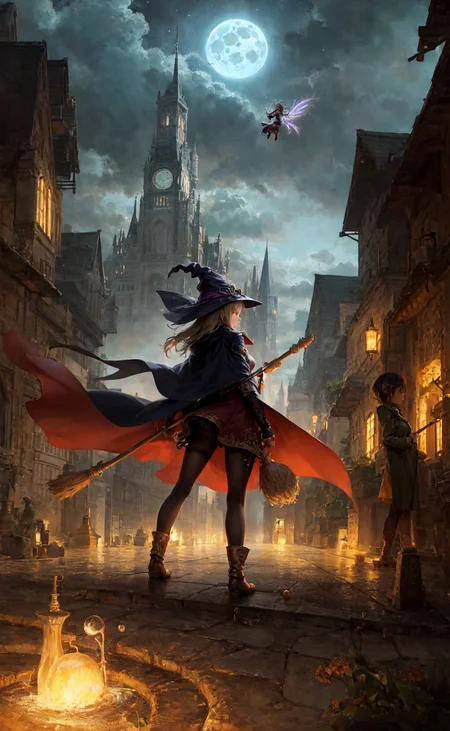
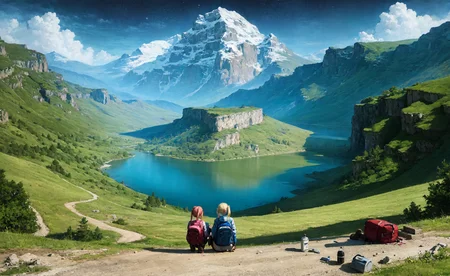
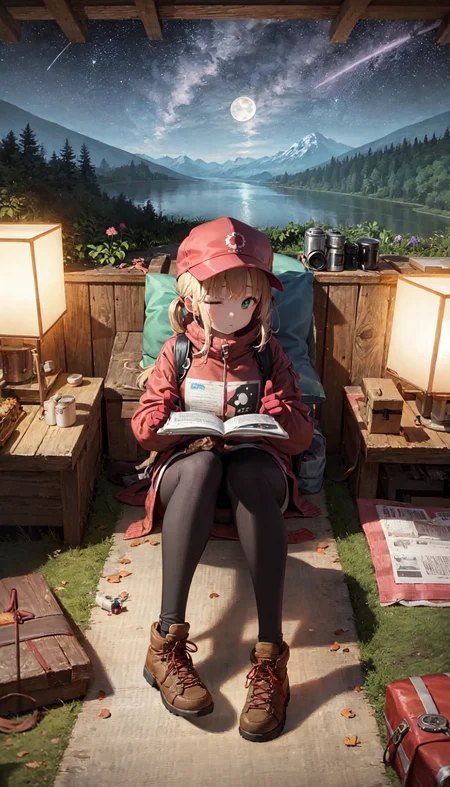
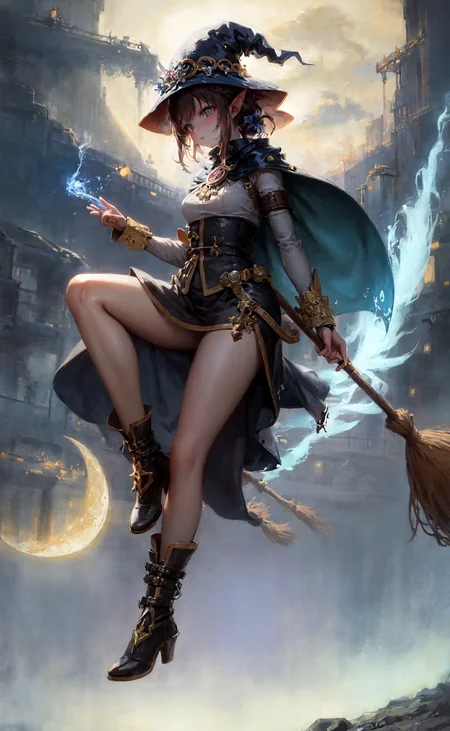
▼Some tips
Discussion:
I warmly welcome you to share your creations made using this model in the discussion section. If you encounter any issues, please feel free to add a comment, and both the community and I will do our best to help and provide solutions.
您也可以使用中文在讨论区与我交流。
吾生也有涯,而知也无涯。👩🍳
VAE:
Given the color variation that different VAEs bring to this model, I have not baked a specific VAE onto the model. The VAE used in the sample image is kl-f8, and I appreciate its color saturation.However, perhaps you prefer orangemix.vae (NAI.vae) or others? Please feel free to try them out.
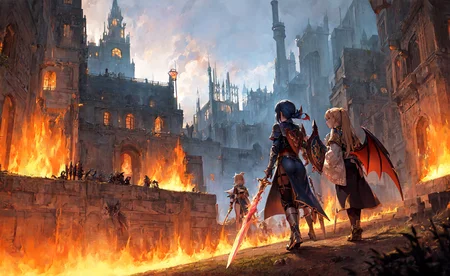
Sample image:
I am terribly sorry! It seems that I triggered a bug related to the "DPM++ SDE Karras" sampler and batch generation while creating the sample image, which resulted in the inability to reproduce the sample image through the seed. However, you should be able to obtain a similar image to mine by using the same settings. Once again, I apologize for any inconvenience caused.
Wrong limb:
Was it a necessary compromise for the sake of the model's diversity and creativity? In any case, please try to generate images in batches and select the high-quality works from them. Perhaps I will release an inpainting model later on?
AbyssOrangeMix3 (AOM3) HuggingFace Model Card
Credit for this model goes to the original author(s) and the maintainer on HuggingFace, WarriorMama777. Consider checking out their repository on Huggingface and giving it a like! Also, check out their profile on Civitai!
▼About
The main model, "AOM3 (AbyssOrangeMix3)", is a purely upgraded model that improves on the problems of the previous version, "AOM2". "AOM3" can generate illustrations with very realistic textures and can generate a wide variety of content. There are also three variant models based on the AOM3 that have been adjusted to a unique illustration style. These models will help you to express your ideas more clearly.
AOM3
Features: high-quality, realistic textured illustrations can be generated.
There are two major changes from AOM2.
1: Models for NSFW such as nsfw and hard have been improved: the models after nsfw in AOM2 generated creepy realistic faces, muscles and ribs when using Hires.fix, even though they were animated characters. These have all been improved in AOM3.
2: sfw/nsfw merged into one model. Originally, nsfw models were separated because adding NSFW content (models like NAI and gape) would change the face and cause the aforementioned problems. Now that those have been improved, the models can be packed into one.
In addition, thanks to excellent extensions such as ModelToolkit, the model file size could be reduced (1.98 GB per model).
▼Variations
AOM3A1
Features: Anime like illustrations with flat paint. Cute enough as it is, but I really like to apply LoRA of anime characters to this model to generate high quality anime illustrations like a frame from a theatre version.
AOM3A2
Features: Oil paintings like style artistic illustrations and stylish background depictions. In fact, this is mostly due to the work of Counterfeit 2.5, but the textures are more realistic thanks to the U-Net Blocks Weight Merge.
AOM3A3
Features: Midpoint of artistic and kawaii. the model has been tuned to combine realistic textures, a artistic style that also feels like an oil colour style, and a cute anime-style face. Can be used to create a wide range of illustrations.
AOM3A1B
AOM3A1B added. The model was merged by mistakenly selecting 'Add sum' when 'Add differences' should have been selected in the AOM3A3 recipe. It was an unintended merge, but we share it because the illustrations produced are consistently good results.
In my review, this is an illustration style somewhere between AOM3A1 and A3.
MORE
In addition, these U-Net Blocks Weight Merge models take numerous steps but are carefully merged to ensure that mutual content is not overwritten.
(Of course, all models allow full control over adult content.)
🔐 When generating illustrations for the general public: write "nsfw" in the negative prompt field
🔞 It can be generated without putting it in. If you include it, the atmosphere will be more NSFW.
Description for enthusiast
AOM3 was created with a focus on improving the nsfw version of AOM2, as mentioned above.The AOM3 is a merge of the following two models into AOM2sfw using U-Net Blocks Weight Merge, while extracting only the NSFW content part.
(1) NAI: trained in Danbooru
(2)gape: Finetune model of NAI trained on Danbooru's very hardcore NSFW content.
In other words, if you are looking for something like AOM3sfw, it is AOM2sfw.The AOM3 was merged with the NSFW model while removing only the layers that have a negative impact on the face and body. However, the faces and compositions are not an exact match to AOM2sfw.AOM2sfw is sometimes superior when generating SFW content. I recommend choosing according to the intended use of the illustration.See below for a comparison between AOM2sfw and AOM3.
▼How to use
Prompts
Negative prompts is As simple as possible is good.
(worst quality, low quality:1.4)Using "3D" as a negative will result in a rough sketch style at the "sketch" level. Use with caution as it is a very strong prompt.
How to avoid Real Face
(realistic, lip, nose, tooth, rouge, lipstick, eyeshadow:1.0), (abs, muscular, rib:1.0),How to avoid Bokeh
(depth of field, bokeh, blurry:1.4)🔰Basic negative prompts sample for Anime girl ↓
v1
nsfw, (worst quality, low quality:1.4), (realistic, lip, nose, tooth, rouge, lipstick, eyeshadow:1.0), (dusty sunbeams:1.0),, (abs, muscular, rib:1.0), (depth of field, bokeh, blurry:1.4),(motion lines, motion blur:1.4), (greyscale, monochrome:1.0), text, title, logo, signaturev2
nsfw, (worst quality, low quality:1.4), (lip, nose, tooth, rouge, lipstick, eyeshadow:1.4), ( jpeg artifacts:1.4), (depth of field, bokeh, blurry, film grain, chromatic aberration, lens flare:1.0), (1boy, abs, muscular, rib:1.0), greyscale, monochrome, dusty sunbeams, trembling, motion lines, motion blur, emphasis lines, text, title, logo, signature,
Sampler: Take your pick
Steps:
DPM++ SDE Karras: Test: 12~ ,illustration: 20~
DPM++ 2M Karras: Test: 20~ ,illustration: 28~
Clipskip: 1 or 2
Upscaler :
Detailed illust → Latenet (nearest-exact)
Denoise strength: 0.5 (0.5~0.6)Simple upscale: Swin IR, ESRGAN, Remacri etc…
Denoise strength: Can be set low. (0.35~0.6)
👩🍳Model details / Recipe
▼Hash
AOM3.safetensors
D124FC18F0232D7F0A2A70358CDB1288AF9E1EE8596200F50F0936BE59514F6DAOM3A1.safetensors
F303D108122DDD43A34C160BD46DBB08CB0E088E979ACDA0BF168A7A1F5820E0AOM3A2.safetensors
553398964F9277A104DA840A930794AC5634FC442E6791E5D7E72B82B3BB88C3AOM3A3.safetensors
EB4099BA9CD5E69AB526FCA22A2E967F286F8512D9509B735C892FA6468767CF
▼Use Models
AOM2sfw
「038ba203d8ba3c8af24f14e01fbb870c85bbb8d4b6d9520804828f4193d12ce9」AnythingV3.0 huggingface pruned
[2700c435]「543bcbc21294831c6245cd74c8a7707761e28812c690f946cb81fef930d54b5e」NovelAI animefull-final-pruned
[925997e9]「89d59c3dde4c56c6d5c41da34cc55ce479d93b4007046980934b14db71bdb2a8」NovelAI sfw
[1d4a34af]「22fa233c2dfd7748d534be603345cb9abf994a23244dfdfc1013f4f90322feca」Gape60
[25396b85]「893cca5903ccd0519876f58f4bc188dd8fcc5beb8a69c1a3f1a5fe314bb573f5」BasilMix
「bbf07e3a1c3482c138d096f7dcdb4581a2aa573b74a68ba0906c7b657942f1c2」chilloutmix_fp16.safetensors
「4b3bf0860b7f372481d0b6ac306fed43b0635caf8aa788e28b32377675ce7630」Counterfeit-V2.5_fp16.safetensors
「71e703a0fca0e284dd9868bca3ce63c64084db1f0d68835f0a31e1f4e5b7cca6」kenshi_01_fp16.safetensors
「3b3982f3aaeaa8af3639a19001067905e146179b6cddf2e3b34a474a0acae7fa」
Description
AOM3A1B added. The model was merged by mistakenly selecting 'Add sum' when 'Add differences' should have been selected in the AOM3A3 recipe. It was an unintended merge, but we share it because the illustrations produced are consistently good results.
In my review, this is an illustration style somewhere between AOM3A1 and A3.
FAQ
Comments (178)
HANDS AND FINGERS ARE SOMEHOW WORST THAN IN AOM2
有没有办法让生成的角色不那么华丽?我生成的图片总是有各种发饰和华丽丽的裙子
负面tag加点朴素的衣服吧,还有发饰头饰……
那不如换个模型,细节不这么多的时候其他模型分辨率低一点也挺好用,这个模型低分辨率似乎不太行。
@iloverocknroll819 大佬大佬求推荐其他模型……
俺相反,俺总是觉得裙子不够华丽……俺摆的姿势是抱膝盖,挡住了一部分衣服,俺仍然希望未挡住的一部分衣服是华丽的,但是他好像就不会画了……
@yagami_hayate 这里这么多模型多试试呗,反正都挺好玩的。想要更华丽一些的话可以试一些比较华丽的风格,比如Victorian,或者加上花纹和形容词
file is dowloading as a note file how to fix?
Hi @liudinglin, thank you so much for this update. Could you provide an alternate full size download for AOM3 (before using the model Toolkit)? It would helps us who use the models for Dreambooth. Thank you!
For some reason the model adds master, chief to the start of my prompt.
where do I search for seeds, and how do I make characters exactly or at least similar to what they are? For example, I want to make Shiroko from Blue Archive, but the results are always different from what I really want, even though they're good
It's likely that the model doesn't understand certain characters enough to generate them consistently without some external help. You can get that help in the form of Lora.
There happens to be a Lora for the char you want here: https://civitai.com/models/8356/sunaookami-shiroko-lora. Read up on how to use them and include them in your prompts. Depending on the quality of the Lora you'll get characters that look a lot like how they're supposed to.
There are a lot of seeds out there. No directory that I know of. However, 1 or greater generates different poses and such. Such just experiment.
"but the results are always different from what I really want". You understood the basics I see.
This is a really good model and as far as I know you can also merge models with LoRA's, so if you are planning on doing future mixes it would be great if you also at least try to combine them with some of the popular high quality LoRA's, so future mixes will have even more variety by default.
I write "naked" tag in prompt, and write "nsfw" in negative prompt. As a result, the picture is a naked person. "nsfw" tag not working? I expected another.
The tags are opposite. You can adjust the value of the prompts by using "(nsfw:1.3)". You may change the number as you wish. In fact, all the prompts without this parenthesis have their value set to 1.
@cutesnake i write in negative promt "(nsfw:2.0)", but i get naket girl, again(
@code0life Why not remove the naked tag if you don't want a naked one...
@cutesnake Well, the description for the model says that if I put nsfw in the negative prompt, the model will generate safe content (
@cutesnake i try, but, its not work(
negative (nsfw:2.0) and "(nsfw:1.3) not work
@code0life negative prompts are not a blacklist, things might still pass through it, specially if you ask for it. If you don't want NSFW content don't prompt for NSFW content to begin with, it is that simple.
In this case, It means it including something NSFW, not a warning....
Positive is more important than negative so it is kinda logic...
So the "NSFW" will only remove the fact that the character show her part, and do some sensual things
Hatsune Miku with Kimono.
Very Beautiful Model for Anime Characters.
U Can See It Here
8K Resolution :
https://www.mediafire.com/view/dwpm8vc01cy7d99/Hatsune_Miku_by_Maxine.png/file

I Can't Add Review. Its Always Says Warming Up. I Already Wait 10 Min, but Still Can't Save.
i Upload it On Mediashare. Feel free To Look.
If Any Of You Can Tell How To Fix It. Tell Me Ok? I Want to Share my Review A Lot Actually
The image is too big, that's why you can't post it here. Lower resolution will work. Nice image!
@stablydiffusing i already Lower It to 1280x720. Size only 2 mb. But it's still cant.
Btw, Thank You 😁
Yeah, I keep having to downscale my images to post review lol. It took like 7 retries over 2 browsers to get my review to post. It kept saying error, which is pretty unhelpful, when it doesn't say what the error is for...
did you agree with this?
I have no authority, and have never authorized the commercial use of this model.
these two files has different HASH compares to the original author's huggingface files.
AOM3A2
AOM3A2_orangemixs
please explain why.
Heads up: I got a warning from Windows that the OrangeMix VAE I downloaded from the linked Huggingface entry contained the Casdet!rfn trojan.
Had the same issue, there was a guy on a reddit post about this problem who pointed out that recently Windows had targeted many programs as this specific Trojan, including steam games, mobile emulators and even geforce experience. Seems like a false positive, but it would be wise to avoid using these VAE until we know more about it.
@RacletteGod Good to know. Hoping that turns out to be a false positive, for sure, but dropping those from my workflow for the time being. Honestly, experimenting without it, I like the more washed-out colors I'm getting!
Same here.
So, are we good to go?
interesting
請問打了模型和vae之後還要再加入什麽東西嗎,玩我跑出來的圖片和示例圖相去甚遠
同问
大模型+lora小模型,应该就差不多。有些可能还得加embeding的小模型。
可能有些需要使用高清修复 ?
种子要是一样的,分辨率也是
过往使用SDE采样器的图片无法复现,最新的几张尝试复制完全我的设置即可。
大佬,我也是一个小模型作者之一,想问一下,看到很多模型版本升级时都修复了手,请问用什么工具或者办法能在模型整体不变的情况下单独修复手呢?或者说降低手部崩坏概率?或者说我的问题可以概括为:如何在不变动整体的情况下做局部的修复?
B站教程有用controlnet修复的,好像是大江户战士出的
@673693190506 controlnet只能针对单幅图修复吧?也能修复模型吗?
不太能。如果是产业应用的话,我的模型其实只能提供背景参考和剪影参考,其他所有部分都需要人手工重画。去微调模型的手部正确率从而放弃其他部分是不明智的。
Would you be against training a checkpoint on 1995 anime series "Neon Genesis Evangelion"? It's a very popular series and a similar style checkpoint has already been done for Studio Ghibli. Would be amazing to see it for 199s Evangelion. Thanks!
EVA is part of my childhood memories. However, training a CKPT model for EVA is not appropriate. You can try training a Lora with an EVA style on your own.
Always when i use aom3a3 i get very dark and poorly colored pictures but on other people samples they are normal at brightness and colorful. Maybe i did something wrong?
I have the same problem
have you added vae yet?
@Zex I already fixed it, I only skipped a step xd
https://huggingface.co/WarriorMama777/OrangeMixs/tree/main/VAEs go there download orange mix vae, open your stable diffusion folder, go to models, search for VAE and paste the file. Open stable diffusion web ui, go to settings and look for stable diffusion- sd vae, click on the tab and put orangemix, apply settings and reload the ui and that's it
@jtj1289733 thanks a lot, I had this kind of problem, probably resolved now :)
@jtj1289733 OrangeMix VAE is identical to Anything 3.0 VAE, as it turns out. Still has dull colors for me, but much improved over none.
kl-f8-anime2 VAE (Waifu Diffusion 1.4) gives me the most colorful result, while the kl-f8-anime VAE (an earlier epoch) is also brighter but produces sharp thin outlines (a useful effect for variety) but oddly stilted/unbalanced colors (not so useful as it turns out).
None produce colors quite as natural and bright (for me) as the examples (so far with my simple prompts). But kl-f8-anime2 comes closest (about the same result as vae-ft-mse-840000 but with slightly improved detail for anime).
All the VAE-Model relationships are annoying to keep track of, so I have a basic set in the VAE folder which I have symlinked to the SD models folder under different names to be picked up by automatic mode, but also they can be manually selected to override automated defaults.
这个出来的图可以商用不
有人使用这个模型并配合 Arknights-Texas the Omertosa 这个Lora吗?当我使用这个组合的时候,非常容易报错,几乎无法成功完成出图,而且画面会出现大量网状的撕裂条纹,这是我问题还是共有的?
试试cfg6左右。
Thanks for sharing, it's very inspiring to me
Thank you for the update, but I wish it weren't so restrictive compared to previous versions. I try not to download anything that forbids selling images, because I may find one that I want to. I don't mind crediting the model, and I certainly wouldn't mind not selling the model, since it's not my work in any sense, but the images are often a significant effort from the individual user, and besides, the option to do so could be an important incentive to grow the AI art community. All this aside, thank you again for the work you've done here.
This is a new License requirement triggered by Dreamlike, and I am unable to modify it.
为什么我用这个模型出的图总是灰蒙蒙的
试一下在设置里加载VAE
模型简介里面作者说过,模型没有包含VAE,请自己加载一下VAE
Hello everyone, is this model suitable for creating LoRA? If not, please recommend another...
You can give it a try. Practice is the only criterion for testing the truth.
Hello, I'm new to AI image generation. question, how do you manage to generate such good results with just a few steps?
Hello, I suggest that you duplicate the image information you like, and attempt to reverse-engineer these images in order to learn about the various influences that different parameters have on the resulting images.
I really like this model, I would also appreciate if you make a semi-realistic variation of it.
How should the model credits be written?
#WarriorMama777/OrangeMixs ?
I'm a bit of a novice so please forgive me if this is a dumb question: which resolutions will be best for this model? And is it possible to check to see which resolution was trained the most?
I think 3:2 and 4:3 aspect ratio work very well with this model. It has some problems with 3:2 ratio (sometimes body is too long) but in most cases it works fine. You can use 768x512 but if you have better graphic card you can try higher resolution, for example 1152x768, to get more details (or any other resolution just keep it as 3:2/4:3 ratio)
This model is pretty good. It can do a lot of stuff that's hard to do without any loras. Though sometimes there is censoring in specific prompts which is insanely hard to get rid of or simply impossible. One of those is the doggystyle tag that just completely takes over with censoring.
大哥哥,如何与你交流?,有自己固定的交流社区嘛?想请教一下关于训练模型的问题。感谢你给的详细参数,已3连,收藏关注点赞~
大大您好,請問想畫出這一類型畫風,該如何下提示詞?
抄下別人的作品裡提到的字眼,模型, 跟着做
借评论区问问大家为什么我在civitai中copy了data后导入到sd里面的是我之前使用过的一组数据而不是我刚刚copy的那一组
你按錯鍵吧? 有個功能是馬上使用上一次的資料.
保险起见,你最好先刷新一下界面吧
i really love the model! but i sometimes got some kind of watermark on the top left. is it common even though i used text, title, logo, signature as negative?
喜欢这句诗:
吾生也有涯,而知也无涯。
My life will end, but knowledge has no end.
My life will end, but wisdom is eternal.
不知道英文押韵要怎么押。
Life is limited, while knowledge is infinite.
The results are over all good except that the character face seems distorted a lot of time, what is the best inpainting solution for this model, using the same model just won't do me any help. I am using the AOM3 model. Any suggestion?
After one image generation on img2img with a fried face, i just randomly thought "lets delete all the Neg Prompts" i kept the same seed, and voila ! it made a proper face ! Before i thought it might have been the using other VAE's messed with it.
how to make the colors more vivid i have faded
Try kl-f8 vae
@tihomirovi19614 Yeah that's what I use
what's the difference between A3 and A2
Need an inpaint model version of it !🤩 Please please please
Love thid model so far.. day 1 results are niceeeee
can you guys stop being too horny, please?
FFS!
no
nah, what are you gonna do about it?
call me horny king
i'm tired and got used to seeing nudity now in this page. they said sexual desire is the strongest motivational desire of humans. xD you wont see most of this without it
only on November
Heads seem to be generating a bit large, giving characters a more child-like appearance. Is there a negative prompt to help prevent this?
Some people seem to use things like (loli, child, loli face, child face, petite).
Anyone know how I can get rid of these like in-heat effects where it's white blotches pulsating from mouth and genitals areas? It happens consistently and don't know how to prompt it out
Generally, lower cfg and increase steps!
It actually don't follow my prompts well when I want to generate some elements. For example, certain clothes and its color, and pov hands doing something.
I like AOM series, but I have to say the accuracy of them is really disappointing.
I came to ask/say exactly that. This model feels incredibly random. Same seed, same settings, and one token changes the composition drastically into completely different image. I was wondering if anyone knew how to make it more consistent.
@spiochkrakow443 I haven't got any method yet. In fact I have deleted it from my SD. Its random factors really annoyed me, and almost all the merged checkpoints seemed to have this problem.
I've found some alternatives to AOMs, they are trained checkpoints, with similar art style and follow prompt better.
https://civitai.com/models/2583/hassaku-hentai-model (anime style, hard nsfw)
https://civitai.com/models/41916/koji (anime style, normal nsfw)
https://civitai.com/models/67120/yuzu (semi-realistic style)
You may try them, with Clip Skip 2 or 3.
I now use 0.5Hassaku+0.5Yuzu merged by myself. Its top-quality is little weaker to AOM3 in some way, but seldom becomes overmuch random.
大大!我第一天逛外网,发觉C站有一半都是中国人做的,还以为逛了个伪外网……果然人多力量就大额不,需求就多吗?
我也发现了。。很多介绍资料是英文,但是在下面问问题,作者是用中文回复……
大佬们,请问为什么我出图会出现人身上长出来人的情况啊?分辨率的长宽只要有一项超过1000左右就会出现这种情况,图片特别宽多出来人能理解,但是完全一样的本站大佬们的数据复制进去而且modlora都一样还是会多出来人,或者在图片的四面八方十分平均的添加一堆五官,把图塞得满满的。。1000x1000以下的图就不会出现多人多五官。是什么问题导致的呢?使用了tiled diffusion,和tiled vae插件,就是那个分割放大的插件,插件原名好像叫multidiffusion-upscaler等等。
ai被训练的时候有被污染,尺寸一大就认为要出现多人,我700乘1200塔罗牌尺寸经常出现人脑袋上面长脑袋。可以试试用低分辨率出图,再图生图或者高清修复提高分辨率,或者出图的时候用controlnet加骨骼,也可以找到特别喜欢的图留下种子,用同个种子多试试。
用大图修复,一般最好先生成小图再放大
好的,谢谢兄弟们的解答,谢谢。十分感谢
总的来说,所有模型(除了最新的sdx)都会有这个问题,据说是因为都是压缩成512*512的图片训练的,如果长宽大于1000就可能被ai当成两幅画拼接在一起。通常的方法是文生图(txt2img)时长宽都小于1000,使用高清修复(Hires. fix)。或者选择不用高清修复,把图片放进图生图(img2img)再放大(可以减小对显存的压力),你也可以在图生图(img2img)时改变画布的尺寸。如果必须要画出大尺寸图,可以使用Tiled Diffusion的分区提示词控制,原理是画出多块图片拼接在一起,每个区域你都可以使用单独的提示词,不过这个功能对设备的要求很高。最后是结合controlnet的openpose也能解决一些人体问题。
I'm having issues with Img2Img refinement using the webui platform with this model, is there an available VAE to correct color ranges for img2img?
I found that using the Anything V3 VAE fixed this for me
overall color looks dark. how to fix it? i tried copying the prompt of some samples but it still looks dark.
It doesnt say what VAE you are using but there are lots, try different ones. (The reccomended one is the orange vae)
what do you mean by "test" and ",illustration" on the guide when setting steps?
when you don't know if your prompt is good or not, set low step count to make SD generate images faster. Once you make sure that your prompt is good, set higher step count for higher quality images.
https://civitai.com/models/85603/abyssorangemix-realistic
I've created a realistic version of this fantastic model. I've merged in the minimal blocks to change the style from drawing to 'realistic' and also follow the composition and colors closely.
its gone, bro
非常喜欢您的模型,请问还有更多吗!
如何生成比较真实的高达图像
Any prompt that works well on AOM will work well on https://civitai.com/models/85603/abyssorangemix-realistic
求个大佬教教孩子vae在哪下载,比如orangemix.vae.pt没看到相关的下载选项啊
AOM3A3版本附带了,可以单独下载,就在这个页面,你切换下
可以去huggface上面搜索项目源码,里面有vae
其实就是animevae,哈希值一样同一个东西
The colors I get from my generations are way more dull than AOMv2. How to fix?
make sure you're using the correct VAE, and if you haven't already, don't keep your VAE on auto as moreoften than not that's why it ends up breaking.
@viirirni I am using a VAE, ClearVAE and it still dulls my colors.
@waffless i recommend using kl-f8 instead
@waffless try the pastel-waifu vae as well, I tend to just stick to that one. The blessed vae looks great, too, but I haven't been able to get it working, I think I did something wrong and have been to lazy to fix it.
Please make a baked VAE version, that would be greatly appreciated 🙏
just use pastel-waifu-diffusion, best vae
色彩好灰暗的。。。
Hello, just a question. I'm always using LORA for making characters... lets see an example, Momo from To LOVE-Ru. We know that To LOVE-ru has that cute original manga trait, but when I run LORA it becomes more my LORA trait than the original trait, how can I avoid that and try to be more like the original design?
Not sure I am understanding, but you probably know about adjusting LORA strengths <lora:beautifulDetailedEyes_v10:0.24> vs <lora:beautifulDetailedEyes_v10:1.5> Also several ControlNet models can be used depending on what works best in a situation. You can use a picture from the "original manga trait" as a reference, canny, soft edge, maybe even depth map. You can even segment out an area of the image and use different tools on it. Not sure that helps, but I hope you have a great day.
from what i understand, it seems the LoRA you're using kinda Overfit to the Artstyle, you can lower the strength, or use lower epoch of lora you Trained
can I train style lora using this ?
Could you please let mage.space feature your checkpoint on their site? 🙏 I can't run SD locally, and they have a checkpoint creator program that pays some money per generated image using your model.
try running this using google colab
I use AOM3A1B. This model is very nice! Is this model available for commercial use?
This civitai page says that the following are prohibited
-Sell images they generate
-Run on services that generate images for money
However, This model card page of Huggingface (https://huggingface.co/WarriorMama777/OrangeMixs) says that "You may re-distribute the weights and use the model commercially and/or as a service."
In this regard, only AOM3A1 is not available for commercial use because AOM3A1 includes ChilloutMix. On the other hand, AOM3A1B is recommended instead.
I have no idea that which explanation (civitai / huggingface) is correct on commercial use of AOM3A1B.
Please tell me about this.
To be fair, if you're going comercial you'd have less trouble and litigation by picking up a pencil and paper. Otherwise triple check licenses and see where they overlap.
let's not encourage lazy fools into monetizing ai generated images into $$$
for some reason my images coime out very grainy and look low res with this model
Use a VAE, any anime VAE is fine, this should solve your problems
this model renders a bit slower, but the result is much much better i gotta say. i dont need to regen pics coz every pic came out has no flaws in terms of anatomy. color wise you will need to tweak it a bit in the prompt as it gives a greyish color feel
AOM3B2_orangemixs is a pretty big change, including the license. Could you upload that here too?
A1B 和 A3 都很棒,它们的区别是什么呢?
how can i avoid the mist / fog in my generated image? already included those white spots/mist/fog in negative but it still shows up (((
Hey! Do you use the vae advisor ? <3
kl-f8-anime2.vae.safetensors
https://huggingface.co/ppbrown/aom3-counterfeit-vae-fix/resolve/main/Counterfeit-V2.5-vae-fix.safetensors?download=true
This one is the actual intended one for this model, I beleive.
I've tried the two VAEs listed in these comments, and now i'm using anythingKlF8Anime2VaeFtMse840000_klF8Anime2 to get this art style i want, but i get OP's problem really bad, its especially bad around the face.
A little late to the party here, but use an upscaler that touches up with a low denoise value <=0.1 with several steps. That with experimentation should clear up the image.
Does anyone know good tags (or artist tags) to attempt to replicate this model's style and detail with NAI diffusion v3? As I'm guessing this model is unlikely to get a newer SDXL version.
搭配什么VAE比较好呢?
pastel-waifu-diffusion
素材是带码的吗?为何生成的带线条码
正面词里加入uncensored或反面词中加censored
非常喜欢你的工作,爱来自瓷器
Better than before but still not the best
Despite the fact that the model is already very old, it still looks pretty cute.
.
best 1.5 model now its DEAD
Details
Files
abyssorangemix3AOM3_aom3a1b.safetensors
Mirrors
abyssorangemix3AOM3_aom3a1b.safetensors
abyssorangemix3AOM3_aom3a1b.safetensors
abyssorangemix3AOM3_aom3a1b.safetensors
9942_abyssorangemix3AOM3_aom3a1b.safetensors
abyssorangemix3AOM3_aom3a1b.safetensors
abyssorangemix3AOM3_aom3a1b.safetensors
abyssorangemix3AOM3_aom3a1b.safetensors
abyssorangemix3AOM3_aom3a1b.safetensors
abyssorangemix3NSFWRacy_v10.safetensors
abyssorangemix3AOM3_aom3a1b.safetensors
AOM3A1B_orangemixs.safetensors
abyssorangemix3AOM3_aom3a1b.safetensors
AOM3A1B.safetensors
abyssorangemix3AOM3_aom3a1b.safetensors
AOM_3A1B_.safetensors
AOM3A1B_orangemixs.safetensors
AOM3A1B_orangemixs.safetensors
abyssorangemix3AOM3_aom3a1b.safetensors
albedo.safetensors
abom3a1b.safetensors
abyssorangemix3AOM3_aom3a1b.safetensors
AOM3A1B_orangemixs.safetensors
abyssorangemix3AOM3_aom3a1b.safetensors
abyssorangemix3AOM3_aom3a1b.safetensors
AOM3A1B.safetensors
AOM3A1B_orangemixs.safetensors
abyssorangemix3AOM3_aom3a1b.safetensors
AOM3A1B_orangemixs.safetensors
abyssorangemix3AOM3_aom3a1b.safetensors
AOM3A1_orangemixs.safetensors
abyssorangemix3.safetensors
abyssorangemix3AOM3_aom3a1b.safetensors
abyssorangemix3AOM3_aom3a1b.safetensors
AOM3A1B_orangemixs.safetensors
abyssorangemix3AOM3_aom3a1b.safetensors
AOM3A1B_orangemixs.safetensors
变装Lora_女性向.safetensors
abyssorangemix3AOM3_aom3a1b.safetensors
abyssorangemix3AOM3_aom3a1b.safetensors
AOMx3_A1B.safetensors
abyssorangemix3AOM3_aom3a1b.safetensors
abyssorangemix3AOM3_aom3a1b.safetensors
AOM3A1B_orangemixs.safetensors
anime.safetensors
abyssorangemix3AOM3_aom3a1b.safetensors
AOM3A1B_orangemixs.safetensors
abyssorangemix3AOM3_aom3a1b.safetensors
AbyssOrangeMix3.safetensors
abyssorangemix3AOM3_aom3a1b.safetensors
abyssorangemix3AOM3_aom3a1b.safetensors
abyssorangemix3AOM3_aom3a1b.safetensors
AOM3A1B_orangemixs.safetensors
AbyssOrangeMix3 vAOM3A1B ckpt.safetensors
abyssorangemix3AOM3_aom3a1b.safetensors
AOM3A1B_orangemixs.safetensors
AOM3A1B_orangemixs.safetensors
AOM3A1B_orangemixs.safetensors
AOM3A1B.safetensors
abyssorangemix3AOM3_aom3a1b.safetensors
abyssorangemix3A1B.safetensors
abyssorangemix3AOM3_aom3a1b.safetensors
AOM3A1B_orangemixs.safetensors
AOM3A1B_orangemixs.safetensors
AOM3A1B_orangemixs.safetensors
AOM3A1B_orangemixs.safetensors
abyssorangemix3AOM3_aom3a1b.safetensors
Available On (2 platforms)
Same model published on other platforms. May have additional downloads or version variants.