


▼Some tips
Discussion:
I warmly welcome you to share your creations made using this model in the discussion section. If you encounter any issues, please feel free to add a comment, and both the community and I will do our best to help and provide solutions.
您也可以使用中文在讨论区与我交流。
吾生也有涯,而知也无涯。👩🍳
VAE:
Given the color variation that different VAEs bring to this model, I have not baked a specific VAE onto the model. The VAE used in the sample image is kl-f8, and I appreciate its color saturation.However, perhaps you prefer orangemix.vae (NAI.vae) or others? Please feel free to try them out.
Sample image:
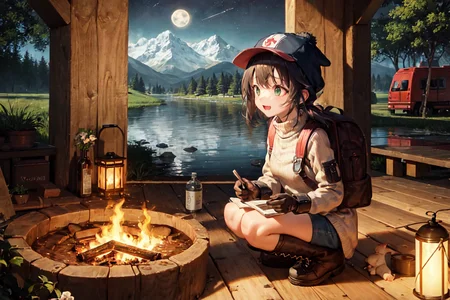
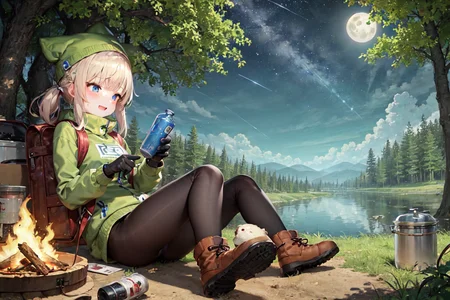
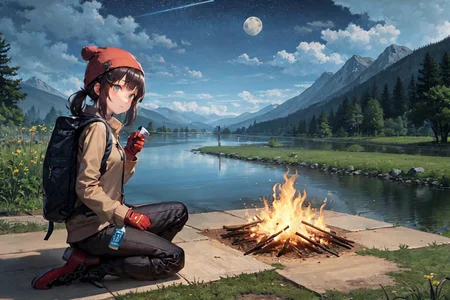
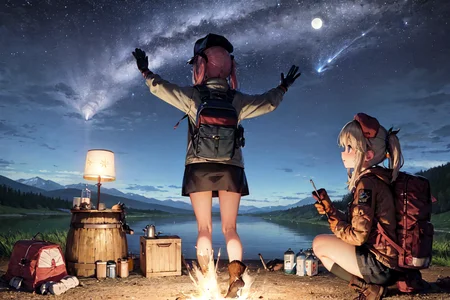
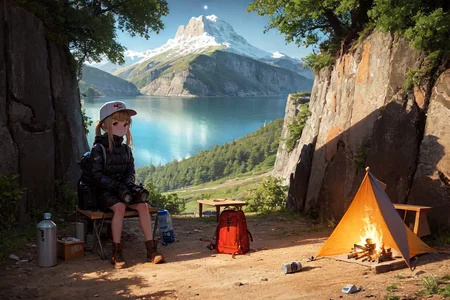
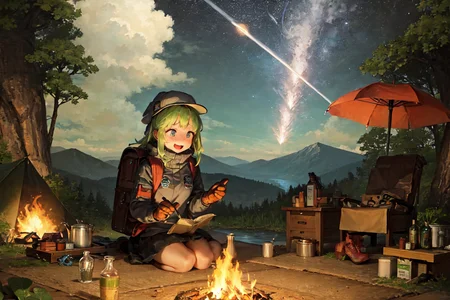
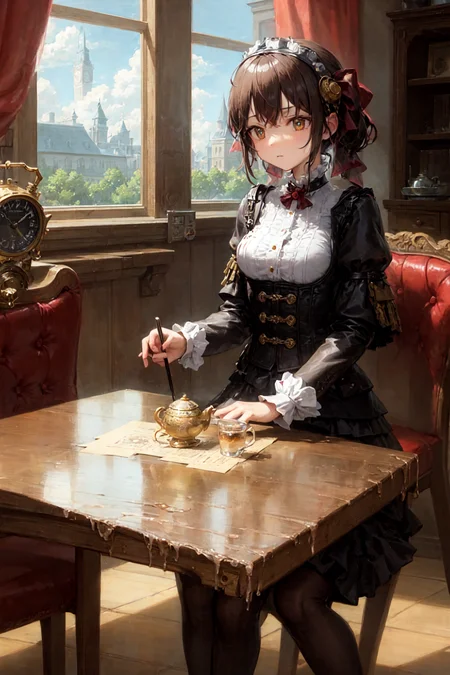
I am terribly sorry! It seems that I triggered a bug related to the "DPM++ SDE Karras" sampler and batch generation while creating the sample image, which resulted in the inability to reproduce the sample image through the seed. However, you should be able to obtain a similar image to mine by using the same settings. Once again, I apologize for any inconvenience caused.
Wrong limb:
Was it a necessary compromise for the sake of the model's diversity and creativity? In any case, please try to generate images in batches and select the high-quality works from them. Perhaps I will release an inpainting model later on?
AbyssOrangeMix3 (AOM3) HuggingFace Model Card
Credit for this model goes to the original author(s) and the maintainer on HuggingFace, WarriorMama777. Consider checking out their repository on Huggingface and giving it a like! Also, check out their profile on Civitai!
▼About
The main model, "AOM3 (AbyssOrangeMix3)", is a purely upgraded model that improves on the problems of the previous version, "AOM2". "AOM3" can generate illustrations with very realistic textures and can generate a wide variety of content. There are also three variant models based on the AOM3 that have been adjusted to a unique illustration style. These models will help you to express your ideas more clearly.
AOM3
Features: high-quality, realistic textured illustrations can be generated.
There are two major changes from AOM2.
1: Models for NSFW such as nsfw and hard have been improved: the models after nsfw in AOM2 generated creepy realistic faces, muscles and ribs when using Hires.fix, even though they were animated characters. These have all been improved in AOM3.
2: sfw/nsfw merged into one model. Originally, nsfw models were separated because adding NSFW content (models like NAI and gape) would change the face and cause the aforementioned problems. Now that those have been improved, the models can be packed into one.
In addition, thanks to excellent extensions such as ModelToolkit, the model file size could be reduced (1.98 GB per model).
▼Variations
AOM3A1
Features: Anime like illustrations with flat paint. Cute enough as it is, but I really like to apply LoRA of anime characters to this model to generate high quality anime illustrations like a frame from a theatre version.
AOM3A2
Features: Oil paintings like style artistic illustrations and stylish background depictions. In fact, this is mostly due to the work of Counterfeit 2.5, but the textures are more realistic thanks to the U-Net Blocks Weight Merge.
AOM3A3
Features: Midpoint of artistic and kawaii. the model has been tuned to combine realistic textures, a artistic style that also feels like an oil colour style, and a cute anime-style face. Can be used to create a wide range of illustrations.
AOM3A1B
AOM3A1B added. The model was merged by mistakenly selecting 'Add sum' when 'Add differences' should have been selected in the AOM3A3 recipe. It was an unintended merge, but we share it because the illustrations produced are consistently good results.
In my review, this is an illustration style somewhere between AOM3A1 and A3.
MORE
In addition, these U-Net Blocks Weight Merge models take numerous steps but are carefully merged to ensure that mutual content is not overwritten.
(Of course, all models allow full control over adult content.)
🔐 When generating illustrations for the general public: write "nsfw" in the negative prompt field
🔞 It can be generated without putting it in. If you include it, the atmosphere will be more NSFW.
Description for enthusiast
AOM3 was created with a focus on improving the nsfw version of AOM2, as mentioned above.The AOM3 is a merge of the following two models into AOM2sfw using U-Net Blocks Weight Merge, while extracting only the NSFW content part.
(1) NAI: trained in Danbooru
(2)gape: Finetune model of NAI trained on Danbooru's very hardcore NSFW content.
In other words, if you are looking for something like AOM3sfw, it is AOM2sfw.The AOM3 was merged with the NSFW model while removing only the layers that have a negative impact on the face and body. However, the faces and compositions are not an exact match to AOM2sfw.AOM2sfw is sometimes superior when generating SFW content. I recommend choosing according to the intended use of the illustration.See below for a comparison between AOM2sfw and AOM3.
▼How to use
Prompts
Negative prompts is As simple as possible is good.
(worst quality, low quality:1.4)Using "3D" as a negative will result in a rough sketch style at the "sketch" level. Use with caution as it is a very strong prompt.
How to avoid Real Face
(realistic, lip, nose, tooth, rouge, lipstick, eyeshadow:1.0), (abs, muscular, rib:1.0),How to avoid Bokeh
(depth of field, bokeh, blurry:1.4)🔰Basic negative prompts sample for Anime girl ↓
v1
nsfw, (worst quality, low quality:1.4), (realistic, lip, nose, tooth, rouge, lipstick, eyeshadow:1.0), (dusty sunbeams:1.0),, (abs, muscular, rib:1.0), (depth of field, bokeh, blurry:1.4),(motion lines, motion blur:1.4), (greyscale, monochrome:1.0), text, title, logo, signaturev2
nsfw, (worst quality, low quality:1.4), (lip, nose, tooth, rouge, lipstick, eyeshadow:1.4), ( jpeg artifacts:1.4), (depth of field, bokeh, blurry, film grain, chromatic aberration, lens flare:1.0), (1boy, abs, muscular, rib:1.0), greyscale, monochrome, dusty sunbeams, trembling, motion lines, motion blur, emphasis lines, text, title, logo, signature,
Sampler: Take your pick
Steps:
DPM++ SDE Karras: Test: 12~ ,illustration: 20~
DPM++ 2M Karras: Test: 20~ ,illustration: 28~
Clipskip: 1 or 2
Upscaler :
Detailed illust → Latenet (nearest-exact)
Denoise strength: 0.5 (0.5~0.6)Simple upscale: Swin IR, ESRGAN, Remacri etc…
Denoise strength: Can be set low. (0.35~0.6)
👩🍳Model details / Recipe
▼Hash
AOM3.safetensors
D124FC18F0232D7F0A2A70358CDB1288AF9E1EE8596200F50F0936BE59514F6DAOM3A1.safetensors
F303D108122DDD43A34C160BD46DBB08CB0E088E979ACDA0BF168A7A1F5820E0AOM3A2.safetensors
553398964F9277A104DA840A930794AC5634FC442E6791E5D7E72B82B3BB88C3AOM3A3.safetensors
EB4099BA9CD5E69AB526FCA22A2E967F286F8512D9509B735C892FA6468767CF
▼Use Models
AOM2sfw
「038ba203d8ba3c8af24f14e01fbb870c85bbb8d4b6d9520804828f4193d12ce9」AnythingV3.0 huggingface pruned
[2700c435]「543bcbc21294831c6245cd74c8a7707761e28812c690f946cb81fef930d54b5e」NovelAI animefull-final-pruned
[925997e9]「89d59c3dde4c56c6d5c41da34cc55ce479d93b4007046980934b14db71bdb2a8」NovelAI sfw
[1d4a34af]「22fa233c2dfd7748d534be603345cb9abf994a23244dfdfc1013f4f90322feca」Gape60
[25396b85]「893cca5903ccd0519876f58f4bc188dd8fcc5beb8a69c1a3f1a5fe314bb573f5」BasilMix
「bbf07e3a1c3482c138d096f7dcdb4581a2aa573b74a68ba0906c7b657942f1c2」chilloutmix_fp16.safetensors
「4b3bf0860b7f372481d0b6ac306fed43b0635caf8aa788e28b32377675ce7630」Counterfeit-V2.5_fp16.safetensors
「71e703a0fca0e284dd9868bca3ce63c64084db1f0d68835f0a31e1f4e5b7cca6」kenshi_01_fp16.safetensors
「3b3982f3aaeaa8af3639a19001067905e146179b6cddf2e3b34a474a0acae7fa」
Description
Features: Midpoint of artistic and kawaii. the model has been tuned to combine realistic textures, a artistic style that also feels like an oil colour style, and a cute anime-style face. Can be used to create a wide range of illustrations.
FAQ
Comments (56)
Has anyone else had issues with double and discoloured nipples? That has not been a common issue with AOM2H/NSFW for me
Could you try changing the prompt? The negative prompt in my example could be a good reference for you.
can you upload a comparsion of four models with same settings?
I haven't figured out how to make a comparison icon yet, because the four models are actually quite different.
Using the same settings for them often gives incomparable results.
But I'll try to figure out a solution!
Damn, those sample images are unreal. Are they really made just with prompts?
I can assure you.
Just copy the settings and prompts and try for yourself
Hello @liudinglin ,
Glad you uploaded and are care taking it! Happy to see more attention brought to these great models and WarriorMama777 given credit.
One thing I wanted to mention is that, unfortunately, ChilloutMix has some restrictive permissions that they seem to require for any merges using it, see https://civitai.com/models/6424/chilloutmix for reference. They also use Dreamlike Diffusion, which would make AOM3 subject to those additional terms mentioned in the description of their model. So if these merges are using it, which seems to be the case based on the merge documentation on Hugging Face (https://huggingface.co/WarriorMama777/OrangeMixs#aom3), then these models should also be subject to the same restrictions.
I just wanted to mention this so no one ends up using this if those permissions would be an issue. It would be good to set these permissions, and add the dreamlike description, so it is clear to users what the restrictions are for using this model.
Edit: Kenshi also leverage Protogen, when causes a similar inheritance of restrictive terms from Dreamlike Diffusion and seek.art, despite Kenshi not setting their terms accurately or providing that information in their model description.
Thank you very much for bringing this to my attention. I was deeply moved by the work of "WarriorMama777," so I eagerly tested and uploaded it. I have now corrected the notice on this page regarding the permissions for chilloutmix, based on your feedback, until "WarriorMama777" updates the detailed synthesis table for each model.
谢谢~
How do I stop it from generating two characters side by side? I only want one character. Using the prompt 1girl doesn't seem to do much.
This is due to the remaining instability caused by the AOM model's sufficient generalization ability. You can try increasing the weight of "1girl, solo," reducing the initial resolution of the generated images, generating multiple images at once, and selecting the best one from them.
Use hires fix
creepy pedo shit
I can't get the colors to come out right. The image is very vibrant and colorful while it is still generating, but once it hits 100% the color washes out.
I've tried 3 different vaes, no luck. The color washes out on the last step. It's perfectly vibrant until it hits 100%.
No issue with any other model I've tried. IE: Anything, AoM2, Kotos, Protogen, Corneo's7th, Grapefruit.
I have the same problem, and I don't know how to resolve it...
What VAE are you using?
@asasxasxas The Orangemix vae posted on huggingface by the creater of AoM. Also tried the anythingv3 vae and the kl-f8-anime vae from waifudiffusion.
@adalbar I use kl-f8-anime, and it works well, so its not a vae issue then.
I too have this problem, I download this VAE but it doesn't seem to work.
I have the same problem too, and use the vae can improve a little bit better, but the colour sill cannot as sharp as the example. And this problem also in some other anime model for me. If any one know how to fix it please tell me. Thanks
@Estay Given the color variation that different VAEs bring to this model, I have not baked a specific VAE onto the model. The VAE used in the sample image is kl-f8, and I appreciate its color saturation.
@liudinglin Thank you so much, it work after I try the kl-f8 vae.
same here.... it is related to VRAM or GPU problems?..
Not bad, but AOM2 artstyle is much better
Agree, AOM3 seems lost its big advantage of 2.5D artstyle.
Remember to download and install the accompanying VAE, (It can be found by expanding the download button on the right side of the page). You will get very desaturated images with artifacts if you do not use it.
Also, you have to be much more explicit with the artstyle using this than AOM2. Use positive or negative prompts like "illustration, sketch, anime, 3D, realistic, oil painting" with low weights to adjust it to your liking.
I have to add "loli, loli face" as negative prompts to not get child-looking characters using this tho. Keep the weight at like 0.5 with that one though as its fairly strong.
I download this VAE but it doesn't work. I don't know how to fix it, can someone tell me what to do?
Assuming that you are using the web user interface of automatic1111. First, open the settings option and then click on stable diffusion. You should now be able to see the option to load VAE on the panel.
@liudinglin Thank you for reply. I know how to load VAE, but I'm not sure if the VAE is working. I upload an image, it looks colorful but also kinda grey? Please check it out and tell me if I'm using this right.
@jonathanseed TRY sample text2image test first.
For those can't get vae working, at least in my case, the vae won't automatically apply if you select "automatic" option in the vae options for some reason... try select orangemix vae instead of automatic instead
I selected the orangemix vae,but it doesn't work as well as the simples. It do make some effects ,though no so obviously.
somehow in aom3 hands seems to be worst than aom2 i think
im kinda new to this and had cloned some code off of automatic1111 then put the AOM3 mix3? i think its called and tried it did every sampler im trying to get a more defined picture as im trying a robot nsfw but all i got was not really to my liking any help would be nice
Hello there! I'm also new to this.
Here's some tips acquired from the mistake I made:
1. Read "▼How to use". It is useful.
2. Make sure VAE is loaded.
3. Always use "Hires. fix".
@solder87466833 thank you my good sir
@solder87466833 OMG IT WORKED SO WELL THANKYOU!!!!!
@bobthegod69 Happy to help! : )
@solder87466833 what is "Hires.fix"??
For those friends who cannot use VAE, please try to use kl-f8 vae file on waifu diffusion. It works well to improve the color of the paint.
hi, i have a problem, the gradio, can't load an image if it's on a upscale, no matter what upscaler i use, it just show blank image.
(the gradio have to restart to use it again)
on google colab, it say,
File "/usr/local/lib/python3.8/dist-packages/gradio/routes.py", line 337, in run_predict output = await app.get_blocks().process_api(
File "/usr/local/lib/python3.8/dist-packages/gradio/blocks.py", line 1015, in process_api result = await self.call_function( File "/usr/local/lib/python3.8/dist-packages/gradio/blocks.py", line 833, in call_function prediction = await anyio.to_thread.run_sync(
File "/usr/local/lib/python3.8/dist-packages/anyio/to_thread.py", line 31, in run_sync return await get_asynclib().run_sync_in_worker_thread(
File "/usr/local/lib/python3.8/dist-packages/anyio/_backends/_asyncio.py", line 937, in run_sync_in_worker_thread return await future File "/usr/local/lib/python3.8/dist-packages/anyio/_backends/_asyncio.py", line 867, in run result = context.run(func, *args)
File "/content/stable-diffusion-webui/modules/generation_parameters_copypaste.py", line 69, in image_from_url_text if filedata.startswith("data:image/png;base64,"): AttributeError: 'NoneType' object has no attribute 'startswith'
can someone help me?
Without more context, it is difficult to provide more specific guidance on how to resolve this error.
The VAE for this model is identical to the Anything V3.0 Pruned FP16 VAE. Same SHA-1 hash and everything.
Save yourself a bit of disk space if you already have it and don't bother downloading this one again.
I have a consistent problem with the vae failing with a zero tensor error. It doesn't fail every time, but over half the time. There's a suggestion in the python trace to add some command line options, but neither is a good solution, one breaks it completely, the other produces empty renders. The AnythingV3 vae does the same thing, with this model, but not with Anything itself. Using the kl-f8-anime2 vae I don't get the error.
does anyone know how to allocate ram ive tried medvram and some prlimit prd thing i thought had worked putting the limit at like 9Gs but it just keep fluctuating between 4 and 8 gs idea wat i could do Because its taking like 20 mins to generate on thing and i could double if i knew how too
try to merge some checkpoints that have 1.5 as base and check the float16 box in s.d...worked for me on gtx1660...alternatively run on runpod....youtube runpod and there is a good channel named se... software engineering courses i think its called has good tutorials...should be at the top search
@shark4697783 ill try it out thanks
是目前见过的Anime风格中最喜欢的了,不过有一个小问题,生成的角色肋骨总是有点太明显了,而且即使是比较丰满的角色也是如此。希望可以考虑在以后的版本微调一下这方面。
说明中有写可以将此类元素加入负面提示
I seem to be getting very low saturation low contrast images unlike the vibrant colors in the examples. Are you doing any post processing to get these results or am I missing a setting. FYI yes I did include the VAE file alongside it in the Models/Stable Diffusion directory.
Here are my settings:
masterpiece, best quality, ultra-detailed, illustration, 1girl, solo, outdoors, camping, night, mountains, nature, stars, moon, bonfire, tent, twin ponytails, green eyes, cheerful, happy, backpack, sleeping bag, camping stove, water bottle, mountain boots, gloves, sweater, hat, flashlight, forest, rocks, river, wood, smoke, shadows, contrast, clear sky, constellations, Milky Way, peaceful, serene, quiet, tranquil, remote, secluded, adventurous, exploration, escape, independence, survival, resourcefulness, challenge, perseverance, stamina, endurance, observation, intuition, adaptability, creativity, imagination, artistry, inspiration, beauty, awe, wonder, gratitude, appreciation, relaxation, enjoyment, rejuvenation, mindfulness, awareness, connection, harmony, balance, texture, detail, realism, depth, perspective, composition, color, light, shadow, reflection, refraction, tone, contrast, foreground, middle ground, background, naturalistic, figurative, representational, impressionistic, expressionistic, abstract, innovative, experimental, unique
Negative prompt: (worst quality, low quality:1.4), (realistic, lip, nose, tooth, rouge, lipstick, eyeshadow:1.0), (dusty sunbeams:1.0),, (abs, muscular, rib:1.0), (depth of field, bokeh, blurry:1.4), (greyscale, monochrome:1.0), text, title, logo, signature
Steps: 12, Sampler: DPM++ SDE Karras, CFG scale: 7, Seed: 457168307, Size: 768x512, Model hash: eb4099ba9c, Denoising strength: 0.5, Clip skip: 2, ENSD: 31337, Hires upscale: 1.5, Hires steps: 12, Hires upscaler: SwinIR_4x
If you are generating through web-ui, put the VAE file to stable-diffusion-webui/models/VAE/ folder, then apply it in Settings tab, section "Stable Diffusion"
I like to use the pastel-waifu-diffusion.vae.pt instead of the orangemix vae and it gives more vibrant colors.
i am so
did you ever fixed that?
@Wanker4 Yes. I found out that I needed to install the VAE file.
Details
Files
abyssorangemix3AOM3_aom3a3.safetensors
Mirrors
9942_abyssorangemix3AOM3_aom3a3.safetensors
abyssorangemix3AOM3_aom3a3.safetensors
abyssorangemix3AOM3_aom3a3.safetensors
AbyssOrangeMix3_A3.safetensors
abyssorangemix3AOM3_aom3a3.safetensors
AOM3A3.safetensors
abyssorangemix3AOM3_aom3a3.safetensors
AOMx3.safetensors
AOM3A3orangemixs.safetensors
abyssorangemix3A3.safetensors
AOM3A3_orangemixs.safetensors
test10.safetensors
AOM3A3_orangemixs.safetensors
AOM3A3.safetensors
AOM3A3_orangemixs.safetensors
AOM3A3_orangemixs.safetensors
aom3a3.safetensors
AOM3A3_orangemixs.safetensors
abyssorangemix3AOM3_aom3a3.safetensors
AOM3A3_orangemixs.safetensors
abyssorangemix3AOM3_aom3a3.safetensors
abyssorangemix3AOM3_aom3a3.safetensors
AOM_3A3_.safetensors
AOM3A3_orangemixs.safetensors
AbyssOrangeMix3_A3.safetensors
AOM3A3.safetensors
abyssorangemix3AOM3_aom3a3.safetensors
AOM3A3_orangemixs.safetensors
abyssorangemix35MilkCow_a3.safetensors
AOM3A3.safetensors
abyssorangemix3AOM3_aom3a3.safetensors
AOM3A3.safetensors
AOM3A3_orangemixs.safetensors
AOM3A3_orangemixs.safetensors
abyssorangemix3AOM3_aom3a3.safetensors
AOM3A3_orangemixs.safetensors
AOM3A3_orangemixs.safetensors
AOM3A3.safetensors
AOM3A3_orangemixs.safetensors