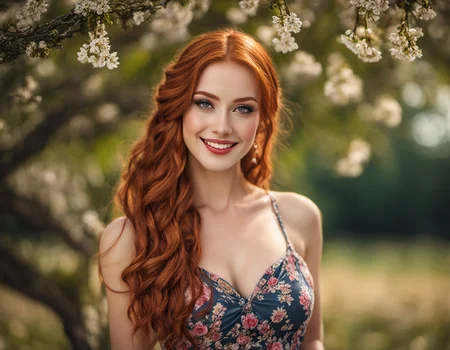

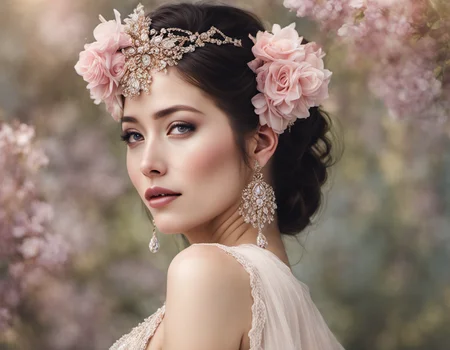


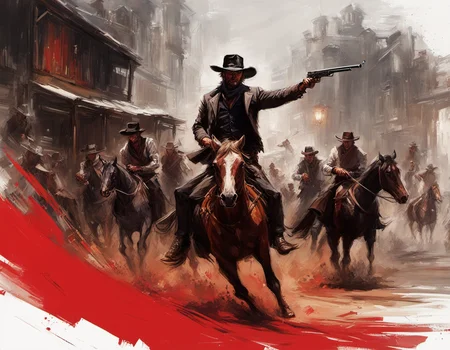

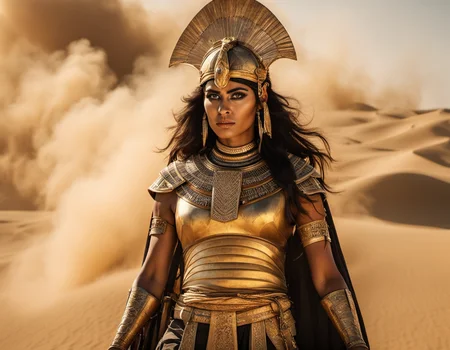



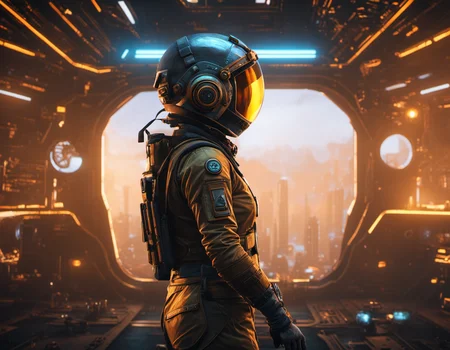
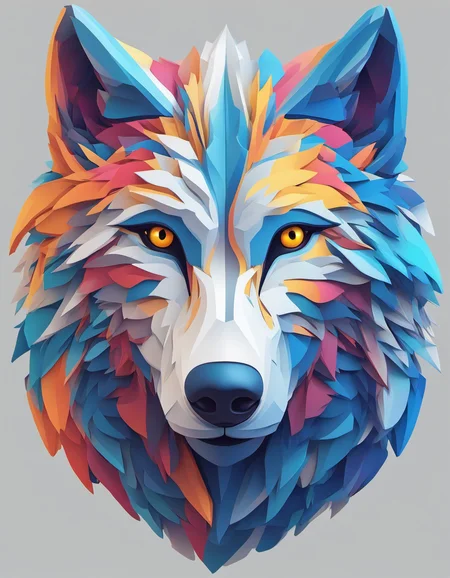
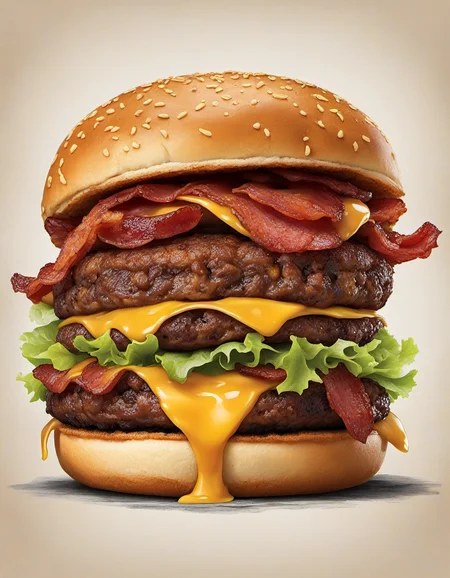
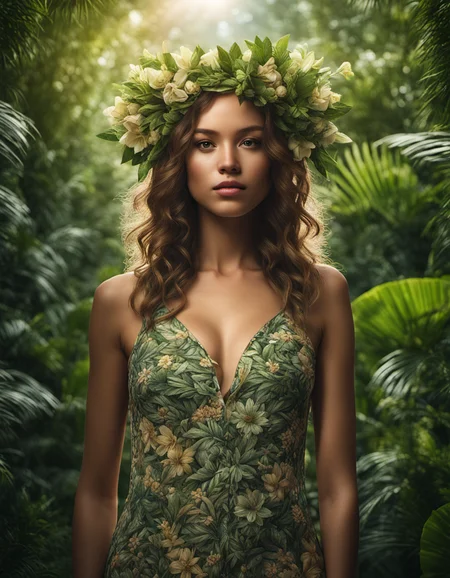
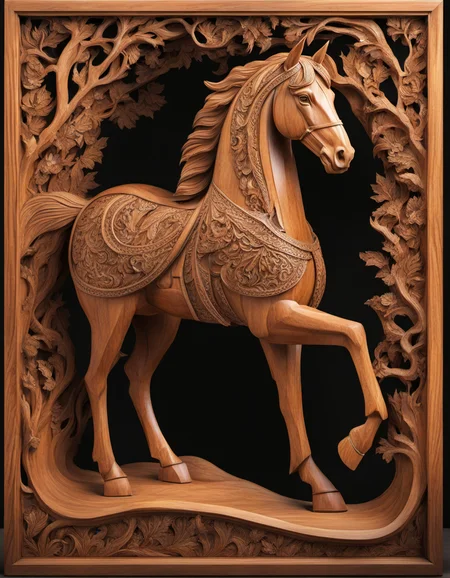
Originally Posted to Hugging Face and shared here with permission from Stability AI.
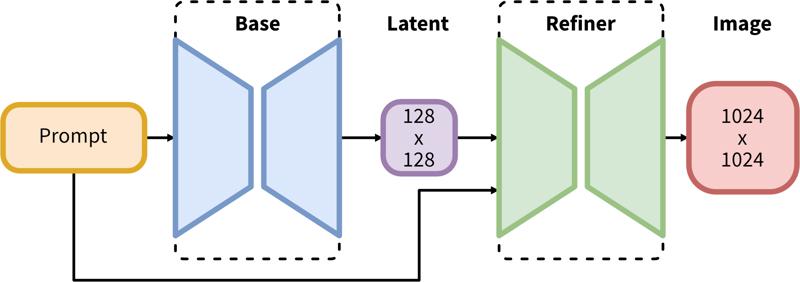
SDXL consists of a two-step pipeline for latent diffusion: First, we use a base model to generate latents of the desired output size. In the second step, we use a specialized high-resolution model and apply a technique called SDEdit (https://arxiv.org/abs/2108.01073, also known as "img2img") to the latents generated in the first step, using the same prompt.
Model Description
Developed by: Stability AI
Model type: Diffusion-based text-to-image generative model
Model Description: This is a model that can be used to generate and modify images based on text prompts. It is a Latent Diffusion Model that uses two fixed, pretrained text encoders (OpenCLIP-ViT/G and CLIP-ViT/L).
Resources for more information: GitHub Repository.
Model Sources
Repository: https://github.com/Stability-AI/generative-models
Demo [optional]: https://clipdrop.co/stable-diffusion
Uses
Direct Use
The model is intended for research purposes only. Possible research areas and tasks include
Generation of artworks and use in design and other artistic processes.
Applications in educational or creative tools.
Research on generative models.
Safe deployment of models which have the potential to generate harmful content.
Probing and understanding the limitations and biases of generative models.
Excluded uses are described below.
Out-of-Scope Use
The model was not trained to be factual or true representations of people or events, and therefore using the model to generate such content is out-of-scope for the abilities of this model.
Limitations and Bias
Limitations
The model does not achieve perfect photorealism
The model cannot render legible text
The model struggles with more difficult tasks which involve compositionality, such as rendering an image corresponding to “A red cube on top of a blue sphere”
Faces and people in general may not be generated properly.
The autoencoding part of the model is lossy.
Bias
While the capabilities of image generation models are impressive, they can also reinforce or exacerbate social biases.
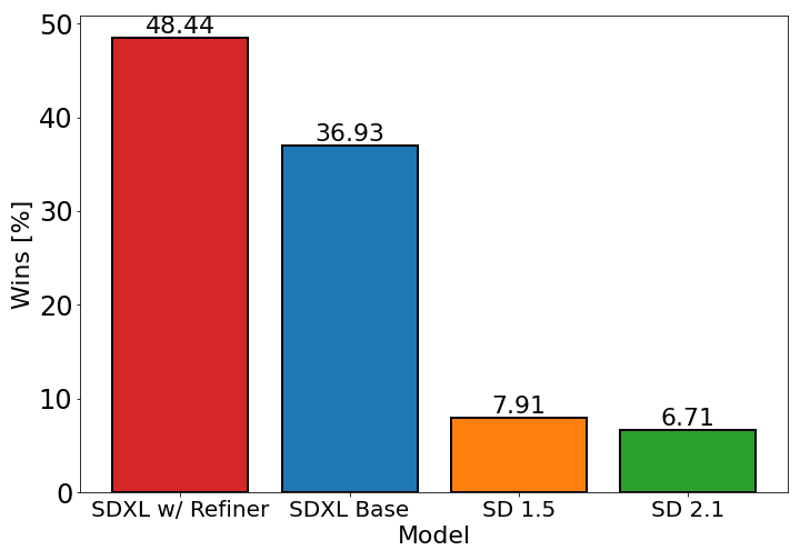
The chart above evaluates user preference for SDXL (with and without refinement) over Stable Diffusion 1.5 and 2.1. The SDXL base model performs significantly better than the previous variants, and the model combined with the refinement module achieves the best overall performance.
Description
FAQ
Comments (121)
Please pruned version
It is already pruned
Wake me up when I can use this without comfyUI.
Sleep
You can use it with Automatic1111 or SD Next right now
You can also use InvokeAI!
@LususNaturae When I try to load the model in A1111 it uses the 100% of my 16 gb ram and crash my pc
you got it all wrong: he asked when HE can use this without comfyui. so, perhaps never? let him sleep...
@LususNaturae I HAVE AWOKEN. Gotta check your settings and make sure there's no VAE being applied.
@MoosieMoose But aren't we supposed to use the sdxl_vae to refine the image from the base model?
@97Buckeye I'm checking it now, supposedly .9 vae is really good?
@Agua use the tiled VAE extension as well as --medvram command arg.
it is here babyyyyyyy 🔥❤❤
Updated my Tutorial ReadMe files for SDXL 1.0
[1] First Ever SDXL Training With Kohya LoRA - Stable Diffusion XL Training Will Replace Older Models
[2] How To Use SDXL in Automatic1111 Web UI - SD Web UI vs ComfyUI - Easy Local Install Tutorial / Guide
[3] ComfyUI Master Tutorial - Stable Diffusion XL (SDXL) - Install On PC, Google Colab (Free) & RunPod
What are "social biases"?
If the model was mainly trained on images of white men, then it will output white men more often than black men when not specified. That is one kind of social bias.
Political.
@ez_phil we are on civitai, so anime of Asian females might be a better analogy. :D
Its just a made up WESTERN pseudoscience, sadly its catching on just like the rest of the decadent things coming in the last 3 decades. No hard feelings but we all know why you dont like being called out.
A way for people with political interest in the game to manipulate the allowed expressed opinions of the public on certain individuals and groups.
Having listened to all the interviews of Emad Mostaque, CEO of Stable Diffusion, I believe he uses the term "social biases" to refer to a broad spectrum of biases that may occur in AI models. Importantly, this concept includes linguistic and cultural biases and isn't solely focused on racial or gender biases. It's crucial to underscore that this perspective is not about politics or race.
Consider the diverse ways cultures and languages interact with AI systems. For example, direct commands like "write me this" are common in English or French, while in cultures such as Japanese or Indian, individuals often use more indirect or polite language, such as "could you write me this?".
If an AI model is primarily trained on data from cultures that favor direct commands, it may have difficulty responding appropriately to inputs from cultures that employ more polite or indirect language. This is precisely the type of "social bias" that Mostaque addresses.
In essence, these biases result from the influence of the linguistic and cultural characteristics of the training data on the AI's performance. Therefore, it's crucial to ensure that AI models are trained on diverse and representative data, to minimize such biases and enhance the versatility and fairness of AI systems. This focus is not about politics or race but about making AI more effective and fair across a broad spectrum of cultures and languages.
To put it in a non-political non-human way, I think it's referring to how you ask for something vague, like "cute puppy" and you almost always get a golden retriever. You don't really get other "cute dogs" unless you specify a breed.
Same kinds of things happen when you prompt for people.
I personally don't really care though, if you want something specific, just prompt for it.
I also don't see why it's that big of an issue. If society is biased towards something being the norm, then people making vague and nonspecific prompts are more likely to be expecting that norm as the result anyways. It is what it is.
Social biases are kind of a poison pill for the open source community to favor infighting and outside pressure from closed source monopolies, while they can do whatever they want without hurdle.
Without these problems, the open source community could more easily focus on bringing diverse point of views from different cultures and languages to enrich the model and/or create subversions that are specific to a culture/language, flourishing faster than closed source solutions.
Instead, we now have people who not only self-censor, but also reject participation from people of different cultures because of safeguards that are ultimately non-inclusive to cultures and opinions seen as "backwards" and "outdated" (ex. standards of female beauty in Japan/Korea, the default image of a man in pan-Arabia/Africa, etc.)
@daxhsoakd716 Yeah, you're absolutely right. Navigating the field of AI development, particularly within the open-source community, requires a delicate balance. On one hand, we need to respect and celebrate the rich tapestry of global cultures and languages that inform and enhance our models. On the other hand, we have a responsibility to ensure that our AI models don't reinforce harmful stereotypes or biases. 🌍💻
This isn't a straightforward task. Each culture, each language has its nuances that need to be understood and respected. It's about making sure that these models are as inclusive and representative as possible, without perpetuating harmful or biased norms. 🤔
However, the commitment to balance shouldn't lead us to self-censorship or the suppression of uncomfortable truths. The aim is not merely to appear "nice" or politically correct. Rather, it's about genuinely striving for fairness and diversity in AI. In the pursuit of this goal, we shouldn't shy away from difficult conversations or criticisms. 👏
We live in a complex, nuanced world, and our AI models should reflect that. We must resist the easy route of self-censorship in favor of the harder path of open dialogue and truth-seeking. This will undoubtedly involve challenging conversations and confrontations with our own biases, but it's a journey that we must undertake for the sake of building more equitable and effective AI models. Let's continue this important dialogue and fight for the truth together. 👊💬😊
@ArtificialBeauties Thanks for the kind answer.
I do understand about the biases he was talking about, as it's something I had to deal with when making on of the first facial detection in Asia couple decades ago, nothing worked perfectly because the training data were westerners. We found a solution, we trained on home gathered data ... but that algorithm worked perfectly for Asia, not anywhere else.
The problem with trying to "change" some biases, it's that we start denying the real world where these biases come from. Example, a "Chinese" person can perfectly be black, ethnically speaking. Should we impact what AI outputs when someone types "a Chinese person" by making it draw a random ethnicity or should we respect the reality that 99% of China is one ethnicity?
On other hand, where I (humbly) don't agree with you, is this phrase: "we have a responsibility to ensure that our AI models don't reinforce harmful stereotypes or biases".
We are scientists and artists, we make tools, not decide what they can be used for and how. Especially when it comes down to a philosophy that probably not a single couple persons agree on 100%.
This is akin to deciding what words can a pen/keyboard/printer write/print, or my camera maker deciding that my camera gender/ethnicity swaps people randomly in my shots because I live in a country where 99% of people/family/friends/clients are Asian and not too diverse.
The problems and harm I see with trying to force-impact what AI does is multifold:
1) First, who gets to decide what a "harmful" stereotype is? Are we gonna revive a new era of colonialism, this time of the mind, where some minority of westerners get to decide what the whole planet, cultures, beliefs can do/say or not because their beliefs don't align with the decision makers?
2) A harmful stereotype in one place/culture is the norm in another, and vice-versa. Are we gonna censor and "exclude" whole groups of people in the name of inclusion? (this defies the purpose).
Example: In some sub-Saharan African countries, part of the people think that dressing up like westerners means being smart and advanced while traditional clothing is backward, while the other half believes that keeping traditions is strength while following western cultures is continued colonialism of the weak minds ... which group should we please (or rather, which one should we not harm) when we output a person from that country with a minimal prompt?
3) Whenever this exercise is done, it ALWAYS ends up in censorship and exclusion to appease many people, so we end up not including many things (ex. the exclusion of NSFW from Stability AI's training data resulting in worse anatomy, when at the same time Meta decided to lift the ban on nipples on platforms used by minors).
4) You can't make a shoe that fits all, there is a reason why international products have both internationalization and localization done, to fit with specific cultures, rather than forcing one on all.
5) Lastly, remember what historically happened (every single time) whenever a small group of people decided they were smart enough to impose their ethics/morals/PoV on everyone else? It never resulted in anything glamorous, even when that group had the very best intentions. (At best, it resulted in art and science censorship and book burning, at worse it resulted in genocides).
Personally, I would be happy if it just meant increasing diversity of data being trained on and multilingual labeling, if it doesn't harm the precision/quality of output. Keep it high quality enough to be used and adapted by all, and the community can add subsets (like LoRAs) that are specific to languages, cultures, ethnicities, gendered themes, etc.
@daxhsoakd716 I appreciate your thoughtful points and agree with much of what you've outlined.
The issue of who gets to define a "harmful" stereotype indeed lies at the heart of the debate. It's a complex challenge in the field of AI, emphasizing the importance of dialogue and collective decision-making. The best way forward may be a platform where multiple stakeholders - including AI developers, users, and those potentially affected by AI systems - can contribute to defining what's considered harmful. It's not an easy endeavor, but it's a crucial step towards achieving a balanced and fair AI ecosystem. Especially concerning is the idea of AI being controlled by corporations alone, which could limit the diversity and richness of perspectives in these important conversations. We should strive for a wider involvement in shaping our AI future.
This model blows up Automatic1111 when I try to use the vae refiner on Img2Img. The base model works fine, but the refiner kills it.
they just said in the live stream you'd prolly need 16GB for the refiner.
@punkbuzter340 was this live stream recorded somewhere? got a link? :)
We're in business, baby
What's the workflow to get this working in A1111? My results look broken.
Disable VAE, set it to none, then use as any other model.
Changing to 1024x1024 made a huge difference for me.
@dejoblue751 there is a specific SDXL VAE they released on hugging face to use with the new model
@hobolyra vae is also here under extra files
@Lukas_3D On Twitter their wrote that the VAE is inside the base model. Maybe that means it is not in the Refiner?
Just to confirm, refiner needs no update? Or do we need to get 1.0 refiner as well?
refiner in its current state is garbage. refine with 1.5 if you want to switch models.
@saturngfx that's not right, the refiner is not good as an img2img insert, but if you use it the way Stability AI intended, it's phenomenal. But so far this is only possible with ComfyUI.
@nanunana SDnext by vladmandic also supports it.
@sci yes u are right!
Is it me or now it looks more and more like Midjourney? And that is a step back in my opinion. Blurry lines, shallow depth of field, less sharp details and overall blur and bloom all over the place...
I have yet to see any outputs that really impressed me. This is a base model though, so I am sure there will be some great things in the works.
I agree.
I guess the images will have to be refined to improve those points.
will my 3060TI run XL on auto1111?
the command prompt keeps saying things like torch size error, so I'm thinking no
(Edit: I am running with --xformers --medvram --no-half-vae)
size mismatch for model.diffusion_model.output_blocks.8.0.skip_connection.bias: copying a param with shape torch.Size([320]) from checkpoint, the shape in current model is torch.Size([640]).
Have you tried updating AUTOMATIC1111?
also use --medvram or --lowvram in args
same here :(
I fixed the size mismatch error by git pulling latest webui version to get updated configs, and downloading the VAE (there's a link under the download link on this page) and putting it next to the model. But then I started getting CUDA memory errors so I also had to run webui with --lowvram. I'm on a 980TI but it's slow as fuck.
It runs with my 3060 12gb just fine. I am using it in ComfyUI for now. Will do some testing in Auto1111 which I updated to 1.5 version and report back. Since it is a smaller size version (6.5gb) compared to the mammoth 13gb that the 0.9 was, it actually renders images a bit faster. About a min to run base and refiner per image, compared to 1,5 to 2 mins with 0.9.
my 2060 works fine.
Try using comfy ui. I have a 3060ti too and it works perfectly
@Markinson_De_Sade Comfy/3060 Brothers Unite!!! No trouble in Comfy country! (I have actually had the Comfy engine give a low vram warning in the python window when I was doing other stuff on the PC, but it automagically switched to 'tiled' mode and just continued at a crawl speed.)
I'm very glad that StabilityAI did not censor the text encoder of SDXL, they were smart enough to keep the open source text encoder with NSFW info but at the same time to NOT train the UNET on NSFW... now, they got it!
yes this is very good news indeed
I am not able to use it, I do everything as explained, when loading the model this error appears "Failed to create model quickly; will retry using slow method", after that several errors appear and my RAM memory increases to the limit (16GB), and nothing happens , I need to close to release the RAM and return to normal... 😢
I have the same problem. the 'slow method' makes the computer chug along for a bit and then nothing
update: got it working by running the update.bat and the run.bat in the root folder which installed extra stuffs. I had to do that twice and then in automatic111 hit enter after it loaded the sdxl model for the first time. GLHF
set COMMANDLINE_ARGS=--no-half-vae --xformers
I can run it after change above setting.
@zakblue i will try
@kbb1312 I did it too
@zakblue I don't have these .bat in my folder
@evilgoku666 I had to do a fresh install of automatic111 for SDXL. This was the only way for me to get it going consistently. Those batch files come with the latest version. Working well now.
Edit the webui-user.bat file adding "--no-half-vae" to the COMMANDLINE_ARGS and add "git pull" at the bottom just before "call webui.bat"
@kbb1312 same
@zakblue I had tried that too, but it didn't work.
@thecrumpeffect333 I had tried that too, but it didn't work. I have an rtx 3060 12gb, 16gb of ram... I could only get past the errors (even if waaaay slowly) with the arguments "--medvram --opt-sdp-no-mem-attention --no-half-vae"
and the xformers
@evilgoku666 Psst... come on over to Comfy town, runs like a dream (I have your setup). That's ComfyUI, then look for workflows here. A111 was a pain for me from the start, discovered Comfy and never looked back.
@MysteryWrecked Hello how are you? when I was trying to solve my problems in auto1111 I tested comfyui, and incredibly it ran very well, but I have no intimacy with that interface, I even tried to familiarize myself with it, but at that moment I returned to the attempts in auto1111 and, by a miracle , it was entering without requiring any arguments and the errors disappeared, it was still slow but working, so I abandoned comfyui... but I will watch some tutorials, read some articles about it to try to understand its operation better and I will give it a chance, because looks promising
@evilgoku666 Best bet is to go to the examples page linked from the main page, the basic workflows are fairly simple. You have your checkpoint loader that goes to your positive and negative prompt inputs (Clip Text Encode), out to your sampler, then VAE Decode and Save Image. I'm glad you got A111 working, but if you get bored or frustrated, it's worth a try. Have a great day!
"...will retry using slow method." - most likely it means that additional memory on the disk will be used, because there is not enough VRAM, so the swap file forms! Therefore the solution is:
1) to organize a swap file on disk. in win 10 - settings -> system -> about -> advanced system settings -> performance - settings -> advanced - change => restart
2) in automatic1111 settings -> optimizations ->Cross attention optimization = "sdp-no-mem - scaled dot product without memory efficient attention" or similar like xformers.
It worked for me. I have 3090ti (24GB VRAM) + 64GB RAM! But I also know that it works for a 12GB graphics card as well. Also remember to update the nvidia driver (optional).
@gromov thank you for sharing this information
I need comyui workflow for SDXL ... wherre i can found a nice one make great result?
Doesn't work on a1111
you updated?
@zwaetschge I tried git pull, updating everything else, I'm just getting the size mismatch torch error :(
@qs7 the same for me.
I updated and it didn't work but I then did a fresh install and it did work.
@qs7 thats odd. it works fine for me with rtx3060 12gb. i had problems with composable lora extension with 0.9. after disabling all was good. do you perhaps have lora activated or something similar? also to be 100% sure, youre image resolution is on 1024x1024 and you have the sdxl VAE activated?
@qs7 Maybe you're trying to use a lora or something? I did a git pull and worked perfectly fine on A1111
Both the normal checkpoint and refiner work fine on A1111 1.5.0. Use the refiner as ckpt in img2img with the SD upscale script.
Also do not use any TI or Loras not meant for XL1.0 they will break it.
@qs7 use --no-half-vae and if you have 8GB VRAM use --medvram in your launch args.
@SakuraJensen I did a fresh install and it didn't work. 3080 ti, 16gb VRAM. Results come out very broken.
Broken here too, results suck, updated A1111
@Polygon Are you running it on 1024 resolution? I had very bad results with 512 but nice results with 1024
@Polygon make use you add "--no-half-vae --xformers" after "set COMMANDLINE_ARGS=" in webui-user.bat. It is required for SDXL.
Also make sure you're only using 1024x1024 for the best results. You have plenty of power so I know it's not hardware sided. I'm currently using a single Quadro P4000 8GB (Which is basically a GTX 1070).
It took me a while today to get it going with Automatic 1111. #1) I had to update Pytorch to 20.0.0. This took me a while to get done properly. There are a variety of ways to install it, but properly for Auto1111 - the best I finally found was getting rid of the venv folder after getting everything updated, and letting the system recreate the venv folder on a restart. Also, you can't use any 1.5 or earlier Lora's etc.. or it will error. They'll have to be made for the new version, like we saw with 1 to 1.5. It's still not perfect on my system, but I can run it at least.
@SakuraJensen --no-half-vae is not needed anymore on 1.0 if i remember correctly. at least i get great images without that command. with 0.9 i didnt get an image without this command
@Polygon Have you tried to disable your extensions?
@zwaetschge Perhaps not but that's what automatic said to do when other people were getting black images and messy results. Also 1.5.1 is out now and my fork is still on 1.5.0 could be the difference as well.
@qs7 Edit the webui-user.bat file adding "--no-half-vae" to the COMMANDLINE_ARGS and add "git pull" at the bottom just before "call webui.bat"
It definately works with a1111. Im struggling with my 10 gig 3080, but its running it. Just slowly and with a lot of jank.
I had to use
--med-vram --sdp-attention
to get it to run. Xformers would give me an error after generating an image or two, and I kept running out of vram.
And more importantly, I have to minimize my browser windows just to get it to run at all, while its generating images. Otherwise it stalls.
@Colorfan weird xformers works fine on my 8GB Quadro. It's supposed to help VRAM not the opposite lol.
With SDXL and the latest Nvidia drivers I can use the full 24GB(including the 16GB of shared). Without crashing.
It does work. Use latest A1111, add --no-half-vae at COMMANDLINE_ARGS in webui-user.bat and render in 1024x1024 resolution
How can I upscale SDXL? I usually use Controlnet+4Sharp and obviously it does not work. I send the image to IMG2IMG and then?
Use the img2img tab with the refiner as the checkpoint.
Use the SD Upscaler Script
Set your scale
Set Denoising to .25-.35
Change your sampler and steps to whatever you want
Optional: Use Upscayl(separate program) to upscale even further.
(If you're limited on VRAM use the TiledVAE extension as well as the --medvram commandline arg.)
What I want to know is if A1111 is being updated to take full advantage of SDXL 1.0?
it seems it's not being possible to use the Refiner properly in A1111
@cassiodeholanda have you updated everything? I had issues at first as well, read over the instructions carefully
A1111 is not yet fully ready for it - but you can try ComfyUI, it works great with base + refiner workflow:
1. comfyanonymous/ComfyUI: A powerful and modular stable diffusion GUI with a graph/nodes interface. (github.com)
2. ComfyUI Examples | ComfyUI_examples (comfyanonymous.github.io) (check SDXL examples - workflows are embedded in the images, just drag and drop them into ComfyUI)
Does anyone know how to load the entire workflow using diffusers module on a Python notebook?
Check the official instructions here - worked for me:
Anyone know what to do about this error? I cannot seem to use SDX10 in Easy Diffusion:
"Error: The size of tensor a (271) must match the size of tensor b (77) at non-singleton dimension 1"
You're probably trying to use a lora and checkpoint that do not work together.
Any lora made for 1.5 wont work with SDXL. You also get this error if you try running the SDXL lora with the refiner model, as they do not work together.
Are you using lora's? Try without. Not all (actually most) lora's are not compatible
remove any lora in img2img mode and set yoiur VAE to auto
It seems that after enabling the sdXL_vae model, some of the "embedding" and "lora" models cannot be used. However, when switching to other stable diffusion models, the missing functionalities are restored. Nevertheless, once the sdXL_vae model is selected again, the issue reappears. Have you encountered a similar situation?
This is expected, the LoRA is dependent on the architecture of the model.
there's new LoRA's being made for SDXL, you can filter on SDXL as base model.
Most seem to have "XL" in their name.
***************************
In my opinion only
****************************
This feels like a weaker SD1.5 model which has been used to make larger format pictures and/or upscaled, then de-gurgitated into a new format called SDXL (I am guessing the xl means extra large).
Besides making most current renderers broken, none of the pictures posted makes me think this is anything other than another try at SD2.0.
I am allowed to voice an opinion, please try and remember this.
#SD1.5 for meeeeeeeeee
It seems to deal with problematic concepts quite well;
Dragons
pixel art
Are two very good examples that seem to perform MILES better than anything SD 1.x could do.
I respect your opinion, but I don't entirely agree.
My results haven't been great, but the concepts are understood much better.
@locomotron Yes, for me and others as well, the way it handles and listens to prompts is much better. I can see the potential, but we are soo early. What was 1.x doing last November? Did you keep any of those model releases? Do you ever use 1.5 base for your renders? I've seen HORRORS out of that base, the first time I tried to make a person, I just got a pile of limbs, literally. But I still have breathtaking renders I made in Feb/Mar, and it just keeps getting better. XL will too, the only questions being, can we run it and contain the data (I need another 4TB SSD just for XL haha)?
@MysteryWrecked Exactly, cheers for the insight!
The checkpoint to compare it to isn't Dreamshaper 7 or whatever highly opinionated recent variant you prefer.
Go back and try some of your most recent prompts using the SD1.4 or SD1.5 base checkpoints, then see how the SDXL checkpoint holds up.
I've played around with it some and I've found SDXL to be wonderfully flexible, capable of a great range of styles. Sure, it's not quite as good at very specific things, but that's where giving SDXL the same level of care and remixing/training as SD1.5 has gotten comes in. Hell, A1111 doesn't even use the SDXL model properly yet.
Give it a month and then check back on the state of things.
Fast review of SDXL 1.0 in Auto1111
Pros:
+Can do 1024x1024 without highres fix
+Follows your prompts slightly closer. Maybe?
+Seems to hallucinate less. Less extra limbs
Meh:
~Budget gpus are out. Need 6-8 GB vram minimum.
~Still can't do fingers
~Still can't do complex compositions without inpaint. ("Blue box on a red bench" -> blue bench with a black box next to it)
Cons:
-Takes about 3-5x as long than SD1.5
-Old Models, TIs, and Loras NOT compatible.
-Refiner is more of a side-grade, rather than strictly adding more detail. img2img with ultimate upscaler script is better at adding detail.
-Fresh install of auto1111 pretty much mandatory (at least in my case)
"img2img with ultimate upscaler script is better at adding detail."
I agree!! Since the beginning of this 'Era' of AI creation, I noticed the 'IMMENSE' revolution of 1.5. Right now, there are hundreds of 1.5 checkpoints with suberb quality and GREAT speed and memory usage! I can create 1800x1800 images (4 tiles of 900x900) by using a 6GB card, and the times goes between 4 and 10 minutes (it's feasible for me)
And more! If you use LOOPBACK SCALER (denoise 0.4) to 'refine' your 480x480 or 512x512 'base' image in 1.5 to 900x900, and THEN use ULTIMATE SD (denoise 0.2~0.3), the outputs are even better! I always create those 'tiny versions' (e.g. with epicRealism checkpoint) and then I 'refine' with LOOPBACK, using the same or other checkpoint, in order to give more texture (in the case 900x900 is enough). If I want more later, I can proceed with a final step with ULTIMATE (for 1800x1800 or even higher versions).
I am still learning on how to improve 1.5 routes.
I just updated pytorch, and xformers, no need for fresh install for me.
Details
Files
sdXL_v10.safetensors
Mirrors
sdXL_v10.safetensors
sd_xl_base_1.0.safetensors
sd_xl_base_1.0.safetensors
sdXL_v10.safetensors
sd_xl_base_1.0.safetensors
sdXL_v10.safetensors
sd_xl_base_1.0.safetensors
sd_xl_base_1.0.safetensors
sd_xl_base_1.0.safetensors
sdXL_v10.safetensors
sd_xl_base_1.0.safetensors
sd_xl_base_1.0.safetensors
sd_xl_base_1.0.safetensors
sd_xl_base_1.0.safetensors
sd_xl_base_1.0.safetensors
sd-xl_base-1_0.safetensors
sd_xl_base_1.0.safetensors
sdxl_base.safetensors
sd_xl_base_1.0.safetensors
sd_xl_base_1.0.safetensors
sd_xl_base_1.0.safetensors
sd_xl_base_1.0.safetensors
sd_xl_base_1.0.safetensors
sd_xl_base_1.0.safetensors
sd_xl_base_1.0.safetensors
sd_xl_base_1.0.safetensors
sd_xl_base_1.0.safetensors
sd_xl_base_1.0.safetensors
nummlmodel.safetensors
sd_xl_base_1.0.safetensors
sd_xl_base_1.0.safetensors
sd_xl_base_1.0.safetensors
sd_xl_base_1.0.safetensors
sd_xl_base_1.0.safetensors
sd_xl_base_1.0.safetensors
sd_xl_base_1.0.safetensors
sd_xl_base_1.0.safetensors
sd_xl_base_1.0.safetensors
sd_xl_base_1.0.safetensors
sd_xl_base_1.0.safetensors
sd_xl_base_1.0.safetensors
sd_xl_base_1.0.safetensors
sd_xl_base_1.0.safetensors
sd_xl_base_1.0.safetensors
sd_xl_base_1.0.safetensors
sd_xl_base_1.0.safetensors
SDXL_1.0.safetensors
sd_xl_base_1.0.safetensors
sd_xl_base_1.0.safetensors
sd_xl_base_1.0.safetensors
sd_xl_base_1.0.safetensors
sd_xl_base_1-0.safetensors
sd_xl_base_1.0.safetensors
sd_xl_base_1.0.safetensors
sd_xl_base_1.0.safetensors
sd_xl_base_1.0.safetensors
sd_xl_base_1.0.safetensors
sd_xl_base_1.0.safetensors
sd_xl_base_1.0.safetensors
sd_xl_base_1.0.safetensors
sd_xl_base_1.0.safetensors
sd_xl_base_1.0.safetensors
sd_xl_base_1.0.safetensors
sd_xl_base_1.0.safetensors
sd_xl_base_1.0.safetensors
sd_xl_base_1.0.safetensors
sd_xl_base_1.0.safetensors
sd_xl_base_1.0.safetensors
sd_xl_base_1.0.safetensors
sd_xl_base_1.0.safetensors
sd_xl_base_1.0.safetensors
sd_xl_base_1.0.safetensors
sd_xl_base_1.0.safetensors
sd_xl_base_1.0.safetensors
sd_xl_base_1.0.safetensors
sd_xl_base_1.0.safetensors
sd_xl_base_1.0.safetensors
sd_xl_base_1.0.safetensors
sd_xl_base_1.0.safetensors
sd_xl_base_1.0.safetensors
sd_xl_base_1.0.safetensors
sd_xl_base_1.0.safetensors
sd_xl_base_1.0.safetensors
sd_xl_base_1.0.safetensors
sd_xl_base_1.0.safetensors
sd_xl_base_1.0.safetensors
sd_xl_base_1.0.safetensors
sd_xl_base_1.0.safetensors
sd_xl_base_1.0.safetensors
sd_xl_base_1.0.safetensors
sd_xl_base_1.0.safetensors
sd_xl_base_1.0.safetensors
sd_xl_base_1.0.safetensors
sd_xl_base_1.0.safetensors
sd_xl_base_1.0.safetensors
sd_xl_base_1.0.safetensors
sd_xl_base_1.0.safetensors
sd_xl_base_1.0.safetensors
sd_xl_base_1.0.safetensors
sd_xl_base_1.0.safetensors
sd_xl_base_1.0.safetensors
sd_xl_base_1.0.safetensors
sd_xl_base_1.0.safetensors
sd_xl_base_1.0.safetensors
sd_xl_base_1.0.safetensors
sd_xl_base_1.0.safetensors
sd_xl_base_1.0.safetensors
sd_xl_base_1.0.safetensors
sd_xl_base_1.0.safetensors
sd_xl_base_1.0.safetensors
sd_xl_base_1.0.safetensors
sd_xl_base_1.0.safetensors
sd_xl_base_1.0.safetensors
sd_xl_base_1.0.safetensors
model.safetensors
sd_xl_base_1.0.safetensors
sd_xl_base_1.0.safetensors
sd_xl_base_1.0.safetensors
sd_xl_base_1.0.safetensors
sd_xl_base_1.0.safetensors
sd_xl_base_1.0.safetensors
sd_xl_base_1.0_0.9vae.safetensors
sd_xl_base_1.0.safetensors
sd_xl_base_1.0.safetensors
sd_xl_base_1.0.safetensors
sd_xl_base_1.0.safetensors
sd_xl_base_1.0.safetensors
sd_xl_base_1.0.safetensors
sd_xl_base_1.0.safetensors
sd_xl_base_1.0.safetensors
sd_xl_base_1.0.safetensors
sd_xl_base_1.0.safetensors
sd_xl_base_1.0.safetensors
sd_xl_base_1.0.safetensors
sd_xl_base_1.0.safetensors
sd_xl_base_1.0.safetensors
sd_xl_base_1.0.safetensors
sd_xl_base_1.0.safetensors
sd_xl_base_1.0.safetensors
sd_xl_base_1.0.safetensors
sd_xl_base_1.0.safetensors
sd_xl_base_1.0.safetensors
sd_xl_base_1.0.safetensors
sd_xl_base_1.0.safetensors
sd_xl_base_1.0.safetensors
sd_xl_base_1.0.safetensors
sd_xl_base_1.0.safetensors
sd_xl_base_1.0.safetensors
SDXL sd_xl_base_1.0.safetensors
sd_xl_base_1.0.safetensors
sd_xl_base_1.0.safetensors
sd_xl_base_1.0.safetensors
sd_xl_base_1.0.safetensors
sd_xl_base_1.0.safetensors
sd_xl_base_1.0.safetensors
sd_xl_base_1.0.safetensors
sd_xl_base_1.0.safetensors
sd_xl_base_1.0.safetensors
sd_xl_base_1.0.safetensors
sd_xl_base_1.0.safetensors
sd_xl_base_1.0.safetensors
sd_xl_base_1.0.safetensors
sd_xl_base_1.0.safetensors
sd_xl_base_1.0.safetensors
sd_xl_base_1.0.safetensors
sd_xl_base_1.0.safetensors
sd_xl_base_1.0.safetensors
sd_xl_base_1.0.safetensors
sd_xl_base_1.0.safetensors
Available On (1 platform)
Same model published on other platforms. May have additional downloads or version variants.