




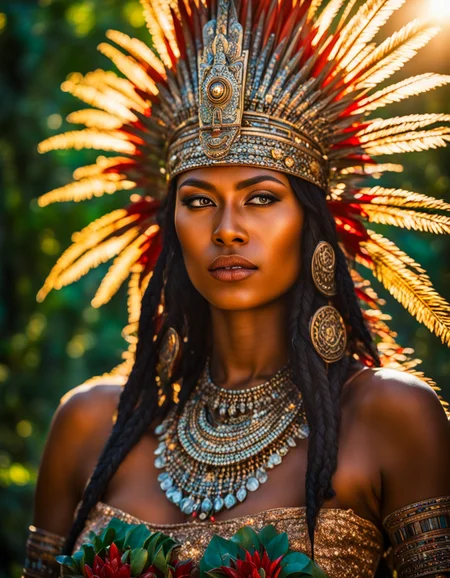
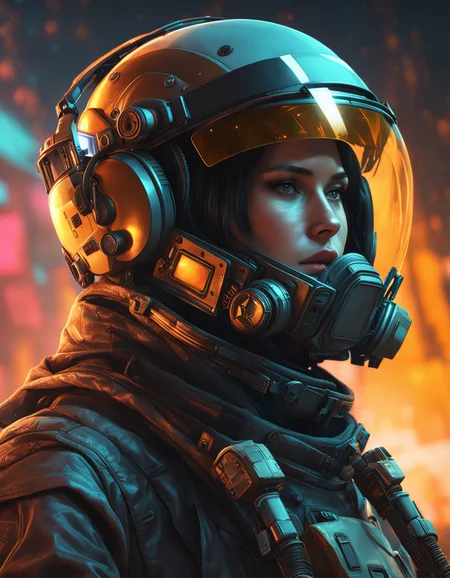
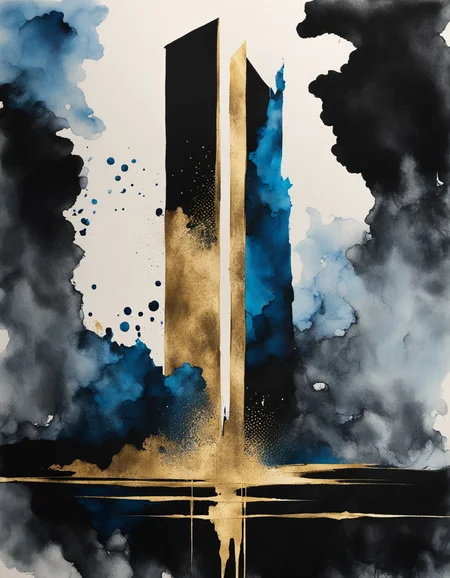
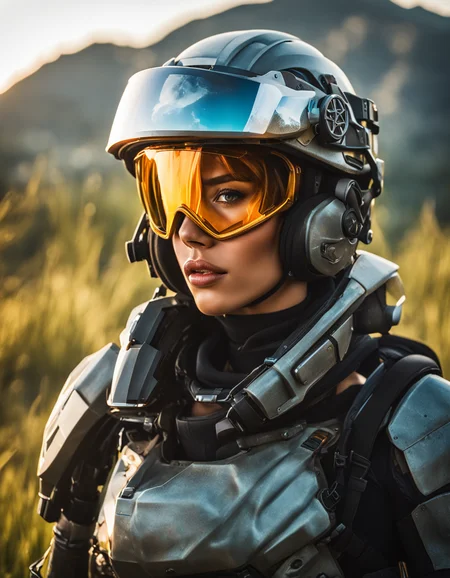
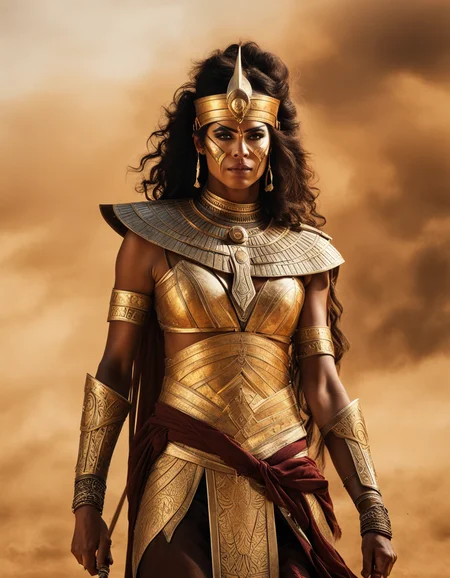
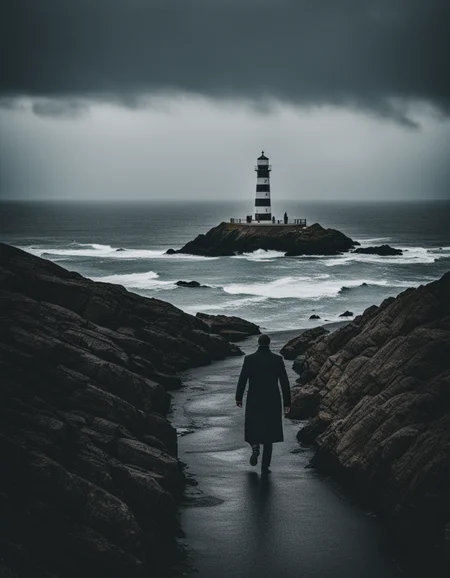
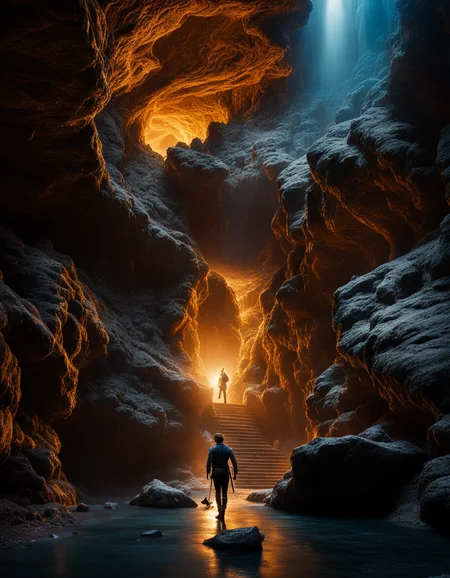
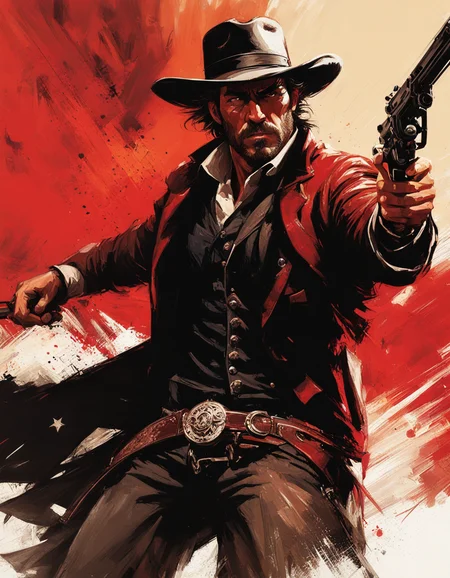

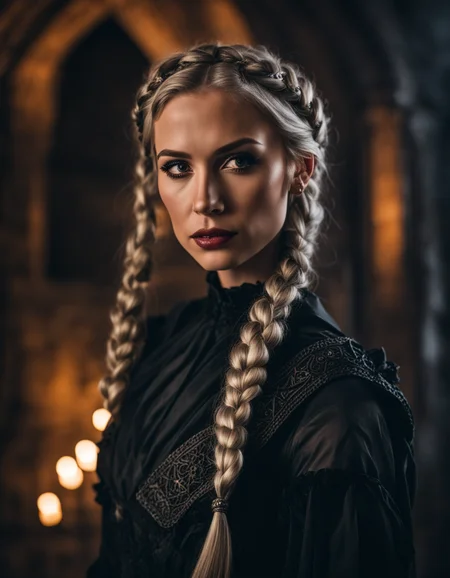
Originally Posted to Hugging Face and shared here with permission from Stability AI.
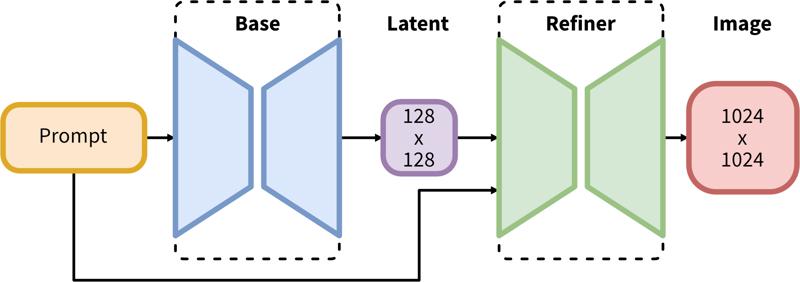
SDXL consists of a two-step pipeline for latent diffusion: First, we use a base model to generate latents of the desired output size. In the second step, we use a specialized high-resolution model and apply a technique called SDEdit (https://arxiv.org/abs/2108.01073, also known as "img2img") to the latents generated in the first step, using the same prompt.
Model Description
Developed by: Stability AI
Model type: Diffusion-based text-to-image generative model
Model Description: This is a model that can be used to generate and modify images based on text prompts. It is a Latent Diffusion Model that uses two fixed, pretrained text encoders (OpenCLIP-ViT/G and CLIP-ViT/L).
Resources for more information: GitHub Repository.
Model Sources
Repository: https://github.com/Stability-AI/generative-models
Demo [optional]: https://clipdrop.co/stable-diffusion
Uses
Direct Use
The model is intended for research purposes only. Possible research areas and tasks include
Generation of artworks and use in design and other artistic processes.
Applications in educational or creative tools.
Research on generative models.
Safe deployment of models which have the potential to generate harmful content.
Probing and understanding the limitations and biases of generative models.
Excluded uses are described below.
Out-of-Scope Use
The model was not trained to be factual or true representations of people or events, and therefore using the model to generate such content is out-of-scope for the abilities of this model.
Limitations and Bias
Limitations
The model does not achieve perfect photorealism
The model cannot render legible text
The model struggles with more difficult tasks which involve compositionality, such as rendering an image corresponding to “A red cube on top of a blue sphere”
Faces and people in general may not be generated properly.
The autoencoding part of the model is lossy.
Bias
While the capabilities of image generation models are impressive, they can also reinforce or exacerbate social biases.
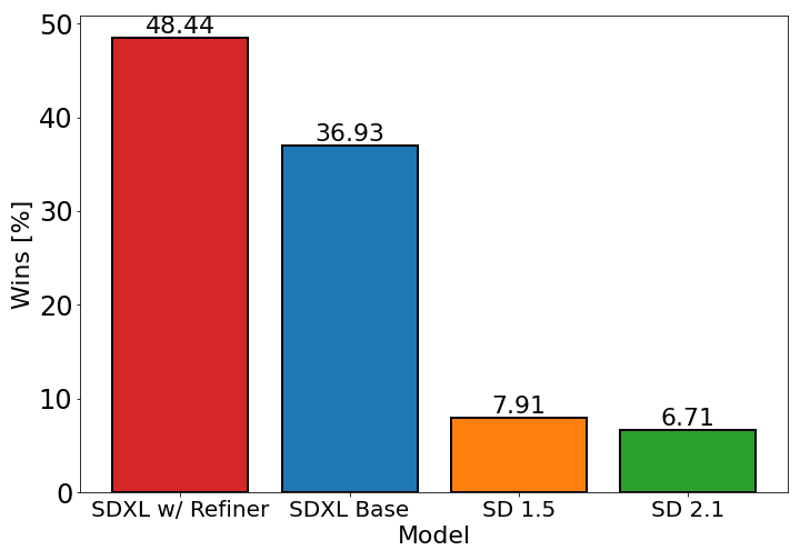
The chart above evaluates user preference for SDXL (with and without refinement) over Stable Diffusion 1.5 and 2.1. The SDXL base model performs significantly better than the previous variants, and the model combined with the refinement module achieves the best overall performance.
Description
FAQ
Comments (284)
Stop doing 1.5 waifus, focus on XL NOW!
This is simply 100 times better as a base model.
E V O L V E yourself ffs
Alright! Let's also focus on lower memory requirements! No more 'out of memory' even with 8GB and some 12GB cards! In 1.5, I crafted hundreds of wonderful waifus, dreamable ones, using a 4GB card + ULTIMATE SD with tiles in IMG2IMG. It works flawlessly so far.
I get it, yes as a base model, it is truly miles ahead of 1.x/2.x, but right now, trained/mixed 1.x models are doing amazing things while XL base has this strong uncanny valley thing going on, and serious problems with anatomy. Not to mention the system requirements, we are years out from common folks having the setup to run this (especially if you want do other things on your machine while it runs). 1.x has a strong lead at the moment, and for many folks that may never change.
Thanks for Your Work. Please let us know what is the difference between SDXL 1.0 Refiner 0.9 VAE and SDXL 1.0 0.9 Baked VAE
TypeError: must be real number, not NoneType
Am I the only one getting this?
line 24, in get_learned_conditioning
"original_size_as_tuple": torch.tensor([height, width], **devices_args).repeat(len(batch), 1),
TypeError: must be real number, not NoneType
Remove/disable the prompt-blending script.
Laion text encoders are trash, this is why there seems to be little difference from 2.0 and 2.1, SDXL features a way larger text encoder than 2.0 but it has ANOTHER text encoder that is the original CLIP by OpenAI (which seems to be the best text encoder yet, despite the only open source one is the smallest)... i guess this is some sort of guidance scale already set in the model, just like the API and Dreamstudio seem to provide. Overall there are pretty nice improvements, but I think it's not worth buying a larger GPU (yet. We will see the fine-tunings of the people)
are those textencoders implicit to the model/architectture or can we use them at will? I am not sure i understand tbh?
Sure SDXL is suppose to understand far more then SD1.5, but the hardware bar is pretty high for most of the community to reach, and we're able to reach all those levels of quality with SD1.5 resources/workflows what we accumulated over times.
So yeah #SD1.5 FTW
Yeah, I have the same feeling. The Base and Refiner from StabilityAI is all well and good but unless the Community is going to get behind it in a very distinct way v1.5 will probably still be the better one in the end. But we can only wait and see and hopefully with some upgrades to --xformers and whatnot the hardware requirements can be pushed back a bit!
But like SD v2.0 and v2.1 have proven in the past newer doesn't always have to be better!
How high of a hardware bar is it to you? I've got friends making batches of 24 1k pics with a 12gb video card.
1.5 with fine tuning and loras beats this, BUT the base version of this beats the base version of 1.5 hard
I expect with finetuning and loras SDXL will outclass 1.5 no problem, looking forward to it
what has changed in this vae fix?
The original model would get NaN in fp16 and render black images. This simply fixes that problem so you can generate with fp16 instead of fp32
The original release had a new 1.0 VAE baked in which degraded the image quality. Stability have now re-released with the 0.9 VAE baked into the SDXL 1.0 model.
@theally Where do I find the new release? or is this it?
For those who still experience NaNs error with sdXL_v10VAEFix like me, please use sdxl-vae-fp16-fix
Getting this?
"Error: Could not load the stable-diffusion model! Reason: Could not find unet.down_blocks.0.attentions.0.proj_in in the given object!"
images are really beautiful much more than the previosu versions, but hands and feet are a complete disaster, even worse than 1.5. Hoping there are ways to fix that.
Yes, I also have such experience.
Plus no LoRAs and no good checkpoints. And 4x slower on my 3080. And there's no ControlNet, so I'm back to 1.5, personally.
I'm sorry, but could someone tell me, how to work correctly with this checkpoint in automatic1111? preferably without a clean install :)
my attempt to generate it gives the error "*** Error executing callback model_loaded_callback ", "Failed to match keys when loading network ", "RuntimeError: The size of tensor a (2048) must match the size of tensor b (768) at non- singleton dimension 1", etc.
almost the same errors occur as a result of an attempt to generate on SD 2.1 models
use comfyui, i always used to use auto111 but just tried out comfyui with these new models and it works pretty well for my 6gb vram
This error happens because you're trying to use old LoRa.
You can't use LoRa that weren't trained on SDXL.
@zym0x what this guy said
@zym0x I get this error just trying to load the model, not even generating images yet. is there a way to get it to work with auto1111?
I think I had a similar error. Make sure you change the VAE in Settings to Automatic. 1.5 VAEs don't work.
I strongly suggest to make an another install of A1111 at another folder. Some extensions are causing issues too. Then test one after another.
https://huggingface.co/stabilityai/stable-diffusion-xl-base-1.0 Excuse me, is it the same version? I see that the file name is slightly different, has it been updated?
I think it's a refiner, I'll test it and let you know.
@danielmnb12620 THX
Model won't load. Error follows:
Loading weights [e6bb9ea85b] from C:\Users\USER\stable-diffusion-webui\models\Stable-diffusion\sdXL_v10VAEFix.safetensors Creating model from config: C:\Users\USER\stable-diffusion-webui\repositories\generative-models\configs\inference\sd_xl_base.yaml Failed to create model quickly; will retry using slow method. changing setting sd_model_checkpoint to sdXL_v10VAEFix.safetensors: RuntimeError Traceback (most recent call last): File "C:\Users\USER\stable-diffusion-webui\modules\shared.py", line 633, in set self.data_labels[key].onchange() File "C:\Users\USER\stable-diffusion-webui\modules\call_queue.py", line 14, in f res = func(*args, **kwargs) File "C:\Users\USER\stable-diffusion-webui\webui.py", line 238, in <lambda> shared.opts.onchange("sd_model_checkpoint", wrap_queued_call(lambda: modules.sd_models.reload_model_weights()), call=False) File "C:\Users\USER\stable-diffusion-webui\modules\sd_models.py", line 578, in reload_model_weights load_model(checkpoint_info, already_loaded_state_dict=state_dict) File "C:\Users\USER\stable-diffusion-webui\modules\sd_models.py", line 504, in load_model sd_model = instantiate_from_config(sd_config.model) File "C:\Users\USER\stable-diffusion-webui\repositories\stable-diffusion-stability-ai\ldm\util.py", line 89, in instantiate_from_config return get_obj_from_str(config["target"])(**config.get("params", dict())) File "C:\Users\USER\stable-diffusion-webui\repositories\generative-models\sgm\models\diffusion.py", line 61, in __init__ self.conditioner = instantiate_from_config( File "C:\Users\USER\stable-diffusion-webui\repositories\generative-models\sgm\util.py", line 175, in instantiate_from_config return get_obj_from_str(config["target"])(**config.get("params", dict())) File "C:\Users\USER\stable-diffusion-webui\repositories\generative-models\sgm\modules\encoders\modules.py", line 88, in __init__ embedder = instantiate_from_config(embconfig) File "C:\Users\USER\stable-diffusion-webui\repositories\generative-models\sgm\util.py", line 175, in instantiate_from_config return get_obj_from_str(config["target"])(**config.get("params", dict())) File "C:\Users\USER\stable-diffusion-webui\repositories\generative-models\sgm\modules\encoders\modules.py", line 428, in __init__ model, _, _ = open_clip.create_model_and_transforms( File "C:\Users\USER\stable-diffusion-webui\venv\lib\site-packages\open_clip\factory.py", line 308, in create_model_and_transforms model = create_model( File "C:\Users\USER\stable-diffusion-webui\venv\lib\site-packages\open_clip\factory.py", line 192, in create_model model = CLIP(**model_cfg, cast_dtype=cast_dtype) File "C:\Users\USER\stable-diffusion-webui\venv\lib\site-packages\open_clip\model.py", line 201, in __init__ self.visual = _build_vision_tower(embed_dim, vision_cfg, quick_gelu, cast_dtype) File "C:\Users\USER\stable-diffusion-webui\venv\lib\site-packages\open_clip\model.py", line 125, in _build_vision_tower visual = VisionTransformer( File "C:\Users\USER\stable-diffusion-webui\venv\lib\site-packages\open_clip\transformer.py", line 375, in __init__ self.transformer = Transformer( File "C:\Users\USER\stable-diffusion-webui\venv\lib\site-packages\open_clip\transformer.py", line 304, in __init__ self.resblocks = nn.ModuleList([ File "C:\Users\USER\stable-diffusion-webui\venv\lib\site-packages\open_clip\transformer.py", line 305, in <listcomp> ResidualAttentionBlock( File "C:\Users\USER\stable-diffusion-webui\modules\sd_hijack_utils.py", line 17, in <lambda> setattr(resolved_obj, func_path[-1], lambda *args, **kwargs: self(*args, **kwargs)) File "C:\Users\USER\stable-diffusion-webui\modules\sd_hijack_utils.py", line 26, in __call__ return self.__sub_func(self.__orig_func, *args, **kwargs) File "C:\Users\USER\stable-diffusion-webui\modules\sd_hijack_unet.py", line 76, in <lambda> CondFunc('open_clip.transformer.ResidualAttentionBlock.__init__', lambda orig_func, *args, **kwargs: kwargs.update({'act_layer': GELUHijack}) and False or orig_func(*args, **kwargs), lambda _, *args, **kwargs: kwargs.get('act_layer') is None or kwargs['act_layer'] == torch.nn.GELU) File "C:\Users\USER\stable-diffusion-webui\venv\lib\site-packages\open_clip\transformer.py", line 213, in __init__ ("c_proj", nn.Linear(mlp_width, d_model)) File "C:\Users\USER\stable-diffusion-webui\venv\lib\site-packages\torch\nn\modules\linear.py", line 96, in __init__ self.weight = Parameter(torch.empty((out_features, in_features), **factory_kwargs)) RuntimeError: [enforce fail at ..\c10\core\impl\alloc_cpu.cpp:72] data. DefaultCPUAllocator: not enough memory: you tried to allocate 54525952 bytes.
Any thoughts?
Too little VRAM. You have four options: Use without refiner, wait until model is further optimized, use Google Colab (they might shut it down halfway though) or a GPU cloud like Runpod/Lambda/Vast.ai
i have the same issue i dont understand
"...will retry using slow method." - most likely it means that additional memory on the disk will be used, because there is not enough VRAM, so the swap file forms! Therefore the solution is:
1) to organize a swap file on disk. in win 10 - settings -> system -> about -> advanced system settings -> performance - settings -> advanced - change => restart
2) in automatic1111 settings -> optimizations ->Cross attention optimization = "sdp-no-mem - scaled dot product without memory efficient attention" or similar like xformers.
It worked for me. I have 3090ti (24GB VRAM) + 64GB RAM! But I also know that it works for a 12GB graphics card as well. Also remember to update the nvidia driver (optional).
@gromov you can run an even on 8gb For me what produced the error is that I left some uncompatible LORAs by mistake
update your webui it will work, here is the link on how to update webui https://aituts.com/update-stable-diffusion-webui/
Tutorial for this model SDXL easy and fast with ComfyUI
I got it working with Automatic1111, but my goodness it's slow on an RTX 3070 (8 GB) card. About 5x slower than SD 1.5, and not that much better as far as I can tell.
in my experience it's not slower. it must have to do with RAM limitations! maybe you can get it to work faster with some tweaks or try it under comfyui, which needs less vram.
I'm on a 3070 and gen times are around 20 seconds, 512x512 on 1.5 was 5 seconds, so I figure 4x the pixels for 4x the time is okay
Try setting medvram, that brought mine down from 90 seconds to 30
Also make sure you have the fixed VAE, that also added a long wait
I agree. It's just about 4x slower than my 1.5 models on my 3080 FTW and I think the images are worse in general than any of the 1.5 base models I use, such as Cyberrealistic and Dreamshaper. It does make better images with simple prompts, but I don't need help with that, so...
It's most likely the vRam, I have a 4070 with 12gb and it's slower, but very workable. Probably triple the time for a 25 step image
Of course I also have the same problem with SDXL that doesn't work!!!...better model 1.5....I'm on a 3050 card.
SDXL model is crazy!!!
I'm on a 3060 12gb and it works fine in ComfyUI but dire in A1111
@hailyeuhlman684 I can't get it to load on 3070 with 8GB VRAM. Can you tell me what params are you using for A1111 ?
Me too. I tried Comfy UI and it's 10 times faster than Automatic 1111 with the same settings and software configs.
Tried A1111 and it is slow, consumes twelve gigs of VRAM and additional 8 gigs of ram and results are meh... Big dissapointment
you have --medvram in you web-user.bat? I made a copy with thar argument just for SDXL1.0 models.
I have a Laptop RTX3070 and it works fast and very well.
not only the generation takes longer and needs more Vram but also the training of models and the creation of Loras. with my somewhat older Tesla graphics card I need much longer because I have to use a lower batch size and that despite 24gb.
and I'm not just talking about a little longer here.
I'm having problems with Automatic1111 it says it will take 10-15 minutes. It works in Comfy UI then i can render in 25-60 sec
slow and returns terrible hands and blurried deformed faces in group photographs... no improvements
@thisisthewaytosa3076 Is it 3x better?
your first problem is 8gbs on a old GPU.
Of course I also have the same problem with SDXL that doesn't work!!!...better model 1.5....I'm on a 3050 card.
SDXL model is crazy!!!
It would be nice to have "about this version" information, like, what was wrong with the 1.0/refiner and what does vae fixed mean? Do I need to select a VAE for one version, and select "none" for another?
Hi Bilbo! We have a guide which explains all the basics for SDXL inference! https://civitai.notion.site/SDXL-1-0-Overview-be7abd647f8d4446a615d0afc6f04296?pvs=4 It should answer all your questions!
@theally A checkpoint model that needs a Guide and videos to explain "The basics"???
@theally You are spitting to the air! Walking to the dark side. Measure twice, cut once!
@theally Thanks! TLDR for anyone else: SDXL 1.0 VAE got botched, and the previously released SDXL. 0.9 VAE is the new defacto SDXL 1.0 VAE. VAE "Fixed" really means 0.9 is the official solution.
Lots of other good info in there though, especially if you are new to ComfyUI :)
@BilboTaggins Please explain why SDXL generate low quality blurry faces of 4 or more people in 1024x1024!!!!!
@StableDifference I'm not sure, I am able to generate pretty good images in all sorts of dimensions.
Which one should I consider, VAE or Refiner VAE?
Hi there! We have a guide which might help - https://civitai.notion.site/SDXL-1-0-Overview-be7abd647f8d4446a615d0afc6f04296?pvs=4 - I also recommend downloading the V1.0 VAE Fix + V1.0 Refiner VAE Fix (you need them both - SDXL is a two-step/model process!)
@theally II m not sure i understand the VAE fix > what "fix" means? i don t see that in the vae files on Stability Huggin face.
getting tired of sdxl...every model..on automatic error RuntimeError: mat1 and mat2 must have the same dtype
sdnxt makes black images...i can do that with paint....
normal models work like a charm but anything sdxl is ####
Have you tried updating Automatic UI. SDXL requires the latest version of it to work. I had this issue too but no issues after updating it.
Use ComfyUI instead, it works even with 4gb vram.
make sure you have the right VAE selected
@orwelian84 - How do you do that?
@amitb - Is there a way to update automatically?
@thexiled check your settings page. there's something in there that allows you to toggle VAE. With enough diligence you will find it!
@PCBuster1970 Have you considered user error?
Are you using LORAs? You can't use LORAs based on old models in SDXL. Had a similar error and that was the issue.
@aigentina_art still same i cant do it with 4gb vram
Yeah you can't use SD Lora with SDXL. Nothing to do with model. I ran into it an dfigured it out. So now when i see i just removethe lora, or if you wanna keep it remame to non existing name with XXX appended or something.
@thexiled I use Github GUI so I just use Sync Command and then launch the tool again. You might have to run the Git Pull request from the same folder. Once done, just start the tool with regular Xformer switch etc.
Does this work with NMKD's GUI? Thats what I use as I find A1111 really finicky and a metric ton slower than NMKD's interface.
Could do with more info on this page TBH.
@Gluthoric Don't use settings to change VAE. This takes ages.
Add : sd_vae to Quicksettings list
This way you can change the VAE on the fly.
@azcharia comfyUI can't load?
RuntimeError: The size of tensor a (768) must match the size of tensor b (640) at non-singleton dimension 1
What is the specific reason? It only appears when using the refiner model.
Try removing any LORA or TI from your prompt
This Checkpoint is USELESS
@jmkiii It wont even load, I get the exact same error. Then it auto switches back to the previous checkpoint and the CMD window is completely full of errors. I followed some instructions, downloaded refiner, model and example LoRA. They are all in the correct directories.
@gr3yh4wk1 Did you ever solve this?
Did not work on Automatic1111 return many errors or produce blurred VAE, and in ComfyUI it's slow and the UI is a pain in the ass
Comfy doesn't slow anything down, in fact it runs faster than a1111. The ui takes some getting used to, but if you actually sit down with it, you'll realized the workflow is embedded into every single image.
@thisisthewaytosa3076 Model stabilityai/stable-diffusion-xl-base-1.0 time out
@thisisthewaytosa3076 changing setting sd_vae to diffusion_pytorch_model.safetensors: RuntimeError
Traceback (most recent call last):
@StableDifference I get size mismatch for model.diffusion_model.output_blocks.8.0.skip_connection.bias: copying a param with shape torch.Size([320]) from checkpoint, the shape in current model is torch.Size([640]) that downloading the model, refiner and Lora.
Damn, render looks good until it reach last second then every image turn deformed, blurry , pixelate can someone tell me what I'm missing? Thanks!
Check the VAE, SDXL needs SDXL VAE
I have the same problem and VAE is in place
Make sure you use good negative prompts. Also, play with the number of steps. I find >35 makes it look very cartoony. 20-35 is usually good.
Is it me, or does the SDXL refiner often make the images significantly worse? Maybe its only really good for photorealistic images.
Take this one for example: https://civitai.com/images/1856815?period=AllTime&periodMode=published&sort=Newest&view=categories&modelVersionId=128078&modelId=101055&postId=458731
I was trying to get images of a dragon with celtic knot patterns in its body (particularly the wings). The initial image turned out pretty good, and I was hoping the refiner would add detail. Instead it completely removed the patterns in the wings, lost detail on the rocky outcropping, screwed up the tail, screwed up the face (the eye is moved back to an awkward position), and in general the colors just aren't as vibrant.
This is a particularly egregious example, but I've had similar results with a number of images I've run through the refiner.
I'm getting great results with the refiner. The prompts react a bit differently than SD1.5 so try experimenting a bit. Reduce steps on refiner if it messes up the anatomy. Less is better. Then fix anomalies with inpainting. Here are my results for a similar prompt, just base + refiner, no inpainting.
All settings for sampler and steps are same as in this ComfyUI workflow. Use it as a base for great results on all projects.
https://comfyanonymous.github.io/ComfyUI_examples/sdxl/
The release notes say SDXL has trouble with placement of specific details, like putting a red box on top of a blue table. So additional workflows are needed. I think the most efficient workflow to reach your goal would be to first:
1. generate base dragon.
2. use controlnet to keep shape of wings in place.
3. use inpainting to generate celtic patterns on the wings using a mask.
Hmm. It seems I'm using too many steps for the refiner. I normally use 30 steps for generation and I was using the same for the refiner. I guess that's not how the refiner is supposed to be used.
@jesse244 i personally use 5 as it seems to be the sweet spot my, what i do is 23 steps dpm karas and 5 steps on refiner. this really mae the output really good for me
i dont get it to run in Vlad? Some ideas?
Still just as bad with limbs as any other checkpoint, basically overhyped, but maybe someday.
VAE is 6GB ???
original from Huggingface is only 300MB, please explain !
Isn't there a 15GB version out there? this is parsed
Thats not the standalone VAE, its the whole model with the VAE embedded into it.
@jordonyoung337 There is no 15GB Model
@JesseDinkelberg 0.9 one was close to that
stupid it is the full fp16 model along with the half precision vae.
it was mentioned fp32 which is wrong
The graph is comparing SDXL to v1.5 BASE MODEL, not anything good, like Rev Animated, Dreamshaper, Deliberate, etc. FYI.
SDXL is the BASE MODEL for future fine tuned Models like rev animated etc. therefore you compare it to other BASE MODELS like sd 1.5 or 2.0 what is your problem ?
Just wait till we can compare rev animated to something like a rev sdxl version. This shit will be wild.
Anyone else dealing with eyes that are slightly out of focus? It's not super noticeable, but when you look close, they're all a bit fuzzy. I'm trying to prompt for it, but I hate overcooking negatives.
Why won't this work with EasyDiffusion?
just test it and it works with EasyDifussion
I think at one point you had to be on beta for XL but don't think that is the case anymore. Just make sure you are not in low vram.
anyway, stop working with the last update
@Nadoiz if you have discord, hit them up on their server https://discord.gg/cMnf5Rez
The Devs are very active with their community and will help sort out any issues.
I have a 3060 12GB GPU and 16 GB of ram, still hard to run the SDXL model in comfyUI.. looking for a new balanced version of the model which can run smoothly like other models in my system..
same thing happened to me ,the commander shows out of the memory
https://github.com/omniinfer/sd-webui-cloud-inference you can use this to offload load to cloud.
try adding--medvram --xformers or just --xformers I have a Geforce 1070 with 8G of VRam and 32G of Ram on my system. it takes about 2 minutes an image with 1.5V models, and 12 to 15 minutes with the SDXL models. Adding --medvram --xformers reduced it to 2 minutes for the SDXL models.
@ktmarine1999677 i have same card as him when i use medvram it slows down to like 3 minutes but with out medvram it generates images in about 30 seconds but i use automatic1111
glad that i got 3090 before it get expensive again
@The_one_and_only7723 You can use SDXL with 12GB, without even using --medvram? How?
@Vendaciousness i have 32 gigs of system ram not sure here what i used COMMANDLINE_ARGS= --xformers --api --autolaunch --no-half-vae
@Vendaciousnessi even made a couple loras i posted here with it
@Vendaciousness i had 16 gig of system ram but it took for ever to load the settings it would freeze my compute but would not crash start back up in a half hour so i got more system ram fixed the issue how much system ram do you have
Why do all these models have a different size from the ones posted officially on huggingface?
6.46 Gb here, 6.94 there:
https://huggingface.co/stabilityai/stable-diffusion-xl-base-1.0/tree/main
The same for refiner:
https://huggingface.co/stabilityai/stable-diffusion-xl-refiner-1.0/tree/main
They are the same size. At its most basic level, one GB is defined as 1000³ (1,000,000,000) bytes and one GiB as 1024³ (1,073,741,824) bytes. That means one GB equals 0.93 GiB. So civitai is using GiB (1024³), but huggingface is using GB (1000³)
nomenclature. 7gigabytes vs the mentally retarded other nomeclature of 6 and one half gibibites. The one 99% of people use? about 7gigabytes. ^_^
@crusherjoe20221217 This makes sense, thank you
@bugsbe Am I the only one who remembers when standard prefix + bytes was unambiguously based on powers of 1024? byte, * 1024 = kilobyte, * 1024 is a megabyte, * 1024 is a gigabyte etc. Sometime around the last 20 years hard-drive manufacturers changed it to follow SI standards instead of Comp-sci standard practices so they could inflate their advertised storage capacities and sometime around the dawn of the 2010s other people (like ISO) got on board with the distinction, and now they've started gaslighting us like it was always this way. Pepperidge Farm has forgotten, but 90s Kids will always remember. (slightly tongue in cheek, but it's a valid point that for many of us this distinction was a marketing trick, not a standard, for most of our lives.)
@aciarrai957 @aciarrai957 no that's me. I think only hard drive companies use the giberish names lol
@aciarrai957 Yes, the 1000x1000 was a trick used by hard drive and other memory/storage manufacturers to inflate the size of their wares, causing endless confusion to the unwary.
Tried using this but I just get a shedload of errors that fill up the CMD window then it fails to load.
After multiple tries and updating A1111 GUI, restarts, redownloads and looking up guides I finally got it to load into A1111, only to generate yet another error when its running image generation. "RuntimeError: Input type (float) and bias type (struct c10::Half) should be the same". Honestly, seems like you need a degree in computing just to actually get it running!
Tried adding --no-half to webui_user.bat as that fixed it for another person. This locked my computer up for over an hour then bluescreened my PC after a screed of out of memory errors and other errors popped up in my CMD window (using RTX3060 with 12GB) and 16GB memory.
So, I think I need to completely reinstall A1111 from scratch after trying to get this running for over 6 hours.
I'm getting the same kind of errors and I'm running a similar GPU as yours. This model seems to require heftier hardware than what was previously required.
@LavaSplit Seems to be the case. A 40x series card is way over my budget so I'll have to make do with SD1.5...!
@gr3yh4wk1 It may be within my budget, but it's not a crucial thing for my set up and I really don't want to have to upgrade my power supply as well to run that kind of card. And my current card still works just fine.
I got it to work with a 3080 with 12gb vram and 32gb ram....I had problems at first as well, and went through a myriad of fix attempts. I have it working now, but I also did some things to troubleshoot other problems I was having. The thing that fixed the other problems was completely removing (using a gpu driver removal utility) and then reverting my NVidia drivers to a much much earlier version that had been suggested on a forum somewhere. Once again, I dont know if that's what resolved my SDXL issues, but it's working great for me now.
The precision of the base model is wrong. It has to fp16 only. check the repo. even they are providing only the fp16 model as the model for download. But if you look inside the unet folder, there is pytorch_model.bin which is 10 GB in size which is the actual fp32 unet of sdxl 1.0 not just 6.64GB!!
I find the license terms to be very confusing. The icons on this site show no generation service and other restrictions that the license terms written for CreativeML Open RAIL++-M License contradict. So are we or are we not permitted to run generation services? If not then the license needs changing as soon as possible.
oh hey yet another picture that looks over produced with missing hands.
WAY better than 1.5, huh? Totally worth excluding everyone with less than 16GB o VRAM!
@Vendaciousness You can get SDXL working on 12gb now. I've also seen mentions of 8gb.
@dillon101 you can use it on 4GBVRAM and less according to the folks over at Intel. Just gotta have the right optimizations applied.
Also, I agree on images being overproduced. But that is a consequence of training on professional rather than amateur content. As most professional real life content is overproduced tat these days.
What's the difference between VAE and "no VAE" versions ?
可能色彩效果不一样 加了vae色彩好一些
Wow! How many images did you use?
为啥一加载就爆内存 错误提示:TypeError: must be real number, not NoneType
maybe you are using a lora trained with diferent sd version
哪个版本的背景替换效果最好?
I'm a newbie with little experience with Stable Diffusion.
Are all these files MODEL files? (Save in Stable-diffusion folder)
Or is it a VAE file (save in VAE folder)?
Then why the name is VAE fix? It is very confusing
@helloansuman you should only care about what type of file it is written as.. if you see it's checkpoint trained or checkpoint merged then they are always stable diffusion base models. If there's separate VAE required then it'll be referred with a link below the base model download button. Also, VAE files aren't supposed to be gigabytes in size so you should be able to figure out.
SDXL 1.0 | Free Stable Diffusion Google Colab AUTOMATIC1111 & ComfyUI
I've verified that the two SDXL models hosted here are exactly the same as the original ones on huggingface.co
e6bb9ea85bbf7bf6478a7c6d18b71246f22e95d41bcdd80ed40aa212c33cfeff sdXL_v10VAEFix.safetensors
SHA256: e6bb9ea85bbf7bf6478a7c6d18b71246f22e95d41bcdd80ed40aa212c33cfeff
Pointer size: 135 Bytes
Size of remote file: 6.94 GB
8d0ce6c016004cbdacd50f937dad381d8c396628d621a7f97191470532780164 sdXL_v10RefinerVAEFix.safetensors
SHA256: 8d0ce6c016004cbdacd50f937dad381d8c396628d621a7f97191470532780164
Pointer size: 135 Bytes
Size of remote file: 6.08 GB
I don't know who was in charge of training the og SDXL model, but they clearly don't understand proportions when it comes to necks. SDXL is a MASSIVE bust... midjourney killer my big hairy cheeks! SDXL is useless until they fix this GLARING issue. lmfao, it's comical that when I point it out to the keyboard jockies on this site they don't undertand what I'm talking about! I bet those real artists are quaking in their boots right now.
Instead of portrait mode, try to generate the image at 1024x1024 and see if the problem goes away. If that does not work, please post the prompt so that we can take a look at it.
You seem delightful
Isn't every generic SD model absolute garbage? i feel like stuff only gets good when the autist community starts refining these models to perfection.
@placid That may have been true with SD1.5 and SD2.1, but SDXL base is supposed to be a good general purpose model. You can see many quality images generated with it, even without any LoRA.
BTW, did you mean (artistic or autistic) community 😁?
Like these guys work for free to give you free models, if you are not happy, do it yourself a 8 millions images training and share it!
I'm facing issue after generate image using those models (v1.0 VAEFix, v1.0, v0.9), regardless use refinder model or not:
- TypeError: expected Tensor as element 0 in argument 0, but got DictWithShapeAnyone know how to fix? Appreciate for that.
What does Workflow 24 mean here?
I probably means that there are 24 nodes in the ComfyUI workflow. You can click on the copy icon at the end of the field and then paste that workflow into your CompyUI to replicate the image.
=modules.devices.NansException: A tensor with all NaNs was produced in VAE. This could be because there's not enough precision to represent the picture. Try adding --no-half-vae commandline argument to fix this. Use --disable-nan-check commandline argument to disable this check.
nvidia 4090
usually its due to the resolution being way high, or batch size or if there's a memory leak from other apps. Restart of SD fixes it sometimes, or at worst case scenerio, restart the pc. running on i9 13900k, 4090 here. fixes it
What is the difference between VAE Fix and normal version.
TLDR; Just use the VAE Fix version.
Long version: there were some problems with the VAE shipped with the 1.0 release (for example watermarks) so they release another version with the VAE from the 0.9 version.
@NowhereManGo So the VAE Fix has the fixed VAE embedded?
@saintbrodie Yes.
v1.0 doesn't work:
"Failed to create model quickly; will retry using slow method."
And after it crashes.
Same issue - did you ever get yours to work?
Why its slow to generate images on SD ? it takes long ..
I had to install ComfyUI to use SDXL. Takes about 10min to do a 1024x1024 image on Automatic1111, and about 90 seconds to do the same thing with ComfyUI.
@rerewfwefw3 maybe your face isnt good
515 x 768 takes me 1.5 seconds, so it's probably your GPU.
I have 16gb ram and an rtx 3060ti and on sd 1.5 it took me on like 20 seconds on 40 steps and now it takes me like 4 min to render a picture on 1024x1024
Automatic1111 users might want to read this
I did a small experiment to shed more light on the suspicion I had that putting emphasis on words like (eggs:1.2), (((eggs))), etc. has little to no effect on SDXL models. At least it does not work the way we are used to from SD1.5 models. View my experiment here.
Why are arms and hands so disfigured? I've yet to get a useable image in the first 15 images that I have done.
Post your prompt so that other can see how it can be improved on.
Negative prompts are really important to remove these. For example: "extra limbs, bad hands, bad fingers." And you might need to group them in parentheses... I'm still new at this too...
It is a problem across almost every AI image generator.
Hands are actually really hard for artists! Consider: the angle of your hand changes the number of fingers visible, sideways It might look like 1 finger and a thumb, and they overlap in almost every view! Even faces domt do that.
Arms and legs have similar issues, that's why they're frequently mutant-looking.
fyi the part about adding things to the negative prompt to resolve this is untrue. for the most part, having the words "hands" or "limbs" in your negative prompt will, at best, hide the hands/limbs from view (the subject might have them behind their back instead of in front for a portrait), but the more common effect is that the production of hands/limbs in your photograph will now have less available training data on hands/limbs since you have hard-excluded much of it, and the production of hands or limbs becomes even more difficult for the sampler.
as a general rule, don't use the negative prompt. That's it. That's the whole general rule. Negative prompt bad.
If you really must, it's a last resort sledgehammer trying to push a thumbtack into the wall. and the wall is your image.
@shapeshifter83
jc as to what you suggest is the best route for getting the closest anatomically correct hands + limbs? 【Besides using image control/OpenPose/reference image option, or including ➕ the [((best hands, good hands, perfect hands))] in prompt】bc these gnarly, mutated, so not anatomically correct “things” ai likes to consider as “hands”
໒꒰ྀིっ˕ -。꒱ྀི১
@shapeshifter83 I have the exact opposite experience, adding prompts to negative will often get better result FOR ME. Don't push your personal preferences onto others and vote their comments down just because you don't agree and think your way is the only way.
@Madsen1981 it's not personal preference, it's an understanding of what a Stable Diffusion checkpoint model actually is and what it actually does. Downvoted. Your anecdotal experience doesn't trump an actual understanding of the underlying functionality. In a controlled test over a large enough set, your anecdotal experience would prove just that, anecdotal. Heck, my "personal preference" would be for it to be as easy as you claim, just throw things you don't want in the negative prompt and BAM problems solved; but unfortunately, that's just not how it works.
@pixeldustlux the answer is, first and foremost, the checkpoint model. Some have better training than others when it comes to small anatomical details like hands. the base SD XL is pretty good considering everything that has come before it, but is easily surpassed by some of the newer consumer-trained XL models and is thoroughly outclassed by more recent generative AIs, in particular DALL-E 3. My suggestion is to locate good hands by spamming batches, but a couple SD XL models like Copax Timeless XL and Nightvision XL have anecdotally served me well on hands. Also, as a general rule, the higher your CFG, the harder it is for the sampler to get hands correct. If you run CFG just high enough to avoid the washed-out look, you will probably have your best results regarding hands (somewhere in the 2-6 CFG range, depending on model). This is because the higher the CFG, the less options the sampler has. Positive reinforcement, ex.: "(hands:1.2)" can be helpful if your image is already guaranteed to have hands or needs to have hands, but if hands are optional in your image, you might have better luck letting the sampler have the option to keep them hidden. The reality is that we just aren't 100% there on hands yet. If you want hands and are okay with strict censorship of NSFW, go use DALL-E 3. It's an entire generation ahead of SD XL.
@shapeshifter83 This is correct. Few if any images in the training data had labels like "mutant hands", "extra fingers", or "bad anatomy", or any of that other nonsense people so often put in the negative prompt. If it wasn't in the training data it is not in the model and if it's not in the model there is no point prompting for it. When people put "extra fingers" or "bad hands" in the negative all you're effectively doing is pushing away from hand or fingers in general... which gives a false impression that it worked.
How many images in the real-world do you think have metadata like that? Almost none...
I also agree with you that some checkpoints have MUCH better hand/finger generation than others, at least in 1.5, but my best results are with ControlNet
@shapeshifter83 lol
Don't be too picky with the hands. If you look at various REAL pictures in google or instagram or any social media, the hands don't look good either. Most of the time, they look disproportionate.
Do we not need the refiner nor the separate VAE anymore? Is everything done in the same process?
you still want to use the refiner and you still want to use the VAE. nothing has changed on those fronts
You DONT need the VAE anymore. I've been using it without VAE for a month and it works and looks perfect. The refiner is always optional
Bro, please, make a SDXL Inpaint checkpoint with VAE fix! Please!!
to my opinion it's really something SDXL is missing. Compared to SD1.5 it's so hard to get correct inpaint result with SDXL.
I find it super frustrating that these models don't differentiae an an animal from a character. When I want a wolverine, I get a marvel super hero or picture of Hugh Jackman, please figure out a way to train your models to know the difference between an animal and a character. There are other examples but that is the easiest one to recreate.
Seriously? Get better at prompting...
Why don't you train your own model?
Try adding cartoon, comic and superhero to your negative prompts.
Not the actual issue, the issue seems to be when this model was made it over associated "Wolverine" with the famous character instead of the real animal, guess they really had a lot of Wolverine comics laying around, maybe? By any chance have you tried Stable Diffusion 1.5 with character names from "My Little Pony" (the newest pony tv show), for example "Rarity", "Fluttershy", or really of the main few ponies? (usually you end up with color schemes matching each pony's name as a prompt trigger even with the base SD 1.5 straight from Stability.)
Nobody knows a wolverine even is. If you were at an endangered animals convention addressing 100 people and you mentioned wolverines, 101 people, including yourself, would imagine Hugh Jackman before thinking, "Wait, no, they meant the animal."
thanks everyone for the feedbacks on my comment. The point I am trying to make, prompting or not, that a wolverine animal is not the same as a The Wolverine character. I have to heavy load negatives with anything related to super heroes or Marvel when i am trying to make an anthro wolverine to keep from getting random metal claws sticking out of the back of the hands, or fur coloration like the super hero costume colors. If going for a non-anthro actual animal, I can more easily get a wolverine but as soon as I try and get it standing upright or putting it in clothes, I get the Marvel character. Please everyone if my prompting sucks, give me some examples for generating an anthro wolverine that looks like a proper wolverine. Try to be helpful to a noob like me, and not just tell me I suck at prompts,
Also, take a look at some of the images I shared here. There are some pretty damn good wolverines generated using models trained for it.
Why is the image I generated using the copy generation data in the web UI very blurry and even distorted around the collarbone area? Did I do something wrong?I sincerely seek advice.
AI Music Video made with SDXL. Killing an Elephant was the prelude to killing a President?
please, PLEASE ADD SUPPORT FOR AMD GPU
It's AMD's job to do that. They were saying rocm was coming for consumer-grade cards back in 2019 for Navi 1 GPUs, which it didn't. Forget about any support for anything below 6800 in the future. AMD is nowhere near anywhere to compete with cuda. Nvidia is your only option for anything AI-related
Bruh, I'm using an AMD 6800XT with SDXL. I'm even experimenting with SDXL lora creation. Takes forever, but it gets the job done. @Dwanvea is right though. If you're sitting on a 5700xt, might as well forget about it.
PS: I've trained 1.5 Lora's in a fairly decent amount of time. But I also do all of this on Linux. If you're looking for Windows Support might need someone else's input.
@brassen250 At least for now... I went through it with my 6800 when 5.7 and soon after having my hopes shattered with 6.0.x. The thing is Nvidia just have so many years of being H(person)IC that cuda is like Kleenex. nothing else is taken seriously, BUT, I think they pulled an Intel and are too comfy. Those m2 chips are REALLY efficient at the things they can do, I am not sure about here but I know in the chat/instruct area they are crazy fast and low power. Intels GPU's are really good over there for a lot lof LLama2 based stuff. I am not very experienced in this graphical stuff. ZLUDA just dropped. I don't know how much of the performance issues on AMD's side are hardware vs software but I have seen software x100 a task with a patch. I even thought I had finally gotten ROCm going on my rx 6800 (non xt, I got it early before covid/silicon shortage) but I had just somehow got vulkan acceleration going. I thought it went opencl ->ROCm and Vulkan was for games and 3d stuff. I went from 3 -30 tokes/s on the llama2 based bot I was testing with. I want to say it was a pure or hybrid minstral 13B_q(4-6?)K_L_M
i got it running now even on windows with AMD. Try HIPSDK (instead of official ROCM), and search for ZLUDA on youtube. there are tutorials how to install zluda and its even quite fast. I have a 6900XT with 16GB VRAM and running the model works now always.
@themagro Thanks for the lead! windows 10 11? It has been awhile, I will check out the tutorials for a week or so first. Do you have adrenaline installed? I was actually pretty impressed with that software last time I used windows. The training alone is worth it, I also had issues with roop, insightface?, a bunch of things that seemed to stem from pytorch. as far as the stuff that works well on linux (just regular sdxl/pony 1024x1024 or SD1.5 with different loras) how does zluda feel compared to pure rocm?
Is there any negative words recommendation? I'm a totally newbie: )
Have a try at negative embeddings! That should give you something to poke around with <3
nipples, deformed, bad anatomy, disfigured, mutated hands, mutated fingers, cropped, censured, crop, extra fingers, cartoon, animate, Eye deformation, hand deformation, finger deformation, Worst quality, low quality, irreal, painting, Low definition, deformed face, Deformed eyes
Sorry, guys! This model isn't working with my SD. It always takes over 20 minutes to process the smallest piture, with the simplest prompt and it ends up producing a jumbled mess.
For general use it's better to use it in ComfyUI not A1111, this because ComfyUI is way better with your PC's resources. Use this Workflow for easy and best results: https://comfyanonymous.github.io/ComfyUI_examples/sdxl/sdxl_simple_example.png It was created for general rengdering by ComfyUI's creator!
VRAM @ 100% memory load?
@Jaffa595 Well that depends on the VRAM you got at your disposal, 1.5 needs at least 4GB to run, SDXL should be able to run on 8Gb although it's slow it should work. If you experience VRAM issues try low VRAM settings or smaller renders.
@Graybles Sorry, my post was aimed at OP. From what info was provided, it definitely sounds like they are maxing their VRAM and thus making everything almost grind to a halt.
Same for me, it takes forever to load on chrome (but loads faster on Edge). Smallest image generations takes a long time for very disappointing results. I will Install comfyUi for my next step.
I own an RTX3080Ti 12gb Vram, 64gb RAM, 16core 1950X Threadripper
Every human on planet Earth should not be using Automatic1111 and should be using SD Webforge, it has integrated features like control net and everything else that blow Automatic1111 out of the water. It is also roughly 20% better at memory management among other things. Anyone experiencing problems, try Webforge.
@Graybles Chatgpt says a1111 is better
everytime i try to generate an image on webForge using any SDXL or XL it says NoneType object is not iterable
Try using the StableDiffusionXLPipeline instead. This should solve your issue.
I had this too at the start but not anymore. I don't know the exact reason but I think it's because you have some VAE, LoRA, emending, or extension in your prompt but not in correct file in forge. I made sure to take 100% of those off my promps and it worked, then I added them back in only after i was 100% sure they were in the propoer file in forge and not my A1111
mix
At this point I'm probably the only one... but I feel like SDXL 0.9 was way better than 1.0
You are not the only one, its way better with difference...
horrible results, nothing like prompt, or only the veryt tinyest essence of the prompt. Plus which a1111 shows it fully gens the image to 100% then freezes up for 10-15 seconds before actually showing the result.
Description says it "performs significantly better" than SD 1.5.... well thats a big azz lie!
good afternoon
, I ran into a problem
when installing the Model: SD XL (and similar ones) an error crashes in the program and writes in the cmd line To continue, press any key (after pressing the application closes)
I installed Stable Diffusion according to different guides and the same result
for all Orangeism model works fine
pc
i5-12490F
RAM Viper Elite II DDR4 3600 MHz 2x8 GB
GeForce RTX 4060 8 GB
is there any suggestion what the problem is?
maybe I have a lot of video memory and I need 12 instead of 8?
以bilibili上秋葉整合包为例子,把fp16改成fp8,显存存优化选择“仅sdxl中等优化”,这样你就不会爆显存了,就够用了
Hi, configuration for the SD XL model is far to low. Recommended minimum HW: 32 GB memory, 16 GB video memory. As example I'm running this model on an old AMD machine with 64 GB memory and an GPU with 16 GB memory (Radeon RX6900XT) and an Ryzen 9 5900x CPU...
does anyone know how I can run this on NMKD GUI? I cant convert the model nor can I let it run. It says it is incompatible. When I convert it with another program it still fail and says it is incompatible.
Me, too.
Works just fine if you use 1024*1024, 1216*832 or 832*1216, 35-50 steps, low CFG, and a good prompt.
Does this need an additional config file in the same directory because I can't get it to load at all.
Me, too.
It show an error!
I'm pretty sure I don't understand this "VAE fix". I downloaded the 6.7GB file and used it as a checkpoint. My renders are coming out like there's no VAE being used. Yet comments here are saying it's a checkpoint due to the size and not a VAE, but a combined checkpoint with VAE? This doesn't make any sense.
Checkpoints have been baked with VAE since sd1.5 and possibly 1.4 - It was a viable way to make sure everyone was on the intended VAE for the model. This is less useful today as we all mostly use sdxl_vae, even on Pony models.
Did something become of the model or the Civitai? Now you get images with a lot of graphics artifacts, blurry and with noise in the image. I've even checked on the work I've done in the past - full repetition leads to garbage.
The same thing, just blurring and distortion.
can anyone tell me that once I create an image then how to generate same character in a different pose?
openpose and controlnet for character
Scam.... Using the exact same prompt and settings as the primary ad image, it renders a 3 color image of a woman that my 4 year old can paint better....
I tried a remix and got something remarkably similar to the primary ad image...
I had a similar result at first, looked like jpeg artifacts, but install an SDXL Vae and results are much better. I still have research to do but stay strong. You'll get there, fellow warrior.
Maybe learn to use it :D
Should I put this model in the Stable Diffusion folder, or in the VAE folder? Thank you for your help.
under --> models/checkpoints
The generation quality is worse. I took the picture from the presentation of the model itself as a basis
Why does the image display during generation but turn completely black after completion?
Likely something funky with your VAE or the decoding. The preview uses a seperate process to decode the latent that comes out of the sampling process into a visible image. A Checkpoint is basically three parts, the Model that has the weights and math for the sampling process, the Clip that processes the prompt into something "understandable" by the model to use in sampling, and the VAE that decodes the output into a visible image.
The image generation doesn't work with an "image", it's all just strings of numbers being processed based on input values like the prompt, seed, latent image or empty latent image, model weights and so on. Once the sampling is finished the latent that comes out is decoded using the VAE and turned into the image.
So if the preview seems pretty normal, but the final decoded image is just black, the Issue usually is at the VAE decoding step.
I just know some basics, and there isn't enough information in your comment to tell you more, but I would try out downloading the vae seperately and run a generation as a test in your ui using that one instead of the one that is included (if a VAE is included or the one included is used automatically depending on what you use.)
What are the differences between the 1.0 versions of model and refiner and the ones with this vae fix?
Hi, there has been a problem for a few days with SD XL, things have changed enormously for the same prompt with the v1.0 VAE fix, more blurred, too light, too many colors, not at all the same. thx for your attention
lovely
do i understand correctly that i need booth models just to use it? (SDXLVAE + Refiner) alsodoes anyone know where to find a real photorealistic SDXL checkpoint? i tried many but all look less realistic than SD1.5 Models i tried
If you use any SDXL model that has it's roots from this original model, you most likely do not need a refiner. I haven't used a refiner since I broke away from this model. If you want realistic there's over 100 realistic ones that don't need refiners here on the site. Good luck!
Hola
Seems like if I mix "fantasy character" with "white shirt, blue jeans, black canvas shoes", it will not do a good job with the clothing.
It's also not very good at giving people four arms.
But I guess that's how two-year-old base models go.
THANKS A LOT !!!
pretty cool
so-so
How you get the latent form 128x128 to be 1024x1024? I mean, do I have to use an upscaler? If so, where in the workflow should I insert it?
I used EmptySD3LatentImage
When I download this why does it give me a pornographic image of a male's genitalia
and then comments about how this is
sdXL_v10VAEFix<p>This is a new BBC, large penis, huge penisversion of xl uncut penis trained more exclusively on uncut penises.</p>
WTF!!!!!!!!!!
HAHAHAHHAHAH!!!
As said the lady, surely not sight to expect.
Could you please explain why there’s no sitting pose in this base model? No matter how I write the prompt, the character always ends up standing.
Need to research best way to use it but once you do, results are solid. Nice model.
tHANKS!
Good.
Amazing
realistic cars possible
I saw few youtubers making themself as lora using sdxl as base model for training. In my case, i always end up with random characters. Is SDXL really good for realistic lora training ? With realistic datasets ? (tried with onetrainer/kohya ss)
i have the same question, please let me know too
What are your parameters? How are the dataset organized and tagged? It's impossible to answer that question with just this. I always train using base models (XL, Pony, Illsutrious) in kohya and they work with a large number of models that are based on it.
Just don't expect a character model trained on SDXL to work with Pony or Illustrious, and vice-versa. There's a reason why these models are put under separate categories.
Very nice Base Model;
I will enjoy using it.
So many women wearing clothes here, it's weird!
Great results with this prompt
Details
Files
sdXL_v10RefinerVAEFix.safetensors
Mirrors
sdXL_v10RefinerVAEFix.safetensors
sd_xl_refiner_1.0.safetensors
sd_xl_refiner_1.0_0.9vae.safetensors
sdXL_v10RefinerVAEFix.safetensors
sd_xl_refiner_1.0_0.9vae.safetensors
sd_xl_refiner_1.0_0.9vae.safetensors
sd_xl_refiner_1.0_0.9vae.safetensors
sd_xl_refiner_1.0_0.9vae.safetensors
sd_xl_refiner_1.0_0.9vae.safetensors
sd_xl_refiner_1.0_vae.safetensors
sd_xl_refiner_1.0_0.9vae.safetensors
sd_xl_refiner_1.0.safetensors
sd_xl_refiner_1.0_0.9vae.safetensors
sd_xl_refiner_1.0_0.9vae.safetensors
sd_xl_refiner_1.0_0.9vae.safetensors
sd_xl_refiner_1.0_0.9vae.safetensors
sd_xl_refiner_1.0_0.9vae.safetensors
sd_xl_refiner_1.0_0.9vae.safetensors
sd_xl_refiner_1.0_0.9vae.safetensors
sd_xl_refiner_1.0_0.9vae.safetensors
sd_xl_refiner_1.0_0.9vae.safetensors
sd_xl_refiner_1.0_0.9vae.safetensors
sd_xl_refiner_1.0_0.9vae.safetensors
sd_xl_refiner_1.0_0.9vae.safetensors
sd_xl_refiner_1.0_0.9vae.safetensors
sd_xl_refiner_1.0_0.9vae.safetensors
sdXL_v10RefinerVAEFix.safetensors
sd_xl_refiner_1.0_0.9vae.safetensors
sd_xl_refiner_1.0_0.9vae.safetensors
sd_xl_refiner_1.0_0.9vae.safetensors
sdXL_v10RefinerVAEFix.safetensors