




PornMaster_SDXL_Illustrious_noob_Pony_t2i_工作流下載(Workflow Download)
PornMaster Simple 4X Magnification Workflow
PornMaster Z-image-turbo Controlnet: Cosplay - Anime to Realistic Style
PornMaster [Flux.2 Klein 9B] - Anime to Realism Workflow
--
Stable Diffusion WebUI Forge - Neo
--
模型介绍为中英双语,中文用户可以关闭翻译。
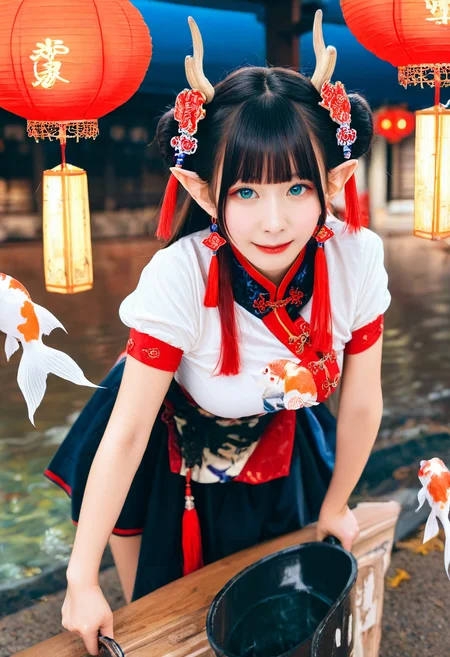
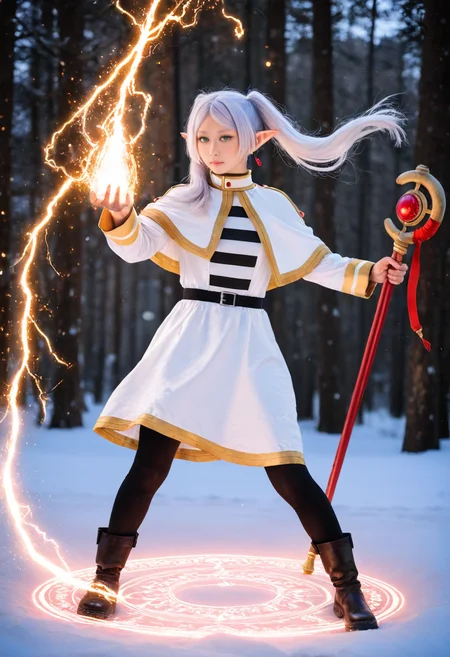
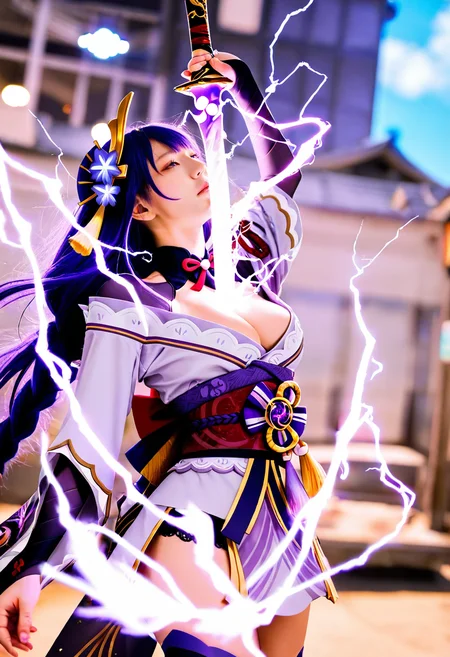
此版本可以在写实风格与动漫风格之间切换。
可使用写实风格或动漫风格的lora。
可使用sdxl和Illustrious的lora。也可以使用部分的"pony"lora。
--
This version can switch between realistic style and anime style.
This version can use realistic or anime style lora.
Can use sdxl and lora of Illustrious.This version can also use parts of the "pony" lora.
---
我已將模型上傳至runninghub。
I have uploaded the model to runninghub.
PornMaster-Pro-noob-V6-VAE:
https://www.runninghub.ai/model/public/2004812200420274178/?inviteCode=rh-v1304
PornMaster-Realism-IL-V4-VAE:
https://www.runninghub.ai/model/public/2043980764240420866/?inviteCode=rh-v1304
--
如果在我的检查站训练某些lora效果不好时,可以在” noobaiXLNAIXL_epsilonPred11Version”或” illustriousXL_v01训练lora,这样lora在我的检查站依然可用。
If the effect of training some lora in my checkpoint is not good, you can train lora in "noobaiXLNAIXL_epsilonPred11Version" or “illustriousXL_v01", so that lora is still available in my checkpoint.
--
Sliders lora for color temperature, brightness, saturation, and contrast.
--
Add details and improve the accuracy of prompt words lora.
--
--
NoobAI-XL ControlNet-OPENPOSE.
--
My other checkpoints and Lora.
--
--
Light and color control: sd-channel-offset
--
Adhere to the Fair AI Public License, ensuring that any derivative works are also open source.
遵守Fair AI Public License,確保任何衍生作品也是開源的。
--
--
Preview images & prompts for 20,000+ Danbooru Characters:
https://www.downloadmost.com/NoobAI-XL/danbooru-character/
Preview images & tags for 6,000+ Danbooru Artists' styles:
https://www.downloadmost.com/NoobAI-XL/danbooru-artist/
Preview images & tags for 4,000+ e261 Artists' styles:
https://www.downloadmost.com/NoobAI-XL/e621-artist/
Preview images & tags for 3,000+ e621 Characters:
https://www.downloadmost.com/NoobAI-XL/e621-character/
--
简易使用方式:
至” Danbooru"或"e621”选择一张图片,将图片中的提示词全部复制,然后输入提示词即可,或是對空格添加逗號並且移除下畫線。
Easy to use:
Go to "Danbooru" or "e621" to select a picture, copy all the prompt words in the picture, and then enter the prompt words, or add commas to spaces and remove underscores.
--
AUTOMATIC1111:
Check "Clip skip SDXL" in the settings to enable the Clip function.
勾选设定中的"Clip skip SDXL",可使Clip功能生效。

 ENSD:31337
Eta 噪點種子偏移(ENSD)
(ENSD; does not improve anything, just produces different results for ancestral samplers - only useful for reproducing images)
--
使用自然语言并且混合"danbooru"标签时,能获得更好的效果。
Better results are achieved when using natural language and mixing in "danbooru" tags.
--
如果你的WEBUI无法显示某些版本的LORA:请到"设定",然后勾选"Always show all networks on the Lora page(otherwise, those detected as for incompatible version of Stable Diffusion will be hidden)"
--
SDXL-加速器(SDXL-accelerator):
lora權重(lora Weight):0.6~1
取样方法(Sampler)=LCM
Schedule type: SGM Uniform
CFG:1
8~14步(steps)
--
不要問我如何安裝的問題與comfyui如何使用。
客製化lora:我的Telegram ID:@iamddtla0620
我的微信ID:iamddtla
我的line ID:iamddtla
時間寶貴,請直接說明來意,例如:訂製lora.
Do not ask me questions about how to install it or how to use ComfyUI.
Customized lora: My Telegram ID: @iamddtla0620
My WeChat ID: iamddtla
My Line ID: iamddtla
Time is precious, please state your intention directly, for example: customized LORA.
--
面部局部重绘可使用adetailer.
高解析度放大可使用"ultimate SD upscale".
--
For partial facial redrawing,use adetailer.
High resolution upscaling can be done using "ultimate SD upscale".
Description
FAQ
Comments (12)
do you mind telling me whats new from v1.8 than v1.5
Beautify the faces of Asian cosplayers and slightly improve realism when not using LoRa.
模型很厉害很强,就是生成图片曝光值有点高,不知怎么改进才好
你可以去尋找"noob"或"Illustrious"對光影做控制的lora來使用。
用SDwebui生成的图和ComfyUI生成的图完全不一样啊,ComfyUI流程的图,那脸是必崩的(再加上那几个真是皮肤的LORA崩的更厉害),不知道UP你有没有ComfyUI用的工作流参考一下?
我不知道如何使用ComfyUI.你可以研究一下 sd-webui-regional-prompter
@iamddtla 我看到介绍里面的workflow指向了一个巨大的comfyui workflow,我还以为是必须用那个才行 XD
@lichkingjx699 我目前還不到如何使用ComfyUI,我看到他有我檢查站可以使用的工作流,所以發布上來。
Generation Tip: On onsite generator, try using emphasis frequently in negative prompt for better quality images. I generated low-quality mosaic images that don't have much frequent emphasis in negative prompt, and I generated noise images that have no emphasis in negative prompt at all.
Using it in ComfyUI gives a completely different result. But I really like this series.
v1.8 is really good, can you enable it for on-site generation. Thank you.
Details
Files
Available On (1 platform)
Same model published on other platforms. May have additional downloads or version variants.