HUNYUAN VIDEO FACEDETAILER UPDATE V1.2
Bug fixing. The get latent size node doesen't work with hunyan latent video: it output a different video width breaking the image W/H ratio. Thanks GoonyBird for pointing out.
___________________________________________________________________________
HUNYUAN VIDEO FACEDETAILER UPDATE V1.1
I tried to do a few improvements in the facedetailer group mainly focused on the flickering that was annoying quite some people (including me) in many situations like small faces or slow motion.
I used animatediff detector for the BBOX that averages the bbox over neighbor frames, increased the bbox dilation and decreased shift, conditioning and denoise.
Hope it works a bit better that V1, it comes at the cost of a slightly lower face definition.
Further optimizations can be done, they are highly dependant of the video produced in the first stage, in case of flickering I'd suggest to play in the facedetailer module with:
-Simple detector for animatediff
increase bbox_dilation (max 100)
-Modelsampling
Decrease shift (min 0)
-Fluxguidance
Decrease guidance (min 1)
-Basicscheduler
Decrease denoise below 0.4
In case you cannot get rid of flickering I have created as an alternative a static bbox facedetailer. Basically it creates a static bbox as union of all possible position of the face in the video. As you may understand this option is only convenient in case of limited face movements in the video. In my opinion quality is a bit lower compared to dynamic bbox but it is flicker free and more robust to many contitions like face disappearing, side view, etc.
.
I've also improved few more things:
-Changed the sampler to TTP_teacache. The ultra fast can be used for refining in intermediate V2V or facedetailer stage with small degradation but significant speed improvements
-Improved the upscale that is now in line with x16 requirement of hunyuan video.
-Fixed size (roughly 368x5xx) for the face to be processed by latest facedetailer sampler box, you can adjust if you have > 12Gb card.
-Optimized the flow so you can separately select upscale, the two facedetailer flavours and the interpolator.
-Highlighted in green the noder you likely want to adjust.
Have fun!
____________________________________________________________________________________________
Starting from excellent bonetrousers t2v workflow:
https://civarchive.com/models/1092466/hunyuan-2step-t2v-and-upscale?modelVersionId=1294744
I was wondering if something better could be done instead of a simple upscale as a last step.
Taking inspiration from the facedetailer principle, it could be useful to take additional care to the face upscale which is often of small size, low resolution and tremebling, and in this case upscale would not help much.
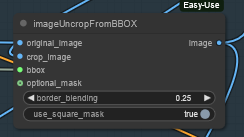
My idea is to bbox the face, cropping it, sendin to a separate Hunyuan detailer workflow (with an additional prompt dedicated to face) and uncrop it back to the original image.
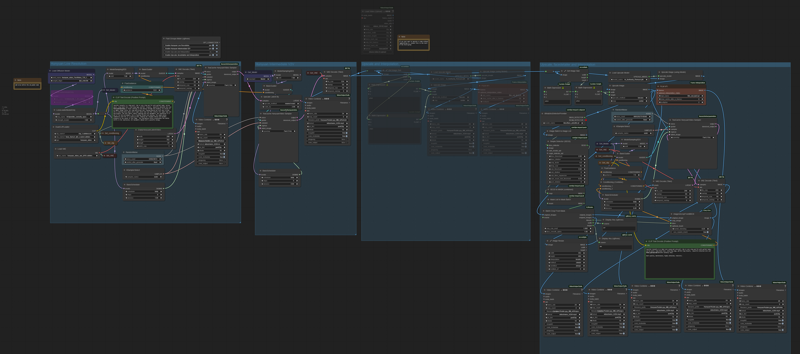
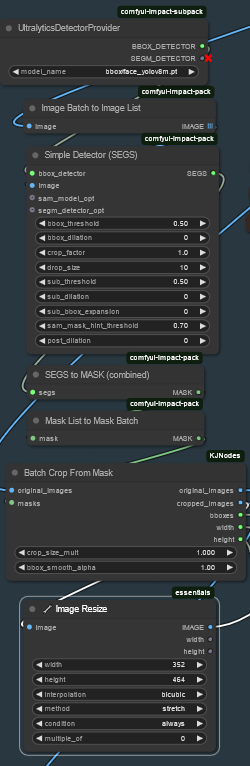 Image resize is to match the Hunyuan latent size before sending it to VAE encoder and to sampler and to have good resolution image to fed in to HunYuan refiner. After VAE encode, Hunyuan sampler and VAE decode, uncrop and feed to subsequent steps. That's it.
 I did some basic tests with the attached workflow, just as a proof of concept, and results seems promising.
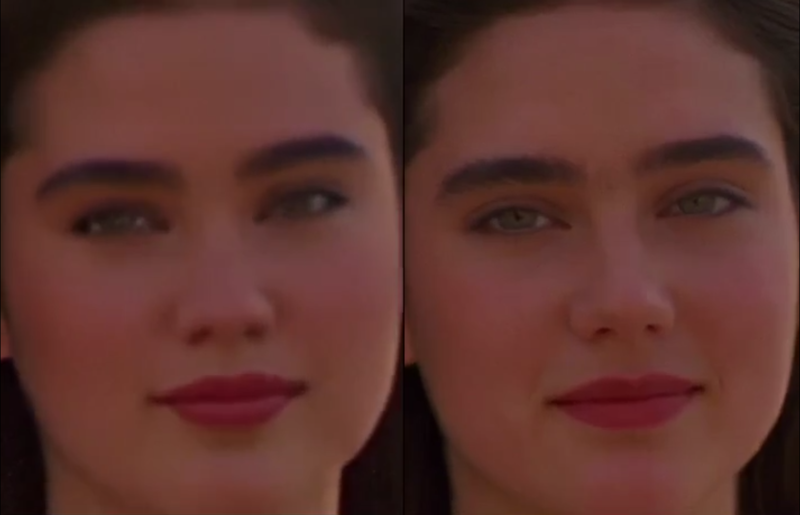
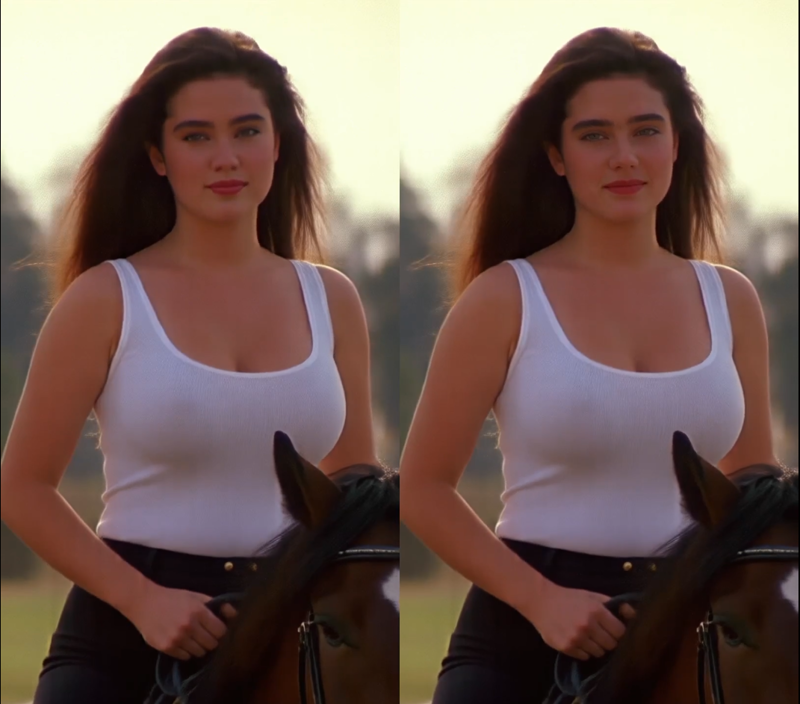
Of course it depends a lot on the face size (not much to do if face is very small). Workflow isn't coping very well with static subject, but after all we're talking abount animation here, or?
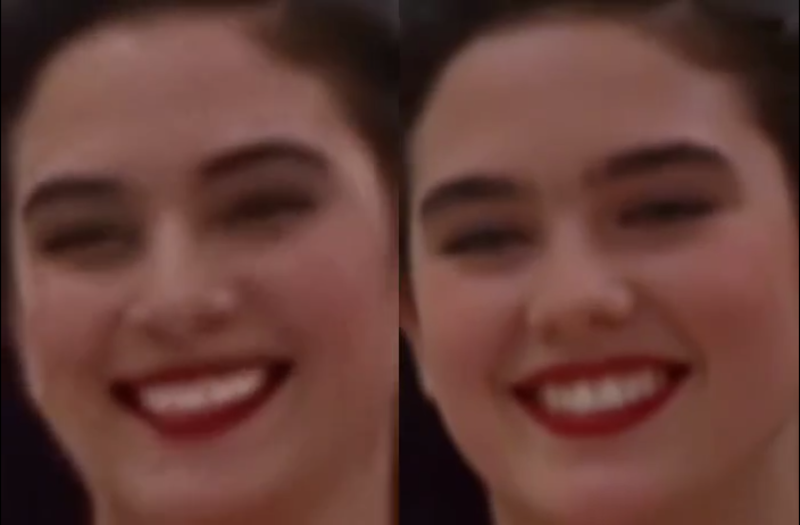
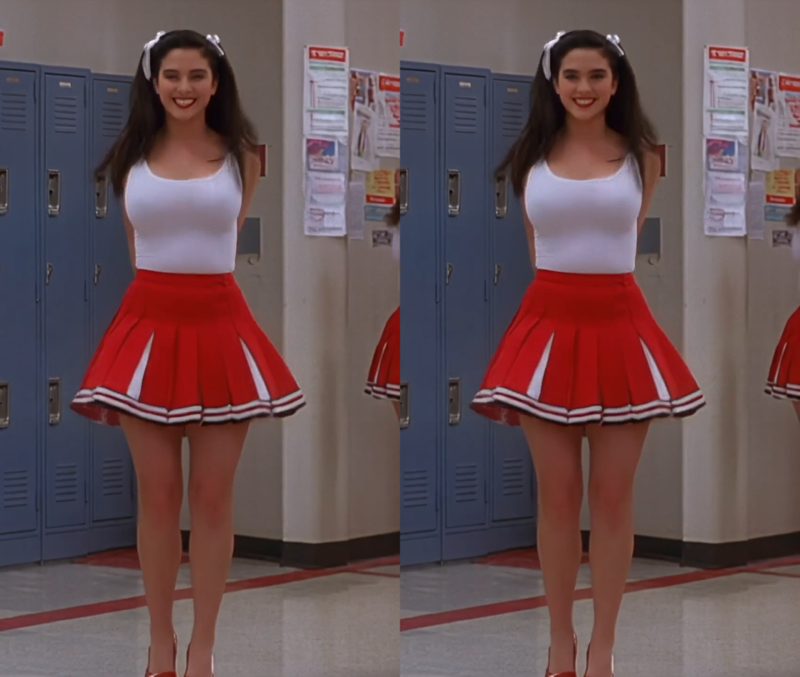
I could see noticeable improvement in the subject details and less blurring or trembling. Few examples in this post (only the last one is interpolated)
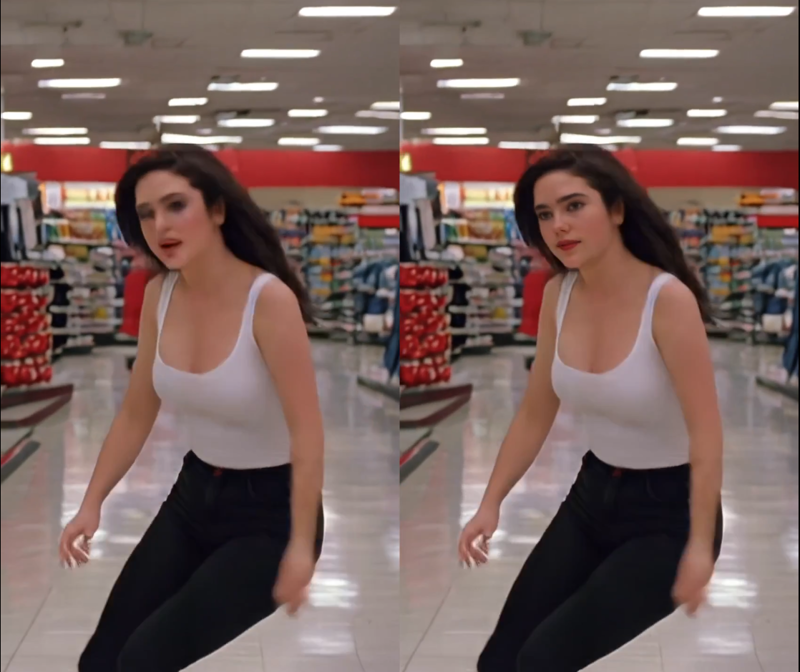
I'm a very noob Comfyui user, I argued few hours with image list and batches, and my workflow is very basic. I did not not much of finetune, so I believe there's quite some space for improvement by expert users. For example deciding the refiner video size based on the bbox size or even building a proper facedetailer node for Hunyuan.
Depending on available time I'll try to improve it next weekend, for example adding it to excellent LatentDream allinone workflow.
As usual coffes are welcome
Description
FAQ
Comments (10)
Very very good job👍
How does this method compare with frame by frame refinement in terms of time, and with the overall gen?
And yeah, I know exactly what you mean, arguing with lists - I experimented with facedetailer's masking on the video output a while back and just to be able to display it pissed me off. Mask to image, batch to image list, segs to image list, bbox / segs detectors not working with multi images... rage. Ended up using a dummied facedetailer node and it still wasn't 100%, I think. Good thing you managed to stick it out.
Hi, not sure what you mean with frame by frame refinement. I guess refining every single image with the classic image workflows. I didn't test this approach because refining the single image would lead to small inconsistencies between images and blurring. Also I wanted to refine with hunyuan sampler with same conditioning to achieve the same result as the unrefined source video. But again because of my limited experience if you have improvement suggestions you're welcome...
@iljoe Yes, precisely - running a form of adetailer on the face in each frame with stable diffusion, or some standard upscaler. Clearly significantly worse quality & smoothness, but I'm just wondering if running hun inference on just faces feels like it's worth the extra time (if it really is as long as I fear).
Since you have something that's working you've already gone farther than I have. : )
I'm under some pressure this month but I'll definitely report back with suggestions once I find the time to experiment, if any are needed.
It often happens that faces flickers and vibrates after FaceDetailer, as if it wasn't 100% tracked, does it just happen to me or is it a common thing? Even with very low denoise levels like 0.15 or 0.20...
You could verify that by outputting the mask images (I used facedetailers.mask -> mask to segs -> segs to image list -> preview image; facedetailer.crop_refined -> preview image; facedetailer.mask -> convert mask to image -> image batch to image list -> preview image nodes, but it was kinda shoddy like showing up empty or in a long single column rather than standard square display, need to touch up the code probably). It does indeed happen that the threshold is too high for a certain frame and it gets missed (especially on profile views in my experience but can also be random); in this node I guess it's probably either the bbox_threshold or sam_threshold parameters but I haven't used facedetailer much.
I did several tests and also with the default values of the bbox tracking I have no flicker, but of course it might depend on many variables. What lora loader are you using? I was playing with the hunyaun lora loader (I've read somewhere that the double_blocks would be better with multiple lora) but it was causing flickering. As soon as I reverted to the normal lora loader it disappeared.
@iljoe Oh yeah, one other potential cause: flickering in general is something I've been tormented by constantly with the fast version of hunyuan (and to a lesser extent the fast lora), delicately balanced by lora usage; I've stopped using these as such.
I tried to use this workflow; it looked really solid, but for some reason, the simple detector searching for faces outputs a very jittery image. When processed by Hunyuan, it results in an even more unstable image, and using uncrop doesn't return it to the same place. Is this happening only to me, or are you experiencing the same issue? Do you have any advice on this? I've struggled with changing the properties of both the Simple Detector and the Batch Crop From Mask node, adjusting denoising, but uncropping still caused unwanted movement. Additionally, I tried this with camera moving away from the subject.
Yes, I noticed it too, in some conditions it's very annoying. I'm working on few adjustements, using animatediff detector for a better detection, bbox dilation and a lower shift and conditioning, Hopefully it will get a bit better, I'll update workflow soon. But sometimes jittering is really hard to get rid of, especially for animations with little/slow face movement so I'm also considering a static bbox in these cases