HUNYUAN VIDEO FACEDETAILER UPDATE V1.2
Bug fixing. The get latent size node doesen't work with hunyan latent video: it output a different video width breaking the image W/H ratio. Thanks GoonyBird for pointing out.
___________________________________________________________________________
HUNYUAN VIDEO FACEDETAILER UPDATE V1.1
I tried to do a few improvements in the facedetailer group mainly focused on the flickering that was annoying quite some people (including me) in many situations like small faces or slow motion.
I used animatediff detector for the BBOX that averages the bbox over neighbor frames, increased the bbox dilation and decreased shift, conditioning and denoise.
Hope it works a bit better that V1, it comes at the cost of a slightly lower face definition.
Further optimizations can be done, they are highly dependant of the video produced in the first stage, in case of flickering I'd suggest to play in the facedetailer module with:
-Simple detector for animatediff
increase bbox_dilation (max 100)
-Modelsampling
Decrease shift (min 0)
-Fluxguidance
Decrease guidance (min 1)
-Basicscheduler
Decrease denoise below 0.4
In case you cannot get rid of flickering I have created as an alternative a static bbox facedetailer. Basically it creates a static bbox as union of all possible position of the face in the video. As you may understand this option is only convenient in case of limited face movements in the video. In my opinion quality is a bit lower compared to dynamic bbox but it is flicker free and more robust to many contitions like face disappearing, side view, etc.
.
I've also improved few more things:
-Changed the sampler to TTP_teacache. The ultra fast can be used for refining in intermediate V2V or facedetailer stage with small degradation but significant speed improvements
-Improved the upscale that is now in line with x16 requirement of hunyuan video.
-Fixed size (roughly 368x5xx) for the face to be processed by latest facedetailer sampler box, you can adjust if you have > 12Gb card.
-Optimized the flow so you can separately select upscale, the two facedetailer flavours and the interpolator.
-Highlighted in green the noder you likely want to adjust.
Have fun!
____________________________________________________________________________________________
Starting from excellent bonetrousers t2v workflow:
https://civarchive.com/models/1092466/hunyuan-2step-t2v-and-upscale?modelVersionId=1294744
I was wondering if something better could be done instead of a simple upscale as a last step.
Taking inspiration from the facedetailer principle, it could be useful to take additional care to the face upscale which is often of small size, low resolution and tremebling, and in this case upscale would not help much.
My idea is to bbox the face, cropping it, sendin to a separate Hunyuan detailer workflow (with an additional prompt dedicated to face) and uncrop it back to the original image.
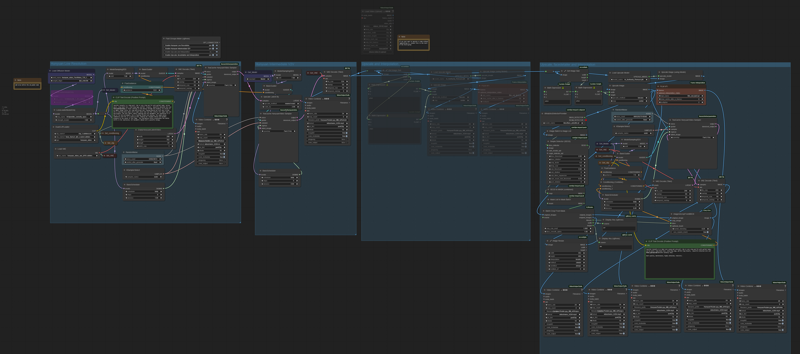
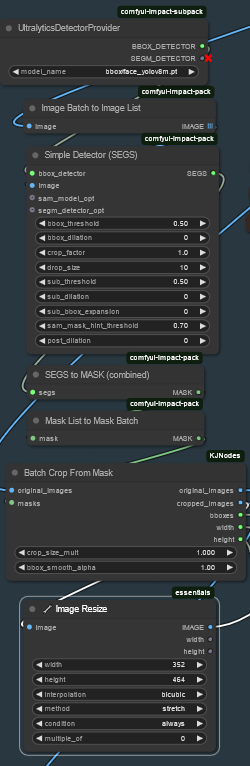 Image resize is to match the Hunyuan latent size before sending it to VAE encoder and to sampler and to have good resolution image to fed in to HunYuan refiner. After VAE encode, Hunyuan sampler and VAE decode, uncrop and feed to subsequent steps. That's it.
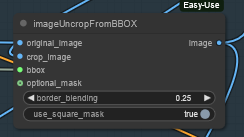 I did some basic tests with the attached workflow, just as a proof of concept, and results seems promising.
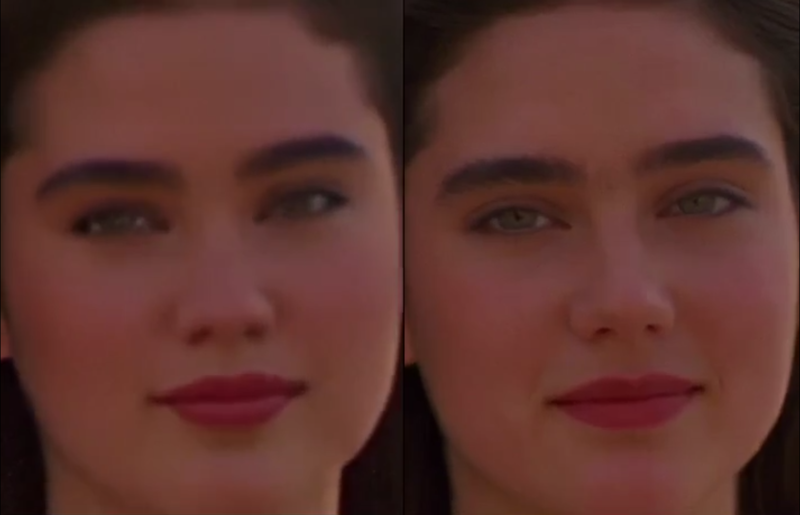
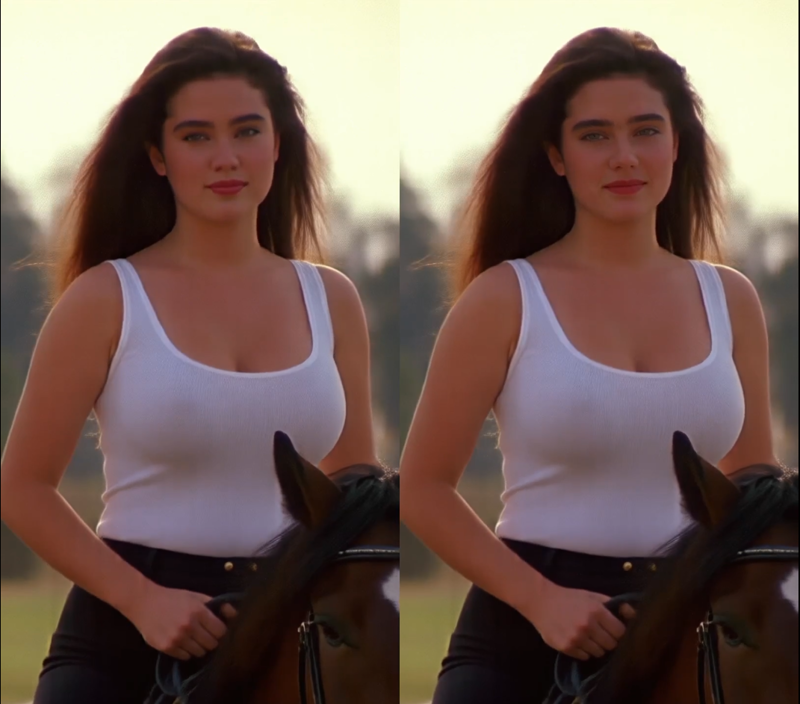
Of course it depends a lot on the face size (not much to do if face is very small). Workflow isn't coping very well with static subject, but after all we're talking abount animation here, or?
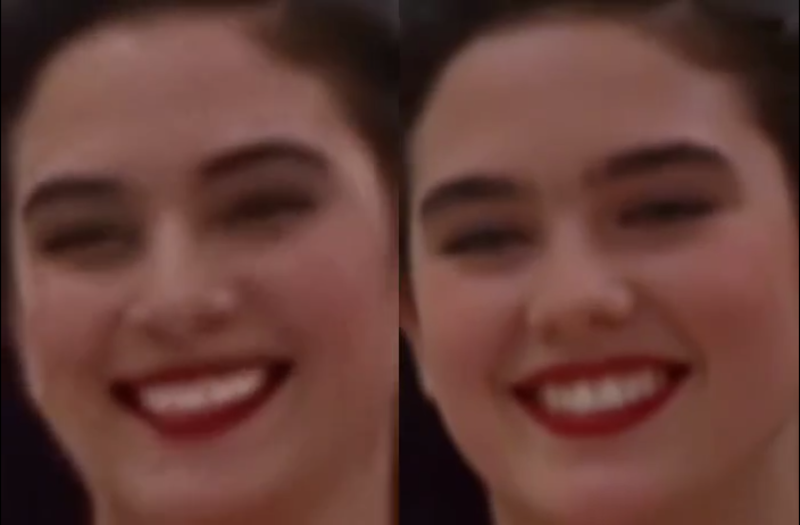
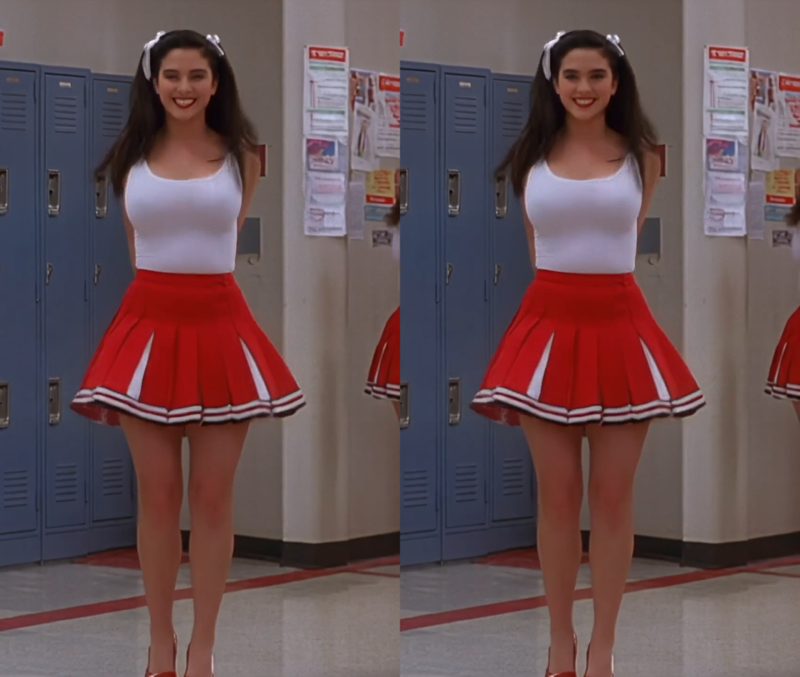
I could see noticeable improvement in the subject details and less blurring or trembling. Few examples in this post (only the last one is interpolated)
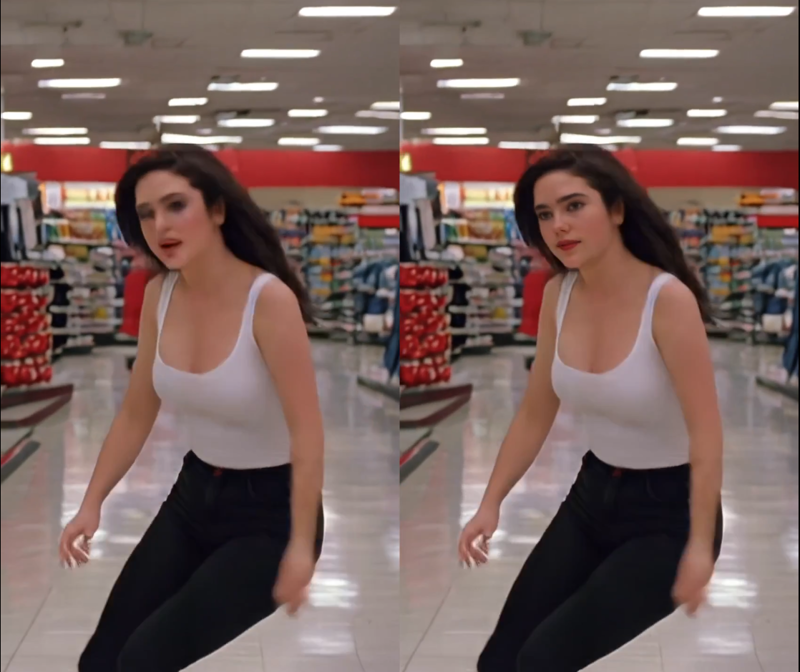
I'm a very noob Comfyui user, I argued few hours with image list and batches, and my workflow is very basic. I did not not much of finetune, so I believe there's quite some space for improvement by expert users. For example deciding the refiner video size based on the bbox size or even building a proper facedetailer node for Hunyuan.
Depending on available time I'll try to improve it next weekend, for example adding it to excellent LatentDream allinone workflow.
As usual coffes are welcome
Description
HUNYUAN VIDEO FACEDETAILER V1.1
I tried to do a few improvements in the facedetailer group mainly focused on the flickering that was annoying quite some people (including me) in many situations like small faces or slow motion.
I used animatediff detector for the BBOX that averages the bbox over neighbor frames, increased the bbox dilation and decreased shift, conditioning and denoise.
Hope it works a bit better that V1, it comes at the cost of a slightly lower face definition.
Further optimizations can be done, they are highly dependant of the video produced in the first stage, in case of flickering I'd suggest to play in the facedetailer module with:
-Simple detector for animatediff
increase bbox_dilation (max 100)
-Modelsampling
Decrease shift (min 0)
-Fluxguidance
Decrease guidance (min 1)
-Basicscheduler
Decrease denoise below 0.4
In case you cannot get rid of flickering I have created as an alternative a static bbox facedetailer. Basically it creates a static bbox as union of all possible position of the face in the video. As you may understand this option is only convenient in case of limited face movements in the video. In my opinion quality is a bit lower compared to dynamic bbox but it is flicker free and more robust to many contitions like face disappearing, side view, etc.
.
I've also improved few more things:
-Changed the sampler to TTP_teacache. The ultra fast can be used for refining in intermediate V2V or facedetailer stage with small degradation but significant speed improvements
-Improved the upscale that is now in line with x16 requirement of hunyuan video.
-Fixed size (roughly 368x5xx) for the face to be processed by latest facedetailer sampler box, you can adjust if you have > 12Gb card.
-Optimized the flow so you can separately select upscale, the two facedetailer flavours and the interpolator.
-Highlighted in green the noder you likely want to adjust.
Have fun!
FAQ
Comments (8)
where do you add the face_yolo model? in what folder?
where the frames numbers? limited to 3sec?
Number of frames is defined as usual in the emptyhunyuanlatentvideo node, highlighted in green in the first group. I did not define numframes sliders as much refined workflows do ;). You can of course increase it but watch out for memory. This WF runs OK with 12Gb, so you might need to reduce WxH or upscales if you want to increase lenght. Usually the intermediate V2V sampler memory is the bottleneck.
there's nothing cuda than the first time you max your VRAM, so go big go for 30min
Why do all of my videos come out super tall and skinny no matter what I set the latent dimensions to?
Damn you're right! The get latent size node doesen't work with hunyan latent video: it output a different video width. Thank you for your feedback, I'll update ASAP.