


 Recommended settings (v7+):
Steps: 16+CFG scale: 2.5+Note - This checkpoint is capable of generating decent results with just 8-10 sampling steps (recommended settings: Sampler – DPM++ 2M Karras, CFG Scale – 2.5). Because of this, there is no need to use the SDXL Lightning LoRA, which is also not highly compatible with this model.
Positive Prompt
[unholy-aesthetic (OR) unholy-detailing] <-(Optional),masterpiece,best quality,amazing quality,very aesthetic,absurdres,ultra detailed face,ultra detailed eyes, Negative Prompt
bad quality,worst quality,worst detail,sketch,censor, extra limbs, deformed fingers, bad anatomy, mutated body, lowres, worst quality, low quality, low score, bad score, blurry, text, ugly, hooded eyes, watermark, pale, bad hands, bad anatomy, bad proportions, poorly drawn face, poorly drawn hand, missing finger, extra limbs, blurry, pixelated, distorted, lowres, jpeg artifacts, watermark, signature, text, (deformed:1.5), (bad hand:1.3), overexposed, underexposed, censored, mutated, extra finger, cloned face, bad eyes,Recommended settings (v6):
Steps: 40+CFG scale: 7+Negative Prompt
lowres, worst quality, low quality, low score, bad score, blurry, text, ugly, hooded eyes, watermark, pale, bad hands, bad anatomy, bad proportions, poorly drawn face, poorly drawn hand, missing finger, extra limbs, blurry, pixelated, distorted, lowres, jpeg artifacts, watermark, signature, text, (deformed:1.5), (bad hand:1.3), overexposed, underexposed, censored, mutated, extra finger, cloned face, bad eyes,🔥 Unholy Desire Mix - Sinister Aesthetic (ILLUSTRIOUS) v5 is Now Online
Previous version Online Generator - https://tensor.art/models/835952257007743162/Unholy-Desire-Mix-Sinister-Aesthetic-(Illustrious)-v1.0
Positive Prompt
unholy-aesthetic <-(Optional),masterpiece,best quality,amazing quality,very aesthetic,absurdres,ultra detailed face,ultra detailed eyes, Negative Prompt
bad quality,worst quality,worst detail,sketch,censor,Recommended settings:
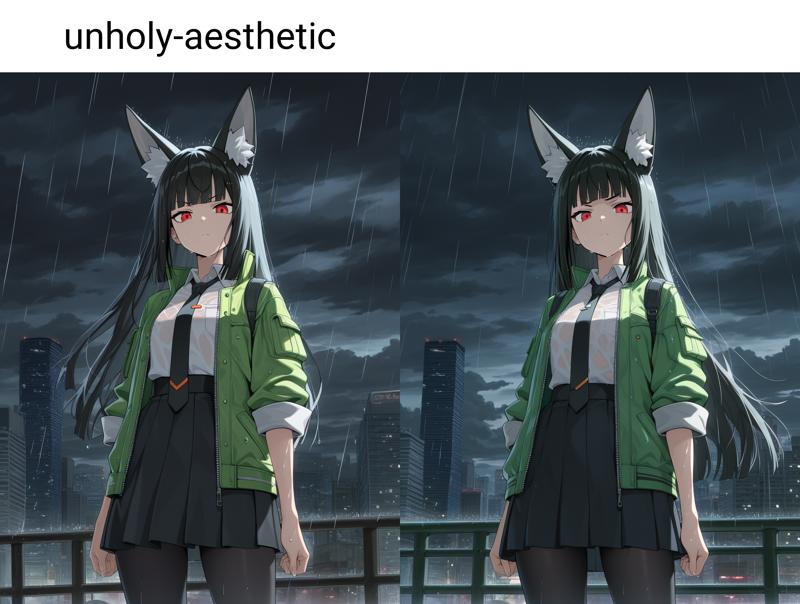
Steps: 25-40CFG scale: 5-7Sampler: Euler a Working with and without Keyword "unholy-aesthetic"

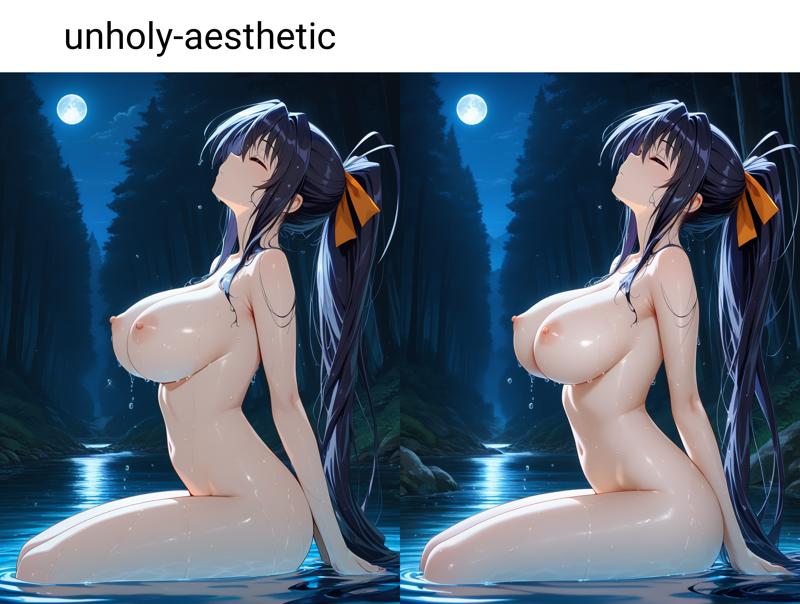

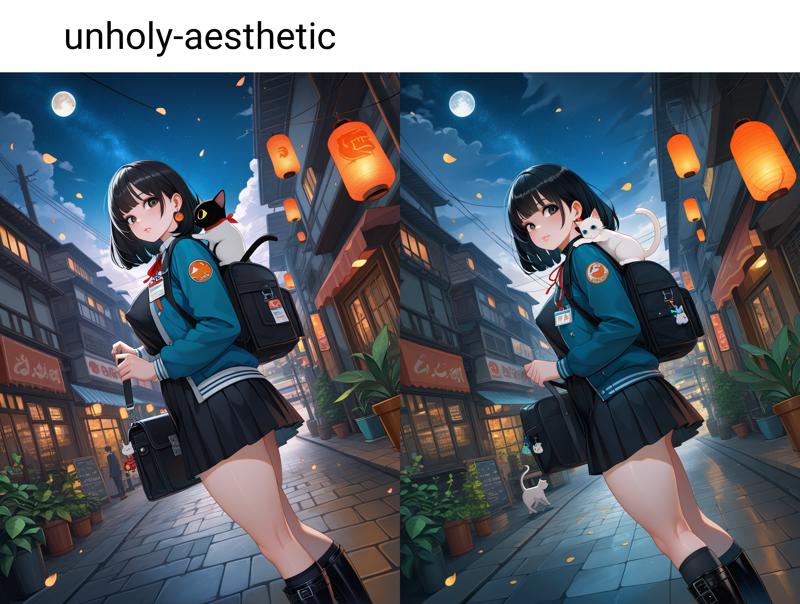 Conclusion
Use Keyword "unholy-aesthetic" for post processing, additional background detail or colour adjustments (Note – depending on the amount of detail / environment in an image, It may or may not work.) e.g. -
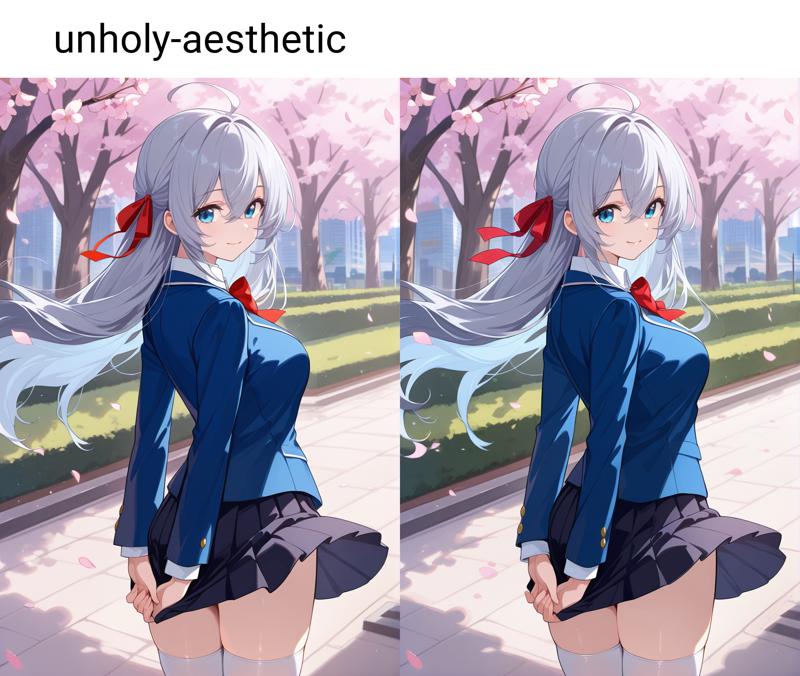
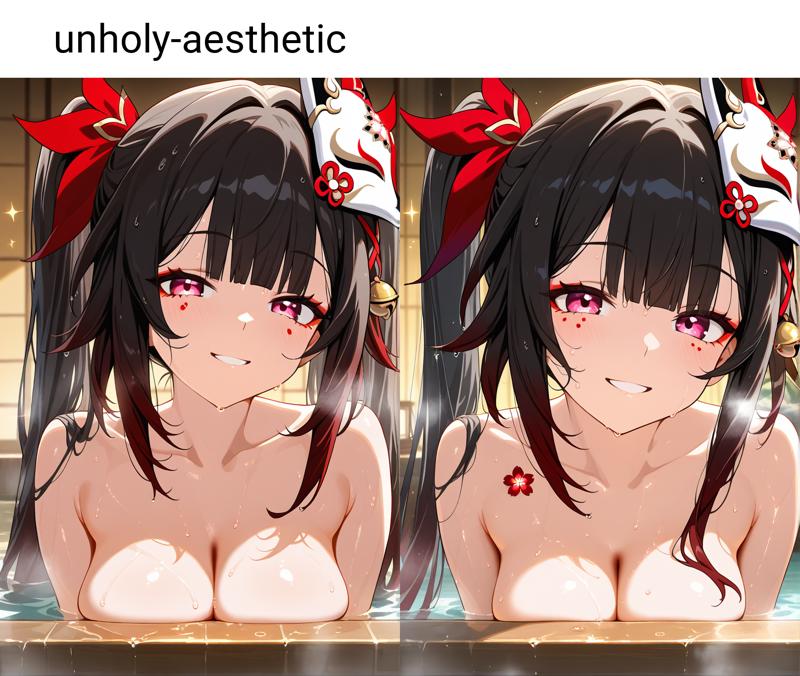
Description
FAQ
Comments (19)
very good
Guys, please help me a bit with this model! (v4) 😅😅😅
Well, what is your problem? Hard to help without info, so how can we help you?
buzz please
This checkpoint is extremely top shelf and is one of (if not the) best on this site for certain specific genres.
Also works VERY well with the newer sampler called "extended reverse-time SDE" (just "er_sde" if you're using comfy) plus an exponential scheduler.
I'd post pics but.... cough
... cough... cough can I get those images ... cough ... cough for study purpose ofcourse
I'd love to see the kind of results you get too (and curious about your comfy workflow too.. Mines are a mess ^^').
Oh, that is a good tip. Makes some really nice results, and seems to also increase the prompt adherence even more. I really like it.
How do you get the new sampler?
@airuru They generally come fixed with most of the UI's commonly used. I and vrgamerz use comfy UI, the samplers are included in that. Other UI's will have some of the same, like the absolute standards like euler ancestral, dpm++ 2m/sde and such, but will and will not have other samplers. For many UI's there also isn't any convinient way to add samplers. Especially when using an online generator like the one on this site. Then you are definitely stuck with what is available.
sometimes its generate words in the picture,how can i prevent this?thanks,its a good model
First thing I would try is adding stuff like "text" and similar to your negative promt. It also helps to check if some of the keywords you used can mean text in an image or have a strong connection to writing or the kind of text poping up in your images and find an alternative way to prompt for it. When I have unexpected results I usually read over my promt and check for that. Oftentimes it is one small word that alone or in context can have a differnt meaning and the model is running with that. Like when I had a whole lot of exaggerated hips on women and didn't know why. In the end it was me using "thick treetrunk" for the backgrund prompt. And changin that solved the problem. Use a thesaurus is a tip I always reccomend. The base is still sdxl. So the danbooru tags while helpful are not the be all end all. You can get pretty neat and interesting results with using less comon words that have similar meanings in your prompts.
@Oybou thank you
Extremely impressed - this model is much more versatile and robust than the vast majority of Ill. checks I've used. Handles complicated prompts extremely well, doesn't break under strain easily at all, and has a very slick flavour to it. Top shelf. <3
I feel the same. Other models I just couldn't get to do certain things I wanted the way this one does. it has by far been my favorite I have used.
One of the best Illustrious checkpoints out there. Thank you for publishing this.
It's very versitile and stable, deals well with short and long prompts, has pretty good prompt adherence, deals well with a wide range of steps and cfg as well as differnt samplers and shedulers.
It rarely does weird stuff. Doesn't usually add unprompted things. And it "understands" a lot of concepts. The one downside I did find is that it is a little limited in body shapes, or needs to be forced a little to not make one very similar body type. But that is a downside I can live with in view of all the great things about it.
(Oh, and a tip, avoid the word lust. The model REALLY goes wild on that one and adds features of FMA's character Lust to every being and especially in regards to hairstyle. But if you want lucious curly hair, it's a great keyword. Or if you want to generate images of that character. It should be quite easy. But from testing, that is more of a illustrious thing in general or snuck into mixed ILL models with some lora or model (didn't check in the base checkpoint), as that also happened with some other ILL checkpoits I used.)
Very good analysis. Well done. Need more content like this
@Lja Thank you. I don't comment a lot, but when I do I try to be helpful and informative. There is quite often a glaring lack of information here (on the internet in general really) and if I can I will try to help correcting that and make life easier for other people. Because that is what I would have liked quite often so when my comments help people it makes me happy.
As a further note now that I am already writing, in comfy the er sde sampler (as someone else already mentioned too in the comments) works really well with version 4 (I will be testing with 5 soon a see what changed). It males for very stable results that are usually very close to the prompt. But the downside is that your results will reduce a lot in variation. I is less "creative" but a great choice if one prompts for something specific. For more creative results, euler ancestral is the choice, as always it seems. But dpm++ 3m sde can also give quite interesting results. For a sheduler, I preder sgm uniform or karras. Both make for good results, although I feel uniform does better at hands.
The checkpoint also generally deals well with most lora, but quite a few loras can quickly lead to degradation of finer details. But that is something that happens with most models from my experience.
@Oybou I try to comment regularly but I have not been doing reviews as much or detailed analysis like what you have done. Most people do not comment at all. This is a social norm I hope changes because just merely saying thanks even if it isn't a major contribution is easy to do and is nice for the creators.
Details
Files
unholyDesireMixSinister_v40.safetensors
Mirrors
unholyDesireMixSinister_v40.safetensors
unholyDesireMixSinister_v40.safetensors
unholyDesireMixSinister_v40.safetensors
unholyDesireMixSinister_v40.safetensors
unholyDesireMixSinister_v40.safetensors
unholyDesireMixSinister_v40.safetensors
unholyDesireMixSinister_v40.safetensors
unholyDesireMixSinister_v40.safetensors
unholyDesireMixSinister_v40.safetensors
Available On (2 platforms)
Same model published on other platforms. May have additional downloads or version variants.