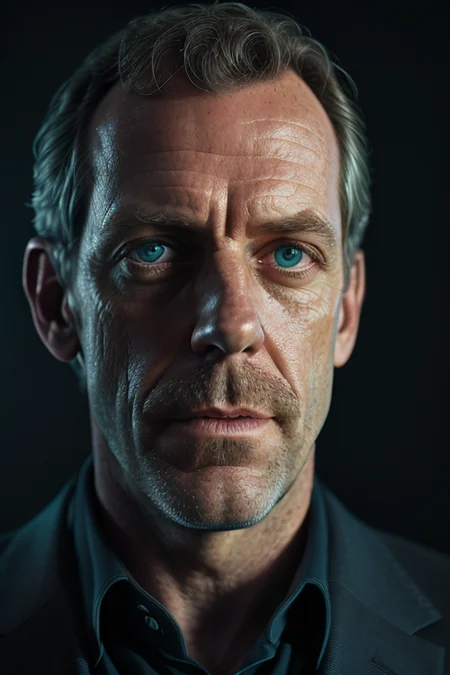
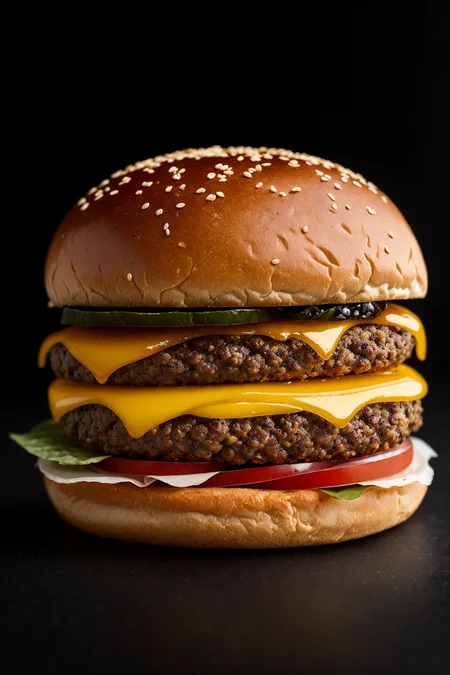
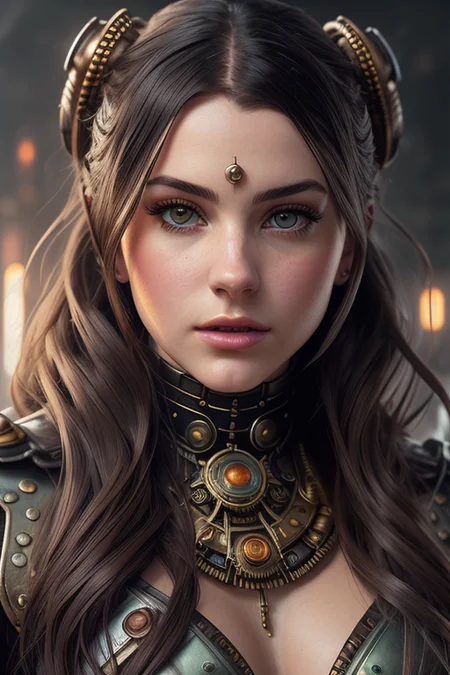
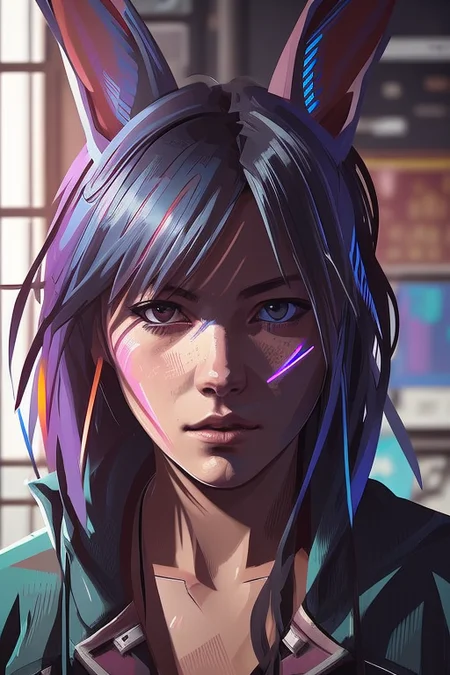
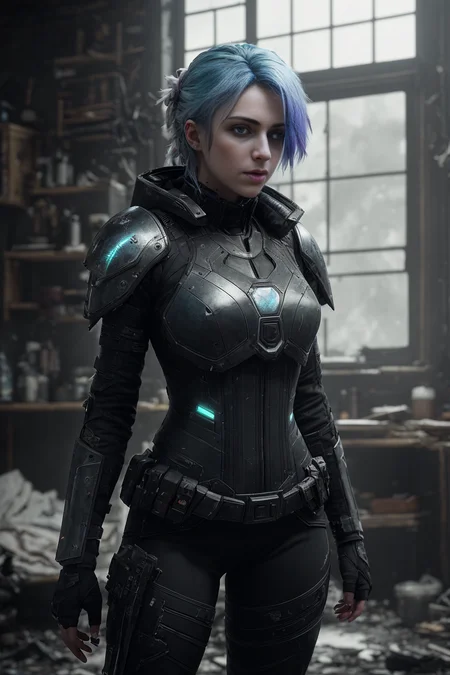
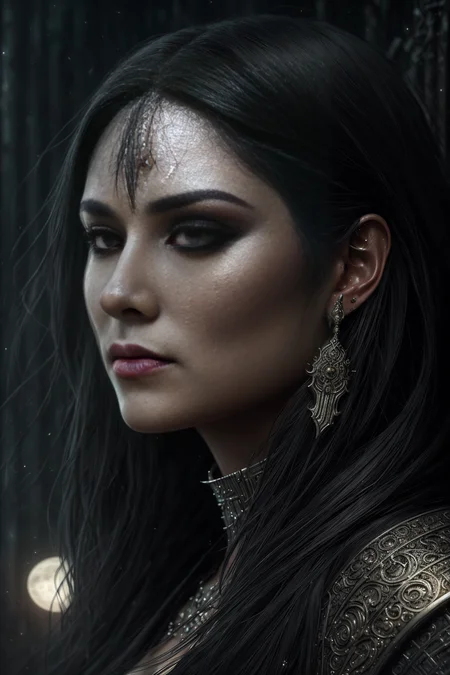
UPDATE: v2-pynoise released, read the Version changes/notes
LORA based on the Noise Offset post for better contrast and darker images.
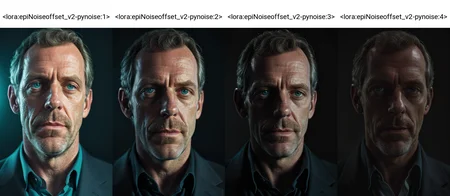
Weighting depends often on Sampler, kept it in the low-middle range (Maybe i will put up a stronger one).
Custom weighting is needed sometimes.
Works better if u use good keywords like: dark studio, rim lighting, two tone lighting, dimly lit, low key etc.
Didn't like the color saturation and image compositions from the theovercomer8sContrastFix_sd15 so i made this one.
UPDATE: v2 is slightly stronger in the whole composition
Update 2: added safetensor file
Description
I found an article of @johnowhitaker for another noise offset method called "pyramid noise" - gave it a shot. It's very subtle and starts to kick in at a weighting at 2-3, because i had a settings error, so the outcome wasn't as i thought it was. At least the bleeding on high weights are now almost gone, therefore its loses much saturation i guess. Just play around.
If u use Additional Networks u have to push the Max Limit in the config file over 2 to get more depth.
FAQ
Comments (64)
I can't get it to work. Tried with realistic vision v1.3. The images are still bright and almost the same as without lora.
Lora in the right place? Right spelling? Bad keywords in prompt? Increase weight?
Might not work with Realistic Vision. Works with aresMix for me.
I tried some more, it needs many keywords releated to darkness to get some contrast. It's not as easy as it is shown here to get low key images.
@adry Oh yeah. That's right about the keywords. I use "dimly lit" and "dark studio". Oh yeah. It's in the description. Haha.
s this really good with anime model?
Great LORA!! One question -- this doesn't seem to have any effect when inpainting (the image becomes very flat, losing all the lighting texture), is that expected?
Don’t know how Lora’s affect impainting. Do you use an inpainting model?
i keep getting an error when trying to use this ... v2 doesnt work at all .. v2 pynoise does load but gives me runtime errors ?
are u on a 1.5 model?
"RuntimeError: mat1 and mat2 shapes cannot be multiplied (154x1280 and 768x96)" If that's the error message you get, you're on a 2.1 model
thanks . thats what it was .
When using this LoRA in inpainting mode, it seems to make the image brighter/lighter rather than darker. Increasing the weight makes it even brighter. Anyone else notice this?
Please, fill the Model Info for v2.
Is the a model for Pyramid noise u extracted the LoRA from? if so please link me to it.
Nope, i trained but with kinda wrong settings, link to the article is in the description
@epinikion ah i see. Why not make a LoCon extract too?
@epinikion Extracting the difference from the Pyramid Noise model https://huggingface.co/johnowhitaker/pyramid_noise_test_600steps_08discount via the LyCORIS extract_locon.py script may be worth trying if you're concerned. I haven't a clue what dim or ratio or threshold settings should be used for it.
Cannot find: "lora_te_wrapped_transformer_text_model_encoder_layers_11_self_attn_q_proj", skipped
Cannot find: "lora_te_wrapped_transformer_text_model_encoder_layers_11_self_attn_out_proj", skipped
Cannot find: "lora_te_wrapped_transformer_text_model_encoder_layers_11_mlp_fc1", skipped
Cannot find: "lora_te_wrapped_transformer_text_model_encoder_layers_11_mlp_fc2", skipped
what happened??
anyone managed to use it with Draw Things mac app please? Struggling to import it, any help would be greatly appreciated
I have yet to even get that app to work, THAT IS OF COURSE only on ONE MACHINE i struggle - and it's a machine that theoertically shouldn't run draw things XD - Mom's ipad it works mostly but haven't tested importing models yet.
I am using additional networks on automatic 1111 and the about section stated to increase the limit to go over two for the pynoise. I can not find this config file and I edited the additional_netowrks.py and I can not get it to go higher than two. Help please ;-;
Did you find a solution for this? Thanks.
you can edit it in the ui-config.json
"customscript/additional_networks.py/txt2img/UNet Weight 1/value": 1.0,
"customscript/additional_networks.py/txt2img/UNet Weight 1/minimum": -1.0,
"customscript/additional_networks.py/txt2img/UNet Weight 1/maximum": 2.0,
set Maximum to 4 or something else or u can use the text based option in Prompt <lora:epiNoiseoffset_v2-pynoise:3>
@epinikion Thank you. I did not know I had to go to the UI-config or even that it was a thing that needed editing.
Personally, I just right-click the slider and then right-click the value box and set the "minimum" value to -1 or the desired negative. It does work, for this and for various other tools in auto111. I'm not at all savvy with under-the-hood stuff, so editing the config files usually would be my last choice. Lol
@Banje Yes, now u can just enter the number and press the generate button and it will use that number for that generation. But this just works since some update in the past
Please, please, make a SD 2.1 Version. This Lora ist sooooo good.
excellent. to many images come out bright. no matter what. gotta pop things into adobe or get creative with prompts
It depends on the checkpoint you're using. Some don't work, and some do. Try x/y/z plot at different levels for this from -8 to 8. Then you can see if it works with that checkpoint or not.
@llmaps i dont understand xyz plots yet :)
@emotionaldreams4
Oh, it's easy. You don't have to install it. It should already be part of Automatic1111. Just search youtube and it'll explain it.
"If u use Additional Networks u have to push the Max Limit in the config file over 2 to get more depth."
Can you explain this a little more? In the config there are a few settings for Additional Networks, but none for Max Limit. I tried adding a Max Limit setting, but it had no effect. Thanks.
@epinikion That helped, thanks.
same issue here
Is it possible to change the "two tone lighting" tag to something different?
The issue is that if you add stronger modifiers to it, it makes either hair or other subjects in the picture change to two-tone as well. I'm not well-versed in LoRA, so not sure if this is possible.
Not able to download the safetensor file. Could someone tell me how do i get to download this? thanks in advance
v2 and pynoise has both formats. Look under the download Button, there is a Section "Files" expand it and there u can choose
The core reason for too bright images was just found:
https://www.reddit.com/r/StableDiffusion/comments/13joe98/sds_noise_schedule_is_flawed_this_new_paper/
Help with weights? Using a higher weight on this vs other things means the other weighs are... less weighted. Some generations looked great with <lora:epiNoiseoffset_v2-pynoise:6>, but my other prompts got so much less attention. Solution?
Copy the epiNoiseoffset_v2-pynoise.safetensors file multiple times. I did this 6 times(add _1 _2 _3....) Added each of those 6 to the prompt giving a weight of 1. This doesn't exactly give you <lora:epiNoiseoffset_v2-pynoise:6>, but it heads in that direction.
I might also be dumb, putting the same reference in there multiple times to the same file might do the same...
<lora:epiNoiseoffset_v2-pynoise:1>
<lora:epiNoiseoffset_v2-pynoise:1>
<lora:epiNoiseoffset_v2-pynoise:1>
<lora:epiNoiseoffset_v2-pynoise:1>
<lora:epiNoiseoffset_v2-pynoise:1>
<lora:epiNoiseoffset_v2-pynoise:1>
vs separate files looking like:
<lora:epiNoiseoffset_v2-pynoise_1:1>
<lora:epiNoiseoffset_v2-pynoise_2:1>
<lora:epiNoiseoffset_v2-pynoise_3:1>
<lora:epiNoiseoffset_v2-pynoise_4:1>
<lora:epiNoiseoffset_v2-pynoise_5:1>
<lora:epiNoiseoffset_v2-pynoise_6:1>
I don't understand the difference between this an LowRA, can anyone explain?
See the comparison https://civitai.com/posts/173729
i can not see which basic model does every lora use, is that angthing? deliberate? realmix? or ????
Stable Diffusion 1.5 pruned
Doesn't seem to work for me.
All it says is just ''Couldn't find network with name epiNoiseoffset_v2''
Check how the file is named after download or use the networks tab and insert the Lora from there
Hello, i cannot seem to get it to work. I add <lora:epi_noiseoffset2:1> and have placed the file inside stable-diffusion-webui/models/lora
Do i need to call it something else inside automatic1111?
Check the naming after download maybe it is different
This LoRA has the very nice side effect of increasing detail/coherence in my images (in comfyUI). It really polishes everything up when my images are lacking that last 15-20% 🪄
bruh this is the best and most useful lora i've ever found in this website
Exception: Couldn't identify epi_noiseoffset2.pt as neither textual inversion embedding nor diffuser concept.
It's a lora. It goes in the lora folder.
Its not finding the lora <lora:epiNoiseoffset_v2:1> it is in my lora folder and still not recognizing it. I am using easy diffusion is it compatible or should I get automatic1111
The name in <lora:name:value> tag must match the file's name in your Lora folder. I guess your file is called epi_noiseoffset2.safetensors (or .pt). Use <lora:epi_noiseoffset2:1> or change the name of the file in the Lora folder to match the syntax that you are using.
Sometimes it activates, sometimes it doesn't.
Yes, it's in the right folder. Yes, I'm using the correct filename. I don't understand why, I don't modify the lora's name in the prompt, so if it works once, it should work all the time. I check the lora hashes in png info and some photos created in the same session have the lora hash, some don't, it's driving me crazy.
Does it have weird interactions with other loras? I'm using Adetailer, a face lora, a skin detail lora, dynamic thresholding and dynamic prompts/wildcards. I don't see why these would impact noise offset's activation.
Probably the wildcards, try using additional networks extension for Lora’s
@epinikion shouldn't need that extension since Lora support is built into A1111 and forge. I've also had hit or miss with this particular lora.
I don't know how to use it I downloaded and use this lora but the software shows it is red and flashing I know he is not functioning does he need to use a trigger word to trigger so what is the trigger word
One of my favorite LoRAs! Are there any plans to port it to Flux?
Details
Files
epiNoiseoffset_v2-pynoise.pt
Mirrors
epiNoiseoffset_v2-pynoise.safetensors
Mirrors
epiNoiseoffset_v2-pynoise.safetensors
13941_epiNoiseoffset_v2Pynoise.safetensors
epiNoiseoffset_v2Pynoise.safetensors
epiNoiseoffset_v2Pynoise.safetensors
epiNoiseoffset_v2-pynoise.safetensors
epiNoiseoffset_v2Pynoise.safetensors
epiNoiseoffset_v2Pynoise.safetensors
epiNoiseoffset_v2-pynoise.safetensors
epiNoiseoffset_v2-pynoise.safetensors
epiNoiseoffset_v3.safetensors
epiNoiseoffset_v2-pynoise.safetensors
epiNoiseoffset_v2-pynoise.safetensors
epi_noiseoffset.safetensors
epiNoiseoffset_v2Pynoise.safetensors
epiNoiseoffset_v3.safetensors
205_epiNoiseoffset_v3.safetensors
epiNoiseoffset_v2Pynoise.safetensors
epiNoiseoffset_v2Pynoise.safetensors
epiNoiseoffset_v2Pynoise.safetensors
epiNoiseoffset_v2-pynoise.safetensors
epiNoiseoffset_v2-pynoise.safetensors
epiNoiseoffset_v2-pynoise.safetensors
epiNoiseoffset_v2Pynoise.safetensors
epiNoiseoffset_v2Pynoise.safetensors
epiNoiseoffset_v2-pynoise.safetensors
epiNoiseoffset_v3.safetensors
epiNoiseoffset_v2Pynoise.safetensors
epiNoiseoffset_v2Pynoise.safetensors
epiNoiseoffset_v2-pynoise.safetensors
epiNoiseoffset_v2Pynoise.safetensors
epiNoiseoffset_v2Pynoise.safetensors