




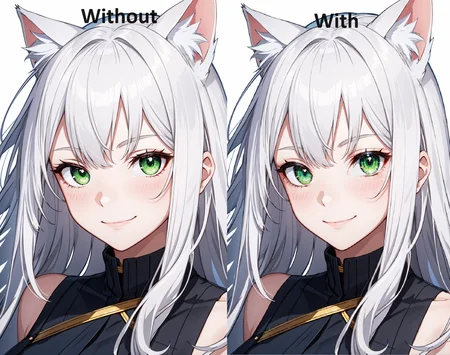


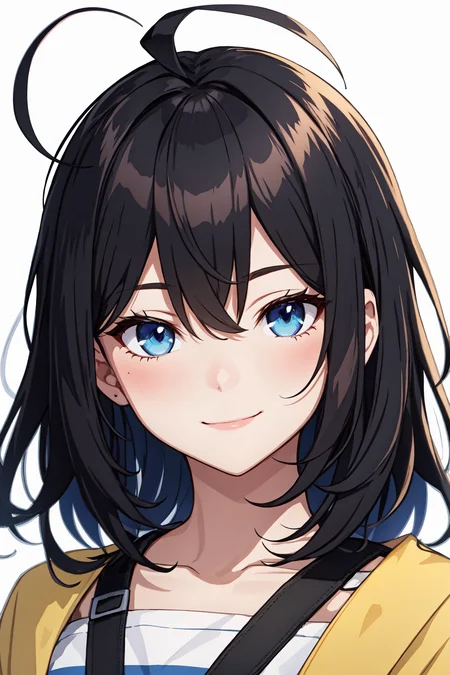
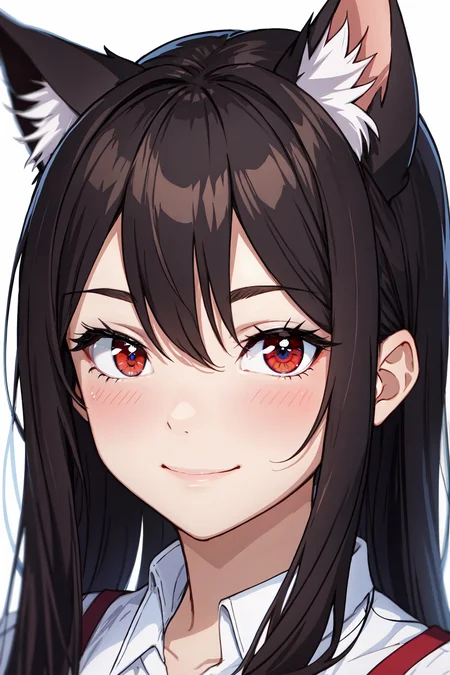


This model detects eyes so you can add more detail to the eyes.
Can be used for:
Adding details to eyes
Enhance character specific eyes (Hu Tao, AI Hoshino, etc.)
Use with models for eyes
How to use:
Open Adetailer tab
Open detection tab
Insert you prompts, leave empty for same prompts as main generation
Decide confidence threshold (recommended 0.3-0.5) usually finds it around 0.8 or higher but might not find the eye if character has disfigured eye or looking away.
Mask only the top
Apply to top (2) highest confidence score.
Depends on the amount of eyes you want to detect, default would be 2!
Example: character with eyepatch only detect 1
Example: Kokushibo from demonslayer has 6 eyes so apply to top 6
0 = default = no limit, all scores above threshold are applied
Mask Preprocessing set to merge to do all detections at the same time
Use this mainly for an image of a solo character
Have a higher threshold so background characters don't get applied
Inpainting, choose to leave settings the same as the main generation or custom
How to install:
Go to https://github.com/Bing-su/adetailer and install Adetailer
Place the this file (Eyes.pt) in "stable-diffusion-webui\models\adetailer"
and reload WebUI.
Install for Automatic1111:
Open "Extensions" tab.
Open "Install from URL" tab in the tab.
Enter https://github.com/Bing-su/adetailer.git to "URL for extension's git repository".
Press "Install" button.
Wait 5 seconds, and you will see the message "Installed into stable-diffusion-webui\extensions\adetailer. Use Installed tab to restart".
Go to "Installed" tab, click "Check for updates", and then click "Apply and restart UI". (The next time you can also use this method to update extensions.)
Completely restart A1111 webui including your terminal. (If you do not know what is a "terminal", you can reboot your computer: turn your computer off and turn it on again.)
Check out my posts on my Pixiv: https://www.pixiv.net/en/users/20080642
If you'd like to support me a little check out my ko-fi page: https://ko-fi.com/yukinoai
If you want to see all my exclusive (and uncensored) posts check out my Patreon: https://www.patreon.com/Yukino_AI
Description
FAQ
Comments (87)
Thank you so much! I've been waiting for this. The Eye Mask extension fails to detect anime eyes way too often and this one seems to work well but its hidden behind an API. Hopefully yours will do the trick!
Hope it works for u, it did for me. When I learned about adetailer I got hyped. Learned making these detection models for computer vision applications for a company while in an internship. Could probably make more but not sure what and a bit time consuming xD
holy shit bro what a coincidence you saved my project
Wdym? XD
@YukinoAI I am making a clothes-replacing app and needed an eye detection model to inpaint a superhero mask on top of the person's eyes. Now that I have tested your model, it only seems to work well for anime pics. Still thanks
1 issue: since both eyes are inpainted separetly, depending on the noise they might turn out different from eachother. for example one might be bigger than the other, or different shape pupil/different color.
Not a issue. Just set it to 'merge' mode and they will be inpainted at the same time.
Have learned about adetailer 2 days ago, so not fully into it yet, but would be nice to say if an one eye needs to be different like with lelouch from code geass, ruby/aqua from oshi no ko.
This model can detect eyes separately but don't think you can choose which eye to prompt what...
@YukinoAI Consider making a feature request on the Adetailer github to sort detections by the X axis. I believe there is already a way to split the prompt across each inpaint though I've never tried it: link - so we only need to be able to sort them.
@Jilhbril Not sure how helpful this is but in case of regular ADetailer, the use of [SEP] seperates out characters when prompting multiple people, maybe it would work at least on a single person prompt in the same way?
@Jilhbril yep i found that out shortly after making this post :)
The "how to use" section doesn't actually tell me how to use this. What is it for? How do I use it?
ADetailer, once installed and enabled in your UI, will be a drop-down section below your image generation parameters in A1111. Expand it to find Enable ADetailer at the top, and settings below. These will be various options to select portions of an image to run a quick inpainting sequence on at the end of your generations when enabled.
@noahspeaks257 Ok thanks for the info! But I don't see how this is different than just masking the exact area you want for inpainting. Is this for people who can't draw with a mouse or something?
@pkayze Its for people who dont want to do it manually hundreds/thousands of times. By that kind of logic why use SD when you can just draw it yourself?
@Jilhbril That's nowhere close to the same analogy. I don't see any batch function in the videos. It seems this is just picking the area for you (with varying confidence, meaning sometimes it may not do it properly) vs. you just putting clicking once with the mask button over each eye. Admittedly I haven't installed it and maybe there's more to it, but unless there's a batch feature where you can set it to it automatically and run on a batch of pics, I don't see how this is better.
@pkayze Do you think you have to adjust its settings every time you change the prompt or something? The 'batch feature' is setting it up right and leaving it enabled while you keep making images and it will inpaint them for you automatically. You can adjust the confidence threshold so only what is very likely to be an eye will be detected and you can also limit it to the top 2 detections so it will ignore characters in the background etc... This is a very powerful tool that even has API and ControlNet support. Its pretty much automated inpainting without the manual labor if that's not something you are interested then that's fine I guess.
EDIT: if you want to use this on existing imgs you would need to use the API since indeed a 'batch' feature like we have in the 'Extras' tab does not exist yet. Something to consider for a PR.
@pkayze Updated the 'How to use' part, hope you will be able to use the benefit of this tool. Jilhbril said it best, its for automatically putting your generations instantly through img2img inpaint. Yes manually can be better but also worse. Same with using SD or drawing it yourself. I would recommend installing it and checking it out. Will be more models in the future to help generations. For example i'm thinking of making a anime hand detection model.
You can use them in ComfyUI too. Only copy Eyes.pt to \models\ultralytics\bbox\ in your ComfyUI Directory. You need ImpactNodes installed and then you can simple use the Eye Model with the FaceDetailer from ImpactNodes. Works perfect. Thank you so much for this Model!
Big thanks!
Thanks, I can't figure out how to get it to do both eyes. It only does 1.
EDIT:
Sorry, I overcomplicated things by also using the samdetector. It works wonderfully!
@haraririri So to be clear do not use samdetector just bbox?
Hello, we are working on something similar—developing a specialized data processing tool for anime. We've already annotated over 5,000 images of various anime and illustrations to detect characters' eyes in the frame. Would you be interested in sharing the dataset you used for training? In return, if you're open to it, we can also publicly share our annotated training set and models, enabling both of us to train higher-quality models. We hope you can consider this proposal.
Thank you for this! The other eye model for ADetailer I was using wasn't very good. This is better!
Wow this has transformed my faces! thank you
if i use two model of adetailer, ( face and eyes ),which one will affect the rendering image first? if eyes first, then the face model will rerender the eyes ......
They process in order, so do the face first and then the eyes
Hello! Works pretty good and fast! Only problem is that it doesn't seem to work with pupil shape LoRas!
Although that may be incorrect as I still don't really know if I'm using it correctly, and was still too scared to move the mask processing sliders.
Or maybe it just doesn't work if they are Inpainting LoRas?
Any help would be great!
- Copied from my review
I thought you were supposed to put the lora reference in the detailer's prompt, under the adetailer tab. that seems to work for me. don't ask me though.. I'm a n00b
@goronplus Yea that's about right, it should show in prompts of example images if u search the data of the image on A1111 for exmaple
I'm not sure if I'm using this right, I have the model selected, but it's not detecting any eyes. even when I set the detection threshold to .05 it still doesn't find any
It's made using anime styled images so if you are making realistic images it might not work, other than that dunno what's wrong. Hope your problem is already fixed tho
Even though this does help, the how to is pretty vague, especially at the part where it says to "apply top highest confidence score", it doesn't explain what it is clearly. It would be nice to have at least a recommended parameter so that noobs like me actually know where to go
Have changed it a bit, hope this helps! The tool has some guides as well for what all parameters do.
@YukinoAI Thanks! and I can't wait for the hand detection!
I guess itis the part of "Mask only the top k largest (0 to disable)" because that's the option to control how much eyes you want to be detected.
How do I prevent the eyes from rendering in different colors?
Only when I turn this on does this happen.
Try to add colors you don't wanna see in negative in adetailer or lower denoising strength a bit,
@Marader Problem is that it's the same color just vastly different shades.
I'll try lowering the denoising though.
@SirDigsbey There's an option in settings, image.png (917×95) (discordapp.net) add the "img2img_color_correction" and if you see this checkbox active image.png (513×64) (discordapp.net) try to disable it and see the results, i think i have similar problem and this relove it. Well that's for a1111, if you using another UI there's probably similar option.


@SirDigsbey https://civitai.com/images/3494299 I have almost zero issues with that workflow. The trick is among other things to set the mask to merge, otherwise it paints both eyes without any context for the other.
@Sophorium i think the problem was not with the workflow, but with keeping original color settings.
@Marader Ok well if it's not heterochromia then I dont know, other than reinforcing eyecolor on the adetailer prompt itself, mine are usually the same shade
In the ADetailer tab, there is a Mask Preprocessing tab, right?
Why don't you set the Mask merge mode to merge in that tab?
I'm using translation software, so sorry if the sentences are strange.
@yamage77755 didn't know you can merge two mask that not connected😲
Specify an eye color in a custom prompt for AD, without a bunch of (positive) chaff. Without a custom prompt, it's trying to put the contents of your entire prompt in every eye, and the color you get is whatever depending on prompt, denoising, etc. (Don't recommend merge, because then you change the direction the eyes are looking depending on padding->mask dilation and camera angle.)
@biyof24394819 but merge helps to make eyes look identical and just keep looking at viewer or sideways for example in the prompt
I installed it but it doesn't work... Only face_yolo is working for me. Do I need controlNet or something like that?
Edit: Fixed, but Adetailed is still better...
Not sure what your settings are but using face_yolo a default one means u have adetailer so then maybe your settings might be incorrect. Also this detection has been trained mainly on anime eyes, so if you are trying to use it on realistic images it might not work. Try setting confidence threshold to 0.1 and the mask only top .. to 2 and see what gets detected. If you have turned on preview image generation per x steps you can see what it detects for example (or just do denoising 1.0 and say black box in prompt) and check the description of this model for guide. Ofc test it with something like a portrait of a single person looking at viewer.
@SnowyYukino Compared to any face_yolov8 model is doesn't make changes... Even increasing denoising strenght with main values is not working for me, I don't see real changes. That's why I asked if I had to do something apart from installing. I basically wanted a model like face_yolov8 but only for eyes. Those work the best, but sometimes I don't want to change the expression. Probably yours makes very little changes?
@SnowyYukino Okay... This is what I meant: Here I tested all similar models to your pt model. Imgur: The magic of the Internet
You need to select MERGED otherwise it won't show the best performance. I've seen another guy posting a picture with the recommended settings. I think you must say it in the description of your model.
And even then, it is not better than Adetailer in my opinion... Probably because Adetailer has a better inner model for eyes.
@darkskyx it already did say that...
@darkskyx glad u found it yourself though but in recommended settings in the description it always said to set it to merged. U can also download an image from examples and see the settings there. This has been an issue for others before as well in other comments but sadly default settings don't turn on merged.
Was also mentioned earlier with SirDigsbey's comment, but really just read description here everything setting u need to know for this model is explained there and has been since release of this model >_<
Anyone know of something similar for comfyUI? Or is there a way to load this in comfyui I am missing perhaps, lol?
use face detailer (pipe) that comes with comfy impact pack, then move this model in comfyui models in bbox found in ultralytics (so basically move this model in /models/ultralytics/bbox/) then use it as if u are using face detailer (if u don't know how to use it, check facedetailer in comfy impact pack in github, they have a detailed guide with workflows) and it should work like normal face detailer, except now it uses eyes models, so it will detail eyes, i tried it and it's working perfectly, good luck!
Awesome, sauce! Thanks a million that makes a heap a sense now that I think about it lol,
@boudy In Arnold's voice from Predator. "Yooz SUN OF A BITCH!"
@boudy this create 2 differents masks and is treated 1 at the time in the detailer leading very often to 2 different eyes as for result. in adetailer in a1111 they are corrected simultaneously that lead to a more consistent result.
@bissonfrederic69429 Noticed. Did you find a solution?
@jahagafalakajaha656 He said it in his post and in description/info of this model. Using "Merge" helps a lot!
@jahagafalakajaha656 with flux it's not a prob anymore, but back in the time, yes i was using a crop portion of the face to do the detailer then merged back only the eyes to the original image with some special node, mask composite or something
Hello, i use this one, but it makes weird color, like wrong inpaint on eyes.
Hii, i already downloaded, how to use it???, it's not safentors file
Click "Show More" in description, it gives detailed guide on how to install Adetailer extension and use the model for it
Is there a good way to prevent this from making changes to the entire face? I've tried reducing the mask dilation/erosion; but so far the only way I've gotten it to avoid inpainting the whole face is to reduce it to the point that it no longer does the eyes, either.
for anime style generations with default setting in the description of this model u should be fine, there is also a option to only inpaint detected area, thus making no changes to the rest of the image. if you are making real looking images, or imagine with weird eyes, this might mean no eyes are detected but then nothing would happen cuz no detection = inpaint
Does anyone know of Fooocus Ai is compatible with aDetailers?
for me, easily top 5 of the most "useful tools" for SD. I use it on 90%+ of my images https://civitai.com/user/iJWiTGS8/posts - thank you for this ❤️
No problem! Want to make more detection models around summer when i have more time, so look forward to it.
Have You Considered Creating A Model For Eyelashes Or Implement That In This Model? Ai Is Bad At Creating Symmetrical Eyelashes, And A Fix For This Would Be Very Useful.
will keep that in mind for a future model!
The eye detailer just detects eyes (including lashes, and potentially brows too if you expand it). Then when it inpaints, it will improve all of them.
are there any pony XL ver?
This is segmentation\bbox model they are universal. From what I know civitai require to specify base model that's why is SD1.5 but this will work with any model since it doesn't affect generation (it's for detection on already existing image)
Correct, at the time I had to fill in a base model hence SD1.5 but it's universal and I've been using it with PonyXL models too!
Thank You for Your work!!!
No problem, wish I can do more but no time...
This is amazing, can i ask how i can "Apply to top (2) highest confidence score." if i am using Facedetailer with ComfyUI?
nice xừ
For anyone having problem in ComfyUI with detailer generating 2 different eyes, here's a solution.
1. Dont use FaceDetailer node. Use a combination of SEGS detector (hooking to this model) and SEGS Detailer.
2. The output of SEGS detector should be passed through a SEGS Merge node before passing into the Detailer.
This pretty much solves it for me.
And it seems to me SEGS Merge is necessary. I tried converting them to mask, merge mask, then pass through MaskDetailer, but it doesnt work.
Can you provide the workflow please, i am having hard time following this.
@mynameisjimcarrey204 sorry, didn't checkup on this site for a while... I uploaded a rough demonstration workflow here
How to install this to ComfyUI?
i think you just place the .pt in your instance's models/ultralytics/segm
Very good I don't generate images without it but 100% requires preprocessing Merge to be selected otherwise it'll ruin the results
is there a version of this eye model for better eye pair detection. sadly this one when i make a set 20-30% of images will have only 1 eye detected, but i tried all so far none of them look as good and detailed