This workflow references one image as the start and end frame to create a loop video. It has the ability to remove frames from the start and end of the video to enable a smoother loop transition. I recommend at least 12GB of VRAM. Video Generation requires good hardware.
-Lowering the CFG will improve generation times but also reduce motion.
-Anything over 4 seconds might fail or take forever. 3 seconds is the ideal video length for loop
----------
This workflow is a combination of IMG to VIDEO simple workflow WAN2.1 and Wan 2.1 seamless loop workflow
I recommend this workflow to be used with the Live Wallpaper Fast Fusion model.
I don't know anything about licenses so use at your own risk.
----------
The Automatic Prompt function requires Ollama. The installation process is more than just installing a node in ComfyUI
I recommend the gemma3 model with vision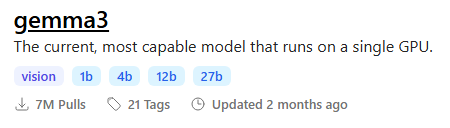 To maximize output quality, you can enter this in Ollama to generate motion-aware prompts for your images:
You are an expert in motion design for seamless animated loops.

Given a single image as input, generate a richly detailed description of how it could be turned into a smooth, seamless animation.

Your response must include:

✅ What elements **should move**:
– Hair
– Eyes
– Clothing or fabric elements
– Light effects
– Floating objects if they are clearly not rigid or fixed

🚫 And **explicitly specify what should remain static**:
– Rigid structures (e.g., chairs, weapons, metallic armor)
– Body parts not involved in subtle motion (e.g., torso, limbs unless there’s idle shifting)
– Background elements that do not visually suggest movement

⚠️ Guidelines:
– The animation must be **fluid, consistent, and seamless**, suitable for a loop
– Do NOT include sudden movements, teleportation, scene transitions, or pose changes
– Do NOT invent objects or effects not present in the image (e.g., leaves, particles, dust)
– Do NOT describe static features like colors, names, or environment themes
– Return only the description (no lists, no markdown, no instructions, no think)
----------
📂Files :
I recommend this workflow to be used with the Live Wallpaper Fast Fusion model.
Put it in models/diffusion_models
For regular version
CLIP: umt5_xxl_fp8_e4m3fn_scaled.safetensors
in models/clip
For GGUF version
>24 gb Vram: Q8_0
16 gb Vram: Q5_K_M
<12 gb Vram: Q3_K_S
Quant CLIP: umt5-xxl-encoder-QX.gguf
in models/clip
CLIP-VISION: clip_vision_h.safetensors
in models/clip_vision
VAE: wan_2.1_vae.safetensors
in models/vae
ANY upscale model:
Realistic : RealESRGAN_x4plus.pth
Anime : RealESRGAN_x4plus_anime_6B.pth
in models/upscale_models
----------
Nodes:
ComfyUI-Custom-Scripts
rgthree-comfy
ComfyUI-Easy-Use
ComfyUI-KJNodes
ComfyUI-VideoHelperSuite
ComfyUI_essentials
ComfyUI-Frame-Interpolation
comfyui-ollama
ComfyUI-mxToolkit
was-node-suite-comfyui
ComfyUI-WanStartEndFramesNative
Description
Added GGUF Version.
Removed some optimization options.
FAQ
Comments (38)
👍👏❤️
"I noticed some sample videos in your materials have 1440×2160 resolution. Were these generated directly through the workflow, or upscaled using external tools? Could you share how this high-resolution output was achieved? On my RTX 4090 setup, even rendering 720×1080 videos takes considerable time."
Yes, these were rendered at 720x1080 and upscaled in the workflow. you will see interpolation and upscale options on the right side of the workflow. The upscale and interpolation process doesn't take too much time so make sure you are generating videos in a size that is appropriate to your hardware and generation model.
@AmazingSeek When I select 1080×720 in the size options on the left and see the 'Interpolation and Upscale Options' set to X2 on the right, why does the output remain 1080×720 instead of upscaling to 2160×1440?
@AmazingSeek After inspecting both video files in the output folder, I confirmed frame interpolation is functioning properly - one at 30fps and the other at 60fps. However, the resolution scaling appears ineffective as both files maintain the original 1080×720 dimensions."
@supersuika they should be in your output folder ComfyUI\output\WAN\*date of generation* they are separate files depending on the option you selected if you want it interpolated and upscaled, you need to select the option to "Enable upscale and interpolation" The file names will be labeled OG, IN, UP, or UPIN depending on what you enabled
@AmazingSeek "Thank you! I've identified the issue - I had accidentally disabled the 'Enable upscaler' option."
Resetting TeaCache state
10%|████████▎ | 1/10 [00:11<01:43, 11.48s/it]
TeaCache: Initialized
90%|██████████████████████████████████████████████████████████████████████████▋ | 9/10 [01:56<00:12, 12.83s/it]-----------------------------------
TeaCache skipped:
0 cond steps
0 uncond step
out of 10 steps
wow! 2 minute generation is pretty fast. Mine takes much longer
yo op, what gpu you using?
RTX 5090? :D
Would really appreciate instructions on how to use this. 🙏
Make sure you have all nodes downloaded and working. You need to download the files in the updated description and put them in the correct folders. Upload an image you want to animate, adjust the settings that best fits your preferred model and click run. After generation is finished, adjust the frames to make a seamless loop and run the generation again. Post video and tag this workflow. (you need to have some basic ComfyUI understanding for this workflow. I wouldn't recommend this for beginners)
@AmazingSeek Okay, thank you.
AmazingSeek Hey I am also trying to use this but idk why After running it the output shows the text which is coming from ollama then it stops and nothing happens
I downloaded all the nodes by the github links u provided
nexus_neon the next step is loading the model after the prompt. make sure you have a model appropriate for your hardware. It does take a while the first time you run it.
AmazingSeek yeah It was hardware issue also had to delete few nodes to lower the load
though not looping now perfectly
How do you get the movement of dual sampling without dual sampling?
Hello Mr.AmazingSeek! Thank you very much for the excellent workflow. I have a question: if I don't want to use the automatic prompt, can I just input text directly into the positive prompt field, and will that be work properly?
yes you can
hello, are you using gemma 27b?
yes, but you can use a smaller model
Hello, is there any way to control blinking behavior, such as blinking only once every three seconds? Currently, the video shows random blinking once or twice within three seconds, usually twice. Are there any good solutions?
That is something to do with the model and not the workflow. the way I get around blinking is using a negative prompt for blinking and trying different seeds
AmazingSeek What is your negative prompt for the blinking problem? Just "eyes_blinking" does nothing for me...
dooomguy2k4488 you should ask the author of the model you are using. I don't have a good way to deal with blinking.
This workflow is great, I hope you can get an updated one with the new wan 2.2 version.
I did make a 2.2 version but I did not like it. I wasn't able to adjust the frames without having to generate the whole video again.
I'd like to discuss the issue of "steps" with you. I noticed that in the process, the total number of steps seems to be split evenly across two sampling passes. If my model requires 4 steps for a single sampling pass, does that mean I should set the total steps to 8? I'm a beginner, and I don't quite understand what the second sampling pass is for.
I only got a completely black video output—does anyone know if I did something wrong? As for modifications, I only removed the Ollama node and, through the “generate prompts” section in the introduction, had ChatGPT generate prompts for me, which I then input into the workflow.
I found the reason—it’s because I can’t use the GGUF version. When I switched to the regular version, it worked. Although I still haven’t figured out how to properly configure the start-end settings, at least I got a nice loop. Really nice workflow!
Very new to WAN, so sorry for the noob question. If I have 16gbvram and 30ram would I use Q_5_KM for the clip model??? what does clip do exactly alongside the base model to improve output?
I am a bit lost
I'm getting good results BUT with the default settings I get some parts of the picture not being animated at all, for example the water on a river is being animated only on certain parts. On the preview it shows all the picture is being animated but on the output is where the bug happens. Can I do something about it?
Hey, I created some nodes that would help tidy this workflow up a ton and make it easier for you to maintain and update!
https://github.com/Artificial-Sweetener/comfyui-WhiteRabbit
how long can it generate?
while it is great, it doesnt seem to care much about prompts. or I am missing something.
edit: if you make videos of 2 seconds like me, it may prevent prompts to take action in the result. like the thing you wanted was going to happen 3-4 seconds later, but it ends in 2 secs.
yes, this is not intended for a long video or loop. This is more for adding a little motion to an image
Im having issues running this on new comfy. It used to be my favorite workflow. pls update