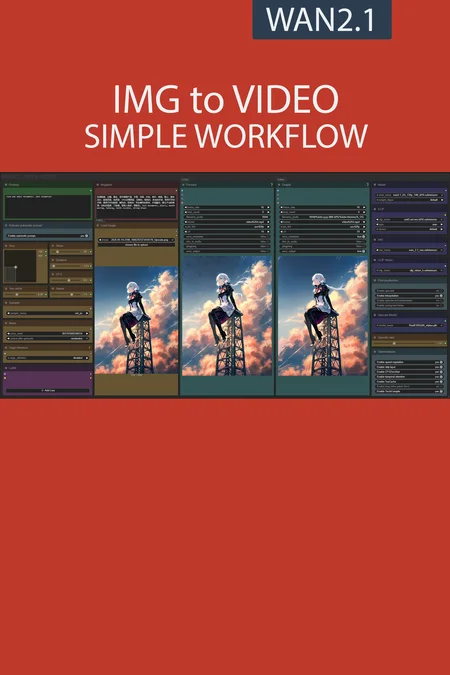
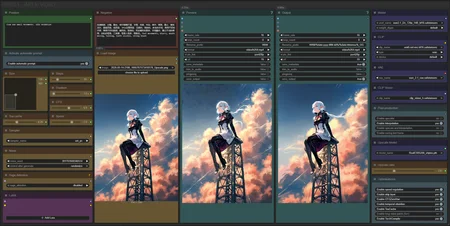
✨ WAN2.1 — Image to video — Simple Workflow
A clean, all-in-one WAN image-to-video workflow built entirely with the UmeAiRT Toolkit for ComfyUI.
Only 12 nodes. No spaghetti wires. Just load your model, write your prompt, and hit generate.
⚠️ IMPORTANT — Nodes 2.0 Required
This workflow is built for the Nodes 2.0 (Vue) interface of ComfyUI. If you don't enable it, the workflow may have display problems.
How to activate Nodes 2.0:
Open ComfyUI
Go to Settings (⚙️ icon, bottom-left)
Find "Use Nodes V2 (Vue)" and toggle it ON
Refresh the page
Load the workflow
If you prefer the classic interface, check out my Legacy version of this workflow instead (link).
🎯 Features
Text-to-video generation
Automatic download of models in auto version
Built-in SeedVR2 upscaler — high-quality tiled upscaling (toggleable on/off) Slower than a classic upscaler, but significantly better quality
Full metadata embedding — your images are saved with all generation parameters, ready for online publishing and remixing
3 LoRA slots — with individual on/off toggles and strength control and you can connect as many other lora modules to each other for as many LoRA as you want.
📦 Custom Node Required
Only one custom node to install:
Install via ComfyUI Manager (search "UmeAiRT") or use the UmeAiRT Auto-Installer.
The Toolkit packages everything internally — upscaler, face detailer, metadata saver. No other custom nodes needed.
📂 Files you need (in manual version)
For base version
I2V Model : 480p or 720p
In models/diffusion_models
For GGUF version
I2V Quant Model :
- 720p : Q8, Q5, Q3
- 480p : Q8, Q5, Q3
In models/unet
Common files :
CLIP: umt5_xxl_fp8_e4m3fn_scaled.safetensors
in models/clip
CLIP-VISION: clip_vision_h.safetensors
in models/clip_vision
VAE: wan_2.1_vae.safetensors
in models/vae
Speed LoRA: 480p, 720p
in models/loras
ANY upscale model:
Realistic : RealESRGAN_x4plus.pth
Anime : RealESRGAN_x4plus_anime_6B.pth
in models/upscale_models
Description
Interface adjustment :
The frames slider is replaced by a duration slider in seconds,
removed the interpolation ratio slider,
All models files are now in the main window.
Backend :
reduction of the number of custom nodes from 12 to 8,
improvement of the automatic prompt function with the replacement of 8 words like "image" or "drawing" by video to avoid making static videos,
added clip loader in GGUF version.
New "Post-production" menu.
Rollback on native upscaler.
New model optimisation :
Temporal attention for improve spatiotemporal predictive.
RifleXRoPE reduce bugs on videos longer than 5s. This allows you to increase the maximum video length from 5s to 8s.
More detail here : link
FAQ
Comments (119)
I would like to see lora loader and trigger toggle added to your work flow making it easyer to add Loras and automatic trigger words to to the prompt
Thanks for your feedback. The problem with LoRA is that this loader quickly takes up a lot of space in the interface while many people never use LoRA. Perhaps a good solution would be for me to make a version dedicated to those who use LoRA a lot.
@UmeAiRT thanks for the response love what you do. Really wouldnt mind that. Ive download many loras and I alway get forgetful of trigger words. Having to constantly revisit Civitai.
This might be the only i2v workflow that doesn't completely mess up the hands and other fine details, something to do with having two sampler stages I guess?
Also, I noticed you're using a new clip encoder and node in the latest (Nightly) workflow but your guide doesn't mention anything about this. Wondering what the potential benefits are using this compared to the old "umt5_xxl_fp8_e4m3fn_scaled" version?
I think there are also different optimization nodes that help a lot to get a good result.
For text encoding I usually recommend fp8 because bf16 gives very little improvement but consumes much more VRAM. Overall it's bf16>fp16>fp8>gguf, do you think I should put all the choices in the guide?
@UmeAiRT Well I don't think mentioning all the choices is necessary. It's more so that you previously used another encoder but now with 2.3 you're switching it up which might confuse people since your description or guide doesn't say anything about it, that's all!
I should also mention that the new CLIP node doesn't accept simply switching to the fp8 one.
But in theory the "umt5_xxl_fp8_e4m3fn_scaled" encoder should be slightly better compared to "umt5-xxl-encoder-Q5_K_M" that the new workflows uses then (excluding base which uses bf16), to save some vram I'm guessing?
Funny thing is I've tried everything from bf16 to Q8, Q5 and they are all pretty much the same speed on my setup for some reason (8 vram, 48 ram). About 15-20 minutes for 480x832, 5 seconds, 20 steps with LoRA before interpolation and upscaling, but that part doesn't take very long.
Either way really great workflow! Most likely as optimized as it's going to get with the current technology.
I don't understand why you would overcomplicate the workflow for no reason. I get the exact same result with a slightly modified original workflow. Moreover, this version is poorly designed and very impractical to modify. I understand you're doing a lot of communication for yourself, but workflows like this don't help the community.
And I don't understand why I receive so many messages of support and donations if my work is so harmful to the community. This workflow is the result of several months of exchange with the community, if you don't like it, that's your right, but at least be constructive.
Your workflows take so much complexity out. Thank you so much for these user friendly workflows.
Thanks for the workflows, curretly trying your latest 2.3 version. I'm using a 4080 Super, and I remember previously the recommendation was to use Q5_K_M, now I see that it is recommended to use Q5_K_S.. is there a reason for this? Also now, it gives an error with the "umt5_xxl_fp8_e4m3fn_scaled" clip.. so whats the recommended clip for a 4080? Or in general maybe you can have recommendations of each parameter based on at least VRAM (in my case 16GB)? I got a Q5_K_M clip but it seems that now it is consuming 18+GB of VRAM with the same settings used in previous versions of your workflow, which was always around 16GB, the only difference I guess is the clip? Thanks.
I must admit for the M become S it is surely that I had both in my file and I did not pay attention. There are very few differences between these two models. I think you have two choices: replace the CLIP gguf loader to put back the classic one if it was better for you. Or use the low-VRAM workflow and unload the CLIP and part of the model in your RAM. I personally have a 4080 and with the model and the CLIP in Q5 a 5s 720p video consumes about 14GB of VRAM. (CLIP in the RAM and 12GB of the model).
@UmeAiRT Thanks, what CLIP exactly to use with the Q5? Q5_K_S is not avaialble in your downloads so using Q5_K_M. You mean changing the clip node itself to the previous version? the Scaled one doesn't work and the Q5 using only 1 lora is going to 1.1 gb of shared memory. This is 480x720, 5 sec duration, unipc at 20 steps with all optimizations on except long duration. Also, it seems that the enable automatic prompt slider doesn't change it is always on although it does change the color of the Florence nodes. Maybe with the changes in the worflow I'm doing something wrong but I was able to run on memory up to 3 loras before, it is mainly stuck now on Sampler 1.
@pleasenononono I created a workflow with the old CLIP loader if you had better results with: https://drive.google.com/file/d/1TSQJp4XMTZjovpvs06NiZduZABe3pzQX/view?usp=sharing
Personally with exactly the same amount of VRAM:
before starting the generation : https://snipboard.io/mG7n3X.jpg
durring generation : https://snipboard.io/ODB3Ht.jpg
model setting : https://snipboard.io/3deUQD.jpg
sampler settings : https://snipboard.io/QbMP6k.jpg


@UmeAiRT Thanks for the follow up. I did a clean install using your installation script, then fixed xformers 0.3, onnx and PyTorch 2.7 using cuda 12.8 to avoid some warning and errors when starting comfy. I'm using also the latest version 0.3.34. I'm using sageattention using the .bat and also auto in the workflow. The rest of hte seeting are exactly the same except the model node I don't have the setting of the VRAM.. even not using any LORA and using the same prompt as yours the memory goes to 18 GB and I'm starting with 1.1 GB even less than yours. Using 2.3 and the custom one you created yield the same results.
Now one of the things that changed is using torchcompile as I was not using it because of the lora problems.. I disable the use of torch in the workflow and now it works at 15.5.. any ideas? I will try to run also the previous one with torch and without a lora like in the new one and see if there is a problem with that. But again, I'm not getting any errors when loading comfyui or during the generation, it just gets stuck in the sampler 1.
@UmeAiRT I have a 3060 Ti 8GB video card, I use 720p-Q3_K_S, is this correct or not? Can you tell me please which 720p model I need? 😔
Any thoughts on adding vace options? Also, how can I change the FPS to 24 for use of the causevid lora?
Using the 2.3 version i got those errors :/
- Required input is missing: text_b
- Required input is missing: text_a
- Failed to convert an input value to a INT value: frame_b, , invalid literal for int() with base 10: ''
- Failed to convert an input value to a INT value: frame_a, , invalid literal for int() with base 10: ''
what should i do ?
same
Probably an update problem. I used this workflow on Linux (RunePod) and my Windows PC. But I'm using the latest version of ComfyUI and custom nodes.
@UmeAiRT i'm on comfy 0.3.34 i will try maybe updating custom nodes to nightly build and try again.
@Mario1964 Dont forget to update pyton module too, sometimes it drives you crazy because everything is up to date but the python dependencies are not. Since I used a node that was still in "nightly" version, I suspected that this would cause problems for some people. Wish version did you use ? base/gguf/low-vram I can send a version of the workflow without this node but this requires installing an additional custom node (was node suite)
@UmeAiRT i was tring the gguf version but it seems also that couldn't load lora models and the output was bad , now i'm stuck with 2.2 ver that's great :D
Will give 2.3 another try when i can ;) Thanks as always and thanks for you workflows :D
@Mario1964 If 2.2 works it's nice ^^ I will still add this archive with the workflow without the "StringConcatenate" node https://huggingface.co/UmeAiRT/ComfyUI-Auto_installer/resolve/main/workflows/Beta/IMG%20to%20VIDEO%202.3%20(C).zip?download=true
@UmeAiRT just a quick update but 2.3-C it's so much fast when generating but i don't get same "movement" i got with 2.2 , i will stuck with that now , maybe in a future update i'll try again :S
@UmeAiRT Got a small update: with 2.3-c i had to replace umt5_xxl_fp8_e4m3fn_scaled.safetensors with umt5-xxl-encoder-Q4_K_M.gguf, since after GGUF node update the old text encoder wont work anymore (still works in 2.2 tho), now video seems to be good , but require more testing
UPDT 22/05/2025
I’ve tried the base 2.3-c version , I got so much faster time around 166 seconds compared to the 2.2 around 260 seconds.
The only problem it’s motion that seems reduced even if settings are the same ( prompt Lora weight etc)
UPDT 22/05/2025 13:00
right now, at least for me 2.2 is by far the better version, motion is perfect
FINAL UPDATE
Updated comfy to 0.3.35 to use the 2.3 workflow (not the 2.3-c) and finally I got the motion back as I wanted :D
My 2 seconds generation time it’s still around 166s compared to the 250 from 2.2 version .
If you have a good gpu , this update is gold
2.3 nightly:
got prompt
Failed to validate prompt for output 398:
* StringConcatenate 451:
- Failed to convert an input value to a INT value: frame_a, , invalid literal
Thank you for updated the workflow.
Please keep multigpu model loader, it allow me to process to a longer video with higher resolution.
In feedback, i can tell that i've often colors issue with my generations and for fix this i set the color match node strength to 0 always.
I'm using lora-manager and an automatic trigger words loader can be an good enchancement for the next steps.
@Allerias How do you set the color match node strength to 0? I too have problems with the colors where the 1st pass looks great but the 2nd pass with the "Color Match" often looks totally unusable. Bypassing the node, changing the mode to Never or deleting it altogether breaks the whole 2nd pass but I can't find any way to set the strength. Do you need to manually add some node and then connect some arrows (or whatever you call them)?
This would be a great addition to the next version where you could either toggle it on/off or easily set the strength if needed.
@linsuxx333 Yes, I noticed this bug. I would put color match in the list of optimizations that can be easily deactivated in the next version.
@linsuxx333 Like this : https://snipboard.io/4OGjXH.jpg

@UmeAiRT duh, too easy. It's always the last place you look :) Thanks for this and for the great workflow!
Hello!
When trying to load this workflow, I get an error stating I'm missing the "PrimitiveStringMultiline" node, however I used the ComfyUI Manager to download all the missing nodes. Am I missing something else?
Yes because this node does not come from any custom node but from ComfyUI itself ^^ You need the latest ComfyUI update to have it.
Hello there I'm using the version without StringConcats. I got a lot of jitter while tryngb to generate ove 20-33 frame. I have no idea why, any hint ?
I tried up to 50 steps, but nothing change
Starting with Version 2.3 I'm getting the error:
Mixing scaled FP8 with GGUF is not supported! Use regular CLIP loader or switch model(s)
Didn't happen with 2.2. Any ideas?
I encountered the same problem 30 minutes ago, Download the one you need
https://huggingface.co/UmeAiRT/ComfyUI-Auto_installer/tree/main/models/clip
I updated the description and guide to explain that a GGUF clip is required for the GGUF/low-VRAM version. Do you think I should do this differently?
@UmeAiRT No, it turned out well!
@JevelFace For me it now instead gives "Invalid Tokenizer".
Also, can you add Q4_K_S versions?
@UmeAiRT The error I'm having is that the CLIP GGUF node doesn't support or show WAN in the 'type' and therefore stops and doesn't run. Is there an easy solution? I'm trying taking non GGUF CLIP node and running it with the non-GGUF clip. Is this a waste of time? Can't get past the CLIP NODE error:/
the 2.2 workflow i can generate a video in 200 seconds, in the 2.3 workflow with the same settings it is more like 15 minutes. how odd
Will there be an updated workflow including Causvid? I'd add it myself but I don't understand your sampler and schedule settings.
When activated (TorchCompile) it gives an error (Not enough SMs to use max_autotune_gemm mode) . How to fix this?
Btw for anyone who updated ComfyUI, the sliders no longer work. To fix it, disable MixLab nodes for now.
Thanks!!
I tested the new workflow on a 4090 extensively with everything activated. It crashes only when changing Size above 600 x 720 or the other way around.
Isn't it (there) an option to first make the picture pixels smaller and then after the sampler stage 1 making it bigger again. (without cropping)
edit:
I found a solution by adding first resize by shorter and 2nd resize by longer side and putting the size at 500 nearest exact each.
I'm having a problem with my prompts. For some reason when I look at the metadata of an output file, I can see that there is the prompt that I put in the text box, which makes sense.
But there is also a second prompt a bit further down, which is an old prompt I used, and I have no idea where this is coming from, it doesn't exist in the workflow anymore, but it's persistent among all of my output files and I suspect it is affecting the output itself.
Hi, I have several problems. Would rly appreciate some help since I'm very new to this. So, I managed to download all nodes without getting any error messages. I was also able to generate an output video. I am stuck at the upscaling part.
First, how do I upscale the video I got in the output? The tutorial seemed to suggest that upscaling was something we could do after generating the video, but were we supposed to enable upscaling from the beginning before even generating the video? When I hit "Run" after enabling the upscaler, the workflow simply restarts, creates a new video, but doesn't upscale.
Second, the "Upscale Model" Node from Upscaler-Tensorrt does not display the installed models in my "upscale_models" folder. It displays models like 4x-AnimeSharp, UltraSharp, etc (which I dont even have installed), but not RealESRGAN_x4plus.pth which we were asked to install.
Third, Instead of "enable temporal attention" I see a "sage attention" node. When I enable it, I get the following error:
SamplerCustomAdvanced
No module named 'sageattention'
Would appreciate some info on where and how to install sageattention.
I am running ComfyUI_windows_portable and using the base version of v2.2 workflow
I was able to figure out how to resolve problems 2-3, so I'll leave the answers here for anyone who faces similar issues with the upscalers and SageAttention:
2. The upscalers are supposed to look like that according to this patch: https://civitai.com/articles/13386/workflow-patch-notes-img-to-video-20 The original guide simply wasnt updated to reflect the changes made in the patch.
3. Here is a guide on how to install SageAttention: https://civitai.com/articles/12848
I have a question about GGUF version it doesn't go past CLIP loader saying WAN type can't be used.
SAME, been wasting time trying to fix this. Any luck?
You must use a GGUF CLIP in the GGUF version, not a .safetensor
@UmeAiRT I downloaded GGUF CLIP as in the guide but still after selecting umt5-xxl-encoder-Q5_K_M it still has problem asking me to change the type :(
I have no idea how to do this right but.... loading the standard "Load Clip" replacing the "Clip"(GGUF) version runs.
I'm getting this error when running the workflow:
DownloadAndLoadFlorence2Model
Unrecognized configuration class <class 'transformers_modules.Florence-2-base-PromptGen-v2.0.configuration_florence2.Florence2LanguageConfig'> for this kind of AutoModel: AutoModelForCausalLM. Model type should be one of AriaTextConfig
...followed by dozens of other model types listed. Any ideas?
You should try (using CMD, Powershell, or Conda, etc..);
FULL_PATH_TO_YOUR_COMFYUI\.venv\Scripts\activate
pip install --upgrade transformers
Example:
C:\AI\ComfyUI\.venv\Scripts\activate
pip install --upgrade transformers
Good, simple and very practical workflow. Good job and thanks!
Do you have any workflow suggestions for VACE/Fun?
I already published a workflow for fun, I'm working on VACE, I just don't have time
@UmeAiRT Appreciated, man!
I think this workflow will be complete if you could add a "loop video" option. Thanks!
I'm very noob into ComfyUI and I don't really know how to add these things without breaking anything, also all those nodes connections :)
@TekeshiX I just published a first version for VACE, don't hesitate to try it and give feedback.
@UmeAiRT is there any way for us to replace/use other LLM for prompts instead of Florence-2? Thanks!
I'd love a VACE workflow from you. Your stuff is the best!
I'm unfortunately on a business trip right now, which has prevented me from working on my workflow. I'll try to publish this on Thursday if I have time.
Latest workflow version, when running, the notification "TeaCache: Initialized" did not appear. Is TeaCache running correctly?
Gives me an error "PrimitiveStringMultiline" and cannot find a node
Thanks, everything works
But please tell me, I sometimes have the slider buttons have the wrong state - as if I have enabled them, although in reality it is not so, it is only visual, but still inconvenient. And how to enable preview for "Save UPINT"?
I finally fixed my loras not working problem by disabling torch compile; for the first time ever they work! I was using the model loader from comfyui-multigpu in the gguf version
Does the lowvram version use tiled decoding? the gguf version does not and takes forever to decode unless I manually add tiled decoder
My GPU is 5070ti with 16GB VRAM
I set the setting exactly like you suggested, didn't alter other configuration. Yet the time to complete a 5 sec video is over 2 hours! Any idea why?
Does anyone know how to stop getting this error: This request did not pass Vidu's content moderation policy.?
anyone know if is it possible to make loop animation??
Where is the "base version" without gguf or what i need to do for that?
You have 3 file in the zip : base, gguf and gguf low VRAM
hello guys, seem to be getting problems with Wan lately. I am running on 4090 but when I run it, it is getting stuck at ksampler part, disconnects and tries and reconnect but will not finish my prompt. I am also getting this error, but not all the time. Any help? Warning: Ran out of memory when regular VAE encoding, retrying with tiled VAE encoding.
For the latter issue I would replace the current decoders with tiled decoder node, that error should go away.
After comfyui work after some time videos start generating slower. first 5 minutes, then 12-15 minutes, then 30 and more. what is the reason?
This could be a heat issue and performance throttling , check your machine's fans and temperature when generating
You need to clean out GPU ram. Or better figure out why some stuff is getting left behind. Your GPU ram is filling up and some of the stuff is being moved to system ram. Heat would never cause a 2x slowdown. You are no longer using 100% VRAM. Also if you're using a huge downloaded workflow with a ton of nodes and conditional items check to see if extra stuff may be loaded up under certain conditions.
@Godgeneral05 That's a good call.
hi, I have an issue but don't know if it's a bug or a feature. It's kinda hard to explain but it seems like the frame rate is locked to 16/32 fps. When changing it manually the video slows down or gets faster and the duration slider stops being accurate. Is there a way to change the base frame rate without it slowing down or speeding up?
great work my guy, what do you think about roberta large ViT, is it any good? can I use it with this workflow?
I want to register your workflow as a reference when uploading the video I made, but no matter how much I search, it doesn't come up. What could be the reason for this?
This is a problem I have too. To solve it, I upload my videos from the workflow page using the "add post" button above the gallery on the model page.
@BridalMask when you add a resource first, the rest won't show up (workflows and base models basically), idk why...
Try adding workflow or model first, if you're creating a showcase post for some model , you can't since populates the resource automatically on the uploads..
I've downloaded version 2.3 of the workflow, got no errors when I start it up, but when I try to run it, I get this:
-------------------------------------------------------------------------------------
Failed to validate prompt for output 413:
* StringConcatenate 451:
- Required input is missing: text_b
- Failed to convert an input value to a INT value: frame_b, , invalid literal for int() with base 10: ''
- Failed to convert an input value to a INT value: frame_a, , invalid literal for int() with base 10: ''
- Required input is missing: text_a
Output will be ignored
Failed to validate prompt for output 398:
Output will be ignored
Failed to validate prompt for output 399:
Output will be ignored
-------------------------------------------------------------------------------------
Any idea what's it about?
pretty sure this has to do with the autoprompt portion of the workflow which you can bypass by connecting the positive prompt box to the positive encode and circumvent all the autoprompt stuff.
I connected the duration node to the calculate frames input
hi, i just downloaded latest i2v, default settings gives me math shape error:
SamplerCustomAdvanced
mat1 and mat2 shapes cannot be multiplied (77x768 and 4096x5120)
GGUF works
U have to use the scaled clip model
@Test8231 umt5_xxl_fp8_e4m3fn_scaled.safetensors ?
i guess that happens for not reading the full description XD
the workflow have the normal one by default, i usually google / hugging face the files by name
thank you !
im havving issues with the torch compiler node.. when i activate it,, it ALLWAYS goes to 98% vram and 1.5gb on the shared, everything slows down, so i need to restart comfyui...
Even lowering resolution and video duration...
im not able to use it, while i was able to use it in framepack..
is someone else having the same issue? i have 128gb ram with a 4090
hooking torch compile right after the model node, works..
this is native nodes i guess, right? im not comfy savy, sorry..
as far as i know , torch compiler in kijai's framepack workflow is just connected to the model loader.. something similar i did just know hooking it .. @UmeAiRT i think this sounds silly, but have you tested the optimizations combinations? i mean the non gguf workflow is uploaded with the wrong umt5 model.. so maybe optimizations section has some issues too?
results using torch compiler are quite bad..
Enabling any options from optimizations makes it use significantly more VRAM for me. (I have a few GBs to spare with Q5, but with optimizations Q3 is overflowing to virtual)
Based on logs it seems to prevent ComfyUI from offloading (loaded partially -> loaded completely).
Did anyone else encounter this issue? Any idea how to troubleshoot/fix it?
add in a WanVideoBlockswap onto Teacache output and into the RIFE input. set to 20 and enable the first 2 to true leaving the third false. And send it. I have a 4090 and even I have to use a blockswap
hey iv been using your workflow are a while now, the past 2 days maybe, where you have " size, steps, frames, cfg" ect they are now just blank boxes, all the sliders have gone , i broke it .. send help lol
Disabling/uninstalling comfyui-mixlab-nodes via the manager fixed this for me, seems there's a conflict. There's a fix you can apply mentioned in this thread too:
https://github.com/Smirnov75/ComfyUI-mxToolkit/issues/28#issuecomment-2603091317
The PromptReplace nodes in the Florence 2 section are case sensitive. If the word "Photo" is uppercase, it will not replce it with "video".
Somebody help:
Failed to validate prompt for output 398:
* StringConcatenate 451:
- Required input is missing: text_a
- Required input is missing: text_b
Output will be ignored
Failed to validate prompt for output 413:
Output will be ignored
Failed to validate prompt for output 399:
Output will be ignored
Prompt executed in 0.02 seconds
just copy & paste the entire error message from the command line into chatGPT. AI will tell you exactly what to copy & past as a response. give ChatGPT some context as to what youre trying to achieve as well beforehand.
TeaCache initialized at 12% of generation than stay stuck for ever.
why I have in version 2.3 video quality is much worse than in version 2.1? With this video becomes blue.
Same here, not sure what it is.
Getting OOM after Sampler Stage 1 with rtx 4050m 6gb vram and 12gb virtual VRAM :(
Im using I2V 480p Q3.
Im unable to change any of the settings like duration or size.
I have had the same issues with a few workflows. You can right click and manually set the properties. Also using another browser might fix it. I use firefox and it has had issues in the past.