Video Media Toolkit: Streamline Downloads, Frame Extraction, Audio Separation & AI Upscaling for Stable Diffusion Workflows | Utility Tool v6.0
Overview
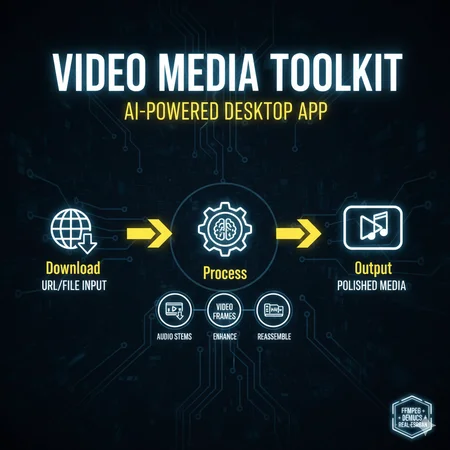
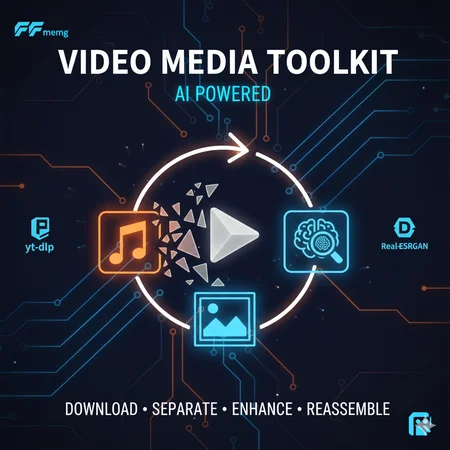
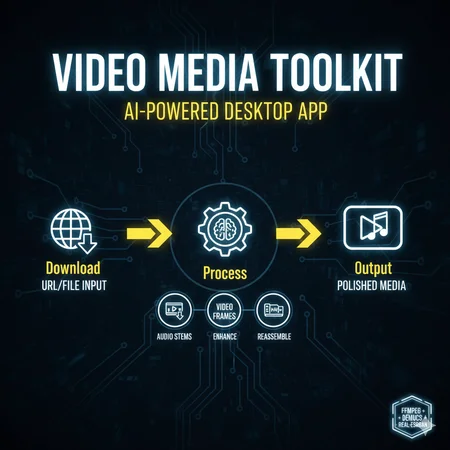
Elevate your AI art pipeline with Video Media Toolkit v6, a free, open-source desktop utility designed for Stable Diffusion creators, trainers, and video-to-image enthusiasts. This all-in-one Windows app handles media ingestion, breakdown, enhancement, and reassembly—perfect for sourcing high-quality frames from YouTube/Reddit videos for LoRA training, isolating vocals/instruments for audio-reactive generations, or upscaling low-res assets to feed into ComfyUI or Automatic1111 workflows.
Whether you're prepping datasets for Flux/Stable Diffusion fine-tuning or crafting dynamic video inputs for AnimateDiff extensions, this tool saves hours by automating tedious tasks with yt-dlp, FFmpeg, Demucs, and Real-ESRGAN under the hood. GPU acceleration supported for blazing-fast processing on NVIDIA setups.
Key Benefits:
Batch Download & Queue: Pull videos/audio from URLs or local files, output as MP4/MP3 or frame sequences (JPG/PNG) ready for dataset prep.
AI-Powered Breakdown: Extract clean audio stems (vocals, drums, etc.) or frames for training—ideal for NSFW/SFW content curation.
Enhance & Rebuild: Denoise, sharpen, upscale (2x-4x), and reassemble with stabilization for polished video outputs.
Workflow Integration: Exports compatible with A1111, ComfyUI, Kohya_ss, or Hugging Face datasets. No more manual FFmpeg scripting!
Tested on Windows 10/11; Python 3.8+ required. ~500MB install size (includes torch with CUDA fallback).
Features
Download Tab: Source & Extract Media
Input: URLs (YouTube, Reddit media, direct links) or local files.
Outputs: MP4 (enhanced video), MP3 (audio), or frame folders (e.g., frame_0001.png for SD training).
Enhancements: Resolution (360p-8K), CRF quality, FPS control, sharpen/color correct/deinterlace/denoise.
Audio Options: Noise reduction, volume norm—great for clean stems.
Queue System: Add multiple jobs, sequential processing, auto-delete sources, custom yt-dlp/FFmpeg args.
Pro Tip: Extract 1000+ frames from a 5-min video in seconds; auto-handles Reddit wrappers.
Reassemble Tab: Rebuild Videos from Frames
Input: Frame folder (e.g., from Download or external edits).
Options: Set FPS, merge audio, apply minterpolate (motion smoothing), tmix (frame blending), deshake, deflicker.
Output: MP4 with custom FFmpeg filters—export stabilized clips for AnimateDiff or video LoRAs.
Use Case: Upscale frames → Reassemble into 4K training videos.
Audio Tab: Demucs-Powered Stem Separation
Input: MP3/WAV/FLAC from downloads.
Models: htdemucs, mdx_extra, etc. (GPU/CPU modes).
Outputs: Isolated tracks (vocals, bass, drums) to subfolders—feed into audio-conditioned SD prompts.
Modes: Full 6-stem or two-stem (vocals + instrumental) for quick remixing.
Upscale Tab: Real-ESRGAN Frame Enhancement
Input: Image folder (e.g., extracted frames).
Scale: 2x/3x/4x for SD-ready high-res assets.
Output: Batch-upscaled folder—boost low-res videos to 4K for better model training.
GPU Boost: Torch-based; falls back to CPU.
Additional Utilities:
Persistent output root folder selection.
Real-time logs + file export (logs/ dir).
Dependency tester (FFmpeg, yt-dlp, Demucs).
High-contrast dark UI for long sessions.
Installation & Setup
Download: Grab the ZIP from GitHub Repo (or attach here).
Run Installer: Double-click video_media_installer.bat—auto-installs PySide6, torch (CUDA if detected), Demucs, Real-ESRGAN, etc. Handles pip upgrades.
Manual Fixes: If [WARNING] for FFmpeg/yt-dlp, download from ffmpeg.org / yt-dlp GitHub and add to PATH or hardcoded paths.
Model Download: Place RealESRGAN_x4plus.pth in /models/ for upscaling (link in README).
Launch: Double-click launch_video_toolkit_v6.bat. Sets output folder on first run.
Test: Use "Test Dependencies" button—aim for all [OK].
Compatibility Notes:
Windows Focus: Bat launchers for easy setup; Linux/macOS via manual Python run.
SD Integration: Frames export as numbered sequences (e.g., %04d.png) for direct import into Kohya or DreamBooth.
No A1111 Extension: Standalone app—pair with ControlNet for video-to-image pipelines.
Warnings: Large files may need 8GB+ RAM; GPU recommended for Demucs (else CPU is slow). NSFW content handled per source policies.
Usage Examples
LoRA Training Prep: Download anime clip → Extract PNG frames → Upscale 4x → Use in Kohya_ss dataset.
Audio-Reactive Art: Separate song vocals → Generate SD images with "vocal waveform" prompts.
Video Dataset: Batch-download 50 YouTube vids → Frames + stems → Train Flux on motion data.
Changelog (v6 Highlights)
Enhanced Reddit URL parsing.
Queue improvements + custom args.
Dark theme with better readability.
Bug fixes for Demucs GPU detection.
Description
Video Media Toolkit: Streamline Downloads, Frame Extraction, Audio Separation & AI Upscaling for Stable Diffusion Workflows | Utility Tool v6.0
Looks like we don't have an active mirror for this file right now.
CivArchive is a community-maintained index — we catalog mirrors that volunteers upload to HuggingFace, torrents, and other public hosts. Looks like no one has uploaded a copy of this file yet.
Some files do get recovered over time through contributions. If you're looking for this one, feel free to ask in Discord, or help preserve it if you have a copy.