

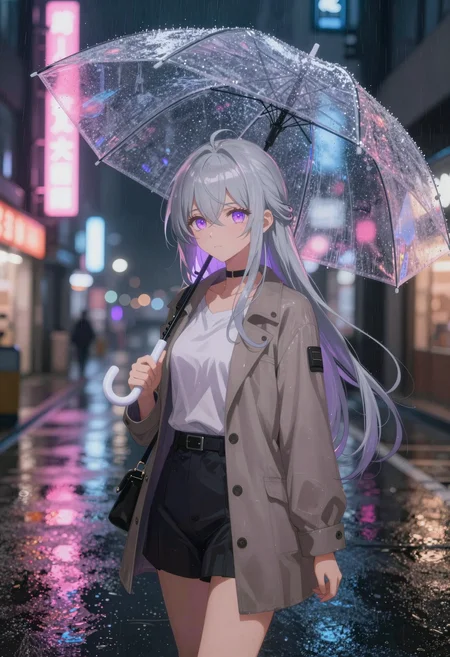

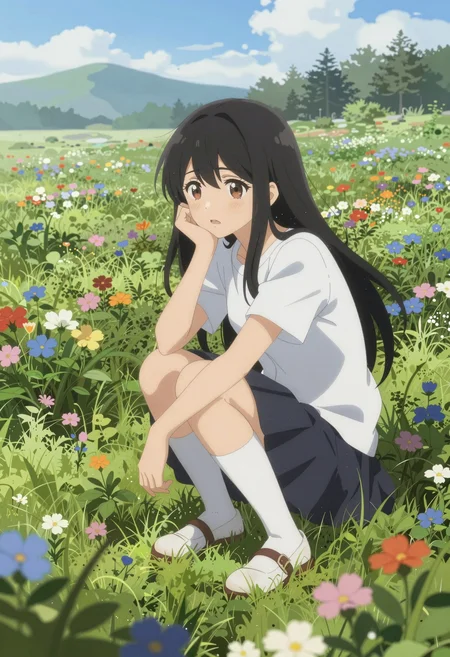

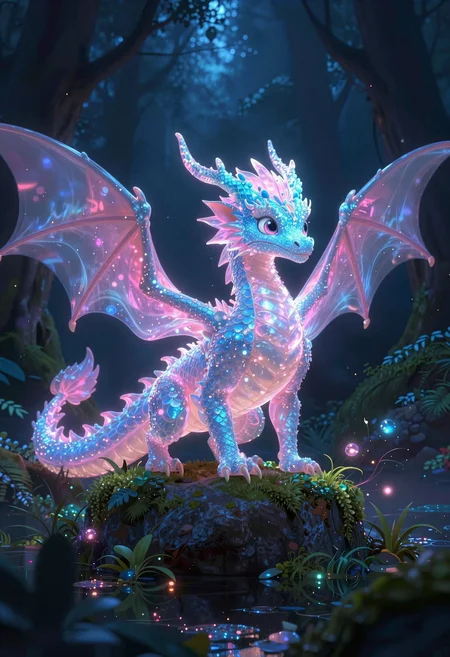

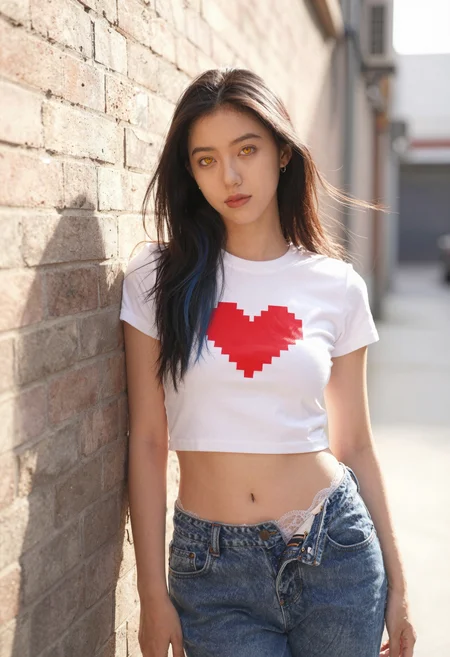



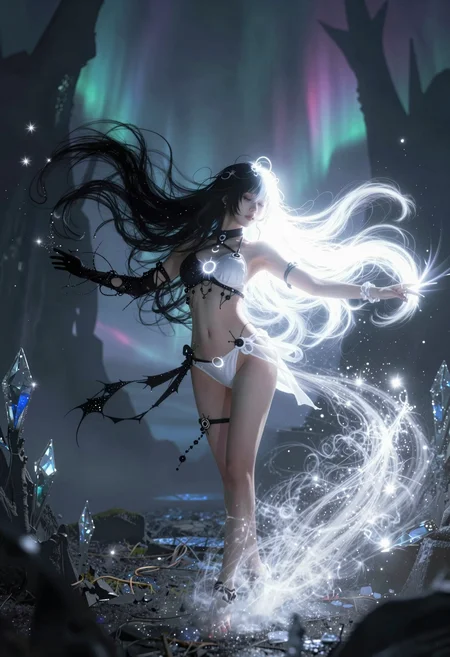
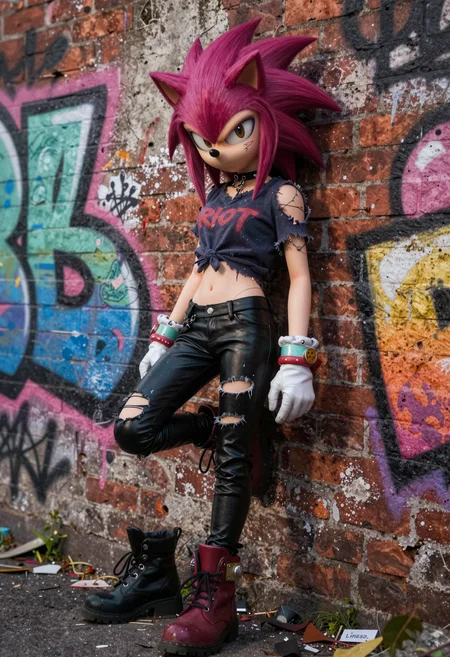


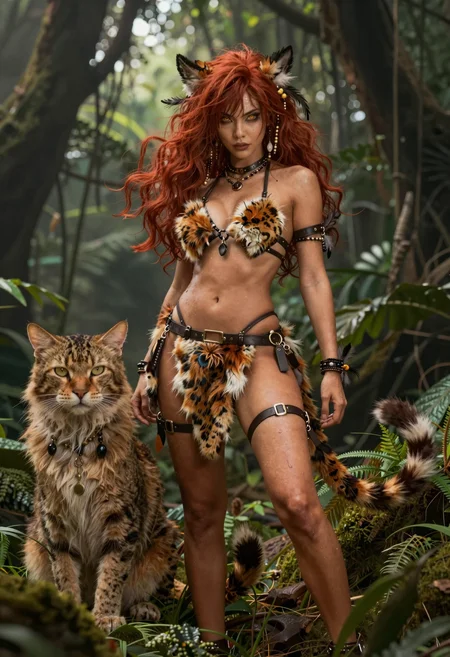
🚀 Z-Image AIO Collection
⚡ Base & Turbo • All-in-One • Bilingual Text • Qwen3-4B
⚠️ IMPORTANT: Requires ComfyUI v0.11.0+
✨ What is Z-Image AIO?
Z-Image AIO is an All-in-One repackage of Alibaba Tongyi Lab's 6B parameter image generation models.
Everything integrated:
✅ VAE already built-in
✅ Qwen3-4B Text Encoder integrated
✅ Just download and generate!
🎯 Available Versions
🔥 Z-Image-Turbo-AIO (8 Steps • CFG 1.0)
Ultra-fast generation for production & daily use
⚫ NVFP4-AIO (7.8 GB) 🆕
🎯 ONLY for NVIDIA Blackwell GPUs (RTX 50xx)!
⚡ Maximum speed optimized
💾 Smallest file size
🚀 FP4 precision - blazing fast
Perfect for: RTX 5070, 5080, 5090 owners who want maximum speed
🟡 FP8-AIO (10 GB) ⭐ RECOMMENDED
✅ Best balance of size & quality
✅ Works on 8GB VRAM
✅ Fast downloads
✅ Ideal for most users
Perfect for: Daily use, testing, RTX 3060/4060/4070
🔵 FP16-AIO (20 GB)
💾 Same file size as BF16
🔄 ComfyUI auto-casts to BF16 for compute
⚠️ Does NOT enable FP16 compute mode
📦 Alternative download option
Note: Z-Image does not support FP16 compute - activation values exceed FP16's max range, causing NaN/black images. Weights are cast to BF16 during inference regardless of file format.
Perfect for: Alternative to BF16 download (identical inference behavior)
🌟 BF16-AIO (20 GB) ⭐ RECOMMENDED FOR FULL PRECISION
✅ BFloat16 full precision
✅ Absolute best quality
✅ Professional projects
✅ Also works on 8GB VRAM
Perfect for: Professional work, maximum quality
🎨 Z-Image-Base-AIO (28-50 Steps • CFG 3-5)
Full creative control for pros & LoRA training
🟡 FP8-AIO (10 GB)
✅ Efficient for daily use
✅ Full CFG control
✅ Negative prompts supported
✅ 8GB VRAM compatible
Perfect for: Daily work with full control
🔵 FP16-AIO (20 GB)
💾 Same file size as BF16
🔄 ComfyUI auto-casts to BF16 for compute
⚠️ Does NOT enable FP16 compute mode
📦 Alternative download option
Note: See technical explanation in FAQ below.
Perfect for: Alternative to BF16 download (identical inference behavior)
🌟 BF16-AIO (20 GB) ⭐ RECOMMENDED FOR FULL PRECISION
✅ Maximum quality
✅ Ideal for LoRA training
✅ Professional projects
✅ Highest precision
Perfect for: LoRA training, professional work
🆚 Turbo vs Base - When to Use?
⚡ Use TURBO when:
⚡ Speed is priority → 8 steps = 3-10 seconds
📸 Production workflows → Consistent high quality
💾 Quick iterations → Rapid prototyping
🎯 Simple prompts → Less complex scenes
🎨 Use BASE when:
🎨 Creative exploration → Higher diversity
🔧 LoRA/ControlNet dev → Undistilled foundation
📝 Complex prompting → Full CFG control
🚫 Negative prompts needed → Remove unwanted elements
⚙️ Recommended Settings
⚡ Turbo Settings (incl. NVFP4)
📊 Steps: 8
🎚️ CFG: 1.0 (don't change!)
🎲 Sampler: res_multistep OR euler_ancestral
📈 Scheduler: simple OR beta
📐 Resolution: 1920×1088 (recommended)
🚫 Negative Prompt: ❌ Not used!
🎨 Base Settings
📊 Steps: 28-50
🎚️ CFG: 3.0-5.0 (start with 4.0)
🎲 Sampler: euler ⭐ OR dpmpp_2m
📈 Scheduler: normal ⭐ OR karras
📐 Resolution: 512×512 to 2048×2048
🚫 Negative Prompt: ✅ Fully supported!
📊 Quick Overview
Turbo Versions
⚫ NVFP4  │ 7.8 GB  │ RTX 50xx only  │ Max Speed 🆕
🟡 FP8   │ 10 GB   │ 8GB VRAM       │ Recommended ⭐
🔵 FP16  │ 20 GB   │ → BF16 compute │ See FAQ ⚠️
🌟 BF16  │ 20 GB   │ 8GB VRAM       │ Max Quality ⭐
Base Versions
🟡 FP8   │ 10 GB   │ 8GB VRAM       │ Efficient
🔵 FP16  │ 20 GB   │ → BF16 compute │ See FAQ ⚠️
🌟 BF16  │ 20 GB   │ 8GB VRAM       │ LoRA Training ⭐
💡 Prompting Guide
✅ Good Example:
Professional food photography of artisan breakfast plate.
Golden poached eggs on sourdough toast, crispy bacon, fresh
avocado slices. Morning sunlight creating warm glow. Shallow
depth of field, magazine-quality presentation.
❌ Bad Example:
breakfast, eggs, bacon, toast, food, morning, plate
📝 Tips
DO:
✅ Use natural language
✅ Be detailed (100-300 words)
✅ Describe lighting & mood
✅ Specify camera angle
✅ English OR Chinese (or both!)
DON'T:
❌ Tag-style prompts (tag1, tag2, tag3)
❌ Very short prompts (under 50 words)
❌ Negative prompts with Turbo
🌐 Bilingual Text Rendering
English:
Neon sign reading "OPEN 24/7" in bright blue letters
above entrance. Modern sans-serif font, glowing effect.
中文:
Traditional tea house entrance with sign reading
"古韵茶坊" in elegant gold Chinese calligraphy.
Both:
Modern cafe with bilingual sign. "Morning Brew" in
white script above, "晨曦咖啡" in Chinese below.
📥 Installation
Step 1: Download
Choose your version based on:
GPU: RTX 50xx → NVFP4 possible
VRAM: 8GB → FP8 recommended
Purpose: LoRA Training → Base BF16
Step 2: Place File
ComfyUI/models/checkpoints/
└── Z-Image-Turbo-FP8-AIO.safetensors
Step 3: Load & Generate
Open ComfyUI (v0.11.0+!)
Use "Load Checkpoint" node
Select your AIO version
Generate!
No separate VAE or Text Encoder needed!
🙏 Credits
Original Model
👨💻 Developer: Tongyi Lab (Alibaba Group)
🏗️ Architecture: Single-Stream DiT (6B parameters)
📜 License: Apache 2.0
Links
🔗 Z-Image Base: https://huggingface.co/Tongyi-MAI/Z-Image
🔗 Z-Image Turbo: https://huggingface.co/Tongyi-MAI/Z-Image-Turbo
🧠 Text Encoder: https://huggingface.co/Qwen/Qwen3-4B
📈 Version History
v2.2 - FP16 Clarification
📝 Updated FP16 descriptions for technical accuracy
⚠️ Clarified: FP16 weights ≠ FP16 compute
🔄 FP16 files are cast to BF16 during inference
v2.1 - NVFP4 Release 🆕
➕ Z-Image-Turbo-NVFP4-AIO (7.8GB)
⚡ Optimized for NVIDIA Blackwell (RTX 50xx)
🚀 Maximum speed generation
v2.0 - Base AIO Release
➕ Z-Image-Base-BF16-AIO
➕ Z-Image-Base-FP16-AIO
➕ Z-Image-Base-FP8-AIO
🔄 ComfyUI v0.11.0+ support
📝 Qwen3-4B Text Encoder
v1.1 - FP16 Added
➕ Z-Image-Turbo-FP16-AIO
🔧 Wider GPU compatibility
v1.0 - Initial Release
✅ Z-Image-Turbo-FP8-AIO
✅ Z-Image-Turbo-BF16-AIO
✅ Integrated VAE + Text Encoder
❓ FAQ
Q: Which version should I choose?
RTX 50xx + Speed → NVFP4 🆕
Most users       → Turbo FP8 ⭐
Full precision   → BF16 ⭐
LoRA Training    → Base BF16
Q: Turbo or Base?
Fast & simple    → Turbo ⚡
Full control     → Base 🎨
Q: Will NVFP4 work on my RTX 4090?
❌ No! NVFP4 is only for RTX 50xx (Blackwell architecture).
Use FP8 instead for RTX 40xx and older.
Q: Do I need separate VAE/Text Encoder?
❌ No! Everything is already integrated.
Just Load Checkpoint and go!
Q: Works on 8GB VRAM?
✅ Yes! All versions work on 8GB VRAM.
(NVFP4 requires RTX 50xx regardless of VRAM)
⚠️ Q: What about FP16 for older GPUs (RTX 2000/3000)?
Important technical clarification:
Z-Image does NOT support FP16 compute type. Here's why:
📊 Technical reason:
- FP16 max value: ~65,504
- BF16 max value: ~3.39e+38 (same as FP32)
- Z-Image's activation values exceed FP16's range
- Result: Overflow → NaN → Black images
What actually happens:
ComfyUI automatically casts weights to BF16 for computation
You can see this in logs: "model weight dtype X, manual cast: torch.bfloat16"
"Weight dtype" (file format) ≠ "Compute dtype" (actual calculation)
For RTX 20xx users (no native BF16):
BF16 is emulated via FP32 = slower but works
There is no way to run Z-Image in true FP16 compute
FP8 with CPU offload may be a better option for limited VRAM
TL;DR: FP16 and BF16 files behave identically during inference. Choose based on download preference, not GPU compatibility.
🚀 Get Started Now!
Download → Load Checkpoint → Generate!
Recommended versions:
🟡 FP8 for most users (best size/quality balance)
🌟 BF16 for maximum quality
⚫ NVFP4 for RTX 50xx speed
All versions work on 8GB VRAM
Happy generating! 🎨
Description
FAQ
Comments (130)
Where is FP8 AIO version?
Thank you for your effort.
Is this the model you trained? Is it different from the original z-image?
this is the same model as original it just has the clip and vae baked in so you could load in a checkpoint node not a diffusion node + clip + vae ... trying it right now but the lora keep giving me errors
✅ Yep, that’s exactly how it is.
The only exception is the FP8 AIO:
🔧 The FP8 AIO is actually the BF16 version that I manually downscaled to FP8
✨ I did the same process for the text encoder, and from that the FP8 AIO was created.
@Bujieog I see, thank you for your hard work. Looking forward to your Lora; I think what's most urgently needed right now is a Lora that can generate perfect pussy and penis. hahah
@1639992813 There is an urgent need for action. 😂👍
FP8 isn’t working — the example workflow throws a size-mismatch error.
Hopefully it’ll be supported in the future.
@Bars0199 For you 😊:
https://civitai.com/models/2174008?modelVersionId=2448186
The standard workflow also works with this.
@Bars0199 You also need to replace Load Diffusion Model, Load CLIP, and Load VAE with a Load Checkpoint. Otherwise, using an AIO version wouldn't make sense 😊.
https://drive.google.com/drive/folders/1hzCorrSXDoqTBp3AyPGWL-R1n1cx3xhY?usp=sharing
I'm using a 2060s card, also got the size-mismatch error, is it because the model doesn't support it?
@fre19861 No, thank you, you need to update your ComfyUI to the latest version.
Getting size mismatch error with fp8
even after following this workflow https://civitai.com/models/2173571/z-image-turbo-aio?modelVersionId=2448013
with this workflow https://civitai.com/models/2174008?modelVersionId=2448186
It worked for me when I updated the workflow.
@tany6666372 could you tell
what changes you done, can provide the workflow
@CoolGenius
The workflow should work immediately - just drag the .json or .png into ComfyUI,
place the model file in the correct folder, and press "Run". That's it!
Here's what might be wrong:
🔴 MOST LIKELY ISSUE: Wrong Loader Node
The AIO version MUST use "Load Checkpoint" node, NOT "Load Diffusion Model"!
Quick Fix Steps:
1. ✅ Place Z-Image-Turbo-FP8-AIO.safetensors in: ComfyUI/models/checkpoints/
2. ✅ Drag workflow JSON into ComfyUI
---
If still getting "size mismatch" error, try these:
🔧 Solution 1: Update ComfyUI
Your ComfyUI might be outdated!
Update via ComfyUI Manager:
- Open ComfyUI Manager
- Click "Update ComfyUI"
- Restart ComfyUI
OR manually:
cd ComfyUI
git pull
restart ComfyUI
🔧 Solution 2: Verify File Location
❌ DON'T put in: models/diffusion_models/
❌ DON'T put in: models/unet/
✅ MUST be in: models/checkpoints/
@CoolGenius
I tried reproducing your mismatch error but couldn't trigger it in any scenario.
The workflow loads and runs perfectly on my end.
Most likely causes:
1. Corrupted download → Re-download the file (FP8 should be ~10GB)
2. Wrong folder → Must be in models/checkpoints/
3. Outdated ComfyUI → Update it
Try re-downloading the model file first - that's usually the issue when it
works for others but not for you.
可以尝试更新Comfyui
@Season_4 👍
@SeeSeeLP AI generated text with Qwen?
@qek nope claude
@CoolGenius , ComfyUI is outdated → Update it...That's how it happened to me, but the quality is not very good
@SeeSeeLP My local LLMs gen better text and no censorship
@qek Cool, what LLMs do you use? I'm still a big fan of Ollama for Locale LLMs.
@SeeSeeLP @tany6666372 Thanks ComfyUI needs to be updated rest of the steps I am doing it correctly.vIts working now
@SeeSeeLP Really? Ok
CaptainErisNebula-12B-Chimera-v1.1
magnum-v4-9b-abliterated
Hathor_Sofit-L3-8B-v1
Nyanade_Stunna-Maid-7B
Impish_LLAMA_4B
Dolphin3.0-Qwen2.5-3b
EXAONE-3.5-2.4B-Instruct-abliterated
2B-ad_HA_NL
Qwen3-VL-8B-NSFW-Caption-V4.5
Huihui-Qwen3-VL-4B-Instruct-abliterated
Huihui-Qwen3-VL-2B-Instruct-abliterated
Nanonets-OCR2-3B
Qwen2.5-Coder-7B-Instruct-abliterated
@qek Nice list!
I've used some of them before, like CaptainErisNebula, but mostly for Sillytarvern.
Thanks for your time and reply! 👍
@SeeSeeLP They are extremely uncensored, but models trained on erp are more suitable for it
update comfyui to 3.75
Does this work well with lora? as I know, qwen edit AIO doesn't work well with lora
It isn't the kind of it. You're about Qwen Rapid, this Z-Image AIO is clean
Impressive, a full workin checkpoint with Clip and Vae and under 10GB, hope you get your hands on the base model soon :D
I can definitely tell you that I'm currently setting up a new dataset for model and lora training and creating new anime loras.
Kudos !!...It looks great. I will give this a try. Question: Can you use weights in the prompts? I know you cant use negative prompts just like Flux but not sure about the positive text encoder
@techbiz221 Thank you! Glad you like it.
About your question: as far as I know, you can’t really rely on weights in the prompt here. It depends on how the Qwen text encoder interprets them, and if the model wasn’t trained to use that kind of weighting, it won’t have any effect.
Negative prompts also won’t work if you plug them directly into the KSampler, just like with Flux. At that stage they basically do nothing. If you want your negatives to actually work, you need to inject them before the main prompt. There’s a node for that — one with both a model input and a conditioning input. You connect your negatives there, and then send the model output into the “AuraFlow” node. Unfortunately, I don’t remember the exact name of the node.
Hope that helps! 😊👍
@SeeSeeLP I see. I am not well verse with those nodes, I'll do my research. Thanks for your efforts, it does help!
I was about to make my own checkpoint when I found this. haha thanks this save my time
That makes me happy, have fun 👍😊
For anyone got size-mismatch error :
Update comfyui to v3.75
if you're using web ui version not desktop, go check the git branch , if it's not on master it probably will stuck and can't update .
At least that's what worked for me
That's exactly right 👍
Thank you so much!! That is so weird. Does it only work with 3.75? I had the newest version and it wouldn't work... that same ridiculously long size mismatch error
@prodriver8301991 I'm glad it's working for you now. I'm currently on version 3.77 because of ControlNet, so you need version 3.75 or higher.
Best regards and happy holidays! 🎄
iam using the BF16 version using your workflow but i get black screen
got the issue need to load model in bf16
@anadarco12227 I'm familiar with this error, as I use this workflow myself. Could it be that you don't have the latest version of ComfyUI? If not, try downloading a second version and testing with that; it could also be a custom node issue.
@SeeSeeLP I found the issue you need to include dtype node and set it to bf16.then it worked like charm.yes comfyui update is must
@anadarco12227 Great, thanks for your feedback, it might also help others who have a problem with Z-Image.
Which text encoder is integrated inside? Quantised Qwen?
Yes, it's the same, just adapted by me and scaled down to FP8.
The quality in bf16 is fantastic and also optimised on my 3060.the good thing is that the vae and textencoder are both merged.That gives me advantage of reducing load on my card.i guess yours is the only one which has textencoder merged as on other checkpoints I dont see merged ones.
Thank you for your comment and feedback.
How do you fit bf16 into a 3060? How much VRAM do you have? As for me, bf16 crashes Python on my 3060 with 12GB VRAM and 32GB RAM.
@AlderDean It's probably due to the setup. I did all the pictures, tests, and so on with 8GB of VRAM. If you tell me a bit more about your system, like your software and workflow, I might be able to help you find the problem.
@AlderDean Otherwise, you can download the new ComfyUI as a second system for testing purposes. My workflow uses:
Z-Image-Turbo-AIO Official Workflow v2
https://civitai.com/models/2174008?modelVersionId=2478180
and download the two custom nodes:
rgthree-comfy
comfyui_image_metadata_extension
This is also mentioned in the workflow.
@SeeSeeLP Thank you for your swift reply and willingness to help, I really appreciate it. No matter how I try, the larger version keeps crashing my Python. I might have to look into some deeper settings and apply some fine-tuning tricks but I am too old and lazy for that. I think I'll stick to the FP8 version for the time being. FP8 works fine, BTW. Thanks again for a great checkpoint.
@AlderDean .Bf16 takes time just follow the workflow provided it works fine. Iam having 12Gb version
Hi, I loved this model, not only because it's easier to use, but also because it works perfectly on a GTX 960 with 2GB of VRAM. Could you upload them to the TensorArt platform? Thanks.
Hey, thank you very much and I'm glad it's working for you. Great feedback 😊👍
I don't have an account at TensorArt, but I'll take a look there.
Thanks for the suggestion
I like these comments. I have 2070 8gb, 32gb ram, and get oom. Yes, perfect on 2gb 960, my ass.
@korederomaine356 That's due to your ComfyUI version! I've even had it running with 8GB VRAM and 32GB DDR4 RAM, and hey, let's keep things civil!
@korederomaine356 Since the only information I have is that you’re getting an OOM (Out Of Memory) error in ComfyUI when using my Z-Image version, I’ll try to give you some general troubleshooting steps:
Check if your ComfyUI installation is up to date.
To be sure, go into the update folder and run the ComfyUI update script/file.
Disable your custom nodes.
It’s enough to disable the display-related nodes first. Then test again to see if the issue persists.
Windows and GPU vendors have different memory-management settings.
Depending on your system, Windows version, and GPU manufacturer (NVIDIA/AMD/Intel), certain settings can affect VRAM usage. Try searching for GPU memory-management options for your setup—other users have had similar issues and found solutions that way.
Try a clean ComfyUI installation for testing.
Download a fresh version of ComfyUI in a new folder so you don’t overwrite your current setup. Test Z-Image with that clean installation to see if the issue is related to your current environment.
Have you tried my workflow yet?
This is the workflow I currently use for everything related to Z-Image, so testing with it could help determine whether the issue is workflow-specific.
Additional tips:
Monitor your VRAM usage while generating.
Tools like MSI Afterburner, NVIDIA-SMI, or Windows Task Manager can show you how quickly you’re hitting VRAM limits.
Reduce input resolution or batch size.
High resolutions or multi-batch generation can easily cause OOM errors, especially on GPUs with limited VRAM.
Check for conflicting or outdated custom nodes.
Some nodes leak memory or allocate more VRAM than expected. Updating or removing them can help.
Clear ComfyUI’s cache.
Deleting the ComfyUI\cache folder (while ComfyUI is closed) can sometimes reduce unnecessary memory usage.
@SeeSeeLP I used Forge Neo( i think it has bad memory management). I enabled never OOM, it works with it, just ultraslow. When the model gets speed improvement tools, i will switch to atleast for swamui. But, no, 2gb vram is bullshit.
@korederomaine356 First of all, thank you for your feedback — I’m glad to hear it’s working for you.
About the user with 2 GB of VRAM: I really can’t say for sure whether it will work or not, since I don’t have a card with that little VRAM to test myself. But it’s also not as unbelievable as it might sound.
For example, I often work with QWEN-Edit, which is over 20 GB even in FP8 — and that’s only the image part. Once you add the text encoder and the VAE, the full model is around 27 GB. And it still runs on my GPU with only 8 GB VRAM without any issues:
(1024×1536 | Steps: 6 | CFG: 1.0 | Time: ~32.07s)
So why shouldn’t a model that’s about 6 GB run on a GPU with 2 GB VRAM, especially when the text encoder stays on the CPU and parts of the model get unloaded during image generation?
What I’m trying to say is: it might work, and it might not — I honestly don’t know. But as my example shows, it’s definitely not impossible.
@SeeSeeLP yes, that only works in comfy(offload fully the encoders and vae). Forge tries first the Vram, then offload, what not fits into it. That is huge waste of time.
@SeeSeeLP Thank you, 😊
@SeeSeeLP It works with driver 531.61, my processor is an AMD A8 7680, 15.4 GB of RAM, Windows 10
I just updated ComfyUI to the latest version, and it created an image faster than before.
Keeps crashing Python (12 GB VRAM + 16 system RAM) on latest swarm UI
Unfortunately, I can’t really help you any further, except to suggest updating your SwarmUI again. The “Model Support.md” list was last updated on GitHub yesterday, and z-image is now included. I don’t see any reason why it shouldn’t work there, but I’m also not very familiar with SwarmUI. It’s possible that your 16 GB of system RAM just isn’t enough for the text encoder, SwarmUI, the operating system, and everything else running in the background.
@SeeSeeLP Thanks! I iupdated Swarm UI and reduced refine upscale size, it was the culprit! :D Probably my RAM was "just enough" ..
@SyntheticScenes Great! 👍 It's wonderful that it's working for you now.
Have fun generating your images.
If you'd like, feel free to share them here.
Happy Holidays!
Really well done!😊
Thank you so much 👍😊👍
I just got into neural networks yesterday)) I seem to have downloaded everything correctly,but the results are worse in quality than in the examples
Can you tell me what I'm doing wrong? I have an RTX 4060 Ti with 16GB.
And how do I transfer comfy:20 Nodes? It's just copied as text.
Thank you very much in advance for your help
Hey, I'm using my workflow v2. It also contains some tips.
https://civitai.com/models/2174008?modelVersionId=2478180
Can I use this model on automatic1111?
@Siegwald I haven't tested it, but if you like, you can try it and let me know if it worked.
@SeeSeeLP Not working
@Siegwald First of all, thanks for testing and for your feedback.
I just noticed that the AUTOMATIC1111 versions — including the Forge version — are already several months old. With versions that outdated, Z-Image definitely won’t run!
Official repos:
https://github.com/AUTOMATIC1111/stable-diffusion-webui
https://github.com/lllyasviel/stable-diffusion-webui-forge
However, I did find this:
https://github.com/Haoming02/sd-webui-forge-classic
Starting from version 2.6 (released last week), Z-Image should work there.
If you're still using the older versions mentioned above, you should switch to the newer one linked below — or consider using ComfyUI instead if you’re okay with using node-based workflows.
Here’s also a tutorial on how to install it (or check GitHub directly):
https://www.stablediffusiontutorials.com/2025/11/forge-neo-installation.html
@SeeSeeLP yeah tested on Auto1111 and it indeed doesn't work... Forge Classic or Neo looks like its using the exact same UI as auto1111, which is good news to me... I hope it won't be difficult to get the same parameters as i had before cause they worked perfectly for my computer! Thanks for the links
@SeeSeeLP Thank you very much for the advice
@SeeSeeLP SD WEBUI Forge is a fork, not official
!!!UPDATE!!!
The workflow for ControlNet is complete:
https://civitai.com/api/download/models/2480804?type=Archive&format=Other
Is the ram you are using 64gb DDR5 6000MHz?
any sample workflow? thanks a lot
@vichikaru978 but surely 👍https://civitai.com/models/2174008?modelVersionId=2478180
The large version crashes when i load it, i have 32GB ram and RTX 4070 Super
@Phoenix69420 Maybe try running it with my workflow to see if it helps. If that doesn’t fix it, you could also download a clean, fresh ComfyUI installation and test it as a second setup. Here’s my workflow if you want to try it: https://civitai.com/models/2174008?modelVersionId=2478180
@SeeSeeLP nvm, 32GB ram wasn't enough, i needed 50+ lol
can-t this model do NSFW stuff? Like i can do naked and kissing, but sex acts, penetration, fellatio and all that just doesn't work
Оно и не будет работать. Ищите спец лоры. Здесь же, на сайте.
@kainnosgoth1988 It’s an uncensored model, yes — but it can only generate what the base version is capable of. If you want to go deeper into NSFW themes, you’ll need the right LoRAs, since there isn’t a fully fine-tuned model for that yet.
@SeeSeeLP Ah i see, any recommendations? Thanks!
@kainnosgoth1988 No, at the moment things aren’t really usable, because the LoRAs are being trained with an adapter to avoid losing the Turbo performance. So basically we have to wait until the base version releases — I think things will get better after that. Unless another AI company suddenly drops an even faster model with more training data on the market 😅👍
@kainnosgoth1988 As an alternative for newer models, you can use Pony 7 or Chroma1HD. Otherwise, the usual AI models like SDXL and ILL work fine. I also have an anime version of Chroma that can handle everything: https://civitai.com/models/2022057/chroma-anime-aio?modelVersionId=2288507
@SeeSeeLP Pony 7 is terrible
@qek I don't really like it either 😅 you're better off going with the old pony models.
@SeeSeeLP ah... i tried some of the new Zimageturbo lora releasing here, but they 0 effect at all, like it's not activated, i don't know if i'm doing anything wrong with it...in that case i'll keep using illustrioous models as i always had and zimageturbo separately for realistic stuff in the meantime
Hi! Can someone explain what the difference between this and Z-Image-Turbo is, please? :)
Hi @Salciano ! Great question! 👋
Main difference:
Z-Image-Turbo (original):
- Separate files: Model + VAE + Text Encoder
- You need to download and load 3 different files
Z-Image-Turbo-AIO (this version):
- All-in-One - VAE and Text Encoder integrated into the model
- Just ONE file to download and load
- Much simpler to use!
Two versions available:
🟡 FP8-AIO (10GB) - Recommended for most users
- Text encoder also scaled to FP8 (smaller file size)
- Introduces slight noise in high/low frequency areas
- Creates a "grittier" look - perfect for photorealistic images!
- Adds extra touch of realism
- Works great on 8GB VRAM
🟢 BF16-AIO (20GB) - Maximum precision
- Full BFloat16 precision throughout
- Cleaner, smoother output
- Better for anime or very clean lines
- Also works on 8GB VRAM
TL;DR:
AIO = everything in one file, easier setup. FP8 for photorealism, BF16 for anime/clean styles. Same speed! 🚀
Hope that helps! Let me know if you have more questions! 😊
and you can use my workflows and other AIO workflows. 😊👍 https://civitai.com/models/2174008/z-image-turbo-aio-workflow
@SeeSeeLP Thank you very much!
So I guess this has better quality than the base model for photorealism/anime, depending on the version or overall?
Is it abliterated/uncensored in some way? :)
Also, is the 10GB/FP8 better in only photorealism or also anime than the original?
What about the 20GB is it only better in anime or also photorealism?
@Salciano Great questions!
Quality: Both versions match the base model 1:1. You can do photorealism AND anime with either! No quality loss.
The difference is texture:
FP8 adds slight noise (due to smaller size + merged encoder) which actually looks great for photorealism - less "AI-generated", more natural. For anime with clean lines, you might prefer BF16's cleaner output. But honestly, the difference is subtle - you'll only really notice when comparing side-by-side with identical settings.
Censorship: Both are uncensored! Z-Image-Turbo base is already uncensored (Apache 2.0), and AIO maintains this. 🔓
Bottom line:
- FP8: Perfect for photorealism, still great for anime
- BF16: Perfect for clean anime lines, still great for photorealism
Both work for everything - just pick based on your main use case! 😊
its worth downloading , what a nice model 👌
it works good with NVIDIA 3060 ti 8gb vram..
@ovatography Thank you so much for your kind feedback, and it's great that it's working for you!
This model is amazing, fast and high enough quality for GPUs with 8GB VRAM.
I use WebUI Forge Neo. I hope this model has an optimal version for Forge Neo.
Thank you! ily
fr no creator explains like this much in detail, he has explained very beautifully.
Any chance of an FP16 version?
Thanks for the question 🙂
At the moment I don’t see a strong technical reason to release an FP16 version, since a BF16 version is already provided.
BF16 is generally superior to FP16 in terms of numerical stability because it uses the same exponent width as FP32. If your hardware supports BF16, there is usually no practical benefit in using FP16 instead.
FP16 is mainly relevant for older GPUs or setups that do not support BF16. If that’s the case for you and you have a specific compatibility issue, feel free to let me know and I can consider it.
@SeeSeeLP Yeah I am running on a 1660 super which doesn't support bf16 so my system has to convert to fp32 behind the scenes which is super slow. I know I can use the fp8 but the 1660 super has acceleration for fp16 so figured I would ask.
@makoshark1975 is online 😊
@SeeSeeLP Awesome, I really appreciate it :)
I can't seem to load this model. It breaks almost immediately while trying to load the checkpoint, with this error message (I only included the beginning, it's VERY long):
CheckpointLoaderSimple Error(s) in loading state_dict for NextDiT: size mismatch for x_embedder.weight: copying a param with shape torch.Size([3840, 64]) from checkpoint, the shape in current model is torch.Size([2304, 64]). size mismatch for x_embedder.bias: copying a param with shape torch.Size([3840]) from checkpoint, the shape in current model is torch.Size([2304]). size mismatch for noise_refiner.0.attention.qkv.weight: copying a param with shape torch.Size([11520, 3840]) from checkpoint, the shape in current model is torch.Size([3840, 2304]). size mismatch for noise_refiner.0.attention.out.weight: copying a param with shape torch.Size([3840, 3840]) from checkpoint, the shape in current model is torch.Size([2304, 2304]). size mismatch for noise_refiner.0.attention.q_norm.weight: copying a param with shape torch.Size([128]) from checkpoint, the shape in current model is torch.Size([96]).What am I doing wrong? :(
The "size mismatch" error occurs with an outdated ComfyUI version. Update your ComfyUI.
Yeah, looks like that was the problem. Thanks for the quick response!
@assmanager Always a pleasure, and I'm glad that Comfyui is now working for you 👌 Happy holidays 🎄
Pretty good, thanks
Im not liking Z because you need to create a different prompt to generate a different image, the randomness is not there but overall the quality is amazing
Hey, thanks for your feedback!
Many others are experiencing the same issue, but have you checked out my "Seed Variance Enhancer Workflow" for this problem? 😏
https://civitai.com/models/2174008?modelVersionId=2500337
Adds diversity to outputs by introducing controlled noise to text embeddings. Compensates for low seed variance – get more varied results with the same prompt. Includes manual seed control for reproducibility. Requires a SeedVarianceEnhancer custom node.
I also have this in my anime workflow:
Thanks a lot I will try it :) @SeeSeeLP
请问工作流哪里下载?
@z1297416031672 😊 https://civitai.com/models/2174008?modelVersionId=2478180
@SeeSeeLP 谢谢
Details
Files
zImageTurboBaseAIO_zImageTurboBF16AIO.safetensors
Mirrors
zImageTurboAIO_zImageTurboBF16AIO.safetensors
z-image-turbo-bf16-aio.safetensors
z-image-turbo-bf16-aio.safetensors
z-image-turbo-bf16-aio.safetensors
z-image-turbo-bf16-aio.safetensors
zImageTurboAIO_zImageTurboBF16AIO.safetensors
z-image-turbo-bf16-aio.safetensors
z-image-turbo-bf16-aio.safetensors
zImageTurboAIO_zImageTurboBF16AIO.safetensors
z-image-turbo-bf16-aio.safetensors
z_image_turbo_aio_bf16_v1_by_seesee_lp.safetensors
aio.safetensors