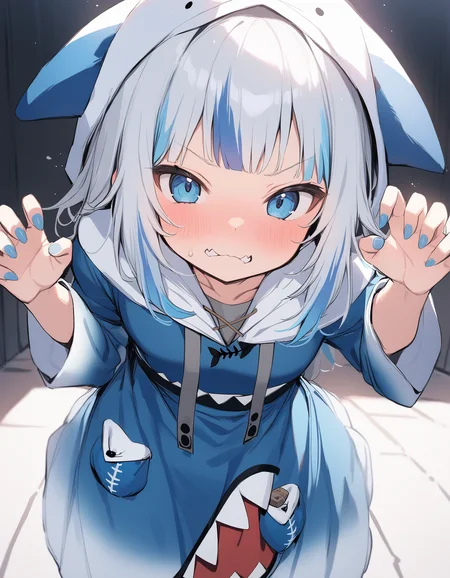
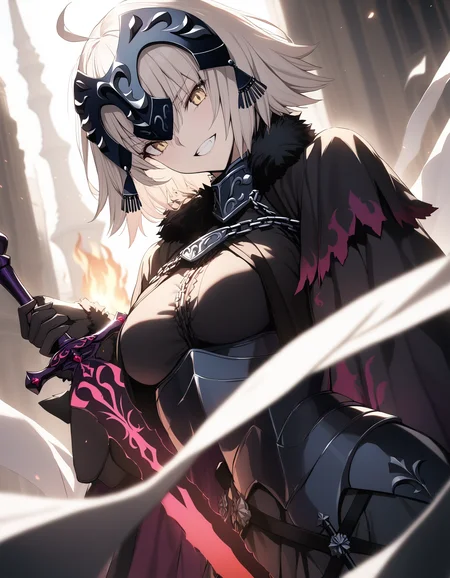
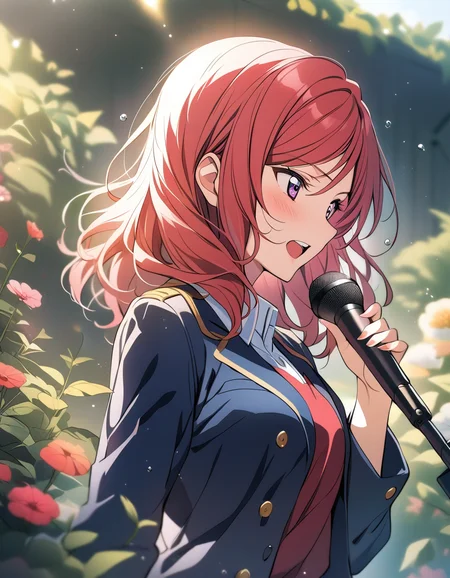
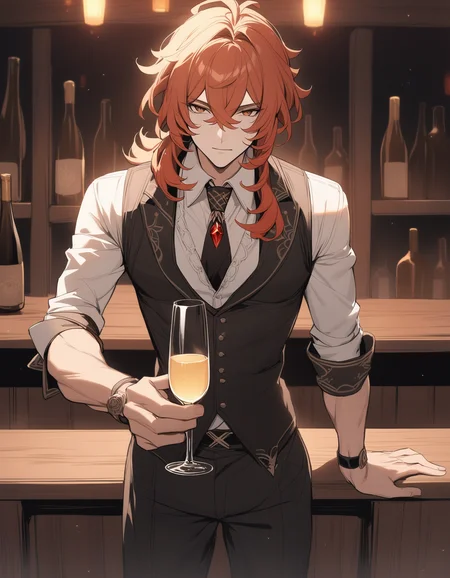
Animagine XL 3.1 is an update in the Animagine XL V3 series, enhancing the previous version, Animagine XL 3.0. This open-source, anime-themed text-to-image model has been improved for generating anime-style images with higher quality. It includes a broader range of characters from well-known anime series, an optimized dataset, and new aesthetic tags for better image creation. Built on Stable Diffusion XL, Animagine XL 3.1 aims to be a valuable resource for anime fans, artists, and content creators by producing accurate and detailed representations of anime characters.
Model Details
Developed by: Cagliostro Research Lab
In collaboration with: SeaArt.ai
Model type: Diffusion-based text-to-image generative model
Model Description: Animagine XL 3.1 generates high-quality anime images from textual prompts. It boasts enhanced hand anatomy, improved concept understanding, and advanced prompt interpretation.
License: Fair AI Public License 1.0-SD
Fine-tuned from: Animagine XL 3.0
Usage Guidelines
Tag Ordering
For optimal results, it's recommended to follow the structured prompt template because we train the model like this:
1girl/1boy, character name, from what series, everything else in any order.
Special Tags
Animagine XL 3.1 utilizes special tags to steer the result toward quality, rating, creation date and aesthetic. While the model can generate images without these tags, using them can help achieve better results.
Quality Modifiers
Quality tags now consider both scores and post ratings to ensure a balanced quality distribution. We've refined labels for greater clarity, such as changing 'high quality' to 'great quality'.
Quality Modifier	Score Criterion
masterpiece	        > 95%
best quality	        > 85% & ≤ 95%
great quality	        > 75% & ≤ 85%
good quality	        > 50% & ≤ 75%
normal quality	        > 25% & ≤ 50%
low quality	        > 10% & ≤ 25%
worst quality	        ≤ 10%
Rating Modifiers
We've also streamlined our rating tags for simplicity and clarity, aiming to establish global rules that can be applied across different models. For example, the tag 'rating: general' is now simply 'general', and 'rating: sensitive' has been condensed to 'sensitive'.
Rating Modifier	    Rating Criterion
safe	            General
sensitive	    Sensitive
nsfw	            Questionable
explicit, nsfw	    Explicit
Year Modifier
We've also redefined the year range to steer results towards specific modern or vintage anime art styles more accurately. This update simplifies the range, focusing on relevance to current and past eras.
Year Tag	Year Range
newest	        2021 to 2024
recent	        2018 to 2020
mid	        2015 to 2017
early	        2011 to 2014
oldest	        2005 to 2010
Aesthetic Tags
We've enhanced our tagging system with aesthetic tags to refine content categorization based on visual appeal. These tags are derived from evaluations made by a specialized ViT (Vision Transformer) image classification model, specifically trained on anime data. For this purpose, we utilized the model shadowlilac/aesthetic-shadow-v2, which assesses the aesthetic value of content before it undergoes training. This ensures that each piece of content is not only relevant and accurate but also visually appealing.
Aesthetic Tag	       Score Range
very aesthetic	       > 0.71
aesthetic	       > 0.45 & < 0.71
displeasing	       > 0.27 & < 0.45
very displeasing       ≤ 0.27
Recommended settings
To guide the model towards generating high-aesthetic images, use negative prompts like:
nsfw, lowres, (bad), text, error, fewer, extra, missing, worst quality, jpeg artifacts, low quality, watermark, unfinished, displeasing, oldest, early, chromatic aberration, signature, extra digits, artistic error, username, scan, [abstract]
For higher quality outcomes, prepend prompts with:
masterpiece, best quality, very aesthetic, absurdres
it’s recommended to use a lower classifier-free guidance (CFG Scale) of around 5-7, sampling steps below 30, and to use Euler Ancestral (Euler a) as a sampler.
Multi Aspect Resolution
This model supports generating images at the following dimensions:
Dimensions	Aspect Ratio
1024 x 1024	1:1 Square
1152 x 896	9:7
896 x 1152	7:9
1216 x 832	19:13
832 x 1216	13:19
1344 x 768	7:4 Horizontal
768 x 1344	4:7 Vertical
1536 x 640	12:5 Horizontal
640 x 1536	5:12 Vertical
Acknowledgements
The development and release of Animagine XL 3.1 would not have been possible without the invaluable contributions and support from the following individuals and organizations:
SeaArt.ai: Our collaboration partner and sponsor.
Shadow Lilac: For providing the aesthetic classification model, aesthetic-shadow-v2.
Derrian Distro: For their custom learning rate scheduler, adapted from LoRA Easy Training Scripts.
Kohya SS: For their comprehensive training scripts.
Cagliostrolab Collaborators: For their dedication to model training, project management, and data curation.
Early Testers: For their valuable feedback and quality assurance efforts.
NovelAI: For their innovative approach to aesthetic tagging, which served as an inspiration for our implementation.
Thank you all for your support and expertise in pushing the boundaries of anime-style image generation.
Limitations
While Animagine XL 3.1 represents a significant advancement in anime-style image generation, it is important to acknowledge its limitations:
Anime-Focused: This model is specifically designed for generating anime-style images and is not suitable for creating realistic photos.
Prompt Complexity: This model may not be suitable for users who expect high-quality results from short or simple prompts. The training focus was on concept understanding rather than aesthetic refinement, which may require more detailed and specific prompts to achieve the desired output.
Prompt Format: Animagine XL 3.1 is optimized for Danbooru-style tags rather than natural language prompts. For best results, users are encouraged to format their prompts using the appropriate tags and syntax.
Anatomy and Hand Rendering: Despite the improvements made in anatomy and hand rendering, there may still be instances where the model produces suboptimal results in these areas.
Dataset Size: The dataset used for training Animagine XL 3.1 consists of approximately 870,000 images. When combined with the previous iteration's dataset (1.2 million), the total training data amounts to around 2.1 million images. While substantial, this dataset size may still be considered limited in scope for an "ultimate" anime model.
NSFW Content: Animagine XL 3.1 has been designed to generate more balanced NSFW content. However, it is important to note that the model may still produce NSFW results, even if not explicitly prompted.
By acknowledging these limitations, we aim to provide transparency and set realistic expectations for users of Animagine XL 3.1. Despite these constraints, we believe that the model represents a significant step forward in anime-style image generation and offers a powerful tool for artists, designers, and enthusiasts alike.
License
Based on Animagine XL 3.0, Animagine XL 3.1 falls under Fair AI Public License 1.0-SD license, which is compatible with Stable Diffusion models’ license. Key points:
Modification Sharing: If you modify Animagine XL 3.1, you must share both your changes and the original license.
Source Code Accessibility: If your modified version is network-accessible, provide a way (like a download link) for others to get the source code. This applies to derived models too.
Distribution Terms: Any distribution must be under this license or another with similar rules.
Compliance: Non-compliance must be fixed within 30 days to avoid license termination, emphasizing transparency and adherence to open-source values.
The choice of this license aims to keep Animagine XL 3.1 open and modifiable, aligning with open source community spirit. It protects contributors and users, encouraging a collaborative, ethical open-source community. This ensures the model not only benefits from communal input but also respects open-source development freedoms.
Finally Cagliostro Lab Server open to public https://discord.gg/cqh9tZgbGc
Feel free to join our discord server.
If you want to donate or buy us a coffee you can donate Here
Thank you very much ^_^
Description
Animagine XL 3.0 Base is the foundational version of the sophisticated anime text-to-image model, Animagine XL 3.0. This base version encompasses the initial two stages of the model's development, focusing on establishing core functionalities and refining key aspects. It lays the groundwork for the full capabilities realized in Animagine XL 3.0. As part of the broader Animagine XL 3.0 project, it employs a two-stage development process rooted in transfer learning. This approach effectively addresses problems in UNet after the first stage of training is finished, such as broken anatomy.
However, this model is not recommended for inference. It is advised to use this model as a foundation to build upon. For inference purposes, please use Animagine XL 3.0.
FAQ
Comments (258)
Showing latest 257 of 258.
Anime is saved!
二次元有救了。
Masterpiece!!
Hello i'm trying lot's of things on this model. I got lot's of good things.
But i got one problem, when i try to upscale so image in img2img i always got : "NansException: A tensor with all NaNs was produced in Unet. This could be either because there's not enough precision to represent the picture, or because your video card does not support half type. Try setting the "Upcast cross attention layer to float32" option in Settings > Stable Diffusion or using the --no-half commandline argument to fix this. Use --disable-nan-check commandline argument to disable this check."
I have a rtx 4060 16Go i don't thinks it's my GPU that get this error. I use A1111 V1.7, for the setting i use euler a 30 step scale x2 the initial image for exemeple 768*1024 upscale x2. I use sdxl default vae. If someone can solve my problem that will help me a lot
Have you tried doing what the error told you to try? worked for me.
have you tried the sdxl vae fix?, usually give that error with the standard sdxl vae
@elguachiiii Yeah thx, i ask the question on huggingface it's the cause, i change it to sdxl.vae.fp16 it's work now
AMAZING!
Need The Turbo Version
No Dragon Ball Super anime? very sad
It is super amazing to be honest.
Thanks
Its a great model, the only one downside is the prominent Nosereflection on nearly any Face, if you see it once, you see it in nearly any image ;)
this is avoidable.
it's the effect on the aesthetic 3rd training to draw the average style of the model. most of the pic would have this as common trait.
but this flaw always answer a prompt and that might not be the word you look for. for example "nose reflection" or "nose shine" in negative prompt won't do much cause it's not in the image description of the training data at any stage (most of the time).
most user spam the word (masterpiece, highres) without thinking about the consequence it imply.
there is many common train using theses average words, and that include de nose highlight in it. most artist put their best efforts in their masterpiece work and the nose highlight is most common in that "masterpiece".
Recommended resolution?
1024 x 10241:1 Square1152 x 8969:7896 x 11527:91216 x 83219:13832 x 121613:191344 x 7687:4 Horizontal768 x 13444:7 Vertical1536 x 64012:5 Horizontal640 x 15365:12 Vertical
Here
You are the best! If v4 has a plan soon, there is a sponsorship plan!
Thanks :D
才用习惯2.0,这么快就出3.0了。
Hello, is it possible to add turbo merge in this page? Thanks!
神奇的是,当我使用这一提示词时,模型返回了一张黑色布满噪声的图片
(8K, Original Photography, Best Quality, Endless Reality, Realistic Feeling, Professional Lighting, Masterpiece, Extremely Exquisite and Beautiful, Very Detailed, Fine Details, Super Detailed, High Resolution, Panorama), SFV, Detailed Scene of Very Crowded Cabin, (((On the Plane))), 1 Girl in, 1 Stewardess Beautiful Female Stewardess (Woman 1) Ha, Wearing ANA, Pretty Face:1.5, Modeling Body type, a female passenger's tip is male ....... :3, young man in suit, (woman 1) touching body, young man (woman 1) hugging from behind, young man (woman 1) touching you, young man (woman 1) flipping skirt, black visible, kiss
我在其他的xl模型上遇到过相同的问题,解决办法是删除相互矛盾的提示词,但是我不了解原理,也没有办法复现,所以仅供参考
1girl, young man in suit...
Can I suggest you redo the naming/grouping?
the old one at https://civitai.com/models/122533/animagine-xl
is the one that comes up if you do
"google animaginxl".
That one already has a "v1" and a "v2" selector.
So IMO adding a "v3" selector for this would be a better way to go.
What is the difference between V3.0 and V3.0 Base
3.0 base is the raw result of the first two step training before quality reinforcement. here is what it says on hugging face :
Base:
Feature Alignment Stage: Utilized 1.2m images to acquaint the model with basic anime concepts. Refining UNet Stage: Employed 2.5k curated datasets to only fine-tune the UNet.
Curated:
Aesthetic Tuning Stage: Employed 3.5k high-quality curated datasets to refine the model's art style.
so i will assume that base 3.0 Animagine skipped the latter stage. why ?
it's to make the model less grounded to it's 3.5k aesthetic pictures making it more flexible and therefore better to train further on without much knowledge loss.
if you plan to train this model, pick the base one as it able to catch new concept better.
if you only generate, you will have a much better experience with the classic one.
Need the Turbo Version
for some reason it generates a black square with streaks around the edges
In my case, accidentally using "latest, new" as part of the prompt was causing this issue. Changing it to "newest, late" solved it.
@Weltleere I did not use such tags
I had this problem when I used LoRA for feets/hands.
Also some prompt caused this bug also after.
What's the difference between 3.0 and 3.0 base?
Read the "About this version" in the top right.
I believe it's more for training? At least for what I understood.
Base is something you can build upon, while the other is the model focused on generation rather than training.
3.0 base is the raw result of the first two step training before quality reinforcement. here is what it says on hugging face :
Base:
Feature Alignment Stage: Utilized 1.2m images to acquaint the model with basic anime concepts. Refining UNet Stage: Employed 2.5k curated datasets to only fine-tune the UNet.
Curated:
Aesthetic Tuning Stage: Employed 3.5k high-quality curated datasets to refine the model's art style.
so i will assume that base 3.0 Animagine skipped the latter stage. why ?
it's to make the model less grounded to it's 3.5k aesthetic pictures making it more flexible and therefore better to train further on without much knowledge loss.
now that is a wonderful base model that i would happily use !
v3.0 base for training, (lora/dreambooth and finetune)
V3.0 for inference quality
@Le_Fourbe It's worth noting, also, that LoRAs learn whatever about your training set is different from the model. So if you train an anime character against a realistic model, it'll mostly learn 'anime'. Or... if you have a dataset that's got variable, middling quality images—and an aesthetically tuned model, like the 3.0 non-base one—then it'll learn your character, sure, but also "mediocre quality".
Using the base model instead of the full 3.0 model essentially lets you factor out "quality", and create LoRAs that learn just the character without affecting the output quality of the model they're applied to. You can use LoRAs on models that are closely related to the one it was trained on, and it'll usually work fine- which means if you train a LoRA on 3.0-base and use it on 3.0, you'll typically get higher-quality output than was in the training set!
This is helpful.
Animagine XL V3 is fantastic, make SDXL great again! This is the best SDXL anime model I've ever used. I hope the next version can improve the output of feet and *****, as in this aspect, the output in the V3 version is even not as good as SD1.5.
I gave up on SDXL's anime model once. But you bring it back to life again.
I agree, all the anime models of SDXL up to that point were tragic. Animagine is finally a sensible SDXL anime model.
WOW. Thank You for this model!
was very hyped for this checkpoint, unfortunately, it doesn't want to load at all. I will be waiting for a fix if there's any
why it doesn't load? can you elaborate?
@CagliostroLab mine doesn't load too, I got cuda.OutOfMemoryError .
@khanhdz7945 get a better graphics card or maybe you need to update your environment. this is a SDXL model (not TURBO), which still cost a lot of GPU memory.
Question is, does your setup load any other SDXL (not SD1.5) models?
@CagliostroLab it said failed to load checkpoint, restoring to previous... You know what, I think I can paste a few lines of interest here:
Failed to load checkpoint, restoring previous
Loading weights [5493a0ec49] from C:\AI STABLE\stable-diffusion-webui\models\Stable-diffusion\abyssorangemix3AOM3_aom3a1b.safetensors
Applying cross attention optimization (Doggettx).
changing setting sd_model_checkpoint to animagineXLV3_v30.safetensors [1449e5b0b9]: RuntimeError
Traceback (most recent call last):
File "C:\AI STABLE\stable-diffusion-webui\modules\shared.py", line 516, in set
self.data_labels[key].onchange()
File "C:\AI STABLE\stable-diffusion-webui\modules\call_queue.py", line 15, in f
res = func(*args, **kwargs)
File "C:\AI STABLE\stable-diffusion-webui\webui.py", line 199, in <lambda>
shared.opts.onchange("sd_model_checkpoint", wrap_queued_call(lambda: modules.sd_models.reload_model_weights()), call=False)
...
model.load_state_dict(state_dict, strict=False)
File "C:\AI STABLE\stable-diffusion-webui\venv\lib\site-packages\torch\nn\modules\module.py", line 2041, in load_state_dict
raise RuntimeError('Error(s) in loading state_dict for {}:\n\t{}'.format(
RuntimeError: Error(s) in loading state_dict for LatentDiffusion:
size mismatch for model.diffusion_model.input_blocks.4.1.proj_in.weight: copying a param with shape torch.Size([640, 640]) from checkpoint, the shape in current model is torch.Size([640, 640, 1, 1]).
size mismatch for model.diffusion_model.input_blocks.4.1.transformer_blocks.0.attn2.to_k.weight: copying a param with shape torch.Size([640, 2048]) from checkpoint, the shape in current model is torch.Size([640, 768]).
size mismatch for model.diffusion_model.input_blocks.4.1.transformer_blocks.0.attn2.to_v.weight: copying a param with shape torch.Size([640, 2048]) from checkpoint, the shape in current model is torch.Size([640, 768]).
size mismatch for model.diffusion_model.input_blocks.4.1.proj_out.weight: copying a param with shape torch.Size([640, 640]) from checkpoint, the shape in current model is torch.Size([640, 640, 1, 1]).
@CagliostroLab I am not sure why this happened, can you stuff like Kenshi and Abyssorange just fine
@Heartbreak117 Are those SD1.5 or SDXL models? If they are SD1.5, then most likely you don't have enough VRAM to run SDXL.
@Heartbreak117 abyss model and the other you have are made on an older architechture so it load as normal.
Animagine is a more recent base using the newest and bigger and more powerful model SDXL.
the error log is weird and suggest that you run a an older version of the WEBUI :
try to make a a brand new folder to install the webui again and put Animagine. it should work right away if you have at least 12Gb of video memory.
@Le_Fourbe I will test it out later then. Though if it doesn't work then it maybe hardware limitation at this point
easily the best sdxl anime model, any recommended comfy workflows?
it doesnt do landscapes well... pretty much only does girls and the same anime guy all the time
@jaimelugo428 prompt and workflow skill issue.
Hi I recommend to use this workflow, https://huggingface.co/Linaqruf/animagine-xl/blob/main/animagine_xl_workflow.json
Huge. This thing is impressive. First ever SDXL Model to worth it.
amazing!!!
I am so excited to try it! Just have to wait until civitai can run it haha
Thanks for the great animated model. It also works very well with the SDXL version of AnimateDiff and looks great. it is the one and only model that makes me want to make movies in SDXL.
Thank you!
I love it. One of the most flexible SDXL models around for anime images. It did well almost everything I threw at it, and that includes some niche hairstyles which are difficult to do in certain SD / SDXL models. Also it follows your input pretty closely, so with careful prompting you can make excellent-looking images.
Downsides: hands are worse than in other models, but diffusion models have this limit anyway.
Amasing checkpoint!
I don’t know about others, but this is my first checkpoint that understands hyperperspective.
And also one of the few who can draw hands correctly (on the 10th attempt, not on the 100+).
Also understands danbooru tags perfectly.
Now about the useful stuff: I parsed your file with the list of characters and found that in fact the checkpoint only knows 17 anime:
• arknights • azur lane • blue archive • date a live • fate grand order • fate series • girls' frontline • goddess of victory nikke • grandblue fantasy • honkai star rail • idolmaster • kemono friends • love live • oshi no ko • princess connect • sousou no frieren • uma musume(I didn’t add everything because I know for sure that some characters from your list are generated poorly, for example: Konosuba, Evangelion, ...)
Also, the checkpoint has a huge number of non-anime characters:
• genshin impact • hololive • honkai series • nijisanji • vocaloid • vshojo • vspo(I also manually parsed the dataset itself (partially) and found many interesting tags.
But in truth there is nothing new there for those who know how to search in danbooru ;-> )
Unfortunately, I couldn’t donate, because It turned out that my region cannot use ko-fi...
sorry for that.
In any case, thank you very much!
I'm looking forward to new versions (turbo; new characters; ..?).
And I really liked not using Lora.
It seems to me that the checkpoint works much more creatively and accurately when it knows the character itself.
Thank you, and we are in the same boat, we train this model because I want to make the LoRA influence minimal in SDXL, expect more character support in the future!
Unfortunately probably there is no turbo version, unless there are person who develop the training script for that. But as alternative maybe you can run the model with LCM scheduler and use this LCM LoRA https://huggingface.co/furusu/SD-LoRA/blob/main/lcm-animagine-3.safetensors
I feel that if I enter a specific word, a noise-filled image is generated. Has anyone had similar symptoms?
Yes, I can encounter this as well. Keep in mind that this is what I personally experienced, and they could've been coincidences or random, but usually I've found that:
- Changing the placement of the added word that had caused the noise result, can lead to a normal image.
- That maybe the added word is causing noise-filled images because there is another word that conflicts, for example: if you had both "from front" and "from behind", but then that could've been a coincidence on my end, it's hard to tell; I've had "conflicting" words before and the image generated fine.
- That even though there is no "conflicting" word in regards to the added word that led to the noise-filled image, there is another word that for some reason, when typed in the order it is in, or just its presence in the prompt, leads to a noise-filled image when in the same prompt as the added word.
- That increasing weights of words, the whole (word:multiplier) thing, whether they are in the positive or negative prompt, can also lead to a noise-filled image. I say this because I had increased the weights of some words before, then got a noise-filled image, decreased their weights, and got a normal image. Whether this actually means that weights can affect whether or not you get a noise-filled image, I'm not sure. I only know that it just so happened to be the case for that prompt I had.
- That typos may lead to noise-filled images, they sometimes did for me, and upon correcting the typo, the image came out normal. Additionally, extra spaces can lead to it, but not always. For example: "one apple" vs "one apple". I feel there is some randomness to it.
Basically, my process for when I get noise-filled images, is to:
1.) Check that I didn't have any typos/extra spaces.
2.) If I didn't then I would move the added word around, and generate with different spots for the word until I get a normal image.
3.) Lower word weights if I have any that have been increased from the default 1.0, or if I don't want to do that, I move to step 4.).
4.) I remove words that I maybe don't need, or replace words with different worded equivalents, and generate to see if a normal image comes out,
or
4a.) I try for equivalents of the word I'm trying to add.
5.) If still, I get noise-filled images, then I usually just give up on the whatever I was trying to add.
@Atarachi
thank you for the advice!
I have just started using the SDXL model, and it seems to respond to each word much more accurately than the SD1.5 generation.
By using sentence-based instructions instead of word-based instructions and eliminating competing prompts, the noise was almost gone.
The model can give attention to randomized artist tags to improve variety. Example: "by beixusanyuusuunagi", "by beezxiiuatanlop", "by gasuuakwenbzxoaii", "by (iinhas:0.5)_(juvebiw:1.5)_to".
This behavior is universal.
Hey man, do you have some kind of list of artists?
@Haiigdso3 There are no artists. This process exploits the understanding of the model to fit your needs. There are many methods to do this, I have chosen to use it for artists.
To find "artists", you must consider the behavior of concept mixing for the model you choose. I determine this by mixing two concept. Example: "group" and "tall" may become "lloatrup". If this produces a result of "group" and "tall", then the model is not good for mixing. If this produces an unrelated result, then it is good for mixing. This process is different for each model, so you can find how their perception affects the mixing.
@reptilekiller Thank you for explaining, im kinda starting to understand what you mean. I need more time lmao
It is pretty amazing. I use at first with a whole set of Loras I was trying to make to work in other models, and when I loaded in this model, all what I was prompting really was generated.
I tried with no Loras, just the prompt, and it was a little bit of nonsense, kind of uncountrollable, but in a way tried to put every word in the image, in a way, so it was a mess (like a character for every description).
But as I say it seems it makes Loras really work as intended.
Hi thank you for the feedback
@CagliostroLab hi, no problem, well I kind of understood how to use the model better. It is very sensible to everthing in the prompt (which may be good for complex images, but add chaos), so if you prompt something like "girl with giant muscles" it may sometimes do a muscular girl, but other times it will add some muscular dude aswell somewhere. So it may be better to prompt with adjectives like "extreme muscularity" or something. Or just "bodybuilder girl" will sometimes create a girl (muscular or not) and a male bodybuilder.
This is THE best model I've ever used. By MILES even. For me the results have been ever better when using unaestheticXL2v10 embedding.
But just to be clear the results I've gotten are flawless. It was kinda tricky in the beginning getting used to the prompting and it does in my experience require a bit more prompts to get an accurate version of characters from series or games. But I don't even need to use LoRAs at all aslong as I use more prompts.
It's nuts and I really think this is the best one I've used.
This is one of best anime models for waifu generations. It's a bit trickier to prompt compared to other models though. It's quite sensitive to brackets in the prompts and frequently generates random noise when I use my old prompts without editing. HOWEVER, once you simplify the prompt a bit, this model outputs ART. Stuff that are worthy of Danbooru's and other high-quality booru websites.
Thank you for the kind words, and yes we don't recommend to use higher prompt emphasize and just use the prompt rawly, we also don't recommend to use high cfg scale and negative embedding.
do you have any prompt tips suren? Would greatly appreciate the help
Hi, this checkpoint doesn't really work for me. all the photos I create come out ruined
Make sure to use 1024 x 1024 resolution or higher! A lot of people don't know yet that SDXL doesn't quite work like SD1.5
Hi please let me know if you still face the problem, maybe we can help
This is SDXL model so you need to set resolution around 1024x1024 we train the model with min bucket 512 and max bucket 2048. Also use this vae https://huggingface.co/madebyollin/sdxl-vae-fp16-fix because SD 1.5 vae didn't work.
Additionally please use lower cfg possible (around 5-7), and minimal prompt emphasize because the model are well trained, you don't need to set (prompt:1.4) most of the time, and please use steps lower than 30.
Don't use any VAE's. The checkpoint already has an integrated VAE. A lot of the other VAE's ruin the images, and if it's a SD 1.5 VAE the results are even worse.
꧁ 👍 ꧂
Do you have a SD 1.5 version of this checkpoint? ^^
Hi I'm sorry, we didn't train SD 1.5 version for this model.
Any vae recommendation for this model?
Hi, please use this vae (https://huggingface.co/madebyollin/sdxl-vae-fp16-fix), or don't use vae at all, because the vae is already integrated inside checkpoint.
This model is pretty bad, compared to regular xl it ruined hands and feet unless you inpaint them, faces are a mess on full body shotscompared to regular xl, overall this is a huge degrade trained on specific images, a tons of preview images down there are im2img or just feet inpaints which is hilarious, sdxl is pretty good with feet but this one is worse, lines are also smudgy and ugly, i get much crisper results with other xl models, i think this is just overtrained mess
Are there any good alternatives for anime?
Please provide us your generated result as well as the prompt, because some people complain while using high emphasize prompt, high cfg and negative embedding, and we don't recommend that.
Preview images are created using this https://huggingface.co/spaces/Linaqruf/animagine-xl and it's reproducible with seed = 0.
Skill issue.
@ZeroFLN dood, model should work from get go without magic prompts ok ? This is how most models work and this abomination is so messed up that even author needs extra prompts to force it to create decent pic, its not how it should be + someone told me not sure if truye that authors of this mod go around looking if someone merged this model with anything and they strike it down which is lunatic behaviour considering they stole most training images !
Hi @gogorangers890 Have you been using the SD 1.5 anime model? We've trained this model almost the same way as most SD 1.5 anime models, because they all derive from the same source, the NovelAI v1 leaked model; from quality tags to danbooru tags, rating tags, and we've got year tags from WD 1.5. And have you been using NovelAI v3? It's the best anime model right now, and they are also using this 'magic prompt' feature, so users can control whether they want a good image or a bad one by using quality tags.
And those rumors you've heard are not true; we never had a plan to take down any derived model. Instead, we're happy because there are so many SDXL LoRA and fine-tuned/merged models derived from us. Heart of Apple XL and Bulldozer XL have been my favorites so far. We aim to train this model so it can be a better anime base model for anime model trainers out there.
About faipl-1.0-sd, we use this license to 'protect' open-source machine learning models so they won't be exploited by closed-source companies that might fine-tune or merge this model without sharing their contributions to the open-source community. And we're not the only ones who use this license; we were inspired by Waifu Diffusion 1.5, which was trained last year, and 2 days before our release, there was Pony Diffusion 6 XL that used the same license with an additional stipulation that it's not for commercial use.
Thank you.
A model of truly amazing quality. You are the best.
Thanks!
hi is there any guide to use SDXL models? because I can't load my checkpoints, is there something I am missing?
Hi I think you can use Comfy UI and use this workflow
https://huggingface.co/Linaqruf/animagine-xl/blob/main/animagine_xl_workflow.json
Why did I load this model incorrectly?
Can you elaborate? maybe I can help
@CagliostroLab Excuse me, I can load this checkpoint, why?
Thanks a lot, both for the model, and the very clean explanations. (b^-^)b
Thank you!
Not sure why, but on the very last step, the generation goes haywires and spits out this RGB mess. For the most part, the generation looks good... only at the very last frame does it mess up. I tried using it with a bunch of VAE's and the outcome was still the same- even copy and pasted prompts..
Don't use VAE's. I've tried using some of the ones that we have for SDXL and for some reason the results are horrible (I haven't tried them on other checkpoints but for Animagine it seems to mess up the image, at least for me). Just load up this checkpoint and start generating without a VAE
Hi, please use this vae (https://huggingface.co/madebyollin/sdxl-vae-fp16-fix), or don't use vae at all, because the vae is already integrated inside checkpoint. I assume you are using SD 1.5 vae which is not work if you use it to decode SDXL latent.
@GogetaSSGSS3 Got it thank you!
@CagliostroLab got it! Thanks!
Can anyone please help with prompting? I love this model but I always get a ton of extra fingers, hands, knees etc.
Any help would be greatly appreciated. tysm <3
Do you read introduction carefully?This is my method.(I am not good at English xd)
Prompt:(masterpiece,bestquality),style(such as illustration、impasto),
1girl/1boy/2girls/1girl and 1boy,character,source,Feature1,Feature2,angle of view
background,other Quality words
Negative Prompt:lowres,bad anatomy,bad hands,text,error,missing fingers,extra digit,fewer digits,cropped,worst quality,low quality,normal quality,jpeg artifacts,signature,watermark,username,blurry,artist name,(Maybe you can use negativeXL_D? a emb)
sample and step:Euler a ,28
Hire.fix:SwinIR_4x or latent(nearest),15-20 ,0.55,1.5
resolution:768x1280(→1152x1920 by hire.fix)
@Mostima Yes I read it! I've still been having trouble though, especially when there is more than one character in the image. They blend together.
Thank you very much for the suggestions, I will try these out!
This is by far the best waifu generator out there. It have consistent styling and require little prompting effort to make it look good. The prompt is also familiar to SD1.5 (NAI). Most Lora models are trained on this so a huge plus.
Still can not beat pony xl + style lora in terms of flexibility (yes, furry model is actually decent for anime gen). But unlike this model, they suffers from styling consistency and require unfamiliar prompt so it's not ideal.
I believe this have potential to be the perfect model. will continue keep an eye on this. keep going. 👍
I found that when I added the word "lactation" to prompts,The picture may not be generated normally,is it a bug?
this is my prompt:(masterpiece,best quality),nsfw,1girl,
sangonomiya kokomi,genshin impact,dewy multicolored eyes,playboy bunny,(large breasts,cleavage),on bed,solo,(ahegao,heart-shaped pupils,looking at viewer,blush),(missionary sex,shaved pussy,large penis:1.15),black leotard,one breasts out,spread legs,ass,parted lips,bangs,(overflow,bukkake,cum im mouth:1.2),heart,bare arms,fishnet pantyhose,trembling,blue nails,lactation,sweat,steam,heavy breathing,
white bed,pillow,(used condoms),love-filled ambiance,<lora:neg4all_bdsqlsz_xl_V7:0>
And I try not to use any lora and restart SD,but this problem still exists.
The more I use this model, the more I appreciate SD 1.5. If SD 1.5 can do 99 nice things and 1 bad thing (horrible hands) then this model basically does 1 good thing (perfect hands with the recommended negative prompts) and 99 bad things. I dont wanna list down all issues but here are some that I encountered (using the creator's recommended prompting techniques and settings):
1. Inconsistent anatomy: sometimes the stomach, waist curve, breast size, eyes and head shape looks weird when some SD 1.5 models can generate these consistently. I hate how the model sometimes generates small breasts with the prompt "large breasts" but then generates oversized breasts with the prompt "huge breasts". Adding and reducing the prompt weight doesnt solve the problem. In fact, it tends to change the overall image composition. The problem may less likely to happen if I write an essay in the negative prompts but thats annoying.
2. Generates bad images by default with less prompts: I understand that the model wants more freedom but it's annoying that I have to write an essay for the model to generate a decent image. It would've been better if the model can generate stunning images with less prompts and only require you to write an essay if you want bad ones. Some SD 1.5 models can generate stunning images with so little prompts without quality tags.
3. Potential lack of dataset: Some years old anime character cant be generated. I tried "izumi sagiri, eromanga sensei" and it generates non sense but if I try "arima kana, oshi no ko" it generates as expected. Don't emphasize how the model can generate anime characters if you're just biased towards the characters you approve. But congratulations I guess? Because I dont think any SD 1.5 model can generate Arima Kana without a lora.
4. Potential overfitting issues or inappropriate learning rate: Some prompts doesnt give the expected output. When prompted "navel cutout" (actually a valid Danbooru tag), the results have a high chance to generate malformed stomach or a second belly button. Writing an essay and shoving a bunch of quality tags made the results worse. Using the unaestheticXLv13 embedding seems to solve it. Again, most SD 1.5 models dont have this issue.
Conclusion: Overall worse than SD 1.5 models. The only good thing about AnimagineXL v3 is it tends to generate perfect hands and generates good images of particular anime characters which the creator is biased to. It has so much freedom and creativity, it half-asses everything. Maybe I'm just used to generating much better and satisfying images using models with SD 1.5 as its base.
Once again, SD 1.5 anime model is the hardwork of many people, since the age of NovelAI leaked model and Anything V3 to this date. It's not comparable to our model that only inherit SDXL > Animagine XL 2.0 > Animagine XL 3.0. Even NovelAI leaked model itself trained on top of 4m danbooru images using Danbooru2021 with text encoder not trained, while our model only trained using 1.2m images, due to limited fund. We're just hobbyist organization, and not for profit company, please understand.
'Stunning images' can be reached if you are using quality tags correctly, because we train the model like that, similar to NovelAI leaked model before the age of LoRA and overtraining. In fact long prompt got less effective because it has less dataset compared to NovelAI leaked model. You may want to fine-tune it if you want to get 'stunning images' using your way to prompt, because we also prepare this model as base model to finetune more than an aesthetic model to inference.
And again we only trained on 1.2m images on very popular anime and gacha games, that caused so many 'valid danbooru tags' still not supported, this alone already used 2 months of my salary, even with grant from a friend, it's not enough. So we don't support 'Izumi Sagiri' yet, there are 6 LoRA of Izumi Sagiri for SD 1.5 out there, maybe you can start to train one. We planned to update this model incrementally every month so you may get your favorite character supported soon.
Thank you.
I need some help, i am getting heavily artifacted images with the SDXL model and results do not look like anything stated in the prompt, rather like some abstract blobs with heavily saturated colors.
I tired using recommended VAE-s, cfg scales and other generation parameters and yet it does not help. Do i need to change something in settings or what?
And Im facing the same problem as you=(
我也遇到了和你一样的问题。你解决了吗
I also encountered the same problem as you. Have you solved it
Great model, can those with usage issues learn to find and solve problems themselves? Many people and the authors have made pictures of examples of normal use for you to refer to, some people don't even understand the basic settings needed to use sdxl and think it's the authors problem and give negative comments, can some people not put all the problems they encountered on the authors?
Failed to load checkpoint, restoring previous
how to solve this?
The best XL model so far and probably my new favorite model. I can't believe how good this is. I'm so glad I found this one. Keep up the good work! 👍
The best SDXL anime model right now, if you know how to use it properly. Capable of generating many styles and characters without LoRA. If you follow the guide they wrote in the model description, you will generate good images with this model.
By far the best model I've tried, extremely easy to use and very often give very good results, an excellent starting point :)
After adding the prompts 'masterpiece' and 'best quality' to the training, will the model's perception of Lora as male change to female,Will this issue be improved in the next version?
For male character, I suggest to use "male focus" after "1boy" because we train the model like that.
"masterpiece" and "best quality" biased to female character because 1) the ratio of 1girl vs 1boy on Danbooru is 5:1, 2) many high scored posts in danbooru that has 1girl than 1boy 3) v3.0 dataset doesn't support much 1boy because the concept biased to gacha games and vtuber which majority of character is 1girl
Will the model perception changed when training masterpiece and best quality LoRA? I don't think so.
Will this issue be improved in the next version? If you mean next minor iteration (v3.x), I don't think so, but the model could forgot it due to catastrophic forgetting if we train it more.
We tried to do metadata analysis to make sure the dataset is balanced, but it also depends on the size of the datasets.
much like NAI before it as Cagliostro said.
however you can counter balance it by calling it later on the prompt using square brackets. negative are like that too. You can lower the weight.
also relying on theses words will make the output less creative/random. this is no issue
any suggestions on how to do inpainting? i really like the model but getting into comfyui is everything else but comfy
If you want an easy to use UI without the high Vram usage of the automatc111 and the complexity of comfy ui, then try fooocus, it has an inpaint for sdxl built in(which is actually good)
if you want to learn comfy ui then there are several tutorials on youtube, comfy ui is very powerful interface.
@newtrialtime101704 i like how flexible you are with comfyui but it takes a bit to get into it. i've tried already a bit around with inpainting but without getting the result i was hoping for. that's why i was asking. i guess i will keep trying out stuff. thanks for your suggestion tho
@laborchef1698 then you could try out fooocus ui, it has in painting , outpaining all built in, and is very easy to use, as long as you dont care about regional prompting, animate diff, SVD, or other complex thing, and just want a good ui for generating good quality images out of the box, then fooocus ui is really good. here is the git hub link if you need it. https://github.com/lllyasviel/Fooocus its a simple installation.
Fooocus ui is great inpainting and outpainting, and has good inpainting models for fixing faces. I use it to generate 5120x1440 wallpapers. YMMV if you use the Fooocus V2 style though, I have had mixed results with how clean the art comes out. Also make sure you change to Euler A in advanced, advanced, dev options if you want to do as the author recommends since Fooocus defaults to dpm 2 sde
Why does adjusting my lora to 20 only have a slight impact on the screen and seem to have no effect ?
Which LoRA?
@Erocle anyone But when I use other checkpoints it works
@rdfssqa Just making sure, you are using SDXL LoRAs correct? SD1.5 LoRA will have no effect on SDXL checkpoint.
@Erocle thanks that help me solve the problem
Out of curiosity, has anyone been able to draw any of the EVA girls? I know it won't be perfect without a LoRA, but I had hard time getting anything remote close to characters such ayanami rei.
Hello, I am not an expert in AI Art generation by any means, but I think you can use this model in conjunction with a LoRA dedicated to the specifc character to get the type of generations you are specifying.
Here's are some LoRAds trained on Ayanami Rei: https://civitai.com/search/models?sortBy=models_v5&query=Ayanami%20Rei
Read the LoRA page to learn how to trigger the LoRA on generation, and refer to a guide or video if you're not sure how to use LoRA's in the first place.
@BigChungus696969 Thanks, I am very well aware of how to use a LoRA. I personally had trained and published a bunch.
The problem is, this is a SDXL checkpoint and it DOESN'T work with any of the SD1.5 character LoRAs out there. 99% of the LoRAs on this website are not compatible with this checkpoint.
As Animagine XL says it was trained on anime pictures and had characters baked in, I found it surprising that it is not compatible with EVA characters. In the SD1.5 world there is even a joke that an anime based checkpoint must pass the Asuka test - it should be able to draw Asuka Langley out of the box. I am just a bit disappointed that Animagine XL, the best anime SDXL checkpoint, isn't able to draw Ayanami.
@phageoussurgery439 It's because animagine is trained on a subsection of danbooru, about a sixth of the potential images. Asuka / NGE was not a part of the categories chosen. 1.5 benefits from a corporate leak that means that it has seen every major anime character, so to get similar performance, animagine would need at least another $5-10k to see the rest of danbooru. SDXL is expensive to train and requires fixing the bugs in the available trainers for best performance. It's not that surprising that a SDXL model that has seen all of danbooru doesn't exist yet.
You might not know this, but the dataset of Animagine is open-source. I saved a copy of the image URLs and tags list and searched for "Neon Genesis Evangelion". It shows 474 results, which is probably why it cannot generate EVA characters properly.
In contrast, the term "Gawr Gura", which is 1 character, returns with 9679 results.
@kayfahaarukku Thank you all, that makes sense.
you may wanna try animeillustdiffusion if ur looking specifically for a good model to generate eva characters with no lora, v7.1 has very high weighted character tags that work almost as good as a lora
@nanamine Thanks for the suggestion! I just tested Anime Illust Diffusion XL. Yes, it can do Ayanami Rei out of box. Not as good as the LoRAs but pretty decent.
The best among all open-source models! It’s really great. Thank you for your work.
阿米驴!!!
I'm having a lot of fun with this model, but I do have an odd issue. I use an extension with Automatic to download models from Civit. This also downloads the text on the model page, but it doesn't download imbedded images. Because of this, the notes about years for styles, nsfw tags, etc. are missing from the model description when I look at it in Automatic. I can add it in by hand, but do you think you could change it to text to help out the next guy?
Hi, I have seen some people using SD 1.5 loras with animeXL, so does it support 1.5 loras? thank you
it will never supported, sdxl architecture are already different, you will still need seperated lora
People using SD1.5 LoRAs in SDXL and saying it works is placebo; as x1101 said, they are completely different
how to make a bra show up inside a transparent shirt? thank you
It's somehow hard for me to control what kind of fidelity 7 style I will get. It's not jsut creating flat anime art or 3D art, it's oddly generating whatever it wants. Uing "anine coloring" sometimes works, but sometimes it jus tmakes it bare of details and washed out, and sometimes I get 3D rendering when I don't prompt for it. Tips?
Recently, I've seen quite a few comments about how this model has poor anatomy, along with a poor understanding of prompts, and can't be easily made into a multi-character piece. So I'm uploading my multi-character creation. I just want to know how to improve it. I'm not professionally trained in aesthetics, but these pieces seem to look okay, not as bad as the critics say?
People will complain about anything even when it's given for free lol. This model is by far the best anime model we have and people are still complaining. Pony has better prompt understanding, but animagine has way better style/aesthetics in my opinion. Both are good in their own ways. Both are the best we have right now.
I cant use it, evey time i tried to load it it says my pc run out of memory, only with this one, so if anyone can help me would be greatly appreciated, cause i didnt find how to solve it
How much RAM does your GPU have?
@spicy_deluxe 6GB its a 1660 ti, since i downloaded the model the entire SD broke xD, I tried to install everything again but it hasnt worked
@adht100701219 The model alone is 6.46GB. Maybe take the model out of the folder so SD doesn't try to load it on startup? I've already gotten "out of memory" errors on some XL projects with my 24GB 4090.
maybe try to extend your pc's virtual memory can deal with your problem?
@spicy_deluxe thanks for answering, I couldnt make it work but after the third reinstall is working
@adht100701219 Try to use WebUI Forge instead of Automatic1111
Best Anime Model!!!
Add onsite generation please 🫥
You can go on cagliostrolab on Hf
There was a demo space :3
Which upscaling model do you guys use? I'm currently using 4x-AnimeSharp but it lowers the quality of the eyes.
I haven't tried it with this model, but with PonyXL, the best I've used is SwinIR. The ESRGAN models just didn't do so well for me and led to a lot of mottling and moire patterning unless I kept the denoise value very, very low. Strangely, even R-ESRGAN was giving me better results at one point.
As for the ESRGAN models, though, generally speaking, I don't like the "Sharp" models for anime, even 4x-AnimeSharp. If you want sharp, crisp upscaled images, and especially if the image doesn't have too much intricate detail, try 4x_NMKD-Superscale-Artisoftject_210000_G. If it does have a lot of fine detail, try 4x_NMKD-Siax_200k instead.
If you try them, please let me know how it goes with this model.
3.0 and 3.0 Base - What is the difference?
to com a mesma duvida
Had the same doubt, after searching a while I found this:
"Animagine XL 3.0 Base is the foundational version of the sophisticated anime text-to-image model, Animagine XL 3.0. This base version encompasses the initial two stages of the model's development, focusing on establishing core functionalities and refining key aspects. It lays the groundwork for the full capabilities realized in Animagine XL 3.0. As part of the broader Animagine XL 3.0 project, it employs a two-stage development process rooted in transfer learning. This approach effectively addresses problems in UNet after the first stage of training is finished, such as broken anatomy.
However, this model is not recommended for inference. It is advised to use this model as a foundation to build upon. For inference purposes, please use Animagine XL 3.0."
@Ailight Thank you. So for simple images generation it is better to use version 3.0 instead of 3.0 Base, if I understood everything correctly.
Is there a list of all the character concepts this model was trained on?
@rmllxx You are a hero
I recently tried Novelai V3 and found that the way prompts are written is exactly the same as Animagine V3. All you have to do is enter the character name and number of people, put in the Danbooru tag and the quality word, and you'll get a nice picture. Of course, there are two main differences:
1. Animagine V3 specializes in game characters, while Novelai includes many animated characters.
2. When multiple Danbooru tags are put together, AnimagineV3 may not be able to generate a picture.
Novelai has trained more Danbooru concepts, and complex threeway poses can be accomplished.
For those who say they don't know how to write Animagine V3 pormpt, even if you have Novelai V3 this kind of advanced model, you can't use it well.
Can nai3 generate illustrations with special perspective based on prompt words? Like fisheye perspective, or the perspective of someone who's being trampled underfoot。
How about inpaint model?
we don't train inpaint model
i found that the model also knows a lot of artists' styles, could you please give a list of them?
Can you also share which ones you found out?
@shadebedlam577820 some of my favorite artist like horosuke,eufoniuz,niliu chahui, torino aqua. you can also try some artists you like, maybe it will give decent results. To try it you can use tag like this: by artist name, for exampe, by torino aqua
@pecorine Thanks. I tried like 6 of my favourites but I dont feel like it recognized them but I will try more and some of your suggestions
@pecorine Also I wanted to ask do you just put the artist name in the prompt or do you do like :"art by ...", "by ..." or "artist: ..." what works best?
@shadebedlam577820 i didn't try it but I always use "by ...", it works well with me.
@shadebedlam577820 where do you come from
When is version 3.1 expected to be released?
idk, maybe next month
is there any vae for this model ?
or its build -in?
it's already built in, but you can use this VAE if you unsure
https://huggingface.co/madebyollin/sdxl-vae-fp16-fix
Hi,
you mentioned somewhere that everything in Aniverse is open; even the dataset and tagging info.
Havent found any references on where to get that stuff though?
It's shared publicly but due to it contain sensitive information we don't announce it everywhere
If you're a webUI (or webUI Forge) user, I recommend checking this article out if your generations with Animagine XL v3 occasionally go haywire. https://civitai.com/articles/4044
This model is really good. Love the results. Has anyone had success with outpainting/inpainting or know how to make it possible with this model?
i found that it is good at generating game characters but did't know many anime characters well(but becomes better with loras). Do you plan to improve it? Anyway, it's a nice model and i like it so much, thank you for your efforts!
True. It knows nikke and blue archive pretty well. Surprisingly
Online generation became unavailable within the last few hours. Please don't take it away.
I agree
I hope you can make this model in SD 3.0 when they release it! 🤗
sd3 would probably be too expensive to fine tune, sdxl is 3.3B parameters, and finetuning it is expensive in terms of hardware requirement. sd3 is 8B parameters, unless we are talking about sd3 800m parameter one, not sure if the quality would be better than sd1.5 tho, considering sd1.5 was 866 million parameters.
@newtrialtime101704 but you can hope that when its released, it will be optimized and maybe the architecture its a little different? why would they release something people cant use?
@torkothey do not want people to fine tune it. They want people to use their services as it is.
please do not take this from us, it is no longer available in the online generator, I beg you to leave it to us😭😭😭
it comes back ੭ ᐕ)੭*⁾⁾
大佬辛苦了,很高兴模型融入了明日方舟的角色,请问下是方舟所有角色都融入了吗,还是只有某些角色呢?请问下我该怎么知道模型都融入了哪些角色能通过咒语触发呢?
I'm glad the model incorporates characters from Tomorrow's Ark, are all the characters from the Ark incorporated, or just certain ones? How do I know which characters the model incorporates that can be triggered by spells?
https://github.com/cagliostrolab/cagliostro-webui/blob/main/wildcard/character.txt
Some natural language prompts are difficult to trigger. Does this model only use tag-type prompts?
I think the training is based on booru tags. Still some natural language prompts work for me, but not complicated ones.
I can't help but notice a lot of the output looks like something that was upscaled with waifu2x etc, despite me not using an upscaler.
great 10/10 i love this sylas so much
did anyone know how to draw multi characters with this model?
Heres some stuff that should help no matter the model https://github.com/comfyanonymous/ComfyUI_examples/tree/master/area_composition
It just doesn't work for me, no matter how hard I try, I only get a garbled image...tried using VAE, no VAE, reinstalled, updated...nothing works at all
Does other SDXL work for you? Have you checked if you have the latest updates and versions of torch, python, and if you have xformers?
I'm no pro at this in any way but if you treat it like working down a checklist I hope you'll find a solution.
there many solution, for start what kind of image if you send me one and send me your comfyui image i can help you,
@Hati_Hrodvitnisson i have everything up to date, and other models works fine, this is the only one that never worked for me so I eventually removed it. I dont know how to check if i have xformers... im still learning but I tried every troubleshooting I've found online and just doesn't work. I'm using Automatic1111
@cherodesu i was trying to use the Rabbit Hole Lycoris or even just random generated images and all I get is a garbled image with random colors, i dont use comfyui but Automatic1111
@moon_sorrow I have counter the same issue before and solve it by removing my Lora.
See if following steps help:
a) Switch the model to SD1.5 model, waiting it finish load, and then another SDXL model, and switch it back.
b) Try if the model work with some simple prompt in text to image WITHOUT ANY LORA e.g. solo, 1girl. ← if not work, my solution not works for you.
b) If it works, try image-to-image with simple prompt e.g. solo, 1girl.
c) If that works too, start to add Lora trigger word in image-to-image.
For me it usually works after step (c).
@moon_sorrow Try using Forge UI, it is a more compact A1111 and a complete standalone (you don't have to manually tinker the dependencies) it is very user friendly and reliable. My other tip is, try to use it without LoRA or Lycoris or any embeddings, just use it as it is and see if it works.
I also encountered problems with this model. The resolution must be higher than 1024x1024. You also need to select the required VAE in the checkpoint settings, or use the one that comes with the checkpoint.
You are using the SDXL VAE, correct, and not any other VAE?
Same situation for me, any other checkpoints works well, but this one just get me some garbled illustrations somehow, no matter how I change the parameters.
@kmn199x3 im not using any VAE
@moon_sorrow Sometimes disagreements between the prompt and the negative can produce a black or red picture
@moon_sorrow I believe this needs a SDXL VAE specifically. Does this one work https://civitai.com/api/download/models/290640?type=VAE?
@maisi i'll try soon and let you know if it works, but I dont think it did last time
excellent work, despite my pc barely being able to handle the model
turbo/lightning version when? fp16/pruned would be nice, too.
please help out the people with crappy hardware 🥲
fp16 AAM XL Turbo version runs much smoother for example
what are your computer specs? what is the UI you are using? if your VRAM is less than 8 GB then use Forge or Comfy UI, as they are much more optimised.
as for the lightning model, you could run Animagine 3 with lightning 4 / 8 step Lora, but expect some dip in quality, not too much tho.
@newtrialtime101704 oh, thanks for the advice. i didn't know you could run "normal" models with lightning loras.
i use forge already and have a RTX2060 (6GB VRAM)
while generating with animerge i get microfreezes and the sound starts to stutter. it takes way longer than generating with AAM XL, too. but it manages to finish if you wait long enough.
i guess my card simply runs OOM while generating with animerge and starts offloading things to RAM/swap file or something. i dunno how exactly it works. i tought maybe its because animerge is full fp32 and AAM XL only fp16, which should need less VRAM. (at least thats what i've read)
@ElevatedKitten 6gb should be more than enough to run sdxl on forge, try adding --xformers on the command line argument on webui-user.bat , also on forge there is an inbuilt extension called never oom enable it for unet model, also you can put --all-in-fp16 in the webui-user.bat to make all the models run in fp16. also if its really slow, you can disable offload to ram on Nividia control panel. tell me if any of this works. also first try using this model without any loras.
@newtrialtime101704 never OOM + --all-in-fp16 did the trick, thanks!
If your computer has less than 20GB of memory, it is recommended to increase the memory. With 16GB of memory on my computer, running SDXL twice with A1111 will cause a crash. Running SDXL with Forge will directly exit the program. However, after adding an 8GB memory stick to increase the total memory to 24GB, all issues disappeared. I found that the required memory usage can reach up to 19GB.
For some reason this model does not recognize Hakurei Reimu from Touhou and insist that she have a completely different hair color and outfit, which i find bizarre with how prominent she supposed to be in the training dataset and how other SDXL model have no problem recognize this character
Translation:
It seems that the characters from the Touhou series are completely absent in this model. I believe there will be improvements in the 3.1 version. In the meantime, you can try this Lora model: https://civitai.com/models/287769/multi-in-one-model-for-touhou-characters
Any plans for ANIMAGINEXL lightning?
It's strange that several of my LoRa devices don't respond at all in this model, but the example image I downloaded from LoRa's website clearly uses this model. I'm confused.
FP8 weight
(Use FP8 to store Linear/Conv layers' weight. Require pytorch>=2.1.0.).
I know why. I turned on this setting. The rendering speed became very fast. After turning it off, it became slower, but I could see that LoRa was working. Some models can also be used with this turned on, but this model doesn't work.
I think it's not a problem with the model, but the UI.
does this have a baked-in vae?
Congratulations on the release of Animagine XL v3.1, hope to see Lightning or Turbo versions soon
The best part of this is, that is understands what a ':3' is :3
:3
v3.1 once again brings new surprises and impressive performances. Congratulations on the release of Animagine XL V3.1!
where do you get 3.1 i only see 3.0 here ?
i have a doc with all the character that 3.0 had is there an updated version with the new added characters in 3.1?
@Phenix60 You can easily visit it at HuggingFace or at SeaArt now.
@Nightcliff cagliostrolab/animagine-xl-3.1 at main (huggingface.co) here it is
Why there is not 3.1 on civitai?
@aiRabbit0 Thats not answer for my question, lol.
I guess v3.1 will be available on civitai later. If you need it urgently, you can easily visit it at HuggingFace or at SeaArt now.
@iNcUb From what I've read it's part of a sponsor thing, so they probably can't share the model here yet
i have a doc with all the character that 3.0 had is there an updated version with the new added characters in 3.1?
@114514ghs thx a lot mate