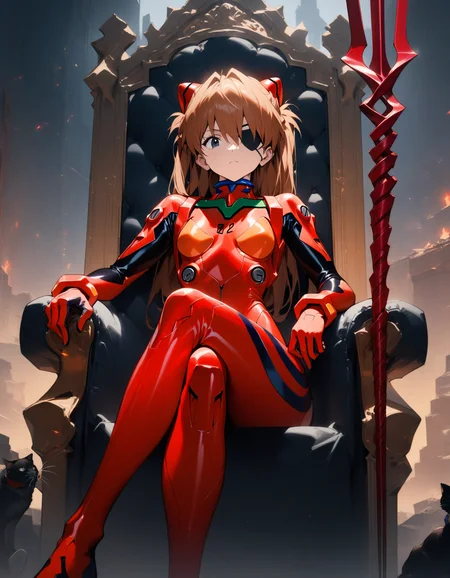

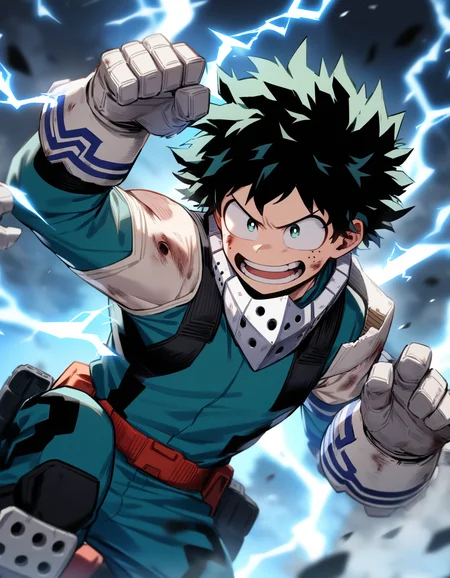
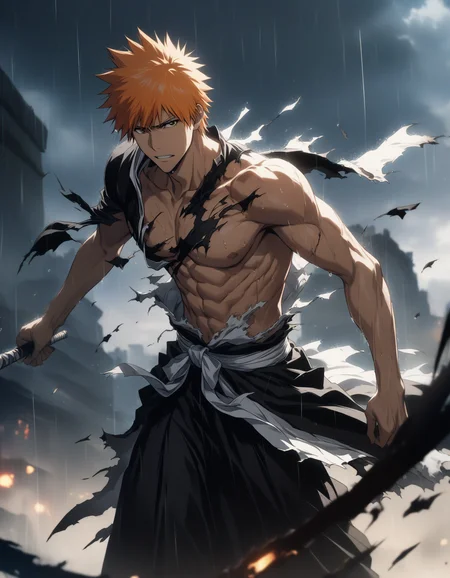
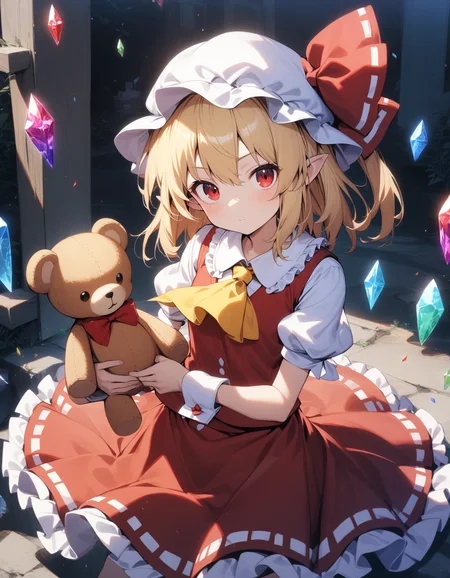
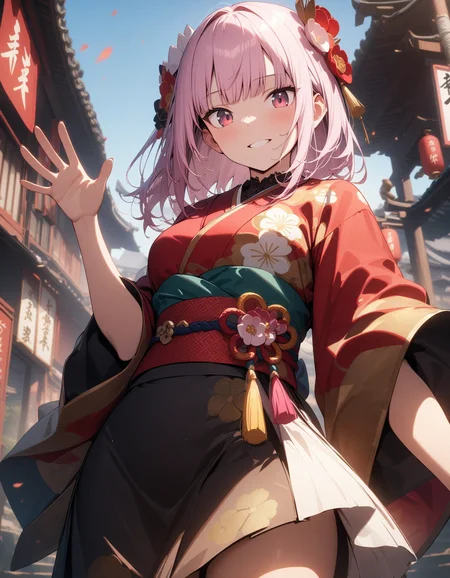
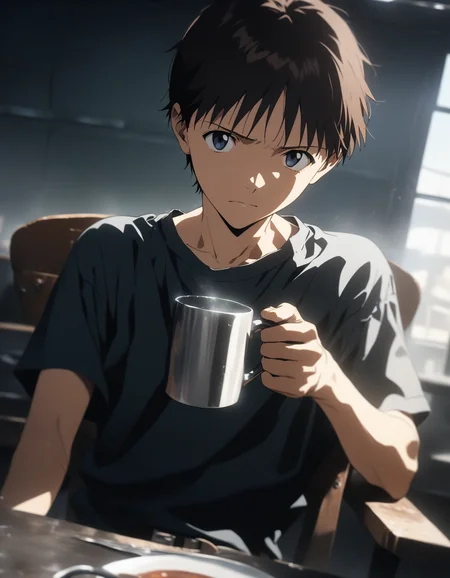
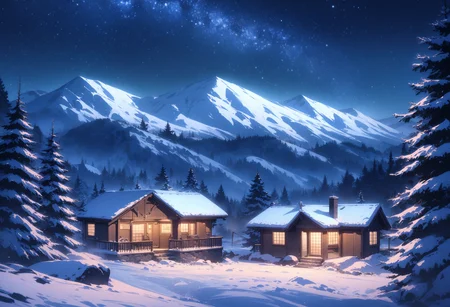
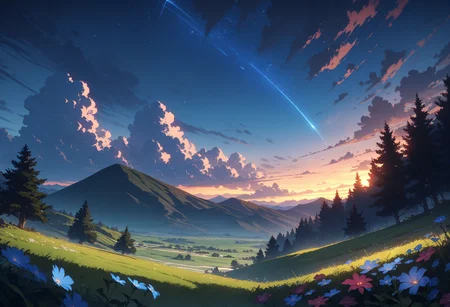
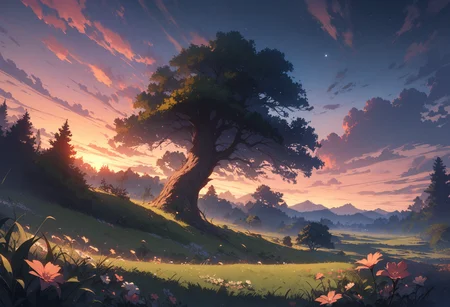
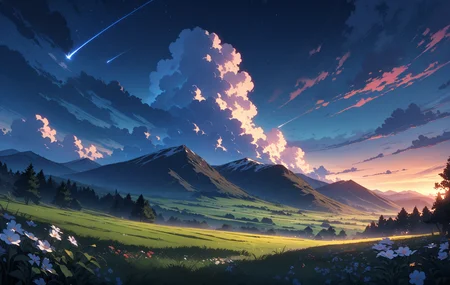
Animagine XL 3.1 is an update in the Animagine XL V3 series, enhancing the previous version, Animagine XL 3.0. This open-source, anime-themed text-to-image model has been improved for generating anime-style images with higher quality. It includes a broader range of characters from well-known anime series, an optimized dataset, and new aesthetic tags for better image creation. Built on Stable Diffusion XL, Animagine XL 3.1 aims to be a valuable resource for anime fans, artists, and content creators by producing accurate and detailed representations of anime characters.
Model Details
Developed by: Cagliostro Research Lab
In collaboration with: SeaArt.ai
Model type: Diffusion-based text-to-image generative model
Model Description: Animagine XL 3.1 generates high-quality anime images from textual prompts. It boasts enhanced hand anatomy, improved concept understanding, and advanced prompt interpretation.
License: Fair AI Public License 1.0-SD
Fine-tuned from: Animagine XL 3.0
Usage Guidelines
Tag Ordering
For optimal results, it's recommended to follow the structured prompt template because we train the model like this:
1girl/1boy, character name, from what series, everything else in any order.
Special Tags
Animagine XL 3.1 utilizes special tags to steer the result toward quality, rating, creation date and aesthetic. While the model can generate images without these tags, using them can help achieve better results.
Quality Modifiers
Quality tags now consider both scores and post ratings to ensure a balanced quality distribution. We've refined labels for greater clarity, such as changing 'high quality' to 'great quality'.
Quality Modifier	Score Criterion
masterpiece	        > 95%
best quality	        > 85% & ≤ 95%
great quality	        > 75% & ≤ 85%
good quality	        > 50% & ≤ 75%
normal quality	        > 25% & ≤ 50%
low quality	        > 10% & ≤ 25%
worst quality	        ≤ 10%
Rating Modifiers
We've also streamlined our rating tags for simplicity and clarity, aiming to establish global rules that can be applied across different models. For example, the tag 'rating: general' is now simply 'general', and 'rating: sensitive' has been condensed to 'sensitive'.
Rating Modifier	    Rating Criterion
safe	            General
sensitive	    Sensitive
nsfw	            Questionable
explicit, nsfw	    Explicit
Year Modifier
We've also redefined the year range to steer results towards specific modern or vintage anime art styles more accurately. This update simplifies the range, focusing on relevance to current and past eras.
Year Tag	Year Range
newest	        2021 to 2024
recent	        2018 to 2020
mid	        2015 to 2017
early	        2011 to 2014
oldest	        2005 to 2010
Aesthetic Tags
We've enhanced our tagging system with aesthetic tags to refine content categorization based on visual appeal. These tags are derived from evaluations made by a specialized ViT (Vision Transformer) image classification model, specifically trained on anime data. For this purpose, we utilized the model shadowlilac/aesthetic-shadow-v2, which assesses the aesthetic value of content before it undergoes training. This ensures that each piece of content is not only relevant and accurate but also visually appealing.
Aesthetic Tag	       Score Range
very aesthetic	       > 0.71
aesthetic	       > 0.45 & < 0.71
displeasing	       > 0.27 & < 0.45
very displeasing       ≤ 0.27
Recommended settings
To guide the model towards generating high-aesthetic images, use negative prompts like:
nsfw, lowres, (bad), text, error, fewer, extra, missing, worst quality, jpeg artifacts, low quality, watermark, unfinished, displeasing, oldest, early, chromatic aberration, signature, extra digits, artistic error, username, scan, [abstract]
For higher quality outcomes, prepend prompts with:
masterpiece, best quality, very aesthetic, absurdres
it’s recommended to use a lower classifier-free guidance (CFG Scale) of around 5-7, sampling steps below 30, and to use Euler Ancestral (Euler a) as a sampler.
Multi Aspect Resolution
This model supports generating images at the following dimensions:
Dimensions	Aspect Ratio
1024 x 1024	1:1 Square
1152 x 896	9:7
896 x 1152	7:9
1216 x 832	19:13
832 x 1216	13:19
1344 x 768	7:4 Horizontal
768 x 1344	4:7 Vertical
1536 x 640	12:5 Horizontal
640 x 1536	5:12 Vertical
Acknowledgements
The development and release of Animagine XL 3.1 would not have been possible without the invaluable contributions and support from the following individuals and organizations:
SeaArt.ai: Our collaboration partner and sponsor.
Shadow Lilac: For providing the aesthetic classification model, aesthetic-shadow-v2.
Derrian Distro: For their custom learning rate scheduler, adapted from LoRA Easy Training Scripts.
Kohya SS: For their comprehensive training scripts.
Cagliostrolab Collaborators: For their dedication to model training, project management, and data curation.
Early Testers: For their valuable feedback and quality assurance efforts.
NovelAI: For their innovative approach to aesthetic tagging, which served as an inspiration for our implementation.
Thank you all for your support and expertise in pushing the boundaries of anime-style image generation.
Limitations
While Animagine XL 3.1 represents a significant advancement in anime-style image generation, it is important to acknowledge its limitations:
Anime-Focused: This model is specifically designed for generating anime-style images and is not suitable for creating realistic photos.
Prompt Complexity: This model may not be suitable for users who expect high-quality results from short or simple prompts. The training focus was on concept understanding rather than aesthetic refinement, which may require more detailed and specific prompts to achieve the desired output.
Prompt Format: Animagine XL 3.1 is optimized for Danbooru-style tags rather than natural language prompts. For best results, users are encouraged to format their prompts using the appropriate tags and syntax.
Anatomy and Hand Rendering: Despite the improvements made in anatomy and hand rendering, there may still be instances where the model produces suboptimal results in these areas.
Dataset Size: The dataset used for training Animagine XL 3.1 consists of approximately 870,000 images. When combined with the previous iteration's dataset (1.2 million), the total training data amounts to around 2.1 million images. While substantial, this dataset size may still be considered limited in scope for an "ultimate" anime model.
NSFW Content: Animagine XL 3.1 has been designed to generate more balanced NSFW content. However, it is important to note that the model may still produce NSFW results, even if not explicitly prompted.
By acknowledging these limitations, we aim to provide transparency and set realistic expectations for users of Animagine XL 3.1. Despite these constraints, we believe that the model represents a significant step forward in anime-style image generation and offers a powerful tool for artists, designers, and enthusiasts alike.
License
Based on Animagine XL 3.0, Animagine XL 3.1 falls under Fair AI Public License 1.0-SD license, which is compatible with Stable Diffusion models’ license. Key points:
Modification Sharing: If you modify Animagine XL 3.1, you must share both your changes and the original license.
Source Code Accessibility: If your modified version is network-accessible, provide a way (like a download link) for others to get the source code. This applies to derived models too.
Distribution Terms: Any distribution must be under this license or another with similar rules.
Compliance: Non-compliance must be fixed within 30 days to avoid license termination, emphasizing transparency and adherence to open-source values.
The choice of this license aims to keep Animagine XL 3.1 open and modifiable, aligning with open source community spirit. It protects contributors and users, encouraging a collaborative, ethical open-source community. This ensures the model not only benefits from communal input but also respects open-source development freedoms.
Finally Cagliostro Lab Server open to public https://discord.gg/cqh9tZgbGc
Feel free to join our discord server.
If you want to donate or buy us a coffee you can donate Here
Thank you very much ^_^
Description
FAQ
Comments (225)
Showing latest 208 of 225.
Awesome style love it a lot, could you please add the prison school characters please?, thanks a lot for the model again it's quite awesome
It took Meiko Shiraki of Prison School, plus Shiori Nishimura from Kaa-chan no Tomodachi ni Shikotteru Tokoro Mirareta The Animation, if you are so kind please add it.
v3.1 is too much anime-like. I love anime-like, but I think this one is too much, similar to cute style's tag. So I prefer v3.0 with prompt anime style's tag.
edit: after spend many hours for v3.1 I think I love v3.1. I founded you need to add "cinematic lighting" prompt and put "very displeasing" in negative prompts will make picture better like v3.0 but character's eyes still too big like a cute style, so I need to add "newest" and some sexy prompts to confute cute style
Hello, I have a question. I usually use version 3.0 of this model and now that there is a new version 3.1, I would like to use version 3.0 again in civitai. Is there a way to use version 3.0 again? Sorry, I'm new to the site u.u
yes , u will see on top of the showoff images ,it has "animagineXL3.1" and on the side has the other versions
@GoskK Thank you! What I was referring to was if it was possible to reuse version 3.0 in civitai where I usually make images, my computer is not good enough so I use the site to do this
@sofiadamasko257 oh ,in this case I dont think its possible in civitAI ,but I know that in Tensor art you can choose the checkpoints versions
The light effects that can be done (especially if you couple them with cinematic lighting or the great lighting slider) are wonderful, even more so than 3.0.
In fact it made generating certain "atypical" scenes (transformation scenes, dramatic scenes, dynamic scenes) much easier. Kudos to the entire CagliostroLab team!
Do you have a link to the sliders you mentioned?
@Aruhshura Certainly. I realize my wording was unclear: you can use "cinematic lighting" to improve the overall lighting. The other is indeed a slider, and it's the "great lighting" slider: https://civitai.com/models/228974/great-lighting-sliders-ntcaixyz
@einar_rainhart no worries, thanks for the link. I'll try the term in my prompts as well
3.0 is good but 3.1 is really good
https://huggingface.co/spaces/cagliostrolab/animagine-xl-3.1/tree/main/wildcard
The 3.0 version only has about 3,000 characters, but 3.1 has a full 5,000 characters. This is really awesome
imho, 3.0 is better than 3.1 in terms of looks.
The color of the face and the body often mismatch in 3.1, and the bodies overall just look weird.
If you like the built-in characters, then 3.1 is fine. But I, personally, will just stick to 3.0 with LoRAs.
I think the same, the bodies look weird, I liked version 3.0 better and the bad thing now is that I can't use version 3.0 in civitai where I usually make images, my computer is not good enough to do this
Images look worse in 3.1 cause this model has learned the concept of "aesthetic" during its latest training process, so it tends to produce 'unaesthetic' content when there is no aesthetic modifier in prompt. In my own experiments, just follow the official prompt guideline will produce decent images. For example, add (masterpiece), (best quality), (very aesthetic), (intricate details) at the end of prompt, and put 1girl, solo at the beginning.
how to fix the bug?
" size mismatch for model.diffusion_model.output_blocks.8.0.skip_connection.bias: copying a param with shape torch.Size([320]) from checkpoint, the shape in current model is torch.Size([640])."
is your venv file corrupted? try deleting it and try again. also pay attention to parameters modifying the float 32 and fp16 variables
Epic anime SDXL checkpoint💕👍👍
3.1和3.0都用了很多,毫无疑问,3.1各方面都更加优秀,但是现在大部分lora都是基于3.0训练的,导致你如果想用lora,最好还是用3.0
要是愿意接受质量下降的话,3.0的lora勉强可以用到3.1上,不过也只是勉强
thx for your efforts! Really great for lots of characters trained added! BTW it seems the lines seems to be unstable when using with artist tags and checked testing same prompts with v3.0 and yes the lines are rough. Any ways to resolve?
This current model don't support most Touhou Project characters with few exceptions.
I want to generate Touhou Project characters with this wonderful model without Lora.
Please let model learn Touhou Project characters.
i wish you make a turbo version
社区大模型的神,很难想象如果Stability AI发布SD3.0之后我们能看到什么离谱模型。
(听说Stability AI的核心团队貌似要走光了,但愿这公司别似那么快)
It would be great if you could find a way to make this model understand what a "pixie cut" is. Every time I ask for one it spits out characters with a bob.
Unfortunately pretty much every anime model everywhere struggles with short-haired women.
Why does 3.1 version requires a VAE while 3.0 has its VAE baked in?
it is baked in. try with/without a vae and it makes no difference
@temp10317164399 Thank u for responding, I've done that and you're right. Idk why this time the SDXL VAE is suggested
the #1 anime model in the universe.
Amazing model, I just wish it understood oshi no ko and more frieren characters. Because I'm lazy but also I feel results are better and more consistent than when you need to use a character lora.
Bro, what exactly "very aesthetic" Prompt do? I really couldn't tell the difference
The best anime model in the world, no joke
How can I find out all the animes included in the model?
Check out the lists in https://huggingface.co/spaces/cagliostrolab/animagine-xl-3.1/tree/main/wildcard
@_rob332 thank you so much!
r u planning to make a lighting version?
Just use the lightning Lora
Hi. I'm having issues with using this checkpoint. The generated images are of poor quality. How can I fix this situation - I really like the results shown in the presentation images. I've provided more details about the problem here: https://www.reddit.com/r/StableDiffusion/comments/1busilj/issue_with_using_animagine_xl_v31_vae_file_didnt/
I would check the "Clip Skip" option and set it to 2 if you don't already have it.
You can also check the resolution and the number of steps, some models are adapted for certain resolutions and perhaps the one you chose is not suitable and you could leave it at 40 steps.
Or, try adding the following to the negative prompt: (worst quality, low quality:1.2)
If you can't get the image you want, use Text to Image, fill in the prompt with more details so that the AI understands in more detail what it is seeing, for example:
+
(masterpiece), 1girl, long hair, white hair, hair between eyes, heterochromia, white dress, sleeveless, black thighhighs, white boots, dress lift, best quality, expressive eyes, perfect face, full body, white background,
-
(worst quality, low quality:1.2), nsfw, lowres, bad anatomy, bad hands, text, error, missing fingers, extra digit, fewer digits, cropped, worst quality, low quality, normal quality, jpeg artifacts, signature, watermark , username, blurry
Will you add controlnet support for this checkpoint? If so, when?
This seems to have issues with the tag "slight smile", makes the image completely static (In Img2Img Inpainting on the face using the ADetailer Extension)
I noticed a that if you use an artist tag, it will likely come with a their watermark/signature often.
1111
Amazing model, it's best out there when used right. Keep it up.
Awesome model for generating anime styled images! 🤩
Since yesterday, V3.0 suddenly stopped outputting as before and only produces thin patterns. The model I originally used was animagineXLV3_v30 and when I changed to animagineXLV31_v30, the same problem occurs.
Does anyone know what the problem is?
Really good! But I want more anime characters to work like tanjiro, unless I’m missing something
oh! V3.1 is out!
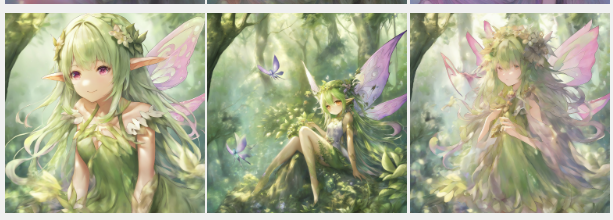
I havent tried that yet, but I found what you might call a "bug" in v3.0
"faery" and "faerie" are fine.
But when I used just "fairy" as a prompt, it came out as trash.
Not merely "bad render", but just... gross.
hopefully this will be viewable:
https://i.postimg.cc/j5yYSP8p/image.png
edit: v3.1 seems to have this fixed. yay!
The greatest anime model, thank you to the producers! 3.1 is indeed more powerful than 3.0
Looking for artist tags to use with Animagine XL that looks in the style of Corneo's 7th Heaven Mix.
Basically looking for any artist tag that looks or is the same as trained for Corneo's 7th Heaven Mix, love the look of semi-realistic but stylized and anime look and has been my absolute go to SD 1.5 based anime model.
Animagine XL is usually too stylized and I love the way Corneo's umbrellas all the anime types into one style, be it a character from Love Live! or Yuru Yuri.
your choice would be pony model, autism mix confetti.
nice
N
Isn't there a smaller version? This is too big.
This is SDXL model, so this is quite normal.
Please tell me which artist TAG do you use for your original characters?
Oh, I don’t think anyone has ever mentioned the artist tag?
Hey, I've been meaning to ask this too since I've seen how radically different certain artists can do for any character. So I've been on a binge for days worth of testing between 4 of my favorite characters from different series (Hanayo, Tohru, Hamakaze and Nessa) with various clothing and poses to showdown between artist tags.
You can find my findings here: https://www.reddit.com/r/WaifuDiffusion/search/?q=author%3Aacoolrocket&include_over_18=on&restrict_sr=on&t=all&sort=new
In short, its unfortunately a tie at times for certain characters and a good amount of times they have their own desirable specific artist for that anime series.
Although if I were to draw 3 of the best, it would be between terufuu, negom and sekina.
Made a study sheet for myself with tags of some artists.
Maybe someone else will find it useful.
https://civitai.com/posts/2273977 - PART 1
https://civitai.com/posts/2378813 - PART 2
PS: Really like the wide variation of styles in this model.
this should be pinned.
Where do I put the artist's style tag below?
「(quality tag), (1girl or 1boy), (character name), (work name), (any other prompt)」
@mumumu1295 I put it at the very beginning, (by [artist tag]:1.2) setting the weight from 1 to 1.3. But that's not a guideline from me.
My advice, always experiment with tags and placement. It's always kind of a lottery, where generations can turn out to have interesting results.
@Hannibal_Lector Thank you
hero!
Actually artist tags would have a better effect when strung together rather than used separately, maybe checkout my brief article?
@Shallowpuddle I read the article. Interesting. Based on my experience and experiments, the use of a large number of artist tags harms the end result, often adding anatomical distortions, unnecessary objects and artifacts. I use no more than 3-4 artist tags at a time. But usually 2-3. This has become kind of my rule.
I tend to think that the weight and order of the artists' tags give a greater impact than their number.
I came up with three ways to use tags. Nothing special, but it works fine for me:
The first option is the usual one. Just the tags in a row. And here either all weights are the same (usually I put (1.15-1.25)), or with different weights.
If different, then the first tag is the main tag that defines the style, the secondary tags add details to the main style.
Usually the weight of the first tag is in the range (1.2-1.3). For the secondary ones in the range (0.85-1.15).
EXAMPLE 1: "(by sylvia_\(huajiuhuajiu\):1.25), (by kaguura_\(kagu\):1.25), (by ask_\(askzy\):1.25),"
EXAMPLE 2: "(by sylvia_\(huajiuhuajiu\):1.3), (by kaguura_\(kagu\):1.15), (by ask_\(askzy\):1.1),"
The second option is to use Automatic1111's Prompt Editing feature. [From:To:When] [ARTIST_TAG1:ARTIST_TAG2:STEP TO SWITCH]
We generate some kind of artist tag up to a certain step, after which we switch to other tags. In my opinion, it is a very underestimated feature that is rarely used.
EXAMPLE 1: "[(by kaguura_\(kagu\):1.3):,(by sylvia_\(huajiuhuajiu\):1.3),(by ask_\(askzy\):1.1):0.25],"
In this example, we use the Kaguura tag for up to 25% of the generation, after which we switch to Sylvia+Ask. It is very convenient to control the composition and style. I often look for a seed with a certain artist first (or even without artist at all), after which somewhere from 25-50% (0.25-0.5) I set the style that I want to see in the final version. Very similar to Refiner.
EXAMPLE 2: "[:(by sylvia_\(huajiuhuajiu\):1.3),(by kaguura_\(kagu\):1.15),(by ask_\(askzy\):1.1):0.33],"
The third option is to use Automatic1111's Alternating-Words feature.
[ARTIST_TAG1|ARTIST_TAG2]. Where the first tag alternates with the second after each step. You can have more than two tags, but I usually use alternating two.
This option is very... random and often the result is /interesting/, but it can be very harmful to the composition, details, and quality. And well, I use it in combination with the second option (EXAMPLE 2).
EXAMPLE 1: "[(by kaguura_\(kagu\):1.3)|(by sylvia_\(huajiuhuajiu\):1.3),(by ask_\(askzy\):1.1)],"
EXAMPLE 2: "[:[(by kaguura_\(kagu\):1.3)|(by sylvia_\(huajiuhuajiu\):1.3),(by ask_\(askzy\):1.1)]:0.33],"
And again, this is my way and experience. Maybe I'm doing something wrong...
Anyway, I think experimentation is great.
I apologize for the wall of text, it somehow turned out by itself :D
@Hannibal_Lector unique insight, my stereotype stems from the convention of NAI3 community, people there usually compose long string of artists tag(more than five) to achieve particular style, but invest little time in the weight and order of them.
From my experience, large number of artist names do sometimes undermine the overall style, but select tags carefully could resolve this problem, for example impasto style(ask, wlop, modare and much more) is an ideal basis for accommodating other styles, so this kind of artist tag is universal in almost all NAI3 images.
Anyway I appreciate your valuable experimentation, later I'll try it out myself.
@Hannibal_Lector The alternating prompt is also extremely useful for colors. It tends to be easier and more reliable to mix basic colors than to try to prompt a particular tone/saturation directly.
HERO!
the original mentions things like “27000 global steps with batch size of 16”
i would love to also know what optimizer and scheduler were used in training?
I hope animagineXL research a new function, like weapons, or other objects they holding, like swords, wands, shield, and a assault rifle.
Awsome model! Love it =D
Is it possible to get a List of Anime/characters used in this pack?
@Aruhshura Thank you =D
@Aruhshura To simplify, I have converted the tag list into Markdown and filtered it. If you like, you can integrate the list into the model. It should simplify the overview.
https://tagindex.lenz-host.de/en/Models/Animaginexl31
@Aruhshura where's nine the phantom from blazblue, it's too many to find and difficult to find.
@J_gumbainia69 bro just ctrl + f and search
@Aruhshura hi, do you know how we can add our own characters in the model?
i didnt seen yuno gasai in the list... where is my book...
often came out bad hand , how can i fixed this , any emmbeding or lora for sdxl to prevent this?
It's an inherent issue with AI generated images. You can use Adetailer and/or LoRas like badhands to help mitigate it.
@smurfme is any lora or emmbedding are useful for fixing hand in sdxl model? cause i have only have easynegative for sd15
sadly SDXL models lack of hands Lora
I had the same problem the only thing that worked for me slightly better than Adetailer was just doing inpainting on the hands with very simple prompts and doing it iteratively. Do high batch count, select one which looks the best and then inpaint on that one and continue improving until you find something that looks good.
What comes closest to a solutions is LoRA's that fix hands, but they aren't foolproof: https://civitai.com/models/411088/detailed-perfection-style-xl-hands-feet-face-body-all-in-one-sd15 does do a pretty okay job though!
Like other comments you can surely try inpaint or add embeddings but there's another (1/5) solution
only by working on negative prompts:
If all else fails, you can do a quick and crude fix in photoshop (or any image editor) and then inpaint over that.
use prompts like "Waving" or "holding" or "Gloves"
it's bad at hands if you don't specify how the hand should look like, but does well with hands when it knows how to make the hand
It's as good as Niji 5!
I feel that V3.0 is more creative, and of course the V3.1 painter is more stable.
I found the character list, but is it possible to get an artist list please?
yep, they have it
@happyhen where can i find it?
@happyhen thank you
hi, the anime character made by this model is very good, but it seems to be not good enough to generate animal's xxxx
you got the wrong model💀
Try pony.This model is for general anime characters😅
if you want animal, go for pony. animagine is designed solely for anime.
@Madafada1991 but there are animals in anime
This model sometimes give me bad resolution, what could it be? I use euler a 896x1152 Latent nearest-exact CFG 7
Same :c
Better use 4xAnimeSharp or R-ESRGAN 4x+ Anime6B, Euler A is not bad but images generated with this sampler are often more "soft" looking, other sampler like DPM++ 2M Karras or SDE are more defined.
@norim I used DM++2Sa or other sampling method and it showed the same problem.
U dont use sharper model like DPM Karras on enhancer with this model, u use softer model like Euler, always use either euler a or euler. cfg 6-7 doesnt matter. resolution of 768x1536, 1536 x 768, 1024 x 1024, 768 x 1024, is recommended.
这个模型好像对开裆的,开档裤理解不了,pussy总是出现类似线一样的遮挡,请问有大佬有解决方法吗
有試過加入NFSW 提示詞嗎
或者你可以試試融合了本模型的Anything XL模型
作者你好我是animagine系列的狂热爱好者,pony是个很好的模型他将要推出6.9的版本,请问您有考虑放出迭代消息,并且有将3.1版本优化的想法吗?或者说模糊的时间也行
我想解释一下...
只有顶级创作者才有可能使用公民生成服务......其他所有创作者都不能...... 但这并不意味着这些模型是 "迄今为止最好的"。
Artist list would be great. In any case, it is my model of choice
我在1024x1536分辨率的情况下人物身体会非常长,特别是在我自己制作的lora上明显。所以有尽可能大又不影响人物比例的分辨率推荐吗?
768x1536 full body.
1024x1024 upper body view
1024x1024 squatting/sitting
先画小的图,再用upscale放大
some of the characters on the list are not fully trained - the model generates correct hair color, but hairstyle, outfit and details are hard to get right, even with the proper tags
This is one of the greatest model. Thank you so much. If you read the instructions and handle it carefully, it will become the strongest model.
I'm looking for a checkpoint similar to Animagine XL but version 1.5 Can anyone help me 🤤
U can use Counterfeit
Someone knows why this characters list doesn't exists anymore? https://tagindex.lenz-host.de/en/Models/Animaginexl31
There's another one?
I just noticed it was missing, too. It definitely limits what the model can do if we can't check what it knows. 🙁
this is the reason why I ALWAYS save useful information locally.
uploaded to google drive:
https://drive.google.com/drive/folders/1X-EobkAeXPRAN2DkKydSVxSV7OR8EM59?usp=sharing
there may be even more information here than was on the site (I didn’t use it myself) because I parsed training dataset by myself and divided it according to sfw ratings. (maybe it’s not as convenient as it was on the site, but what can you do)
it is here for all 4000+ characters: wildcard/characterfull.txt · cagliostrolab/animagine-xl-3.1 at main (huggingface.co)
anyone still have the link to Chinese artist style experiment spreadsheet, it used to be on this models comment
i lost my bookmark
for a character lora using this model, better to use this model to train it? pony? or SDXL?
pony is pony, this one follows sdxl line more.
@Madafada1991 thank you
use animagine as your training base checkpoint to get the best outcome
Excellent results
Nothing beats this checkpoint in terms of cleanliness and quality, but the prompts just don't listen to me at all...
its actually quite hard, because the prompt dont listen to human-like prompt, it needs a "booru-ish" tag a.k.a robotic like tags.
anyone got some tipps for footjob pics with animagine xl 3.1?
try using a LoRA. i find that animagine sucks with everything involving feet and hands.
@Hiroshi_Ookami right now i am trying to switch to pony diffusion but still got some problems with lora training
hires fix:?
I use "none". The image is generated at 720 x 1280 and then scaled 1.5x to get a full HD image.
Is there really any reason to use this over autismix
autismmix is good for cartoon gens but it doesn't do that well when it comes to anime. No matter what lora you use, it still has that western cartoon look to it that all pony mixes have.
Animagine far exceeds autism
so many pony haters 😂
@Hapse That's what happens when a model is trained on a low quality jpeg dataset + extreme learning rate + no dropout + etc etc (I'm referring to Pony here)
Animagine does not suffer from any issues Pony has, since it is trained using actual settings but the dataset just isn't as big.
VAE gives black image for XL v31
Using Draw things on my iPhone 14 Pro, when I upload the model with the VAE included, the generation crashes just as it completes. Every time.
However, when I upload the model without the VAE included, it works perfectly
Do you have any plans involving SD3?
not sure why but for some reason no image is generating when I use this
Is there a best way to have two characters in same image? For example I want to add Arlecchino and Raiden Shogun from Genshin Impact fighting. How and in what order should I add prompts?
i do not know whether civit implements this feature; but many of the underlying inference engines / text transformers allow for exactly what you are asking (separate prompts for separate objects within an image). you'd do that by separating (effectively independant) prompts with the keyword "BREAK".
example: "woman, smiling
BREAK
male, serious"
i advise experimentation and would appreciate feedback if it results in anything
if youre doing it locally google "regional prompts"
I won't say I'm hyped but I'm really looking forward to seeing the flux version Animagine!!
This model is so damn bad for nsfw man...anyone knew non pony alternative for something similar like this but nsfw? I actually really like the base model style & ease of use..
Skill issue
@Ayat70 bro is not gonna sugarcoat it
idk bro, u could try using loras for nsfw, or using style loras for pony, they are very useful
Not skill issue, it's actually bad for nsfw. Try Obsession (Illustrious - XL) it's the much better anime model for nsfw.
@DarkenDark there is clearly a gap between bad and so damn bad. Also, animagine is not bad on nsfw. People who said it's bad are just comparing it with the so nsfw-specialized model pony
@Emon_Dante Eh he's probably using hyperbole. And I mean, it is bad for nsfw. Sometimes it will produce okay, and rarely good results; but more often than not it makes very simple mistakes, inaccurate characters, flawy shapes for sexual parts, artifacts... And the reason why it is bad does not matter when the end result is just... bad. This model -while can be considered good generally- is simply not a functional model for nsfw works without an unnecessary amount of work.
@DarkenDark tested the model you suggested, thank you. Thanks to you, I literally discovered the best model of all time. If I was already getting amazing results with animagine refined, illustrious is like Lv. 9999999 boss. I achieved peak generation illustration with my proper prompt, you changed lives.
Thank you for your acknowledgment; it is much appreciated.
i am using eular a sometimes with schedule exponential or simple, but it all come out pretty "soft" is there a suggestion for hires.fix to use while generating?
Will be there a Flux version of this?
How about Pony AuraFlow?
@TomLucidor, It hasn't been released yet.
@CuauhtemocI5MAL A man can hope for the future
its good.
Will be new characters added after some time or only when a new release number comes out? As we have 4 Anime Seasons every year I would assume that there is a demand for more characters. For example I can see teh FMC from DanDaDan in high demand.
if you want a new character, you should go to UrangDiffusionXL page. one of CagliostroLab staff updates new character there so you can ask him to put new characters there.
Nipples and areolas constantly phasing through the clothes. Possible fix?
Try adding undesirable things to the negative prompt. Also, put "nsfw" as the first thing in the negative prompt!
add more negatives
V3.1 turns most of the characters into a childish, chibi style. I hope this can be fixed. It's really annoying. LoRAs barely work on the 3.1 version. It fails to maintain the quality of trained LoRA compared to the 3.0 version.
I hope you can fix it soon, unless you'll have to wait for another sponsorship.
its pretty good, helps with the generated images
Cool model.
How do i know what characters are available in this model
@ChrisArgenteo tqsm
:)
Good model 👍
good
nice model
Nice
im new hear. but what does the vae in the file do. should i move the file to vae folder?
yes then choose it from the ui you use, what vae does is normally fixing colors and adding details
if you are using comfyui, everything is pretty easy
Amazing!
Hello. Why is this model unavailable in generator? (btw not only this one) There weren't problems previously though
I tried this with DiffusionBee. It always generate 6 fingers. How to avoid it?
give it more steps to process complex posturesm this model is well trained on hands and stuff but it need more steps to fully process those details
I suggest switching over to Draw Things if you are on iOS. I used DiffusionBee in the past but prefer Draw Things nowadays.
@AonekoChannel yeah its the best way to do some final tweaks maybe the frame is great but is missing a finger i really dont mind doin more post work to get a proper frame goin on some times, most times is pretty complete and accurate tbh it just a bigger database and deffo gotta be more specific
why can't I use this model in generator?
What happened? Why can't i use this lora anymore?
Have anyone noticed that all characters are in back light/side light? It is so hard to create girl just in front light......
((side lighting:1.2)) as a starter point as you up on the weight youll gt different angles on the position of the light, ex. ((sidelighting:1.5)) will get you that 5pm bloom goldenm and ((side lighting:0.4)), will only give you a suttle hair reflection,
((ambient lighting:1.2))
((spotlight:1.2))
((volumetric lighting:1.4))
((single point lighting:1.2))
((backlight:1.2))
mix and match this sget me good results, you can also trigger lighting with other words its just you experimenting a bit, theres also specific words for lighting, like colors and temperatures.
in a sense weight :1 is top lighting and as you go on further weights the angle changes, :1.3 - 1.5 ive even gone as far as 1.6-1.7 to get some over the top lighting effects
Please fix this model issue, I can't make images!
Why can't we use this model to make images??
bcs no body, betting on it anymore
I can, through ComfyUI and Python combined. Using it in DreamIO game and generating pictures just for fun. 3D models are great if you put some effort to positive and negative prompts.
Which VAE is recommended for this model?
I have SDXL and Grapefruit VAEs.
its works smooth for me with any tbh, you just need to figure out what you doing, SDXL give it more steps to process it like more steps, Grapefruit you can get cool results with 25+ steps and it will also handle lora stacks and it also likes more steps to process complex prompts wich Grapefruit is very good at handling complex prompts
Хуйня
so sad that it can't be used in forge
Details
Files
animagineXLV31_v31.safetensors
Mirrors
animagineXLV31_v31.safetensors
animagine-xl-3.1.safetensors
animagineXLV31_v31.safetensors
animagineXLV31_v31.safetensors
animagineXLV31_v31.safetensors
animagineXLV31_v31.safetensors
animagine-xl-3.1.safetensors
animagine-xl-3.1.safetensors
animagine-xl-3.1.safetensors
pcia_animaginexl_3_1.safetensors
animagineXLV31_v31.safetensors
animagineXLV31_v31.safetensors
animagineXLV31_v31.safetensors
angXL_v3_1.safetensors
animagineXLV31_v31.safetensors
animagine-xl-3.1.fp16.safetensors
animagineXLV31_v31.safetensors
animagine.safetensors
animagine-xl-3.1.fp16.safetensors
animagineXLV31_v31.safetensors
animagine-xl-3.1.safetensors
animagineXLV31_v31.safetensors
AnimagineXL_v31.safetensors
test.safetensors
animagineXLV31_v31.safetensors
animagineXLV31_v31.safetensors
animagineXLV31_v31(1).safetensors
animagine-xl-3.1.safetensors
animagineXLV31_v31.safetensors
animagineXLV31.safetensors
animagineXLV31_v31.safetensors
Animagine-XL.safetensors
animagineXLV31_v31.safetensors
AnimagineXL3.1.safetensors
animagineXLV31_v31.safetensors
animagineXLV31_v31.safetensors
animagineXLV31_v31.safetensors
animagineXLV31_v31.safetensors
animagine-xl-3.1.safetensors
animagine-xl-3.1.safetensors
animagine-xl-3.1.safetensors
【sdxl】animagineXLV31_v31.safetensors
animagine-xl-3.1.safetensors
animagine-xl-3.1.safetensors
animagine-xl-3.1.safetensors
animagineXLV31_v31.safetensors
animagineXLV31_v31.safetensors
animagine-xl-3.1.safetensors
animagineXLV31_v31.safetensors
animagineXLV31_v31.safetensors
animagine-xl-3.1.safetensors
animagineXLV31_v31.safetensors
animagineXLV31_v31.safetensors
animagine-xl-3.1.safetensors
ani31.safetensors
AnimagineXL_V31.safetensors
animagine-xl-3.1.safetensors
Available On (3 platforms)
Same model published on other platforms. May have additional downloads or version variants.