
🌐 Main & Site-Generation | ⚡️ Ligthning/Hyper | 🌀 Alt version | 🖌 Inpaint | 📦 Old
 ✨v2.3 ULTRA is a distinct variant of the standard v2.3.
While it technically improves overall output, my intention is to treat this version as experimental, exploring potential directions for future updates.
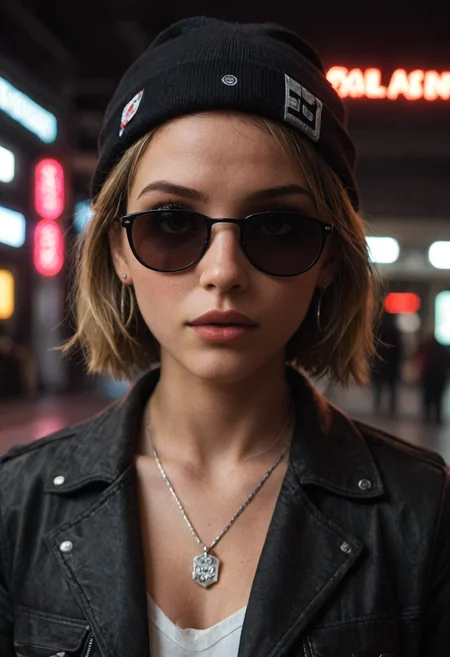
This release brings more natural and balanced lighting (also darkness), enhanced skin detail and an increased realism.
If you're using this model for Furry or Fur-based prompts, make sure to use the "Furry" trigger, or pair it with my Fur Enhancer LoRA for best results.

v2.3: (Latest) ✨
v2.2:
 I have written an article that explains and provides some useful resources to help you achieve great generation results. You can check it out for detailed insights and recommendations.
 🔁 Samplers
DPM++ 2M SDE Karras
DPM++ 2S a Karras
DPM++ SDE Karras
DPM++ 2M SDE Exponential
DPM2 a
DPM++ 2S a
DPM++ 3M *
Euler A
⚙️ Generation Settings
Steps: 30 or more
CFG Scale: 6–7
Clip Skip: 2
Resolution: Greater than 1024px
🗒️ Notes
Use Danbooru tags
Keep individual prompt weights ≤ 1.5
Use "female/male" instead of "woman/man" for better tagging compatibility
🖋️ Prompt Style
Positive Prompt Tags:
score_9,score_8_up,score_7_up,BREAKNegative Prompt Tags:
score_4,score_5,score_6
 ⚠️ Avoid DPM++ 2M Karras (Not recommended for generation)
✅ Recommended Samplers
Euler A
DPM2 A (Best for detail)

 Read the following article for tips and my training preset
⚡️ Buzz for the Best Images ⚡️
Description
🚨 This is the 4 step Hyper version.
❗️Required settings:
· Samplers:
Euler A -> 5 Steps · 1-2 CFG
DPM++ 2S a -> 5 Steps · 1-2 CFG
FAQ
Comments (302)
Showing latest 264 of 302.
J’ai une question, je l’ai installé sur SD, les résultats sortent corrompus à chaque fois. L’image et de couleur verte/bleue pixelisée.
Aucun problème avec d’autres modèles.
auriez vous une solution ?
Merci.
C’est un modèle Pony. J’avais le même souci, que des résultats corrompus, jusqu’à ce que je passe à clip skip 2 et SANS controlnets. J’ai entendu dire qu’on peut utiliser controlnet, mais juste pour transférer la pose. Regarde Mistoline (mais je n’ai pas encore essayé).
Enfin, peut-être que le problème vient d'ailleurs. Je viens tout juste de commencer à utiliser les modèles Pony, donc je ne maîtrise pas encore bien leur fonctionnement.
@Aiariar Jai trouvé le soucis. je suis sur Flux. problème résolu. ;)
some goodies:
https://stableart.io/album/goodies.kGY
The AI image generation model is impressive in its ability to create visually appealing and detailed images. It performs well in interpreting prompts, producing images with realistic textures and accurately following descriptions. However, the model still faces certain limitations, such as understanding contextual and cultural nuances, as well as challenges in handling complex compositions and specific artistic styles. Overall, it's a powerful tool with great potential :)
I love this model. It certainly creates what you want from it up to a degree. But I have a problem with a same face syndrome. How do you prompt for different or a variety of faces?
Use adetailer, look for the option to use a different checkpoint, under the inpainting tab. pick your favoutite sdxl, which has similar generation parameters and off you go
I don't try it yet, but search talks this model is understand 'Danbooru tags' – so, using them you can switch faces, clothes and so on.
Look at this article, Characters section: https://civitai.com/articles/6555
Seems good. Will explore it more.
for the v2.2 main + VAE, should I sttill be selecting the sdxl.pony.vae.safetensors in the VAE option on the webui? Or should I select "None"?
Can you pls tell me how to use this model ?
You need to get one picture from any user on gallery below and click on "remix" button (top left corner on image's page). And then you can generate your image with this model.
Amazing model!
I created a lora for this excellent model trained on high quality nsfw photos for use in a workflow of mine. It turned out well, so I thought I'd upload and share:
https://civitai.com/models/938116?modelVersionId=1050165
Is it possible to make 2.2 Alternative model? I find the 2.1 alternative model is still way more flexible to overly complex prompts that 2.2 rejects. Thanks!
大家用没有发现生成的人物的脸都差不多,有人知道如何让人物的脸更加多样性吗
this is probably my favorite model for pony!
I have an issue with hands and feet, they re very fu*ked
👍
nice
I love this model so much <3 <3
Nice one!
How To Run This Model With Comfyui ? I only get blank black image result after generated with this model
You can look on images in my profile. They all generated in ComfyUI with this model. You can load any my PNG images as workflow. P.S. I was talk about v2.2 Main. Here is one review desk for all models, wtf? I switch from v2.2 to v2.1 and see your comment again.
hi thanks for your respons @xNzX im using your workflow but still get blank image generated result, don't know why mybe vram issue, i'm using 6Gb vram
@aioffline It can't be vram issue. Low vram = slow generating. But images quality will be the same. Any other model working well for you? Something wrong in your settings. "Clip set last layer" node set to -2 (minus two)?
@xNzX yeah other model can run perfectly, but i can't generated this model with comfyui in my own pc don't know why ? i'm using your workflow with "Clip set last layer" node set to -2 but still generated result with blank image
@aioffline Make screenshot of workflow and screenshot of console (after generating attempt) - I will compare with mine.
@aioffline Workflow look OK. Can you make copy-paste text from console window? On CMD window press Alt+Space, than choose Edit > Select all > Copy. And paste here. If this board allowed long text. If not, message me in site messenger for contact.
My generating stages from prompt: https://ibb.co/yVQcTQk
@xNzX here's my logs https://pastebin.com/a4JezPqc
@aioffline Here is our difference: after generating you load AutoencoderKL model "319.11416244506836", but my ComfyUI load "159.55708122253418". Try to google wtf this is.
From my log:
Requested to load AutoencoderKL
Loading 1 new model
loaded completely 0.0 159.55708122253418 True
I was thinking before "AutoencoderKL" it's Reactor node thing, but I reload ComfyUI, disable Reactor node for pure generation - and Autoencoder still persist. So it's pure ComfyUI stuff.
Every woman this model creates has had buccal fat removal.
during BJ? yeah that's a pony thing not specific to this model.
@djwashout Nope, just almost every single one in most generations. Even in the OP pictures.
Any chance for this model to be released in ONNX file format so I can use it with my AMD card on windows?
I would recommend using zluda
@samwyse Everytime I've tried different solutions for AMD on Windows, I always have to run in a mode for less GDDR RAM or whatever despite having 16GB. Always limited in some way. Except for running ONNX models on Amuse that is cracked to allow nsfw, ONNX models run perfectly on that.
@samwyse Been several months since I tried other methods so I just tried zluda (could of sworn I couldn't get it working before) but it is working great on ComfyUI for me once setup! Thanks for the recommendation!
I've downloaded this model for comfyui and put in in the checkpoints folder. I have dragged the image which give the workflow into my Comfyui page. When I try to run it I get:
Prompt outputs failed validation CheckpointLoaderSimple: - Value not in list: ckpt_name: 'PonyRealism_v2.2_VAE' not in (list of length 31) VAELoader: - Value not in list: vae_name: 'sdxl.vae.safetensors' not in ['ae.safetensors', 'ponyRealism_V22MainVAE.safetensors', 'sdxl_vae.safetensors', 'taesd', 'taesdxl', 'taesd3']
Can anyone help me please?
Thanks
"Value not in list" - say to you the name of file is different. You can GUESS what file needed - and choose it manually (on every node that tell you error). Example: your program try to find "sdxl.vae.safetensors" -- but you have "sdxl_vae.safetensors" (different name - not dot but under-line symbol in middle of file name). From your log:
"'sdxl.vae.safetensors' not in ['ae.safetensors', 'ponyRealism_V22MainVAE.safetensors', 'sdxl_vae.safetensors', 'taesd', 'taesdxl', 'taesd3']" So you need manually choose 'sdxl_vae.safetensors' for this node and this will ok.
But you don't need do load VAE ('sdxl_vae.safetensors') in this model - because model include VAE itself. I've make very basic workflow for you on this model. You can load PNG image from this post as workflow. -- https://civitai.com/posts/9419085 I've include one LoRa loader, with Lora from model's author – 'zy PonyRealism Enchancer'- https://civitai.com/models/927305/pony-realism-enhancer
There is a 2.1 inpaint but no special 2.2 inpaint (yet), can I use 2.2 or 2.2 hyper 8 for inpaint, too?
There probably won’t be a v2.2 Inpaint version because, in my tests, regular v2.2 works just fine for inpainting. I don’t think the Inpaint version adds much, especially since there’s no base inpaint model for Pony.
So yeah, use v2.2 for inpainting
How do you get such quality? i install confyui but the faces are all deform, i use no lora just checkout and designate settings.
Loras are everything my friend, try them !
I've use 'Reactor face restoring' node for ComfyUI - to improve faces quality. You can get Reactor nodes here – https://github.com/Gourieff/comfyui-reactor-node?tab=readme-ov-file
P.S. Got MUCH BETTER faces with FaceDetailer node! You can load my images from this post (NSFW) as workflow - https://civitai.com/posts/9892901
My most favorite model ever! but v2.2 is getting runtime errors and is crashing.. I tried to reset everything why :( 2.1 is ok..
What error do you have in console? I've using v2.2 and it's working good.
I figured out it was the file name. even thought 2.1 and 2.2 are labled differently, stable saw them the same edition. i had to add a random letter and yeah, good now. same exact MB in size, i wonder what changes if any are in 2.2 cause 2.1 works amazing
Hi everyone. I try to reproduce the sneer girl type face of this image and i have no clue about to do it... Can someone can help me ? I'm also a beginner with stable diffusion, pony realism and prompt making. https://i.ytimg.com/vi/qxyMdHoV1IU/hqdefault.jpg?sqp=-oaymwE9CNACELwBSFryq4qpAy8IARUAAAAAGAElAADIQj0AgKJDeAHwAQH4Af4JgALQBYoCDAgAEAEYESBeKHIwDw==&rs=AOn4CLCtekiZJdak-riPXzIfu20EGPeLyg

You need to google "Pony facial expressions". Use right prompt words for getting right expression. Take a look here: https://rentry.org/corneo_facial_expressions and here https://civitai.com/articles/5492/danbooru-tags-complex-facial-expressions-for-ponyxl-autismmix
@xNzX thanks for the reply. It will sure help me for generation. But i didn't found what i search exactly, maybe with a future lora or with training a lora myself.
@onimessatsu search the danbooru wiki for facial tags: https://danbooru.donmai.us/wiki_pages/tag_groups
Use: 1girl, from below, looking down, looking at viewer, half closed eyes
and mix the emoitions tags: disgusted, annoyed, plus whatever works. I couldnt replicate this exact look, specially with full teeth, haha
@salvatorefalon428 thx for reply. The sources will be sure usefull. I know i'm new with prompts and things like that and i will step up with that !
where is the old 21MAIN? what file is the same as the old 'ponyRealism_v21VAE'
v2.1 is still here. You need to click on 'banner button' on top of page (button above example pictures). Here is direct link on v2.1 page – https://civitai.com/models/372465?modelVersionId=534642
ok got confused. So 21Main is the same as the old 21VAE?
@djwashout Yes, this is names of the same model.
Aka Furry Realism :D
Cannot execute because a node is missing the class_type property.: Node ID '#136'
In my profile you can take a link on very basic ComfyUI workflow for PonyRealism v2.2.
Hi everyone, sorry for asking a question that is most likely clear to all of you, but i'm totally new to this, so here it comes. In the description it says "Use Danbooru tags. Don't exceed a weight of 1.5 in prompts Prompt Style: Positive: score_9, score_8_up, score_7_up, BREAK Negative: score_4, score_5, score_6" What do you mean by that? Are those already tags or do they indicate how good or bad the tags after that are? ChatGPT won't help me that much. What tags does it recognize? And what is meant by "weight of 1.5"?THANKS!!
Danbooru tags are the tags the base model is trained on. For the list check this site (NSFW).
"Don't exceed a weight of 1.5 in prompts"
This means you should not use weights higher than 1.5, such as (film grain:1.5).
Score tags (e.g., score_9, score_8_up)
These are quality tags specifically trained for Pony models. You can find more info here
Good model with light but big big problem : hands fingers feet toes often very bad results. I abandoned it.
这个模型人脸都是一个人,大家有什么办法让人脸多样化吗,可用的lora太少了
I wrote a day ago that fingers and toes were bad, apparently it's because of the recommended Lora DRKDL-R.safetensors. This needs to be verified by others ...
Anyone know how to create LORA compatible with this checkpoints?
Look at this article "Pony Realism Compedium" – https://civitai.com/articles/6621 and in bottom line you will see link on article about LoRa creating.
Thank you, I do not think it would be so incomprehensible, I try but I can’t install Kohya, I leave for now.
anyone know why my characters always look like in day light even though i use dark lighting lora and prompts?
For dark scenes you must using LoRa with dark style. I personally suggest Concept Art DarkSide - https://civitai.com/models/264290?modelVersionId=446346
Add this Lora and words "concept art, realistic, dark theme, low light" at start of your prompt.
P.S. Ah, you using LoRa yet. OK. Try this, anyway.
@xNzX The whole 2.2 is about darkness and blur, if you use default settings.
how do you keep the eyes clear and realistic when further away? i notice it looks great as portrait or close up, but characters have funny eyes no matter hard i try to fix. maybe a lora?
Can you provide some examples of 'good' and 'funny' eyes?
@xNzX Yeah let me try here soon, ill get some up here
Try to use use adetailer face or maybe adetailer for eyes.
I am trying now, yes maybe I will learn to use add detailer
trying to upload one now
where can I find VAE?
Pretty good
What about the pose? how do I draw a girl so that she stands with her back to the camera and looks back?
Try this in prompt: score_9, score_8_up, score_7_up, score_6_up, score_5_up, score_4_up, best quality, detailed, detailed body, detailed face, extremely detailed, ultra detailed, masterpiece, photorealistic, cinematic, 1girl, back shot, view from back, standing, looking back, looking at viewer
I love and hate this model. The samplers are all from A111 and don't directly correspond to comfy.
It makes really good close gens, but messes up faces at a distance. I had to move to 12 step hyperCFG lora to combat the effect but it's still not enough.
Worse at 768, but at 1024 it happens too. The best sampler has been DPM++_2s_ancestral and the CFG++ version. Increases gen time by a bunch. Followed by DPM++_2m_sde/gpu. Euler A follows the prompt less and still screws up faces.
So close and yet so far away.
Don't know much, but may be my ComfyUI images - (NSFW) - do something as samplers. For me, most effectively faces fix is using ReActor nodes: 'RestoreFace' node or 'FastFaceSwap' node. But this sometimes need adding Photoshop manually editing - for remove from image unnecessary sharped 'restored' other faces.
Negative: low quality, worst quality, render
Positive: absurdres, detailed eyes, highly detailed eyes etc
Use Karras and Beta scheduler, where you can.
Anyway every model struggling with distant faces, because of less pixels. Use normal resolutions: 832x1216, 896x1152, 1024x1024
Problem is not model, its the damn comfyUI. Over hyped and over complicated mess with short lasting node support. Go back to 1111 or move to forge.
I found out that hyper (cfg version) basically cannot be used with this model after much testing. It breaks limbs, feet, fingers, etc. I haven't tried the more gigantic resolutions yet because on 2080ti 22g, they take too long. I need an image out under 10s, preferably less than 5 or 6. What has worked is using Automatic CFG "warp drive" and maybe Sage Attention node. Then you can use 20 steps and it will be quick. I like the look it gives so didn't want to give up on it.
So... Are you just throwing your prompt into a CLIP node; Or are you using the Advanced CLIP node..?
* With the Advanced CLIP node you can change the weight_interpretation to A1111.
Also, if you're not using the Efficient Loader Node (Which I'm guessing you're not), you need to set CLIP Skip to -2. You can do that with the 'CLIP Set Last Layer' node.
My advice:
1. Reso = 896x1152
2. Sampler = DPM++_3M_SDE (You could use the DPM++_3M_SDE/gpu too but... meh)
3. Scheduler = Exponential, AYS SDXL, or Euler (I prefer Expo but the other 2 aren't bad at all)
4. At least 60 steps (if Regular Full Model is being used)
5. Run the image through some aDetailer nodes because you're never gonna get a perfect picture out of a model.
I moved to ComfyUI almost a year ago now... and I'll never go back to A1111. The resource allocation is 1000x better in ComfyUI and anything A1111 can do; ComfyUI can do better. (My Opinion)
EDIT: I saw your follow-up post and see you're using a 2080Ti and you want to gen in 10 sec per gen. I'd seriously consider upgrading your card. 30 series are a pretty good bang for you buck.
@DogFace I thought clip skip isn't a thing for SDXL. I will try some of those nodes and see if they help like automatic CFG did. I have other cards besides the 2080ti 22gb but they are being used to run llms. Image gen falls to this one, which is why I want to optimize.
@Gore_Man SDXL and PDXL are, mostly, inherently -2 CLIP Skip. But that doesn't mean the CLIP nodes you're using know that they are supposed to use it. In fact, most CLIP nodes will default to -1 CLIP Skip.
It should go: Checkpoint Loader > CLIP Set Last Layer > CLIP Conditioning > KSampler.
If you're using LoRAs you would go: Checkpoint Loader > LoRA Loader (with CLIP) > CLIP Last Layer > CLIP Conditioning > KSampler.
The Efficient Loader makes a lot of this easier/efficient because you have the Model/Checkpoint, CLIP, LoRA, Prompts, and Weight_Interpretation all in one node. You can add a LoRA stack to it as well for multi-LoRA support.
@DogFace I am using rgthree power lora as it's the only node I know of that pulls them from the prompt like A111 did. I can tell you for sure that clip skip is correct because if I set -1 I get black image, if I set -3 I get way less detailed image.
edit: setting -4 is a cool effect.
My absolute fav model (pre FLUX) ever! <3
Any plans for something like a custom SD3.5 or FLUX model tune? I'd support it with buzz if you ever decided to go that route.
Well done on creating an absolutely amazing model, regardless ^^ <3
I am currently working on the Illustrious model, but I would like to try making a Flux model in the future
I'm guessing the licensing, technical limitations, etc, (FLUX, SD3.5) is potentially too restrictive? I was never really a fan of Pony Diffusion V6 XL, but I heard what he had to say with regards to V7, & going the Illustrious route also.
My money is on your new Illustrious model being better though ;) Best of luck with it <3
This model often works very well, but I sometimes get slightly distorted faces. Especially around the lips. Does anyone have a good positive prompt or negative prompt that helps to prevent this?
You can't avoid face distortion with any prompt. It's technology implemented bad quality. Only fix face working nowadays. If you use external generator, use ADetailer (face fix) for A1111, or ReActor FaceRestore node for ComfyUI. In Civitai generator use generator with 'face-fix' enabled option. But even with all those features enabled – it's not always working well. We need just wait for another level of technology.
If I Clear all of my prompts and start from scratch, the faces start out OK but get more and more smeared, along with the background. Not sure what's going on behind the scenes with faces at Civit, but everything worked a lot better a week ago! Still love Pony Realism, though, out of all the options.
awsome
Fantastic!
Sincerely asking the author and everyone, what prompts can be used to stably generate a frame with multiple different panels in a comic-style within one image?
I didnt understand for long time, why this is the number one realistic model. Then i realized, i underestimated the furry users:)))))))))
Very good model, super realistic
works like a charm, I love it
This is incapable of generating anything that isn't porn, lmao. I'm doing everything in my power to prevent it, but it just makes naked women. Even just typing in "rabbit" makes porn 99 out of 100 times.
I love it, I tried many models this one is the best
Which LORAs are the most compatible with the Pony large model for enhancing image details?
Very helpful to a novice
Just wow. Unbelievable good.
Amazing model!
Love the model. Thanks
Why don't they add a module to be used with animatediff?
You can try HotshotXL or AnimateDiff SDXL... since Pony is based off SDXL.
@colliecollie Hoyspot does work but it has a limit of 8 frames and 8 fps, if you put more it gives an error and you have to restart the PC because it seems to freeze.
@bok3ron554 it is possible to have longer than 8 frames in ComfyUI, using the context option nodes in AnimateDiff-Evolved. Of course this will take longer, for example 16 frames will take more than thrice the time to generate 8 frames, depends on your hardware.
perfect
I've seen lots of cool images done with your model, but no matter what I do, skin always look very unrealistic. Like blurred and lacking details. Any advice?
I've just shared a picture as example, so you can check the prompt, the metadata and the generated image.
You need to use sampler "dpm++ sde" karras for better skin (as descripted in model's manual) . Today you use cheap version of this sampler - "dpm 3m". And civitai's "dpm 2m" is cheap version too. And use LoRa from model author "Zy Pony Realism Enhancer" it's may help too - https://civitai.com/models/927305/pony-realism-enhancer
@xNzX Thank you so much for answering my doubts. I'll try your recommendations.
(I thought DPM 3, as the name implies, would be a newer improved version.)
@Nintendero For skin detail I like DMP++ SDE Karras, and then upscale x2 with 4x-NMKD-Superscale or 1x-ITF-SkinDiffDetail-Lite-v1
@ZyloO can you upscale 2x with the 1x-skin detail? I always thought the 1x meant maximum 1x upscale! :D
@kej83 Yes
Hello everyone, is there a pony model that can generate something that Asian people like?
meichidarkmixReload - Pony model heavily biased towards Asians by default, but with the right prompts; you should already be able to get good results with Pony Realism. Check other people's pictures (of Asians) for prompt data to help you out.
You can also search for a LoRa of an Asian you generally like the appearance of, then use the corresponding trigger words to get some consistency with that in your image generations.
https://civitai.com/posts/11653363 Feel free to copy my prompt data from this small Asian image sample I quickly put together. "Asian" is broad & slightly vague to determine exactly what you're looking for. Most are vanilla Pony Realism, but I showcased one using Dead or Alive - Lei Fang l PonyXL
@ShadowCell Thank you very much,
I don't know what is the problem, every other model in google collab is working fine but this model generating some greenish images. can anyone help?
Wtf is 'Google collab'? Provide link for take a look. This model do great images without any 'greenish'.
Are you using a VAE? This model comes with one so don't use an extra VAE if so.
Top model.
Some suggestions for next update:
- skin generation is still too soft compared to other realism models. Would be nice to add some rougher detailed example skins.
- colored and alien skins need a lot of emphasis or they remain, oft partially, human. Also can be hard to generate a plain, marble-white skin, like for clowns and statues too.
- more special effects like lightning
- males tend to default to either tall strong beach model guys or bulky strong men. Really hard to render just an average random guy with no beard. They tend to turn into girls for no reason too. It's really missing data here.
Found this model on the dreamerland AI tool. Can I use this model on dreamerland to generate images for commercial purposes?
I've used this model probably a thousand times now. It is not perfect, but of all the pony models, especially the realistic ones, I consistently get what I want from this one, especially when my token usage gets very high. Which is why I always come back to it, as it can handle complex prompts better than most models.
This is my favorite model but my faces come out deformed using a realistic lora trained with this model as a base :C Does anyone know if I should use this model as a base or another? so that the faces do not come out deformed. Using 15 good pics, 20 repeats, 5 epochs and batch size 3, 500 steps in total. Pls help
In bottom line of his 'Compedium' tutorial for this model, author gives a link on article, how he make LoRas, based on this model. Take a look - https://civitai.com/articles/6621
use some loras like beauty slider, expressiveH ;)
@Gamalonia ExpressiveH has no description. But how I understand, this LoRa make face emotions (expressions) which often used in Hentai cartoon - clenched teeth, ball-out eyes e.t.c.
@xNzX You can use it for PomyRealism trust me. I often switch anime prompts to realism ;) But yeah your choice ;)
@Gamalonia We are talking about faces quality, as topicstarter asking. "Beauty slider" may be improve quality of faces – but ExpressiveH?
@xNzX Ideed!
any parameters suggestions on img2img? seems i can't get a good results using the suggested samplers and schedulers combo, also tried different samplers and schedulers on img2img with no luck, while no problems with other models, only this one.
what is this model based on? is it 1.5? xl? or something else?
Pony V6
@Capitann Does it work in Fooocus 2.5.5?
Anyone using this for mlp art please tell me how to stop the model from generating humans
I am playing around with realism for weeks now locally and I can share what I understood so far.
First of, I personally don't think it is possible to 100% stop the model from generating humans, but you can reduce it very significantly.
The "source_pony" tag in the positive prompt feels like it does already 80% to 90% of the work.
But sometimes you might not want to use it, so you have to think about how key words in the positive or negative prompt will guide the model, to favor specific outcomes.
Below I will explain how I see specific tags.
I wan't to clarify before, that I am not saying don't use them, but rather its important to understand when to avoid certain tags and when its fine to include them, in the positive as well as the negative prompt.
-->a few tags with influence towards generations with humans:
- "female human" / "male human"
- "human"
- "realistic"
- "source_anime" / "source_cartoon" **only slight influence
- "hair" / "mane" **It seems to me that the word mane is linked to the word hair.
- "breasts" / "tits" **If you want anatomically correct mares the tags "teats" or "crotch boobs" should still work in the positive prompt.
It is a balancing act, if you use more tags that can also be used for generating humans, then the chances are higher for generating humans.
-->a few tags with influence towards generations with non human creatures:
- "source_pony" / "source_furry"
- "feral"
- "tail"
- "fur" / "fluffy" / "scales"
- "pony" / "horse"
- "quadruped"
-ect.
The key is balancing.
At last something very interesting I found was that the Photo Real Negative Embedding from "Pony PDXL Negative Embeddings" is heavily trained on reducing ponies. Because when I put that embedding into the positive prompt without anything else I get only ponies xD It might affect the quality somewhat but it is probably very minimal, because I have not noticed anything.
I hope this was helpful. I will keep an eye on your profile of what you will do next, because I have created a collection of most of the realistic generations I could find sofar.
I agree with what DeadHand says good advice. I don't have a problem with this model making humans I would like to add try putting "people" and "human" in your negative prompt. Also make sure your guidance is high enough so the model does what you say. I usually use a 7.5 guidance.
Excellent resource!
Good stuff!
it has been a little glitchy lately
My GPU doesn't have enough memory for this LMAO
what's your gpu memory? I have a 8GB 4070s,can i use it?
@dbwang931477 yes
One of the best models, works good
What does the BREAK mean in the positive prompt sugestion? Is it really a thing that increases the quality of the image or something like "put your prompt here".
It helps a little to separate different objects but works far from perfect:
character description
BREAK
location description
BREAK
style description
It really helps if you have multiple different subject matters, & don't want traits among them to blend together. So for instance; a fat, dark haired man (subject 1), & a thin blonde haired woman, etc (subject 2). A lot of times, if I mention a trait like "athletic" anywhere in the prompt; it'll just spill over into every person in the image generation without the "BREAK".
@MasterArt Ok, thank you!
@ShadowCell Ok it's clear now, thank you!
Great base.
Love this model, but can't get bright shots. See comparison here, between the pic I used to make depth map, and the ponyreal result: https://imgsli.com/MzUwNTQ2 I would like to keep the lighting as in the original pic, how?
My everyday driver. Thank you ZyloO
Works well with some furry LoRAs, but just spits out humans with others.
does anyone know how much VRAM this will use up? or a way to find out?
The size of the checkpoint file itself (close to 7GB for v2.2 VAE fix here) is a close guess, best to have at least that. Loras will add to it. Clip/Vae usually get offloaded to CPU depending on your software. (keep in mind all need to be loaded into system ram first whether or not it goes to VRAM)
thanks, that's good to know.
@firetome1998 It doesnt need though 8gb Vram. You can use with 4gb too with Forge. It will offload to system ram frequently, but you can use it.
Model size doesnt matter, i used 12gb fp32 models on 8gb Vram with 5 loras(thats a plus too). For loading of models it uses system ram, than it uses around 4-5 gb Vram during generations.
I just can't get bright strong lighted photos with this checkpoint. Anyone got any tips please? All photos of mine come out way too dark, even outside photos...tried all kinds of lighting prompts, tried lora for high key lighting...I really like the checkpoint otherwise
Use this negative prompt:
pale skin. afternoon, night, sunset, fat, cartoon, anime, CGI, 3D model, low-resolution, blurry, noisy, deformed, glitch, overly saturated or desaturated colors, bad anatomy, watermarks, text or signatures, unrealistic proportions, exaggerated expressions, airbrushed details. Avoid any elements that detract from photorealism, such as poor lighting, incorrect shadows, and unnatural skin tones, low-quality, moir pattern, downsampling, aliasing, distorted, blurry, glossy, blur, jpeg artifacts, compression artifacts, poorly drawn, low-resolution, bad, distortion, twisted, excessive, exaggerated pose, exaggerated limbs, grainy, symmetrical, duplicate, error, pattern, beginner, pixelated, fake, hyper, glitch, overexposed, high-contrast, bad-contrast
The model is pretty good. Good job!
A big thing that is missing, maybe for the next version, is the the movement and the expressions. It is lacking many expressions and it can't movement.
Some facial expressions showed in this article - https://civitai.com/articles/6621/pony-realism-compendium
@xNzX Yes thanks, I have already check that out. That actually confirms what I wrote :)
Some expressions are rather funny, for example the clenched teeth one ;D
Of course I compare it to the oritinal pony where you basically have every possible expression perfectly.
@bobby888 I don’t think it’s fair to compare faces on base Pony and realistic Pony models. The base model is mostly 2D/anime style, so the faces are always going to look fine. But realistic models inherit from this dataset, and some expressions can end up looking kinda funny.
If you want to improve faces, I’d recommend using a secondary model with Adetailer. I actually have an article with a workflow that covers this.
@ZyloO Yes I know, I did not want to criticise, but only give some productive feedback. The model is awesome and I would not deduct any points because of that.
Ok, I will check it out.
@bobby888 Yeah I know, I’m always up for feedback, just wanted to point out why faces on realistic models can look a bit off compared to the base pony. Hope the Adetailer solution helps :)
Still the GOAT! This is probably the pinacle of what SDXL/Pony is capable of doing. After all this time, & probably 1TB+ worth of checkpoint/LoRa downloads later since I started.... I still haven't found anything better, or that can compete with this checkpoint that isn't FLUX based. I still regularly use it.
I'd say if you're new to AI/Image generating, then this is absolutely the model you want to start with. Perfect balance of aesthetics & speed (even on entry level machines). I don't think scrolling through random images on this page do it much justice in terms of what you can actually get out of it!
I agree. I just found another one and I am testing to see which one is better. Have you tested this?
https://civitai.com/models/443821?modelVersionId=1478064
Tell me your opinion.
It favours well, perhaps somewhat coming out a tiny bit ahead using just the vanilla model in terms of realism. I think aspiring towards total realism via Pony/SDXL is a mistake though. SDXL/Pony isn't really fully capable of it, & I've used other models that have tried to go that design direction at the expense of everything else. It starts to create uncanny valley like outputs that really cripple it; the more realistic it tries to get, the more & more glaring any mistakes start to appear. & I mean even some pretty subtle mistakes at times, like the perspective of eyes not quite being aligned on the face right, etc. Besides that, I found CyberRealistic to make way more big mistakes, too (multiple hands/arms coming out of nowhere). If you like 'boring' portrait pictures, then it does well though (perhaps better vanilla than PR), but I found it falls apart quickly when you try to do anything really creative with it.
This is why I think Pony Realism is the best. It understands this realism concession well enough; & instead subtely favours style aesthetics that make image outputs look appealingly realistic, but not to such an extreme that if anything appears even slightly weird or deformed, then it just kind of ruins the whole thing & makes it look way weirder than it otherwise would.
PR is also the most versatile - I've never come across another XL/Pony checkpoint that plays as nice with LoRas, ReActor, etc. Pony Realism (PR) is absolutely amazing in this regard! I use facial composites blended together for character consistency across generations (also ReActor face upscaling). I've never seen another checkpoint that just understands this whole concept anywhere near as well as PR. It just 'gets it', & makes the end image generation fit together really well. With other checkpoints; the face/eyes just look as if they've been badly photoshopped on & aren't aligned. Where as with PR, it looks fluid (as if it's part of the original vanilla image generation). I would say this is critical! Use ReActor's face upscale regardless of whether you intend to face swap or not! It's extremely cheap & quick when compared to upscaling the entire image (like an extra second of generation time).
(I was going to go say a lot more, but I'm super tired from being really ill this past week, so I'll wrap it up). Anyway, I have a month old comment on the model page that reviews it (though I've used so many models at this point, that I started keeping notes with each download, just so I'd know all the strengths & weaknesses of each; & how to get the most out of them. I find it hard to not go insane & horde tons of them lol.
So next comment will be a copy & paste of the other comment I posted on CyberRealistic Pony (I'm not sure if you can even link comments). Then I'll post another comment at some other time detailing all the most interesting checkpoints I think are worth mentioning that people are more likely to have missed.
@bobby888 "I've been testing this; switching between v6.5, v7 & v8 back & forth. All the results are surprisingly similar using the same data/seed (this isn't usually the case with other versions I test across for different checkpoints). v8 is coming out slightly ahead as superior though (vanilla) - slightly less busted features, eyes, anatomical compositional goofs (quite subtle to generally detect sometimes, but you just get this uncanny valley feeling with something just being a bit off more in older models, even if it's not outright big goofs with fingers, etc).
v6.5 was my fav of the bunch prior to this one. I feel confident this is the go to model now, enough so to delete my older versions. v6.5 usually made more anatomy errors, but there was just something special about it's aesthetic/style that I didn't want to let go of until now."
https://civitai.com/images/54932204 v6.5 (my fav, but when prompt complexity increases, the checkpoint starts to buckle under the strain more compared to v8 (bad hands/anatomy). Differences tended to dimish more the more complex I made the prompts/more akin to real prompts I'd actually use with all the add-ons).
https://civitai.com/images/54932258 v7 (notice the busted eyes)
https://civitai.com/images/54932358 v8 (the most realistic probably, but I find it just lacks style compared to v6.5 a bit). v8 is way more consistent/reliable as prompt/input complexity increases though, so v6.5 just becomes frustrating to use/fix under real working conditions by comparison.
This is a tiny sample, but I did this many times over. This is a generally good representation of base outputs I found. I typically avoid LoRas for testing, because a lot of times it's not reflective of model strength, but rather idiosyncracies between them just clashing together badly).
Will edit this comment into something better later (too tired right now, but here's a ton of links to check out)
https://civitai.com/models/166609/realismbystableyogi (This is what I was referring to when a checkpoint's reach exceeds its grasp). It looks really good if you're willing to wrestle with it though, otherwise it can be difficult to get really good results with.
https://civitai.com/models/477851/duchaiten-pony-real Still 'realistic', but heavily stylized, & I love the style. It's biased more towards Asians, but this actually works surprisingly well to it's favour when you mix it with caucasian Loras or ReActor composite image blending (where you blend a bunch of different face models together).
https://civitai.com/models/376450/duchaiten-pony-xl-no-score (Variant)
https://civitai.com/models/643227/meichidarkmixreload Similar-ish (also heavily stylized)
https://civitai.com/models/520661?modelVersionId=933040 2DN (I should preface this by saying I don't really like anime typically, but in terms of less realistic checkpoints; I find I often quite like the outputs on this one).
https://civitai.com/models/499918/dr-pibb-ponyxl (Less realistic again, but this one just 'works'. The image outputs just look good without much effort, & it fills in all the blanks in the image prompt really well, & without tons of weird stuff going on in the image).
https://civitai.com/models/153568/real-dream (Similar to Pony Realism, but not as good).
https://civitai.com/models/194768/jib-mix-realistic-xl Jib Mix Realistic XL (I haven't had the chance to use this one much, but I'm liking what I'm seeing so far)
https://civitai.com/models/277058/epicrealism-xl epiCRealism XL
https://civitai.com/models/488361/speciosa-realistica Speciosa Realistica
Sadly there's a bunch of other models in my permanent collection I'd link, but the creator's removed them ;(
Honourable mentions for FLUX
https://civitai.com/models/686814?modelVersionId=1126217 Jib Mix Flux
https://civitai.com/models/778691?modelVersionId=1129380 Fluxmania
https://civitai.com/models/118111?modelVersionId=982160 Copax TimeLess
https://civitai.com/models/938037/copax-flux-realistic Copax flux realistic
https://civitai.com/models/978314/ultrareal-fine-tune UltraReal Fine-Tune
@ShadowCell Good job with all the tests. By now I have also tested it quite a bit and it became my favorite model. I have the best results and control. I guess I was lucky finding a great setup.
here is an example image https://civitai.com/posts/14042302
Locally though the face is better for some reason, but a really great model.
@bobby888 Wanted to check it out yesterday, but civitai was a huge lagfest for me...even deleted some of my work/edits ;( I'm guessing the new "no model left behind" transition was to blame for network traffic collapsing.
Anyway, it's nice to see CyberRealistic Pony has a new model out (already downloaded, just need to test it out now). Your linked image looks good btw :) It looks a little blurry, & the eyes look a bit hazy though.
https://civitai.com/models/118427/perfect-eyes-xl Try this for eyes (sometimes better to not use though, but can be lazy fix in some situations)
https://civitai.com/models/341353/expressiveh-hentai-lora-style This if you get tired of the same blank facial expressions
https://civitai.com/articles/12420 Try this to remove blur, or pass to extras tab & use Latent or Lanczos upscale (both virtually free options).
Using "Closed Mouth" in the positive prompt can also fix a lot of headaches needing to use inpainting, etc, when you get weird teeth, also.
I'm intending to write more advanced guides to increase image quality cheaply (or not cheap via FLUX or intensive upscaling options).
@ShadowCell I created that image in Civitai. On my local setup I haf adetailer and also use those loras. Only the Expression lora doesn't work that well in pony realism, and I just removed it, but that's fine for me.
which version is the best in your opinion?
@challasvarias01106 For Pony Realism I use v2.2 Main + VAE, & v2.1 (start with v2.2 if you only want to download one). As for CyberRealistic, try the latest v8.5 (I'm liking it, & have tried most of the prior models).
https://civitai.com/articles/12416/resources-worth-checking-out Here's a rather long list of resources I've compiled & used (with some personal rankings). Naturally Pony Realism is at the top of the SDXL/Pony list ;)
Edit - Oh, I should point out that Pony Realism/SDXL in general generates images for me in like 10s typically (so I don't even consider turbo variants for SDXL/Pony), but if you're lacking VRAM/weaker PC, then the other options might be more suited for you. Also, when I used AUTOMATIC1111 (CUDA 12.1, I think) my generation times were more than double btw! Forge is a fork of it, & nearly identical (but still getting updates). It's less compatible, but newer CUDA versions mean faster generations.
easily the most flexible of the realism models
Pro tip - Try ReActor Force Upscale option ("Upscale anyway - even if no face found") whether you intend to do a face swap or not!
1. https://civitai.com/images/62890209 Original Pony Realism v2.2 vanilla image generation (without using any LoRas, just base model by itself). Generation time under 10s.
2. https://civitai.com/images/62889596 Pony Realism v2.2 (same settings), but whilst using ReActor force Image Upscale (Lanczos) without any image actually being swapped (10s).
3. https://civitai.com/images/62893954 3rd Image (Same settings), but now using ReActor composite image face swap (artificially blended together custom character model). Still 10 seconds to generate.
4. https://civitai.com/images/62895253 4th Image (Same settings as the earlier images), but now using ReActor composite image face swap (artificially blended together custom character model).
Final image is now using a Hires. fix Upscale 1.75x latent, 30 steps, Denoising strength 0.7 (31s generation time, so 3x increase).
5. https://civitai.com/images/62897882 5th Image (Same as image 4, but using Lanczos Hires. fix Upscale, everything else same).
In Forge; you can tick the ReActor checkbox to enable it, then the Upscale tab there in ReActor, then tick "Force Upscale". This adds like a second or two to the end generation time, but will fix blurry faces, & massively improve the quality at virtually no computational performance hit. You may need to have an active image still there for the 'swap' you don't actually intend to do.
Remember, in Forge/AUTOMATIC1111, the 1st detected image from the left in the "Target Image (result):" is 0. So in other words, 0 = 1st image from the left, 1 = 2nd image from the left that will get swapped, 2 = 3rd image from the left of the image you're generating, etc. You can also set upscaler option to "Lanczos" (This is very cheap/quick), though you can wait longer for better results using something else, too.
When you deliberately don't want to use an actual face swap (but just upscale face) just set "Target Image" to 9, or some other number that won't get used.
@ShadowCell Never used ReActor before, so out of curiosity, why do you use this method instead of using Adetailer?
@ZyloO The results are less erratic, & much easier to predict/control. Whole thing is automated, & takes 2 seconds to enable also. It's more suited to someone just starting out where you just change one setting & instantly improve image quality with no hassle.
Unfortunately, I don't think you'll be able to see the comparison gallery yet to compare lol (seemingly taking forever to unrestrict the first two images...even though they're virtually the exact same). There's other options to improve results (better even), but this one doesn't really have any performance or time trade-offs. The base image quality resolution is also really low (intended for entry level users/hardware).
I'm surprised to hear you've never used ReActor. Back then I just downloaded whatever...a lot of it trash lmao. I got some super bad advice starting out (especially a lot of "this checkpoint is great" suggestions = sd 1.5 junk from YT vids published like 1-2 months before FLUX came out lol). By far my biggest mistake was wasting time with SD 1.5 right off the bat. What a bad experience....It was so damn fickle & prone to 8 armed monstrosities & other weirdness lol. Was Kind of a trial by fire though, I guess ^^
(Also the cult of Automatic1111; by that point it was just dated & obsolete rly. People shouldn't have been suggesting it in new vids at that point, especially with things like Forge more or less virtually identical, but with massive performance improvements, etc). Also Comfyi was bad advice for absolute beginners, too.
@ShadowCell I always thought ReActor was just for face swapping, which I was never really interested in, but it's good to know it can be used for other things too. Thanks for the tip :)
I'm new, can you help me understand which version of stable diffusion I need for the best experience? I used 1.5 is this correct?
While reading the comments I saw a question asked about score_9, the author sent a link, but it is not working, can you please send me a working one where I can understand what it is?
This link is dead - https://civitai.green/articles/4248/what-is-score9-and-how-to-use-it-in-pony-diffusion
This is a Pony Diffusion v6 model, which trained on and based off Stable Diffusion XL. It is its own base model, so you don’t need SD1.5
You can find a similar guide to that here
@ZyloO Damn, this is all so complicated for me, maybe there is some guide or you can tell me, I downloaded your model, 6 gigabytes, downloaded ComfyUi, then because of ignorance I downloaded stable 1.5, and in the extra_model_paths file I made a link to the 1.5 model, the results are so-so, probably because of this? How can I just run your model 🥲
@jakijons If you are new to this I would strongly recommend starting with Forge/reForge UIs
@ZyloO I have used other Ai that work through the site, I just need to understand how to install and where to download, I have already downloaded your model
@jakijons I only use ComfyUI with Flow for Flux, so I cant help you on that if you want to use ComfyUI.
I still recommend you check Forge (if you want flux support) or reForge, its way simpler
https://github.com/lllyasviel/stable-diffusion-webui-forge
https://github.com/Panchovix/stable-diffusion-webui-reForge
Once you install one of them you put this model on /models/stable-diffusion and you are ready to go, just follow the description recomendations
@ZyloO Thank you, and sorry for disturbing you, I'll try now, the last question, in ComfyUi, I open the checkpoint of SDXL, right? And I write PonyRealism at the beginning with the prompt: <lora:ponyRealism_V22MainVAE:1.2>. If so, then the picture quality is good, but not at all what I need, or should I just choose Lora Pony in the checkpoint and that's it?
@jakijons No, Pony Realism is a checkpoint, you either load "vanilla" SDXL or Pony Realism, those thing is the prompt <lora:x:1.2> are for loras, but as far as I knowin Comfy you dont load them like that, you use nodes instead.
Take a look at Civitai's Education page
@ZyloO Yes, I figured it out, thanks for the quick answers. The result was awesome ❤️
@jakijons Friend, I just recommend you to watch the videos on YouTube on a1111, and here in a nutshell, very few people can explain to you. Everything is clear in the videos, watch the videos!
@AlexVetrov I've already figured it all out, thank you.
SwarmUI is another option btw (just chucking it out there for other people reading), because it has a fully working ComfyUi backend that you can switch over to in 2 seconds, but it also has a wrapper that's more like AUTOMATIC1111/FORGE though, so it's perfect if you want the best of both worlds, & it gets more frequent updates/support than Forge.
Stability Matrix is another option where you can try everything out (but I haven't really bothered with it myself).
bad faces and fingers, only close shot works... like others Pony models
yeah i noticed the same thing, too bad :/
Use Adetailer
@ZyloO what is that
@just_perish916 https://github.com/Bing-su/adetailer
@ZyloO thx
@just_perish916 here are some tips about it https://civitai.com/articles/6621/pony-realism-compendium#adetailer:-tips-and-usage-20j3sfbup
@ZyloO thank you
I don't really find illustrious or noobai better with hands tbh, they do seem better at sticking to the prompt, but this is still the best realistic model I've found by far. Still using it a a lot. Even if I used other models for prompt I'll hires and adetail with this
New update is trash, it won't generate the same style photos as it was prior to update, Even though everything is the same (resources, prompt, neg prompt...ect)
EDIT: I hadn't received any notifs that Civit did an update or whatever, however I did receive the notif stating that they reverted the update they did, the model wasn't the issue, it was that update I didn't know about....I had just seen that the model was the only resource I was using that had an update, and automatically assumed that the update to the model was at fault, and for that, I apologize, & admitting publicly that I was wrong.
@ZyloO I apologize, it wasn't the model, it was whatever Civit did in their update that they just reverted (I didn't get no announcement notif of the update, and the only resource that had updated was the model, so I assumed it was the model), again, that's my bad, but hey at least I can publicly admit when I'm wrong
@ZyloO idk if my reply sent or not, but check the edit
@Bimbolover4257 Yeah with the last update the site was unusable, all good :)
Still not in the nooblustrilux hype and still burning CivitAI's GPUs, congratulations @ZyloO ! (yes I know there are rillusmsm, but Pony Realism is a reference)
Can you tell me which upscaler is better to use?
@ZyloO Do I understand correctly that after I download it, I will need to add ComfyUi nodes: 1. Load upscale model. 2. Image upscale. 3. Sampler. 4. Image?
@jakijons No idea, I dont use comfy sorry
Here´s a Link to an youtube-Vid, showing how to use Upscaler in ComfyUI:
@Draftsman appreciate it
how can I use this will Intel AI playground ?
Here is a Link to the "AI Playground User Guide":
https://github.com/intel/ai-playground/blob/main/AI%20Playground%20Users%20Guide.pdf
...and here is a Link to an Youtube-Vid, showing how to use Checkpoints in "AI Playground":
tyvm , you are amazing
hello, please tell me how to remove the background blur effect?
I guess, with "background blur effect", you mean "Depth of Field" ? I remember, that there are Lora´s for that, here on CIVITAI. Search for it. Good Luck ;-)
@Draftsman hanks, I'll try.
put "bokeh" in your negative prompt.
@wild_RPG thanks for the reply, I tried, but it didn't help.
blurry, motion blur, blurry background, depth of field in negative
@donaldvanderlinden121 thanks for the reply, I'll try!)
Really hoping you bring out a new Pony version. I use 2.1 and 2.2 all the time and they are totally outstanding. But of course, depends on what you're focused on now. But it would be fantastic to get a Pony v2.3. Thanks for all the great work.
Please update. I love you work. No other comes near.
Soon™
I know this is stupid but should I use pony loras with this? Or which category of model should I be using. I have just started getting into I2V and need to start genning some good base pics. anyway yeah which category? Thank you anyone who answers
You can use Pony and XL loras, though XL ones might not work as expected
New Update?
Im courious, why you made a semireal model, while all of your loras are for more realistic, amateur look?
why do I keep getting overfitting character during training?
I tried 10 images with 1200 steps.
I tried 20 images with 1800 steps.
Now I tried 38 images with 5000 steps.
Only the first few epochs are not overfitted but then the faces don't match my character.
Check my article on the training, I also share my preset there.
I usually train for 3500-4000 steps
@ZyloO I have send you a pm.
Great Model! But it cant produce pink soles. Even with heavy neg and pos doubling and weighting, parts of soles will still tilt to be orange/yellow, it´s actually funny to look at how the model tries and you get completely mixed soles. Coloring in general seems to be a problem for this model if you want very specific colors for certain bodyparts that are not vanilla. But i´m a noob so no clue what i´m missing.
You need to fine-tune (post-edit) your images in Photoshop -- substitute colors. Beauty requires sacrifice )
It's a shame 2.1 is no longer available for generation. It's much better than 2.2.
I haven’t had time to check the auction this week, I’ll try to make sure it’s available next week.
It is what it is with this update…
I never tried 2.1, why you think its better?
@Draxx318is I like it better.
I remember having used 2.1 quite a bit in the past. But 2.2 always has issues that require extra prompting or Lora. Too expensive on this site. Looking at the examples I see a lot more issues than in other models.This version however is very good with light control and also works well with character Lora (a lot of models I tried try to force blend their own default face with a character Lora resulting in wrong faces). Interestingly three of the asian models, especially WAI_xyz works very good.
Do I have to do something special with ADetailer with this? When it detects a face instead of touching the face up, it just generates a new image over the face lol.
Denoise strenght of ADetailer == 0.5 (near the same face).
My favorite model for realism, and it does well for furries, scalies, and monsters, I want to use illustrious models but none of them can do realism as well as I need them to, I don't suppose you can make a "illustrious realism" model or one that I can use and gen off civitai since I can't local gen
Why isn't this one available anymore? The newest version doesn't work as well as this one.