


Read Description
Experience SDXL BETA Released!
Buy me a coffee ❤
https://ko-fi.com/ndimensional
All donations will be used to fund the creation of new Stable Diffusion fine-tunes and open-source AI tools.
Like photorealism? Try my new fine-tune 'Lomostyle'
How about art? Try my new fine-tune 'Doomer-Boomer'
Note : Description is slightly outdated. A full rework of the description; and the addition of a PDF guide are coming soon.
Check the versions above
With the release of Experience v7.0, there is now a second version you may be interested in -Realistic Experience. Both Experience and Realistic Experience are updated at the same time.
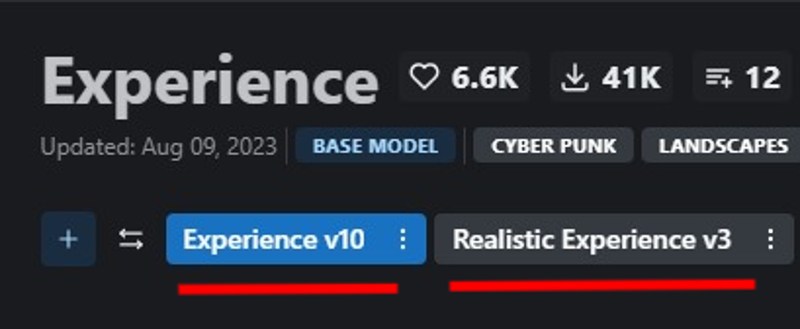
Version Selection
Experience
General purpose
3D render focus with photorealistic secondary.
Space booty
Realistic Experience
General purpose
Photorealistic focus with 3D render secondary.
Improved skin texture
Space booty
What changed in v10?
Also applies to Realistic Experience v3
Lowered the Noise offset value during fine-tuning, this may have a slight reduction in other-all sharpness, but fixes some of the contrast issues in v8, and reduces the chances of getting un-prompted overly dark generations.
Improved Prompt adherence : How well the neural network follows a user's prompt.
Similarly, the models now have less of a chance of generating un-prompted nsfw images and vice versa.
Note: A full prompt guide and more detailed explanation between the two models is being worked on. For now, since everyone has different tastes - it's best to look at the sample images and choose which model best suits your taste. All previous versions of the model will remain up, so if you liked a previous release it will still be available to download.
Merged Models
A list of merged models can be found bellow in the description of the attached model version.
Capabilities
NSFW Photography
SFW Photography is also possible, see "Trigger Words" bellow.
Photorealistic 3D renders
human anatomy
Stylized images
Landscapes
Concept Art
Album Art
ect.. This is more of a general purpose model
Limitations
Anime, Although you can give it a try!
Anime is now possible, although this was not the focus of the model. For a focused 3d render/anime model see, Eris
Trigger Words
I'm not aware of any trigger words that have drastic influence on the generation process.
However, tags such as:
"3d render", "cartoon" | "nsfw", "sfw", "nudity", and "erotica"
tend to add push the generation (to some degree) in one direction or another. For example, putting sfw in your prompt and nsfw in your negative prompt should push the generation to produce a SFW image.
Changelog
8-9-23 : Updated Experience to v10 (skipping v9). Updated Realistic Experience to v3
3-31-23 : Uploaded Experience 8, Experience 7.5, and Realistic Experience 2
4-1-23 : Added .ckpt versions of Experience 8 and Realistic Experience 2
Checkout my other models
SDXL
Boomer Art Model - https://civarchive.com/models/163139/boomer-art-model-bam
SD1.5
Doomer Boomer - https://civarchive.com/models/118247?modelVersionId=128239
Lomostyle - https://civarchive.com/models/109923/lomostyle
Based Model - https://civarchive.com/models/83991?modelVersionId=89262
Electric Eden - https://civarchive.com/models/64355/electric-eden
Cine Diffusion - https://civarchive.com/models/50000/cine-diffusion
Project AIO - https://civarchive.com/models/18428/project-aio
WonderMix - https://civarchive.com/models/15666/wondermix
Elegance - https://civarchive.com/models/5564/elegance
VisionGen - Realism -https://civarchive.com/models/4834/visiongen-realism
LoRA
Pant Pull Down - https://civarchive.com/models/11126/pant-pull-down-lora
If you made this far, Thanks!
Description
This version includes Noise Offset training
As a result, prompts from previous versions may need to be edited to generate similar images. A full model guide (PDF) is in the works.
What's included:
eXp_8.safetensors | Main model - FP32
eXp_8-fp16.safetensors | Main model - FP16
eXp_8.ckpt | FP16 checkpoint
FAQ
Comments (44)
Last time i gave this a try, v8.0 was not out yet. All it was able to generate was just naked pictures. Am i missing something ? Do i need additional vaes or something ?
That issue has been somewhat addressed in v8.0, but it's still not perfect and has a bias towards nudity, even after fine-tuning the text-encoder. With the right prompt sfw images are possible - more possible than they were with v7.0
I never had that problem with 7. You probably just needed to put nude in the negative prompts, or give a description of the clothes.
im also using invoke ai, i noticed most people use A1111
anyway, it seems like everything is functional in this version. Thank you !
@WarAnakin No problem, glad it's working for you 👍
Are you going to do a new version of Project AIO with this version of Experience?
Yes, I'm holding off a few days because Clarity will be receiving an update very soon. Once the update for clarity is out, AIO will be updated 👍
@ndimensional Awesome, love your models.
What exactly is the difference between 8.0 and RE2? 8 looks just as realistic to me.
@Taco360 RE2 is v8.0 fine-tuned on real images (both UNet & text-encoder fine-tuning). v8.0 is capable of creating photorealistic images but it requires more effort in the prompt. Likewise, RE2 can create 3D renders but not to the same degree as v8.0.
RE2 doesn't require as much effort for photorealism and captures more of the fine details that you'd expect from a real image, skin texture for example.
The similarities in the sample images are likely the result of me using similar/identical prompts from v8.0, this makes the subtle differences harder to notice. Especially since RE2 is a fine-tuned version of v8.0. The noise offset also makes the images look similar, especially on dark images.
In short, skin textures and subtle details are more realistic in RE2 with less effort in the prompt.
@ndimensional Thanks, on its own I'll stick to 8,I like the backgrounds, but for AIO are you going to use 8 or RE2? I'd suggest RE2 since it will probably blend better with Clarity, and Elegance since they are are also photo realistic models.
@Taco360 Great suggestion, I'll probably experiment with getting v8 and RE2 both into the merge (mainly by pulling the lighting/texture UNet layers from RE2 after merging v8). AIO is a bit of experimental model where I try unconventional things and see if they stick. If all else fails, I'll likely just merge RE2.
Thank you again for all your amazing hard work. Going to check out all 3 new versions!
I'm looking forward to the guide you talk about in the description. Experience is one of my most favorite models, but I know a lot of times the prompting is not the same as my other favorite models, so I look forward to a better understanding so I can better harness the amazing power of what's already a fantastic and enjoyable model to work with!
Regarding 7.5 vs 8, is there any reason to use 7.5?
I read the desc, does it mean that 8 moves away from:
"3d render-esque textures"
"cartoon/stylized images"
It's cool we getting an updated for these old merges, with AIO I assumed you would not. Appreciated!
I should probably reword that, the big difference between v8 and 7.5 is the contrast and lighting. I've noticed on other models; that not everyone is a fan of the effets of Noise Offset. So I decided to release 7.5 (the version without Noise Offset) for those who prefer it's contrast/lighting over v8.0.
As for AIO, it's going to be receiving an update in the near future that will include this update for Experience and, a soon to be released update for Clarity.
@ndimensional I've tested 8.0 and Realistic 2.
8.0 gives gives me real images, so nothing like previous experience (but nice images nothing seem broken). Realistic 2 has issues, it's as if it just doesn't listen to your prompt. I have trouble getting a simple portrait and it is obsessed with nudity despite tags of SFW/Nudity Nude NSFW tags.
So it's like 8.0 is doing what Realistic 2 should be doing. Another thing I noticed is the odd tendency for closeups/face shots despite even prompting to counter it. I'm downloading 7.5 now.
EDIT: As for 7.5 using the same exact prompt set, I'm receiving real images, nothing like 7.0 art based.
I'm only getting distorted images out of Realistic Experience 2, and I'm not sure why...
What's your CFG set at?
Some unconventional aspect ratio and image sizes can give distortions.
@ndimensional 7
@Delirium_Sidhe 768x768, also tried 512x512.
@jonesaid should not be a problem. maybe not enough negative prompts? )
@Delirium_Sidhe I have a decent negative prompt... strange thing is that the very same prompts and settings work fine on other models, but totally break on Realistic Experience 2. I noticed it because I was running a XYZ grid test. All other models generated fine, except this one.
I even tried redownloading the model, thinking maybe it got corrupted during download, but got the same results.
@jonesaid can you share your prompts? If it is reproducible, I think OP would be very interested
@Delirium_Sidhe every prompt produced many distortions...
Realistic experience is the only one that does not work at all. I get cooked and over saturated images with loads of artifacts and over saturated blotches. ive tried every sampling method, and anything from 20 steps to 150 steps, and the CFG scale from 1 to 20, same result each and every time. is there a user guide somewhere?
I'm working on a user guide.
Try this:
Sampler = DPM++ SDE Karras
Steps = 25
Size = 512x768
Face Restoration = Off
Hires. Fix = Off
CFG = 6
Prompt = Something simple, doesn't really matter.
Download this VAE - https://huggingface.co/stabilityai/sd-vae-ft-mse-original/blob/main/vae-ft-mse-840000-ema-pruned.safetensors
In webui settings:
Settings -> Stable Diffusion -> SD VAE -> select the VAE you installed via dropdown. Then, uncheck Ignore selected VAE for stable diffusion checkpoints that have their own .vae.pit next to them
Clip Skip = 1
In webui settings under Settings -> Sampler parameters -> Eta noise seed delta set to 31337
While in "Sample parameters" ensure the following:
Sigma Noise = 1
Sigma Churn = 0
The issues you're having are more than likely setting related.
thanks for the great reply. ive already replaced it with experiencev2 which dont have any of these issues. most of my setttgins were close to those. except. the Eta noise was at default 0. still dont know what the diff is between 0 and 31337, VAE was set to auto but maybe it does not really work
what does this mean? [Cyberpunk:Steampunk:16] like what does the Cyberpunk:Steampunk do and why is it in [ ]?
This is possibly an amateur sounding question, since I haven't messed around with it as much when it's inherent to the model, but is there a reliable way to control the relative strength of the darkness effect in images with models that have Noise Offset as part of the model training?
I've used the Noise Offset LoRAs before and can simply change the strength same as other LoRAs or TIs, but I'm wondering if there's a reliable and controllable way with prompting or other methods to do the same when it's part of the model itself.
It's a bit difficult to control. One way would be to add ((Daytime)) to the positive prompt, and ((Nighttime))` to the negative Or some variation of the two, lighting is key. The Noise Offset isn't for everyone, you might be interested in v7.5 which just v8.0 minus the noise offset. Then you can use the LoRA to get similar effects as v8.0 with more control. Granted the LoRA doesn't fully replicate actual noise offset fine-tuning but it's close enough.
@ndimensional Yeah, I downloaded 7.5, 8.0, and Realistic 2.0. I'm just such a huge fan of your work on Experience I didn't want to miss out on any iteration.
The thing I was working on before, it was nice for the scene to be able to actually customize exactly how dark things got, my messing around with using https://civitai.com/models/13941/epinoiseoffset , but just adjusting the strength. It was a couple week ago I did it, but I was even able to use the XYZ plot to figure out which looked about the level I was going for. So yeah, if you think this is a decent method then like you say, I could for sure use 7.5 with that method.
I was just so appreciative to read your explanation on Eris and how technical you got, so I know when you put together your models, you don't just throw stuff in there haphazardly like some folks do, there's actually meaning and understanding behind what you do. So that's why I thought to ask you first when I was using Experience the other day and going for a dark scene, but didn't know how to control it.
How important is it to use an inpainting model for inpainting, and pix2pix for generating images from pictures?
Will there be a huge difference to just going with experience 8 for everything?
i'd like to suggest renaming the model into "Assperience"
Good pun! I called it the "ASStronaut" model when it first appeared, due to the example images. 🤣 I'm glad I didn't let them scare me off.
odd. v8 and realistic 2... I can't seem to get the same image 2x in a row. yes, I have xformers on, and I realize that introduces some slight changes.... but if I do v7 or any other model... it's usually a very small change. like a few strands of hair moving. but with v8.... it's HUGE difference. like different person will be sitting, then standing, then running, then jumping.... different clothes etc. I'm using same prompt and seed. any ideas?
Is there a preferred sampler people have had success with? My last render looked like (a nice) abstract/impressionist peach still life.
is inpainting v7 compatible with v8?
Hi, I have a well paid job opportunity with one of our company projects in AI art prompt engineering that you may be interested in.
If you might be interested in discussing this further, please reach out via discord on: mrgunnar
Or alternatively, I can provide you an email address to contact me on.
Many thanks,
Josh
Can I apply?
Excellent checkpoint - however it is 'unrulily' and can be very hard to get exact results with compared to other check points. Very sensitive and unfriendly to higher level of CGF.
Otherwise - probably the best one I've got - provided your not VERY particular about exact results. (basically - expect good results - but it'll leave out stuff due to it not playing nicely with higher levels of conformity to the prompt often).
Thanks for the feedback!
This will be resolved in the next update 👌
Details
Files
Available On (1 platform)
Same model published on other platforms. May have additional downloads or version variants.