


Read Description
Experience SDXL BETA Released!
Buy me a coffee ❤
https://ko-fi.com/ndimensional
All donations will be used to fund the creation of new Stable Diffusion fine-tunes and open-source AI tools.
Like photorealism? Try my new fine-tune 'Lomostyle'
How about art? Try my new fine-tune 'Doomer-Boomer'
Note : Description is slightly outdated. A full rework of the description; and the addition of a PDF guide are coming soon.
Check the versions above
With the release of Experience v7.0, there is now a second version you may be interested in -Realistic Experience. Both Experience and Realistic Experience are updated at the same time.
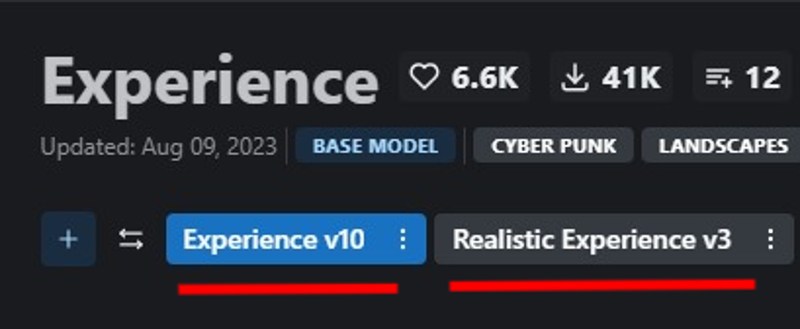
Version Selection
Experience
General purpose
3D render focus with photorealistic secondary.
Space booty
Realistic Experience
General purpose
Photorealistic focus with 3D render secondary.
Improved skin texture
Space booty
What changed in v10?
Also applies to Realistic Experience v3
Lowered the Noise offset value during fine-tuning, this may have a slight reduction in other-all sharpness, but fixes some of the contrast issues in v8, and reduces the chances of getting un-prompted overly dark generations.
Improved Prompt adherence : How well the neural network follows a user's prompt.
Similarly, the models now have less of a chance of generating un-prompted nsfw images and vice versa.
Note: A full prompt guide and more detailed explanation between the two models is being worked on. For now, since everyone has different tastes - it's best to look at the sample images and choose which model best suits your taste. All previous versions of the model will remain up, so if you liked a previous release it will still be available to download.
Merged Models
A list of merged models can be found bellow in the description of the attached model version.
Capabilities
NSFW Photography
SFW Photography is also possible, see "Trigger Words" bellow.
Photorealistic 3D renders
human anatomy
Stylized images
Landscapes
Concept Art
Album Art
ect.. This is more of a general purpose model
Limitations
Anime, Although you can give it a try!
Anime is now possible, although this was not the focus of the model. For a focused 3d render/anime model see, Eris
Trigger Words
I'm not aware of any trigger words that have drastic influence on the generation process.
However, tags such as:
"3d render", "cartoon" | "nsfw", "sfw", "nudity", and "erotica"
tend to add push the generation (to some degree) in one direction or another. For example, putting sfw in your prompt and nsfw in your negative prompt should push the generation to produce a SFW image.
Changelog
8-9-23 : Updated Experience to v10 (skipping v9). Updated Realistic Experience to v3
3-31-23 : Uploaded Experience 8, Experience 7.5, and Realistic Experience 2
4-1-23 : Added .ckpt versions of Experience 8 and Realistic Experience 2
Checkout my other models
SDXL
Boomer Art Model - https://civarchive.com/models/163139/boomer-art-model-bam
SD1.5
Doomer Boomer - https://civarchive.com/models/118247?modelVersionId=128239
Lomostyle - https://civarchive.com/models/109923/lomostyle
Based Model - https://civarchive.com/models/83991?modelVersionId=89262
Electric Eden - https://civarchive.com/models/64355/electric-eden
Cine Diffusion - https://civarchive.com/models/50000/cine-diffusion
Project AIO - https://civarchive.com/models/18428/project-aio
WonderMix - https://civarchive.com/models/15666/wondermix
Elegance - https://civarchive.com/models/5564/elegance
VisionGen - Realism -https://civarchive.com/models/4834/visiongen-realism
LoRA
Pant Pull Down - https://civarchive.com/models/11126/pant-pull-down-lora
If you made this far, Thanks!
Description
This version includes a "fix" to a broken CLIP key called embeddings.positions_ids that occurs during the most common method of merging.
Note: The tensor matrix for 6.5 wasn't terribly broken and is still useable.
In fact, sometimes resetting CLIP can change the models output for the worse.
Whichever version you choose is up to your own personal preference and how you write your prompts.
Note Deux: Bare in mind, that not all the images between this version and the non-fixed version share similar prompts. Some of prompts in this version have been slightly altered, as a result they may look more interesting. If you're using the non-fixed version, feel free to copy prompts from this version and share your results in the comments!
FAQ
Comments (17)
which one is the newest one just downloaded 6.0 now there is 6.5 and 6.5 clip fix which have different file sizes. Clip fix seems to be in the middle at the menu but it says 6.5 fixed :S I am so confused. Thanks for your work.
There is a comment "This version includes a "fix" to a broken CLIP key called embeddings.positions_ids that occurs during the most common method of merging."
@klikkeri1 I think I am missing something. You have just uploaded two models almost at the same time 6.5 and 6.5 clip fix. If 6.5 has something wrong with it, 6.5 clip fix shouldn't be 6.6 ? Don't get me wrong, just want to try the newest optimal one as a casual user.
6.5 is the latest. You can think of 6.5-clip-fix as an optional patched version of 6.5 that may or may not improve the models output. The term "fix" is misleading, as it implies that the non-fixed version is broken, it is not. 6.5 has a max deviation of: 0.00001compared to 6.5-CLIP-Fixed: 0.00000. This slight deviation will not result in any corruption of the generated outputs. I included the clip-fix version as it does slightly change output. I personally find the "fixed" version is less creative and looks too much like standard SD v1.5. That's why I put it in the middle, as an option for those who want it. I'll update the description to better explain the difference between the two versions as it is a bit confusing.
@ndimensional Thanks for your both detailed explanation and wonderful model. Learned a lot. I am now checking. Update for description would be very good for the accessibility of your model. This site has lots of casual users like me ^^
@rockedt No problem! Glad I could help. And thanks for the feedback! I've been working with machine learning and neural networks for 10+ years so I often forget that others understandably, aren't aware of all the technical jargon lol.
do you have any TI or any other modifiers? I wasn't able to replicate the initial image.
Do you have Hires fix and restore faces enabled?
I believe I used:
Restore Faces: True(on)//CodeFormer//0.8
Hires.Fix: Ture(on)//None(upscaling)//0.7(denoise)
I also have my ETA noise seed delta set to: 31337 (You can find this in the webui settings menu)
@ndimensional the seed delta and setting the inital resoulution to 768x768 is what did it for me.
The model seem incredible, but i have a question about the Clip fix. The Clip problems are occurring from the new AUTOMATIC1111 updates, yes? I'm having so much troubles with this stuff right now, i had good finetuned models that i wanted to merge with bigger models and it gets messy every time i try to do something
Not exactly. The CLIP issue stems from merging via the 'Checkpoint Merger` in AUTOMATIC1111.
Try this:
1. Make sure your dreambooth models are trained on SD v1.5 and not 2.0+
2. Install this extension to webui - https://github.com/iiiytn1k/sd-webui-check-tensors
3. Load your dreambooth model into check-tensors extension
4. It should return an int64 tensor matrix
* Good clip should look like:
tensor([[ 0.0000, 1.0000, 2.0000, ...., 76.0000]])
5. Broken clip would deviate, for example:
tensor([[ 0.0452,1.6535, ..., 75.9852]])
6. Dreambooth models shouldn't have any deviation.
7. Install the following extension in webui - https://github.com/bbc-mc/sdweb-merge-block-weighted-gui
8. Merge your fine-tuned model(A) with the bigger model(B)
9. Name your output model
10. At the bottom of the merge-block-weights extension, you'll see a slider named "M00" Which stands for "Middle Block".
11. Set M00s value ( I recommend leaving it at it's default position for initial testing) and don't worry about "IN00", "OUT11", ect.. These are UNet blocks and can be left at their default values for your purpose.
12. IMPORTANT In the Merge-block-weight extension, to the right, you'll see a box called "Skip/Reset CLIP position_ids" Select Force Reset and then Run Merge
13. Switch over to the check-tensors tab in webui
14. Load your newly merged model and inspect the returned tensor matrix for deviation, as outlined earlier.
Extra: You can also use this extension - https://github.com/arenatemp/stable-diffusion-webui-model-toolkit to check for broken CLIP.
Hope this helps, good luck!
This looks great, ill give it a try
Is there any way to keep the generated image, but change some things around ? like clothing and accesories ?
If you're using AUTOMATIC1111 webui, then yes you can.
You'll need an inpainting model and/or a pix2pix model. I recently added both model types for this model, but really you can use whichever you prefer.
1. After you generate your image with Txt2Img, under the image preview you will see a few buttons that say Send To: <inpainting> <Img2Img> <Extra>
2. If you are using an inpainting model, choose inpainting. If you're using Pix2Pix, choose Img2Img
3. Select and load the inpainting or Pix2Pix model.
4. If inpainting, use the brush to mask to the part of the image you want to change. Then write a prompt describing the thing you want to change.
5. If Pix2Pix, you can simply tell the model what you want it to do inside the prompt field. For example, if the subject is wearing a blue shirt but you want it to be red, type something like; "Make her shirt red".
Hope this helped!
@ndimensional What a legend , thank you !
@Skibidybap No problem, glad to help!
If I load picture in img2img field and type prompt, for example change hair color, it generate me entire different picture with entire different character whit that hair color, like txt2img and does not care what image in left field
Details
Files
Available On (1 platform)
Same model published on other platforms. May have additional downloads or version variants.