


Read Description
Experience SDXL BETA Released!
Buy me a coffee ❤
https://ko-fi.com/ndimensional
All donations will be used to fund the creation of new Stable Diffusion fine-tunes and open-source AI tools.
Like photorealism? Try my new fine-tune 'Lomostyle'
How about art? Try my new fine-tune 'Doomer-Boomer'
Note : Description is slightly outdated. A full rework of the description; and the addition of a PDF guide are coming soon.
Check the versions above
With the release of Experience v7.0, there is now a second version you may be interested in -Realistic Experience. Both Experience and Realistic Experience are updated at the same time.
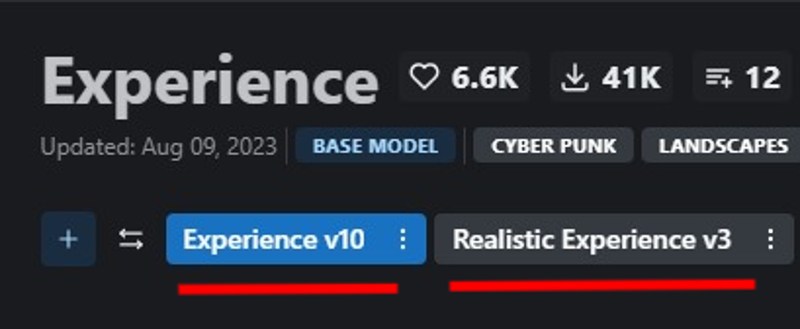
Version Selection
Experience
General purpose
3D render focus with photorealistic secondary.
Space booty
Realistic Experience
General purpose
Photorealistic focus with 3D render secondary.
Improved skin texture
Space booty
What changed in v10?
Also applies to Realistic Experience v3
Lowered the Noise offset value during fine-tuning, this may have a slight reduction in other-all sharpness, but fixes some of the contrast issues in v8, and reduces the chances of getting un-prompted overly dark generations.
Improved Prompt adherence : How well the neural network follows a user's prompt.
Similarly, the models now have less of a chance of generating un-prompted nsfw images and vice versa.
Note: A full prompt guide and more detailed explanation between the two models is being worked on. For now, since everyone has different tastes - it's best to look at the sample images and choose which model best suits your taste. All previous versions of the model will remain up, so if you liked a previous release it will still be available to download.
Merged Models
A list of merged models can be found bellow in the description of the attached model version.
Capabilities
NSFW Photography
SFW Photography is also possible, see "Trigger Words" bellow.
Photorealistic 3D renders
human anatomy
Stylized images
Landscapes
Concept Art
Album Art
ect.. This is more of a general purpose model
Limitations
Anime, Although you can give it a try!
Anime is now possible, although this was not the focus of the model. For a focused 3d render/anime model see, Eris
Trigger Words
I'm not aware of any trigger words that have drastic influence on the generation process.
However, tags such as:
"3d render", "cartoon" | "nsfw", "sfw", "nudity", and "erotica"
tend to add push the generation (to some degree) in one direction or another. For example, putting sfw in your prompt and nsfw in your negative prompt should push the generation to produce a SFW image.
Changelog
8-9-23 : Updated Experience to v10 (skipping v9). Updated Realistic Experience to v3
3-31-23 : Uploaded Experience 8, Experience 7.5, and Realistic Experience 2
4-1-23 : Added .ckpt versions of Experience 8 and Realistic Experience 2
Checkout my other models
SDXL
Boomer Art Model - https://civarchive.com/models/163139/boomer-art-model-bam
SD1.5
Doomer Boomer - https://civarchive.com/models/118247?modelVersionId=128239
Lomostyle - https://civarchive.com/models/109923/lomostyle
Based Model - https://civarchive.com/models/83991?modelVersionId=89262
Electric Eden - https://civarchive.com/models/64355/electric-eden
Cine Diffusion - https://civarchive.com/models/50000/cine-diffusion
Project AIO - https://civarchive.com/models/18428/project-aio
WonderMix - https://civarchive.com/models/15666/wondermix
Elegance - https://civarchive.com/models/5564/elegance
VisionGen - Realism -https://civarchive.com/models/4834/visiongen-realism
LoRA
Pant Pull Down - https://civarchive.com/models/11126/pant-pull-down-lora
If you made this far, Thanks!
Description
Inpainting version of v6.5
FAQ
Comments (8)
To do inpainting do I have to download also the inpainting version or I can just rename the main 6.5 version name.inpainting.safetensors ? In other words do I need both versions ?
Just curious. I keep seeing model creators mention the CLIP fix. You put a very detailed explanation of what it is, thank you. But I'm still wondering. How do you identify that this deviation has occurred and what steps do you take to fix it?
There's a few ways to check for position_id deviation.
First Method (more detailed)
The first way is to use 'sd-webui-check-tensor' extension - https://github.com/iiiytn1k/sd-webui-check-tensors
Once you've installed the extension, head over to the "CLIP tensors checker" tab in webui and load your model from the dropdown list. Run the extension ("Check tensor" button).
After the extension finishes, you'll see a tensor matrix:
```python
tensor([[ 0, 1, 2, 3, 4, 5, 6, 7, 8, 9, 10, 11, 12, 13, 14, 15, 16, 17,
18, 19, 20, 21, 22, 23, 24, 25, 26, 27, 28, 29, 30, 31, 32, 33, 34, 35,
36, 37, 38, 39, 40, 41, 42, 43, 44, 45, 46, 47, 48, 49, 50, 51, 52, 53,
54, 55, 56, 57, 58, 59, 60, 61, 62, 63, 64, 65, 66, 67, 68, 69, 70, 71,
72, 73, 74, 75, 76]])
Type: torch.int64
```
if it looks something like this (just an example):
```python
tensor([[ 0.0001, 1.3456, 2, 3, 4, 5, 6, 7, 8, 9, 10, 11, 12, 13, 14, 15, 16, 17,
18, 19, 20, 21, 22, 23.4805, 24, 25, 26, 27, 28, 29, 30, 31, 32, 33, 34, 35,
36, 37, 38, 39, 40, 41, 42, 43, 44, 45, 46, 47, 48, 49, 50, 51, 52, 53,
54, 55, 56, 57, 58, 59, 60, 61, 62, 63, 64, 65, 66, 67, 68, 69, 70, 71,
72, 73, 74, 75, 76]])
dtype=torch.float32)
```
You have position_id deviation.
Under the tensor matrix you'll see a list like this:
```
0: 0.0000 0.0000
1: 1.0000 0.0000
ect..
```
Scroll down the list and you'll see something like this:
```
Max deviation: 0.00000
Min deviation: 0.00000
Mean deviation: 0.00000
```
If you see any deviation other than zero, that means there's deviation. Really low deviation like 0.00001 aren't that big of a deal, but you might still want to test fixing the CLIP and comparing the fixed model to the non-fixed model.
Second Method (simple) + Fix
Install the 'stable-diffusion-toolkit' extension for webui - https://github.com/arenatemp/stable-diffusion-webui-model-toolkit
Once it's installed, go to your settings tab in webui, click the 'Model Toolkit' tab, and check the "Fix broken CLIP positions IDs" and apply settings.
Click on the "Toolkit" tab in webui and load your select your model from the dropdown, click "Load" and read the report.
The report will tell you if there's any broken clip position ids.
Rename the model and set your precision, click save. The Toolkit will automatically fix the broken clip.
Once the model is saved, click clear and you're all set for testing.
Optional Fix
Install the 'Merge Block Weighted GUI' webui extension - https://github.com/bbc-mc/sdweb-merge-block-weighted-gui
1. Click on the block merge tab in webui
2. Choose preset weights 'All_A'
3. Check the 'Save as safetensors' checkbox
4. Check the 'Force Reset' option under 'Skip/Reset CLIP position_ids'
5. Load your model in both 'Model A' and 'Model B' dropdowns
6. Name your model in the 'Output Model Name' box.
7. Run the merge
8. Check tensors of freshly merged model with CLIP tensor checker from earlier.
Hope this helps!
@ndimensional Thank you. I actually discovered the webui-model-toolkit option just a little bit earlier today. Meant to come back here and add a comment saying I figured it out, but you responded before I could do that. Thank you for the detailed explanation!
@stablydiffused No problem, glad to help. The latest version of Wild mix looks great btw!
@ndimensional Thank you!
Details
Available On (1 platform)
Same model published on other platforms. May have additional downloads or version variants.