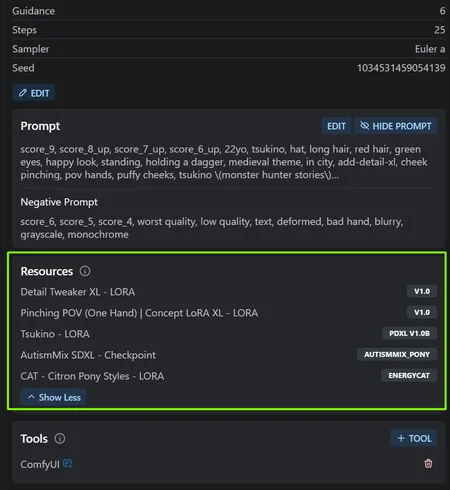
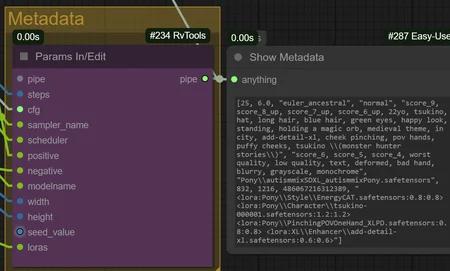


ComfyUI can indeed store all your metadata for Civitai!
This workflow utilizes the RvTool nodes that gather all information used for your images, including the Loras. I've also added my trusty Lora Auto Trigger Words node that automatically adds the trigger word to enable the Lora.
With this workflow, you should be able to post your image anywhere and it will automatically find all the resources for you!
Working on the Pony version. Done ✔️Working on the SD3.5 version. Done ✔️Working on the Flux version. Done ✔️Working on the SDXL version. Done ✔️
If you find this workflow helpful, you can share your appreciation by reacting to one of my images❤️, donating some Buzz⚡ or buying me a coffee☕
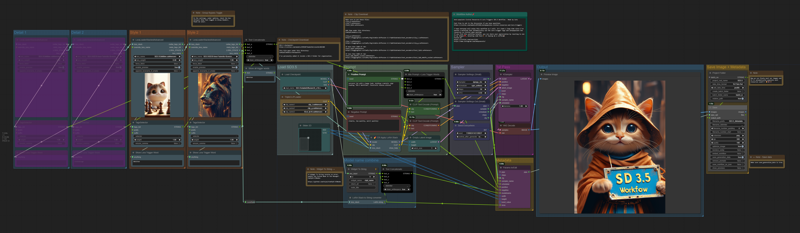
SD3.5 Workflow Preview
Flux Workflow Preview
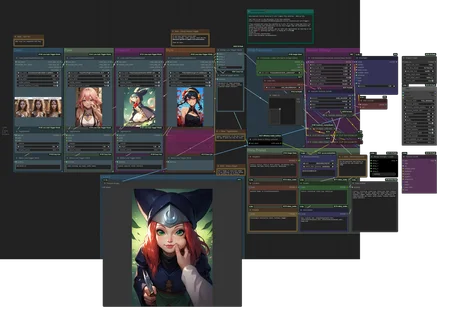
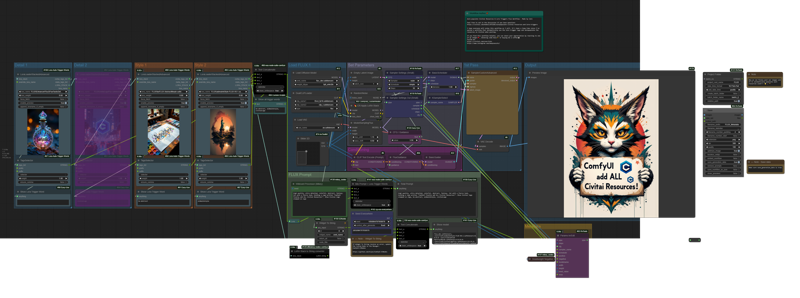 Pony Workflow Preview
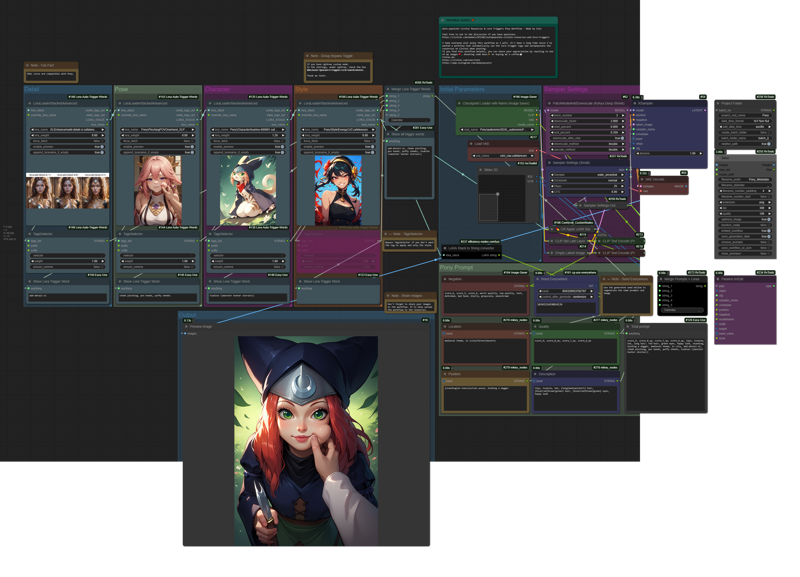 SDXL Workflow Preview
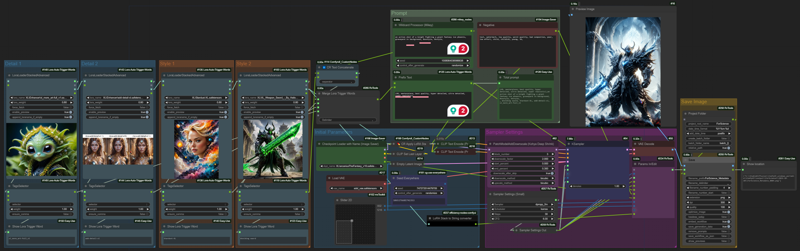
Description
Pony version is here!
FAQ
Comments (43)
Hey brother, for some reason the workflow doesn't work for me. I even downloaded the revtools custom node, it still doesn't work. Any solutions?
hey, what kind of error message are you getting?
@bo4rsworld it shows prompt executed in 1-2 seconds, and nothing generates.
@Toonzebo
With Loras or without?
if you work without Loras, take a look next to your post. "If you don't have Loras for SD3.5" bypass the nodes once and then it should work.
Just remember, if you want to use Loras again, to reactivate all nodes.
I hope this solves your problem :)
oh so only loras for sd3.5 are compatible? PS: I only have pony loras, and tried them a few, none worked,
@Toonzebo oh, it's about the pony workflow? Unfortunately I can't help you with that, sorry
I thought it was about the 3.5 workflow because only this “could” cause problems.
Then you have to wait for Catz
@bo4rsworld yeah, thank you for trying to help me out anyway, brother! have a nice day!
with pleasure my friend. Unfortunately, I haven't been able to test the Pony workflow yet, so I'm off topic.
@Toonzebo I'd need some more info on what you see. Are there any nodes that has a red border around? This would mean that that node is the issue.
Here are some good troubleshoot steps in order to follow when a workflow doesn't work:
1. Something good to check with new workflow is, have you changed all the files (Checkpoints, vae, loras) to yours? Some files might be similar, but not the same name/path.
2. You could be facing is some custom nodes didn't download properly. You can check in the Manager > Install Missing Custom Nodes of ComfyUI.
3. Download the requirements of RvTool. You would need to go to the specific node located here ComfyUI\custom_nodes\ComfyUI-RvTools, click the file path and write cmd to open the a command window at that specific path and enter this:
..\..\..\python_embeded\python.exe -m pip install -r requirements.txt
Let me know if any of these helped.
@Catz Hey brother! Don't know how but it totally works now, I used all the methods. I will post my results soon too. This is an amazing workflow, much thanks on behalf of entire community, from me! :D Cheers!
How do you select/load the image you want to use?
I'm not sure to understand. You wish to use an image in the workflow as reference(currently there are no option in this workflow) or do you wish to upload an image you've created with the workflow?
All of this functionality has been included in the “Image-Saver” node for a long time. I'm not quite sure what the point of this one is?
From my testing, I believe the Image Saver node needs you to enter the loras/embbeds inside the prompts for Civitai to connect the models from the sites to your image. This current way let you separate them in Lora Stacks, which is more clean.
The main purpose of this workflow is to automatically populate all resources used and save it in the Metadata for Civitai to connect to your image.
That being said, I may be wrong. I'd be curious to see a working workflow.
@Catz @Rekano33 is kind of right. "image-Saver" does exactly that. Of course it can't hurt to have another option.
You can just connect a lora stack>lora stack to string converter>ImpactWildcardProcessor> Positive of the image saver. That's it. You can download this image workflow for example here, it's very clean: https://civitai.com/images/36247614
@diogod Oh I see, you have to feed it into the Positive input. When I tried I was feeding the Loras to the Modelname. I guess that only accept the Checkpoint. Good to know how that one work now, thanks for the explanation!
Also, I like your Anything Everywhere node. Pretty handy and less messy for Sampler settings.
@Catz glad could help! =)
But Save Image doesn't show the diffusion model.
@hannahthorn for "image-saver" you need to feed it the model name, it will show the model yes
@diogod Sorry, I don't want to feed it with the modelname, everytime I change it. Besides that I tried it and it didn't show.
@hannahthorn you don't need to do that mannually. You use another node to either send the checkpoint name to it or retrieve the name.
@diogod There is one node for the checkpoint but not for diffusion models.
@hannahthorn you might need a custom node like "checkpoint name selector" from comfyui art venture. On my inpaiting workflow I use "checkpoint name selector" and send the name to image-saver. If I load a custom flux checkpoint it does get recognized by Civitai, so does base Flux model.
@diogod Thank you, good to know. Is it also possible to generate a new folder for each day?
@hannahthorn do you mean when you save? I haven't tried. But I bet it works the same way the core image save node.
Also instead of sending the checkpoint name, a easier way to get the checkpoint name is using KJNodes node called "Widget to String", put your normal unet loader node number there and "unet_name" as the widget and connect the string output to image-saver modelname.
@diogod This node is used by Catz in his workflow, yes, I should think a bit longer. :) Thank you.
Do u have some video tutorial like youtube ?
I currently don't have, but I am planning to make some. What would you like to learn?
Hello!, this workflow looks amazing!!!. Can you help me with a problem?, i'm using the Pony version. Every time i launch comfyui with this workflow it shows this error message: Missing Node Types
When loading the graph, the following node types were not found
easy showAnything
Project Folder // RvTools
Sampler Settings (Small) // RvTools
Sampler Settings Out (Small) // RvTools
Save Images // RvTools
Merge Strings // RvTools
Params In // RvTools.
And in custom Node Manager says
(IMPORT FAILED) ComfyUI Easy Use
i reinstalled comfyui and still have the same error.
I fix most of the issues installing RVTools, but i still can't fix ComfyUI Easy Use, so i receive this message:
Missing Node Types
When loading the graph, the following node types were not found
easy showAnything
Probably was the last update of Easy use that is causing this problem?
(UPDATE) is a problem exclusive of the latest version of ComfyUI-Easy-Use , it seems the creator knows about this error, i hope he release a fix soon. The workaround is to install the previous version v1.2.3
Glad you were able to dig into these and solve most of the issues!
RvTools can be indeed hard to install somehow. Sometimes you need to manually git clone the repo to your custom nodes RvTools But also use the pip install -r requirements.txt command in ComfyUI\custom_nodes\ComfyUI-RvTools.
Luckily, the only place I've used Easy Use node is to display the full prompts or trigger words. You can remove the node without issue or if you have the pythongosssss custom node, replace it with a node named "show text".
Thanks for flagging the issue! I hope it'll help other people as well.
Working great for me with SD3.5L
Going to steal some of these ideas for my own workflow! :)
Thanks a lot for this super useful workflow. As a ComfyUI/Flux beginner I am learning a lot from people like you. I have been trying for days to generate working Civitai metadata. My posts on reddit simply got deleted - aweful experience! Your workflow is a life safer.
Glad it helped out! Metadata for Comfy was a nightmare to get it running. Mods said it was not possible in the past and you had to use Civitai AIR nodes to specify each resources used. A nightmare when you are using many tons of different Loras.
I'm almost done finalizing my random image reference restyler workflow in Flux. It'll have more detail, faster upscale time and Metadata added. You might find it interesting:
https://civitai.com/models/855759/random-image-reference-restyler
Feel free to contact me if you have any questions. You're starting at a good time! Lots of resources are out there and Flux is such an amazing model that give high fidelity and quality results.
Flux does take a lot of memory and long to show results. If you do want to experiment and learn better when modifying the Samplers settings, I'd suggest trying SDXL models as they are fast and compacted. You'll easily be able to transfer your knowledge to Flux.
Thank you! I tried to find a workflow to generate images with metadata for Civitai and only your workflows helped me to solve my issue.
I'm really liking the flux workflow. My one question is how come it dose not save the checkpoint info? I'm only using dev at the moment but i don't know if it makes a difference or not.
The main Flux checkpoint on civitai was posted with no user assign to it. Somehow this affect the automation of resource being found when posting an image on civitai. I tried forcing the AIR AI, model ID, and trying to force feed it in the metadata, but it seems to be a site issue.
Sometimes it'll allocate a random flux dev model to the image. Luckily, now we can manually add the model to our post, so that is one way to force it.
@Catz ya I was just curious. Thx for the reply. The workflow works great and any other checkpoints loads up just fine. Great job.
i have one more question. in the details section is it supposed to list out the trigger words as seen onsite in the bottom section? I have not had them show up?
i figured it out, force fetch was set to false...great work again
There might be some changes on this Lora Advance loader since ComfyUI made some new updates that had issue displaying the thumbnails. Used to not require force fetch, but good to know that works now.
The trigger words are gathered by connecting to Civitai API, so if there's a lora that is not on Civitai anymore, it might not find the trigger word.
@Catz thanks for taking the time to get back to me even though i figured it out myself...i added an upscale group to this Workflow and i think its going to be my new daily driver :)
@2018cfh Nice! Yeah I don't think I`ve added the upscale, but you can either use UltimateSDUpscale node for refine in quality (takes a bit more time)
Or use the FL Upscaler node or FL SDUltimate Slices + UltimateSDUpscale from Fill Nodes which reduce the render time greatly, but doesn`t add new details if not using the Ultimate SD Upscale.
You can even use the Image Comparer from rgthree to compare the before and after upscaling.