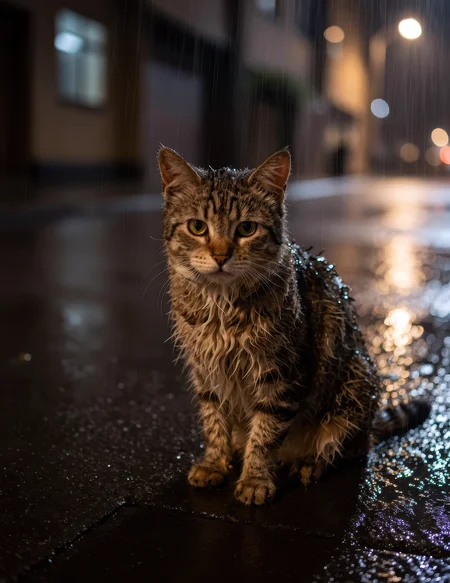
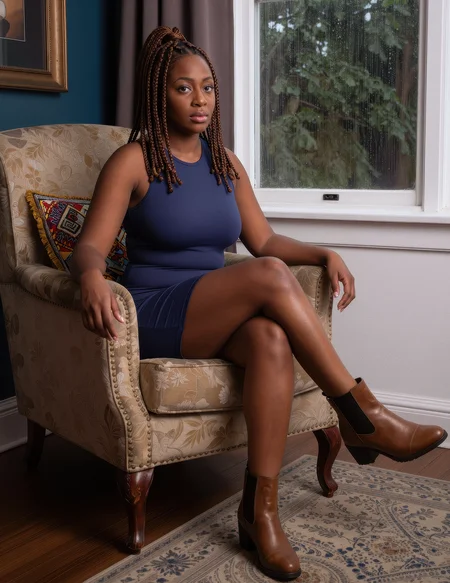
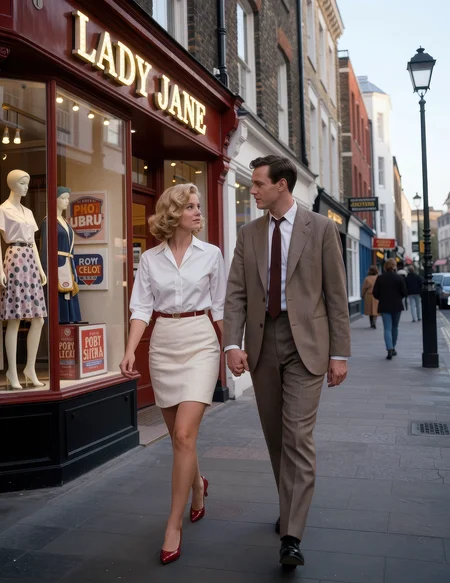

You can get this model through Civitai Early Access, or grab it along with many others by joining The Tinkerer on Whop. Membership gets you early releases, private tools and members-only pages. There are free pages too, no membership needed.
👉 Join on Whop
💬 Join the community for support, free tools and early news on Discord
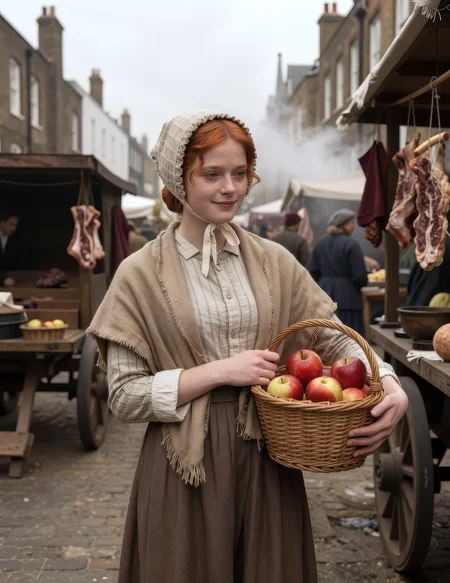
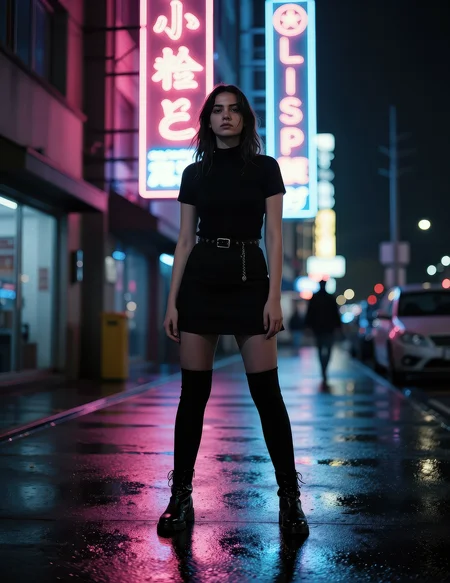
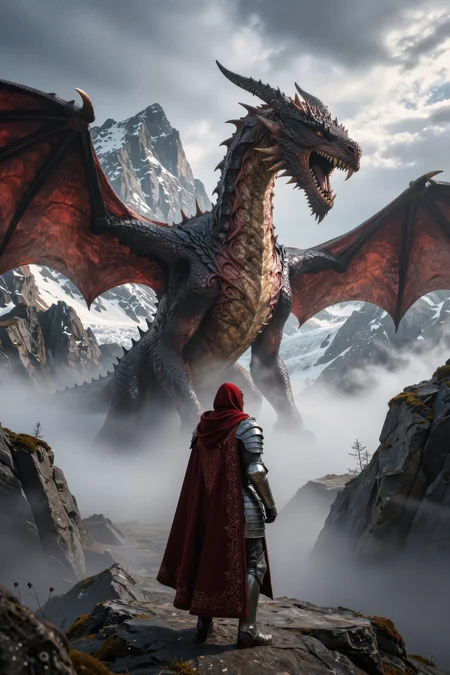
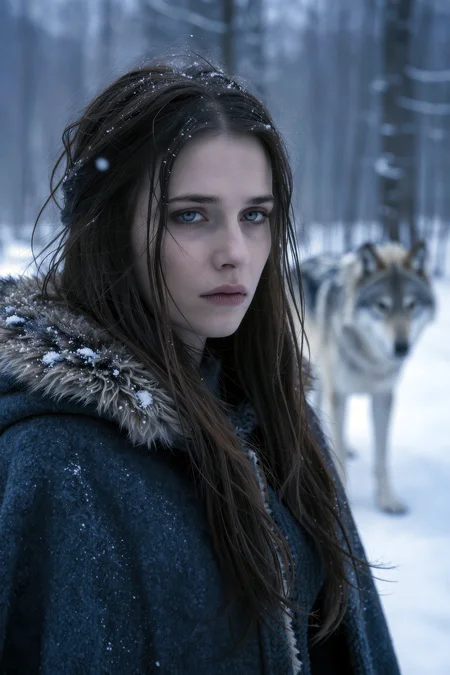
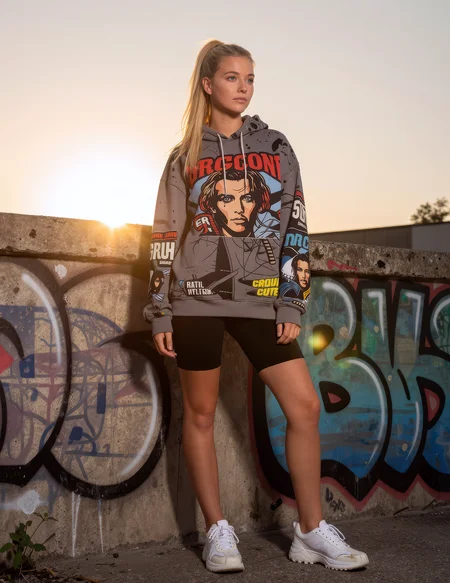
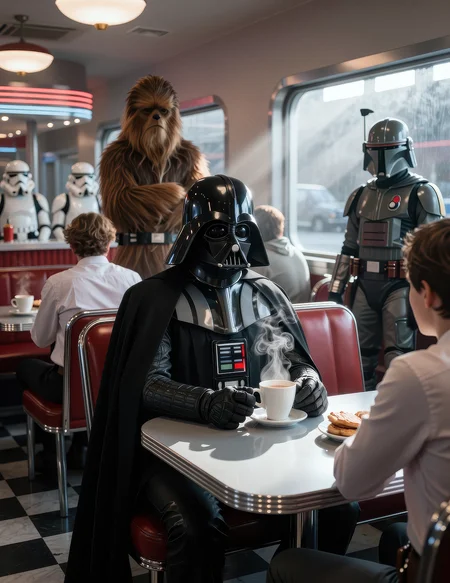
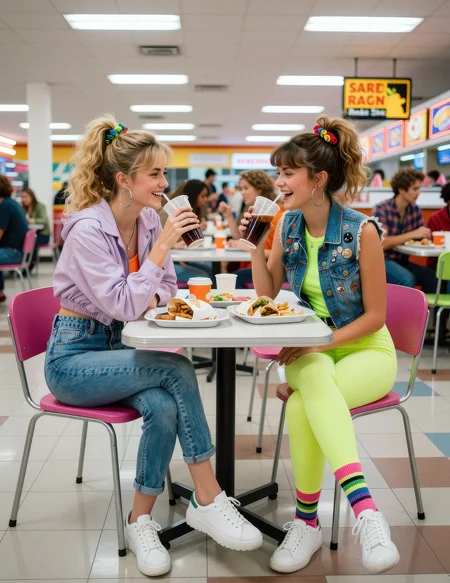
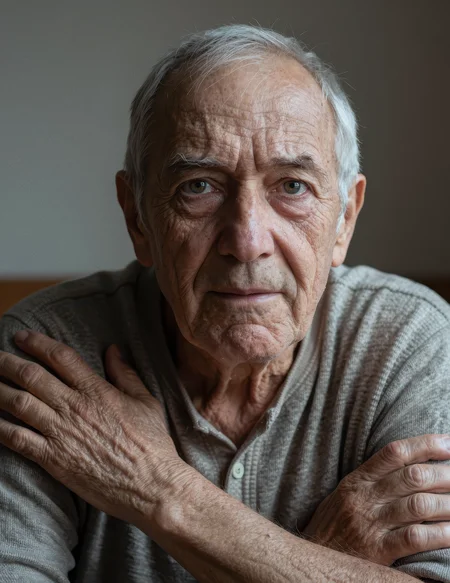
CyberRealistic Z-Image Turbo is a realism-focused finetune of Z-Image Turbo by Tongyi-MAI.
The idea behind it is deliberately simple: keep what makes Z-Image Turbo good - speed, strong prompt understanding, good composition and extremely efficient few-step generation - while moving the default visual language further toward believable photography.
CyberRealistic doesn't try to turn Z-Image Turbo into a completely different model. The original already has a very capable photographic foundation. The finetune mainly changes what the model considers a "normal" photograph: more natural skin, less synthetic rendering, more believable faces, stronger material texture, more grounded lighting and better anatomical consistency.
Z-Image Turbo already knows how to make a good image. CyberRealistic mainly changes where it starts.
What's different from base Z-Image Turbo
Stronger photographic look out of the box.
More natural skin texture with less waxy or overly polished rendering.
Improved faces, eyes, hair and small facial details.
Better anatomical consistency, especially hands, feet and complex poses.
Fewer duplicated limbs and extra hands in more difficult compositions.
More believable fabric, hair, skin, metal, glass and other material textures.
Stronger response to available light, practical lighting and real-world camera language.
Less dependence on stacks of words like
masterpiece,8k,ultra detailedandphotorealistic.Keeps the speed and general prompt behavior that make Z-Image Turbo useful.
The focus is photography, but that doesn't mean the model is locked to photography. Illustration, cinematic stylization, fantasy, advertising, vintage photography and other looks are still available when you describe them.
Prompting
If you're coming from SDXL, Pony or Illustrious, the biggest change is simple:
Describe the image instead of building a tag stack.
Z-Image Turbo uses a Qwen3-based text encoder and responds very well to normal descriptive language. Short comma-separated clauses are completely fine, but every part of the prompt should ideally tell the model something visual.
Instead of:
woman, realistic, masterpiece, best quality, detailed skin, cinematic, 8k
try:
A woman standing beside an open apartment window on a warm summer evening, photographed with soft natural light falling across her face, loose dark hair, natural skin texture and an out-of-focus city street behind her.
The second prompt gives the model an actual scene to construct.
Put the subject first
Start with what the image is about.
A middle-aged mechanic leaning over the open engine bay of an old red pickup truck...
works better than hiding the subject halfway through a long list of style instructions.
You don't need to obsess over exact prompt order, but the main subject and composition should be clear early.
Be specific
Specific visual language usually does more than generic quality words.
Instead of:
beautiful lighting
try:
soft late-afternoon sunlight entering through a dusty workshop window
Instead of:
detailed clothing
try:
a faded blue denim jacket with worn seams and slightly frayed cuffs
Instead of:
cinematic portrait
try:
photographed from chest height with a 50mm lens, shallow depth of field and soft window light from camera left
Describe the light
Lighting is one of the easiest ways to change the realism and mood of the image.
Useful examples:
soft overcast daylight
direct midday sunlight creating hard shadows
a single warm tungsten lamp above the table
cold fluorescent supermarket lighting
late-afternoon sunlight entering through venetian blinds
direct on-camera flash in a dark room
You can still use words like cinematic, but describing where the light actually comes from gives the model much more information.
Quality tags are not magic switches
Words such as:
masterpiece
best quality
8k
ultra detailed
absurdres
score_9
can still influence the wording of the prompt, but Z-Image Turbo doesn't treat them like the traditional SDXL/Pony quality system.
Use that prompt space to describe what you actually want to see.
Camera language works well
For photographic images, camera terminology can be useful when it describes a visible effect:
35mm documentary photograph
85mm portrait lens with shallow depth of field
handheld photograph with slight motion blur
direct flash snapshot
wide-angle environmental portrait
medium-format color photograph
Don't feel forced to specify a camera and lens in every prompt. Sometimes simply saying casual phone photo gives you exactly the look you need.
Prompt length
There is no perfect prompt length, but these are useful practical ranges:
10–30 words: exploration and seed hunting.
30–80 words: good balance between control and freedom.
80–150 words: complex scenes, precise lighting or detailed compositions.
Long prompts aren't automatically better. Contradictory prompts are the bigger problem.
If you ask for soft natural window light, hard direct flash, deep cinematic shadows and flat commercial studio lighting at the same time, the model still has to decide which instruction wins.
Text inside images
Z-Image Turbo is unusually capable at rendering text compared with older diffusion models.
If exact text matters, put it in quotation marks:
A small neon sign above the diner entrance reading "OPEN ALL NIGHT"
Keep important text reasonably short. It's good, but it still isn't a replacement for a typography application.
Recommended settings
Z-Image Turbo is a distilled few-step model.
Don't treat it like an SDXL checkpoint that needs 30–50 steps.
A good starting point is:
Steps: 8–9
CFG / Guidance: effectively OFF
Resolution: start around 1 megapixel and increase if your hardware allows it
Negative prompt: normally unnecessary
In the original Diffusers implementation, guidance is 0.0.
In standard ComfyUI workflows, the equivalent no-CFG setup is generally CFG 1.0.
More steps are not automatically better with Turbo. If something isn't working, changing the prompt, seed, sampler or composition usually makes more sense than simply increasing the step count.
ComfyUI
For ComfyUI, I recommend starting with the current Z-Image Turbo workflow/template rather than applying old SDXL settings.
Z-Image Turbo has its own sampling behavior and is designed around very low step counts.
Negative conditioning is normally zeroed out in the standard Turbo workflow because the model runs without traditional classifier-free guidance.
Example prompts
Natural-light portrait
A woman in her early thirties sitting beside an open café window, loose brown hair falling across one side of her face, wearing a simple cream-colored sweater. Photographed from slightly below eye level with a 50mm lens, soft overcast daylight entering from the window, natural skin texture, muted colors and a busy street softly blurred in the background.
Documentary photography
An elderly fishmonger arranging silver mackerel on crushed ice at an indoor market early in the morning. Cold daylight enters through the open market doors and mixes with the warm bulbs above the counter. Wet concrete floor, weathered hands, faded rubber apron, handheld 35mm documentary photograph with subtle grain and natural color.
Low-light snapshot
A young woman standing alone beside a vending machine outside a convenience store at two in the morning, photographed with direct on-camera flash. Dark parking lot behind her, slightly messy hair, casual oversized jacket, realistic skin texture, hard flash shadows, muted colors and the imperfect look of a spontaneous late-night photograph.
A few last things
Short prompts are completely valid.
One of the advantages of Turbo is that you can generate several directions quickly, choose the seed or composition you like, and then add more camera, lighting and material detail.
That often works better than trying to write the perfect 150-word prompt before generating anything.
Also keep in mind that Z-Image Turbo is distilled for speed. Part of that tradeoff is lower variation than a large non-distilled foundation model. If you keep seeing the same interpretation, change the wording more substantially rather than adding another five quality tags.
CyberRealistic Z-Image Turbo is released for people who enjoy generating, experimenting, benchmarking and finding the edges of a model.
Feedback is especially useful for difficult poses, multiple people, hands and feet, unusual lighting, text rendering and prompts where the model behaves differently from the original Z-Image Turbo.
If you find something interesting — good or bad — let me know.
Credits
CyberRealistic Z-Image Turbo is based on Z-Image Turbo by Tongyi-MAI.
Z-Image Turbo is released under the Apache 2.0 License. Please follow the applicable upstream license when using or redistributing derived models.
Description
Join The Tinkerer on Whop. Membership gets you early releases, private tools and a bunch of extra stuff.
👉 Join on Whop
FAQ
Comments (82)
Nice to see you working on Zit. This is promising. I'm your biggest fan. Cheers.
Stan?
In your testing so far, what would you say this model does better or worse than the standard zit model?
I’ve shared some comparison images on my Discord. The standard ZIT model is already very good, but I feel this one has a slight edge.
@Cyberdelia 'edge' in what ways exactly?
@Cyberdelia This doesnt answer his question! Seems you are not able to answer the questions what you did with this model. Instead of that you just hide critic or questions like that! Bravo! 👌
@MrSmith2025 First, chill. Second, it's subjective. Generate your own images and compare them. Luckily for you, Cyberdelia has posted some comparison generations. There is definitely an edge over standard ZIT.
@ailthrim I agree with you in that this dude needs to chill lol Although I also agree with him in that we are getting vague responses (even from you) in terms of what constitutes as 'edge' ;)
@ailthrim @lucidzachary473 I accidentally hid his comment (no idea how). I can understand why he’d be pissed about that. It’s been fixed now.
@lucidzachary473 It’s also difficult to put into words what has been improved when the base is already good. As mentioned before, this is an experiment for me, and I used training similar to what I applied with Flux - not NSFW material, but more focused on lighting, more Western-oriented material, etc.
Man im sad whenever the full base model releases and us peasants with horrible gpus will be left behind on the turbo model
Yes, I feel the pain. And so does my GPU. It cries in VRAM.
comming base model wouldn't be as same as that 6b turbo right ? or it will be heavier ?
Mine also cries in uv and x-rays, which is a great way to get a tan in winter without leaving the house 👍🏻
@amazingbeauty i think it will be alot more heavy yeah
👍🏻👍🏻👍🏻
The only info you gave us in the description is "technical experiment". Not that much! 😁
So what exactly you changed and spiced in? When i use same seed and same prompt iam getting the same picture. Cant see any difference. Pussys still censored and ugly mutated and nipples still unrealistic too. So it would be very interesting when you add the relevant info's to your description so ppl know why they should download. 😉
Same prompt/seed doesn’t give a 1-to-1 identical result here - you’ll get somewhat similar output, not a clone.
And no, the world doesn’t end at NSFW 😉
@Cyberdelia Okay, it sounds like you don't want to answer the simple question. Very interesting... So it has a bad smell of download farming and stats pushing. Too bad.
@MrSmith2025 I will post the comparison images today
what 'trained' means ? is this trained !? post xy compare images here please
@amazingbeauty You are not allowed to write down this question! I've asked the same what he really did with this checkpoint and he was hiding my comment! It's just download farming and stats pushing cause of the z-image hype. Too bad!
You will get the same results like the original model. Nothing changed here.
@MrSmith2025 hide your comment? How? (OK I noticed it was hidden. Sorry)
Some compare images: https://civitai.com/posts/25098314
are you using any upscalers, etc? The images look quite sharp and clean even for the medium shot lengths.
I hear this more often. Personally, I use a modified version of Forge Neo, and it gives good results. ComfyUI is great - but I just don’t have consistently positive experiences with it myself.
@Cyberdelia hi, i use forge neo also. mind sharing what was modified or recommend an extension or upscaler? I've used quite a few of the popular upscalers and have used resharpen, but it doesn't really make a difference because z image's output is just as good. I did hear that the higher vram version output is way better. I am using the lower vram version, but have also seen people have clean and clear results with some extra things.
@Melodic_Possible_582589 you know ReSharpen? That will help a lot
@Melodic_Possible_582589 I will try to publish some of my custom extensions.
I havent had time to test it myself, but from the example pics Its kinda lost its unique ZIT realism that Ive grown to love, going back to a slightly uncanny synthetic look.
After I test it out with my own settings I will delete this criticism if Im wrong.
That's a big problem in general with all the merged and trained models of ZIT distilled, they all seem to devolve back to the SDXL look. I dont know if everyone is training on flux or SDXL data or its just because its a distilled model.
This is not a finetune, and distilled models are not worth to fully finetune. And no sane person trains on synthetic data, its just not working the same way as in a normal model. Flux finetunes are the same, not a real advancement(except Chroma).
@sonnychimaobi439 You’re partly right. This really should be seen as an experiment - there is training involved, but it only truly becomes interesting once the full base model is released
@Cyberdelia Yes. And we will lose the speed. Anyway do you still use Neo? With ny 8gb card immediataly OOM, except if i enable never OOM, but very slow.
@sonnychimaobi439 Yes, still Forge Neo. It’s been modified in such a way that I honestly don’t feel the need to switch yet. It works fine, though 8 GB can be a bit tight for Z-Image.
@Cyberdelia I will try on 1.5 resolution(512x768), maybe its not that bad.
At least the model's creator is being honest and isn't trying to coast on the popularity of his previous models (the CyberRealistic Pony is my favorite among all SDXL family realistic models) and sell this one for 5000 buzz.
@WhateverName It would be easy for Cyberdelia to put all models in one page, and be number1 in all category forever:)
@sonnychimaobi439 That’s the peak. After that, I’m basically living on borrowed time
1. Awesome, thank you! 🙏
2. Where is Cyberrealistic Chroma?? 😭
A guy can dream.
Yeah we need Chroma !!
@Bonticarius Thank you for your supporting my influence campaign. ;)
It’s great news that you’ve started working with Z-Image Turbo.
This feels like a very promising direction.
Considering how strong your SDXL and Pony models already are, it’s exciting to imagine what CyberRealistic could become on ZIT.
I really hope this will grow into one of the most popular realism models in the near future.
Looking forward to seeing how it evolves 👍
Do I have to download and use vae and encoders along with this model? Sorry I'm new to Z-Image.
Please drop links to dependent files too like you did with the Flux. Thanks!
Yes, you download them here https://civitai.com/models/2168935/z-image?modelVersionId=2442439
@Cyberdelia thanks
VAE is the same as Flux btw
I’ve added the files to the description. The filenames are different, but the contents are the same as in the link I provided.
Thanks Cyberdelia.
Need a FP8 6GB GUFF version to try it, if no problem.
I have a GTX 1070 8GB VRAM.
I have the same GPU and this version can be run with no issue :)
@MalkhaiC how long take it to generate an image?
@Cyberdelia 13 minutes with upscale and face detailer. A Flux model takes about 1 hour to do the same with my GPU 😅
@MalkhaiC damn!
yeah you should be fine. im running fp16 on a 6gb RTX 3050 (75w) and offloading to 32gb system memory , using swarmui at 13 steps at 1216x832 with 1.5x upscale ( 4 steps) it takes about 4 minutes per generation. i can do face upscaling or swapping using reactor and it might add a few seconds to the time, shoutout too the budget build brigade lol 😀
@MalkhaiC DAMN!
how do i run z-image model i have RTX 4060 8gb vram but still it crashes
@Cyberdelia depending on configuration. I started to try zimage 1 week ago.
First impresions on Q8:
Quality: worse than Flux
Speed: better than Flux.
Tomorrow i wll post here the logs. Resolution/steps
p.d: my test were with [ZIT] Z-Image Turbo Kijai (fp8_Scaled_e4m3fn)
@frikitin Quality: “worse than Flux” usually indicates an issue with your configuration. Under normal circumstances, the quality should be better, although that can be somewhat subjective. Also, are you using fp8_Scaled_e4m3fn instead of qwen_3_4b?
@Cyberdelia im testing other models Pruned Models fp8 (5.73 GB) for GTX1000 series.
This model no.
for text encoder i use qwen_3_4b
@Wendy_Earth @forfreelsd368 try:
--windows-standalone-build --listen --force-fp16 --lowvram --preview-method auto
@frikitin thanks, but mine DAMN was because I got same timings of creating pics on rtx2070 years ago.
@MalkhaiC THANKS!! for the comment. It works with my gtx1070!!
But i dont understand why. With FLUX any model over 8GB dont work unless be in GUFF format. ¿?
@Cyberdelia After testing i think its a problem with the sampler used.
A lot of people recomends euler-simple with z-image models ¿?
The best sampler for this model is the recomended in the instructions.
dpm++2s_ancestral - beta (In comfyui v.0.4 there is not DPM++ 2s a RF ¿? what is RF??)
Using that sampler the quality gains a lot. The other ones are grainy and blurred, specially in backgrounds.
NVIDIA GTX 1070
PROMPT1 832x1216
4steps ..... 336seg euler - simple FIRST TIME
4steps ..... 110seg euler - simple SECOND
10steps ..... 253seg euler - simple
PROMPT2 832x1216
10steps ..... 225seg euler - simple
10steps ..... 348seg dpm++2s_ancestral - beta
10steps ..... 174seg res_multistep - simple
14steps ..... 344seg euler - sgm_uniform
PROMPT3 1024x1328
14steps ..... 460seg euler - sgm_uniform
14steps ..... 628seg dpm++2s_ancestral - beta
PROMPT4 1024x1328
14steps ..... 628seg dpm++2s_ancestral - beta
Love this. Just a point of info, a lot of people advocate a Euler A / DDIM set-up with ZIT but that combo creates very weird outputs from this model.
Edit: It was something to dowith Aura Flow and EulerA - probably just my bad
Really? And this is not a problem with the standard version?
@Cyberdelia No the standard version likes EulerA/DDIM. But the tone of the images I get are brighter and the prompt adherence is messy and the body is often confused.
It's not a major issue for me - I'm getting really great images with this model (thanks again).
EulerA is working for me with SGM_Uniform and simple etc. It might just be the combo or DDIM.
I'll do some more tests and upload later :)
@Cyberdelia It's something to do with AuraFlow when I turn it off and user Eulera/DDimuniform it's fine. Probably my issue
@Zeddy456 i was testing different schedulers Does DDIM scheduler goes really well with euler A?? Also what auraflow you are using? im always confused about auraflow if it needs to be activated, changed or not?
@brahianvalles I use Aura Flow 3 for everything else. And yeah for me DDIM Uniform and EulerA works well (but not with Aura Flow) ymmv
res_multistep with simple schedular works pretty good too.
At first: THANK YOU! For your great Work.
But this one doesnt work for me.
I get this error message
: CLIPSetLastLayer
'NoneType' object has no attribute 'clone'
I know.. its in early state, but maybe this helps to find bugs.
I'm your biggest fan!
Samples look gorgeous.
I know its gonna take a lot of time and training but... Can you consider to detroy the "flux chin" (intrinsic to Zit) in future installments? thanks!
Love you, man. Don’t tell the others.
I don't know if ZIT has a Flux Chin issue, only when it if finetuned on Flux images, that is my experience anyway.
@J1B It’s also almost not present. And when it is, it just looks natural. We shouldn’t label every chin as a Flux chin.
@Cyberdelia really? ok, maybe it was an impression i got from looking at some samples. I could be wrong. Have a nice day plox.
@ElectricDreams It could also just be that it’s no longer noticeable by me anymore :)
@Cyberdelia Yeah about 10%-15% of the population have a cleft chin IRL (including myself) and seemingly about 50% of Hollywood actors: https://www.buzzfeed.com/mjs538/celebs-with-cleft-chins
So I am also not sure why people scream "Flux Chin!" at the first hint of them.
@Cyberdelia Please upload a Pruned fp8 model
It's uploaded
@Cyberdelia How long does it take you to fine-tune Z-Image? and How much does it usually cost?
Finetune would be hard. Easier to just do LoRA or Lycoris.
how do I convert it to GGUF?