
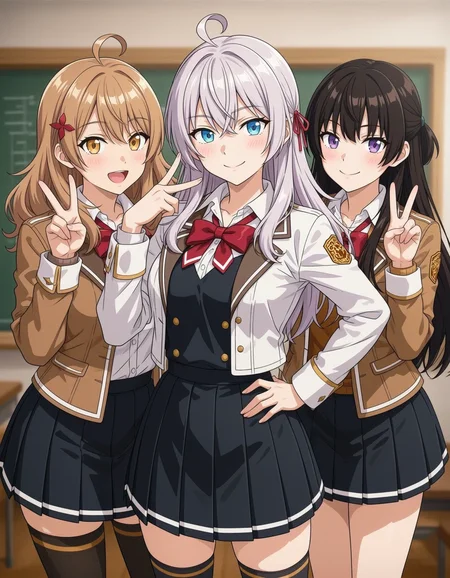


RDBT [Anima]
A general finetuned model, better overall quality, better prompt adherence, less artifacts and errors.
Dataset contains ~10k images, handpicked by professional amateur artists, captioned by latest LLM. Accurate body/hands anatomy. Complete background.
Some cover images look ridiculous; they're just for demonstration purposes for corner cases.
Update log and version info: link.
For advanced users: RDBT model is trained as LoRA natively. link.
Usage:
Settings:
Base version: has a suffix "base". Not distilled. CFG 4 and steps 24+ is recommended.
Distilled version: CFG: 1~1.5. Steps: 16+. FYI: CFG 1 = Disable CFG = run the model 2x faster. Cover images are without CFG for demonstration. "RenormCFG" node is highly recommended if CFG is enabled (CFG > 1), set "renorm_cfg" value to 1.1.
Sampler: Euler (best diversity), Euler a/er_sde etc. (better stability)
Res: 1MP
Prompt:
Always specify @style in prompt, or use a style LoRA. Otherwise, you will get random/mixed style.
Quality tags:
Omit ALL quality tags. The fine-tuning dataset has higher quality than "masterpiece". Thus quality tags don't have effects. Omitting those redundant tokens allows LLM to pay more attention on other words.
FAQ:
Why I won't bake a default style:
If a model has a "default" style (ignores prompt and is always active). We call it "overfitted". Technically, it's not a feature, it's a bug. This means the training dataset is not big enough, and the model has lost its ability to generate other styles.
The goal of RDBT model is to "perfectly" reproduce styles. As some of you know, I use this model to aid in drawing. I need unique textures and details, instead of uniformed 2.5D AI slop style.
This model has excellent compatibility. You can stack any type of Lora on it. After all, it's you who decide what style you want, not me.
RDBT can't remove nor resist overwhelming Al slop effects
Too long, see: link.
My homemade distillation vs Anima official turbo model:
Official turbo: 8 steps. High stability, low entropy. Adds a strong 2D anime filter that will overwrite style and cause style shifting.
My homemade distillation: 16 steps. High diversity, low stability. Minimal style shifting.
Sharing merges using this model is not allowed.
This mode is a free and it will always be free. This "restriction" won't affect anyone. It's only aimed at those who steal others' models to sell.
Known model thieves: NukeA.I (selling this model behind paywall on tensorart).
Because he is such a jerk I wrote a story about it. Also contains a guide for trainers about "how to bake special trigger word into your model".
Description
FAQ
Comments (3)
I love how this checkpoint works right out of the box, I use it all the time!
It seems like you know every single version of these checkpoints. Can you recommend one or tell me which of them actually works? I admit I'm a bit lost when it comes to these model posts, all I know is that it's a turbo version, right?
@monicalucci Hi, I didn't use all versions of the checkpoint, I only just started with version ym0.5 v0.39 back in early June, and there is no single definitive version just yet, as far as I can tell.
You typically just try the newest model that comes out and experiment with it. Try to see if it is to your liking, and if it is any better than any other Anima model out there. Every new version is supposedly an improvement over the previous versions, but you can revert if you don't prefer it.
To answer your other question, it's technically not a turbo version by itself, since it still requires more steps and more CFG, but it's lower, faster, and more stable than other Anima models which requires something like 20-30 steps and 4-5 CFG or higher and those checkpoints could take up to 2 minutes or more depending on your setup. However, the description does encourage you to use a turbo Lora if you require faster generation times and still produce stable images with lower steps.
Also, what I like about it is the fact that you do not have to add any quality tags such as masterpiece, high quality, etc. since it's a part of the model according to the description. This makes it so much more easier and convenient since I don't have to play around with quality tags as much as other models.