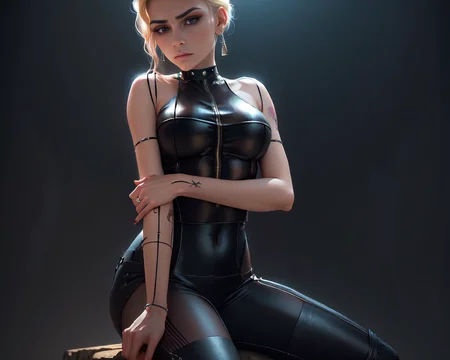
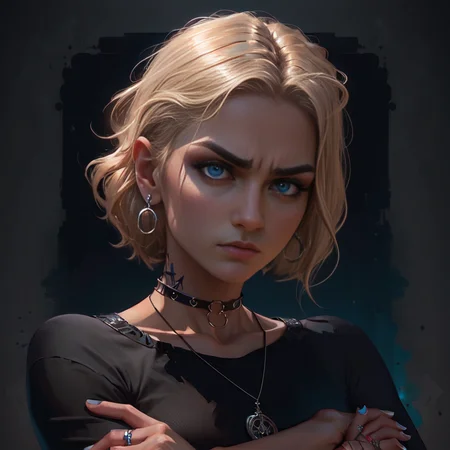
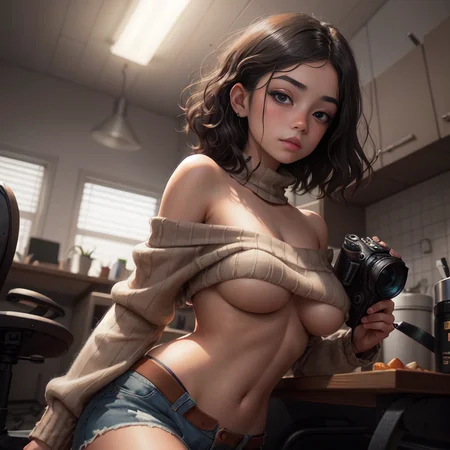
April 28, 2024: added V2 Rebirth pruned
v2:REBIRTH
Thanks to S6yx for the creation of this beautiful model. Enjoyed by millions. With their permission, I, Zovya, will be maintaining it moving forward.
April 4, 2024: fp16 and +VAE added
April 2, 2024: Rebirth
Update 3: Disclaimer/Permissions updated
Update 2: I am no longer maintaining/updating this model
Update 1: I've been a bit burnt out on SD model development (SD in general tbh) and that is the reason there have not been an update. Looking to come back around and develop again by next month or so.Thank you everyone who sends reviews and enjoy my model
Pay attention to the About this version section of model page for specific version information. ➡️➡️➡️➡️➡️
Model Overview:
rev or revision: The concept of how the model generates images is likely to change as I see fit.
Animated: The model has the ability to create 2.5D like image generations. This model is a checkpoint merge, meaning it is a product of other models to create a product that derives from the originals.
Kind of generations:
Fantasy
Anime
semi-realistic
decent Landscape
LoRA friendly
It works best on these resolution dimensions:
512x512
512x768
768x512
VAE:
Prompting:
Order matters - words near the front of your prompt are weighted more heavily than the things in the back of your prompt.
Prompt order - content type > description > style > composition
This model likes: ((best quality)), ((masterpiece)), (detailed) in beginning of prompt if you want anime-2.5D type
This model does great on PORTRAITS
Negative Prompt Embeddings:
Make use of weights in negative prompts (i.e (worst quality, low quality:1.4))
Video Features
Olivio Sarikas - Why Is EVERYONE Using This Model?! - Rev Animated for Stable Diffusion / A1111
Olivio Sarikas - ULTRA SHARP Upscale! - Don't miss this Method!!! / A1111 - NEW Model
AMAZING SD Models - And how to get the MOST out of them!
Disclaimer (Updated 10/31/2023):
The license type is CC BY-NC-ND 4.0
Do not sell this model on any website without permissions from creator (me)
Credit me if you use my model in your own merges
You can use derivative models which uses ReV Animated for Buzz points and site-based currency that does not convert over to real world currency.
Do not use this model to monetize on other platforms without expressed written consent.
Description
This version is meant for inpainting and outpainting.
Like the work, you can support me here:
https://ko-fi.com/s6yx0
FAQ
Comments (19)
Why the separated inpainting version ? Can't we do inpainting with the normal no-inpainting version too ?
ive seen a lot of models with a inpanting version, im wondering the same
this is similar to photography in which inpainting is a conservation process where damaged, deteriorated parts of an artwork are filled in to present a complete image. Adding the diff of the model to the inpainting function to better give context and better ability to change the image you generated better
@s6yx OK, but we can also do inpaint with the regular no-inpaint version, right ?
@ritcher1 sure but results will be less optimal than inpainted version. Also the inpainted version is the pruned version of the full model. Trying to keep size low
@s6yx Perfect, thank you for your answer.
Yeah, but you can also do it with the inpainting model
Can we also have the smaller 2gb pruned fp16 version ?
How to change eyebrows color? It's always black :(
This a merged model. I have no control on weights. Make use of negative prompts
Hey, a lot of the time I get way too pronounced ribs/ribcage or these weird lines there. Any way to get rid of those?
This is a merged model. I did not fine tune onto it. Make use of negative prompts
I can vouch for using negative prompts to solve that. I've used (visible ribs:1.1) and it has helped. Higher numbers can also work better.
@Kmmr156 here's an example of my using the negative prompt to tone down the rib cage. https://www.flickr.com/photos/kirapatricksphotos/52728372012/in/photostream/
and if you find that it looks weird because it look like there's not any rib shape even it's just too unnatural just use (ribcage details:1.4), increase or decrease the weight untill you find the sweet spot, it still keeps the rib shape but not the creases, pronounced lines of the bones of the ribs
a good negative prompt is "defined abs" and "visible ribs"
@mjranum150 i like my woman muscular and ripped, sorry brother... i hope you all one day come to appreciate the snusnu way
@honfoe Dude, this is not a place to argue about your opinions of female beauty. In case you hadn't noticed, none of this is real.
@mjranum150 that's funny... because you're acting up over some random guy comment, calm down brother was not expecting you to get triggered so hard by a obvious lighthearted joke