
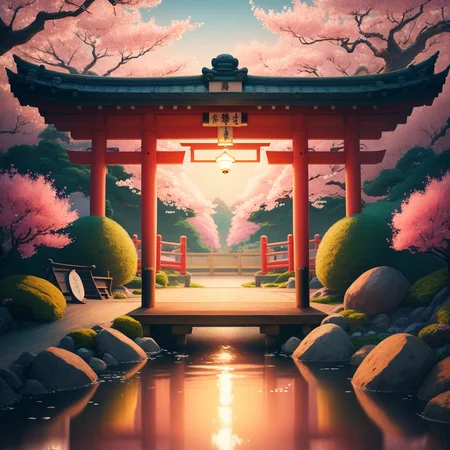
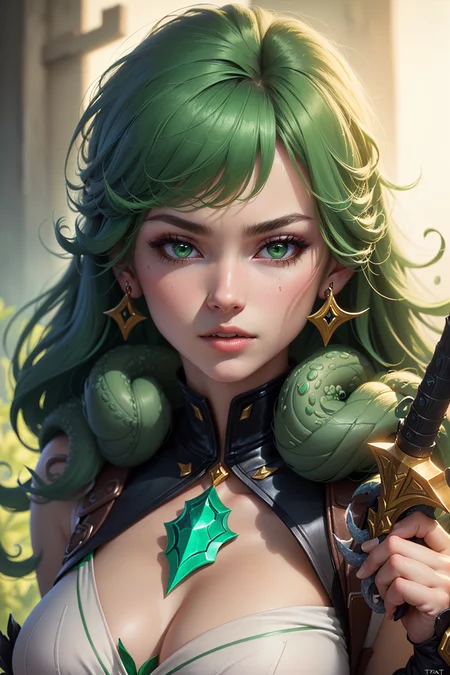


April 28, 2024: added V2 Rebirth pruned
v2:REBIRTH
Thanks to S6yx for the creation of this beautiful model. Enjoyed by millions. With their permission, I, Zovya, will be maintaining it moving forward.
April 4, 2024: fp16 and +VAE added
April 2, 2024: Rebirth
Update 3: Disclaimer/Permissions updated
Update 2: I am no longer maintaining/updating this model
Update 1: I've been a bit burnt out on SD model development (SD in general tbh) and that is the reason there have not been an update. Looking to come back around and develop again by next month or so.Thank you everyone who sends reviews and enjoy my model
Pay attention to the About this version section of model page for specific version information. ➡️➡️➡️➡️➡️
Model Overview:
rev or revision: The concept of how the model generates images is likely to change as I see fit.
Animated: The model has the ability to create 2.5D like image generations. This model is a checkpoint merge, meaning it is a product of other models to create a product that derives from the originals.
Kind of generations:
Fantasy
Anime
semi-realistic
decent Landscape
LoRA friendly
It works best on these resolution dimensions:
512x512
512x768
768x512
VAE:
Prompting:
Order matters - words near the front of your prompt are weighted more heavily than the things in the back of your prompt.
Prompt order - content type > description > style > composition
This model likes: ((best quality)), ((masterpiece)), (detailed) in beginning of prompt if you want anime-2.5D type
This model does great on PORTRAITS
Negative Prompt Embeddings:
Make use of weights in negative prompts (i.e (worst quality, low quality:1.4))
Video Features
Olivio Sarikas - Why Is EVERYONE Using This Model?! - Rev Animated for Stable Diffusion / A1111
Olivio Sarikas - ULTRA SHARP Upscale! - Don't miss this Method!!! / A1111 - NEW Model
AMAZING SD Models - And how to get the MOST out of them!
Disclaimer (Updated 10/31/2023):
The license type is CC BY-NC-ND 4.0
Do not sell this model on any website without permissions from creator (me)
Credit me if you use my model in your own merges
You can use derivative models which uses ReV Animated for Buzz points and site-based currency that does not convert over to real world currency.
Do not use this model to monetize on other platforms without expressed written consent.
Description
EOL-1.2.2
Should fix issues with invoke & comfyui. Untested as I only use a1111
Model type identified as SD-v1. Model components are: CLIP-v1-SD, VAE-v1-SD, UNET-v1-SD. Uses the SD-v2 VAE.1.2.2 - 2023-04-16
using @s1dlx sd-webui-bayesian-merger newest version which fixes missing weights issue = ReV_1.2.1 + animatrix
epiNoiseoffset_v2Pynoise:1.0:ALL0.5 via supermerger
FAQ
Comments (228)
Is this version relevant if I use only A1111 webui?
Think both of the links direct just to the same full model file.
dont blame me for this. set primary model type in your profile settings
@s6yx, my settings already are... but maybe the problem is in the site itself. Even the first link in files section gives me 5.1Gb file.
@Devilcraft again the gripe is on the website not me
@s6yx ok, that wasn't my goal to blame you or someting like this, just the problem you could help with perhaps. Thanks for great model!
@Devilcraft only way to fix it would be to delete fp32 model
I cant find embed:bad_quality": "c1c5471862. Need help cant find it on hugging face either.
Thanks, getting black images with 121.
It seems impossible to get smallish, perky boobs out of this set. The previous was OK. Now all the girls look like they're packing stripper level silicone.
weights and proper prompting: [large breasts], (small breats:1.2) negative prompts: (large breasts:1.2)
@s6yx pro tip. use tiny if small is not good enough
@IgorGu Thank you!
fp16 download doesn't works, it downloaded fp32 instead, help.
i cant do anything about that, The site regulates it
Amazing for humanoid pieces (lizard and draconic especially), would be amazing to see a dedicated offshoot that is great at that kind of hybrid stuff
RevAnimated is all-time my best choice for anime. However, face shape model is too strong to change. So, all the images created by me or someone else using revAnimated have the same face when I check on the internet.
that's true, people complain that my arts always have the same face, I try to vary the hair style, color and etc.
The good side is that the face is beautiful lol
While I can use embeddings or loras to get different faces and hair to get other likenesses, they ALL have the same super pointy chin. I havent figured out how to get a different chin..
You need to use proper prompting to change it. For example, Having multiple characters at different weights works extremely well and should look similar to this "(looks like x:0.7), (looks like y:0.8), (looks like z:1.0)". You have to check each one individual first in order to see if the model actually knows that character; real or fictional. You can also just change nationality/ethnicity; instead of "cute woman" try "(cute Turkish woman:1.4).
If you really, reeeealy want a very specific face then LORAs, and photoshop's liquify tool (*cough* VPN, *cough* 1337x) will work fine. I also think I heard somewhere about face and expression features being made for controlnet, though I might be wrong on that one.
working on this, I recreated basil_mix recipe trying to introduce a more diverge range. Will see after testing
You have to throw every LoRA you have at it, some of them can magically work - but yeah, it downright ignores most of them.
Why are so many flowers automatically generated
Depends on your prompts. Give an example on what you put in your positives and negatives.
Yeah, I run 2 tabs at the same time with nearly identical prompts, and one of them will simply be thick with flowers all over. I guess I could nail down what is triggering it if I went through the trouble, but there are very few words different between both prompts. It's cute, actually.
Put "flowers:1.2" in negatives
Do these work for invoke AI?
should
@s6yx with 1.22 I can only install the inpainting model, it keeps saying:
">> Optimizing revAnimated_v121 (30-60s)
| Loading diffusers VAE from stabilityai/sd-vae-ft-mse
| global_step key not found in model
| Using replacement diffusers VAE
** Conversion failed: Error(s) in loading state_dict for CLIPTextModel:
Missing key(s) in state_dict: "text_model.embeddings.position_ids"."
I will try an earlier version.
Also, with 1.22 in SD I can see rendering progress, when the image is finshed I often get a black or pink images which also is downloaded to the HDD. Any ideas?
Besides that, as far as I could see, this is very amazing and I'd like it so much to have a stable version running, especially on Invoke. Thanks for all the effort.
The format you've suggested involves four different components that can be used to generate an art prompt:
Content type: This refers to the subject matter or theme of the artwork. For example, it could be "landscape", "still life", "portrait", "fantasy", "sci-fi", "abstract", etc.
Description: This provides additional details about the content type or subject matter of the artwork. For example, if the content type is "portrait", the description might be "a portrait of a musician playing an instrument".
Style: This refers to the specific artistic style or technique that the artist should use when creating the artwork. For example, it could be "realistic", "impressionistic", "pop art", "minimalist", "surrealist", etc.
Composition: This refers to the arrangement of the visual elements within the artwork. It could include details such as the placement of objects or figures, the use of negative space, the angle or perspective of the scene, etc.
So, putting all of these elements together, an example art prompt might be:
"Still life > A bowl of fruit on a table > Impressionistic > Using a diagonal composition"
This prompt would ask the artist to create an impressionistic painting of a bowl of fruit on a table, using a diagonal composition. The artist would have some creative freedom to interpret and execute the prompt in their own unique way, but the prompt provides a starting point and some parameters to work within.
(thought maybe you could add this to your PROMPT section. Great job on this model)
Where do I put the negative prompt embbedings files?
1231231123
stable-diffusion-webui/embeddings
Did someone have some tips to make blonde eyebrows to a blonde character ?
might have to just photoshop it on the pics you save. Be pretty easy, just crop the eyebrows to new layer and hue shift it to the color you want them to be.
Maybe this extension will help?
https://github.com/hnmr293/sd-webui-cutoff
@dimsum88 Hmm, that looks intresting. I haven't tried it. I also am a really big fun of photoshop though lol. It looks like the extension could work though. Don't know how you would prompt it in with the tokens. I might experiment with it.
try moving the words for the eyebrows at the start, then give them more weight something like this (blonde eyebrows:1.4)
you guys never heard of inpainting?
Yeah use it a lot on hands and feet even with embeddings
Fingers made by this model are terrible.
you're free to use another model instead
They are a crapshoot - and they are with every model out there. Some models work harder to hide hands, this one doesn't. Just gen in bigger batches - the ones that work are very much worth it. Again, show me a model that does 2.75D as good as this that makes better fingers. I'll wait.
They're all terrible with that.
很棒的模型,我已经把它用到我的工作当中
The most accurate model for word feedback ever used can generate any picture you want! Great job!
fp16 please!
For some reason I get a segmentation fault when trying to load any version of this after 1.0. Not sure what could be causing this. It's this model and any model that uses version 1.1 and onward in their merges that causes the same memory error.
This model is amazing and I can see why it’s so widely used. But I am struggling to create anything that does not have mangled faces. I’ve been using the guidelines, prompts, and neg embeds found on successful pictures posted here. I’ve tried different samplers and steps, etc.
But eyes continue to be lined in red or deformed even after weighted neg prompts, same with noses, and mouths are hit or miss. Everything else looks incredibly good. Has anyone encountered the same issue and what was your solution? Sorry as I am relatively new to this and learning as I go. Thanks!
Either you have settings very out of whack possibly not covered by the prompt info, or you are missing something you have done in your settings. This model is extremely robust - I run up to 5 LoRA's and fight with things like odd postures, but the faces are rock solid. And trust me, my prompts are a mess.
You need to directly implant the full prompts out of a PNG Info drop, and then make sure you are using the same sampler, hires fix settings, CFG, noise, all that. Make sure to gen at a clean res like 512x768 or 768x512 (I scale that 1.5 with hires & 4X Ultrasharp but this model isn't picky about upsampler), I also find that steps work great even at 20-25 using DPM++ SDE Karras (both norm and hires).
ps. I run Clip Skip 2, but I don't know if I need to.
Weird red eye outlines can often be caused by using a VAE that is a bad match for the model.
@kaibosh thanks for the advise. I will check out what else I may have done wrong.
@OctopusHugger i didn’t realize. I’m using one of the recommended VAE but maybe I should try a different one. Thanks for the tip!
Will future versions have smaller file size? Current version weights 5, plus inpaint version weights 4. Not only they take up much space on disk, they also take more memory when loading than other models. Or is all this size actively used by model?
Recomended upscale model that works best with this model? I tried "lollypop.pt" but got deformed faces with it
It's quite often to get something like rib marks or muscles under both sides of the chest, which can seem a little bit unnatural. Is there any way to get rid of them?
I found ribs show up often with the prompt 'skinny' or 'slim'. Can add ribs to negative prompt to help with that. As for prominent muscles, negative prompt is again the best solution. I usually add something like "muscular, abs, six pack abs" to negative prompt. Can also add weight to the negative prompts if simply adding them doesn't give you the desired effect.
If I'm prompting "skinny" I get ribs a lot, too. "Smooth physique" seems to work pretty well. Also "slender thighs" or whatever.
how do i use this modle and what can i use to open this modle
Hi, does that mean, we don't need to download those embeddings .pt anymore, OR you just suggesting we use those embedings together with your model???
I'm fairly new to this, but I've looked at many YT videos on how to use this checkpoint, but whenever I try and generate something it just creates a blank canvas with grey or brown swirls. any help?
And did you really read the description thoroughly? I assumed you did not.
when you use upsampler u must tone down the denoising strength to 0,1 or lower and not use latent. It would always rip the picture apart at the end
Hello, I have a question regarding the license and this point in particular: "I do not authorize this model to be used on generative services"
Is it ok to use the model on generative services if they do not charge for it?
Not without permission from me
@s6yx hi, how to get your permission?
Thanks for the answer @s6yx , I would like to use your model on a private web app that do not charge for the service. Could I have your permission? Also I would suggest to change the license because the CreativeML Open RAIL-M does not include such restriction so if I didn't read your description in details I would have probably missed your point.
Is this model good for generating men, or older characters? Or is another model more recommended for that?
I can't seem to get it to generate anything much older than mid 20's kind of stuff. Very odd.
@Gray_Geist "Salt and pepper hair", "older man" helps me gray up some Daddies.
Quick Update:
I've been a bit burnt out on SD model development (SD in general tbh) and that is the reason there have not been an update. Looking to come back around and develop again by next month or so.
Thank you everyone who sends reviews and enjoy my model
Oh please do. Your model is the most amazing one that I've used. Idk what kind of sorcery is that but it never fails to generate jaw-dropping results!
get a break, man. i love your models!!
sometimes I am getting bad faces with this one, any idea how to improve that?
me too bro
From what I've noticed its caused by many things. loras, Positive & negative prompts that change appearance, and smaller things that all add up. Something else that greatly contributes to deformed faces (especially eyes) is 1) multiple people 2) not looking at the viewer 3) anything that isn't a portrait,
The best way to fix imo is simply by inpainting the faces. you're going to have to mess with the settings yourself to get what best fits the over all image but heres some starting points:
Strip back positive prompt to the essential stuff
Mask blur: <5
Masked content: ORIGINAL
Inpaint area: ONLY MASKED
padding: 150~
steps: varies but I stick to 40-70
method: same as txt2img
cfg scale: 5~
denoising strength: 0.4-0.6 (You'll have to dial it in)
batch count: <10 till you find what works
Last thing I'll add is prompts that prevent bad faces are really inconsistent even at high weights, negative more so than positive.
@rshipleton501 Thank you for the great comment
@rshipleton501 learning inpainting for faces changes the game
For some reason when ever I try to generate a topless man it keeps trying to put a shirt on him no matter what I do
nsfw, pecs, abs, midriff, bare chest, exposed chest
-neg:
shirt, covered chest
other negs if needed: vest, sleeves, t-shirt, undershirt, pajamas
I get pretty good results with: "shirtless, pectorals" and the negatives posted by @nashidaran
Anyone else having issues running this on Camenduru colab?
Error: 'Expecting property name enclosed in double quotes: line 2 column 4 (char 5)'. Check your prompts with a JSON validator please. Full error message is in your terminal/ cli.
Hello, I have a question about the license. Is it allowed to create NFT with the model?
no
@s6yx Thanks for the answer. Then I just wonder why some already exist, just like the print-on-demand ones? Looks like i'm the only one who asked for permission. 😅
@s6yx Just wondering if there's a reason. I don't have any desires or plans to make an NFT or do anything with crypto but I wouldn't even have thought to ask. So it makes me wonder is there a specific reason? Or is it just cause that's not something you felt like at the time of this person asking?
Is there really an outstanding update about 1.2.2 instead of 1.1 ? I don't seem to see much difference with it.
I am curious as well considering the difference in file size.
@lordakisho file size means nothing in relation to difference of the model. Difference is less issues with distorted screwed up faces when detailing style and composition in prompts. Also fixed some VAE issues that had been happening which made it give bad generations with some other VAEs
@s6yx Thank you for that information. I'm pretty new to SD, still learning.
Just a question, it seems that the size of the new version is getting larger. Have you considered providing an Pruned version?
One of the best models for semi-realism
What can I put in negative prompts that stops from multiple bodies forming especially in videos, like it has two torsos on top of each other sometimes and then a head on top of it.
(low quality, worst quality:1.4), disfigured, deformed, mutilated, mutated and try to change the size 800x1000 works best for me
512x768
512x512
768x512
@UniiiChan But if I change sizes it won't really work since I want to make the animated videos for social media which is 9:16 aspect ratio, unless I'm wrong?
@s6yx if I change sizes it won't really work since I want to make the animated videos for social media which is 9:16 aspect ratio, unless I'm wrong?
@TheEnigma 16:9 (1280x720) but most people use their smartphone upright so 4:5 is better or 1:1
Put "doppelganger" in your negative prompt. I learned this from @MakingPhoto on Youtube so credit to her. If more than one body is a big issue with a certain image that you're working on then move it up to being the first word of your negative prompt.
My personal experience is that the multiple bodies mostly happens when using hiresfix with a denoising strenght of 0.6 (and presumably above that). Decreasing it to 0.45 worked for me.
this is one of my favorite models, its my go to for experimentation and usually just end up using it for my final versions cause its so damn good
I have a hard times the eyes, once they get in close the bug out
turn off restore faces and use neg prompts
Just switch to a model that can do eyes and use inpaint. No amount of neg seemed to do the trick. Synergix does ok though I am still looking for a better option.
I figured out that you can get pretty good eyes if you load up on negs and use After Detailer with a prompt like "detailed eyes, detailed pupils, round pupils" just FYI
without lora glowing eye don't render for me, so would be nice in new version have some glowing eyes added to it
There's nothing to stop you doing the inpaint with any other model.
模型感觉偏向于欧美风格一些
Nice model, great work :)
There is a strong bias in the model to generate a focal structures when generating landscapes (for instance if you prompt for a green hills field, or if you want some mountains, it might put a house or a castle, or a structure of some kind in the picture). I was not able to get a work around to this that is not inpainting with another model. Nonetheless this is my favorite model, and the fact it has an inpaint version is awesome! Just a warning about this, as most people usually like a distinct feature in their landscapes, this probably would go unnoticed.
This is the best model for anime and CG at present.
Can someone explain to me what an inpainting model is for? I have an idea you're supposed to switch to that model when you want to do inpainting, but what is the advantage of it?
if you use a normal checkpoint, it will leave blurs and lots of noise because the checkpoint isn't meant for the inpaint process, while the inpaint checkpoint has one clear image and one with noise. It gives more consistency in the generation and stops the blurs.
@Kuresuto Interesting. So instead of just noise results there are actual finished rendered images included in the model? But I think you could generate any different image from a seed depending on your prompts. If a rendered image is based on a seed, is it using it, or does it use some other rendered image in it's database that most closely matches what you have rendered?
@pkayze A seed only helps on keeping the cossistency of the colours, shapes and patterns. If you don't write the same prompt, you can have very different results on a same seed. You know how you have the denoise setting? that's mostly because there will always be noise in an image, and sd has an inbuilt system to filter/remove that noise. On a normal checkpoint the image comes inbuilt with noise for the imput on the denoise, on a inpaint checkpoint the images come separated, one clear one noised.
The only purpose is to have a more consistent generation, since the only thing we want is the masked area (normally a small part compared to the image), and we want the new generated area to be as similar with the rest as possible, without bluring.
@Kuresuto Thanks for the more detailed explanation! Interesting way to solve a problem!
I like the model, but all of the above VAEs and neg prompts can't make the eyes or pupils get better, any suggestion? Appreciate it^^
got the same problem and upscaling does the trick. I can suggest to following video on youtube: https://www.youtube.com/watch?v=RiN-zrUlneQ
DAMN THIS MODEL AWESOME THANKS BRO
Thanks for this wonderful work :) Any Plans for 1.2.2 inpant version ?
Is inpaint version just as good as original?
@akkg8668866 Inpaint is for inpainting and outpainting (original can't be used for outpainting and very limited in inpainting )
@HMS_Phone so it would generate worse when it comes to normal generations?
Thanks for the amazing checkpoint. This is my goto as is so versatile and rarely lets me down.
Just a quick question: Somehow on many of my generations of girls with the belly/navel visible (bikinis shots etc.) the belly seems to be somewhat rounded/bloated. Anyone have any advice on that?
I think you can solve it with negative embeddings, that usually helps a lot - like "easynegative" or other
Thank you. For my personal taste this is the best checkpoint for CG used in combination with my own Loras. Amazing job!
Does anyone know how to stop the "pompadour/Anime/manga" style hair this Model produces?
No matter what hairstyle I apply to the prompt - EVERY image has this massive sticky-up hair... Even bald head prompts.
Depending on the severity of the issue you're encountering, maybe you could model "merge" solo and let the model "forget" weights around hair(use as many related tags you can and merge it with a similar model that handles your hair the way you prefer? It's a pain, yes, but might give you a "relatively simple" fix? This has occasionally worked for me, (but maybe I've just been lucky rather than actually accomplishing anything with the technique)
Either way, hope you manage to generate what you're looking for!
@taiconan I kind of got a work around by using Wildcards manager and created a negative file with an absolute ton of hairstyles and hair colours... then its a case of hit and miss, but the odds are better. about 1 in 3 now have this "pompadour/Anime/manga" style hair, where as before it was every image.
Great model! After using it for some time here are observed issues that slow my workflow. I wish this model evolves and address those in future as well!
- Every character gets a belt around their waist.
- Every male character gets a beard.
- Great with portraits and landscapes - but has problems with various objects, e.g. arrow.
Negative prompts don't help with those and you need to go really low with denoising strength to get rid of the problem.
is this model copyrighted free?
this is the best model ever and kicks ass
Are you available for paid commissions?
Please let me know your email or contact me via [email protected]
I have a series of projects which I'm working on and which will pay well. This is not a trick. I'm seriously interested in working with you.
Thanks!
I do not do paid commission this is a project off of love of tech not for profit or gain at the moment. I appreciate the offer
This model is GREAT! It well understands how to hold a weapon (not perfect though), how to become a giantess, how to make stable and pretty faces with various expressions!!! I have been using PerfectWorld, FantasticChixHR, 4moonCG, kMain21, Shadow97 and so on for generating 2.5D pictures, believe me, this is by far the best model suits my purpose.
I LOVE IT!!
Please tell me how do you obtain a "stable and pretty face", without using a LORA (or other external resources.)
What kind of words do you use in the prompt?
I'm using SD heavily from the start. I tried tons of models, all major ones for sure. Both base/general and niche. This one is still best by far when it comes to portraits and character scenes of any kind. It has an insane understanding of prompt and body poses. I often do the base layout in RevA and only then switch to some style checkpoint img2img for refining.
RevAnimated SDXL 1.0 please !!!!!!!!!!
I would kiss your ass for that!
I second this request!
@s6yx Yes please
真鸡儿恶心啊。。。
PLIS GOD ...
Due to having a new job, time does not allow. Doesnt mean it wont happen in the future
What's so good about model 1.0?
why is this model so much better than most others ? it also works so fine with linedrawings in control net...
Are you considering making a new version of such a masterpiece? :)
If time allows, Life comes first
@s6yx Of course life comes first, I was just wondering. Thanks for taking the time to reply, have a nice day.
>produces the greatest model ever made
>doesn't elaborate
>last login 120 days ago
Interesting take on a free product or service. I have a life outside the Stable Diffusion sphere. I recently landed a well paying job that eats up 80% of my time.
does SD models made produce money for me? - no
Even if I sold this off, would it be enough to sustain me? - no
This comment does not make me want to go back into diving hrs on testing and training on my 4060 ti.
Good day
This dude's name is WaifuRegressor. That's all you need to know.
@s6yx I wanted to apologize, I didn't mean for it to sound so offhandedly. I genuinely think your work with this model has been an incredible contribution for the community and was just surprised how good it still is despite releasing so early in the Stable Diffusion timeline.
I completely understand work takes much higher priority over a free hobby. I've been on the other end before with my own fans making too many requests and kind of ruining what I originally found fun. I didn't consider I was basically doing the same thing to someone I thought did a cool thing too.
Sorry. I hope you find an inspiration again soon.
@s6yx dude do not care about ungrateful crybabies , enjoy your life and job and if you get a lot of free time consider monetizing your work
@s6yx damn bruh he was joking lol
@s6yx it sounded funny to me, why cry about such comments, i don't think that he was complaining about you, just talking facts, and those facts happened to be very epics. Like Saitama for example, he does the same thing.
I have created a tutorial to help no GPU people to this model generate Art QRCode
Hoping to see an sdxl version on my favorite model any plans?
That's going to be very difficult as this is a merge, not a trained checkpoint.
no time soon, I am not actively working in the sd scene anymore
What is the "GWAAAAAAA" prompt on this checkpoint? It creates great images of girls with cat ears accompanied by monsters that range in style from final fantasy style bombs to giant dinosaurs. No other checkpoint gives this type of output for the same prompt. It's great!
This is amazing, but I keep getting at least 2 females in every generation, even if I have "(((1girl)))" and "solo_focus" as prompts. I even try putting "multiple_people" as a negative, nothing works. Very rarely I get only one character in the final image. Any solutions?
try reducing width and when you get the girl you want, use inpaint
or you can use ((very close up face)) or (full body) for one
@Elaneor thank you, yeah I was doing a 16:9 resolution and noticed that I started getting 1 character when I did more square or narrow images. I'll try the prompts!
@ym1r this model works best with 3:2 and 5:4 as the description says. The first prompt I found using this model said just ... serious girl, long hair.. and was using 640 х 800
no longer updating this model. EOL
I am sad. Your model remains my favorite.
Also, Thank you for your good work. Your model is amazing!
It's a shame, in my opinion this is the best SD model, or at least my favorite.
This model is hands down my favourite one. Thank you for all your hard work on it. I am saddened by your departure, but appreciate all you have done. All the best to you!
Fair enough. It was a good run! People are moving on to SDXL at the moment, so seems like a good time to retire.
o7
Thank you for your amazing work! As you can tell, we are sad to see you go, and hope to maybe see some new work from you in the [not too] distant future.
As has been mentioned here, I'm sorry to see no more updates as my main model and was hoping for an SDXL one.
Good luck in you future endeavors.
Still hoping for a SDXL Update 😭😭😭
Will you be creating a completely new model?
@s6yx - Any plans on creating a new model/checkpoint? :)
@emmasteadman no
@Archivist no
@naughtyskynet unfortunately, I neither time or hardware to do so.
@s6yx ok, thanks for the reply.
This is one of the best models so far, it's a pity for it being abandoned, but real life comes first, of course.
@s6yx Thank you for letting me know :) I hope you're doing good :)
This is the best model I've ever used. Thank you very much!!
RIP
@s6yx would be great to see the dataset and pipeline before seeing you go, hope all is well
s6yx answered this for someone already, they said "no time soon, I am not actively working in the sd scene anymore"
https://civitai.com/models/7371/rev-animated?commentId=218870&modal=commentThread
I was hoping Rev Animated could get an XL update, but in the meantime, you can check out Starlight XL as a substitute, which I find gives out similar outputs as Rev Animated.
Does this model require any add-ons to function properly, or is simply downloading the latest version enough?
The latest version is just an update; do I need to download previous versions for it to work correctly?
the add-ons depends on your taste/preference. just download the latest model since it would be the most refined version out of them all.
I don't know if i wrote earlier or not, but i would like to write again, this is one of the best checkpoints that is created because of the prompt responds. Lovely lighting, variety of lots of stuff and handles them without major issue is astonishing. Thank you again for sharing it! :)
When I'm trying to do something awesome and I'm trying it out on one of the three dozen Checkpoints I have, this is the one that I end up using half the time.
One of the all time best models.
Hello, You said you were burnt up from making models, but do you realize this is one of the best models out there? Could you share your method of making models maybe?
Error: RuntimeError: Input type (float) and bias type (c10::Half) should be the same
I was wondering if you did anything specific to improve your model's hands generations?
About license
I notice that you have added an disclaimer to state that neither generating service or monetization based on the model are not permitted any more. I want to know if we have been using this mode in those ways before your updated disclaimer, and those ways are permitted according your former license, could we use the model anymore?
Read up on CC-BY-NC and CC-BY-NC-SA (since they lay the groundworks on collaborative non-commercial licenses), then get a lawyer if you can't think this through.
how can someone found you use rev anime for do what you do?
Heey! Great work! Bet you have experience my team needs for our project. How about we collaborate?
If you're interested, could you share your email or Telegram to discuss this?
REVANIMATED is one of my absolute favorites!!!
It's still my go go when I try to create landscape/cities or robots. Not sure why this model is so much better than all the others.
So, the images I produce with that model I can edit in some way and sell? Or is editing not allowed? What does the licence mean? Is it just for the model or also the images tha are created with that?
You can try to sell them if there is an interested buyer, but in terms of license I think that the AI picture has to be altered in a way so that you get the copyright for it. In general AI pictures can be used by anyone (so far as I know) and for everything.
OK thanks.
https://huggingface.co/spaces/CompVis/stable-diffusion-license
There's a link to this document in the licence for this model.
I'm not sure what applies, but this is probably a good starting point.
I would be aware of all models trained by individuals, as opposed to companies that vouch for the authenticity of the training data.
@almat993 As soon as you edit anything on the image and save it on photoshop for example as png or whatever, it removes any file residuals from it being generated.
It is the model that is protected by this terms, not the images you create.
Didn't see it in the notes... but is there a specific "upscaler" that works best with this model?
- Thanks!
The upscalers I normally use are:
RealESRGAN_x4plus_anime_6B
4x-UltraSharp
4x_fatal_Anime_500000_G
I think most of those are available on huggingface, but I don't remember for certain because I've been using them for so long. Those are the names of the files; hopefully a quick web search will help you find them <3
RevAnimated is genuinely the fastest, highest quality model I have found on the site so far.
My subjects keep being drawn with random objects in their hands. Any help would be appreciated! I've tried negative prompts such as (holding object) and (object in hand)
Why did you delete the older versions? They were good to experiment with.
Guys is there any XL version for this or any way to use it on ComyUI XL Enviromint ?
Details
Files
revAnimated_v122EOL.safetensors
Mirrors
revAnimated_v122.safetensors
ReVAnimated.safetensors
revAnimated_v122.safetensors
revAnimated_v122.safetensors
revAnimated_v122.safetensors
revAnimated_v122EOL.safetensors
revAnimated_v122.safetensors
revAnimated_v122.safetensors
7371_revAnimated_v122.safetensors
revAnimated_v122EOL.safetensors
revAnimated_v122.safetensors
revAnimated_v122.safetensors
revAnimated_v122.safetensors
revAnimated_v122.safetensors
revAnimated_v122.safetensors
revAnimated_v122EOL.safetensors
transfer2020data_v10.safetensors
7_revAnimated_v122.safetensors
revAnimated_v122.safetensors
revAnimated_v122.safetensors
revAnimated_v122.safetensors
revAnimated_v122EOL.safetensors
revAnimated_v122.safetensors
revAnimated_v122EOL.safetensors
revAnimated_v122.safetensors
rvnmtd.safetensors
ReV-Animated-v1.2.2-EOL.safetensors
nigredo.safetensors
06.REV-Animated_v1.2.2.EOL.safetensors
revAnimated_v122.safetensors
revAnimated_v122.safetensors
revAnimated_v122.safetensors
revAnimated_v122EOL.safetensors
revAnimated_v122.safetensors
revAnimated_v122.safetensors
revAnimated_v122EOL.safetensors
revAnimated_v122.safetensors
revAnimated_v122.safetensors
revAnimated_v122.safetensors
RevAnimated.safetensors
revAnimated_v122.safetensors
revAnimated_v122.safetensors
rev_1.2.2.safetensors
revAnimated_v122.safetensors
revAnimated_v122EOL.safetensors
revAnimated_v122EOL.safetensors
revAnimated_v122.safetensors
rev_1.2.2.safetensors
revAnimated_v122.safetensors
RevAnimated_v12.safetensors
revAnimated_v122.safetensors
revAnimated.safetensors
revAnimated_v122.safetensors
revAnimated_v122.safetensors
rev-animated.safetensors
revAnimated_v122EOL.safetensors
revAnimated_v122EOL.safetensors
revAnimated_v122.safetensors
SDlQiApTS2-v1.2.2-EOL.safetensors
revAnimated_v122.safetensors
revAnimated_v122EOL.safetensors
revAnimated_v122.safetensors
revAnimated_v122.safetensors
revAnimated_v122.safetensors
rev_1.2.2.safetensors
revAnimated_v122.safetensors
revAnimated_v122.safetensors
revAnimated_v122.safetensors
rvnmtd.safetensors
revAnimated_v122.safetensors
animated.safetensors
revAnimated_v122.safetensors
revAnimated_v122.safetensors
revAnimated_v122.safetensors
revAnimated_v122.safetensors
revAnimated_v122.safetensors
revAnimated_v122.safetensors
revAnimated_v122.safetensors
revAnimated_v122.safetensors
revAnimated_v122.safetensors
revAnimated_v122.safetensors
revAnimated_v122.safetensors
rvnmtd.safetensors
revAnimated_v122EOL.safetensors
revAnimated_v122EOL.safetensors
revAnimated_v122.safetensors
revAnimated_v122.safetensors
revAnimated_v122EOL.safetensors
revAnimated_v122.safetensors
revanimated.safetensors
revAnimated_v122.safetensors
revAnimated_v122.safetensors
revAnimated_v122EOL.safetensors
revAnimated_v122.safetensors
revAnimated_v122.safetensors
revAnimated_v122EOL.safetensors
revAnimated_v122.safetensors
revAnimated_v122.safetensors
revAnimated_v122.safetensors
sd15__rev_animated.safetensors
revAnimated_v122EOL.safetensors
revAnimated_v122.safetensors
revAnimated_v122.safetensors
revAnimated_v122.safetensors
revAnimated_v122.safetensors
revAnimated_v122.safetensors
rev-animated-v1-2-2.safetensors
revAnimated_v122.safetensors
ReVAnimated.safetensors
Available On (1 platform)
Same model published on other platforms. May have additional downloads or version variants.