







Nunchaku Fluxmania Legacy (by Spooknik)
Select Pruned model fp16 (6.3 Gb)
KREAMANIA
I don't consider Kreamania to be a truly new model, it's just a slight improvement on Legacy, injecting a tiny bit of Krea (which, in my opinion, isn't a benchmark for realism) and adding some of my recent LoRA models. It deserved the name Legacy+ more than Kreamania.
I find this version provides more detail and improved lighting. The composition remains almost identical to that of Legacy.
Note : Don't use "freckles" in the prompt
Oddity : Unexpected appearance of text
 https://civarchive.com/models/1808412/wan-refine-fluxmania
https://civarchive.com/articles/17346/wan-refining-fluxmania-for-more-realism
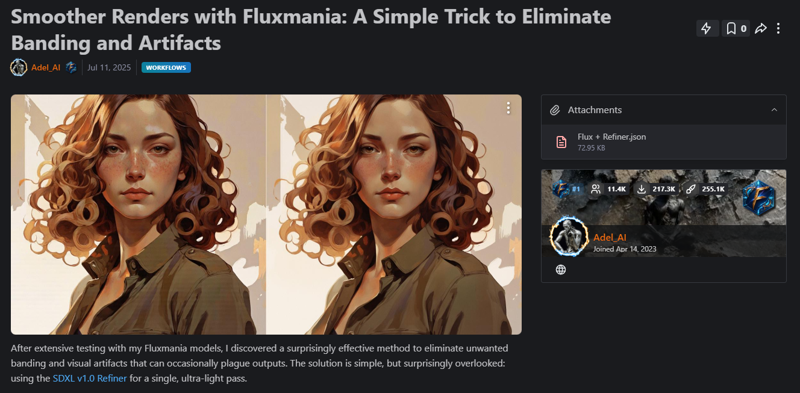
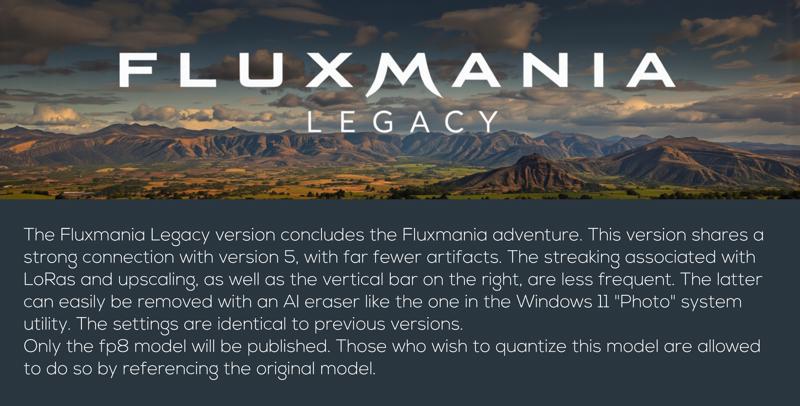
Quantized versions of the Fluxmania Legacy model:
https://huggingface.co/belisarius/FLUX.1-dev-Fluxmania-Legacy-gguf/tree/main
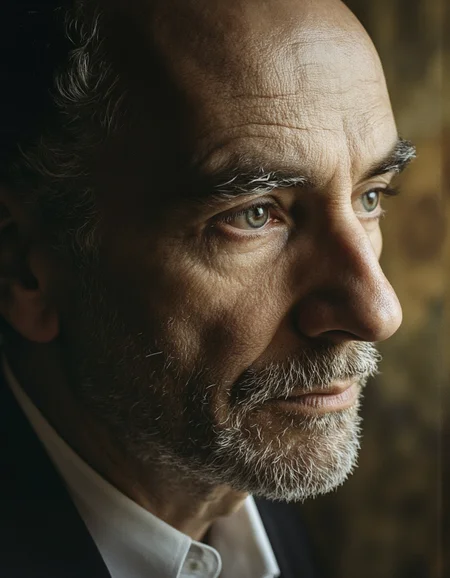
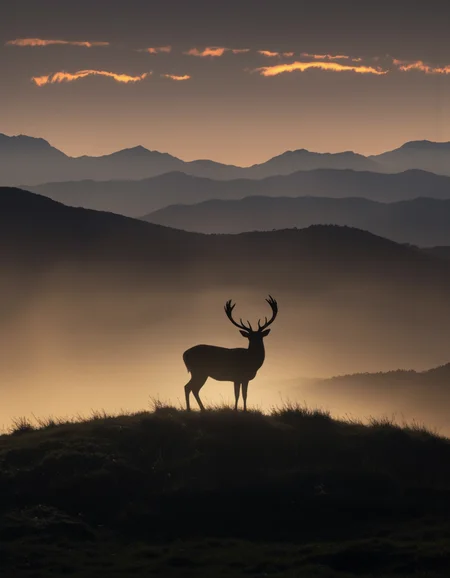
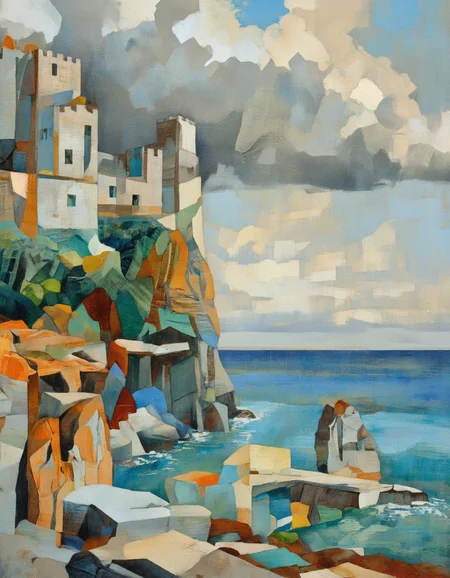
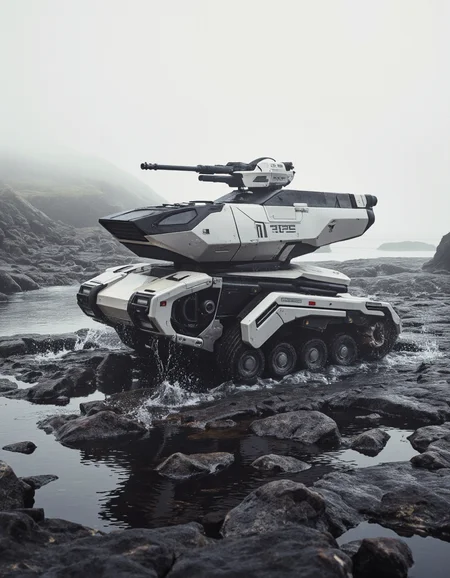
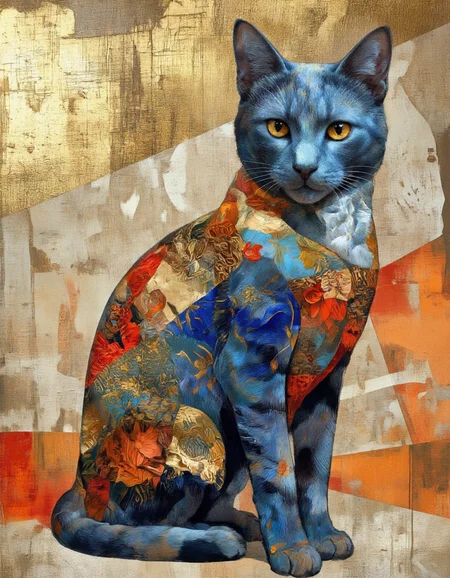
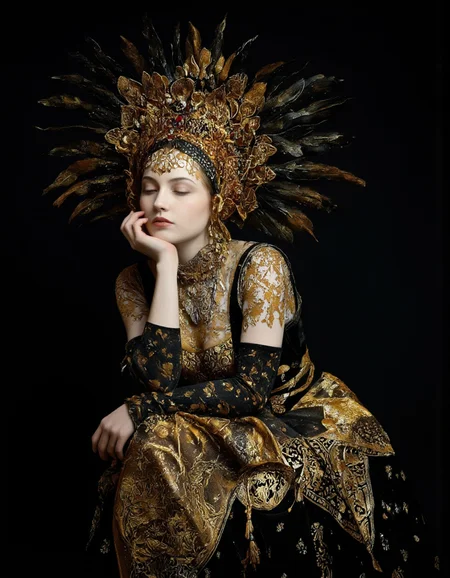
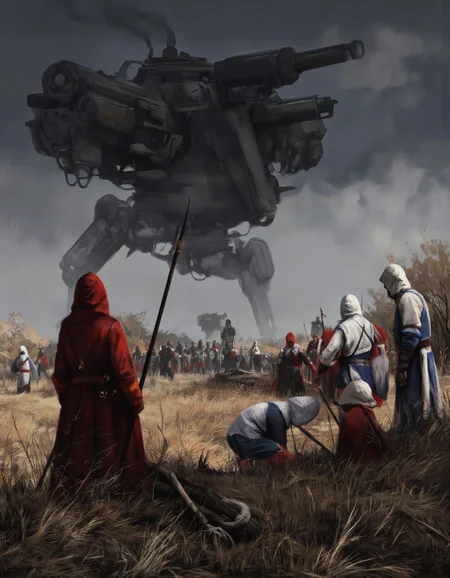
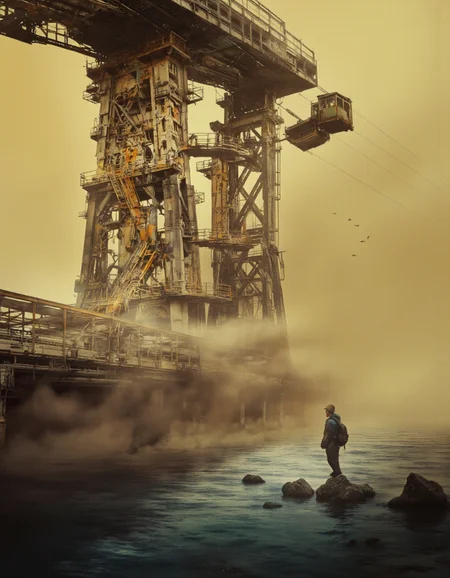
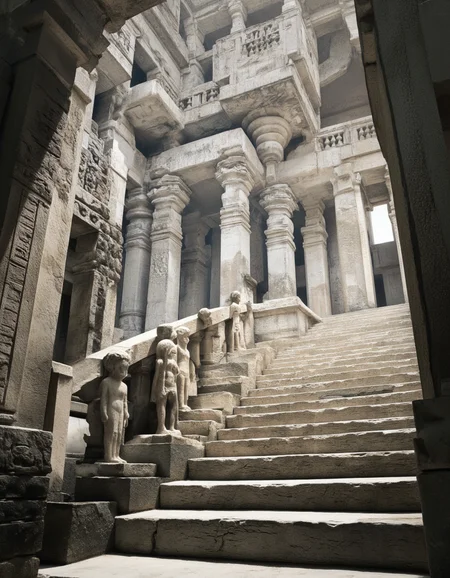
 Showcase images are in PNG and include metadata, prompt & workflow.
All licensing conditions for the Flux Dev model apply. You can find the details here.

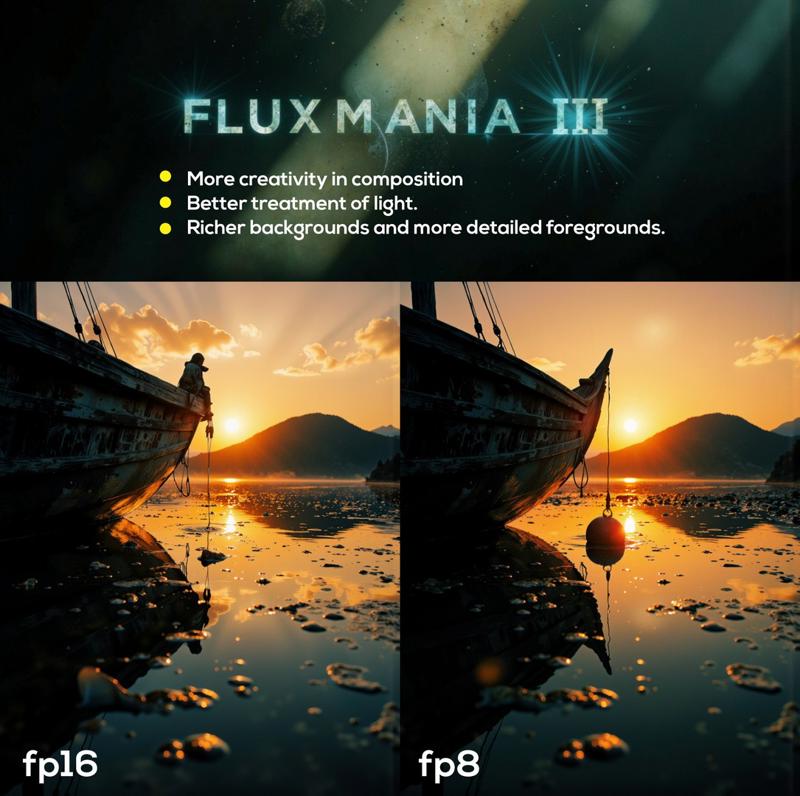
Model orientation : Photography - Realism - Portraits - Artistic nude
Fluxmania III :
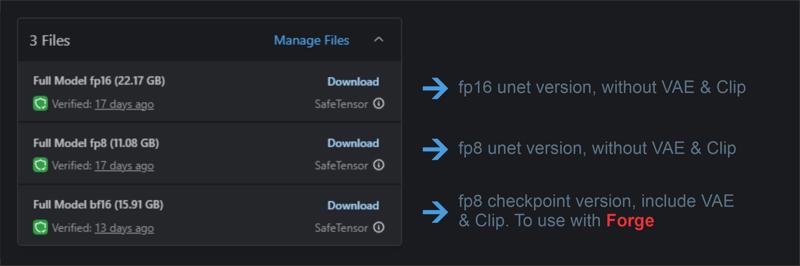 File 22.07 GB : unet fp16 without VAE & clip
File 11.16 GB : unet fp8 without VAE & clip
File 15.91 GB : checkpoint fp8 (not bf16) with VAE & Clip L full fp32
Settings : dpmpp_2m - sgm_uniform / cfg 3.5 / steps 25 - 30.
I recommend using this version of Clip L with the Fluxmania model
Fluxmania I & II : Unet fp8 (no VAE, no clip) / Settings : dpmpp_2m - sgm_uniform / cfg 3.5 / steps 25.
Genuine : Unet fp16 (no VAE, no clip) / Settings : Euler Simple / cfg 3.5 / steps 30.
Description
Recommended settings : dpmpp_2m / sgm_uniform / 25 steps / flux guidance : 3.5
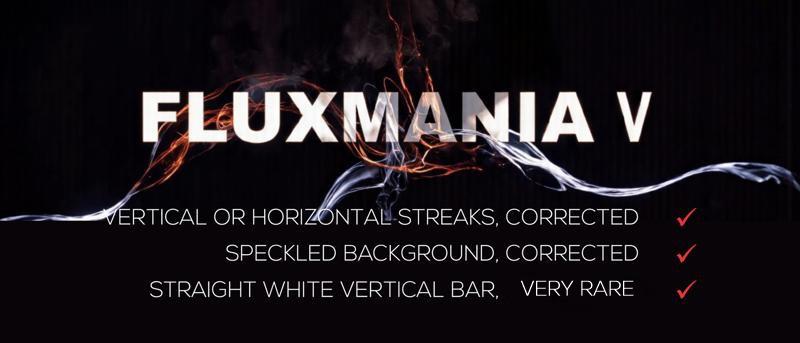
dtype : preferably use E4M3, but if vertical streaks or other artifacts appear, switch to E5M2
Quantized versions of the Fluxmania Legacy model:
https://huggingface.co/belisarius/FLUX.1-dev-Fluxmania-Legacy-gguf/tree/main
FAQ
Comments (167)
Is this you last checkpoint or are you preparing another one different from fluxmania ?
I think I've explored the possibilities for the Fluxmania series; it's time to move on.
Unfortunately, I can only do checkpoint merges for now, and unlike SDXL, there are very few interesting training models with Flux.
I'm going to take a short break to recharge my batteries and avoid rehashing the same thing, unless there's something new worthwhile.
@Adel_AI Okay, don't get tired of it to the point of being disgusted, take all the time it takes to come back with new and beautiful achievements. And yes, maybe a new model that don't need 4x4090 will pop !
@Adel_AI you did a good thing! take care of yourself first and foremost, and always do what keeps you creatively stimulated! you can only go so far with flux(or any model for that matter)! thank you for your contribution to the ai art world! there are too few people on this site doing real artistic photography stuff (vs nsfw 24/7 lmao)
@cutetodeath78409597 Thanks
Bravo Adel pour ce Fluxmania legacy .. en téléchargement et hâte de le tester.. tu as fait un boulot de dingue pour la communauté et j'espère que tu y a pris autant de plaisir que nous a découvrir chaque version.. Encore merci et bravo !!
thank you Adel , your works are amazing, i using all of them, need forge version for flaxmania legacy.
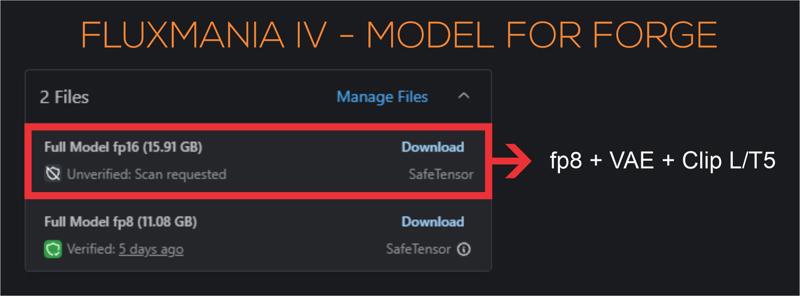
Thank you for your feedback and appreciation of this work. The model for Forge is available (16 GB)
J'aime bien ce modèle qui permet de faire pas mal de choses. Un grand merci pour ce travail.
C'était un peu la finalité, garder la qualité du réalisme de Flux1.D et lui greffer dessus ce qui lui manque, l'artistique, le dessin, des rendus moins "durs", ... Merci pour ton retour et ton appréciation
@Adel_AI Après tous les tests que j'ai pu faire, j'aime bien le côté artistique que les autres modèles Flux n'ont pas ou moins. Vraiment un grand travail.
Just outstanding !!!
Thanks, the Legacy version is great. No more problems with Flux stripes.
The streaks were my main goal, there is still the vertical bar on the right, but this is easily erasable in post production. Thanks for your feedback
@Adel_AI Aah, I was just going to ask about the vertical bar on the right and yes, easily removed. Just as an FFYI in case you can do something about it, I do still get the classic Flux stripes but only when using some loras (which is most of the time for me). I gather that is an issue with Flux and the loras themselves, so I'm not expecting anything but thought it was worth mentioning.
@wideload I'm still testing the settings that affect the appearance of vertical streaks with some LoRAs. I posted a link on this page to a thread that discusses this issue, and it seems to be related to ClipAttention T5 during LoRA training. I train my LoRAs on Civitai, and there's no way to enable/disable this setting, so I can't verify this claim.
However, there are two other interesting avenues to explore: using the (beta) "ClipAttentionMultiply" node in comfyUI.
The other avenue is using the "Multiply Sigmas (stateless)" node in Detail-Daemon. This allows me to eliminate these streaks when they appear.
@Adel_AI I appreciate you still looking into it. It's annoying to see those bands but it's not a deal breaker for me, I can ignore them in most cases and it's not every lora. I train most of my loras on CivitAI too but occasionally use FluxGym, so I'll check and see if that setting is in there. Cheers.
The Legacy version is great, thanks
but loras not working with it :(
I meant like characters' faces or personas... it gives someone resembling them, not the character itself.
I tested the Legacy version extensively with LoRA, as the previous version had a problem with vertical streaks appearing when paired with LoRA. My tests (see the showcase) revealed no anomalies.
@NoobFromEgypt I admit that I have not tested the LoRAs of character or celebrities, perhaps the weight of the LoRA needs to be adapted to the model
@Adel_AI Amazing work bro, thanks again
Toujours au Top tes modèles, Wonderfull.
Rank.
genuinely the best FLUX model out rn.
You are an intriguing person 🤔, you make a complimentary comment, you seem to enjoy using the model given the frequency of your publications on this page, which is nice, on the other hand you refrain from liking the model 🙃. It's not important, thank you for your interest
@Adel_AI my bad haha. i just gave it a like. really amazing work, honestly.
Absolutely stunning. I mean utterly incredible. Takes FLUX and turns it into something so, so much more powerful. This model has been the first that I've been able to reach a level of prompt following and photorealism (with some spicy ComfyUI techniques) that can be near indistinguishable from real photos in some cases of casual scrutiny. (posted some of my Automotive imagery for reference) Absolutely amazing, incredible work.
You have perfectly understood my approach. With Legacy version, I tried to push realism to the extreme to get as close as possible to a photographic rendering, but without losing the versatility of the model, I also wanted it to keep a beautiful artistic expression. It took me quite a bit of time, but I think I have more or less achieved this goal. Thank you for your appreciation and your feedback
Hi, the character lora don't work. Should I train new lora using your model as a basis for training?
Hi, I admit that the reproduction of characters and celebrities was not in my criteria when developing the model, and it was only later that I was informed that it did not express this type of LoRA, as for redoing the training with Legacy, if you do it locally, it is possible and I will be curious to know what it gives, on the other hand it will not be possible to do it on civitai, which only offers the basic model for lora training
@Adel_AI I get blurry images when using other types of lora that are not characters like the midjourney v7
@Adel_AI This is a good model, but apart from the problems I see with the lora, I also notice that there is a very frequent problem with the hands.
@Adel_AI I don't know what people are talking about, my character loras (trained here on CIVITAI) work great.
@elyzionz1 in my tests, the model alone does not generate anatomical aberrations, if this happens with Lora, it is the weight of the Lora is poorly adjusted
@Adel_AI Hello, I realized the problem was my configuration and my Lora. Thank you for your answers. This is an excellent model. Congratulations. I look forward to future updates.
@Nighthawk22 hi, can you share your train config please?
Hi there....i wonder why the reason of the recommendation of using CLIP L instead CLIP I? thanks for sharing
Hi, it's a personal preference, it's not really essential, you can keep the basic Clip L
Hi there, i have an issue when choosing the sampling method in forge cause, dpmpp_2m does not exist, at least with the same name....so, is DPM2 the coorect one? thanks for sharing
Hi, I'm not a Forge user, so I can't be of much help. However, I know that settings optimized for comfyUI are often not valid for Forge. You'll have to do your own testing to find the best settings.
DPM++ 2M
Got it...was my fault, i added the clip L but it is already cooked in..... working with, DPM++2M / SGM Uniform...thanks
@tupu only DOM2 + SCM Uniform is working, DPM++ 2M is not working fine
@soyv4 In terms of sampling methods i discover that some can work better than others, but defiantly the problem is when using loras trained with flux dev....no way!! thanks for the info!!
Great work! Hope to see a Hi-Dream fine-tune from you!
Thanks, for Hi-Dream, maybe, but certainly not immediately. I mainly use my LoRA models for merges, so I would already need to build up a good collection before considering finetuning.
I train my LoRAs on Civitai and the platform has not yet offered Hi-Dream training.
The Fluxmania Legacy model... pruned is larger than the full model?
It's not pruned, same model with VAE and Clip
@Adel_AI Just trying to understand
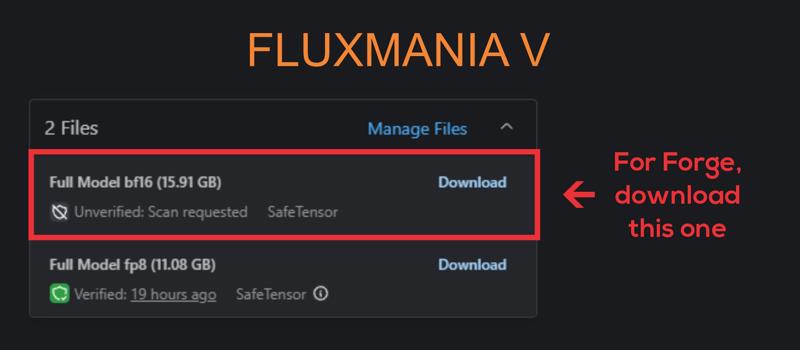
2 Files
Full Model fp8 (11.08 GB)
Pruned Model fp8 (15.91 GB)
The one listed as 'Pruned' above is actually Full + VAE & Clip?
@ogbtjyqat450 11 Go it's only Unet and 16 Go all-in-one (unet + vae + clip).
Civitai does not allow to distinguish an unet from a checkpoint, so we have to give it a false name, like pruned, to be able to add another package of the same model.
Looks amazing. Your game has always been strong and you show no sign of decline. ;)
I've spent many hours melting my GPU trying to find good FLUX models that are flexible and have great results. This is it, this is the one! Thanks for sharing your work with the community
Thanks for your feedback
This is best Flux model. I redid some of my previous works with this model. The results were dramatically different. It gives excellent results in both photorealistic and artistic works.
Thanks for your feedback. Have fun and above all share your creations on the model page
This FLUX model changes everything. It's flexible and gets amazing results. Thanks for sharing it!
Has anyone used this checkpoint on rtx3060 12gb? Please share your results and workflow.
The model is super, I tried the new model, but it is not very good for me, I stayed on version 5, they work in webui_forge
Hello, all my renderings integrate their comfyui workflow
@Adel_AI I'm new to comfyui and I haven't managed to get acceptable performance on this checkpoint yet. So I want to know if anyone generates 12 on a 3060. Maybe it's just weak hardware for this model? Or maybe I didn't set it up correctly
P.s. All questions are removed. I managed to launch this checkpoint. It's just that your workflow was too complicated for me, I managed to launch it on a simpler one. This is simply phenomenal. The quality is impeccable, and the speed is even higher than on the gguf q6 checkpoint. I am delighted, thank you)
I have it running on a GTX 1080 Ti 11Gb. It works but it slow.
I use Legacy version since yesterday at rtx3060 12gb and it is great. Workflow is orginal basic from ComfyUI site - just chance checkpoint at workflow and thats it. Finally beautiful realistic photos and no more ''same flux face and ass chin" all the time... 1 image generate like 50sec
@flo11ok874 I have an RTX 3070 8GB, so it's not far from your configuration, I have roughly the same render times.
Thanks for your feedback.
@elfaenseidhe941 You might want to try SwarmUI instead. It has a ComfyUI backend, so you can switch to it in literally 5 seconds (& automatically have all the latest updates that comes with it, too), but it also comes with an interface/UI that's more like Automatic1111, & is way easier to use if you're just starting out. You won't have to mess around with all that workflow nonsense (but again, the option would still be there if you wanted to instantly switch back again).
@elfaenseidhe941 Also, avoid FLUX GGUF checkpoints for the most part (if you have 12GB VRAM). They're aimed at people that don't have enough VRAM (which cripples generation speed when you run out), but will actually be slower on GPUs that have enough VRAM due to the additional overhead from quantization. GGUF typically has less precision also.
@ShadowCell Thanks for the answer! I'll still try to master comfiui. It's an interesting tool and I'd like to be able to use it. Although information can be difficult to find. And I don't see any point in using gguf anymore, it's just a habit from my previous 8gb video card
The question is not quite on the topic of this model, but I am wondering how to use it with ControlNet? So far I only understood how to connect ControlNet models to Xlabs sampler, but I can't put dpmpp there as well as select a scheduler. How can I use controlnet with KSampler? Or how do I select the desired sampler in Xlabs sampler?
I recommend that you avoid using XLabs solutions, which are not very efficient and incompatible with the rest. To use ControlNet, the best choice in my opinion is to use InstantX/Flux1.Dev ControlNet Union (installable with Manager)
@Adel_AI Thank you very much for your help! I was able to connect СontrolNet
Can we get the full model for the Legacy version? I really appreciate it.
This is a full version but in fp8 precision. For now, I can't make an fp16 version due to the memory limitation of my configuration. But I'm still trying
@Adel_AI and why couldn't you make t5xxl_fp16.safetensors instead of t5xxl_fp8_e4m3fn.safetensors? I use your model Full Model bf16 (15.91 GB) - fluxmania_V and it only has clip_l_FP32.safetensors, I have a 3060 card for 12 gigs, and I can use Unet Full Model fp8 (11.08 GB) with the following parameters - t5xxl_fp16.safetensors, clip_l_FP32.safetensors, ae.safetensors, and everything works fine for me, so the question arose why you didn't build t5xxl_fp16.safetensors into the complete ready-made model?
@soyv4 Hi, according to my tests, T5 fp16 does not bring me a significant benefit to the rendering when it is associated with a unet fp8, lengthens the calculation times and overloads the memory, the packages (unet + VAE + clip) are intended for those who have very limited configurations, sometimes with 6 GB VRAM
@Adel_AI I understand that you have Zer0Int-Vision_CLIP_FP32 implemented in your assembly, but I checked with the usual clip_l.safetensors and did not see any difference except that Vision_CLIP_FP32 weighs more than 1.6 gig, what is the advantage of Vision_CLIP_FP32? and by the way, I noticed that t5xxl_fp16.safetensors works more precisely with large promts, and in order not to overload the system RAM, I use the portable program memreduct 3.5.2 portable
@soyv4 results may vary depending on the interface, workflow, and other parameters. Thanks for your feedback.
@Adel_AI But I will say that this is the best model I have ever seen, there are different styles, fantasy, realism, and so on, the only thing I would like to try is Fluxmania_fp16, after all, fp16 will draw better, thanks for your model
@kennenftw988 Fluxmania Legacy is now available in fp16
Hello and thank you, just a question, do you know the reason I get some red spot on the result image? I'm using your workflow.
Thanks
Hi, you have to show me an example, I've never had this kind of thing and I don't see at all what kind of artifact it is.
I recommend using my workflows only if you have fully understood their logic. The easiest way is to test the model with a basic workflow.
New guy here. The pruned model should be smaller, shouldn't it? Now Full is 11Gb, the Pruned is 16Gb.
Hi, I already explained it, it is not a pruned model, it is a full fp8 packed with VAE and Clip hence the size of 16Gb, the other model with 11 Gb is the same unet fp8. The reason is that civitai does not allow to distinguish a unet from a checkpoint (all-in-one), we are obliged to attribute a false qualification like "pruned" to be able to download the model in the same page
@Adel_AI Ah, makes sense now — thanks a lot for clarifying so quickly! Would you prefer if I delete my comment or just leave it for context? :D
@Yeti419 on the contrary, leave it, this explanation can be useful to others
@Adel_AI yup, I got confused too until I saw this comment
Why do you recommend Zer0Int-Vision_CLIP_FP32.safetensors, it is the full version, and it is too much for generating regular images, instead of the regular clip_l.safetensors and for regular tasks I think the most suitable is the improved version of the clip - ViT-L-14-TEXT-detail-improved-hiT-GmP-TE-only-HF.safetensors, what do you think, I am interested in your opinion?
It really doesn't matter, it's just a personal choice. Many people had pointed out to me that they didn't see any significant change compared to standard Clip, but that wasn't what I saw in my tests. It must be said that I had recommended it with version 3 which was in fp16, it's possible that with fp8, there is no real change, but I kept the same file (out of laziness 😂)
Fluxmania Legacy version, in my humble opinion, is a significant contribution to the AI art generators community. Thank you!
I like Fluxmania v the best version , Fluxmania Legacy does not give as much result as I would like , compare Fluxmania Legacy and Fluxmania v , and write what is better .
Thanks for your feedback
Been testing the fifth edition since the release. It's undoubtedly great in its own way. The Legacy edition, in my personal experience, pushes the boundaries of creativity bit further adding some elements of aesthetic fiction where the Vth acts more straightforwardly. Anyway, it's a matter of taste and the tasks assigned to the model.
dont know how to get rid of vertical stripes :(
There are two parameters you can adjust:
- If you're using Loras, lower the weight of the models as much as possible.
- Change the weight_dtype of the unet, if it's E5M2, switch to E4M3.
If one of the two causes streaks, the other normally doesn't.
@Adel_AI thank you i try
@cptdurr I just published the fp16 version of the model, it is supposed to no longer generate this kind of artifacts
@Adel_AI thank you, seems better
Just amazing!!! It's my new fave for inpainting!!! The pirst model to know what a popsicle and a ball of icecream look like hahahaha.
Thanks!!
What would this world be without a scoop of ice cream?
Thank you for your great work. I wonder if there is a GGUF version? My graphics card is an old model.
Hi, I'll try to find time to make a GGUF version. Thanks for your feedback
please share gguf. it is slow on my monster gpu
I will try to find the time to do this conversion
@Adel_AI BF16 Q8 GGUF would be very appreciated! Great work!
@Adel_AI thanks bro. insane model btw
It's a really good model, but even though I include the word 'realistic' in the prompt, sometimes it generates images that look more like oil paintings instead of being truly realistic. I don't know what the issue is
Hi, your remark is strange, in the absence of specifying the rendering style, I noticed that it tended more towards realism. It is recommended to put the trigger (if using lora) and the rendering style, at the beginning of the prompt. In my use of this model, I have never noticed this kind of deviation.
It should also be noted that a drawing, painting, sketch can be realistic, it is preferable to use "photographic"
can character lora be successful trained on your model?
I can't do local training, my configuration is limited, so I can't give you any information, but it's worth a try
Amazing model / faces finally look normal / overall more photographic feel / My favorite model so far in 2025 / using fp8-11G
Thanks for your feedback and share what you do with it, I'm interested
All GGUF quants for the Legacy model are here:
https://huggingface.co/belisarius/FLUX.1-dev-Fluxmania-Legacy-gguf
can you do nunchaku int4 quants for 3x speedup
?
I don't plan on doing a nunchaku quantization, but the door is open for those who wish to do so.
still works decent on lower steps with fp8, have to say, its nice having a flux model that doesn't suffer as much from the uncanny ai valley like vanilla flux
Just want to make sure, this includes the vae right? In case im using it wrong in comfy.
TL;DR; Eyes, face, fingers rendered quite good with Fluxmania Legacy. Realistic grainy textures need to be refined with other model (SDXL / Pony / ILL).
It is the case when ER (Engagement Rating) match my own observation. 8300 downloads vs 809 positive review (10:1 is critical aspect). This version sometimes gives messed compositions / anatomy (not so often), but most of the time it gives very clean picture at 1Mpx resolution with smooth plastic skin. My recent posts have realistic grainy textures because I used 2-pass workflow in ComfyUI with CinEro V6 R3 as a textures refiner. Together it gives a good result.
Adopting two passes does indeed significantly improve rendering quality. I even tested Wan 2.1 in refiner, and it produced some interesting results.
However, the two-pass approach lengthens rendering times and is not accessible to everyone due to configuration limitations. I prefer noise injection techniques (there are several approaches) as well as denoising reduction. These two techniques, combined, introduce more detail and improve texture rendering, especially skin textures.
Thank you for your feedback and appreciation.
@Adel_AI It depends on what measures user apply to get grainy textures with flux model.
This version gives good enough draft composition with Steps 8 (or even Steps 6 can work). It is 30-40 seconds in 1Mpx on RTX 3050. SDXL model in 2Mpx with Euler Normal and Steps 50 takes another 2 minutes and half. But I can get good results with Heun Simple and Steps 16.
For me 160-300 seconds is quite realistic time range. Is that too much?
Without 2nd pass User need to apply an advanced techniques like Detail Daemon or smth more complicated in order to boost details. But I did not succeed in that path. 2nd pass is much easier for me to adopt.
@Adel_AI The only downside - 2nd pass can damage eyes and other clean lines on small details. Face restore or ADetailer on face is needed.
@homoludens It's clear that there's no single method for achieving satisfactory results, and everyone has their own preferences. I don't find "Multyply Sigma" and "Detail Daemon" complicated to use.
I think it's the same for noise injection, and it's twice as fast.
Between 200 minutes and 300 minutes seems like decent rendering times to me.
@Adel_AI You mean 200-300 seconds?
1. Detail Daemon. I didn't manage yet to get such realistic noisy textures with Detail Daemon alone so far. Maybe I need to push it to the limits.
2. Could you tell me more about Multiply Sigmas? or examples. Didn't use it yet.
@homoludens My renderings integrate workflows; download the PNG and you'll find my usage of these two nodes and the parameters used.
Multiply Sigma: This node adjusts the noise level in the diffusion process, which can impact image sharpness and texture. It's especially useful when paired with custom samplers or nodes that manipulate latent noise.
Detail Daemon: This node enhances fine details in the image by modulating latent features or applying custom detail-enhancing algorithms.
You can introduce this node either before or after the Ksampler. Personally, I use it before.
@Adel_AI I know roughly how DD works. What you described for Multiply Sigmas seems very similar. The difference is that DD multiply sigmas depending on current step (multiplication factor curve). Am I correct?
@Adel_AI Your workflow contains Differential Diffusion node. Could you please explain its importance and purpose?
I believe it can be important / interesting not only to me.
Differential Diffusion introduces controlled perturbations to the denoising process. Instead of applying uniform noise reduction across the latent space, it selectively diffuses regions based on a computed difference between original and modified noise states. This can emphasize certain features or textures, resulting in more dynamic or locally refined outputs.
@Adel_AI In short, it can amplify micro-contrast and grain on textures?
@homoludens The best thing is to test this node once activated and once deactivated. On certain types of renderings, the difference is palpable in terms of the fineness of the renderings
Where does this go, between model loader and lora loader?
@axlaim I put it right after the "Diffusion Model Loader" as @Adel_AI do in workflow of posted images.
Difference between the 16GB version and the 20GB version? Are there any changes other than the fp8/fp16? Is that the only difference, or has there also been more training in general?
20 Gb is a full fp16 unet
16 Gb is a checkpoint with full fp8 + VAE + Clip
11 Gb is a full fp8 unet
@Adel_AI Thank you so much for the quick reply. And for the checkpoint, of course.
@CrystalVisage I personally didn't see any training tool which supports training in FP8. So, I don't think you will find any case when FP8 have more training. It is possible that model owner will do more training on private FP16 model then quantize it down to FP8. But it will be strange decision.
@homoludens You should pay more attention to the characteristics that are specified for a model. Fluxmania is classified as "Merge", so it is perfectly possible to have an fp16 or fp8 depending on the chosen unet models and/or the selected dtype
@Adel_AI My point was not about possibility to have FP8 and FP16. I just answered directly on the following part.
>> Is that the only difference, or has there also been more training in general?
Usually I train FP16 or even FP32 and then quantize it down to FP8. In OneTrainer which I use for training I didn't find a way to train directly in FP8. Maybe I didn't look carefully enough.
One of the best models I've used. Always surprising. Always artistic and extremely versatile.
That was kind of the goal, I stuffed 15 of my artistic lora models in his stomach
Thank you for your comments and appreciation.
how come the Pruned Model fp8 is larger than the Full Model fp8? which is better?
Hey, this isn't a pruned model. I find myself labeling it that way because Civitai doesn't allow to differentiate between an Unet and a checkpoint, as the model specifications are very limited.
20 GB is a full FP16 unet
16 GB is a checkpoint with a full FP8 + VAE + Clip
11 GB is a full FP8 unet
hi dear Adel, can you share quantizated version fp16 q8 unet for legacy version?
Adel_AI thanks a lot 🤩❤️
Hello, I’ve been using the fluxmania_legacy-Q5_K_S.gguf file successfully, but I can't find a .safetensors version of its CLIP model. Is there a safetensors version of this CLIP encoder available? If so, could you please share where I can download it? I’d like to use it with the CLIPTextEncode node in ComfyUI instead of the DualCLIPLoader (GGUF) node. Thanks in advance!
Hi! Just to clarify — I didn’t create the GGUF version of fluxmania_legacy-Q5_K_S, so I’m not sure about the internal CLIP encoder. As far as I know, there isn’t a .safetensors version of that specific CLIP available.
How to find tune whole model like fp 16 , is there any training available?
clarify your question
want to finetune fluxmania fp16 checkpoint on architecture dataset so how to do so ?
is there any training code or technique avaliable because on web i only find finetuning flux lora
amarsingh786 Fine-tuning a full model in FP16 is technically possible, but in my case with Fluxmania, I used merge strategies rather than direct training.
That said, if you're interested in fine-tuning Fluxmania FP16, frameworks like QLoRA, DeepSpeed, or Gradient AI support mixed-precision training and can help reduce memory usage while maintaining stability.
Adel_AI can u elaborate about merge strategies like how to achieve on architectural dataset
amarsingh786 there is no dataset in a merging approach
Adel_AI did u merge lora weights ?
amarsingh786 yes, it is a calibrated fusion with LoRAS and other Unet models
Adel_AI first of all thanks for all your help and want to perform this calibration so any blog or tutorial video available which perform this task ?
or pls guide in depth how to do so
Your model is amazing. Compared to the previous model, this model is just a work of art. My Loras look as realistic as possible
Thanks for your feedback
I just wanted to express my deep admiration for your incredible LoRAs and stunning artwork. Your sense of detail, style, and atmosphere is truly exceptional, and it’s clear that your work reflects a high level of professional experience. What impresses me even more is your openness in sharing your prompts and the LoRAs you used — a gesture of great professionalism and generosity. Sadly, many creators choose not to share either their prompts or the LoRAs they use, so your transparency really stands out. Every model you release is a gift to the community, and I genuinely appreciate the effort, skill, and passion you put into each piece. Thank you for sharing your talent with us — it’s inspiring!
Hey, I learned a lot from others, so it's normal to adopt the logic of a true community and to be in the sharing. Thank you for your appreciation and for your feedback.
Is there a way to use this model with nunchaku?
for the moment I do not plan to make a Nunchaku version
We are waiting for "Fluxmania Krea" :)
I tested 4 versions of Fluxmania Legacy + Krea fusion by exploring many merge configurations, I was quite disappointed. By grafting Krea onto Fluxmania, there is certainly better guidance, but it depreciates the realism and limits the versatility of fluxmania. I hesitated a lot but in the end I judged that it was not worth publishing a version that is a step backward rather than an improvement.
The best realistic renderings were achieved by combining Fluxmania with Wan 2.1 refinement. Unfortunately, the two architectures are not compatible, so no merge is possible.
Adel_AI I saw some really cool examples you did and I thought we'd have Fluxmania + Krea soon. Like this:
https://civitai.com/images/92402014
Thanks again for your efforts.
amirariyazi860 Yes indeed, this image comes from a Fluxmania-Krea merge, I shared some interesting renderings. Except that out of a hundred, there were only about twenty that were of interest. I think that's very little to share a model
Details
Files
fluxmania_legacy_pruned_fp8.safetensors
Mirrors
Available On (3 platforms)
Same model published on other platforms. May have additional downloads or version variants.