


Nunchaku Fluxmania Legacy (by Spooknik)
Select Pruned model fp16 (6.3 Gb)
KREAMANIA
I don't consider Kreamania to be a truly new model, it's just a slight improvement on Legacy, injecting a tiny bit of Krea (which, in my opinion, isn't a benchmark for realism) and adding some of my recent LoRA models. It deserved the name Legacy+ more than Kreamania.
I find this version provides more detail and improved lighting. The composition remains almost identical to that of Legacy.
Note : Don't use "freckles" in the prompt
Oddity : Unexpected appearance of text
 https://civarchive.com/models/1808412/wan-refine-fluxmania
https://civarchive.com/articles/17346/wan-refining-fluxmania-for-more-realism
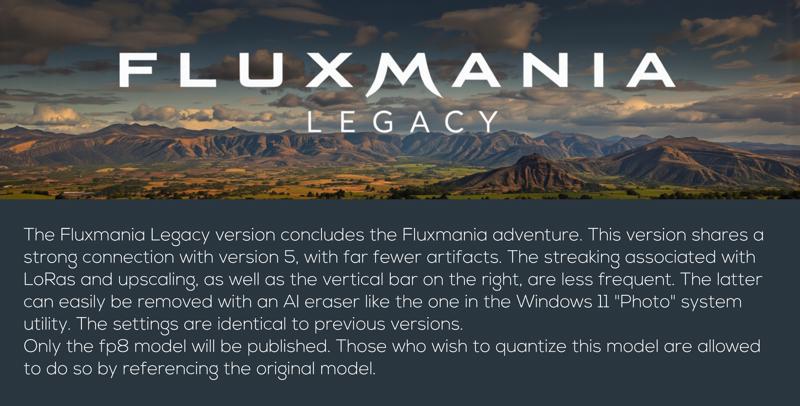
Quantized versions of the Fluxmania Legacy model:
https://huggingface.co/belisarius/FLUX.1-dev-Fluxmania-Legacy-gguf/tree/main
 Showcase images are in PNG and include metadata, prompt & workflow.
All licensing conditions for the Flux Dev model apply. You can find the details here.
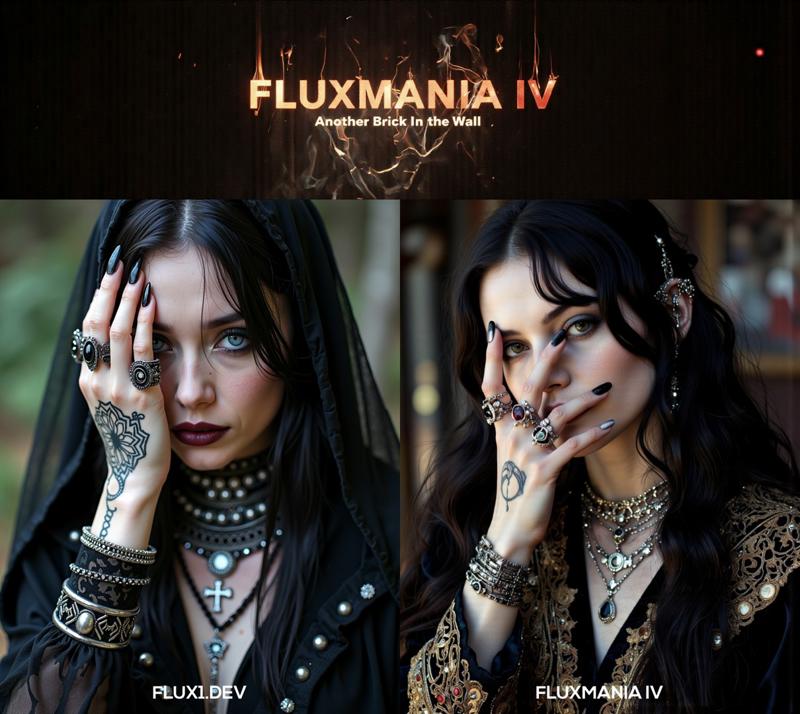
Model orientation : Photography - Realism - Portraits - Artistic nude
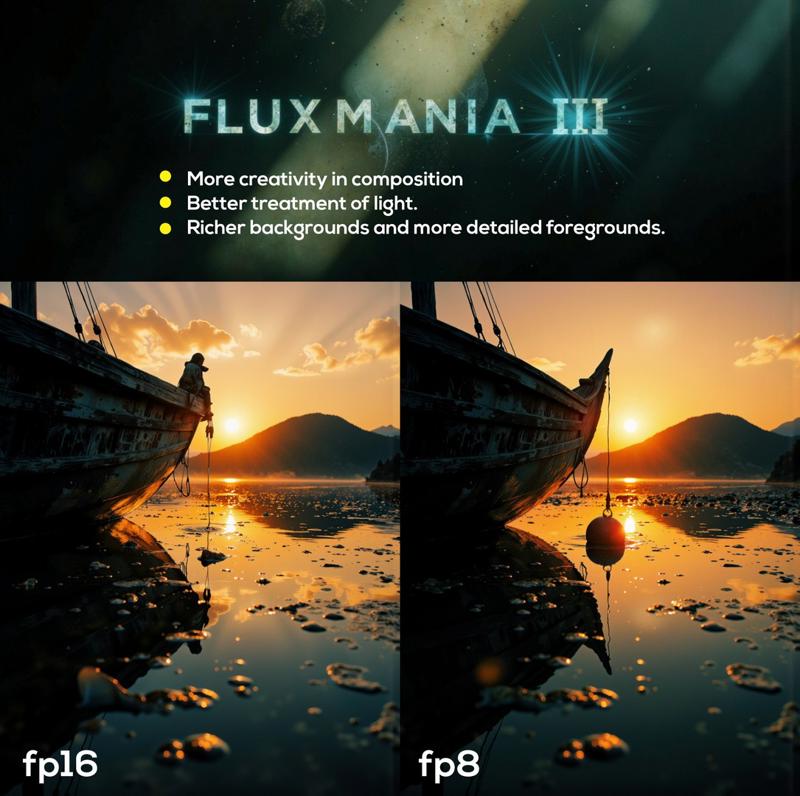
Fluxmania III :
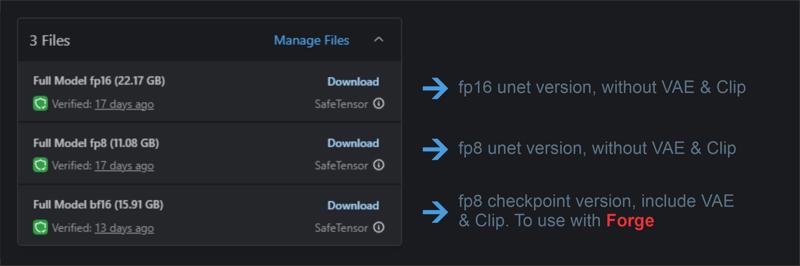 File 22.07 GB : unet fp16 without VAE & clip
File 11.16 GB : unet fp8 without VAE & clip
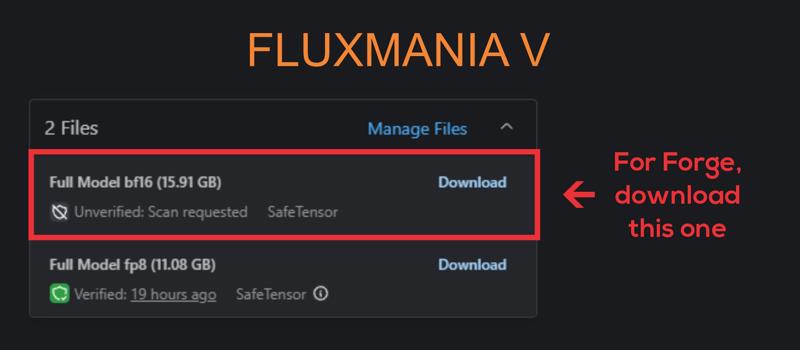
File 15.91 GB : checkpoint fp8 (not bf16) with VAE & Clip L full fp32
Settings : dpmpp_2m - sgm_uniform / cfg 3.5 / steps 25 - 30.
I recommend using this version of Clip L with the Fluxmania model
Fluxmania I & II : Unet fp8 (no VAE, no clip) / Settings : dpmpp_2m - sgm_uniform / cfg 3.5 / steps 25.
Genuine : Unet fp16 (no VAE, no clip) / Settings : Euler Simple / cfg 3.5 / steps 30.
Description
Recommended settings : dpmpp_2m / sgm_uniform / 20 steps / flux guidance : 3.5
FAQ
Comments (127)
can u plz convert your lagacy model to nunchaku?
Sorry, I don't plan to do that.
Adel_AI ohh ok but still i love that model so thnx for that ♥
This is why we use flux even though there are models with many parameters like qwen and wan. This is because we respond flexibly according to the quality of the fine tuning creator. Thank you adel ai for always revealing amazing models
I use Mac M1 and always have this problem with Samplers like SamplerCustomAdvanced which doesn't support dtype Float8_e4m3fn to MPS.
in versions of Fluxmania I had to used "default" dtype weigth instead of Float8_e4m3fn.
grateful if you could provide a version of fp16 that is suitable for M1.
A few things to try:
- Instead of "samplercustomadvanced," you can use either a standard "Ksampler" or "samplercustom."
- Try using the E5M2 exponentiation.
- You can use the fp8 version of the model with the "default" dtype.
- Otherwise, I'm considering making an fp16 version, but not right away.
Dear Adel_AI
I tried all the ways but unfortunately it didn't work. :(
same problem or similar with flux-krea and flux-kontext and very frustrated.
I hope you will make the fp16 version soon as you came to the conclusion so quickly to release this version.
Thank you very much.
Saoshyant : Try Krea or/and Kontext in GGUF format Works without problems on my M2 Ultra Studio & M4 air Max. For Kreamania, we're waiting for the author to find the necessary time to create either an fp16 version or even better, a quantized GGUF version.
alhhentz134 I tried several versions of quantized GGUF. Unfortunately, the one that works without any problems is of very low quality.
away from your model , what you thinkkrea added over flux dev ? because i don't believe it's just a try for more realistic images , sure it have some other improvements ?
It is supposed to provide better guidance in addition to more refined realism compared to Flux1.Dev
Is there any way for Kreamania to work with Sdforge?
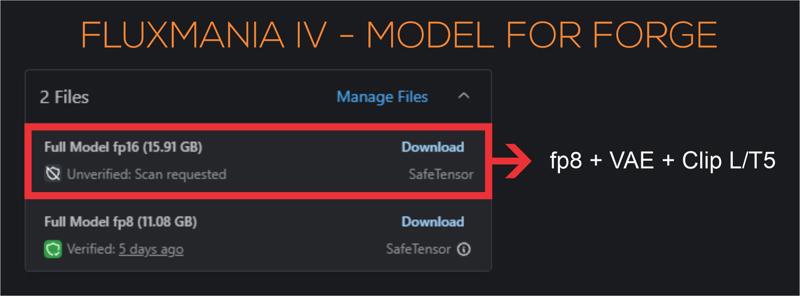
I am not a user of this interface, but several users confirm that all Fluxmania models work on Forge. Preferably, use models that include Clip and VAE
Adel_AI Not my first rodeo. All of the past versions work fine. Kreamania is not the same as them, technically. The same settings give a blank image.
ledeni80 On previous versions, I always provided a "checkpoint" version with VAE and Clip, I think this is the best way to use it with Forge. For Kreamania, for now there is only the fp8 Unet version
Adel_AI clip and vae are active from the day one of the installation. Never removed them. Not a single flux model had any problems up until now. This model is the only one I had a problem with. For example, I am using fluxmania_Legacy - Full Model fp8 (11.08 GB), without issues. So I don't know why this won't work.
Krea works perfectly on Forge. I'm not sure what issues you're encountering.
With Clip and VAE, on Forge give just a black image
@lotnick Sorry, I'm no help with Forge, I've never used that interface.
I tried to work on your png drag and drop workflow. Trust me my head is spinning. because you are genius I am not. So do you have a simplified version workflow where I can use these models? please
If you use my PNGs, delete or disable all unnecessary nodes to simplify the WF.
Also, I store my prompts as images, not text, so I use I2T2I instead of T2I; for me, it's simpler and more intuitive. To simplify everything, remove the image loader and keep only the prompt input. If you still can't figure it out, I'll make you a simplified WF. But I think trying it yourself will help you better understand the logic of comfyui and progress.
Adel_AI Hmm, I2T2I! That sounds interesting. Will have to try that. I'm loving t2i2i using sdxl to sd3.5 to flux. Do you use Florence/Joy Caption to set the initial text prompt?
Bbeen using your models for some time now (since version V) and first I want to say that it is the best i've ever tryied. Amazing work.
I've been trying Flux Krea as well and comparing some results, Fluxmanias results on hands and feet are a bit worse. Do you have some tips for this? Maybe changing the sampler, steps, etc (I'm using the recommended settings)
I've always had pretty poor rendering for the feet, especially when the sole of the foot is facing up.
I haven't particularly noticed any problematic rendering frequency for the hands.
You could perhaps try res_2s/bong_tangent or heun2/sgm_uniform
But the best thing would be to vary the seed until you get an acceptable result.
I'll check that out myself.
Thanks for your feedback.
Adel_AI I'll try out those combinations, thanks!
CUBLAS_STATUS_NOT_SUPPORTED
I get this error when running Kreamania in comfy. No issues with any other versions of Fluxmania, or any other models: Flux, Chroma, SDXL, etc.
Updated comfy, updated all but still the same.
Hi, I asked an AI assistant to help investigate the CUBLAS_STATUS_NOT_SUPPORTED error you're encountering with the Krea version of Fluxmania in ComfyUI. Here are a few suggestions you can try on your end:
🛠️ Possible Causes & Fixes
Model-specific operations: Krea might include a custom module or tensor operation that triggers a cuBLAS call not supported in your current setup — even if previous FP8 versions worked fine.
CUDA/cuBLAS version mismatch: Ensure you're using CUDA 12.2 or newer. FP8 support is still evolving, and certain operations may fail silently on older versions.
PyTorch build differences: Some builds of PyTorch (especially those without Triton or xformers) may not fully support FP8 operations. Try updating PyTorch or using a build with extended support.
Driver version: Make sure your NVIDIA driver is up to date (≥ 535.xx). Older drivers can block FP8 execution paths.
Fallback failure: If Krea uses FP8 without fallback to FP16/FP32, and your GPU or environment can't handle the operation natively, cuBLAS will throw that error.
✅ What You Can Try
Force FP16 loading: If possible, modify the model loading script to cast tensors to float16 instead of float8.
Test outside ComfyUI: Try loading the model in a minimal PyTorch script to see if the error persists. That can help isolate whether it's a model issue or a ComfyUI integration problem.
Compare with working FP8 versions: If you have older Fluxmania FP8 models that worked, compare their structure or quantization method with Krea. There might be a subtle difference.
Absolutely wonderful work! It has demonstrated the enduring vitality of flux. However, could you please release the KREAMANIA fp16 model for those who have larger VRAM? FP8 will inevitably cause some loss in precision. Thank you very much!
Thanks for your feedback, I plan to publish the fp16 in a few days. A lot of work to finish beforehand.
For creating realistic or photorealistic photography-style works, krea is recommended. For creating artistic illustration-style works, legacy is recommended.
I'm not sure if the OP has similar reminders, but this is my actual experience after using it for a few days.
Thanks for sharing your experience.
Not sure if by “Krea” you meant “Kreamania,” the latest version of Fluxmania, compared to the previous “Legacy” one. Personally, I find both versions equally versatile, whether you're going for photorealism or a more artistic, illustration-style result. They both respond well depending on how the prompt is crafted and the creative direction you're aiming for.
@Adel_AI This view is purely based on personal experience and carries significant subjective limitations. However, it is a fact that both versions are indeed excellent base models. Thank you for your explanation.
Does KREAMANIA not have an FP16 version?
not yet
Are you going to release Kreamania in FP16 soon ? I have been using your Legacy FP16 model for quite sometime now on my 4090, its running great and quality is absolutely amazing. I would like very much to have your new Kreamania model in FP16 as well.
Please. How do I remove that green dinosaur bs from my UI? Wtf?
In the comfyUI settings,
select the "KayTool" extension menu
In the "GuLuLu" submenu, disable "GuLuLu Stay with Me"
@Adel_AI Thank you, Sir.
really great for arty nudes ! what loras would you suggest to enhance body shape, breast, cuteness, without changing to much model identity, especially grain and lighting ? thx for all
I've finalized some nude-oriented LoRAs:
https://civitai.com/models/1344651/nude-art
https://civitai.com/models/1253652/red-district
Thanks for your feedback
@Adel_AI thx for advice, Ill check this out
This model (Fluxmania-Krea) does not handle character LORAs well at all. Even LORAs trained on Krea make the model completely fall apart.
EDIT: works OKish with Flux trained LORAs. I was trying to force a Krea trained LORA onto this, which is not a Krea checkpoint.
This remark is not limited only to Kreamania but to all versions of Fluxmania, I have often been told about problems with character loras. Personally I do not use this type of Lora, I have not been able to see it for myself. I tried to finalize a model as versatile as possible, but that there are gaps, it seems normal to me
I've been using the 22G legacy for some time now, no issues, Kream runs out of memory (Forge.) Just FYI
Sorry to hear Kreamania FP16 isn't working on your setup with Forge anymore. Just a tip—might be worth trying ComfyUI instead. It handles VRAM much more efficiently in my experience.
@Adel_AI yeah i have a problem with the interface but will have to uh...FORGE through it eventually lol.
Strange tho, seems as if the two checkpoints are the same physical size and i have a 3090 with 24G. Ah well, time to spend MOAR :)
@GarbaggioTuna I have a 3070 8Gb, the 22Gb models work normally, with a little slowness, but without memory errors. This is one of the advantages of ComfyUI
@Adel_AI I'm not concerned i am fine with Legacy, just thought it might be indicative of something for you. :) BTW no lora's involved...can give you the exact errors if ever interested.
@GarbaggioTuna I don't use Forge and don't recommend it. I can't be of any help to anyone who encounters issues with this interface. Unfortunately, it's impossible to cover all the test areas.
Thanks again for your feedback.
@Adel_AI Gotcha, i understand totally. I just find that when something acts up between versions it might tell me something, but i have not done this kind of thing! ANYhoo, THANKS man i love your stuff.
Mind-blowing checkpoint❤️
When using ComfyUI with the fp8 version, Kreamania produces an entirely black image.
There is probably a problem with your WF.
any chance of a Quantized version
Sorry, not for now
@Adel_AI early Christmas!
this is fantastic thank you. if it isn't much trouble. may i ask for your workflow for the legacy checkpoint? when i drag the images posted for it. the workflow seems to be using different models. thanks again.
You mean that in the summary, Legacy is mentioned as a checkpoint but in the workflow, it's a different model? Give me an example please
Thank you for responding, i meant you have a lot of versions right? so when i select any version it shows different show case images. supposedly for this current selected version. so i select legacy which i downloaded. then i downloaded an image from the show case ones, dragged it into comfy. but the workflow has a diffusion model loader with totally different model. i really want to use your workflow for legacy version because overall quality is incredible. and all the workflows i tried so far gives inferior quality to the show cases you posted. thanks again man really appreciate it <3
@TheHorrorStoryMaker I think I can pinpoint the issue. You noticed that I use an image for latent injection, and if you’re not using the same one, your results will inevitably differ. Starting from an empty latent never yields the same level of detail or rendering quality. The image that provides the latent isn’t included in my workflow, which explains the gap between my output and yours.
Latent input plays a crucial role in the rendering process. To improve your results, use my final image—or something visually similar—as your latent source. That should bring your renderings much closer to mine and significantly enhance their quality
@Adel_AI i had no idea. will do that from now on. one other thing kindly. with the legacy version do you still recommend using the --clipLCLIPGFullFP32_zer0intVisionCLIPL-- file? or use the one in the checkpoint same as vae? thanks again so much. you're very kind.
Does know or have a workflow specifically made for Fluxmania? I cant use the standard Flux D templates cause they DO NOT require negative text clip.
use my workflows
@Adel_AI Wan refine fluxmania"?
No, this is a two-pass workflow with refining, you don't need it.
All my renders include their WF, you just have to drag the image onto the comfyui interface to retrieve the WF.
If it seems complicated, delete anything that doesn't seem important.
@Adel_AI im confused. I dragged the Fluxmania V image to my comfy; says unable to find workflow
@koopa990 Get a recent one from Kreamania. Later you can change the Kreamania model to version V.
@Adel_AI All of these missing nodes and such seems to confuse me. I dont want to use all of these things... unless this workflow only works with fluxmania
great model (Legacy) and hoping for a chroma version
A Chroma version will require months of work. Converting all my Fluxmania-component Lora models to Chroma format, is a huge investment of time I don't have.
Thanks for your feedback.
@Adel_AI I understand. For what it's worth, The flux loras I've trained using sd-scripts still retain character likeness when applied to chroma-hd, without any kind of conversion required
Could I trouble you for a Q8 version of kreamania? Thank you 🙏
I'm really sorry, but due to lack of time, this is not possible at the moment.
Probably best thing so far!
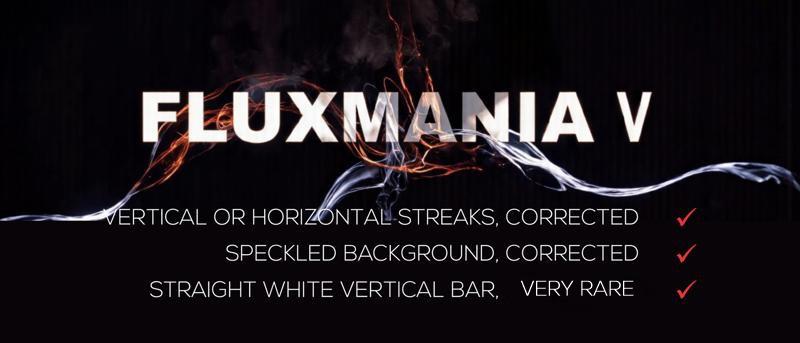
Hello, I like your model, but I'm having trouble removing vertical artifacts, especially on the right edges of the image... do you have any advice? Thanks ^^
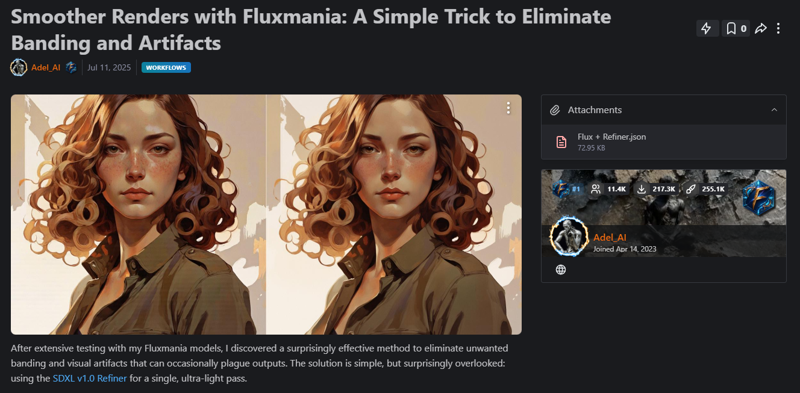
Hey, Yes, indeed, the banding artifact can sometimes appear, especially when using certain LoRA. I've tested several approaches, and this one seems to be the most effective:
https://civitai.com/articles/16849/smoother-renders-with-fluxmania-a-simple-trick-to-eliminate-banding-and-artifacts
Thank you for your feedback.
Discovered far better sampler! Aparently this guide says dpmpp2m sgm is recommended. i Use fp16 and somehow did euler_ancestral linear_quadratic and its insane! its night but i will try test compare tomorrow same prompts etc..
Works well by itself, but for some reason no Loras will work with this model (kreamania version). Whether I use Loras or not, the image is unchanged. But meanwhile Loras work fine on all my other models. Has anyone else had this problem? Does anyone have any idea what could be going on?
I use the Kreamania version with both my own LoRAs and others, and there are no problems.
However, the Fluxmania models (including Kreamania) express little or nothing at all, especially character and celebrity LoRAs.
@Adel_AI it's just bizarre, I have tried other Flux models and they work with Loras. Just not this one. Even if the Lora was weak, I would see at least some difference in the image. I must be missing something but I don't know what.
@JohnRohan Yes, it's true. Fluxmania models integrate several LoRAs into their merge (Kreamania uses more than 17 LoRAs), resulting in heavily loaded keys that can sometimes introduce artifacts. Therefore, using this type of model leaves a limited scope for LoRAs in inference. Nevertheless, some LoRAs find an interesting field of expression.
@JohnRohan Does GGUF: Fluxmania III have this same (personal Lora) problem?
By GGUF: Fluxmania, I mean this > https://civitai.com/models/1090700/gguf-fluxmania-iii
@GmeJee Sorry took awhile to answer. I just downloaded fluxmania III and tested it out both with and without a Lora using the exact same parameters otherwise. Yes, it responds to Loras.
Then I tried the same thing with the Kreamania version once again, and sure enough it still didn't respond. I get good results, it just won't react to Loras.
A Nunchaku version of this checkpoint would be awesome!
ready for Flux 2, dude? :)
@Adel_AI lots of people will be waiting =)
I can't train Flux2 locally—not even Flux1.
I used to train LoRAs on Civitai, using Buzz credits, thanks to the generous support from many of you.
To do it now on ComfyUI Cloud, I’d need a Pro subscription at $100/month.
Using platforms like Runpod would eat into the credits I reserve for professional work.
Creating LoRAs is a pleasure, not a profit-driven activity—but spending money on it just doesn’t make sense.
If Civitai ever offers LoRA training for Flux2, it could become a viable path again.
Thank you all for your support—it means a lot.
@Adel_AI Thanks to you, I got to know the possibility for ai art and I would like to work in that field when I finish my studies at the university. Please get coffee. I am always willing to apply
@kennedysworks What are you studying?
@Adel_AI I'm majoring in video and film. In Korea, people can't find a job if they can't use AI in videos, movies, and visuals
@Adel_AI I started ai at a late age while working, but I think this is the future
@kennedysworks I considered it too, actually — but in the end, I chose a scientific path. Funny enough, my daughter ended up studying film.
I had the chance to visit Korea (Seoul, to be precise) and I absolutely loved it. The country is stunning, and the people are incredibly kind.
KreaMania fp16 didn't work on ForgeSD - engine or braking and end without any error or making PC BLUE DEADSCREEN
Apparently, there are even documented cases of PCs spontaneously combusting thanks to Kreamania. But hey, that's just part of the thrill, right? Who needs safety when you’ve got AI pushing the limits of thermodynamics?
@Adel_AI what termodynamics if I've tried to generate 'on cold', no any temperature heating was at all while this!
@LeeAeron I was joking, I'm not a Forge user, sorry I can't be of any help.
blue-screen of death is usually a memory problem, or at least it used to be!
works well with Forge Neo
@Randy_Morehole have no probs with 99.99% rest models. it's about model prob
@LeeAeron what GPU? and what VAE/etc?
@datedman353 man, it's not about gpu or ave/etc. IRest Fllux.1 models (99.9%) works fine, just this makes image into bad. Forget, I'vesimply deleted this model, cuz I don't need it in this view.
any reason why this loads in invokeai the errors out? Says unexpected keys.. literally was looking at pics 20min was excited to try than that. Prob something I'm doing wrong who knows. Your loras work Checkpoints error
Sorry, I can't help you, I don't use Invoke.
invoke was always an issue with models, because of how they check and verify the model to be used in the ui
have you tried any other flux model fine-tunes?
@mystifying Its not the verification. That happens during the adding of the model and 6.9 allows you to fix as well. The model adds to library no issue, it's when I run it is when I get the errors.
@jsnmdrs592 the new one invoke version might have gotten past the first part but it sounds like it still connected to that issue, i recall every-time a new model was introduced to the system, tons of people having issues, maybe in a few versions they work out issues i felt were there to force people to to get the paid version, and that team has moved on that was in charge of development during that time
I have been unable to train this model on something like FluxTrainer, which works great for Flux-Dev and Flux-Krea. Any reason this might not work, or any work around to make Lora's with it?
@Adel_AI
Strange, I get error with KREAMANIA fp16 after updated ComfyUI to 0.4. Legacy fp16 works just fine.
SamplerCustomAdvanced
FP8 scaledmm failed, falling back to dequantization: Both scale_a and scale_b must be float (fp32) tensors.
Any Idea? I was going to create an issue in Comfy's Github, but it seems that's the only model that's problematic. Wanna ask you first.
The response I received via ChatGPT :
The error you’re seeing is due to changes in ComfyUI 0.4. The FP8 scaled_mm operation now requires both scale_a and scale_b to be FP32 tensors. In earlier versions, workflows could pass FP8 or int scales without issue, but the new runtime enforces stricter type checks.
Workarounds:
Update your custom nodes/wrappers (many have already patched this).
If you maintain code, cast the scales before the call:
scale_a = scale_a.to(torch.float32)
scale_b = scale_b.to(torch.float32)
Or temporarily roll back to ComfyUI 0.3.x until the nodes are updated.
It’s not a bug in the model itself, but a compatibility change introduced in ComfyUI 0.4.
@Adel_AI I see~ I guess I'll let the comfy team know about this. thx~
Curious, what's Kreamania differ from Legacy though (since Legacy works perfectly fine), and I'm using the fp16 version not the fp8, why does it complain about fp8?....Obviously I'm not technically savvy enough to get all these.... >_< I created an issue on Comfy's Github...hopefully this is an easy fix.
@ironcloud There's very little difference between Legacy and Kreamania (3% Krea + 3 LoRA). I suspect the conversion from FP8 to FP16 is the cause of this incompatibility with comfyui 0.4.
@Adel_AI Legacy and Kreamania的生成差别我觉得很大,Kreamania的图片质量和效果基本是一个档次的提升。当然,我测试的结果是这样觉得的。所以很可惜我这里Kreamania已经没法用了。
@ouzhen123456990 是的,我同意,构图相同,但做工和细节却截然不同。
@ironcloud any fix?
@sharifahnasuha193587 Nop, not yet, there are many things going on with ComfyUI now, especially with all the new things introduced that come along with many issues and user feedback...a single model incompatibility is probably the least of their concern at the moment. But you could comment on https://github.com/Comfy-Org/desktop/issues/1476, mention that you're sharing the same issue, more people talk about it could help getting their attention.
@sharifahnasuha193587 @Adel_AI it's working now, with comfyui v0.9.1
你的模型我感觉是全网最好的。非常棒!
感谢您的反馈
Does not want to support my LoRAs. Generations turn out all black.
hey, i know you're working on ZiT/ZiB rn but i was wondering when we could expect a Fluxmania 2? it was my personal favorite for flux 1 and i can't wait to see what you can do with Klein.
Very disappointed with Flux2-Dev it's nothing like the quality of Flux2.Pro. BFL seems to focus solely on its proprietary model. I haven't tested Klein, but I assume it's of the same quality as Dev.
I think the future lies with Z Image and Qwen Image; I'm currently looking at those models. Thanks for your feedback and appreciation of my work.
@Adel_AI so does that mean there won't be a Fluxmania 2? really sad if that's the case but i respect your position. I'd recommend trying Klein out, i was also disappointed at flux2dev, mainly for it being so unnecessarily bloated for what it offers, but Klein 9b is actually quite good. i was all in on z-image but ZiB kinda disappointed me. 9b is just giving me better quality out of the gate compared to ZiB.
Details
Files
Available On (3 platforms)
Same model published on other platforms. May have additional downloads or version variants.