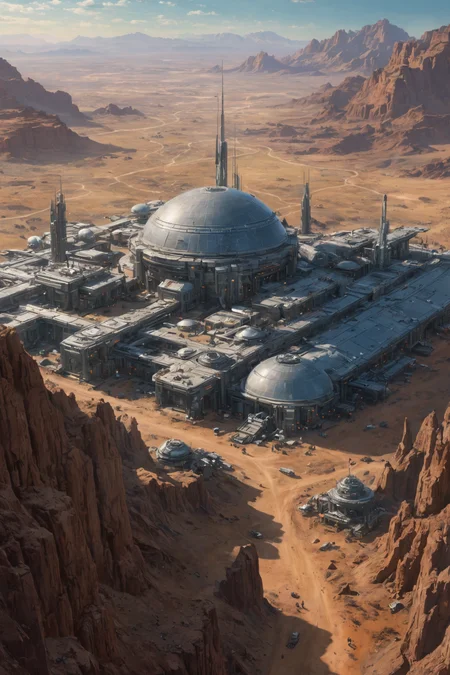
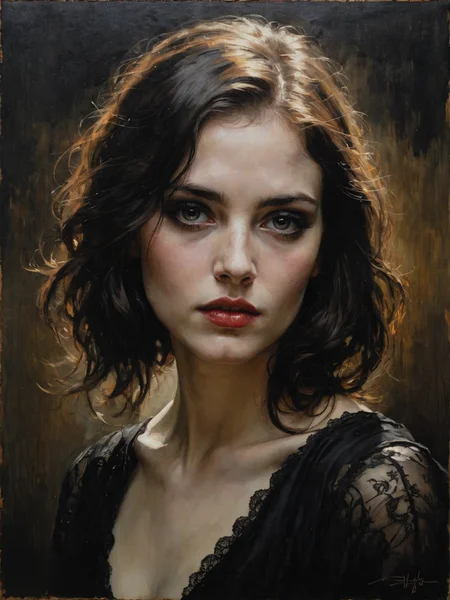
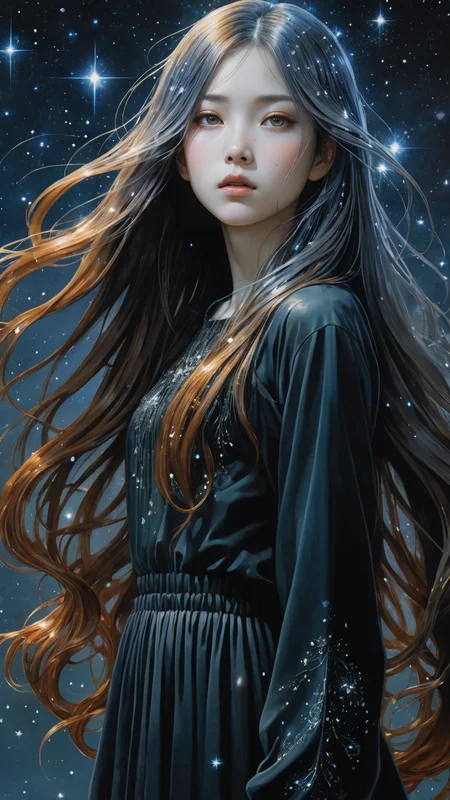
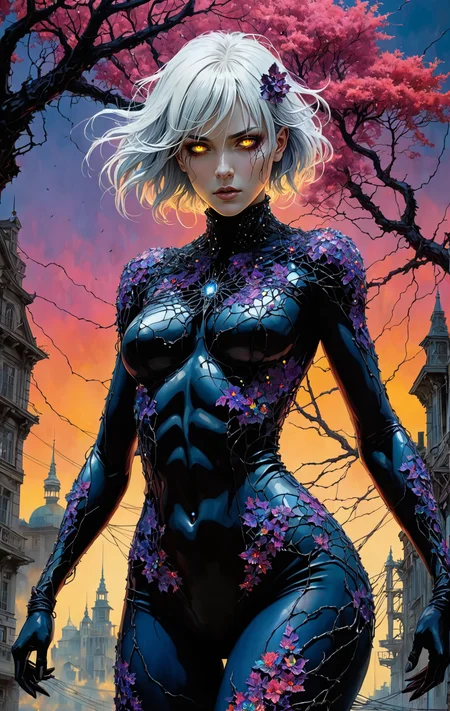

DreamShaper XL - Now Turbo!
Also check out the 1.5 DreamShaper page
Check the version description below (bottom right) for more info and add a ❤️ to receive future updates.
Do you like what I do? Consider supporting me on Patreon 🅿️ to get exclusive tips and tutorials, or feel free to buy me a coffee ☕
Join my Discord Server
Alpha2 is a bit old now. I suggest you switch to the Turbo or Lightning version.
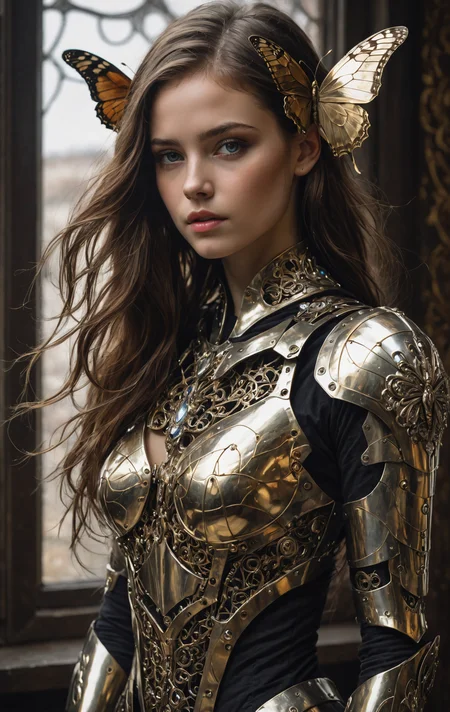
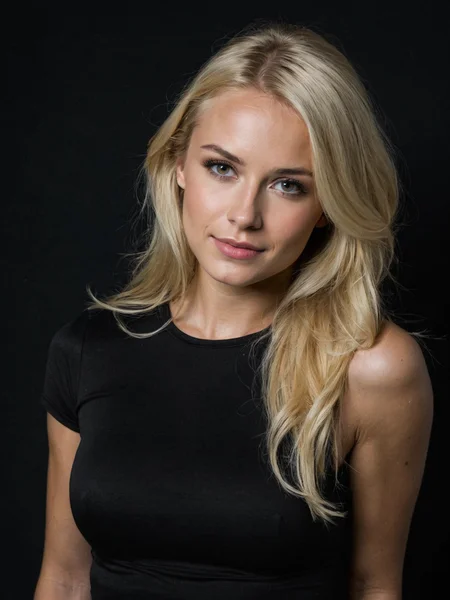
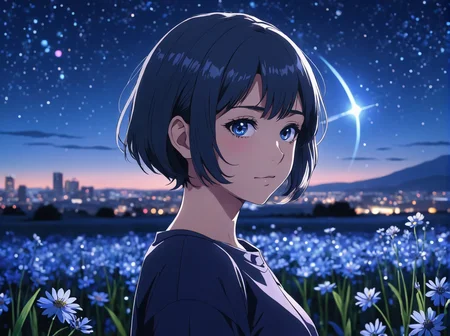
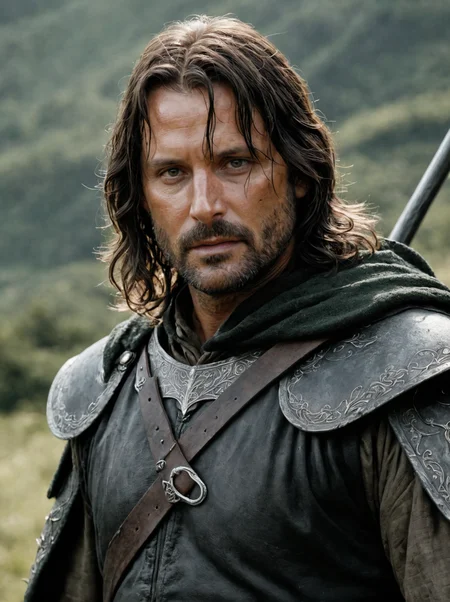
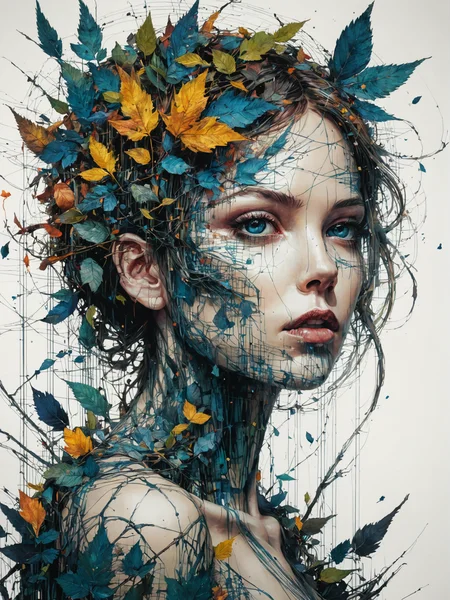
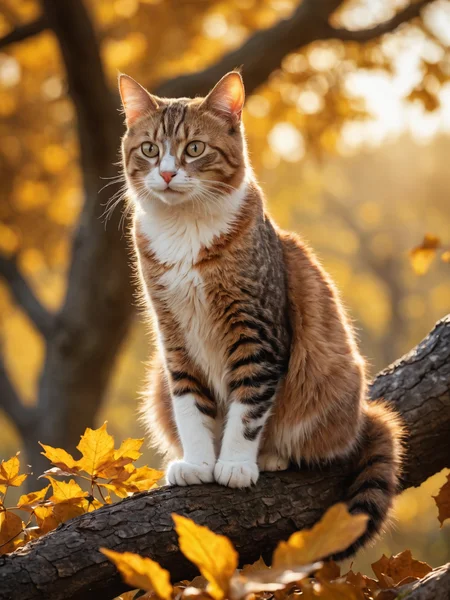
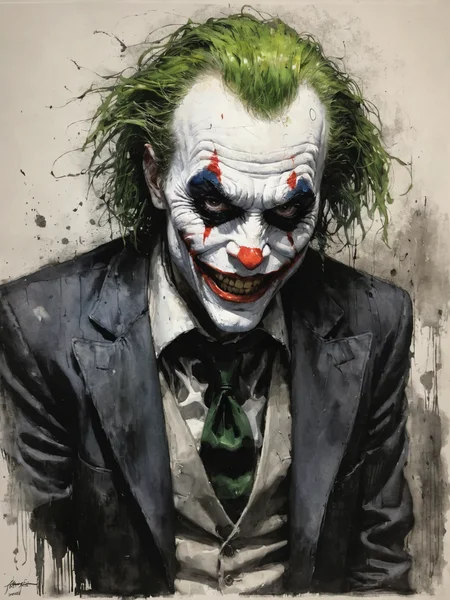
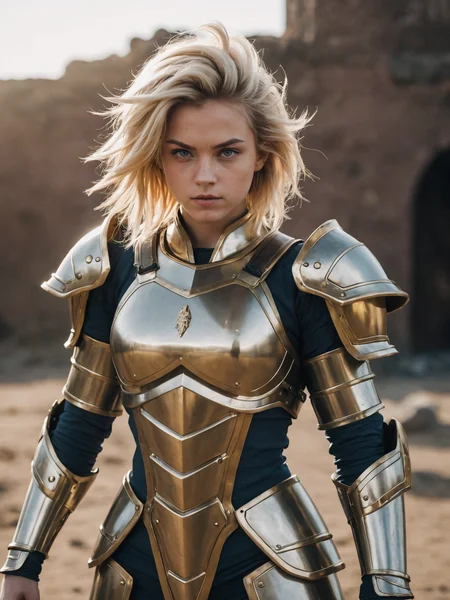
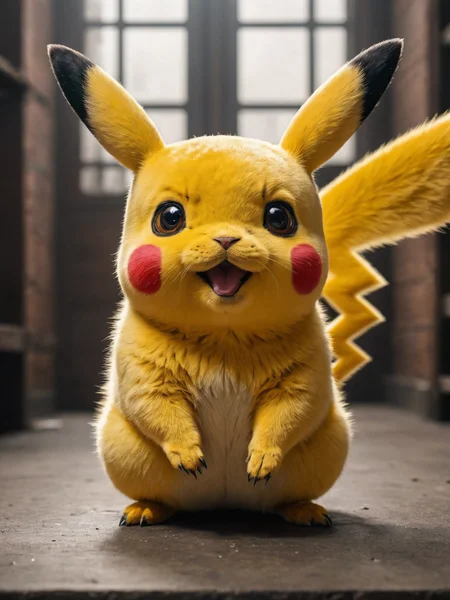
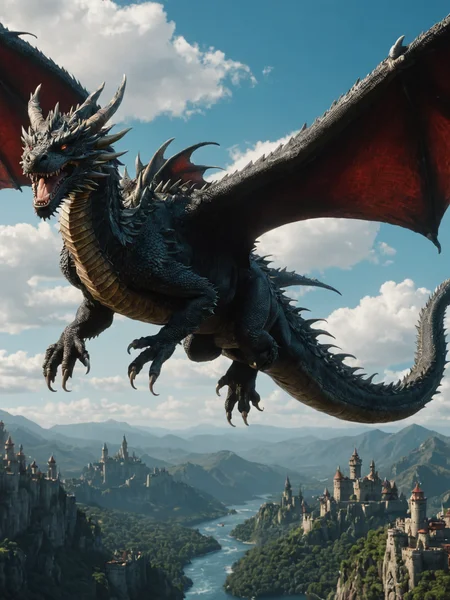
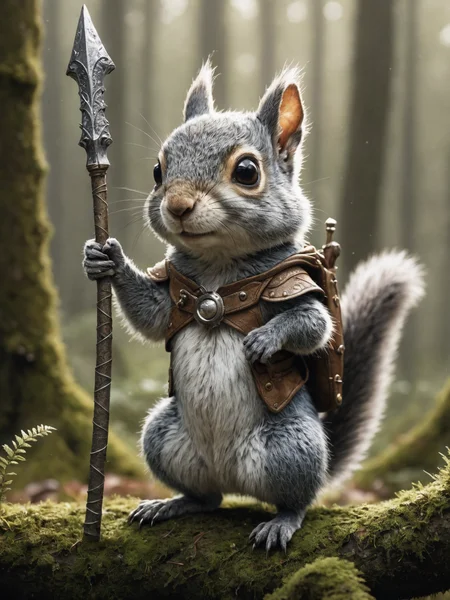
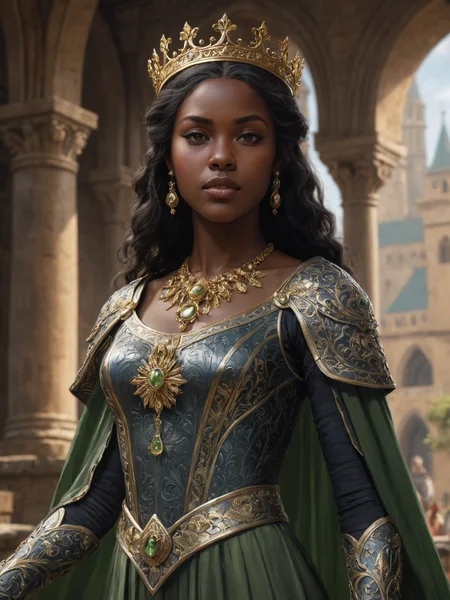
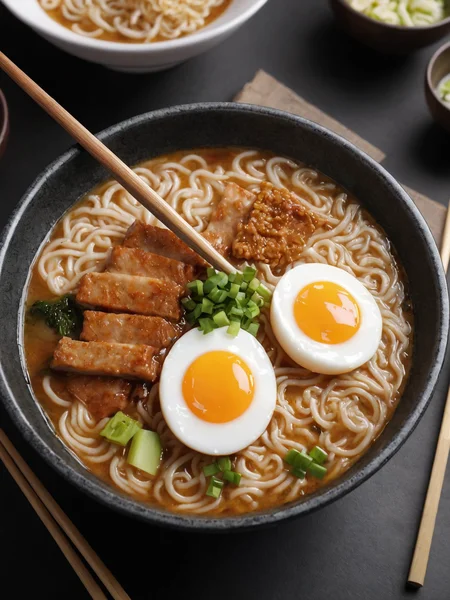
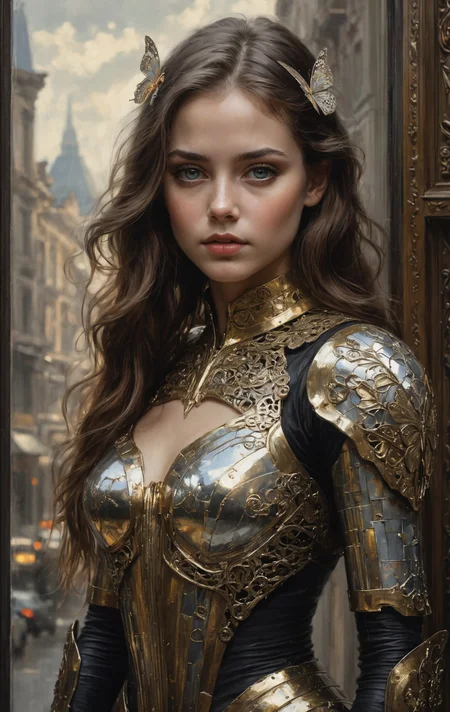
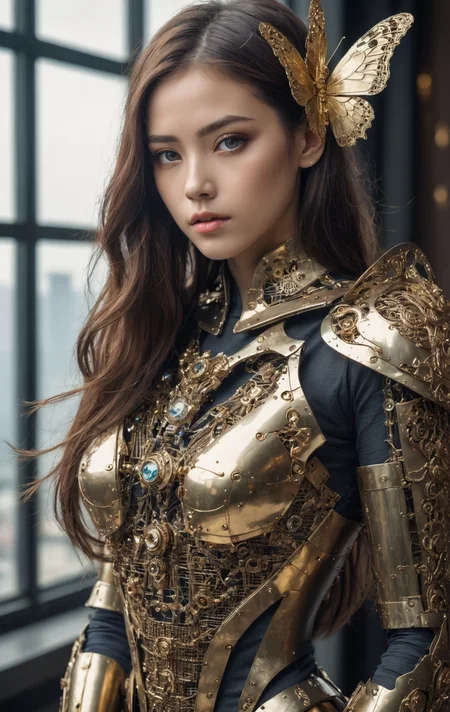
DreamShaper is a general purpose SD model that aims at doing everything well, photos, art, anime, manga. It's designed to go against other general purpose models and pipelines like Midjourney and DALL-E.
"It's Turbotime"
Turbo version should be used at CFG scale 2 and with around 4-8 sampling steps. This should work only with DPM++ SDE Karras (NOT 2M). You can use this with LCM sampler, but don't do it unless you need speed vs quality.
Sampler comparison at 8 steps: https://civarchive.com/posts/951781
UPDATE: Lightning version targets 3-6 sampling steps at CFG scale 2 and should also work only with DPM++ SDE Karras. Avoid going too far above 1024 in either direction for the 1st step.
No need to use refiner and this model itself can be used for highres fix and tiled upscaling.
Examples have been generated using Auto1111, but you can achieve similar results with this ComfyUI Workflow: https://pastebin.com/79XN01xs
Basic style comparison: https://civarchive.com/images/4427452
If you train on this, make sure to use DPM++ SDE sampler and appropriate steps/cfg.
Keep in mind Turbo currently cannot be used commercially unless you get permission from StabilityAI. Get a membership here: https://stability.ai/membership
You can use the Turbo version (not Lightning) as a non-Turbo model with DPM++ 2M SDE Karras / Euler at cfg 6 and 20-40 steps. Here is a comparison I made with some of the best non-Turbo XL models (with regular settings and turbo settings): https://civarchive.com/posts/1414848
I have no idea why anyone would prefer 40 steps over 8, but you have the option.
Old description referring to Alpha 2 and before
Finetuned over SDXL1.0.
Even if this is still an alpha version, I think it's already much better compared to the first alpha based on xl0.9.
For the workflows you need Math plugins for comfy (or to reimplement some parts manually).
Basically I do the first gen with DreamShaperXL, then I upscale to 2x and finally a do a img2img steo with either DreamShaperXL itself, or a 1.5 model that i find suited, such as DreamShaper7 or AbsoluteReality.
What does it do better than SDXL1.0?
No need for refiner. Just do highres fix (upscale+i2i)
Better looking people
Less blurry edges
75% better dragons 🐉
Better NSFW
Old DreamShaper XL 0.9 Alpha Description
Finally got permission to share this. It's based on SDXL0.9, so it's just a training test. It definitely has room for improvement.
Workflow for this one is a bit more complicated than usual, as it's using AbsoluteReality or DreamShaper7 as "refiner" (meaning I'm generating with DreamShaperXL and then doing "highres fix" with AR or DS7).
Results are quite nice for such an early stage.
I might disable the comment section as I'm sure some people will judge this even if it's early stage. I also don't think this is on par with SD1.5 DreamShaper yet, but it's useless to pour resources into this as SDXL1.0 is about to be released.
Have fun and make sure to add a ❤️ to receive future updates.Non commercial license is forced by Stability at the moment.
Description
Turbo version should be used at CFG scale 2 and with around 4-8 sampling steps. Should work with DPM++ SDE Karras (or Normal). Comparison of other samplers: https://civitai.com/posts/951781
Can be used for highres fix and tiled upscaling. Please check the examples.
If you train on this, make sure to use DPM++ SDE.
FAQ
Comments (201)
The legend is back.
Is the turbo version based on the alpha2, or did you end up doing more training at some point?
has a lot of new stuff, but Alpha 2 is in there.
This "turbo" version is not a turbo version, it's an LCM merge, it can't do 1 step.
Dad wake up, new dreamshaper just dropped!
i'm already there son
so, it is like dreamshaper+absolutelyreality for SDXL?
More like DreamShaper 8 on steroids :)
Turbo DreamShaper XL?!? CHRISTMAS HAS COME EARLY! 💖🎅🎄🎁💖
cfg1 step 1 is the baseline, also i've yet to see anyone have any step2 changes, shrug. Sampler doesnt matter at step1, aslong as it will output.
cfg 1 step 1 will just generate random noise :D
so you've never used turbo ?
great model
DPM++ SDE Karras is indeed the best one after playing around. Though it's 2x slower than the rest. Any alternatives?
Exactly. I just spent the last hour figuring out if any of the others are reasonable, and the one they mentioned is the best. The problem is that there's nothing Turbo about it. It's barely faster than using the regular model with a higher quality and more prompt following setup. The original turbo model was stupid fast with 1 step. All of these others keep getting further and further away from that and are exponentially slower. What's the point?
@civitai426 time per step is the same as any other model, you can just use way less steps. 4-5 is equivalent to 30 steps of older models. Anyway, consider Turbo to be just the cherry on top. The model has to be good on its own, regardless of gimmicks.
DPM++ SDE Normal is also fine.
@Lykon Hey thx for the awesome model. Per image is just 2-3x faster even using the slowest SDE sampler. Was just complaining about the samplers not your model XD
DMP++ 3M SDE provides significantly more details within the same number of steps as compared to DMP++ SDE Karras.
how many hires steps?
God-given turbo, never been happier with a model so far. Keep it up guys
Thanks!
This works well but with LORA´s is slower. Should we avoid Loras with Turbo?
loading times with xl lora's will depend on your system, enable lora cache if you have the memory and are using the same lora's,
@glitter_fart Thank you, I will check it!
@glitter_fart Where can I enable Lora cache in webui?
What VAE do you recomend for this model?
use none
Fantastic job, Lykon! You just sold me on SDXL and made me finally make the switch. Able to produce stunning results superior to 1.5 while also doing it in the same amount of time, perfect for my lowly GTX 1080 <3
May I briefly introduce whether this is directly trained on the basis of the sdxl-turbo model, or is it achieved through fusion or some other method? As Stabilityai does not provide distillation code for sdxl turbo, I am not sure if it is possible to use the code previously trained on xl to train sdxl-turbo
It's not trained at all, it's an lcm merge, and not a turbo model. All training data is public information. Anything that needs more than 1step is by default not a turbo model.
@glitter_fart why do you keep spreading misinformation? This is my own finetune. It's definitely merged with the Turbo LCM distillation LoRa, but it's still my own finetune.
Thank you Lykon for gracing us with a Ferrari tier SDXL model
It's turbo time!
needs 4-8 steps, thinks its turbo .......
Emad commented yesterday on Reddit that Turbo is designed to work at 1-4 steps https://www.reddit.com/r/StableDiffusion/comments/18bnvat/comment/kc76g7q/?utm_source=reddit&utm_medium=web2x&context=3
This is similar to how base SDXL is designed to work at 32 steps, but people use 15-80 steps anyway. 4 steps for Turbo is totally acceptable (as well as 8).
You're free to distill a model to work at 1 step. I personally don't think it's worth the loss of quality and range. You're free to use this model and also free to not use it :)
The prompt "full-body shot" does not work.
I think that doesn't work in SDXL to begin with. Add stuff like "shoes" or "boots" to force the model to render them. Increase weight of cfg to 3. Keep in mind this is still a distilled model, despite performing on par with normal ones, it has to trade something for speed, so it might be a bit harder to use.
Remember you also have controlnet
@Lykon thank you for your suggestions
to be fair, lots of things in this model dont work, like using 1 step
@glitter_fart I see... guess it's better to just wait for it to catch up on SD 1.5
@qazxsw base turbo is already ahead of 1.5, thats why it can do 1step and this isnt a real turbo model just a lame merge by someone who is very full of themselfs
@glitter_fart I'm not sure why you keep suggesting it should work with 1 step. It's not a requirement nor something that should be expected from Turbo models. The amount of distillation is arbitrary and too much can reduce range and quality.
@Lykon Lmao? Do you normally get these many haters? You are probably one of the better/best custom model builders out there, these ppl must be new.
I hope you enjoyed your vacation btw bud :)
Btw do you know if this will work with FooocusMRE?
@yoloswagg45 nah they're not many, but they're sometimes very passionate. It should work with anything that's compatible with SDXL.
Just think where we'll be in a year's time. If they can do this now top work..
@glitter_fart Base turbo looks like shit, just like you.
Anything special needed to use Turbo-based models ?
Just steps, cfg and sampler to be mindful of. Check the description and the examples.
This isnt a turbo model, it's a merged lcm with turbo, at best. Turbo models, 1step 1cfg, is the base line.
@glitter_fart that's not a rule and only depends on how much you're willing to distill the model. It's always a tradeoff with quality and range (that's why most turbo models are only good at doing 1 thing). In my opinion it's not worth giving that up for 2 steps :)
The Return of the King!
Add onsite generation please 🫥
doesn't depend on me :(
@Lykon Do the site admins just add it for w/e model they feel like?
@yoloswagg45 I think it's somewhat automated. DS8 LCM got added immediately. I'll ping @Maxfield
@Lykon Turbo has a different License than a LCM Version. I am not 100 % sure, but i think it´s cause of the new License from Stability
Can't use turbo models with onsite generation yet,
@Lykon actually you can toggle option for onsite generation. Just ask how someone but it is possible
@NecroBear I understand. Is there date for video onsite generation? 💸
How to perform Tile upscale with turbo model? I'm getting an error...
This is so nice! Thank you! How does it play with LORAs?
any xl lora should work on this
I am strugling with this.
I used this video to set up my turbo workflow: https://www.youtube.com/watch?v=DZ2dfq8ljrc
That working great i then swapped the checkpoint for your one.
Set cfg to 2
set steps to 5
changed sampler to dpm_sde
and the results are ok but have blotches of colours, just not coming out right. Is there a workflow example for this?
Try 7 steps. I had to play with the balance of the two for mine. I also use the dpmpp_2m sampler.
don't use dpmpp_2m on this turbo model please. Check the comparison here: https://civitai.com/images/4260272
@Lykon I'm using comfyui and I don't see an option for dpm++ SDE karras. where do I find this sampler?
@Lykon I dont see the samplers in those images in the ksampler node, am i missing a custom node?
@Gryphonboy comfy is dpmpp_sde with karras as scheduler
@mrgreaper2004630 I haven't used custom nodes
On what image size it was trained for, for LORA training? 768^2 or 1024^2?
1024.
Can Tensorrt be supported?
They need to get approval from Stability to run Turbo models
Does anyone else have problem with eyes when using Dreamshaper XL?
are you generating at low resolution or from far? That's common with every model and it's due to latent space decompression. Use highres fix or adetailer.
@Lykon tnx man :)
@Banebanane a further suggestions: grab the "8m" models from https://huggingface.co/Bingsu/adetailer/tree/main and throw them into models/adetailer (then reload UI). the two 8m models don't come default with the a1111 webui adetailer extension, and I've found them to be quite superior. I suggest raising the detection threshold to around 0.4ish (from default 0.3) for the 8m face model, and perhaps lowering it to 0.25ish for the 8m person model.
Also - when using adetailer for fixing eyes, be sure to turn off CodeFormer or GFPGAN, or it's gonna be bad.
for single subject images or only large-face close-subjects, GFPGAN can sometimes be effective on it's own (i never use CodeFormer, just seems bad all around). But GFPGAN will fail horribly at background faces and completely ruin images, and kind of makes everyone look the same (which may or may not suit your needs).
How is it that this turbo model is better than the vast majority of regular XL models out there?
Seriously, you get better details, sharper edges, more correct anatomy, better ability to upscale with img2img and with tiled upscale, the list goes on.
Great job!
How does it compare to juggernatuxl v7?
In my opinion it's better. This is a turbo model so much faster.
try both at their respective suggested settings and find out :)
You might want to mention the licensing for turbo.
it's already mentioned in red :)
I've uploaded a ComfyUI workflow and added it to the model description: https://pastebin.com/NjGG1t0W
Includes automatic detailer nodes.
example result: https://civitai.com/images/4413704
@Lykon can you clarify if the Turbo version is simply Alpha2+Turbo or is it essentially a new model with new training? Because my system is fast enough that I prefer non-Turbo checkpoints and their slightly superior quality.
@shapeshifter83 it's not alpha2 + turbo, like the description says (twice :D). It's an entirely new model.
@Lykon thanks! are you planning to release a non-Turbo version of the new model?
That lora in the workflow doesn't seem to work with the setup. Some errors about size mismatches.
I'm using Comfy UI.
DPM++ SDE Karras, gives great results.
Better quality than most regular SDXL models.
For the next version, it would be nice, if it also worked well with DPM++ 2M Karras, like "BestMixSDXL.PhotoCinema.Turbo.v1".
This would be good, not only for faster generation, but more importantly, to get more variations out of the model.
DPM++ 2M is fairly deprecated at this point, and it's been found that many common distributions - including the most common DPM++ 2M Karras that comes with Automatic1111 - is literally bugged with an error in the code. There is a couple complex manually-applied community patch options, but regardless, it's probably not worth it. There are equally-fast samplers available with better quality and very similar determinism.
@shapeshifter83 I see ... I didn't knew about this. I only tried A1111 in online demos.
In Comfy UI is what is used the most and never noticed any issues.
But anyways, any other sampler that could be supported would be welcomed.
I use this to find interesting variations of images I already like.
I've found some with this model, but they are hard to fix. I mean to get them to the same level of quality of the recommended sampler.
Or perhaps just release a non-turbo version.
My GPU is on the slower end, but I prefer to wait a few more seconds and get the best possible results.
In the long run, this saves time, versus trying to fix an almost good image that's not quite there yet.
@jr81 I haven't used ComfyUI yet, but in A1111 there is an option to manually override the scheduler, so the closest alternative to DPM++ 2M Karras would be to manually apply Karras scheduling to the Euler sampler. That would give virtually identical speed and determinism (seeds would look the same) while providing somewhat of a quality boost. The main reason people don't realize DPM++ 2M Karras is flawed is because it's generally the first place people discover the Karras scheduling method which is itself superior and somewhat masked DPM++ 2M shortcomings.
My recommendation with a slower system would be to use Euler (with Karras or even Exponential or Polyexponential, if your ComfyUI has those options) and spam quick batches of 1- or 2-step images with an early approximation of the prompt you want (instead of a full descriptive prompt, just "girl standing" or "man sitting" or "group of people" or "car") and from the resulting shadowy silhouette blurs you can then select a particular seed to try to flesh out into more definition with higher steps and detailed prompt. I find that method faster than running a full prompt looking for the elusive seed that matches the scene setup envisioned in my mind. Generally the samplers will "see" things the same way you do - if you see a face or a man or a car in that vague blur, the sampler will usually see it the same way you do. (it's sort of amazing tbh).
This method won't work as well with "SDE" samplers (because the determinism isn't as stable when changing steps) and won't work at all with "a" samplers. However, to be perfectly honest, I'm usually doing this with DPM++ SDE Karras anyway, simply because I think that's the best overall sampler. Even though "seed shadow hunting" isn't quite as easy with SDE.
Bear in mind certain checkpoints will sometimes require SDE or even DPM++ 3M SDE (Demon Core, for example, and anything merged with that - quite a few around). You'll know it by the resulting strange warping with red tinge.
I hope my rambling is helpful in any way. xD
@shapeshifter83 OK, thanks for the tip.
In Comfy UI, the sampler and the scheduler are selected independently. The DPM++ 2M sampler definitely looks better with Karras scheduler.
When I have a specific position or overall shape in mind, it's usually from another picture so I tend to use Image 2 image, with different levels of denoising, and sometimes ControlNet. In Comfy UI, this does not increase generation time significantly.
This should work with DPM++ 3M SDE. I just don't often suggest it because I use it way less since DPM++ SDE gives in general higher quality results. There is a sampler comparison in the model description.
Does Turbo require different prompting? I'm not impressed with the results I'm getting, and switched back to the former DreamshaperXL. But, it reminds me of when I switched to the XL models: I was getting terrible results that looked much worse, but I needed to change both the size of generations and the way I prompted to get better results; and now I'm getting better results with XL than ever before; but not with Turbo. So I'm wondering if it is the same thing with Turbo, do you need to do something else differently? (I am using the low steps, cfg 2, dpm++ sde)
You have to be careful and not ruin your image at the upscale/hires fix stage, I usually go with 0.46 to 0.52 denoise strength. And 3-4 steps. Anymore and you overcook the image. :)
@Dafolie Thanks, I didn't highres fix any of the current experiments. The images I'm getting from the turbo model aren't bad or broken, they're just rather plain/boring compared to what I get from the older model with identical prompt.
in theory, this should be much superior to DreamShaper XL Alpha 2. And it definitely is according to my experiments. It's also much, MUCH, better at anime.
I seem to be getting much better results today. I'm not sure what was giving me poor results before. I did have --no-half on, which may have been causing issues, not sure if that was on the other day or not, but it was taking really long time to gen today so I checked settings and after turning that off it's back to seconds to generate and gives decent results. Hires-Fix still takes a long time though, not sure if there are better settings to speed that up, but I seem to have less hand failures with highres fix than without, so experimenting with that currently, despite it returning gens to a couple minutes and image.
I am using a different prompt today than I was when I started this post, I'll have to revisit that prompt to be certain if it is completely better.
Here is an example, that (sort of) shows what I'm talking about:
https://www.patreon.com/posts/which-one-do-you-94628267
Two different sets of prompt, A & B; everything is the same between version 1 and 2, except:
1 = Turbo, Steps 5, CFG 2
2 = Alpha2, Steps 20, CFG 6.5
They're all using the same seed, hires.fix, sampler, upscaler, and size. While nothing is technically wrong with any of the images, the Alpha2 results are much more what was asked for in the prompt, especially in terms of color and mood, and to me are much more creative and asthetically what I wanted and am used to from dreamshaper. The Turbo images are faster and good, but I feel like they're more like what I get from other models, not what brought me to dreamshaper in the first place. So this is what made me wonder if I should be prompting differently, as the colors and style prompts seem to have less effect in the Turbo model.
A mere seconds on gtx 1060 6gb... you are a God, m8!)
Well it is because of stability AI, not this dude but I'm sure he appreciates the sentiment! :D <3
this model is so cool
Dreamshaper SDXL Turbo is a variant of SDXL Turbo that offers enhanced charting capabilities. However, it comes with a trade-off of a slower speed due to its requirement of a 4-step sampling process. When it comes to the sampling steps, Dreamshaper SDXL Turbo does not possess any advantage over LCM.
So, what are the differences between Dreamshaper SDXL Turbo and Dreamshape SDXL with LCM?
I'm having too much fun with this. Watching it eat through detailer nodes like Kobayashi at an hot-dog eating contest is awe inspiring! :)
I apologize for asking a silly question, I have struggled to find a clear answer on my own. I seem to get unspeakable horrors when I use the recommended number of Sampling Steps (for most models it looks like it tends to be less than 10 for Turbo XL), and only manage to get ok results around 30 steps.
Any suggestions? My current settings that yield somewhat normal images:
Sampling Method: DPM++ 3M SDE Karras
Width & Height: 1000
CFG Scale: 2
Sampling Steps: 30
Highres Fix: Null
Refiner: Null
adjust your resolution to be exactly 1 megapixel (1024x1024), first, that will help. Besides that, I don't have any further advice since I don't use turbo, hopefully someone else sees your question and can help.
@shapeshifter83 I see I was running the image a little small but even after adjusting the image to 1024x1024 it still comes out pretty bad. Thank you for trying though, I really appreciate it!
Recommended sampler is DPM++ SDE Karras not DPM++ 3M SDE Karras, if you look at the examples with different samplers all the ones with the sampler you are using are terrible. Steps should be 4-7
oh yea, that's definitely the answer. I missed the 3M in his settings. DPM++ SDE only; Karras scheduling highly recommended and generally always superior. I haven't used Turbo like I said but from what I know about this technology, I imagine Exponential and possibly even Polyexponential scheduling might also produce quality outputs at 4 steps.
@carisrains @shapeshifter83 Thank you both very much!
I am using a google colab to launch this model through A111 i have already set DPM++ SDE Karras, 5 steps, CFG 2, i did not put a negative prompt, and it is not working for me
Hey, do you mind sharing a copy of your google colab notebook? Been having a really hard time finding one that’s working without any problem
@3rixon https://colab.research.google.com/github/TheLastBen/fast-stable-diffusion/blob/main/fast_stable_diffusion_AUTOMATIC1111.ipynb
and you could use my personal commends which i run everytime with this notebook:
!pip install lmdb
!pip install pyfunctional
!pip install cchardet
!pip install python-dotenv
!pip install fake-useragent
!pip install ZipUnicode
!pip install dynamicprompts[attentiongrabber,magicprompt]~=0.30.4
!pip install torch==2.1.0+cu118 torchvision==0.16.0+cu118 torchaudio==2.1.0 torchtext==0.16.0+cpu torchdata==0.7.0 --index-url https://download.pytorch.org/whl/cu118
I'm using them coz some of extensions doesn't work on colab correctly.
awesome work here but I was asking myself, what Upscaling model would you suggest? I'm using 4X-ultrasharp but it tends to give not so good results. too much contrasts
--> 8x_NMKD-Superscale_150000_G
hires steps: 4-5
denoising strength: 2.5-4.5
I tested it in Fooocus and it's very slow, slower than the "original" SDXL turbo and slower than all the other "standard" models, and the results are quite disappointing....
I followed your recommendations for settings, but it's a bit different in Fooocus...
are there any solutions for this? can it be optimized?
Thanks
sounds like an issue with foocus
@fitCorder I don't know, did you test it? Do you have any feedback on the subject?
@Suzanne https://github.com/AUTOMATIC1111/stable-diffusion-webui I get 1 second generations with this model by Lykon using regular webui.
@fitCorder ok, thanks for your answer, but it doesn't answer my question...
@Suzanne Fooocus already have extreme speed mode, I don't know why you need this.
@infrezz721 because I tested the "basic" SDXL turbo and it's even faster, so I thought Dreamshaper would be even better, because the other one has a lot of limitations (square images only, no NSFW)
@Suzanne I mean why you not use Dreamshaper alpha2 on extreme speed mode if this version troublesome
@Suzanne it answers your question that its something with Fooocus
Incredible model. It allows me to create awesome western fantasy pictures. I followed all advices in the description and it's making wonder extra-fast. Definitely a must-have.
Of course, there are still things to improve, but I think it's mostly related to the model's diversity. For example, I wish I could create more D&D-ish creatures without having to use LORAs but, honestly, it's more a detail than anything.
So a huge thanks, mate, and keep up the good work !
i'm having trouble nailing down the correct resolutions to use, so far the only one giving me good results is 1024x1024, any other recomended?
896x1152
Basically every 2:3 (portrait) or 3:2 (landscape) up to 1024x1024 (not 1024x1536, it didn't produce good results consistently).
E.g: 512x512, 512x768, 768x1152, 1152x768.
Hi,
I was skeptical in the beginning, cause I don't want to trade quality for time. But it seems that this turbo model is indeed more than competitive to the slower alpha2.
Just one thing I like on alpha2 more: it is less far away from sdxl base, so all my Loras work great on alpha2, while they suffer a bit in coherence on dreamshaper turbo. I think about retrain/finetune some of my Loras on dreamshaper turbo. What is the best way to do that? Simply finetuning with kohya_ss on the checkpoint? Or do I have to consider something for finetuning a turbo version?
Yeah, I really want to know a good way to handle this, because I'm also training Loras, and really want it to work with this more than any other model. It would be a shame to throw away all the other models in favor of this though.
Little update: I did something wrong on my lora. After fixing that, it works as good on turbo dreamshaper as on sdxl base. I'm totally amazed about that.
I'm still curious about how this model was trained and what is the best way to finetune it. But I just wanna say that finetuning works in principal, much better than for other models like juggernaut.
Hi, I just wanna say this model is awesome.
First, I didn't liked this turbo stuff so much. Why loosing quality for speed? But for some reason this model at 6 steps gives me better results than any other model on 50 steps. It's totally crazy. The only thing this model is not good at is high cfg (but this is a limitation of low step count). You can only run it and cfg 2-3 and, thus, the model does not response well to negative prompts. So if I have a very complicated prompt I sometimes have to go back go another non-turbo model. But for everything else this model is unbeatable. It works also very nice for inpainting and speeds up the whole inpainting process considerably. My Loras trained on sdxl base also works perfectly on this model.
Just a big thanks from my side for this jewel!
Excellent turbo model! But high Res fix seems to be taking forever now. Any tips?
May I ask why, even though I have copied generation data to the web UI and generated a rough image, it is very blurry, and even the collarbone part of the person is distorted? Did I do something wrong? I sincerely seek advice.
Depends on your settings. But most probably it was bad resolution
bad resolution, no upscaling, there might be many reasons
@Volnovik @Lykon which resolutions do you recommend? Is 896x1152 good with this model? Thanks
@karetirk932 I use following (ready for ar-plus extension):
XL1:1, 1024, 1024
XL4:3, 1152, 896
XL5:4, 1145, 916
XL3:2, 1216, 832
XL16:9, 1344, 768
XL21:9, 1536, 640
Of course you can swap x and y to get 9:16 etc. Also check Fooocus v2 for resolutions used there, there is a bunch of aspect ratios that I don't understand. Also note that aspect ratios above are not strict, for whatever reason Stability AI trained model that way.
“Turbo currently cannot be used commercially unless you get permission from StabilityAI.You can still sell images normally.”
How can selling images be authorized? SDXL Turbo forbids commercial use of the model without a Stability AI Membership. Commercial use include using the model or a derivative / finetuned model for production. I would assume producing images for selling them would definitely be considered a commercial use. No?
No. The StabilityAI EULA restricts using the model itself as part of a commercial product without an agreement from StabilityAI.
For example: You cannot use the model as the backend for an app, wherein you host the model on AWS, the app calls it and generates an image, and you charge people for using the app. In other words, you can't just launch your own Midjourney based on StabilityAI's model.
But you can use it to generate images and you, not StabilityAI, owns those images.
@eoffermann I believe this is the correct interpretation.
It should be added though that "owning those images" is a bit questionable in light that they are not protected by copyright. You are free to use them though, but so are everyone else! (applies to all models, not just Turbo)
@eoffermann thanks for the answer. How about using / hosting the model as an internal tool for production / productivity? So not selling it as a service…
The main point is: there is no way to know which model made an image, if turbo or not, unless you disclose it. It's also hard to tell if it's AI generated and from which platform.
Is there a way to coax Dreamshaper_8 style visuals out of this?
Not very good to use with Asian character Lora for realistic photo generation, the abosolute reality model used to works very well, hopefully this model could has more updates to catch up with those old models in 1.5.
Tip: If the image quality is bad, make sure you're using the DPM++ SDE Karras sampler!
What do we use in comfyui?
Works great, ty!
Impressed with the turbo version of the model generally! A great continuation of its standard version, very versatile in styles. Prompting milage may vary depending on how one is used to prompting. Something I have noticed, and for which I'd like some feedback from the community and hopefully the creator, is that it needs more steps (around 12 to 14) to produce better looking images, while keeping the cfg at 2. While the 7 step images don't look bad, they seem to be drastically improved with more steps and all other settings the same. What is interesting though, is that the composition changes when the steps go beyond 8 or 10. Doing an X plot with steps from 5-20 can show the sweet spot. Also, when using the "cinematic film still" in the prompt, it produces great realistic images with that cinematic feel, but its depiction of skin tends to be overdetailed to the point of looking artificial. Is there anyone with experience on this and possibly a solution?
All this weirdness is why I don't really like Turbo models... I don't mind waiting a few more mins for a batch of images to finish vs. Turbo models where like, OK, cool, I saved ~2 mins, but all the images have weird artifacts or don't look as good, so now what? Try to remake them in a non-Turbo model? That wastes even more time than just avoiding Turbo in the first place. RIP Dreamshapers.
how to use with animatediff in comfiUI? its crashes..
are you using the XL version on animatediff? It works for me.
I have big problem with eyebrows color. It's always black. I've tried amost everything to make it white/grey, to no avail. Another problem with unnatural skin color. Tried to make dark elf. Any solutions or should I change model.
Use inpaint mode with high denoise strength.
You might also try with "latent noise" for masked content, low values for "Only masked padding, pixels", and use an ancestral sampler like DPM++ 2s a, instead of DPM++ 2M Karras. Make sure CFG is high enough. Besides, I'd recommend using a 1.5 inpainting model for this task.
likely some word or sentence that overfits on dark eyebrows
I'd really like to see an update to the non-turbo edition. I like the turbo edition, and it's like magic, but it's just not flexible enough to be of much use to me. I do a lot of inpainting and use regional prompter and openpose to create specific scenes. I love how Dreamshaper still understands styles, it seems like one of the few checkpoints that is still flexible in this aspect.
Inpainting doesn't really work that well with SDXL checkpoints, even if you used a non-turbo version. I still use the 1.5 inpainting DreamShaper checkpoints for this.
there is no point in updating the non-turbo version. It's super old and outdated at this point.
@Lyrinami If inpainting hands or feet, try putting the relevant limb in the negative prompt and leaving the positive empty. It boggles my mind, but it effin works on SDXL.
@steamrick Will try, thx for letting me know!
@Lykon I still love Dreamshaper 8, so thank you for that. It and deliberateV_11 both have almost magical results when I do a eulara pass in img2img.
I personally doesnt have any problems with inpainting on this model.
Works perfect,but only with Foocus,in Automatic1111 not so great,probably because of different inpainting engine.
I try it in many crazy situations,adding all kinds of stuff,improving resolutions and details on faces and even hands,doesnt have any issues whatsoever.
With ComfyUI i dont have many experience so i cant tell.
From my personal perspective model is highly flexible in any situations,from fantasy to realism,i rendered logos,cartoon stuff,comics and SF themed images,and shines in everything.Hands are also almost perfect in any situations so i dont have may cases where i really need to inpaint them for wrong anatomy,i mostly inpaint them for adding details and skin features.
Hope this helps.
@johnriley0003776 I personally tested it with Fooocus and it works. Unfortunately Fooocus alters the model a bit, changing colors and applying a more realistic style. It kind of damages anime a bit too.
There are other ways to have an XL model inpaint, namely a controlnet trained on inpainting, which are more effective. I don't think there is one publicly released yet.
@Lykon In general i always turn off all styles in fooocus,even Foocus V2 features because like you said it can damage the images and alter the model.
Im using manual prompting without any of the Fooocus styles,because this is best way to fine tune the model for personal taste and preferences.But for people who are totally new in SD many of the fooocus fetaures can help in great way.
For experienced users i would always suggest to tick off all the boxes and write the prompt in the same way like in automatic1111.
May I ask can the model be used with WebUI in Colab notebook or use it here in Civitai web site?
@Maxfield
I use DPM++ SDE Karras, 4-7 steps, CFG 2, and i have worse results than with Dreamshaper sd 1.5. Don't understand what i am doing wrong?
You should either use DPM++ SDE or DPM++ SDE Karras for best results. Besides, make sure you use the SDXL VAE, not the SD 1.5 version. I think the VAE is already baked into this checkpoint, so you might as well choose none.
resolution?
are you using hires.fix?
Is this model available on Hugging Face? I can use it with Diffusers.
Yes, you can run it with the Diffusers library: https://huggingface.co/Lykon/dreamshaper-xl-turbo
Would it be possible to distil this model like Segmind SSD-1B to make it easier to run on lower end GPUs? Segmind SSD-1B - v1.0 | Stable Diffusion Checkpoint | Civitai
I'll look into that
But can this be used as a refiner?
is dreamshaper model able to be integrated into an ios app, but self locally hosted?
for commercial use you need to get Turbo/SVD license from Stability for Turbo.
"Turbo currently cannot be used commercially unless you get permission from StabilityAI. You can still sell images normally."
This is confusing to me... are you able to sell images or not?
my question is... how the F someone can tell you "this is made with my checkpoint or with stable diffusion you cant sell" after editing a photo with another software all the metadata is gone... so...
as long as images don't violate copyright, you can
I hope to solve some of the confusion on this subject. They mean companies such as Deviant Art which have their own AI-Generators that use Stable Diffusion. Stability AI etc... the Checkpoint cannot be integrated commercially into their system without the permission of Stability AI.. You however, can use it locally and then your "non-copyright violating images" can be sold by you on other sites etc... such as on DA.... within their rules of course... I hope this cures some of the wonder left by the statement about commercial use. :) P.S. Thank you to Lykon, I have been very pleased with many of the checkpoints you've made!!!
@enochianborg "non-copyright violating images" are ones that don't have some brand's product in them? Or is it more encompassing - such as looking similar to some photographer or artist's work?
@EricRollei21 Well lets say for instance you make a render of "Tom Cruise" that has his likeness... that would violate his "Tom Cruise" rights if you were to "sell" that image without conscent. Looking similar to someones style is commonplace.... pretty much all waifu art is the same style. But there is absolutely NO photography style that is copyright protected. Photography styles have been used and taught in college for years, such that as long as you are not claiming a particular photographer's name or company as if they had endorsed or had a part in it's creation... for instance Pixar or Disney. You could do fan art of Disney's Elsa and post it publicly but NOT sell it for profit. So long that you disclaim that it was "Fan art" and you are not paid for it's exhibition. I have created mature AI generations of a famous persons but I cannot sell them because I do not have permission from the person or their agency which controls their image likeness. Such as Megan Fox, I can post them as "Fan art" but I haven't done this as of yet because I'm not sure It won't get me on her naughty list.... The OP is about the subject of injecting the "TURBO MODEL" into Commercial software that generates A.I. images outside of individual use scenarios to be more separated from what content you can sell as far as your own creations. Like apples and oranges in a way.
The Turbo version is really fast and has a high image quality, but when using ControlNet, the image quality drops significantly compared to other SDXL models. Is there anything I need to be aware of when using ControlNet, or will you be making a regular XL model of the same quality?
nope, it should work well
What is your resolution ? I get great result for vertical image but 16:9 horizontal is a lot less detailed and sharp.
I'm also seeing quality decline with ControlNet (mostly in the form of blurring)
@mckenzief949618c468 use better controlnet models. We use this for work with all sorts of cnet workflows and we noticed no decline in quality. It's just placebo effect due to the fact that "it's different", but there is nothing in the Turbo process that makes cnet perform less well. Turbo is just adversarial training to use less steps and cfg.
Details
Files
dreamshaperXL_turboDPMSDE.safetensors
Mirrors
dreamshaperXL.safetensors
DreamShaperXL.safetensors
dreamshaperXL_turboDPMSDE.safetensors
DreamShaperXL_Turbo_dpmppSdeKarras_half_pruned_6.safetensors
dreamshaperXL_turboDPMSDE.safetensors
DreamShaperXL_Turbo_dpmppSdeKarras_half_pruned_6.safetensors
DreamShaperXL_Turbo_dpmppSdeKarras_half_pruned_6.safetensors
dreamshaperXL_turboDpmppSDE.safetensors
dreamshaperXL_turboDpmppSDE.safetensors
dreamshaperXL_turboDpmppSDE.safetensors
dreamshaperXL_turboDpmppSDE.safetensors
dreamshaperXL_turboDpmppSDE.safetensors
dreamshaperXL_turboDpmppSDE.safetensors
DreamShaperXL_Turbo_dpmppSdeKarras_half_pruned_6.safetensors
DreamShaperXL_Turbo_dpmppSdeKarras_half_pruned_6.safetensors
dreamshaperXL_turboDpmppSDE.safetensors
dreamshaperXL_turboDpmppSDE.safetensors
DreamShaperXL_Turbo_dpmppSdeKarras_half_pruned_6.safetensors
dreamshaperXL_turboDpmppSDE.safetensors
dreamshaperXL_turboDpmppSDE.safetensors
DreamShaperXL_Turbo_dpmppSdeKarras_half_pruned_6.safetensors
DreamShaperXL_Turbo_dpmppSdeKarras_half_pruned_6.safetensors
DreamShaperXL_Turbo_dpmppSdeKarras_half_pruned_6.safetensors
DreamShaperXL.safetensors
Available On (3 platforms)
Same model published on other platforms. May have additional downloads or version variants.