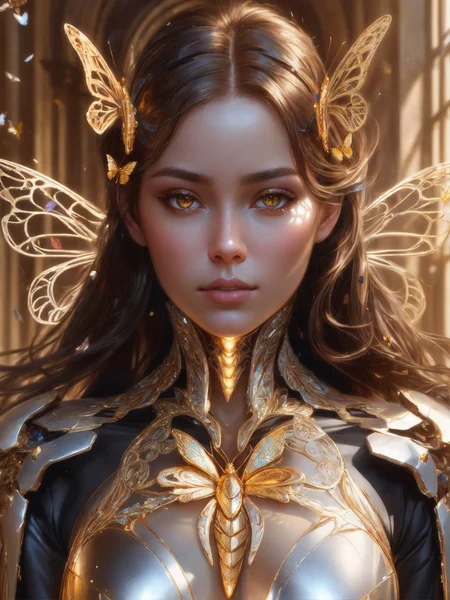
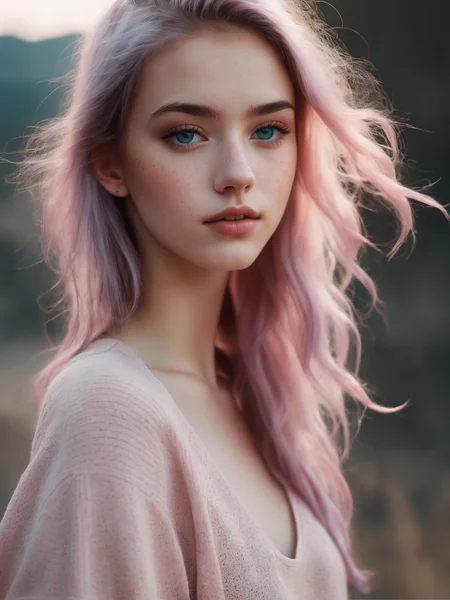
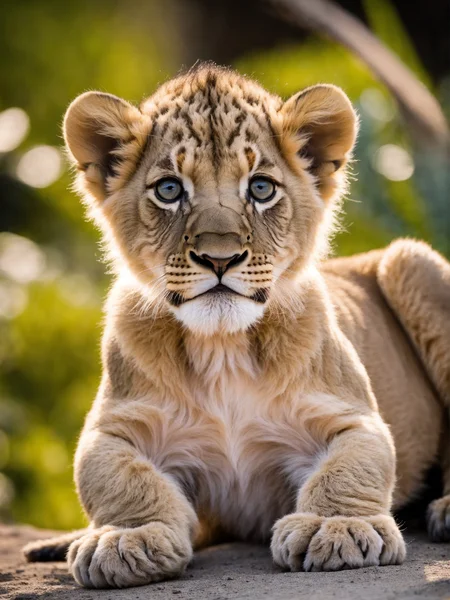

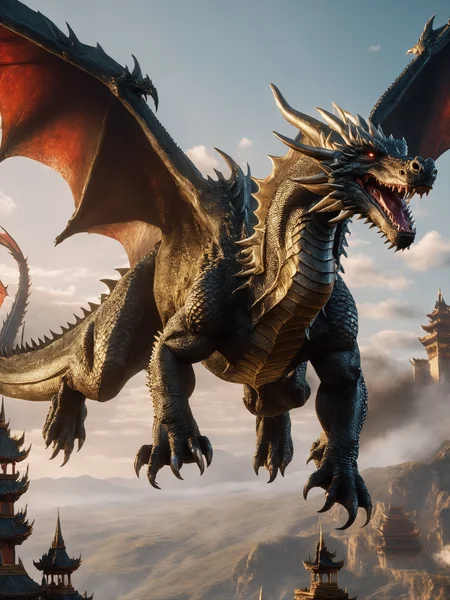
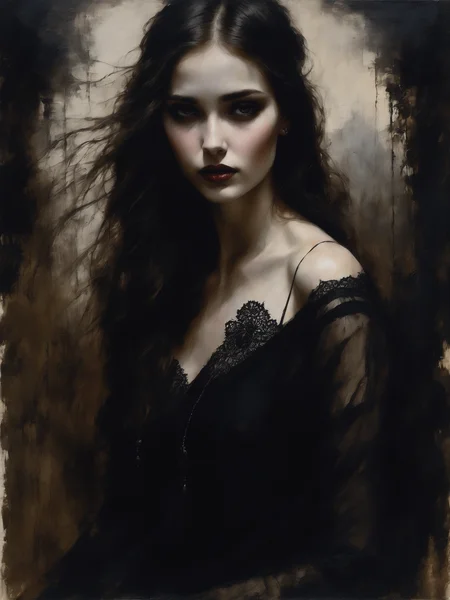
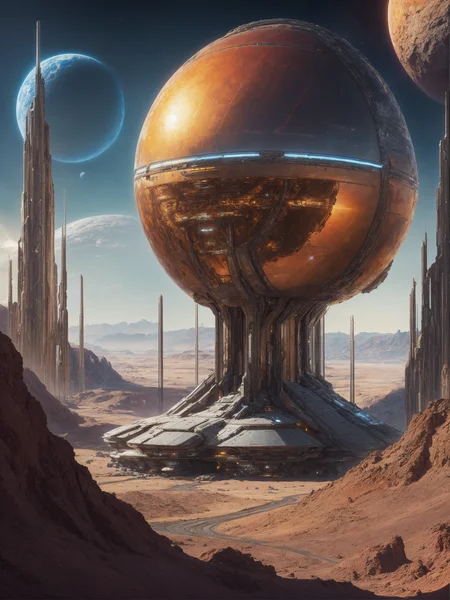



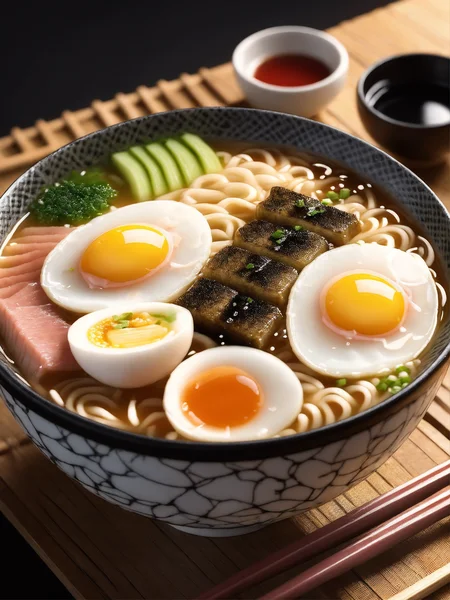
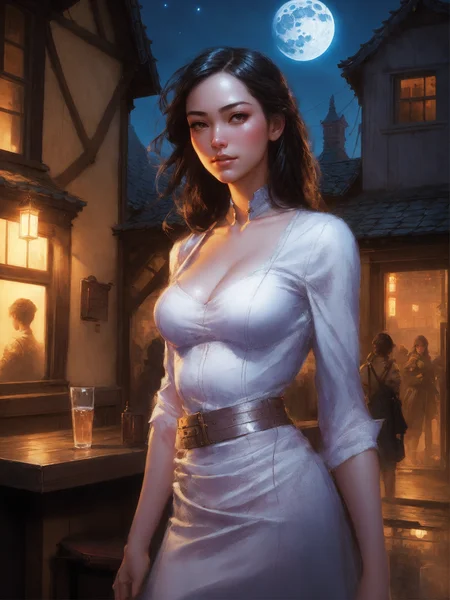




DreamShaper XL - Now Turbo!
Also check out the 1.5 DreamShaper page
Check the version description below (bottom right) for more info and add a ❤️ to receive future updates.
Do you like what I do? Consider supporting me on Patreon 🅿️ to get exclusive tips and tutorials, or feel free to buy me a coffee ☕
Join my Discord Server
Alpha2 is a bit old now. I suggest you switch to the Turbo or Lightning version.
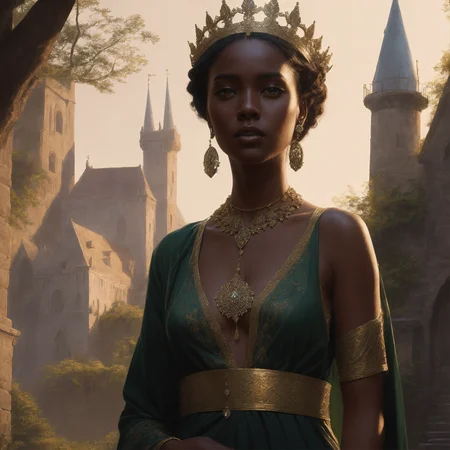
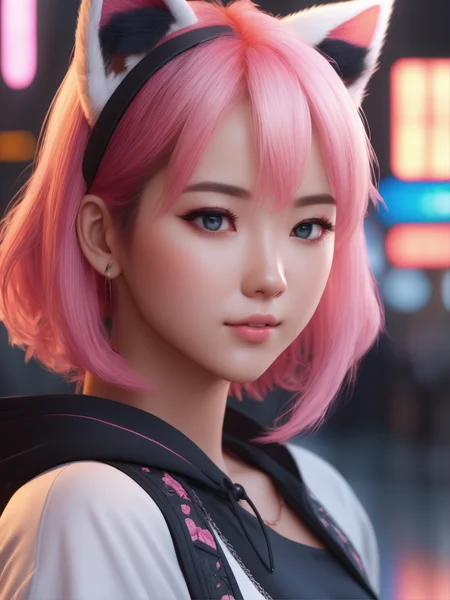
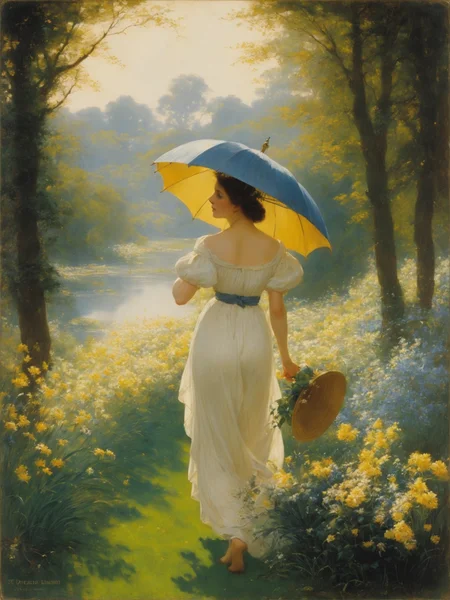
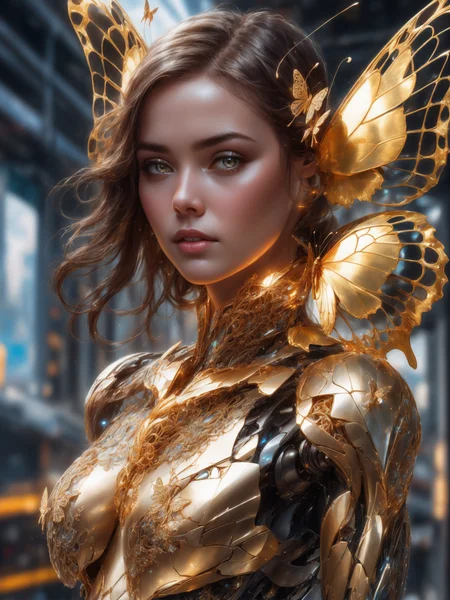
DreamShaper is a general purpose SD model that aims at doing everything well, photos, art, anime, manga. It's designed to go against other general purpose models and pipelines like Midjourney and DALL-E.
"It's Turbotime"
Turbo version should be used at CFG scale 2 and with around 4-8 sampling steps. This should work only with DPM++ SDE Karras (NOT 2M). You can use this with LCM sampler, but don't do it unless you need speed vs quality.
Sampler comparison at 8 steps: https://civarchive.com/posts/951781
UPDATE: Lightning version targets 3-6 sampling steps at CFG scale 2 and should also work only with DPM++ SDE Karras. Avoid going too far above 1024 in either direction for the 1st step.
No need to use refiner and this model itself can be used for highres fix and tiled upscaling.
Examples have been generated using Auto1111, but you can achieve similar results with this ComfyUI Workflow: https://pastebin.com/79XN01xs
Basic style comparison: https://civarchive.com/images/4427452
If you train on this, make sure to use DPM++ SDE sampler and appropriate steps/cfg.
Keep in mind Turbo currently cannot be used commercially unless you get permission from StabilityAI. Get a membership here: https://stability.ai/membership
You can use the Turbo version (not Lightning) as a non-Turbo model with DPM++ 2M SDE Karras / Euler at cfg 6 and 20-40 steps. Here is a comparison I made with some of the best non-Turbo XL models (with regular settings and turbo settings): https://civarchive.com/posts/1414848
I have no idea why anyone would prefer 40 steps over 8, but you have the option.
Old description referring to Alpha 2 and before
Finetuned over SDXL1.0.
Even if this is still an alpha version, I think it's already much better compared to the first alpha based on xl0.9.
For the workflows you need Math plugins for comfy (or to reimplement some parts manually).
Basically I do the first gen with DreamShaperXL, then I upscale to 2x and finally a do a img2img steo with either DreamShaperXL itself, or a 1.5 model that i find suited, such as DreamShaper7 or AbsoluteReality.
What does it do better than SDXL1.0?
No need for refiner. Just do highres fix (upscale+i2i)
Better looking people
Less blurry edges
75% better dragons 🐉
Better NSFW
Old DreamShaper XL 0.9 Alpha Description
Finally got permission to share this. It's based on SDXL0.9, so it's just a training test. It definitely has room for improvement.
Workflow for this one is a bit more complicated than usual, as it's using AbsoluteReality or DreamShaper7 as "refiner" (meaning I'm generating with DreamShaperXL and then doing "highres fix" with AR or DS7).
Results are quite nice for such an early stage.
I might disable the comment section as I'm sure some people will judge this even if it's early stage. I also don't think this is on par with SD1.5 DreamShaper yet, but it's useless to pour resources into this as SDXL1.0 is about to be released.
Have fun and make sure to add a ❤️ to receive future updates.Non commercial license is forced by Stability at the moment.
Description
Using XL0.9 VAE as the one from XL1.0 is broken.
UNet and TE based on SDXL1.0 finetuned on 10% of the DreamShaper7 dataset.
FAQ
Comments (215)
little disappointed with sdxl, not much difference then fine tuned 1.5 models.
as a base model it's pretty good. Has its drawbacks over 1.5 finetunes, but also advantages. It's an additional tool to have :)
People really expect that they would get best out of model right from release? It took months from 1.5 release to get fine tuned models into what it is today. 1.5 was milked out from all angles and right now the model choise is basically subjective. Yet, again it didn't take days. It took months to reach this stage. Same thing is going to happen with SDXL.
Right but it is a base model. I imagine in the near future the fine tuned XL models will outperform their 1.5 counterparts.
Now just imagine a fine-tuned XL
@squirz The way it was getting hyped up, yes.
It just launched. We have no fine tuned models yet. Let them cook a minute lol
Honestly, I'm getting better results with base SDXL 1.0 than I am with most custom checkpoints I've tried. Maybe it's not a great upgrade for people who just make nothing but endless pictures of girls, but I don't really do that. Getting great results with art styles, artists, various subjects, animals, etc. This is what SD 2.0 should have been.
@captaindingo920 I agree with you!
you need to compare this with 1.5 base and 2.0 base if you want to give it a fair review
if you want to compare the best of the best finetunes of 1.5 then just give it time and wait for some sweet finetunes to come out eventually :)
People are making good points about XL eventually getting more fine-tuned to look better but to me compared to 1.5 XL is disappointing because it's way slower to run on 8GBs and requires swapping models, a whole new 1-2 steps, even this one doesn't require refiner which is cool but still requires highres fix, which I never use because it's also way slower, I don't know 100% how it works but I hope these are things that can be improved, including the model file size.
@darkceptor44 try it with ComfyUI. With that interface I managed to use the base model with refiner on my laptop with only 4gb vram (I had to use 768x1024 resolution though) whereas it took me forever to even load the base model in a1111 and it crashed eventually.
no need to argue. Most importantly not here. I get notified for all your messages.
Time will tell.
@darkceptor44 it's hard to get it to work with A1111 tbh however it does work with ComfyUI Sebastian Kamph put up a recent YouTube explaining how to install it and effectively link it to your existing A1111 folder so it can access your models there. Simple installation and once you have it installed just go to the ComfyUI Github here and download the 2 images and then load one to generate the SDXL UI. You can then tweak and adjust the prompt to your liking.
Can't use with my card/gpu memory currently unfortunately.
Edit: Used ComfyUI to try out XL based models. Seems to be working fine on my card through that UI. A1111 may either be unoptimized or unoptimized via my python/torch/xformers settings or otherwise. Recently saw others mention similar issues on A1111 as well now, might be something that can be fixed. 🤷♂️
same, the model won't load :(
@BilboTaggins loads for me, I just get a cuda memory error when trying to use
on settings stable diffusion in A1111 webui the first two i set it to 5gb each. that solved my cuda out of memory issue and i have a 12gb vram
@vitokeorlini225 Thanks, not sure which setting you're referring to though. I've got an 8gb card myself
This model is available to run on tensorart and soon on many other sites
Not a fan of generation sites personally and would rather manage things locally. Unfortunately seems I won't be able to try out any XL based models myself for the meantime.
@Ocean3 I was merely suggesting a solution. You can also try with colab :)
@Lykon Yes I know you were, and that may be helpful to a lot of others. Google colab would be the same scenario outside of an existing workflow for me so not for me 👍
@Ocean3 :(
@Ocean3 I finally got it working after installing VS Code, Cuda, xformers, and updating drivers. didn't realize Cuda and xformers were pre-reqs for XL. Big change of pace going from 15/20 seconds a gen to 4 minutes though....
You are the top dog, Lykon. I expected you'd be one of the very first to release a checkpoint lol.
Now if only I can figure out which of these stupid extensions is preventing me from loading the damn thing lol.
Also boy I can't see myself running around with 27 checkpoints like I had, if these thing are all gonna be like 7gb lmao.
for me it was composable loras, which broke 0.9 already. after disbaling it ran perfectly fine
Are the sample images purely from this XL model, or are they also put through a 1.5? I ask because for example, the woman in the armor with the flowing hair and sunset, it's the "same face" from all the 1.5 models. I was hoping with a fresh start on XL we wouldn't get that issue.
Some use 1.5 models as highresfix. Bot all of them.
The woman in the armor uses AbsoluteReality. You can see the workflows ;)
But the girl with pink hair and the naked one use only DreamShaper XL
Good job on this.
Unfortunately all girls look the same no matter the seed. Overtrained?
seed won't change the average face of a model, only conditioning can do that. As you can see from my examples, girls look ALL different if you change the prompt.
https://civitai.com/images/1743011?period=AllTime&periodMode=published&sort=Newest&view=categories&modelVersionId=126688&modelId=112902&postId=434669
https://civitai.com/images/1743034?period=AllTime&periodMode=published&sort=Newest&view=categories&modelVersionId=126688&modelId=112902&postId=434669
https://civitai.com/images/1739970?period=AllTime&periodMode=published&sort=Newest&view=categories&modelVersionId=126688&modelId=112902&postId=434007
https://civitai.com/images/1742757?period=AllTime&periodMode=published&sort=Newest&view=categories&modelVersionId=126688&modelId=112902&postId=434596
https://civitai.com/images/1739047?period=AllTime&periodMode=published&sort=Newest&view=categories&modelVersionId=126688&modelId=112902&postId=433812
https://civitai.com/images/1737182?modelVersionId=126688&prioritizedUserIds=53515&period=AllTime&sort=Most+Reactions&limit=20
https://civitai.com/images/1737254?modelVersionId=126688&prioritizedUserIds=53515&period=AllTime&sort=Most+Reactions&limit=20
https://civitai.com/images/1743225?period=AllTime&periodMode=published&sort=Newest&view=categories&modelVersionId=126688&modelId=112902&postId=434738
Seems pretty easy to get different looking girls to me.
@Lykon Yeah but you have to change the prompt while changing the seed only is insufficient. For example, adding ethnies to the prompt works well to get different faces.
@dookie as I explained you on reddit, it's normal. And it's sometimes a feature, like there are models made with that in mind, like consistent factor.
After you finish working on this model,will you update all your loras to work with sdxl🤔? That would be nice.
I can't simply "update" them. They'd have to be retrained from scratch, taking 4 hours each.
Also it's too early now. XL needs good base models first.
@Lykon ahhh,ok,take your time 😅
"Also it's too early now. XL needs good base models first."
What about your XL base model here? :)
@malcolmrey oh I meant for anime stuff :)
This is already usable for art and realistic loras.
I tried for hours a few days back, but dragons in SDXL 0.9 looked the same in nighttime setting no matter what. I mean 75 % better dragons is desperately needed, thank you!
haven't tested in every light situations tho ahah.
Also it was mostly a joke line. It's true it does better dragons but I didn't really measure
Don't chase the dragon!
It seems that the embeddings aren't working in this workflow. Getting many of the following warnings:
WARNING: shape mismatch when trying to apply embedding, embedding will be ignored 768 1280you only get them with one of the 2 text encoders. It's fine.
Shout out to the creators who have very quickly been able to get XL models up 🙏🏻. You're all heroes. People need to understand these are based on a base model that was just released. It will take time for these models to improve. Even if the base model has been around for a while and their model sucks they still deserve at least bit of appreciation for taking their time and compute to make these and release them to you for free. There is a reason this is an alpha. Haters gonna hate, as they say.
Think you can do better? Okay, release it! Let's see! 🤣
Any tip to run this in Automatic1111? It has SDXL 1.0 already built in (just a matter to 'pip update', then download the base and refiner). I dunno if I still need to run SDXL base 1.0 in txt2img, then use yours in IMG2IMG.
if you have <12gb vram, youll need to use medvram command
Lykon is on top of the game! Thank you so much for putting out all this wonderful content!
my friend update aniy lora checkpoint xl 1.0
I'm doing that as Anime Art Diffusion XL ;)
@Lykon nice bro
Has anyone had any luck running this on a card with less than 16gb VRAM? I have 2 machines with 12gb cards and both go OOM trying to load this model. They can push out sdxl-1.0, barely, but this kills them.
edit: thanks for the responses, i got it stable with comfy, and in auto1111/sdnext with medvram, but it was soooo slow, comfy is best for me for now.
and thanks Lykon for all you do!
I am using a RTX 4070 12 GB and Comfy no problems except I use 1.5 model as refiner and try to upscale to 4k...running out of memory because 36GB is requested but not existing
a1111 with rtx 3060 12gb here. works only with medvram for me yet, but it works
3070 6GB and Im able to use it --medvram in parameters though and --xformers too
Not ready for primetime. (SDXL as a whole) rtx 3060 12GB as well. Not in A111 anyway. They'll get it optimized and A1111 will learn to use these things better eventually.
my poor ass is running with 4GB vram on comfyui... it takes a minute but still works lol made some nice photos
there are various generation sites hosting this model already, or you can use colab. Unfortunately XL can't be made smaller than this :(
Cool. Please keep doing what you do and especially how you do it. Thank you.
What upscale model are you using?
I wrote it in the description.
@Lykon I read through your description twice just to be sure but I don't think I see a model name for the upscaler you are using to upscale to 2x,
He's using 8x_NMKD-Superscale_150000_G, you can see in the comfyui workflow.
@xperia256 Thanks! Mine currently says null, but that's probably because didn't have any upscalers in the folder.
@uj2w if you ant you can also remove the upscaler and just change the x0.250 to x2.
where is the comfyui workflow?
@mhmfalsaadd workflow button
Thank you for the model. I was wondering about the VAE - I think StabilityAI updated the base VAE today, maybe also the refiner VAE. So do you still think the 0.9 VAE is best? What was broken anyhow - I heard something about trackers?
thanks for the quick release... :)
Great models! I used the XL 1.0 for a Deforum Van Helsing clip: https://youtu.be/FkD6nHmd6V4 (mixed with the base XL model, differences were small, but I didn't try dragons or NSFW ... )
wow, XL for a clip looks very promising!
Any chance for an fp16/pruned version?...
it's already fp16. fp32 would be double. There is also no ema to prune, so this is as small as it gets.
@Lykon oh, ok, I guess I spent too long checking the base SDXL models and I assumed all were fp32 (since it's marked fp32, even though it's the same size... I guess the info was added wrong on that model? or is it the extra training data, I guess?).
@Alverik they only "released" sdxl0.9 as fp32 and it was almost 15gb :D
Bigger size is due to bigger unet and double text encoder.
Thanks so much for getting this checkpoint out so early. I'm shocked that there aren't more already updated days later.
This model checkpoint doesnt load for me, always get back to de last one i have used... you know why? Failed to load checkpoint, restoring previous size mismatch for model.diffusion_model.output_blocks.8.0.skip_connection.bias: copying a param with shape torch.Size([320]) from checkpoint, the shape in current model is torch.Size([640]).
I had a similar problem. The solution for me was to update my automatic1111 instalation. Using the cmd in the folder where the "webui-user.bat" file is located I ran the command "git pull"
I had a similar problem, my fix was to change my upscaler from 4x ultrasharp to latent and for some reason that seemed to work. Its important to note that SDXL 1.0 itself seemed to not have a problem with that upscaler so its specific to this checkpoint.
"WARNING: shape mismatch when trying to apply embedding, embedding will be ignored 768 1280"--these are the errors i'm getting when using embedding:BadDream and embedding:Unrealistic Dream. Please help, thanks
Textual Embeddings from 1.5 will not work with SDXL
Lora failures. I don't know if this is on your radar yet or not.
https://civitai.com/models/117753 (Ana de Armas) was released recently, and it works quite well with the base. But Dreamshaper is overwhelming it with its style.
This could be a problem with the lora itself, of course.
where is the comfyui workflow?
directly in the preview image. click on one of them
Thanks for the hard work and for releasing an easy to use sdxl model!
do we need preprocess in baseXL model before using dreamshaperXL ?
no, why?
No, it's a single-stage model. I had no problems rendering things from scratch.
@SeriouslyMike so, we do not need to use refiner model again also ?
@happynguyen91 no, you can use a simple high-res fix instead. I had good results generating in 768px on the shorter side and running a high-res fix in 1024px.
My summary: I have tested the trained xl models published recently on civi and the native xl base model with several different workflows (With, without refiner, refiner sd1.5, base and refiner xl with upsclae sd.1.5. Conclusion: xl base and refiner xl are useable for some outstanding outputs. But the trained sd.1.5 models are superior to their xl variants and my opinion switching to trained xl models makes only sence if there is also an appropriate trained refiner available because the standard 1.0 refiner doesnt fit to the trained xl models. Just compare ure results gen by SD1.5 models and the corresponding xl model and u will know what I am talking about.
@Lykon I understand this is still early WIP and it's the worst you can do (this is meant as a compliment) but this plasticky/smudgy skin texture look in all SDXL models I tried so far is due to the lack of enough datasets? and can it be improved in the future for SDXL models to be on par with the best 1.5 models (e.g. DS 7/absolute reality) or we would need LoRAs for that?
SDXL is meant to be used always with the refiner that comes with the model make sure you are using that.
@Artificial_Excellence asking because lykon said the refiner is mostly not needed with finetunes even here in this model description. And I heard it's not really a good idea to use the refiner on a finetuned SDXL model anyway. (tried it myself and no real improvement, at least not with the skin texture)
you can 'refine' it on 1.5 model 'img2img' :)
@brokolies then it changes a lot of the original picture details especially if I use a denoise of 0.4 or more. I already tried Lykon's workflow in comfyui with a 1.5 model used as the refiner (DS7 or Absolute reality), that's why I am asking all this because it didn't help much. All I am asking here is if SDXL will be much better in that regard of its own or not in the future and if the current limitation is caused by the lack of enough datasets.
@xperia256 Wait for the community to refine the model and it will eventually surpass 1.5, for now I'm using both together.
Help pls..
RuntimeError: The size of tensor a (2048) must match the size of tensor b (768) at non-singleton dimension 1
i guss don't support old lora
You are trying to use lora that are not trained with SDXL model
@acknowledgement Yeah thanks a lot
@banlg thanks!
i cant load it. i have the latest update but it instantly crashes when trying to load the model. i have 12gb vram
try ComfyUI ,
Try ComfyUI and possibly pagefile memory. I have a 1070ti (8GB) and it runs flawlessly now and I can get generations with this with the upscale in around 4-5 minutes
i'm getting nicely sharp images in sdnext using dreamshaperxl+adetailer+refiner, see images below...
Multiple subjects appearing in images, yet my prompt calls for one. What am I doing wrong?
Higher resolutions often make extra or unwanted subjects. If you are using higher resolutions try generating the initial image at a lower resolution (around 512x512) and upscale it after generation
@sproingo125743 don't generate 512x512, sdxl are trained on minimum 1024x1024 image.
@acknowledgement so how would I fix multiple subjects in the image?
@dgohio86 You can try adjusting aspect ratio so image has less width and more height thus fitting one person. This will cause it to bias towards a single person when you do 1girl, 1guy, or whatever else. Caveats being this obviously has some limitations in the images you create.
I doubt this is the problem, but high prompt weighting sometimes has a tendency to cause models to just add more instances of something. Might be worth trying to reduce the weight for the offending image element, and see if it makes a difference.
@acknowledgement Thanks, I've just got back into stable diffusion after a few month. Progress is crazy fast
You are not doing it wrong, the model does, it doesn't follow prompt at all :( It just take the part it can do and ignore everything else, it is now much worse than 1.5, sad
@dgohio86 You can add multiple people to your negative prompt, you can also up-weight your positive 1girl/1guy prompt. If anything, I have trouble getting multiple people to show up.
Do you have a sample workflow that incorporates a ControlNET into your method? I couldn't get mine to work, but I'm new to Comfy UI.
I'm pretty sure we are going to have to wait till CN models are trained on XL data.. dont think u can mix and match model version ie, 1.5 to 2.0 or XL..
@DreamingComputers You're totally correct. Thanks!
please we need a Lora for fantasy animals / and mystical creatures, no model can do this yet, even midjourney is just horrible at this.
New ComfyUI workflow that takes full advantage of this amazing model!
https://civitai.com/models/119528
Does this add same watermarks the base sdxl adds to images ?
no.
Is this running very slowly for anyone else? It can take me 3-4 minutes to make an image where I can make one in ten seconds with the Base SDXL model.
the model has more parameters and its name is xl, thus slower performance is expected.
I was having that issue yes. I was using --xformers, but apparently I also needed --medvram and/or --no-half-vae in the webui-user.bat file (assuming Automatic 1111). Like this:
set COMMANDLINE_ARGS= --xformers --no-half-vae --medvram
See this video from Monzon: https://youtu.be/gguLtMM4g_Q
Edit: for info, It took me about 4-5 minutes for 20 steps before adding the 2 parameters to the command line, using a RTX 3060 12GB, and after the change I now get about 1.2 to 1.4 iteration per second for 1024x1024 images.
This is really great, THANK YOU for making this basically a standalone sdxl model! I am loving seeing how versatile it is!
I'm getting this error only with this model. The main SDXL Base and other SDXL Models are fine. RuntimeError: Expected all tensors to be on the same device, but found at least two devices, CPU and cuda:0! (when checking argument for argument index in method wrapper_CUDA__index_select)
What’s your gpu memory like when loading it? Generally I get reports like that when I max out vram.
Can someone point me on how to install this on a1111? I run into a problem where it errors out telling me I need pytorch 2 installed (If I have 1.13); and it errors out telling me I need pytorch 1.13 installed if I have 2.
I'm getting this when I try to load it:
Failed to create model quickly; will retry using slow method.
changing setting sd_model_checkpoint to dreamshaperXL10_alpha2Xl10.safetensors [0f1b80cfe8]: AssertionError
Traceback (most recent call last):
File "C:\Work\StableDiffusionAutomatic1111- Working V2\stable-diffusion-webui\modules\shared.py", line 633, in set
self.data_labels[key].onchange()
File "C:\Work\StableDiffusionAutomatic1111- Working V2\stable-diffusion-webui\modules\call_queue.py", line 14, in f
res = func(*args, **kwargs)
File "C:\Work\StableDiffusionAutomatic1111- Working V2\stable-diffusion-webui\webui.py", line 238, in <lambda>
shared.opts.onchange("sd_model_checkpoint", wrap_queued_call(lambda: modules.sd_models.reload_model_weights()), call=False)
File "C:\Work\StableDiffusionAutomatic1111- Working V2\stable-diffusion-webui\modules\sd_models.py", line 578, in reload_model_weights
load_model(checkpoint_info, already_loaded_state_dict=state_dict)
File "C:\Work\StableDiffusionAutomatic1111- Working V2\stable-diffusion-webui\modules\sd_models.py", line 504, in load_model
sd_model = instantiate_from_config(sd_config.model)
File "C:\Work\StableDiffusionAutomatic1111- Working V2\stable-diffusion-webui\repositories\stable-diffusion-stability-ai\ldm\util.py", line 89, in instantiate_from_config
return get_obj_from_str(config["target"])(**config.get("params", dict()))
File "C:\Work\StableDiffusionAutomatic1111- Working V2\stable-diffusion-webui\repositories\generative-models\sgm\models\diffusion.py", line 65, in init
self._init_first_stage(first_stage_config)
File "C:\Work\StableDiffusionAutomatic1111- Working V2\stable-diffusion-webui\repositories\generative-models\sgm\models\diffusion.py", line 106, in initfirst_stage
model = instantiate_from_config(config).eval()
File "C:\Work\StableDiffusionAutomatic1111- Working V2\stable-diffusion-webui\repositories\generative-models\sgm\util.py", line 175, in instantiate_from_config
return get_obj_from_str(config["target"])(**config.get("params", dict()))
File "C:\Work\StableDiffusionAutomatic1111- Working V2\stable-diffusion-webui\repositories\generative-models\sgm\models\autoencoder.py", line 295, in init
self.encoder = Encoder(**ddconfig)
File "C:\Work\StableDiffusionAutomatic1111- Working V2\stable-diffusion-webui\repositories\generative-models\sgm\modules\diffusionmodules\model.py", line 553, in init
self.mid.attn_1 = make_attn(block_in, attn_type=attn_type)
File "C:\Work\StableDiffusionAutomatic1111- Working V2\stable-diffusion-webui\repositories\generative-models\sgm\modules\diffusionmodules\model.py", line 286, in make_attn
assert XFORMERS_IS_AVAILABLE, (
AssertionError: We do not support vanilla attention in 1.13.1+cu117 anymore, as it is too expensive. Please install xformers via e.g. 'pip install xformers==0.0.16'
There's more than a few people with this problem, I think they should take down the models, till they get a more compatible model and stop wasting our time !
I just went through this yesterday. Had the same error with my months-old A1111 trying to use SDXL. You need the latest A1111 to even use SDXL properly, and doing an "in-place" upgrade via "git pull" will leave broken dependencies. You pretty much need a fresh A1111 copy and just let it reinstall all of its dependencies, then you can copy back over whatever models you were using into the new copy.
these sdxl is definitely not easy to use. I had to do a lot of messing around and swapping the pytorch versions to get it to run. And when it did run, the girls it generate have horseface (maybe a little bit too realistic? lol). Either way he say it is in alpha, so hopefully the issues will fixed later.
@midnight_stories People who don't know how to update their automatic1111 properly. You need the latest version of automatic1111 to run sdxl model. It's not rocket science.
@MrOhyao You just need to use --medvram if A1111 is slow for you on SDXL and it will be as fast as Comfy, tried myself on GTX 1070 8GB and A1111 was even 5 seconds faster than Comfy with --medvram (120 seconds on comfy vs 115 seconds on A1111 generating 1024x1024 image), without --medvram A1111 took ~12 mins to generate the same image. I hope A1111 will release an update that can auto detect cards with low VRAM and apply med or low vram argument automatically like Comfy does.
I think there must be something corrupted with my original install A1111 had to total get it off my system including user files. And just install the latest, I used the zipped install and that seamed to get it working, even the refiner addon is working now. Defiantly hard going for non coders like my self !
I got it working by doing a fresh install and adding to following to webui-user.bat
set COMMANDLINE_ARGS= --xformers --no-half-vae
(I'm using a 4090. For older cards you might not be able to use xformers)
@blugail don't use xformers it's slower. Most people don't use it now. If you are using Torch 2.0.1 you can use --opt-sdp-attention instead. Really improved the speed of sdxl on my 4090 so it's about the same speed as ComfyUI
@S4f3tyMarc Thanks! It's faster. I still think xformers is useful if you run into vram limitations, as it uses less vram than --opt-sdp-attention --medvram and is about the same speed.
Is it possible to apply embeddings to this model in Automatic1111?
I managed achieve tollerable render time with old 1070 (xformers+medvram), but I still don't know if embeddings even works. In sample images it's embedding:baddream but it's probably not for automatic1111, and automatic1111, I thin, wont apply embeddings that for different model type.
I assume it's possible to apply baddream and other stuff to it since it's in sample images, and I didn't found those embeddings for XL model specifically.
1.5 embeddings can only be used with 1.5 models, etc. You see the embeddings in their sample images not because they can be used with SDXL, but because they are using 1.5 models as the upscalers for their SDXL generations. The generation settings in the samples are from the 1.5 refining step, the entire process used is in the "Workflow: (n) nodes" gen info.
wow didn't know this was so heavily censored?? even at 8 cfg and censored in ng prompt it's still giving me clothes?? or am I doing something wrong??
SDXL was released officially a week ago - there is a lot of catch-up to do with SD 1.5. The base SDXL model and even trained checkpoints are going to struggle with nudity until it's "crowd trained" ie: from folks on civitai merging Loras and checkpoints together. It will get there, but it will take some time. The good news is that base SDXL knows what human anatomy is, it just isn't well-trained.
try use <lora:finenude_v0_2a:1>
but can mostly do just female
@Lykon good thing I haven't downloaded sdxl yet. just dreamshaperxl so far. surprisingly its generating 1024x1024 images in 30-40s on my rtx3060 with highres fix. will download the lora thanks. will have to wait at least 2 months before fully diving into sdxl
@MachineMinded unpopular opinion but don't it seem like sdxl is just sd 2.1 trained on 1024 pxls?
@vitokeorlini225 No, I spot checked some celebs, and it can generate them again.
@vitokeorlini225 By the way, SDXL and DreamshaperXL native resolution is 1024x1024. You should not use highres fix to generate 1024x1024 images. Using a lower resolution or highres fix will distort the image like as if you were generating 256x256 images in SD 1.5.
Can't seem to get it to work well on Automatic1111 Web UI, it crashes quite a bit. I'm going to install ComfyUI and give that a shot.
Damn, render looks good until it reach last second then every image turn deformed, blurry , pixelate can someone tell me what I'm missing? Thanks!
Wrong VAE
@thorgal what vae should we use?
@editorpabs this one should work stabilityai/sdxl-vae at main (huggingface.co)
or the one baked in the very checkpoint (set default in A1111)
I had the same problem, and the VAE was the root cause. Don't use VAE for SDXL.
@pawelzny "Don't use VAE for SDXL."
Wrong. Use that for SDXL models that don't have the vae baked :
https://huggingface.co/madebyollin/sdxl-vae-fp16-fix/tree/main
What is up with those long necks though, lol
Getting this Error
RuntimeError: The size of tensor a (2048) must match the size of tensor b (768) at non-singleton dimension 1Anyone knows why?
The inpainting results seem to be really bad. The compensate content is always blank or grey. Did I miss something?
Be careful installing this on a machine with average RAM. I have been using everything great on my man mini M2 until this checkpoint model and then it caused my computer to go into panic mode, ate all my memory and caused me to force-restart
How much minimum ram required to run this model?
did u try: "option+command+esc" lets you force close apps (in most cases)
64g memory minimal + 16g video mem
@gausssidorov928 I use it with 32g RAM and it works fine
I tried on my 16gb machine, it took like 10 minutes to load the model but then it worked fine.
Well, I'm gonna try it on my uh, lower end machine. It has 16 megs of ram and 4 megs of video ram. I'll let you know how it goes.
UPDATE: Ya says I need another 26 gigs of system ram.
Hello !
Is it useful to train lora with DreamShaper or it's only to generate image ?
This is really an amazing model. I've thrown so much at it, many different styles and they all look great. Thanks for your hard work.
i has a question. model dreamer 1.0 SDXL has VAE, yes or no.
I've been using it without a separate VAE just fine :)
@timothy860 do you using any anime or realistic models?
@timothy860 thanks. i think i use Anime VAE
Where is the "More Details" Lora located? It shows up on one of the nodes of comfy when copying one of the prompts. But I cant find it.
I tried with ~10 nsfw prompts + ~10 sfw prompts that I found doing great on dreamshaper v7/v8, all generated in 768x768 and 1024x1024, with multiple seeds. sfw images are great, at least most of them are not worse than sd1.5 models. But nsfw images are significantly worse, 90% of them have ugly face, distorted face, distorted private parts, or all of the above. Am I missing something? Or will this get improved in the future?
You can get extremely good images, you just need to use LORAs, inpainting, img2img, and play around with different numbers a lot. See my LORA for examples (and these aren't even that good comapred to some of the newer LORAs I'm experimenting with)
@jacob42 Thanks for the comment, but I mean I was hoping XL to be better than sd1.5 (I mean, since it takes more vram and inference time, so it seems meaningless to use it if it is not getting better results than sd1.5). Not to mention the efforts you mentioned ("LORAs, inpainting, img2img, and play around with different numbers a lot") can also work on sd1.5, so I still don't see a good reason to use this instead of sd1.5
@seer_2022 All of the newer base SD models are highly censored. 1.5 is still the go to, for NSFW.
1.5 is generally the way to go for everything but maybe landscapes. XL is atrocious, objectively. Compare and contrast the quality of:
- 512x512 hi-res fixed to 1024x1024 1.5 output
- 1024x1024 (default) SDXL output
The community should go back to 1.5 en masse and stop working on this censored nothingburger.
what vae are you guys using with this?
I'm using none and I find the colors very natural, if you want them more saturated you can try the SDXL VAE
Any plans to update this?
頸子很長
Extremely good model
size mismatch for model.diffusion_model.output_blocks.8.0.skip_connection.bias: copying a param with shape torch.Size([320]) from checkpoint, the shape in current model is torch.Size([640]).
im getting the exact same error which doesnt allow me to load the checkpoint
What is the best upscaler to use with this checkpoint? Any recommended VAE?
You usually don't need upscaler for SDXL. But if for some reason you do want images larger than 1024x1024 -> you can use ESRGAN ultrasharp 4x upscaler.
My workflow ATM skips the img2img part as it seems incredibly slow for me (1070 8gb), although I get amazing results! I render @1024 and use the standard upscaling in extras. I need a better GFX card, but will continue to experiment. Thank you for your hard work, for a 1.0 version it's incredibly robust! :)
Edit: okay, after a tiny amount of experimenting I've come to the conclusion that the refiner and img2img steps are completely pointless with this model. I go straight to high res (1024x1280) portrait/landscape and the results are perfect/amazing! Am I missing something or what?
Yep, I noticed that it works like complete shit in lower resolutions, I ran the same prompt at 1024x544 with the intention of GAN upscaling the result and in 1920x1080 straight, the latter looked infinitely better. Re-running the output through a refiner prompt set to the same model straightens out a couple of weirdnesses usually, but I always decode the first step output anyway.
@SeriouslyMike I need to research more, I didn't understand the "decode the first step output" is that something related to setting the seed? Anyway, XL is quite the upgrade, it will be interesting to explore more.
@Murdo no, in ComfyUI refining and highres fix can use the raw latent data instead of img2img, but I still decode the initial render to a human-viewable form so I can cancel the highres fix/refining stage if the base image is too distorted.
Does not work in Automatic1111 anymore. This error started to appear: 'A tensor with all NaNs was produced in VAE'
for some reason when i select the XL model on stable diffusion, it reverts back to my installed dreamshaper v8. how can i resolve this?
Look in the Console-Output, the file may be corrupted and you have to redownload it.
for some reason im trying to load sdxl1.0 but it is reverting back to other models il the directory, this is the console statement:
Loading weights [0f1b80cfe8] from G:\Stable-diffusion\stable-diffusion-webui\models\Stable-diffusion\dreamshaperXL10_alpha2Xl10.safetensors
Creating model from config: G:\Stable-diffusion\stable-diffusion-webui\repositories\generative-models\configs\inference\sd_xl_base.yaml
changing setting sd_model_checkpoint to dreamshaperXL10_alpha2Xl10.safetensors [0f1b80cfe8]: RuntimeError
Traceback (most recent call last):
File "G:\Stable-diffusion\stable-diffusion-webui\modules\options.py", line 140, in set
option.onchange()
File "G:\Stable-diffusion\stable-diffusion-webui\modules\call_queue.py", line 13, in f
res = func(*args, **kwargs)
File "G:\Stable-diffusion\stable-diffusion-webui\modules\initialize_util.py", line 170, in <lambda>
shared.opts.onchange("sd_model_checkpoint", wrap_queued_call(lambda: sd_models.reload_model_weights()), call=False)
File "G:\Stable-diffusion\stable-diffusion-webui\modules\sd_models.py", line 751, in reload_model_weights
load_model(checkpoint_info, already_loaded_state_dict=state_dict)
File "G:\Stable-diffusion\stable-diffusion-webui\modules\sd_models.py", line 626, in load_model
load_model_weights(sd_model, checkpoint_info, state_dict, timer)
File "G:\Stable-diffusion\stable-diffusion-webui\modules\sd_models.py", line 353, in load_model_weights
model.load_state_dict(state_dict, strict=False)
File "G:\Stable-diffusion\stable-diffusion-webui\modules\sd_disable_initialization.py", line 223, in <lambda>
module_load_state_dict = self.replace(torch.nn.Module, 'load_state_dict', lambda args, *kwargs: load_state_dict(module_load_state_dict, args, *kwargs))
File "G:\Stable-diffusion\stable-diffusion-webui\modules\sd_disable_initialization.py", line 219, in load_state_dict
state_dict = {k: v.to(device="meta", dtype=v.dtype) for k, v in state_dict.items()}
File "G:\Stable-diffusion\stable-diffusion-webui\modules\sd_disable_initialization.py", line 219, in <dictcomp>
state_dict = {k: v.to(device="meta", dtype=v.dtype) for k, v in state_dict.items()}
RuntimeError: dictionary changed size during iteration
I had same issue and for me it was the webUI that wasn't updated to use SDXL. I changed one file to have Karras V2 sampler and because of that unfinished commit, WebUI didn't update for some time, had to stash the changes for git. After that I got to version 1.6 of gradio it worked fine
Does anyone know what's going on with Lykon? It's getting close to two months since the 'alpha2' came out. I was expecting something based on the Dreamshaper 8 dataset much earlier than this.
Lykon has decided to take a break from SD related activities: https://www.reddit.com/r/StableDiffusion/comments/15iq4l3/new_absolutereality_taking_a_break/
Can't seem to merge with other models. Anyone else having this issue?
This model is very unfriendly to Asians, especially Chinese, Japanese and Korean women, with single eyelids, zombie faces, and I don't know where the "traditional" clothes come from, even if I add double eyelids and bikinis as cues, it still doesn't change the stereotypical image.
Also, this model is unfriendly with us horses too... how are we as horse folks be able to use it without having oposable thumbs in the model?
I found out that the model itself is actually a LoRA merge. I have extracted the LoRA here: https://civitai.com/models/161855?modelVersionId=182209
Will remove with author's notice.
That seems exceedingly unlikely, given how early the model was uploaded. This was literally the first custom SDXL 1.0 model.
@steamrick If you use SD scripts, you will find that the checkpoint is merged from a LoRA. I simply unmerged it here for ease-of-use.
sadly my RAM runs full when i load this.
How much VRAM do you have? SDXL needs at least 8 GB to run at 1024x1024
Use a program called ISLC (Intelligent Standby List Cleaner) since Windows loves putting shit in Standby memory. I have 32GB and I still use this.
My settings are:
The list size is at least: 500MB
And
Free memory is lower than 18,000MB
ISLC polling Rate: 1000ms
Start
Start ISLC minimized and auto-start monitoring
Launch ISLC on user logon
Both checked
I am getting solid black images when i try to generate with this.
when you will release AbsoluteReality XL Model
Never took this checkpoint into consideration for realistic images but tried it out yesterday. I am getting pretty great results!
Will use this more often in the future!
Details
Files
dreamshaperXL_alpha2Xl10.safetensors
Mirrors
dreamshaperXL10_alpha2Xl10.safetensors
dreamshaperXL10_alpha2Xl10.safetensors
dreamshaperXL_alpha2Xl10.safetensors
dreamshaperXL10_alpha2Xl10.safetensors
dreamshaperXL10_alpha2Xl10.safetensors
dreamshaperXL_alpha2Xl10.safetensors
dreamshaperXL_alpha2Xl10.safetensors
dreamshaperXL10_alpha2Xl10.safetensors
dreamshaperXL_alpha2Xl10.safetensors
dreamshaperXL10_alpha2Xl10.safetensors
test_model.safetensors
dreamshaperXL_alpha2Xl10.safetensors
dreamshaperXL10_alpha2Xl10.safetensors
dreamshaperXL10_alpha2Xl10.safetensors
DreamShaper_XL.safetensors
dreamshaperXL_alpha2Xl10.safetensors
drmshprxl.safetensors
DreamShaperXL1.0Alpha2_fixedVae_half_00001_.safetensors
dreamshaperXL10_alpha2Xl10.safetensors
dreamshaperXL10.safetensors
dreamshaperXL10_alpha2Xl10.safetensors
dreamshaperXL10_alpha2Xl10.safetensors
dreamshaperXL10_alpha2Xl10.safetensors
dreamshaperXL10_alpha2Xl10.safetensors
dreamshaperXL_alpha2Xl10.safetensors
DreamShaperXL1.0Alpha2_fixedVae_half_00001_.safetensors
DreamShaperXL1.0Alpha2_fixedVae_half_00001_.safetensors
dreamshaperXL10_alpha2Xl10.safetensors
dreamshaperXL_alpha2Xl10.safetensors
dreamshaperXL10.safetensors
dreamshaperXL10_alpha2Xl10.safetensors
DreamShaperXL.safetensors
DreamShaperXL1.0Alpha2_fixedVae_half_00001_.safetensors
DreamShaperXL1.0Alpha2_fixedVae_half_00001_.safetensors
dreamshaperXL_alpha2Xl10 (1).safetensors
DreamShaperXL1.0Alpha2_fixedVae_half_00001_.safetensors
dreamshaperXL_alpha2Xl10.safetensors