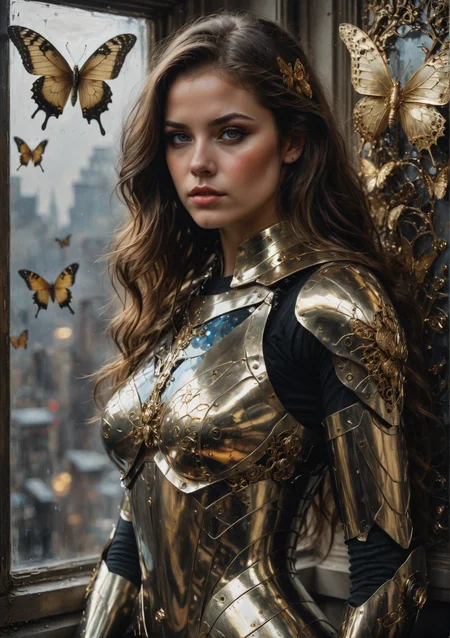
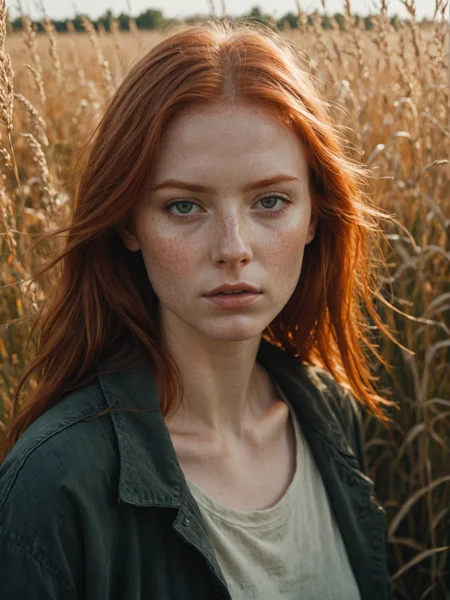
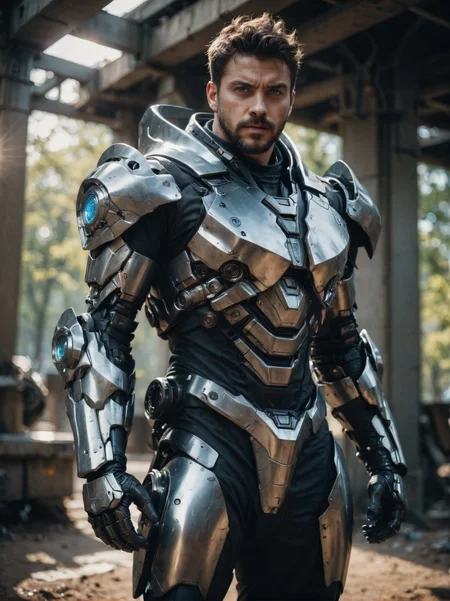
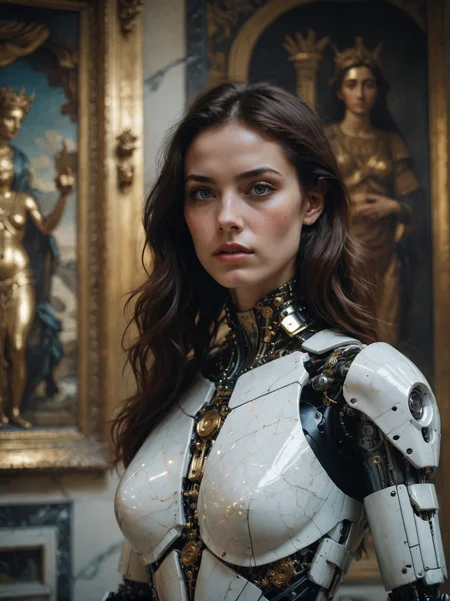
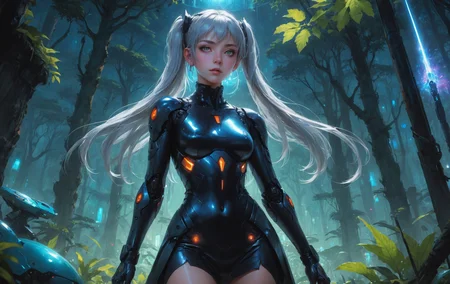
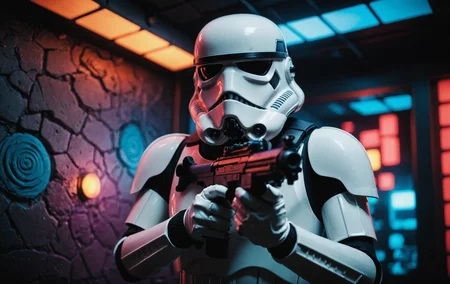
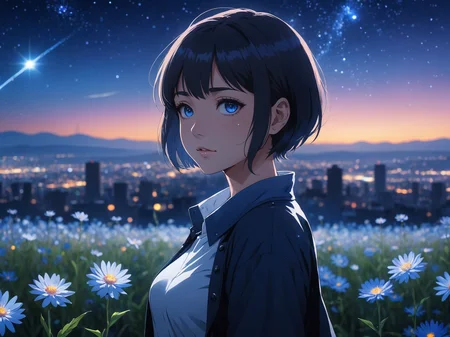
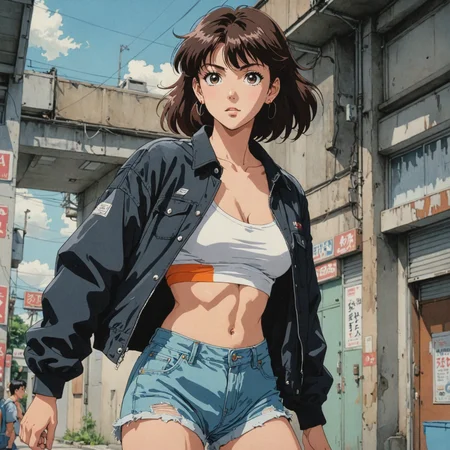
DreamShaper XL - Now Turbo!
Also check out the 1.5 DreamShaper page
Check the version description below (bottom right) for more info and add a ❤️ to receive future updates.
Do you like what I do? Consider supporting me on Patreon 🅿️ to get exclusive tips and tutorials, or feel free to buy me a coffee ☕
Join my Discord Server
Alpha2 is a bit old now. I suggest you switch to the Turbo or Lightning version.
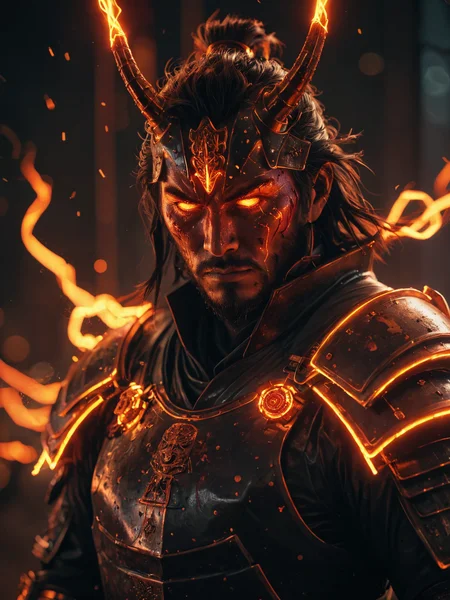
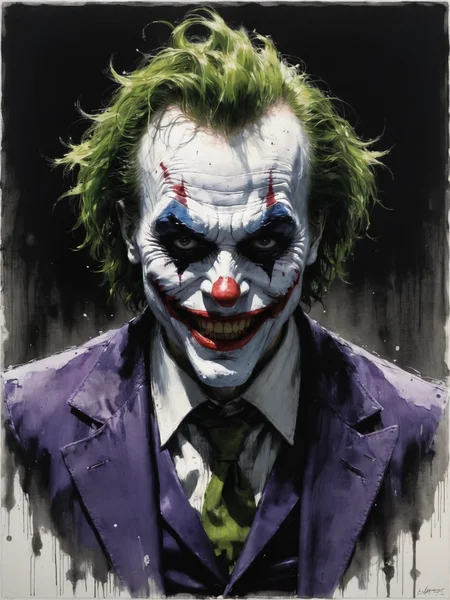
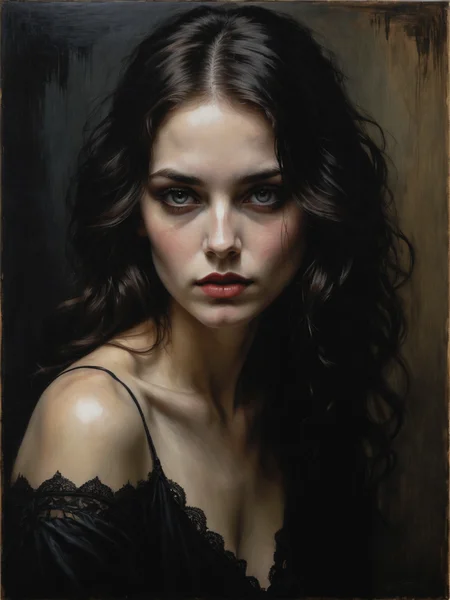
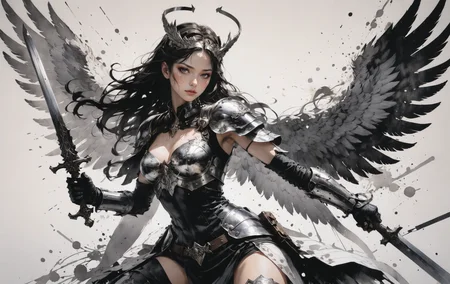
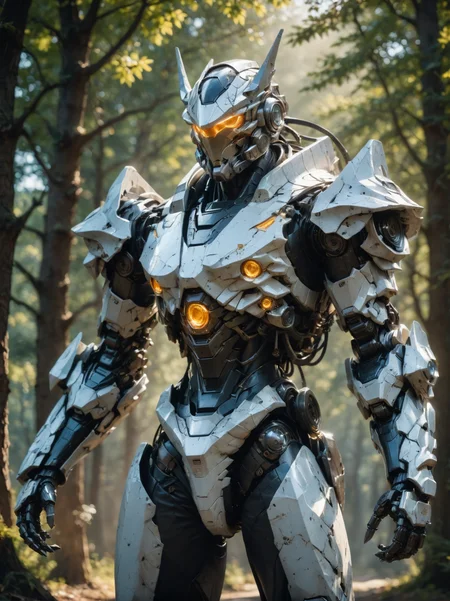
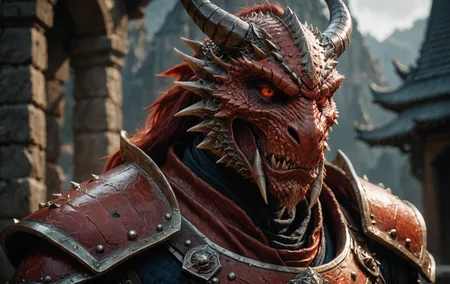
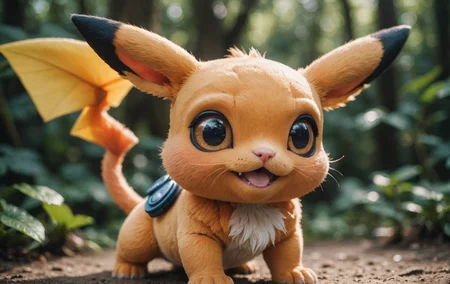
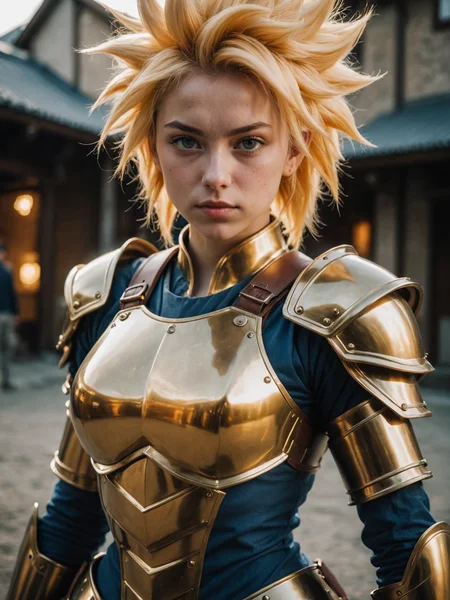
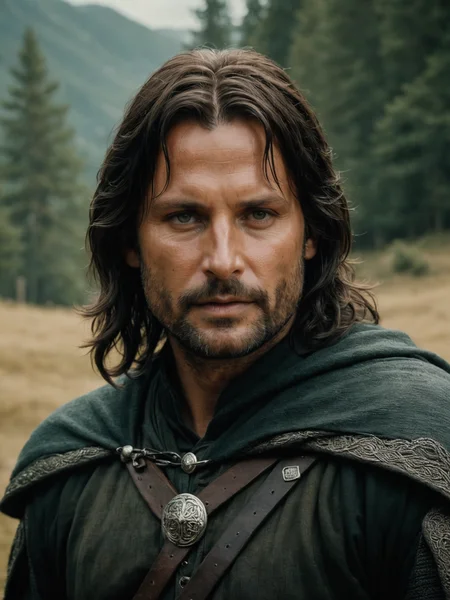
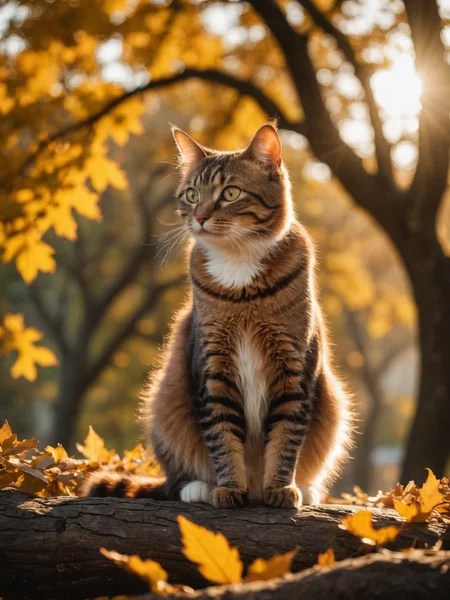
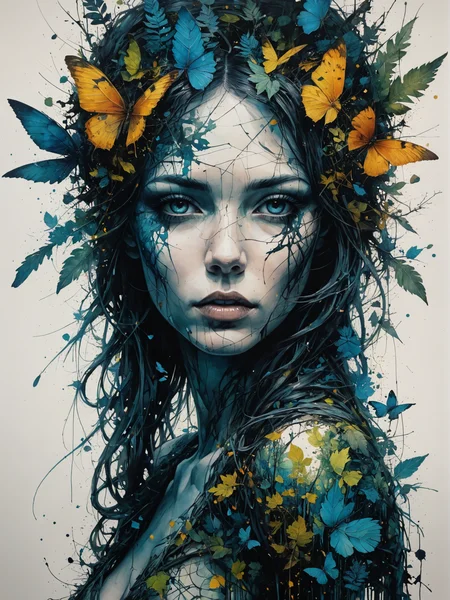
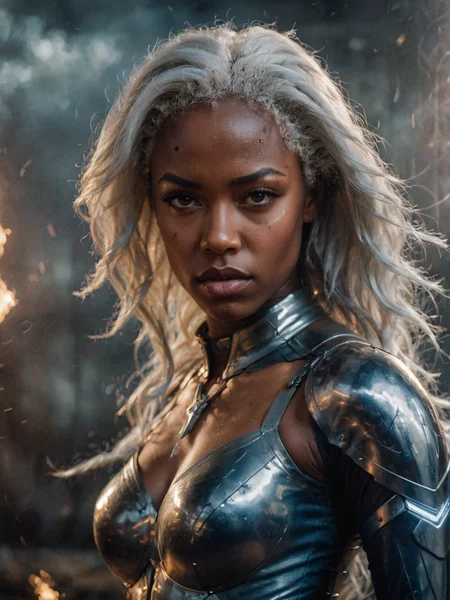
DreamShaper is a general purpose SD model that aims at doing everything well, photos, art, anime, manga. It's designed to go against other general purpose models and pipelines like Midjourney and DALL-E.
"It's Turbotime"
Turbo version should be used at CFG scale 2 and with around 4-8 sampling steps. This should work only with DPM++ SDE Karras (NOT 2M). You can use this with LCM sampler, but don't do it unless you need speed vs quality.
Sampler comparison at 8 steps: https://civarchive.com/posts/951781
UPDATE: Lightning version targets 3-6 sampling steps at CFG scale 2 and should also work only with DPM++ SDE Karras. Avoid going too far above 1024 in either direction for the 1st step.
No need to use refiner and this model itself can be used for highres fix and tiled upscaling.
Examples have been generated using Auto1111, but you can achieve similar results with this ComfyUI Workflow: https://pastebin.com/79XN01xs
Basic style comparison: https://civarchive.com/images/4427452
If you train on this, make sure to use DPM++ SDE sampler and appropriate steps/cfg.
Keep in mind Turbo currently cannot be used commercially unless you get permission from StabilityAI. Get a membership here: https://stability.ai/membership
You can use the Turbo version (not Lightning) as a non-Turbo model with DPM++ 2M SDE Karras / Euler at cfg 6 and 20-40 steps. Here is a comparison I made with some of the best non-Turbo XL models (with regular settings and turbo settings): https://civarchive.com/posts/1414848
I have no idea why anyone would prefer 40 steps over 8, but you have the option.
Old description referring to Alpha 2 and before
Finetuned over SDXL1.0.
Even if this is still an alpha version, I think it's already much better compared to the first alpha based on xl0.9.
For the workflows you need Math plugins for comfy (or to reimplement some parts manually).
Basically I do the first gen with DreamShaperXL, then I upscale to 2x and finally a do a img2img steo with either DreamShaperXL itself, or a 1.5 model that i find suited, such as DreamShaper7 or AbsoluteReality.
What does it do better than SDXL1.0?
No need for refiner. Just do highres fix (upscale+i2i)
Better looking people
Less blurry edges
75% better dragons 🐉
Better NSFW
Old DreamShaper XL 0.9 Alpha Description
Finally got permission to share this. It's based on SDXL0.9, so it's just a training test. It definitely has room for improvement.
Workflow for this one is a bit more complicated than usual, as it's using AbsoluteReality or DreamShaper7 as "refiner" (meaning I'm generating with DreamShaperXL and then doing "highres fix" with AR or DS7).
Results are quite nice for such an early stage.
I might disable the comment section as I'm sure some people will judge this even if it's early stage. I also don't think this is on par with SD1.5 DreamShaper yet, but it's useless to pour resources into this as SDXL1.0 is about to be released.
Have fun and make sure to add a ❤️ to receive future updates.Non commercial license is forced by Stability at the moment.
Description
Lightning version should be used at CFG scale 2 and with around 3-6 sampling steps. Should work with DPM++ SDE Karras (or Normal). It might work on other samplers, but please hold your judgement on anything that differs from the suggested settings.
Can be used for highres fix and tiled upscaling. Please check the examples.
If you train on this, make sure to use DPM++ SDE Karras at the correct target steps and cfg scale.
FAQ
Comments (270)
Showing latest 204 of 270.
Sorry for being such a newb, but I'm not getting crisp images after img2img upscale. Can anyone recommend some way to get realistic images sharp?
Please share your upscale method/settings and what UI your using, comfy,forge,fooocus etc.
@Stable_Confuzion A1111, using the recommended 8 step/2 cfg, and then upscale 2x via IMG2IMG. I have no upscaler (this is what I need :D )
Lightning model is good at real photography style, not friendly to other art styles (using sdxl prompt style node in COMFYUI to modify the art style can not make it draw cartoons, comics, etc.), input other art style effects in the positive prompt word input box it still produces realistic photos. The lightning model doesn't get smaller, does it mask some data during training to get faster generation? Or need special keyword activation? (Same problem with the original Lightning LORA)
Everytime I generate a woman there's the same woman appearing in all my gens. It's not only on this model, but most finetuned ones.
same
Hello! Impressive work! May I know how do you finetune on sdxl turbo? Is it the same as fine-tuning on SDXL (except noise scheduler as mentioned)? Any hint is appreciated. Thanks!
really need upscale parameters instructions.
I tried a few times to make 4K image, and they the process are not only slow but generating unwanted artifacts.
With all the turbo versions I am having a lot of problems with my hands, either they are deformed or they come out like wrinkled skin. Is there any way to repair that? or at least give me a good base for inpaint?
Sounds like your CFG might be too high
Speed is not necessarily quality in this case—any chance of a LoRA or SDXL base version?
I had high hopes for this model. It's good, don't get me wrong. But it was poor at handling my prompts. To be fair, I did a comparison with DreamShaper 8, which is based on SD 1.5. I found that DreamShaper 8 respects my prompt better in most cases!
The lightning variant is awesome BUT I can’t seem to train a Lora on top of it. Can you release a non turbo or lightning version so we can do normal training on top and then add lightning ourselves if we desire to?
I couldn't upscale images to 4k resolution without getting defections. What upscaling setting do you recommend? Or the current upscaling method is just not good for XL models?
start at same aspect ratio, only increase by 1.5-2x at a time. play with denoise to keep original details.
@felixfelicis42 but less denoising strength = more blured image
Hey Lykon,
Somewhat unrelated thing.. Some jerk is name-squatting on the "Stable Cascade" model name.
Might you either upload a "Stable Cascade StableSwarmUI" official model, and/or talk to the mods?
Tried reporting him, but mods didnt do anything.
I toyed with the idea of uploading the proper model myself, but probably better coming from you or one of the other official guys?
Using turbo to get bad results on diffusers. Why?
https://xyf-image.oss-cn-beijing.aliyuncs.com/img/202403081141621.png
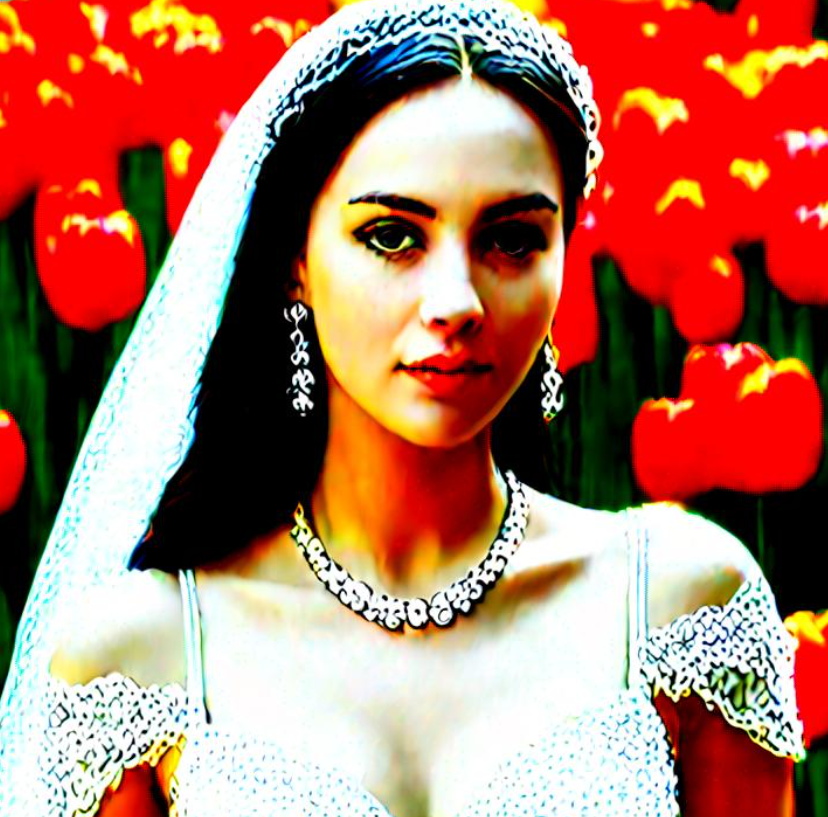
I don't understand how you can possibly get such results. I have used low steps and even as high as 75 steps. What sampler are you using?
i'm not that familiar with SDXL yet, not to mention lightning and maybe i'm missing something:
how do you upscale and add detail properly? especially with 2d/anime images. as i mentioned i'm using the lightning model. latent upscale seems to do nothing in terms of added detail and the image gets not very sharp if you zoom in a little. upscaling with 4x-AnimeSharp/4x-UltraSharp etc. gives very good results in terms of crispiness/sharpness, but theres no added detail either.
i upscale in img2img tab + ultimate sd upscale with steps 2, cfg 2, upscale by x2, denoise 0.45 (above that i get mutations)
the base image was generated with steps 4, cfg 2, 832x1216, DPM++ SDE Karras
normally if you do a x2 latent upscale with SD1.5 you get tons of details/sharpness.
any help is appreciated!
try to "downgrade"(lowres and blur for example) your image then upscale it with ultimate sd upscale to add details
I tried this in comfyui and the results are very poor compared to Juggernaut or even a base lighting 8 step.
That's weird, I got better result in dreamshaper lightning compared to juggernaut lightning every time (using forge). After some testing juggernaut sometimes introduce artifact in finger and face and have less diverse style compared to dreamshaper.
What upscaler should I use ?and why am i getting bad faces in some images?
This is the best model in the entire world right now. Its not too big, and its certainly extremely fast. Just large enough to use with the loras you desire.
As it's rendering I see good looking output, but by the time it's done everything comes out looking like this. any ideas? cfg scale is 2 and sampling steps 7 in this case.
what VAE are you using, i got the same issue and just needed the SDXL VAE
@MOONSTAA hmm it's vae-ft-mse-840000-ema-pruned.safetensors. thanks for the hint! can you have more than one VAE?
@rastoboy That's the SD 1.5 VAE. You can't use it for SDXL models.
I would use this: https://huggingface.co/madebyollin/sdxl-vae-fp16-fix
@Silanda thanks!
progress! but now everything looks like early dall-e. using recommended sampling steps/cfg scale
https://imgur.com/a/bjP8Wbe
@MOONSTAA i am using SDXL VAE as well now
@rastoboy If you're using the turbo or lightning versions, steps 6-8, cfg 2-3.5. Sampler depends on the UI. Using the Lightning version of the model with SDNext, I use the DPM SDE sampler with Karras disabled. The Karras samplers can create noisy images with Lightning models, though I haven't noticed it with DreamShaper.
Also make sure you're generating at the correct res. 1024x1024 is default. You don't have to stick to that, but it's best that you don't change the total number of pixels too much. Don't gen at 512x512 like a 1.5 model.
Can someone please help me to configure this for draw things AI app on iPad?
Hey I am using Draw Things on Ipad pro 2020 and a Macbook Air with M1. What do you need help with?
I love this model, but I'd love it even more if it didn't need such wordy prompts to get a good quality image. Otherwise, it's one of the most flexible models I've ever tested!
I thought I would share this with Lykon. Saw this on Russian website:
Stable Diffusion
As you know from my previous articles , in the world of AI, some maniacs are in charge of naming things. In the best Masonic tradition, everything is named so that no one can guess what means what, and AI developers can justify their huge salaries. I'm happy to report that Stable Diffusion is a happy exception: the name makes perfect sense.
Stable Diffusion is a name that reflects the core technologies and principles of this AI architecture
is there a quality difference between lightning and turbo?
So far I understand is: Full model quality is better than lightning and lighting is better than turbo. So, use full or lightning. Turbo has the least quality of those three. Turbo is for those, who has very limited hardware resources.
@XL10_User this is very suprising. is there a big difference between full model and lightning?
google for "sdxl checkpoint vs lightning vs turbo" like https://www.felixsanz.dev/articles/sdxl-lightning-quick-look-and-comparison#checkpoint-comparison
important question that doesn't have anyone to talk about answering about it directly...that's bad.
thanks you asked we may get useful reply.
@arturgawrylak513 yet another important point that you find no one care about ! , waiting for anyone confirm the quality differences ..
@XL10_User that's comparison for normal sdxl, not dreamshaper
@XL10_User Where is the full model?
can i know how to use it ? what i found in internet that show SDXL is a model,typicly we can only just use 1 model right ? how to add this model deamshaper together
SDXL is a version of stable diffusion, there is also SD1.5 and a few others, but SDXL generally more powerful, you can use alot of different models just by placing them in the "models>Stable-diffusion" folder inside your stable diffusion webui folder.
@Hati_Hrodvitnisson ohhh i got it thankQ
There are a lot of photorealistic models out there, but this is the most versatile and well-rounded checkpoint I've found so far. It may not be the absolute best for every single thing, but it's very good at most things and makes a great all-purpose model.
what Hires. fix should I use??
start at 0.3 denoise and go up to 0.4 denoise with some added steps to taste and try the ultramix series, namely the ultramix balanced, which you can find here https://upscale.wiki/w/index.php?title=Model_Database&oldid=1571 in the old upscaler database. other upscalers that may work would be the 4x NMKD superscale, the foolhardy remacri or the NMKD siax.
any tips on getting the camera angle to behave? none of my techniques i've used with other models are working, such as "side view" or "rear view". even if i weight the heck out of them.
i have just discovered that they work ok with very short prompts, but not longer ones. sure would be nice to do it with longer prompts! :-D
I've gotten "view from side" and "wide shot" to work, but not reliably. Basically have to request a dozen pictures at once for a fair chance the model decides to listen.
Im getting lovely images out of the Lightning version.. except the hands. Oh, the hands :(
Any suggestions on how I can autogenerate decent hands at least 50% of the time, without any manual fixing? Right now its about 20%, if that :(
Using BadDream doesnt help.
I should say that it depends on the prompt. A very simple prompt actually gives really nice hands! But other prompts.. yikes.
Wait for the SD 3.0. I don't know what else to say.
In Lightning negative prompts have no effect (afaik), this could also be the case for negative embeddings I guess.
This approach to automatically dealing with bad hands looks promising: https://www.youtube.com/watch?v=PLSIegjSEDg
can’t use neg on lightning right?
which is why i’d really really like a non turbo version of 2.1 pretty please?
would also like more flexibility in which step to continue as when using it as a refiner
I would like to train on this but no idea how to set sampler, cfg or steps in the trainer, it doesn't seem to have that option. Is there a non-lightning flavor that I could train on? Thx
the speed for generatig a picture is extremy slowy when using sdxl model , how can i fixed it
It should be about 2-3 seconds on a 3090 or equivalent, with 4-5 samples. xformers gave me extra speed also.
@nkonko what is xformers,btw im using rtx4070 laptop , what mean 4-5 samples
@yinquest11 Ok quick guide for you to try and get xformers running:
1. go to your automatic1111 install directory
2. Rename venv to something like venv_old
3. Modify webui-user.bat to have this line:
set COMMANDLINE_ARGS= --xformers
4. run webui-user.bat
You can go back then if it doesn't work (it should on your gpu) by deleting venv and renaming vend_old to venv.
This gets xformers working and speeds up generation. But I wouldn't expect blazing desktop gpu speeds with a laptop gpu.
@nkonko hii tQ for your tips , i had edit my user.bat , btw i havent rename the venv cause im a little confuse about that , btw how can i setting the "samples" cause om using chinese version weiui haha so i dont really clear which button corresponds to
@yinquest11 samples is iterations or steps.
venv is the installation folder inside your automatic1111 folder so like stable-diffusion-webui/venv
its where the dependencies get installed and configured for your specific hardware/driver signature.
you can rename this to venv and try running with new specification like --xformers to have it set up new venv for you automatically, and if it doesn't work you can go back to old venv by deleting venv and renaming _venv to venv.
Hope you got it to work.
@nkonko ya i understand tQ for your explanation
Is there a non-lightning or non-turbo version of this? The outputs can be great but for lots of detail I find the end result looks... imprecise.
Totall agree... I do not mind the time, just want best results.
You didnt read the model descriptions first line?
@kiskami156 I am not sure I am seeing what you are.... Is it just that I can use it as Non Turbo by having CFG and steps higher? The issue I was getting was at higher steps everything seemed oversaturated, but the concepts were excellent so I was hoping to get the concepts without all the saturation. I mean, at the end of the day I suppose I was interested in a basic non turbo version, and not just using the turbo version as a non turbo version, but maybe that doesn't make sense. allll good :)
@az420 there is an SD 1.5 version of Dreamshaper - I guess you need that.
@kiskami156 Are you implying that all SDXL are either Turbo or Lightning? Maybe I am misunderstanding... I have the 1.5 model as well :). No worries!
what is the vae used?
Would love to know also
@go_djentle i think will be none or sdxl vae
dood, you aware that SDE takes twice as long as eulers or dpm m2 ? so in the end this is no turbo, takes as long as 20 euler steps ! And on top of that - SDE is the only sampler that works fine, other ones are so borked , can you fix this ?
Will we see a new Dreamshaper based on Pony Diffusion? I think it'd be something that the community want to see.
What is the difference between the Turbo and the Lightning models?
Which is faster?
Which gives you better results at less steps?
I have the same question!
turbo - faster, lightning better q but more steps
@kiskami156 That makes no sense according to the description:
- Turbo version should be used at CFG scale 2 and with around 4-8 sampling steps
- Lightning version targets 3-6 sampling steps at CFG scale 2
@Maya_H_123 i've used turbo with 4-6 steps and was faster than lightning with 4-6 steps, thats my experience, your could be different
wish there was on-site gen for this :(
I so wish there was a non-Turbo XL version! I get perfect images at CFG 1-3, but they bear only a passing resemblance to the prompt. If there was a model that looked as good as DreamShaperXL but actually paid attention to the tokens, I would love it.
dood use 20 steps and euler A - crispest and best sampler for this model, the ones recommended are not the best , somehow euler A can bring very crisp detail
@gogorangers890 Crisp detail isn't the issue… it's the lack of prompt adherence. I get beautiful images out of this model, but because the CFG is so low it's like having a professional camera that points itself in a random direction three out of four times.
@Conqueeftador I've been doing some tests with Pixart-Sigma (the fp16 version) as the base model for prompt adherence, then another pass with DreamShaperXL for detail and it's been looking pretty great, recommend you looking into that if you got the RAM/VRAM for it. (Here's the workflow I'm using, with some changes: https://civitai.com/articles/5267)
is there no non-turbo non-lightning version anymore?
you cannot train against lightning. (not tried turbo).
i think this is intentional, and it sucks
everyone might not prefer "fast" over quality, Cranking out a bunch of unusable images that need to be inpainted and tweaked is inefficient, I would rather wait a few extra seconds for 1 image that follows the prompt and is high quality. so 40 steps over 8 is not a problem for me if it saves me time from further effort to make 1 image better. The Alpha 2 Version is the best model on civitai for accurate high quality realistic images that don't require extra steps like high res and inpainting IMO. Please update it. Thank You For contribution to the AI image community!!!
can you give example what kind low quality you get, also if you can give me prompts example t check what you talking about
The guy who think everyone have a 4090 GPU, ppl with medium-low GPU's (most of the ppl) not want to wait forever for a generation, so TURBO, LIGHTING and HYPER is what most ppl use nowadays, deal with it.
@zerocool22 There are so many GPU Providers, even if you dont have much money
This is a good model , Thank you
Example images look great but the downloads are bit a messy, is there actually a (non Turbo/Lightning) 2.1 model? Thanks for the great work!
This is a great model. Excited to start using it with my own designs.
Great model. I love it. Using it with Forge and it runs just fine.
it is just me or euler_a works better then dpm++sde?
I want an SDXL version of DS without Lightning or Turbo.
I agree with you!
Wasnt there a non Turbo/Lightning Model?`Where is it gone
https://civitai.com/models/112902?modelVersionId=126688
Its in the tabs (at least Desktop Browser)
Is possible to download and install on mac?
yes, no problem using it, but it's a bit slow on intel.
What about your SD3 model?
@Lykon do you have plans about SD3? Your DreamShaperXL-lighting is the best!
This is my go to model for anything that comes to mind, never disappoints.
Hear hear
Advice: Euler A Uniform results in much smoother & highly detailed images with this model
bro why did u changed license to non commerical
Good
Too bad you don't make SDXL 1.0 models any more =(
Why SD Turbo dont work with PoseX? In ControlNet too...
One of the best models so far. I'm not turbo/hyper models fan, but this one handles detailed and photorealistic stuff better than most of highest-rated normal SDXL models and works like a charm with all LORAs.
do we use the same "Turbo" settings listed here for the Lightning version? why is it mysteriously not mentioned at all? what are the commercial licensing for it since Turbo requires membership?
DreamShaper XL is absolutely incredible! This model consistently delivers stunning visuals with an unparalleled level of detail. It's quickly become one of my favorites for its exceptional quality and creativity. Highly recommend for anyone looking to elevate their artwork!
Great model, its really interesting to use:)
Great checkpoint and love the images I generated so far with this
The turbo checkpoints also work quite well with DPM++ 2M Turbo, and DPM++ 2M SDE Turbo
Will there be an inpainting version for Dreamshaper XL?
完美,确实不错
Will they release a version of FLUX dreamshaper? ?
@Lykon
Will there be no further updates to the normal models that are not Turbo or Lighting, and will they end with alpha2 (xl1.0)?
Excellent model. I liked. But here I have a noob question: Is it possible to use any control net with this model? I got errors every time I try to use it with a control net
Make sure you are using a XL controlnet model
I got RTX4070 Ti super with 16RAM, which one is more suitable for me?
Any one of them. It's SDLX, not flux.
@L3XTC the gguf flux is still quite slow for me tho, thx for your reply~!
Oddly difficult to get NSFW imagery from this model, even though it's explicitly mentioned in the description. I've spent hours testing its boundaries and it's constantly fighting against me oddly. Normal DreamShaper seems much better for basic NSFW. Improvements in this field would be great. Otherwise, fantastic model. Captures tons of nuance, depth, and composition that others lack. Prompt following is another area I'd love to see improvements in as well.
Yea its pretty weird too how some of the models from last year look like they were just made, and I know SD really well, having worked with it since 2016, and no one was generating the quality I see here on the models they are claiming that did, and they are doing all of these massive take downs and merge, its soooo fishy, what are you guys trying to hide? Id love to know, cause everyone knows its all stolen, you guys brag about it on your discords. So why try to hide it?
Stop generating porn on a stupid ai website 🥸 Jesus christ humanity disappoints me SO MUCH.
@KingMushroomBoy What a luck I dont need a website to generate Porn! 🤣🤣
@KingMushroomBoy In your mind NSFW = porn? Porn is extremely easy to make with nearly every model lol. I like this model for it's capabilities within artistic means.
@innocuous Yeah sorry mate. It's a late reply I know but I didn't think of the possibility that you might want to generate gore or something. I mean many album covers and whatnot are like that and it's fine to do that. I just assumed that because 99% of people mean porn by NSFW but I didn't take into account the 1% and so I'm sorry.
@andorason I'm sorry but you're like the rest... A filthy pig who likes to see naked people. Learn to grow up and act like a HUMAN BEING you monster.
@KingMushroomBoy I like you.. your funny! 🤣🤣🤣
@KingMushroomBoy You do know there's a difference between nudity and porn, right? Most of us are mature enough we can see a naked human body and not get an erection from it. Grow up, kid.
WARN: HiresFix Denoising Strength >= 0.5 will make the model hallucinate!!! 0,40 is OK
This is one of my favorite checkpoints. It's fast and very versatile.
I hope you don't mind that I used a few of your beautiful images as templates to familiarize myself with how it works.
What version of SDXL Lightning does this use: 1,2,4,8 steps?
the best model, I hope there will be a turbo update
after messing around with various xl models and also using lightning/pony/flux stuff, I dare to say all dreamshaper (SD1.5 & XL) models are still the best.
I believe you were involved in SD3.5? Are you going to make a Dreamshaper based on that? Please make my 2024 by doing so. lol
dreamshaper on sd 3.5L - will be the best opensource model on earth
i like it
why is inpainting not working properly in turbo version?
The problem is Turbo and Lightning don't allow you to use images with most Open Source licenses stuff (like a game) because lot of them allow to sell product or ask for a tip, (like Apache).
Even if you DON'T sell, the fact somebody could do it at some point ban you to use those checkpoints.
I don't understand why nobody point these models have this problem
you can remove the accelerator by mixing the model with the accelerator at -100% strength.
Another problem is Turbo and Lightning use low cfg settings.
The Classifier-Free Guidance (CFG) scale controls how closely a prompt should be followed whitch means Turbo and Lightning models dont't follow you prompts.
i i try to get full body image included feet (wearing high heel) using dreamshaper XL, but none of my prompt success. anyone got any suggestion
add some prompts for feet like "high heels" etc. and increase the canvas size (512 x 1024)
I still use this model for upscaling. Fast and efficient.
It's really good model
I find it impossible to make anthro male genitalia. Otherwise impressive model. I've not tried female human NSFW but I don't care enough about that to make SD smut about it, if you can believe that.
try chroma flux model on hugging face lib
any suggestion for 4gb vram?
This still might be the best model on Civitai.
Im having trouble achieving realistic instead of cartoony. any suggestions on prompting?
try realvisXL
That's a LOT of versions. If i want a no "lightning, superduper fast turbo" model that is not just purely SFW, what should i choose?
DreamShaper XL
Facial asymmetry occurs in portrait models
add:symmetrical face
Where is Lykon ? Almost a year without a new model from him :( I was hoping for Flux or SD3.5 version of Dreamshaper! I can't find anything equivalent :(
I heard he had been working for stable diffusion since summer 2024 or something like that. so he work must be in stable diffusion 3.5 I suppose.
Love this Checkpoint, Thank you
"I have no idea why anyone would prefer 40 steps over 8, but you have the option"----
because less steps required low cfg settigs.
And CFG is how close the follows the prompts
You can work around that in ComfyUI, to some extent. But it will probably never follow prompt that well as regular model.
Same case for everything, including FLUX.
@Mescalamba true indeed. now tell me if this dreamshaper XL v2.1 turbo requires a vae or is it already baked??
@goldiegrace99980 You could check by trying it. But yes, it has VAE baked in.
@Mescalamba yes it has baked vae, just found it. And this is the best model ever
Very good checkpoint with amazing visuals, but have one issue with it. I can't avoid blemishes on faces practically on all generated images. Nothing helps, no any negative or positive prompt or LORA. Even on author's example pictures there are blemishes on all realistic faces, small but visible. Maybe someone know how to solve it?
Just use a refiner and detailer upscale workflow. this should fix it.
dream shaper xl是我在众多XL模型中首次上手并且还是最喜欢的一款。这个模型能以较低的prompt门槛和device门槛轻松跑出质量极高的图像,泛化性也很高。完美诠释了C端的实用主义思想,隔壁某小马模型我到现在都没玩明白...。感谢作者在该领域的辛勤付出,非常感谢你们!
For 2.1Turbo, do I need VAE model separately? Or is it baked in the checkpoint already?
It has baked VAE, no need of a separate Vae
Just found out it has baked vae
How to avoid deformed hands and feet?
I suggest you use so called safe resolutions when you create with SDXL. As SDXL is one megapixel resolution architecture, I recommend using one of these dimensions as your canvas: 1024x1024, 1152x896 or 1344x768. Also 1152x768 works fine, if you want to create a 15x10cm postcard/photo, for example. If you try to create a larger than one megapixel canvas, you often get malformed or conjoined heads, hands and other stuff, as SDXL is trying to create more than one image into one canvas area.
And if you want a bigger image than, say, 1344x768, then you seed hunt images so long that you get an image you really like, take its seed number, and create a highres.fix version of it. Using a ESRGAN_4X upscaler with denoise value of 0.25 and an upscale multiplier of 2.85x, you get a 4K image. It still has that one megapixel worth of detail, but it tricks the viewer really well into thinking it is a 4K image. I would not recommend other upscaling methods, as they are all worse than highres.fix, unless you lack GPU muscle and you have to use a lighter upscaling method like Upscayl or similar.
Using more modern and better trained models in anatomy and NSFW, such as EventHorizon XL or GonzaLomo
Somebody else seems to be trying to pass this model off as their own. I've flagged it for moderator review. See: https://civitai.com/models/1651967/dreamshaperxl?modelVersionId=1869836
Looks like it's been taken down.
With everything taken into account, this is still the best model to date on the site
What do you think of Dreamshaper XL 2.1 vs Dreamshaper 8?
@NitrousOxide9 I prefer Dreamshaper XL 2.1 but back when I used Dreamshaper 8, I think I felt about it like I do about XL when 1.5 was the only base model everyone was using. The Dreamshaper models seem to have high aesthetic capabilities
What happened to the Turbo model ? Only Lightning left.
@hot79770473 there is a v2 https://huggingface.co/Lykon/dreamshaper-xl-v2-turbo
A quite impressive model, you can get top results in just 4 steps 🤯🤯🤯
Great model for starting out especially when trying to create my Original character I made decades ago.
Just a gorgeous model! High quality with very high generation speed.
This was a legend on SD1.5 now the page is incomprehensible and I don't even know where a regular version might exist, or which is Turbo even?
This looks so amazing. Can anyone please recommend something similar for Illustrious??
Can you tell me why the images are blurry and have red-orange hallucinations?
Details
Files
dreamshaperXL_lightningDPMSDE.safetensors
Mirrors
dreamshaperXL_lightningDPMSDE.safetensors
dreamshaperXL_lightningDPMSDE.safetensors
dreamshaperXL_lightningDPMSDE.safetensors
dreamshaperXL_lightningDPMSDE.safetensors
dreamshaperXL_lightningDPMSDE.safetensors
dreamshaperXL_lightningDPMSDE.safetensors
dreamshaperXL_lightningDPMSDE.safetensors
DreamShaperXL_Lightning.safetensors
dreamshaperXL_lightningDPMSDE.safetensors
DreamShaperXL_Lightning.safetensors
dreamshaperXL_lightningDPMSDE.safetensors
dreamshaperXL_lightningDPMSDE.safetensors
dreamshaperXL_lightningDPMSDE.safetensors
dreamshaperXL_lightningDPMSDE.safetensors
dreamshaperXL_lightningDPMSDE.safetensors
dreamshaperXL_lightningDPMSDE.safetensors
dreamshaperXL_lightningDPMSDE.safetensors
dreamshaperlightning.safetensors
dreamshaperXL_lightningDPMSDE.safetensors
dreamshaperXL_lightningDPMSDE.safetensors
dreamshaperXL_lightningDPMSDE.safetensors
dreamshaperXL_lightningDPMSDE.safetensors
dreamshaperXL_lightningDPMSDE.safetensors
dreamshaperXL_lightningDPMSDE.safetensors
dreamshaperXL_lightningDPMSDE.safetensors
dreamshaperXL_lightningDPMSDE.safetensors
dreamshaperXL_lightningDPMSDE.safetensors
dreamshaperXL_lightningDPMSDE.safetensors
dreamshaperXL_lightningDPMSDE.safetensors
DreamShaperXL_Lightning.safetensors
dreamshaperXL_lightningDPMSDE.safetensors
dreamshaperXL_lightningDPMSDE.safetensors
DreamShaperXL_Lightning.safetensors
dreamshaperXL_lightningDPMSDE.safetensors
dreamshaperXL_lightningDPMSDE.safetensors