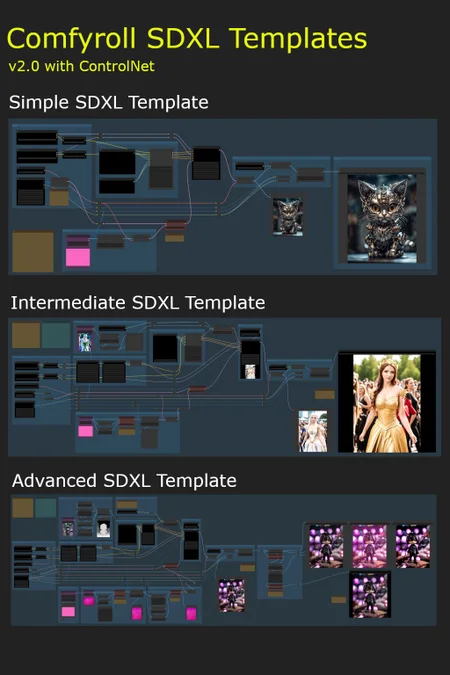

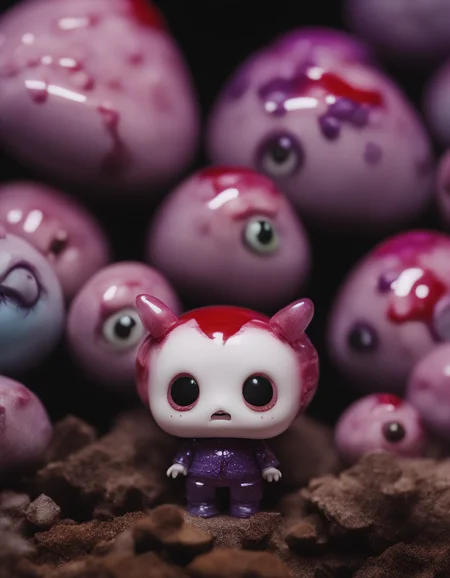

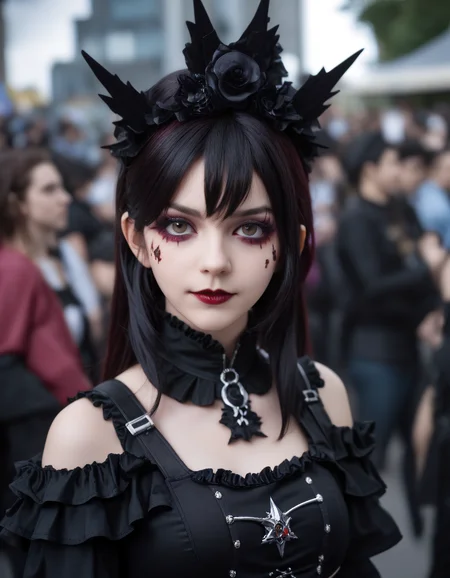


These workflow templates are intended as multi-purpose templates for use on a wide variety of projects. They can be used with any SDXL checkpoint model.
They are intended for use by people that are new to SDXL and ComfyUI.
List of Templates
Simple SDXL Template
Intermediate SDXL Template
ControlNet (Zoe depth)
Advanced SDXL Template
ControlNet (4 options)
A and B versions (see below for more details)
Additional Simple and Intermediate templates are included, with no Styler node, for users who may be having problems installing the Mile High Styler.
Prerequisites
ComfyUI installation
at least 8GB VRAM is recommended
Installation
download the Comfyroll SDXL Template Workflows
download the SDXL models
download the SDXL VAE encoder
update ComyUI
install or update the following custom nodes
SDXL Style Mile (use latest Ali1234Comfy Extravaganza version)
ControlNet Preprocessors by Fannovel16
needed for preprocessors on the Advanced template
ensure you have at least one upscale model installed
it is recommended to use ComfyUI Manager for installing and updating custom nodes, for downloading upscale models, and for updating ComfyUI
the MileHighStyler node is only currently only available via CivitAI
you may get errors if you have old versions of custom nodes or if ComfyUI is on an old version
if you have problems installing the preprocessors you can still use the template by removing the preprocessor nodes or replacing with other preprocessor nodes
Important: Please run updates on the custom nodes before loading new template versions. This will ensure the template picks up new node versions and not the older versions.
Optional downloads (recommended)
LoRAs
ControlNet
download diffusion_pytorch_model.fp16.safetensors
i suggest renaming to canny-xl1.0.safetensors or something similar
download depth-zoe-xl-v1.0-controlnet.safetensors
download OpenPoseXL2.safetensors
SDXL 1.0 ControlNet softedge-dexined
download controlnet-sd-xl-1.0-softedge-dexined.safetensors
upscale models
Troubleshooting
Please see the new CivitAI article
Installation and Setup
Please see our new CivitAI article
On first use
select the XL models and VAE (do not use SD 1.5 models)
select an upscale model
add a default image in each of the Load Image nodes (purple nodes)
add a default image batch in the Load Image Batch node (on Intermediate and Advanced templates)
e.g. E:\Comfy Projects\default batch
it should contain one png image, e.g. image.png
add default LoRAs or set each LoRA to Off and None (on Intermediate and Advanced templates)
add an XL ControlNet model (on Intermediate and Advanced templates)
set the batch-size parameter in XL Aspect Ratio (e.g. 1, 2, 4)
set the filename_prefix in Save Image to your preferred sub-folder
set control_after_generate in the sampler to randomize
do a test run
save a copy to use as your template
You can use any SDXL checkpoint model for the Base and Refiner models. Please don't use SD 1.5 models unless you are an advanced user.
Things to try (for beginners)
try different XL models in the Base model
try -1 or -2 in CLIP Set Last Layer
try different styles on the prompt
try different sampling methods and schedulers in the Sampler
try different numbers of steps in the Sampler (e.g. 20, 30, 40)
try different cfg values in the Sampler
try different base_ratios in the Sampler (e.g. 075, 0.8, 1.0)
try using Img2Img
A and B Template Versions
A-templates
these templates are the easiest to use and are recommended for new users of SDXL and ComfyUI
they are also recommended for users coming from Auto1111
the templates produce good results quite easily
they will also be more stable with changes deployed less often
B-templates
these templates are 'open beta' WIP templates and will change more often as we try out new ideas
they are a bit more advanced and so are not recommended for beginners
they include new SDXL nodes that are being tested out before being deployed to the A-templates
the default presets are preset 1 and preset A
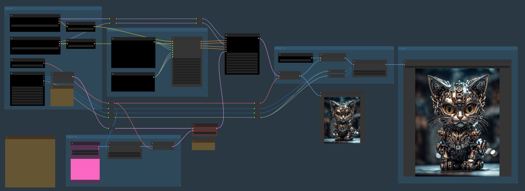
Simple SDXL Template Features
Txt2Img or Img2Img
batch size on Txt2Img and Img2Img
SDXL apect ratio selection
base and refiner models
separate prompts for positive and negative styles
SDXL mix sampler
Hires Fix
Intermediate SDXL Template Features
Txt2Img or Img2Img
batch size on Txt2Img and Img2Img
SDXL apect ratio selection
base and refiner models
separate prompts for potive and negative styles
SDXL mix sampler
Hires Fix
ControlNet zoe depth
6 LoRA slots (can be toggled On/Off)
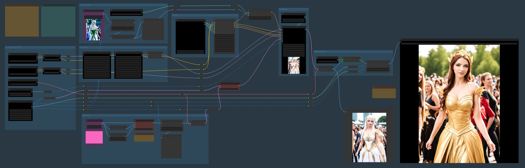
Advanced SDXL Template Features
Txt2Img or Img2Img
Img2Img batch
batch size on Txt2Img and Img2Img
image padding on Img2Img
SDXL apect ratio selection
base and refiner models
separate prompts for positive and negative styles
SDXL mix sampler
Hires Fix
4 ControlNet options
canny
open pose
zoe depth
softedge dexined
6 LoRA slots (can be toggled On/Off)
post processing options
Template A
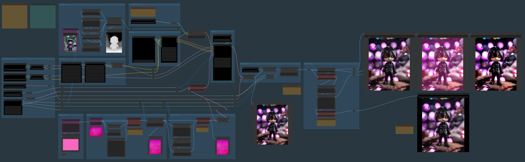
Template B
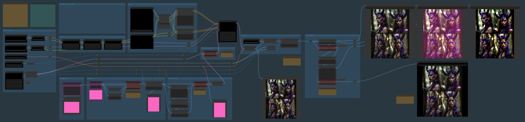
Tips
each optional component can be bypassed using logic switches (red nodes)
the default setting on all switches is Off (1)
it is not recommended to use SD1.5 models in the SDXL templates
some models don't need a refiner so you can set the base_ratio in the sampler to 1 for these
set Preview method: Auto in ComfyUI Manager to see previews on the samplers
Resources
https://upscale.wiki/wiki/Model_Database
https://github.com/RockOfFire/ComfyUI_Comfyroll_CustomNodes
https://github.com/SeargeDP/SeargeSDXL
Change History
1.1
Advanced Template added
A and B versions
new nodes
CR Aspect Ratio SDXL
CR SDXL Prompt Mixer
CR SDXL Style Text
CR SDXL Base Prompt Encoder
CR Img2Img Process Switch
CR Hires Fix Process Switch
CR LoRA Stack
CR Apply LoRA Stack
CR Latent Batch Size
CR Halftone Grid
2.0
Fix for missing Seed node
new nodes
CR Seed
CR Batch Process Switch
CR SDXL Prompt Mix Presets
CR SDXL Prompt Mix Presets replaces CR SDXL Prompt Mixer in Advanced Template B
2.1
Updated SDXL sampler
Updated Mile High Styler
new nodes
CR Upscale Image
Advanced stuff starts here - Ignore if you are a beginner
These are used on SDXL Advanced SDXL Template B only
SDXL Prompt Presets
the prompt presets influence the conditioning applied in the sampler
there are currently 5 presets
it is planned to add more presets in future versions
the detailed preset mappings are provided in the Legacy Mappings section of the article: https://civarchive.com/articles/1835
SDXL Conditioning Presets
the conditioning presets also influence the conditioning applied in the sampler
there are currently 3 experimental presets
the default is preset A
Credits
The prompts used for testing the templates were borrowed from pictures shared on the awesome AI Revolution discord sever.
There is a thriving ComfyUI community on AI Revolution.
The templates owe a lot to the great work done by Searge on developing new SDXL nodes and advanced workflows.
Description
FAQ
Comments (9)
Hey there,
I wanted to try the simple_workflow to get started, but for some reason the ComfyRoll Nodes do not get loaded into ComfyUI.
I followed all the download links, Searge etc. all are loaded fine into ComfyUI, but all the CR stuff for some reason isn't. Tried manual unzip, tried manager install, it's all the same, red boxes only for the CR stuff.
I'm using the Windows portable ComfyUI version. Which I also updated in every which way.
Error occurred when executing CheckpointLoaderSimple: 'NoneType' object has no attribute 'lower' File "D:\ComfyUI_windows_portable\ComfyUI\execution.py", line 151, in recursive_execute output_data, output_ui = get_output_data(obj, input_data_all) File "D:\ComfyUI_windows_portable\ComfyUI\execution.py", line 81, in get_output_data return_values = map_node_over_list(obj, input_data_all, obj.FUNCTION, allow_interrupt=True) File "D:\ComfyUI_windows_portable\ComfyUI\execution.py", line 74, in map_node_over_list results.append(getattr(obj, func)(**slice_dict(input_data_all, i))) File "D:\ComfyUI_windows_portable\ComfyUI\nodes.py", line 446, in load_checkpoint out = comfy.sd.load_checkpoint_guess_config(ckpt_path, output_vae=True, output_clip=True, embedding_directory=folder_paths.get_folder_paths("embeddings")) File "D:\ComfyUI_windows_portable\ComfyUI\comfy\sd.py", line 1163, in load_checkpoint_guess_config elif clip_config["target"].endswith("FrozenCLIPEmbedder"): File "D:\ComfyUI_windows_portable\ComfyUI\comfy\utils.py", line 10, in load_torch_file if ckpt.lower().endswith(".safetensors"):
I'm getting this error when using the SDXL standard models refiner included. When I switched to other none standard models it worked just fine.
Sadly I got another error with the simple workflow, at first I thought I could fix it by switching the Searge Sampler with the legacy one(like the troubleshoot mentions), but it didn't help sadly, same error with both samplers:
Error occurred when executing SeargeSDXLSampler2:
module 'xformers._C_flashattention' has no attribute 'varlen_fwd'
File "C:\ComfyUI_windows_portable\ComfyUI\execution.py", line 151, in recursive_execute
output_data, output_ui = get_output_data(obj, input_data_all)
File "C:\ComfyUI_windows_portable\ComfyUI\execution.py", line 81, in get_output_data
return_values = map_node_over_list(obj, input_data_all, obj.FUNCTION, allow_interrupt=True)
File "C:\ComfyUI_windows_portable\ComfyUI\execution.py", line 74, in map_node_over_list
results.append(getattr(obj, func)(**slice_dict(input_data_all, i)))
File "C:\ComfyUI_windows_portable\ComfyUI\custom_nodes\SeargeSDXL\modules\sampling.py", line 198, in sample
base_result = nodes.common_ksampler(base_model, noise_seed, steps, cfg, sampler_name, scheduler, base_positive, base_negative, input_latent, denoise=denoise, disable_noise=False, start_step=start_at_step, last_step=base_steps, force_full_denoise=True)
File "C:\ComfyUI_windows_portable\ComfyUI\nodes.py", line 1176, in common_ksampler
samples = comfy.sample.sample(model, noise, steps, cfg, sampler_name, scheduler, positive, negative, latent_image,
File "C:\ComfyUI_windows_portable\ComfyUI\comfy\sample.py", line 88, in sample
samples = sampler.sample(noise, positive_copy, negative_copy, cfg=cfg, latent_image=latent_image, start_step=start_step, last_step=last_step, force_full_denoise=force_full_denoise, denoise_mask=noise_mask, sigmas=sigmas, callback=callback, disable_pbar=disable_pbar, seed=seed)
File "C:\ComfyUI_windows_portable\ComfyUI\comfy\samplers.py", line 733, in sample
samples = getattr(k_diffusion_sampling, "sample_{}".format(self.sampler))(self.model_k, noise, sigmas, extra_args=extra_args, callback=k_callback, disable=disable_pbar)
File "C:\ComfyUI_windows_portable\python_embeded\lib\site-packages\torch\utils\_contextlib.py", line 115, in decorate_context
return func(*args, **kwargs)
File "C:\ComfyUI_windows_portable\ComfyUI\comfy\k_diffusion\sampling.py", line 580, in sample_dpmpp_2m
denoised = model(x, sigmas[i] s_in, *extra_args)
File "C:\ComfyUI_windows_portable\python_embeded\lib\site-packages\torch\nn\modules\module.py", line 1501, in callimpl
return forward_call(*args, **kwargs)
File "C:\ComfyUI_windows_portable\ComfyUI\comfy\samplers.py", line 323, in forward
out = self.inner_model(x, sigma, cond=cond, uncond=uncond, cond_scale=cond_scale, cond_concat=cond_concat, model_options=model_options, seed=seed)
File "C:\ComfyUI_windows_portable\python_embeded\lib\site-packages\torch\nn\modules\module.py", line 1501, in callimpl
return forward_call(*args, **kwargs)
File "C:\ComfyUI_windows_portable\ComfyUI\comfy\k_diffusion\external.py", line 125, in forward
eps = self.get_eps(input c_in, self.sigma_to_t(sigma), *kwargs)
File "C:\ComfyUI_windows_portable\ComfyUI\comfy\k_diffusion\external.py", line 151, in get_eps
return self.inner_model.apply_model(*args, **kwargs)
File "C:\ComfyUI_windows_portable\ComfyUI\comfy\samplers.py", line 311, in apply_model
out = sampling_function(self.inner_model.apply_model, x, timestep, uncond, cond, cond_scale, cond_concat, model_options=model_options, seed=seed)
File "C:\ComfyUI_windows_portable\ComfyUI\comfy\samplers.py", line 289, in sampling_function
cond, uncond = calc_cond_uncond_batch(model_function, cond, uncond, x, timestep, max_total_area, cond_concat, model_options)
File "C:\ComfyUI_windows_portable\ComfyUI\comfy\samplers.py", line 263, in calc_cond_uncond_batch
output = model_function(input_x, timestep_, **c).chunk(batch_chunks)
File "C:\ComfyUI_windows_portable\ComfyUI\comfy\model_base.py", line 61, in apply_model
return self.diffusion_model(xc, t, context=context, y=c_adm, control=control, transformer_options=transformer_options).float()
File "C:\ComfyUI_windows_portable\python_embeded\lib\site-packages\torch\nn\modules\module.py", line 1501, in callimpl
return forward_call(*args, **kwargs)
File "C:\ComfyUI_windows_portable\ComfyUI\comfy\ldm\modules\diffusionmodules\openaimodel.py", line 620, in forward
h = forward_timestep_embed(module, h, emb, context, transformer_options)
File "C:\ComfyUI_windows_portable\ComfyUI\comfy\ldm\modules\diffusionmodules\openaimodel.py", line 58, in forward_timestep_embed
x = layer(x, context, transformer_options)
File "C:\ComfyUI_windows_portable\python_embeded\lib\site-packages\torch\nn\modules\module.py", line 1501, in callimpl
return forward_call(*args, **kwargs)
File "C:\ComfyUI_windows_portable\ComfyUI\comfy\ldm\modules\attention.py", line 695, in forward
x = block(x, context=context[i], transformer_options=transformer_options)
File "C:\ComfyUI_windows_portable\python_embeded\lib\site-packages\torch\nn\modules\module.py", line 1501, in callimpl
return forward_call(*args, **kwargs)
File "C:\ComfyUI_windows_portable\ComfyUI\comfy\ldm\modules\attention.py", line 527, in forward
return checkpoint(self._forward, (x, context, transformer_options), self.parameters(), self.checkpoint)
File "C:\ComfyUI_windows_portable\ComfyUI\comfy\ldm\modules\diffusionmodules\util.py", line 123, in checkpoint
return func(*inputs)
File "C:\ComfyUI_windows_portable\ComfyUI\comfy\ldm\modules\attention.py", line 590, in _forward
n = self.attn1(n, context=context_attn1, value=value_attn1)
File "C:\ComfyUI_windows_portable\python_embeded\lib\site-packages\torch\nn\modules\module.py", line 1501, in callimpl
return forward_call(*args, **kwargs)
File "C:\ComfyUI_windows_portable\ComfyUI\comfy\ldm\modules\attention.py", line 440, in forward
out = xformers.ops.memory_efficient_attention(q, k, v, attn_bias=None, op=self.attention_op)
File "C:\ComfyUI_windows_portable\python_embeded\lib\site-packages\xformers\ops\fmha\__init__.py", line 193, in memory_efficient_attention
return memoryefficient_attention(
File "C:\ComfyUI_windows_portable\python_embeded\lib\site-packages\xformers\ops\fmha\__init__.py", line 291, in memoryefficient_attention
return memoryefficient_attention_forward(
File "C:\ComfyUI_windows_portable\python_embeded\lib\site-packages\xformers\ops\fmha\__init__.py", line 311, in memoryefficient_attention_forward
out, *_ = op.apply(inp, needs_gradient=False)
File "C:\ComfyUI_windows_portable\python_embeded\lib\site-packages\xformers\ops\fmha\flash.py", line 242, in apply
out, softmax_lse, rng_state = cls.OPERATOR(
File "C:\ComfyUI_windows_portable\python_embeded\lib\site-packages\torch\_ops.py", line 502, in call
return self._op(*args, **kwargs or {})
File "C:\ComfyUI_windows_portable\python_embeded\lib\site-packages\xformers\ops\fmha\flash.py", line 71, in flashfwd
) = Cflashattention.varlen_fwd(
being that it's necessary to complete your post doctorate in quantum mechanics and recite from memory the incantations of the ritualistic bovine blood sacrifice before you're among the elite five people on civitai producing ComfyUI workflows, i find it a little puzzling that it wouldn't occur to you guys to explain the rationale behind deeply counterintuitive principles like "put an image in the purple thing" for a txt2img generation, so I don't have to fuck around over here like -- "well is this an img2img workflow, or do I just disconnect it, or do I replace it with a node that contributes a latent image...? if I need to provide an image, can it be just any image because i just oh hey it's a research project i don't know what gave it away but i was in fact secretly hoping one would pop up as a prerequisite to stand in my way before i could produce even a single image lemme see now maybe if i google 'sdxl why do i need to provide an image' i'll get some really relevant results for my effort boy it really is all quite straightforward if you start from the 'basic' workflow and add to your knowledge base little by little."
it's enough to turn even a reasonably competent ai artist into a problem drinker and midjourney enthusiast i mean hell.
Hello thanks for your hard work. All my renders ending up with black image
Hi,
I have a bunch of errors in advanced TemplateA when execution reaching nodes "CR Image Output" named "1- Default Image", "2 - Styled Image" and all the rest.
Errors text:
Error occurred when executing CR Image Output:
name 'PngInfo' is not defined
File "C:\ComfyUI_windows_portable\ComfyUI\execution.py", line 151, in recursive_execute
output_data, output_ui = get_output_data(obj, input_data_all)
File "C:\ComfyUI_windows_portable\ComfyUI\execution.py", line 81, in get_output_data
return_values = map_node_over_list(obj, input_data_all, obj.FUNCTION, allow_interrupt=True)
File "C:\ComfyUI_windows_portable\ComfyUI\execution.py", line 74, in map_node_over_list
results.append(getattr(obj, func)(**slice_dict(input_data_all, i)))
File "C:\ComfyUI_windows_portable\ComfyUI\custom_nodes\ComfyUI_Comfyroll_CustomNodes\Comfyroll_Nodes.py", line 669, in save_images
metadata = PngInfo()
If I replace these nodes with standard "PreviewImage", the render ends fine. I understand that the trouble is similar to problem of "Image Batch" path not set properly, but I cannot figure out how a path or png naming could be specified for CR Image Output nodes? Or might it be some ComfyUI preferences issue? But I cannot find any likewise it is in Automatic1111. And nothing is explained in ComfyUI Community Manual.
And the second problem is that OpenPose Controlnet (OpenPoseXL2.safetensors) doesn't seem to do its task. Instead, with "Apply Controlnet" switched "on" it produces a coarse handdrawn-like copy of image without using Controlnet that is blended with yellow tint layer, effect depends on "strength" setting. No pose from pose picture appears at all.
The other controlnets seem to do their weird job.
Hello, still have error even if I have correctly added sdxl prompt styler main :
When loading the graph, the following node types were not found:
MileHighStyler
Nodes that have failed to load will show as red on the graph.
It is for XL Prompt and Style
How to use Wildcards?
In the simple template,I see wildcard specs, under detailer(SEGS)
but no mention of how to use it?
Getting error with node not found:MileHighStyler
on Intermediate and Advanced .json files
Unziped sdxl_prompt_styler-main to custom_nodes directory
Also tried changing .json to MilehighStyler
as suggested because of case sensitivity.
Did not work