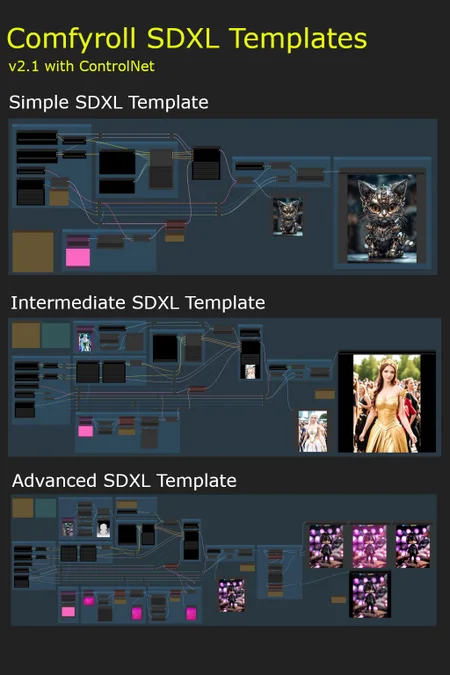
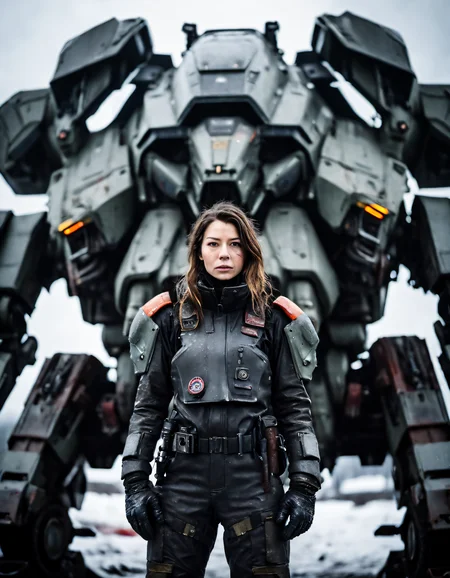
These workflow templates are intended as multi-purpose templates for use on a wide variety of projects. They can be used with any SDXL checkpoint model.
They are intended for use by people that are new to SDXL and ComfyUI.
List of Templates
Simple SDXL Template
Intermediate SDXL Template
ControlNet (Zoe depth)
Advanced SDXL Template
ControlNet (4 options)
A and B versions (see below for more details)
Additional Simple and Intermediate templates are included, with no Styler node, for users who may be having problems installing the Mile High Styler.
Prerequisites
ComfyUI installation
at least 8GB VRAM is recommended
Installation
download the Comfyroll SDXL Template Workflows
download the SDXL models
download the SDXL VAE encoder
update ComyUI
install or update the following custom nodes
SDXL Style Mile (use latest Ali1234Comfy Extravaganza version)
ControlNet Preprocessors by Fannovel16
needed for preprocessors on the Advanced template
ensure you have at least one upscale model installed
it is recommended to use ComfyUI Manager for installing and updating custom nodes, for downloading upscale models, and for updating ComfyUI
the MileHighStyler node is only currently only available via CivitAI
you may get errors if you have old versions of custom nodes or if ComfyUI is on an old version
if you have problems installing the preprocessors you can still use the template by removing the preprocessor nodes or replacing with other preprocessor nodes
Important: Please run updates on the custom nodes before loading new template versions. This will ensure the template picks up new node versions and not the older versions.
Optional downloads (recommended)
LoRAs
ControlNet
download diffusion_pytorch_model.fp16.safetensors
i suggest renaming to canny-xl1.0.safetensors or something similar
download depth-zoe-xl-v1.0-controlnet.safetensors
download OpenPoseXL2.safetensors
SDXL 1.0 ControlNet softedge-dexined
download controlnet-sd-xl-1.0-softedge-dexined.safetensors
upscale models
Troubleshooting
Please see the new CivitAI article
Installation and Setup
Please see our new CivitAI article
On first use
select the XL models and VAE (do not use SD 1.5 models)
select an upscale model
add a default image in each of the Load Image nodes (purple nodes)
add a default image batch in the Load Image Batch node (on Intermediate and Advanced templates)
e.g. E:\Comfy Projects\default batch
it should contain one png image, e.g. image.png
add default LoRAs or set each LoRA to Off and None (on Intermediate and Advanced templates)
add an XL ControlNet model (on Intermediate and Advanced templates)
set the batch-size parameter in XL Aspect Ratio (e.g. 1, 2, 4)
set the filename_prefix in Save Image to your preferred sub-folder
set control_after_generate in the sampler to randomize
do a test run
save a copy to use as your template
You can use any SDXL checkpoint model for the Base and Refiner models. Please don't use SD 1.5 models unless you are an advanced user.
Things to try (for beginners)
try different XL models in the Base model
try -1 or -2 in CLIP Set Last Layer
try different styles on the prompt
try different sampling methods and schedulers in the Sampler
try different numbers of steps in the Sampler (e.g. 20, 30, 40)
try different cfg values in the Sampler
try different base_ratios in the Sampler (e.g. 075, 0.8, 1.0)
try using Img2Img
A and B Template Versions
A-templates
these templates are the easiest to use and are recommended for new users of SDXL and ComfyUI
they are also recommended for users coming from Auto1111
the templates produce good results quite easily
they will also be more stable with changes deployed less often
B-templates
these templates are 'open beta' WIP templates and will change more often as we try out new ideas
they are a bit more advanced and so are not recommended for beginners
they include new SDXL nodes that are being tested out before being deployed to the A-templates
the default presets are preset 1 and preset A
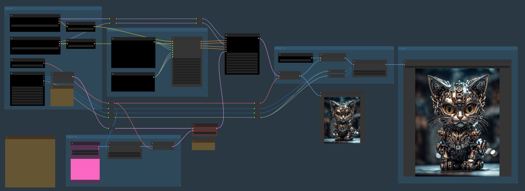
Simple SDXL Template Features
Txt2Img or Img2Img
batch size on Txt2Img and Img2Img
SDXL apect ratio selection
base and refiner models
separate prompts for positive and negative styles
SDXL mix sampler
Hires Fix
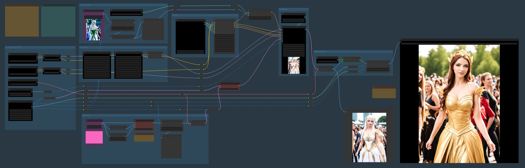
Intermediate SDXL Template Features
Txt2Img or Img2Img
batch size on Txt2Img and Img2Img
SDXL apect ratio selection
base and refiner models
separate prompts for potive and negative styles
SDXL mix sampler
Hires Fix
ControlNet zoe depth
6 LoRA slots (can be toggled On/Off)
Advanced SDXL Template Features
Txt2Img or Img2Img
Img2Img batch
batch size on Txt2Img and Img2Img
image padding on Img2Img
SDXL apect ratio selection
base and refiner models
separate prompts for positive and negative styles
SDXL mix sampler
Hires Fix
4 ControlNet options
canny
open pose
zoe depth
softedge dexined
6 LoRA slots (can be toggled On/Off)
post processing options
Template A
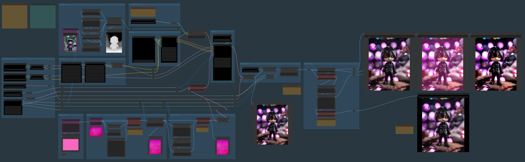
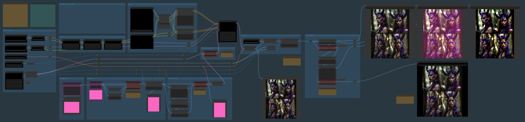
Template B
Tips
each optional component can be bypassed using logic switches (red nodes)
the default setting on all switches is Off (1)
it is not recommended to use SD1.5 models in the SDXL templates
some models don't need a refiner so you can set the base_ratio in the sampler to 1 for these
set Preview method: Auto in ComfyUI Manager to see previews on the samplers
Resources
https://upscale.wiki/wiki/Model_Database
https://github.com/RockOfFire/ComfyUI_Comfyroll_CustomNodes
https://github.com/SeargeDP/SeargeSDXL
Change History
1.1
Advanced Template added
A and B versions
new nodes
CR Aspect Ratio SDXL
CR SDXL Prompt Mixer
CR SDXL Style Text
CR SDXL Base Prompt Encoder
CR Img2Img Process Switch
CR Hires Fix Process Switch
CR LoRA Stack
CR Apply LoRA Stack
CR Latent Batch Size
CR Halftone Grid
2.0
Fix for missing Seed node
new nodes
CR Seed
CR Batch Process Switch
CR SDXL Prompt Mix Presets
CR SDXL Prompt Mix Presets replaces CR SDXL Prompt Mixer in Advanced Template B
2.1
Updated SDXL sampler
Updated Mile High Styler
new nodes
CR Upscale Image
Advanced stuff starts here - Ignore if you are a beginner
These are used on SDXL Advanced SDXL Template B only
SDXL Prompt Presets
the prompt presets influence the conditioning applied in the sampler
there are currently 5 presets
it is planned to add more presets in future versions
the detailed preset mappings are provided in the Legacy Mappings section of the article: https://civarchive.com/articles/1835
SDXL Conditioning Presets
the conditioning presets also influence the conditioning applied in the sampler
there are currently 3 experimental presets
the default is preset A
Credits
The prompts used for testing the templates were borrowed from pictures shared on the awesome AI Revolution discord sever.
There is a thriving ComfyUI community on AI Revolution.
The templates owe a lot to the great work done by Searge on developing new SDXL nodes and advanced workflows.
Description
FAQ
Comments (19)
I've got a question regarding Base XL vs Refiner XL models: I understand that SDXL was distributed with this Base/Refiner split, but many of the newer XL models distributed on civit don't have this split, and many even advise against using a (or the default) refiner model.
The problem now is that this (and many other) ComfyUI workflow expect values in both the Base and Refiner field, and don't work if left empty or disconnected.
What am I supposed to do in these situations?
Hello, i got some errors:
When loading the graph, the following node types were not found:
CR Prompt Text
I replaced Positive Promte and Negative Prompt with CR SDXL Prompt Mix Preset
not shure if those worflows work with SDXL models it keeps getting errors like: Error occurred when executing IPAdapter: invalid load key, '<'.
@akatsuzi thanks for putting this together!
I'm not sure where to log something like this but I came across a weird bug trying out the advanced template. In the Post Process section > Image Style Filter > change style to "sci-fi". Under the "Styled Image" preview it created 2000+ 2px wide slivers. If I tried to export the styled image it would also export as 2000+ individual sliver images to the export folder. Not sure if it happens with any other styles but just happened to observe this behavior.
If I try to use the poser at strength 1.0 the entire image becomes magenta shaded in all 3 previews and the final.
local variable 'clear counter' was referenced before assignment.. seems to be a problem with the image batch node
Also, in the intermediate template, the "image canny filter" comes up with a missing image error
If I switch ControlNet to ON, I get this error:
An error occurred while executing SeargeSDXLSamplerV3: All tensors were expected to be on the same device, but at least two devices were detected, cpu and cuda:0! (when checking the mat1 argument in the wrapper_CUDA_addmm method)Error occurred when executing Load Image Batch: cannot unpack non-iterable NoneType object File "E:\Ai\ComfyUI_windows_portable\ComfyUI\execution.py", line 153, in recursive_execute output_data, output_ui = get_output_data(obj, input_data_all) ^^^^^^^^^^^^^^^^^^^^^^^^^^^^^^^^^^^^ File "E:\Ai\ComfyUI_windows_portable\ComfyUI\execution.py", line 83, in get_output_data return_values = map_node_over_list(obj, input_data_all, obj.FUNCTION, allow_interrupt=True) ^^^^^^^^^^^^^^^^^^^^^^^^^^^^^^^^^^^^^^^^^^^^^^^^^^^^^^^^^^^^^^^^^^^^^^^^^^^ File "E:\Ai\ComfyUI_windows_portable\ComfyUI\execution.py", line 76, in map_node_over_list results.append(getattr(obj, func)(**slice_dict(input_data_all, i))) ^^^^^^^^^^^^^^^^^^^^^^^^^^^^^^^^^^^^^^^^^^^^^^^^^^^ File "E:\Ai\ComfyUI_windows_portable\ComfyUI\custom_nodes\was-node-suite-comfyui\WAS_Node_Suite.py", line 5092, in load_batch_images image, filename = fl.get_image_by_id(index) ^^^^^^^^^^^^^^^
How to resize output image?
I've followed all the steps over and over, spend 4 hours on troubleshooting and no matter, my road ends with an error called "Failed to validate prompt for output 505: * SDXLPromptStyler 536: - Value not in list: Type 'sai-base' not in (list of length 107).
I've tried everything
Hello Suzie, thx a lot for your work, these workflows are fantastic. I get an error when i change the "Color tint" filter setting to lightgray or darkgrey.
Error occurred when executing CR Color Tint: 'lightgray' File "D:\Stability-Matrix\Packages\ComfyUI\execution.py", line 154, in recursive_execute output_data, output_ui = get_output_data(obj, input_data_all) File "D:\Stability-Matrix\Packages\ComfyUI\execution.py", line 84, in get_output_data return_values = map_node_over_list(obj, input_data_all, obj.FUNCTION, allow_interrupt=True) File "D:\Stability-Matrix\Packages\ComfyUI\execution.py", line 77, in map_node_over_list results.append(getattr(obj, func)(**slice_dict(input_data_all, i))) File "D:\Stability-Matrix\Packages\ComfyUI\custom_nodes\ComfyUI_Comfyroll_CustomNodes\nodes\nodes_graphics_filter.py", line 87, in color_tint scale_filter = mode_filters[mode].view(1, 1, 1, 3).to(image.device)And when i switch the node with another color filter i got very poor quality of image. Any suggestion please ?
Happy new year =)
These are amazing! I would love to use them as an API, but when i save in API format so much of the workflow is lost. Do you have any idea how I could use the intermediate one with the API?
I am getting disconnect on google colab when I turn on controlnet
How can i use these without the refiner or controlnet? I want to use the advanced templates but I'm not working with controlnet, but the whole thing throws an error if I bypass refiner or controlnet.
Hi, Im getting this error
When loading the graph, the following node types were not found:
SeargeSDXLPromptEncoder
SeargeSamplerInputs
SeargeSDXLSamplerV3
My Custom Nodes list is cuurently:
1.ComfyUI_Comfyroll_CustomNodes
2.comfyui_controlnet_aux
3.ComfyUI-Manager
4.SeargeSDXL
any ideas?
I'm going to assume these don't work with Pony, as no matter what Pony model I use all I get is just garbled noise.
Great work.
I was wondering if you were planning to do a workflow SDXL refined with FLUX ?
I don't understand how this is supposed to work. On Intermediate I have the Process Switch set to txt2img, I'm just trying to generate txt2img from a prompt. So why do I have to load two unrelated images? And why is the output just outlines of those images and nothing at all to do with my text prompt?
Looks like we don't have an active mirror for this file right now.
CivArchive is a community-maintained index — we catalog mirrors that volunteers upload to HuggingFace, torrents, and other public hosts. Looks like no one has uploaded a copy of this file yet.
Some files do get recovered over time through contributions. If you're looking for this one, feel free to ask in Discord, or help preserve it if you have a copy.