
Join The Tinkerer on Whop. Membership gets you early releases, private tools and a bunch of extra stuff.
👉 Join on Whop
💬 Join the community for support, free tools and early news on Discord
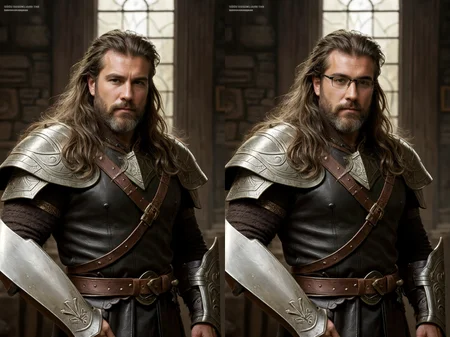
CyberRealistic is a flexible, easy-to-use photorealistic model built from nonstop testing, custom blends, and just the right amount of chaos. The backstory? It’s honestly a wild mashup of different checkpoints, but what really counts is what you get in the end: sharp, expressive, clean renders that just work.
It’s tuned for both textual inversion and LoRA, so it’s great for anyone from total beginners to hardcore prompt wizards. If you’re making portraits, messing around with new styles, or just want a model that steps aside and does its job, CyberRealistic won’t let you down.
⚙️ Suggested Settings
Sampling method: DPM++ SDE Karras / DPM++ 2M Karras
VAE: is already Baked In
Sampling steps: 30 Steps
Resolution: 512x768
CFG: 5
Upscale: 2x
Upscaler: 4x_NickelbackFS_72000_G
Denoising strength: 0.3
🧠 Prompting
Negative prompt examples
lowres, bad anatomy, bad hands, text, error, missing fingers, extra digit, fewer digits, cropped, worst quality, low quality, normal quality, jpeg artifacts, signature, watermark, username, blurry💾 Backup & Resources
backup location: huggingface
☕ Support the Project
If this model helped you hit your vision faster, cleaner, or just plain better — consider [buying me a coffee]. It keeps the updates coming and the experiments wild.
💡 Need Better Prompts?
This custom ChatGPT was made to top-tier prompts just for this model:
🔗 [Try it now on ChatGPT]
⚠️ Friendly Warning
This model can generate mature content. Use responsibly. Respect laws, platforms, and people.
Description
Model for inpainting and outpainting.
Make sure that the model name has the ending -inpainting
FAQ
Comments (36)
3.3 Inpainting? Hell yes!
Keep making a great model!
This is my most used modal
love it becouse it can genarate my pics for my game whitch is a predator's complex
in short animals are killed and served fresh after roasting theirs no blood involved becouse these creatures come from another dimension and they re genarate after eating
i use this to genarate menu pics it actully understands how to lie an animal on a plate so it looks quite appatizing
only thing is how do i achive the realizim i see here?
please do let me know
i'm a real fan of this one
I have started to use some SDXL models, but cyberrealistic is still very good at making human faces compared to them.
can't find v3.3 on huggingface and CivitAi download is too slow for 5gb
it took 2 minutes to download for me
Bad internet
Do you have Discord? How do you get contacted?
3.3 is amazing! Are you planning a SDXL Version ? Meanwhile, if you don't have a good gpu like me, i used this free google colab. Keep up the good work Cyberdelia !
I don't see how a blend of SD 1.5 models could translate to SDXL... unless someone made a bunch of output images and trained a new model from that?
this is the first time i feel dumb, i have all the settings like all the submitted stuff below, i have the right vae, but my quality is not very good. anyone else having issues?
There are numerous factors that can impact quality. Are there improved quality outcomes with other models, or are the results exceptionally poor?
@Cyberdelia all my other models are working fine. i might do a fresh install of everything anyway...
Hi, what's the difference between the 3 selectable file size versions when you click "download"? Apart from the file sizes being different of course lol.
I have the same question. Can anyone ELI5 it for us?
@GDRF1324 so the larger file is more accurate, but is harder on GPU. and smaller file is faster, but might be less accurate?
Please when improving this, put a bit more emphasis on the male. This v3.3 is THE best model i know, ok i take 125 inference steps to avoid AI PTSD to iron out most deformities but your model is GOOD. To quantify it, i'm getting 500 steps results with 125 steps so 4x as good as store brand AI. :P Magnificent but praise alone isnt constructive, so, mind men and ethnic diversity. Hilariously, every damn prompt no matter how brief gets better by adding (intelligent composition), like the AI is miffed by it ^.^
hmmm interesting, I'll try intelligent composition
Is there a way to make breasts no be so fake a perky looking? I'm trying to generate an older woman for my comic and her breasts look way too perfect.
Try 'natural breasts' in prompt or search for natural breast lora's
'busty, boobs, voluptuous' in the neg
"sagging natural breast" in your prompt will help
Hi, Is it allowed to use your model to be merge with other one and then post on Civitai. Please let me know. Thanks
Sure! No problem :)
when's the XL version coming to our waiting arms?
SDXL resource development is moving very slowly because of the expensive hardware requirements for training. I think we're still several months away from models of this quality and flexibility.
I wouldn't be surprised if SDXL 2.0 ended up dropping around the same time (with even higher training requirements). The circumstances that allowed checkpoints like Cyberrealistic to flourish won't be happening again. 🙁
I don't understand which model I should download! I am offered 3 with the same file names.
Simply opt for either the Pruned Model fp16 (or fp32( version. The full version can be useful when merging, though that's the one I personally prefer. I understand it can be a bit confusing.
@Cyberdelia No, you missed the point: Civitai is displaying a "Create" button and the download option just shows 3 files of varying sizes, all named "Model Safetensor" from 1.99GB to 5.13GB in size. Don't know which file is which.
@jacklaughed Alright, I understand it (I've never used the create function before). Essentially, you'll achieve identical outcomes. Therefore, go ahead and select the 1.99GB version.
Just hover over each one and your browser status bar, if it's shown, should show the URL. The first one is fp16 pruned, the second fp32 pruned, and the last is the fp32 full version.
@japtain_cack thanks! good advice
If you never use the "Create" function, you can also switch it off in Account Settings (disable "Image Generation (Beta)")
Hello, what are these VEA for and where to place them?
1. Download and put it inside the stable-diffusion-webui/models/VAE/ folder
2. On A1111 Webui go to Settings Tab > Stable Diffusion Left menu > SD VAE > Select vae-ft-mse-840000-ema-pruned
3. Click the Apply Settings button and wait until successfully applied
Details
Files
cyberrealistic_v33-inpainting.safetensors
Mirrors
cyberrealistic_v33-inpainting.safetensors
Cyberealistic_v3_Inpainting.safetensors
cyberrealistic_v33-inpainting.safetensors
cyberrealistic_v33-inpainting.safetensors
cyberrealistic_v33-inpainting.safetensors
cyberrealistic_v33-inpainting.safetensors
hair_base_inpainting.safetensors
cyberrealistic_v33_inpainting_f32.safetensors
cyberrealistic_v33-inpainting.safetensors