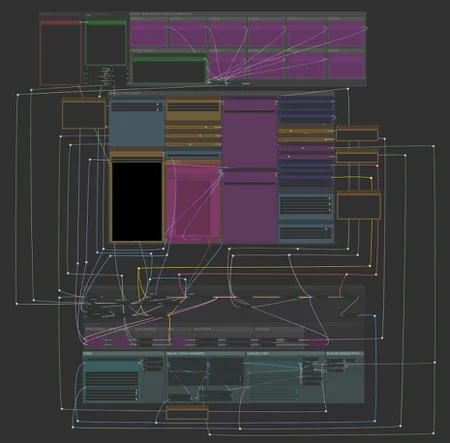
SVI Extend
https://github.com/vita-epfl/Stable-Video-Infinity/tree/svi_wan22
Create videos and extend them seemlessly using SVI.
Following SVI LoRAs are mandatory:
switch between default behaviour, anchor_samples and end_frames within the same subgraphs
connect an image to a part and enable the respective toggles to use end_frames or anchor_samples
NEW! v3
Extend existing videos using https://github.com/wallen0322/ComfyUI-Wan22FMLF
enable "video extension" toggle inside the settings
uses source video resolution by default
rescale video using the megapixel slider by enabling "video rescale" toggle
use included version of the nodes from inside .zip or download the latest version straight from the git if issues arise
More info inside the workflow.
AIO i2v+t2v
All in One workflow for for basic WAN 2.2 video generation.
Following features included:
Switch seemlessly between 2 and 3 sampler solutions
Toggle between i2v or t2v
Postprod
Facedetailer
uses t2v Model + LoRA for inpainting - resources needed included in workflow
Toggle between GIMM VFI and RIFE VFI Interpolation
Upscale
Tensorrt Upscale with Model
Basic Video Upscale with Model
RTX Video Super Resolution Upscale (insanely fast for decent quality)
Frame Clipper
Seamless Loops using custom RIFE nodes https://github.com/Artificial-Sweetener/comfyui-WhiteRabbit
Upscale + Interpolate
I recommend using this workflow instead of upscaling with the generating workflows, since you never really know what kind of results you get, ending up upscaling a bad video and wasting time. I included toggles so you can't use multiple interpolation or upscale nodes at once by mistake.
This includes:
WAN Facedetailer
use any WAN 2.2 T2V low model + the following T2V LoRA:
lower resolution from 768 to 512 if you have VRAM issues
Put the following file into "ComfyUI\models\ultralytics\bbox":
WAN Refiner (massive VRAM cost)
increase denoise if you want more inpainting
Sharpen, Gamma, Brightness and Contrast control
Frame clipper (remove unwanted frames at the start and/or end)
GIMM VFI + RIFE VFI interpolation (I recommend GIMM VFI, much higher quality but also much slower)
Tensorrt Upscale + Basic Video Upscale
both use basic image upscaling models
Tensorrt (faster than Basic Video Upscale) with AnimeSharp4x is recommended for anime
RTX Video Super Resolution Upscale
insanely fast
decent quality
FlashSVR + SeedVR2
experimental
Video upscale models that are more intricate than basic image upscaling models
haven't had great results for anime yet
takes a LOT longer
Saving last frame for manual extensions
mmaudio
added Audio combine node
combine audio from an existing video with the generated audio on top
generate nsfw audio with the nsfw model and then combine that video with another generated audio track from the base model for background noises
removed interpolation for easier and faster audio generation - you have the following options:
upload raw unupscaled video to MMAudio Video node and upscaled video to Combine video node
upload upscaled video to both nodes but lower custom_width and custom_height of the MMAudio video node to about half for faster generation and to prevent VRAM issues
upload raw video to both nodes and upscale afterwards
Inspired by https://civarchive.com/models/2137833
Following resources necessary (ComfyUI\models\mmaudio):
https://huggingface.co/Kijai/MMAudio_safetensors/resolve/main/mmaudio_synchformer_fp16.safetensors
Description
WAN 2.2 Smooth Workflow
Made for in use with https://civitai.com/models/1995784?modelVersionId=2260110
FAQ
Comments (12)
What in the reroute
Thanks for sharing. Your prompt management system is interesting. I like your control panel style layout. I think you've been smart about visual priority in general. A few minor suggestions/questions:
- I'd consider moving the output section up closer to the gen stuff and moving the plumbing below. It doesn't seem like your plumbing is intended for interaction most of the time, where as people regularly check output stuff. This will reduce a bit of scrolling.
- The megapixels as a scaling option is a curious choice. Do you find that to be a unit you can make sense of easily in terms of target size?
- It seems like your color coding means something, but I'm having trouble discerning what. Is there a logic there?
- I'd suggest GIMM-VFI over RIFE-VFI. I've found it to be faster without a discernable loss in quality. (Also test against FILM-VFI, if you haven't.)
- In your note next to the toggles, it's worth calling out that blockswap is a decent performance hit if you don't need it - but obvi important if you're working with low memory. For anyone with a memory thick GPU, it will make performance worse.
My workflow if you're curious.
Regarding RIFE, you should check this massive speedup hack that makes GIMM not worth it. https://github.com/Fannovel16/ComfyUI-Frame-Interpolation/pull/102
@rollerinot I'll give it a test, thanks.
@rollerinot Hold please. Found an issue in my test.
@boobkake22 1. I only use the comfyui sidebar for checking output stuff, that's why I moved everything down.
2. Megapixel scaling is just a very lazy way of not having to change resolution based on input aspect ratio. 0.84 is the limit for my setup (16GB VRAM, 96GB RAM)
3. The color coding is mostly just used for the bypasser nodes for filtering, some of it is just random or taken from the base workflow I've used, gotta rethink it :).
4. I do use GIMM-VFI a lot but the issue is that it just takes much longer, not only do you have to interpolate before upscaling but this also results in the upscaling step itself taking a lot longer. I've been using the RIFE speedup and it results in the step taking a fraction of what GIMM-VFI needs.
5. True, not really a choice on lower end hardware though :(
@LastAssignment Why not use RIFE TensorRT? Already upscalling assuming the use of TensorRT.
@Fferrett Because it's a PITA to setup since you don't get any premade models, gotta set that shit up manually and you don't get any quality improvements either. Not to mention the fixed RIFE being basically instant already.
I do use and recommend GIMM VFI when doing postprod in a seperate workflow, which is much better quality but also takes much longer, which is why I didn't include it in my base workflow.
I've incorporated MMaudio into all of my wfs ever since I noticed the nsfw model SeoulSeeker used. I tried a billion ways to extract and concatenate the original metadata (or replace the new) when batching all my old gens for sound. No luck. I can only assume you didn't include it here because of a local constraint. It certainly avoids the md issue. I do like your noodles. I rely on the 'hide disgusting mess' button myself. It works, but can be nauseating when necessity requires viewing connections.
The issue with mmaudio is that you need a shitton of reruns to get good results, very often I need to run it 10-20 times before I get anything decent even at optimal settings. It also depends a lot on the character design, smaller mouths make it harder for it to sync up properly, sometimes it modulates the sound weirdly when not prompted properly etc etc, just lots of small things that may need adjustment. Sometimes no prompt at all is the best and other times I need to prompt lots of small things.
That's why I try to keep it in a seperate workflow. You could probably hold the data and cache it for multiple reruns in that workflow but ComfyUI with custom nodes already has so many issues with memory leaks, that I'd rather be safe and keep it seperate and use lots of cache clearing nodes to just run batches of >100 gens at once.
Edit: I started using the noodles to have it easy to keep track of the connections, had lots of issues as a beginner to keep track of anything. It was especially bad once I started to add more and more shit into my workflows :)
@LastAssignment True, results tended to be inconsistent, latest models have just been working great for me, so much better than in the past. Adding a vocoder helps, I've found. I definitely agree that in the vast majority of cases no prompt is necessary. I think it's the metadata issue mostly for me, I'd rather have to fix it later than to have to keep the original as a duplicate. I'm running out of exazottabytes. But you make another good point regarding memory management. Lately I've been encountering issues with garbage that definitely should not be happening. Leaky is an understatement. It's easy to be cavalier with the custom nodes and assume that they're doing what they're supposed to do, and when they're supposed to. Not mmaudio specific, but yeah, it contributes to eventual instability. I'm probably spoiled by having good hardware, so it takes some time for the trash to accumulate enough to cause a serious problem. Must be a nightmare for people running these models by the skin of their teeth. Whatever that means.
@Ponder_Stibbons I'm basically maxing out my hardware atm with 16GB VRAM and 96GB RAM, and I'm really damn close to the limit, lol. So many times my PC just crashes outright when running more than ~10 mmaudio runs because of eventual VRAM overflow when I forget to enable the vram cleanup nodes... doesn't help that some nodes are leakier than others, especially as an armchair dev who just does this shit for fun and maybe vibecodes stuff here and there so fixing this shit myself is not really something I'm able to.