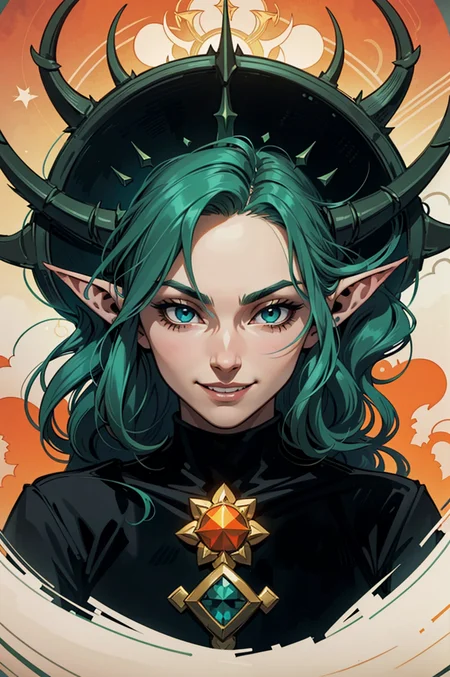
Generate pictures with Arthemy
Searching for an AI characters generator?
Arthemy, my AI image generator now has all of my models loaded and ready to be tried on your browser - no GPU required
----> https://arthemy.ai

✦ Comics Arthemy - Quick Start ✦
1_____ I highly suggest to use this embeddings:
verybadimagenegative_v1.3 https://civarchive.com/models/11772/verybadimagenegativehttps://civarchive.com/models/11772/verybadimagenegative
2_____Size: Around 640 x 768
3_____Prompt: Start from the prompt present here and tune the results based on your needs:
Quick Prompt:
[How],[what/who],[where],[other]

exaple:
(ultradetailed fantasy illustration:1.3), elf witch woman with a large hat and purple dress, on a snow-covered mountain with blowing wind, complex lighting and strong sense of movement
Quick Negative Prompt:
verybadimagenegative_v1.3, (worst quality:1.4),(low quality:1.4),(normal quality:1.3),lowres,watermark, title, (jpeg-artifacts:1.3)
4_____Upscale: to get crisp results like the one shown in the pictures use HiResFix and Lanczos. I suggest to use this step only on the preferred pictures, since it's quite heavy on the performance side.
I hope you like my merge and I can't wait to see what you all are going to create with it!
For future update, about the AI Editor I'm building with an italian team and my models you can check:
https://www.instagram.com/arthemy_ai/
____________________________________
Merged / subtracted / inspired by Models:
DarkArtsStyle - https://civarchive.com/models/109?modelVersionId=124
DiffusionBrushEverything - https://civarchive.com/models/46294?modelVersionId=50908
ForgottenMixtheNovelist - https://civarchive.com/models/81644?modelVersionId=86640
Icantbelieveits - https://civarchive.com/models/81644?modelVersionId=86640
icomix - https://civarchive.com/models/16164/icomix
mcbsMachinecodesComics - https://civarchive.com/models/71404?modelVersionId=76148
OccidentalMix V2.0 - https://civarchive.com/models/63920?modelVersionId=68515
vividwatercolors - https://civarchive.com/models/4998/vivid-watercolors
westerncartoontypeA - https://civarchive.com/models/62060?modelVersionId=66582
Babes - https://civarchive.com/models/2220/babes
Diffusion Brush Everything - https://civarchive.com/models/46294/diffusion-brush-everything-sfw-nsfw-all-purpose-checkpoint-nuclear-diffusion-anime-hybrid
Cute Cartoon - https://civarchive.com/models/85547/cute-cartoon-illustration
Western animation diffusion - https://civarchive.com/models/86546?modelVersionId=92044
IdentityCrisis - https://civarchive.com/models/89075?modelVersionId=94798
Vivid Watercolors - https://civarchive.com/models/4998/vivid-watercolors
Exquisite details极致华彩 - https://civarchive.com/models/118495/exquisite-details
SXZ Luma - https://civarchive.com/models/25831/sxz-luma
+ some of my old mix
Some of these models have been used for subtraction, but they all have been useful in order to create this model.
If you like Comics Vision, remember to check these other models and consider to support their creators!
Description
The normal version 5.0 but with a Baked VAE for those who struggles with Graish pictures
FAQ
Comments (12)
Hi! this is the best model ever. Do you plan to adapt it for SDXL? or maybe a lora to "plain" colors, there's nothing more than 3d models, realistic and anime. Nothing seems perfect like this model.
Thank you! Yes, in fact my objective is to move to SDXL as soon as I can, but I don't want to just "Merge" a model for that, I want to train it!
More on that very... very soon!
@Aledelpho thank you so much ♥♥♥
hi, can you enlighten me why my generated images often have purple dots. how can i fix this ?
Purple dots? What do you mean? Can you explain me your workflow and settings?
@Arthemy hey thank for the reply and sorry for taking ages for the response(my pc got weird this past few days). my work flow and setting is pretty basics (width and height is most of the time 1:1,with low res like 512x512) with dpm++ sde karass for sampling and 49/50 sampling steps. while the purple dots sometime doesnt appear in lowres render but its appear consistently when i try to upres the image ( wether i used hires fix or control net tile sample). now that i think about it i havent yet to change my clip skip to 2 (maybe thats what my problem is).so ill get back to you when i test change my clip skip.
@Arthemy yep the image still got purple dots when i try to upres them.maybe i ill try using vae test next
I'm getting the purple spots too on almost every image.
I'm getting the purple spots too on almost every image.
@softcore @dddimaspurnama534 Everyone! Sorry for the VERY long delay, but I just uploaded a BakedVAE version that might solve this issue! Let me know if it works! :D
@Arthemy The baked VAE version works perfectly and got rid of the purple spots. Thank you!
Please make an XL version!