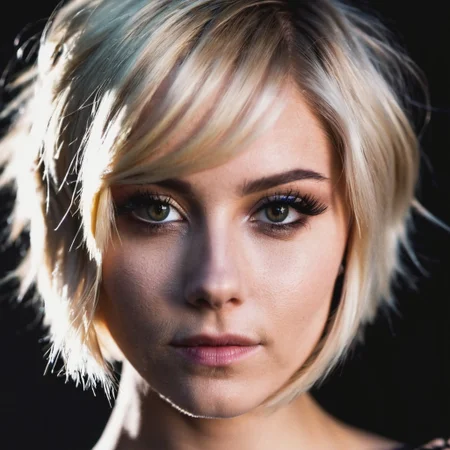
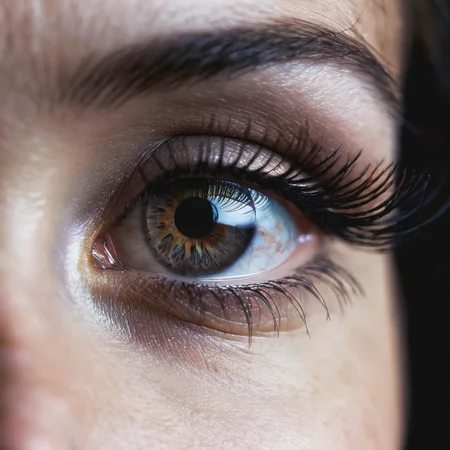
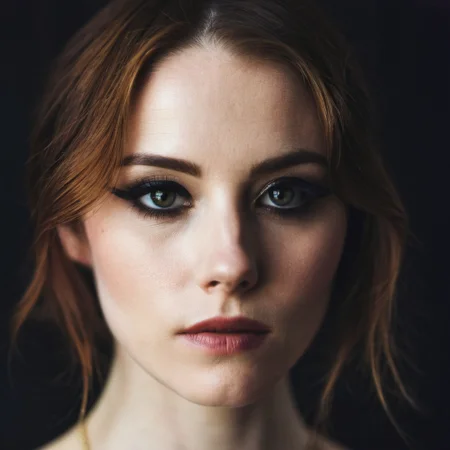
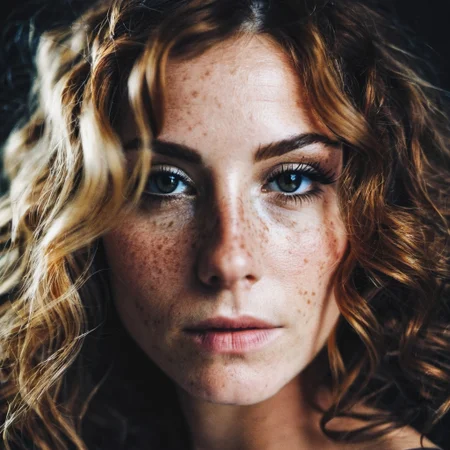

Check my exclusive models on Mage: ParagonXL / NovaXL / NovaXL Lightning / NovaXL V2 / NovaXL Pony / NovaXL Pony Lightning / RealDreamXL / RealDreamXL Lightning
If you are using Hires.Fix with V5 Lightning, then use my recommended settings for Hires.Fix (3 Sampling Steps, Denoising strength: 0.5 and CFG Scale 1.0 - 2.0) or other settings you find better for you.
Use Turbo models with DPM++ SDE Karras sampler, 4-10 steps and CFG Scale 1-2.5
Use Lightning models with DPM++ SDE Karras / DPM++ SDE sampler, 4-6 steps and CFG Scale 1-2
Please pay attention to the model file name, the part of the name after the underscore is the true version of the model.
The model is already available on Mage.Space (main sponsor)
You can also support me directly on Boosty.
RealVisXL Hugging Face Full Collection
The model is aimed at photorealism. Can produce sfw and nsfw images of decent quality.
ᅠ
Recommended Negative Prompt:
(worst quality, low quality, illustration, 3d, 2d, painting, cartoons, sketch), open mouth
or another negative prompt
ᅠ
Recommended Generation Parameters:
Sampling Method: DPM++ SDE Karras (30+ Sampling Steps) or DPM++ 2M Karras (50+ Sampling Steps)
ᅠ
Hires Fix Parameters:
Upscaler: 4x-NMKD-Superscale-SP_178000_G / 4x-UltraSharp upscaler / or another
Denoising strength: 0.1-0.3
Upscale by: 1.1-1.5
ᅠ
Optional Parameters:
ENSD: 31337
ᅠ
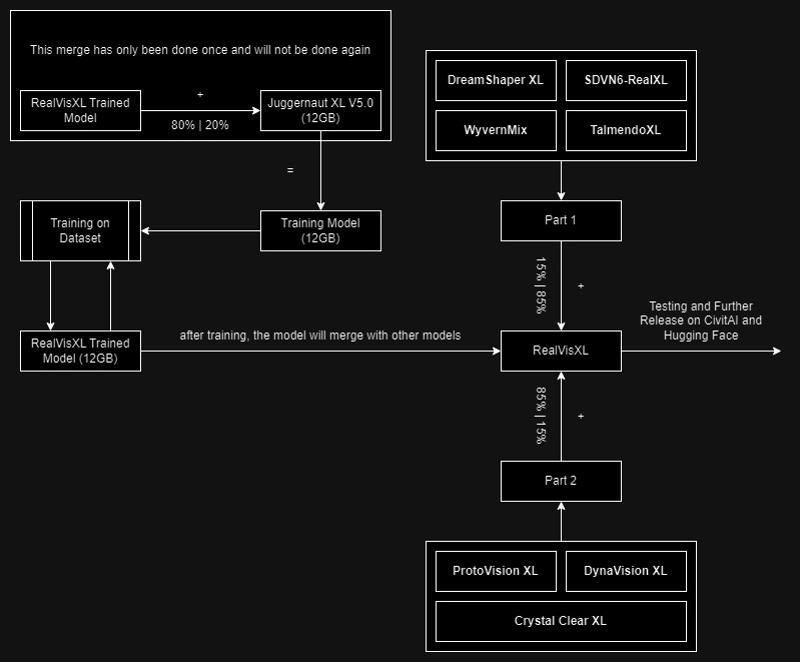
This model is:
ᅠ
Huge thanks to the creators of these great models that were used in the merge.
SDVN6-RealXL by StableDiffusionVN
TalmendoXL - SDXL Uncensored Full Model by talmendo
ProtoVision XL and DynaVision XL by socalguitarist
Cinemax Alpha | SDXL | Cinema | Filmic | NSFW by viakole
Description
first beta release
FAQ
Comments (80)
It looks promising. I would love to try in a few days! Thank you for your work.
Thank You! :)
You recommend one use the SDXL Vae? How about the refiner?
Hi! VAE is already baked into the model. I don't recommend to use the model with a refiner.
@SG_161222 CivitAI says otherwise on DL-Page :)
@Sarimae Actually VAE is baked in, it's just that I accidentally selected VAE from the list when uploading the model :D
Which refiner to use? Default refiner?
Which VAE ?
Hi. The standard VAE is already baked into the model. I didn't use refiner to generate the images.
If you want additional nsfw capability, you can merge pyro's nsfw models perhaps.
Hi! Thanks for the suggestion. I'll see what I can do :)
Why such high steps recommended (25-40)? DPM++ SDE Karras usually needs far less than that, like 10-15, since it is running double passes for each step, unlike other samplers.
I'll make changes to the number of steps. It's just that I use step counts in the range of 25 to 40 very often and it's become a habit :)
Skin often looks too smooth. Is there a way to make it look more realistic?
I'll be improving the skin texture in future updates.
I found that using this with the SDXL refiner (switching at about 0.6-0.65) adds a lot of detail.
That's good. Thanks for the information. But it may not work well with nsfw.
When uploading to huggingface, could you please save your model in the diffusers folder format as well? This would make it far easier for developers to use your model for dreambooth and other training techniques. Would be very much appreciated 🙏 Could also assist if needed.
Hi! Ok, I'll do it in the morning :)
@SG_161222 Yeah - this would really help.
The model in diffusers format was uploaded, hopefully I converted it correctly.
thanks @SG_161222 will check it out today.
@SG_161222 tried but could run it for some reason...it seems to result in OOM issue with diffusers library on an A10G GPU. I can run base sdxl fine. Also, would be better to have safetensor version as that's the default way even for diffusers.
@cs1502710038397 Hmm, so this method didn't work. I haven't found another way yet :(
@cs1502710038397 I found another way, I'm gonna try it
Uploaded the diffusers
Amazing Work SG ! Good to have photorealism XL Model. For a first version, it's really promising ! made a video review and colab for people to try for themselves. Hope I did your model justice.
Thank you! I already watched your video, thanks for it :)
Looks promising! Keep up the good work mate.
先下载下来用用看。
Looking great so far, super appreciate you!! LEGEND!!!
Thank you, I'll keep improving this model :)
By far the best SD XL model so far imo, im super impressed by how precise the results are
Thanks :)
I'll do my best to make the second version even better.
Best model for SDXL at this moment. Man, you know how to do it since 1.5 RealVision, and you do best again now, thanks
Thank You :)
fingers in most cases looks like strange carrots or just a mess
How much memory do we need for this?? I'm getting a CUDA out of memory error, even though I have 16gb ram, 30gb free space, an NVIDIA graphics card. I turned it down to only 1 batch count and 1 batch size and still runs out of memory. This has never happened with any other model.
The one number you didn't include, VRAM, is the only number which matters for that really.
I was able to use it with 8 GB of VRAM by adding the --lowvram flag when launching A1111. ComfyUI figures this out by itself and didn't need any manual config for me. Any less than 8, I wouldn't bet on it working.
I finally made the switch to comfy after this exact issue happened for a1111 time and time again - all working correctly on comfy. I have a 16gb ram, 8gb vram on a rtx3070 graphics card just for reference (asus tufdash F15 laptop. Try out comfyui. It's not complicated to pick up at all, and it works so very much more consistently than a1111.
@Maeyanie I have 8gb of VRAM. I'll try the lowvram flag. Took me quite awhile to understand the basics of A1111, I don't want to learn another interface right now.
Edit: the lowvram option is not workable. It takes 45 minutes for one picture? Sheesh
I have seen this image on my own model page as well. I think people have some research to do, it should work fine. I believe people are using resolutions that are too high to handle for the VRAM, that is all. I am doing 1700px+ renders here with A1111 and no problem.
@JohnRohan I used to have 6gb vram and I used medvram which seemed to work. From what I understand it shouldnt have worked but it did for me. That was before any of the XL models tho so probably wont work but might be worth the try. Also if you drag one of your images into comfy it will copy the setup for that image, you can also download some other people's workflows for it and its pretty much plug and play if you do it like that
@olivetty I was only trying to create a single test image at 512 x 768. Again, I have had no memory errors on any other models even at higher resolutions.
@JohnRohan That's weird, I'm using a 3080@10GB with --medvram A1111 1.6.0 flags on my PC (R7 5800X + 16GB RAM + 2TB M.2 NVMe SSD) and doesn't have errors even training or generating with SDXL.
Also in my laptop (R7 6800H+16GB RAM) with a 3050@4GB, using --lowvram flag, I'm also having good results at generating txt2img and img2img SDXL images. Not training.
Try to use ComfyUI, at least it doesn't use RAM/vRAM instantly like A1111 so it could help.
@JohnRohan try adding --medvram-sdxl
@JohnRohan very strange indeed, hope ypu find what is wrong, in the meantime, try this; https://www.reddit.com/r/StableDiffusion/comments/168sad2/comment/jyy63za/?context=3&share_id=bsS6Xbe8VB9N5vGWe2OAQ
I have a 6GB VRAM 2060 laptop and it works great with this or any other SDXL model, including Lora and controlnet... If I use Comfy. Auto or similar is useless, it "works" but is 6-7 times slower. In comfy I can generate a 1024 by 1024 30 steps in less than a minute, with Auto it takes 7 minutes....
Good!, but i need inpainting. This model can be used for inpaint. But need i stable version | similar with SDXL-Inpainting 0.1
Maybe it's useful. I have applied the tutorial of the video of the friend Monzon Media that has been useful
https://www.youtube.com/watch?v=7mlJQ6viH20&t=215s
I have only changed two things:
1. Change my line to : set COMMANDLINE_ARGS=--xformers --medvram
2. Replace VAE with SDXL-VAE-FP16-Fix https://huggingface.co/madebyollin/sdxl-vae-fp16-fix
3 .Do not use face restorer, in sdxl models they are not so useful. Some Civitai sdxl models don't need to use refiner
Did you train each image at 200 steps? What made you choose such a high number of steps to train on?
Hi. Yes, I use 200 steps per image on the advice of my friend and also looking at the SDXL based model training guide. This value seems to give the best results for me.
thanks a lot, it is a must have checkpoint.
congrats
Hi! Thank you so much!
This model forces hands into the image. 50+ prompts tested with trained lora faces, almost every image shows hands while any other checkpoint never shows hands.
Also not too good with eyes.
Otherwise it has great detail and lighting and colors.
Try "Eular a" sampler for eyes.
I'll try to fix that in the next update :)
I deleted every single SDXL Model except this one. This is by far the best out there in my opinion. The creator put a lot of work into this. If you like the whole XL hype and are willing to relearn all your prompts, that's the only model you need. If you are looking for truly realistic photography of persons XL is not there yet.
I agree 100%. This SDXL model is the best for photorealistic generations so far and the one I use as my daily driver.
Hi! Thank you :)
@reallucifer13 I'll try to make the second version even better :)
What do you mean by relearning your prompts? how would you do that? sample submitted images from this page?
does anyone know how to load the safetensors checkpoint in diffusers? not able to find anything...
StableDiffusionXLPipeline.from_single_file(path_to_model)
Will you make an inpainting version?
Non of the SDXL models have an inpainting version it seems, as of right now.
Hi! As soon as it's possible, I'll do it.
Hi everyone! I've been without power for a few days and have two more days until the next power outage, which will be 4 days (about 10-11 hours a day without power). I am now building a new base to merge with a trained model. I will try to get a lot of work done in these two days. To follow the status of the update you can check out the model description :)
I hope future versions will also fine work with the different author's styles from the prompt in addition to realism. Current version is good in both cases!
Can't wait for future updates. It's an amazing model
@SpeedyYT Thanks! :)
Yo this is simple the BEST model ever created. Thank you so much for you time and effort. I cannot wait for the full version.
Thank you! Expect the second version which I'm already testing :)
@SG_161222 I'm already on it it's beautiful. Best model really. I cannot wait for the next update.
I'm getting cloning and mutations when I try to do 1024 x 1024 ratios. 768 x 768 seems to work ok, but I'm not sure what I'm doing wrong.
you need an heavier negative prompt. That one suggested isn't enough, particularly in complex scenario. Search other pictures and try to copy some negative prompts that include something about mutation... search also in other models.
if you are using hires fix make sure your denoise is 0.4< or there abouts
Hi everyone who is following this model! V2.0 is already in testing and already shows itself better than V1.0. I need a little time to test the model so I can release it. Thank you all for your comments and reviews, I will continue to make this model better!
Thank u so much for your hard work. This model has completely changed my workflow (in a positive direction :D )
could you show us ur rendering workflow as well? i am using comfyui.
Thank you! :)
I use Automatic1111 and the settings I listed in the description. But if you need a workflow for ComfyUI I can recommend Capybara's SDXL Workflow v1.4
Details
Files
Available On (1 platform)
Same model published on other platforms. May have additional downloads or version variants.