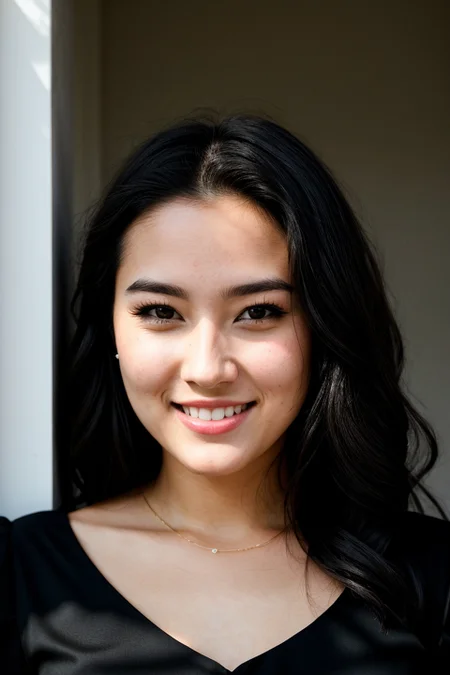

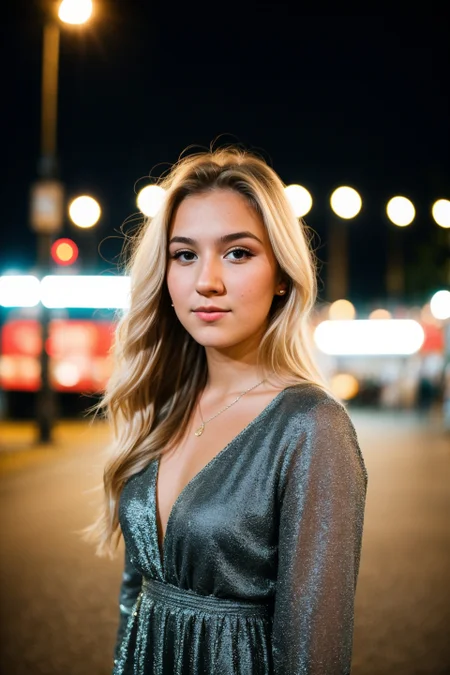


Check my exclusive models on Mage: ParagonXL / NovaXL / NovaXL Lightning / NovaXL V2 / NovaXL Pony / NovaXL Pony Lightning / RealDreamXL / RealDreamXL Lightning
Recommendations for using the Hyper model:
Sampler = DPM SDE++ Karras or another / 4-6+ steps
CFG Scale = 1.5-2.0 (the lower the value, the more mutations, but the less contrast)
I also recommend using ADetailer for generation (some examples were generated with ADetailer, this will be noted in the image comments).
This model is available on Mage.Space (main sponsor).
You can also support me directly on Boosty.
Realistic Vision V6.0 (B2 - Full Re-train) Status (Updated: Apr. 4, 2024):
- Training Images: +3400 (B1: 3000)
- Training Steps: +724k (B1: 664k)
- Approximate percentage of completion: ~30%
All models, including Realistic Vision (VAE / noVAE) are also on Hugging Face
ᅠ
Please read this! How to remove strong contrast.
To make the image less contrasty you can use LoRA [Detail Tweaker LoRA] in a negative value.
ᅠ
Orange Color = Optional
ᅠ
I use this template to get good generation results:
ᅠ
Prompt:
RAW photo, subject, 8k uhd, dslr, soft lighting, high quality, film grain, Fujifilm XT3
ᅠ
Negative Prompt:
(deformed iris, deformed pupils, semi-realistic, cgi, 3d, render, sketch, cartoon, drawing, anime), text, cropped, out of frame, worst quality, low quality, jpeg artifacts, ugly, duplicate, morbid, mutilated, extra fingers, mutated hands, poorly drawn hands, poorly drawn face, mutation, deformed, blurry, dehydrated, bad anatomy, bad proportions, extra limbs, cloned face, disfigured, gross proportions, malformed limbs, missing arms, missing legs, extra arms, extra legs, fused fingers, too many fingers, long neck, UnrealisticDream
(deformed iris, deformed pupils, semi-realistic, cgi, 3d, render, sketch, cartoon, drawing, anime, mutated hands and fingers:1.4), (deformed, distorted, disfigured:1.3), poorly drawn, bad anatomy, wrong anatomy, extra limb, missing limb, floating limbs, disconnected limbs, mutation, mutated, ugly, disgusting, amputation, UnrealisticDream
ᅠ
Euler A or DPM++ SDE Karras
CFG Scale 3,5 - 7
Hires. fix with 4x-UltraSharp upscaler
Denoising strength 0.25-0.45
Upscale by 1.1-2.0
Clip Skip 1-2
ENSD 31337
ᅠ
Thanks to the creators of these models for their work. Without them it would not have been possible to create this model.
HassanBlend 1.5.1.2 by sdhassan
Uber Realistic Porn Merge (URPM) by saftle
Protogen x3.4 (Photorealism) + Protogen x5.3 (Photorealism) by darkstorm2150
Art & Eros (aEros) + RealEldenApocalypse by aine_captain
Dreamlike Photoreal 2.0 by sviasem
HASDX by bestjammer
Analog Diffusion by wavymulder
Life Like Diffusion by lutherjonna409
Analog Madness by CornmeisterNL
ICBINP - "I Can't Believe It's Not Photography" by residentchiefnz
Description
The required VAE is already baked into the model.
This version (Code_1284) is a fix for many issues of 5.0 (artifacts, ugly faces, masculine female faces, small eyes, poor compatibility with LoRA and TI). In terms of realism this model may be worse than 5.0, but I tried to minimize losses.
FAQ
Comments (174)
i use it often for lora training,
hope you go on with SDXL checkpoints ;)
Thank you :)
I'm planning on working with SDXL.
I am having troubles training with this. Using the non stable diffusion checkpoints give me weird images that are cartoon looking. I have to use an SDv1.5 to train. Any particular way to do it?
Hi @sevenof9247 , What versions do you use for training?
i think the model 4 months ago ^^
but i go on with SDXL
@sevenof9247 V4? Ok thanks!
Any chance I can grab a contact email @sg_161222
This model is a-maz-ing. Thanks a lot for putting this in our hands! 👏🙌
Thanks :)
5.1 is better than 5, but it's still not as good as v4 or V3 as per my initial testing. Half portraits generated in 5.1 just don't look right with some quriky imperfections.
You're right, it's obvious to me that V5.1 and V5 don't perform as well as V4/V3 in my use.
Is 5.1 based on Code_755 or Code_1284? Or neither?
Hi! Code_1284.
Excellent! I hope woman breast could be smaller (more normal). Add B and C cup size for next version to make woman chest smaller. Thx!
You have good lora's for this.
Use negative promt (Large Breast:1.1) and (Medium Breast:1.1)
You can already control that by adding large breasts in the negative prompt.
Thank you for keeping 5.0 up after introducing 5.1. I can see how some might like the greater perfection of 5.1, but I prefer the realism/imperfection of 5.0.
Hi! I love your models, but when rendering men I keep getting disgusting neck goiters where the adam's apple is, any suggestions????
same here
I am using 5.1 at Colab, which only enables me to DL a model from huggingface. Could you UP vae included version over there? I now use 5.1 plus SD standard vae, and the result does not look like what I generated at local by using 5.1 (vae inc. version). Thank you!
!curl -Lo /content/microsoftexcel/models/Stable-diffusion/realistic_vision_51.safetensors https://civitai.com/api/download/models/130072
@danielm007 Thank you! Your civitai link worked just fine. I misunderstood the Colab book only worked on huggingface link, but actually worked civitat link as well. Anyway, I needed vae included file, so thank you!
Love your work! Question for you, Is there a config file i'm not seeing? Thanks so much for sharing :)
following.
Help me out, when it says "(VAE)", does it mean VAE is already included, or the opposite - use with VAE?
(VAE) means the VAE is already baked into the model.
@razr112 reading other comment below, the creator of the model replies, to "where the vae", this "Hi! https://huggingface.co/stabilityai/sd-vae-ft-mse-original/blob/main/vae-ft-mse-840000-ema-pruned.safetensors"
So, the VAE you baked in is
stabilityai/sd-vae-ft-mse-original
right?
So in that case, if I'm using it for all my models it's alright to overwrite yours I figure?
That way I don't have to keep switching to "None" in Automatic1111 when using this model.
Thanks!
what do i do if the image doesnt show up when its finish generating? I see the image generating but when it finishes it just vanishes. It says i need a folder where the images go into but it doesnt work even if i do make it. Any suggestions?
use no VAE
I have the same issue and @brokolies solution is stupid and does not work since the VAE is baked in to this model and cannot be disabled.
Create the "gradio" folder yourself where it needs to be. Solved it for me because somehow Stable Diffusion didn't have the sufficient rights to create it itself and store temps. (C:\Users\*\AppData\Local\Temp)
If you don't have good gpu like me, i found a working google colab for free and no ban. Just need to cycle some gmail account.
The 5.0 and 5.1 models have dark portraits and an overall dark color tone.
sideline but someone tell me where can i find and download <lora:ER4ZQV5:1>
which version is best for nsfw?
erotic vision
Hey, everybody! I am currently working on a model based on SDXL 1.0. Right now the model is about 25-30% finished. I would like to release the current version on Hugging Face. I will take a one day rest and continue working on this model. Yes, it has problems in some aspects and I will fix them in the future. The model can produce nsfw images. I have left some examples of sfw images at the link.
The quality on these images is completely bonkers. Hats off to you - excited to see the first version!
Been looking forward to your work in SDXL and just saw this model mentioned in Olivio's stream. Cheers.
its allready pretty awesome :)
@MachineMinded @wideload @Baiermaker Thank you all so much! I think the first beta will be out in two weeks or a little more.
@SG_161222 Whenever you're ready.
How many images was the Realistic Vision trained on?
Hi. Realistic Vision is a merge of models. This model has not been trained.
@SG_161222 In the process of merging, do you only merge unet or both unet, text-encoder and vae model? On the other hand, how did you merge the models?
Hi! I can't really understand why if I use prompt "RAW photo, portrait of an old man, 80 years old, highly detailed textures, tired, run down, deep skin pores, nose piercing, perfect lighting, photorealism, hard focus, smooth, depth of field, 8K UHD, photo taken by a Sony Alpha 1 , 85mm lens, f/1. 4 aperture, 1/500 shutter speed, ISO 100 film, neutral colors, muted colors" in 80% cases I get woman portrait?
Elements of your prompt were trained with photos of women that had them in their tags, with more than men photos in them, you have to remove them one by one to see who's the offender but, say, if "skin" and "smooth" were mostly present in women photographs they're going to overpower "man" in the prompt.
@Zenyth thanks for comment! "nose piercing" was strong token for generating woman )
why pickle tensor?
You can download the safetensor model. uploading a pickle tensor is probably just habit as OP has been doing this for a while, back when ckpt was the only accepted file format
Also, pickletensors do not exist! Haha, it was a little joke by civitai by renaming "Checkpoints" to "Pickletensors" a name they came up with to save on resources because they don't have to check if there's a pickle in the Checkpoints, they just name it that way and don't know if there's a pickle in there or not.
TLDR: Pickletensors are just checkpoints.
when do you think, you will finish training RealVisXL?
Hi, today I will be releasing the first version of the RealVisXL model. The model will be available on Hugging Face in about an hour or two, after some time the model will appear on CivitAI. (model training is not finished and will continue)
Hello, everyone! RealVisXL V1.0 is now available on Hugging Face. The model will be available on CivitAI soon.
thank you so much<33
RealVisXL V1.0 is now available on CivitAI as well.
The model V5.1-inpainting (VAE) is generated by merging checkpoints?
Hi. Yep :)
This model is actually a bit scary, you can do anything with it provided that you messa round with the prompts.
Why is there a difference between Model SafeTensor (1.99 GB) and Model SafeTensor (3.97 GB)?
pruned vs not pruned
@solesbeedude can you expand on that?
@ninhducphu95864 The pruned version is the fp16 no ema version, stick to the smaller one if all you want is to generate images, the bigger, not pruned version is there in case you want to finetune the model, create a LoRA based on it, train over it (say, with Dreambooth), do textual inversions or create embeddings.
@Zenyth Ok, I got it. Tks u
@Zenyth Thank you for explaining ,
Oh, and merging! I forgot to say that if you are going to merge Realistic Vision with another model you also use the not pruned version as it's the lossless one.
Faces all look the same.
Excuse me, maybe a silly question but... what's the realistic vision 5.1 no VAE in github? the realistic vision v.5.1. safetensors of 4.27 gb size?
Probably the smaller one
For dreambooth training (custom characters and objects) and finetuning
Hey guy, I Wanna some question
1. What is difference between model v5.1(VAE) & v5.1-inpainting(VAE)?
2. What is "(VAE)" mean? Does it mean "model VAE" is integrated in model "Realistic Vision"?
Hey All, Could you tell me please how to install the custom Hires. fix into my local Stable Diffusion ?
Hi! Locate the file at the following path "X:\stable-diffusion-webui\models\ESRGAN".
Hey All, Could you tell me please how to install the custom Hires. fix into my local Stable Diffusion ?
Hello all. I am new to this, sorry for the basic questions. In some models there are no "trigger words" section. Do all models have that, or some don't? How can I find them if all do?
Absolutely phenomenal, can;t thank you enough!
Hi, fantastic model, it's really gamechanging!
I'm gonna post images also on Instagram, I don't know if there is a standard way to properly quote the author other than text.
Let us know here or in the BIO if we need to use hashtags/tags to a specific page/profile.
I don't want to violate your conditions :)
Hi, sorry for the long delay in replying. You can share images without crediting the author of the model and stuff :)
Hi, everyone! There hasn't been an update for Realistic Vision for a while now, so I've started training the new version (V6.0). The training will use high quality images of much higher resolution. Training a model based on Stable Diffusion 1.5 is much faster than SDXL (SD1.5 12k steps per hour | SDXL 4k steps per hour), but I'm not abandoning RealVisXL. The update status will soon appear in the model description, as it is described now on the RealVisXL model. Thanks everyone!
Is it possible that you finetune space related subjects? Any futuristic armor i train ends up fool of moon haze bleed, which means, i believe, that you used moon landing pics. The bleed is extreme. If it can be fixed i will be forever grateful. Keep up the beautiful inspiring work!
@oranwaves926 Yeah, I'll try to fix that. I will also use the images generated with RealVisXL to train the new version.
Amazing. How many steps total approximately (and how many images) to do something like a Realistic Vision 6.0?
@aztaraztar Realistic Vision itself is an merge of several models, some of which have already been trained. I am going to train the model on pure SD1.5 and then merge it with Realistic Vision V5.1. I plan to train the model on at least 2000 images, with 200 steps per image.
@SG_161222 Ok cool. Im trying to up my game to training more foundational models vs custom object/person models. I was wondering how much data is actually needed to create something like your model and the info is really helpful. I now need to figure out instance / classification parametrization in this context vs a more specific person/object training context.
@SG_161222 : Is there a way to communicate you outside civi?
@anniebunnie I'm on Discord (sg_161222)
@SG_161222 Added.
You rock dude never stop the grind 😎! The whole community loves your work!
Many thanks, I hope you make public v6. Your model is my first option ever
@SG_161222 I have added you, my name is PengLiu
Any chance of improving the pregnancy bellies? they sometimes seem to separated from the body
Thank you! I love RV on 1.5! It's just amazing.
we need more poses variations
Good job man, keep it coming!
Any new man? How is it going with V6.0? I am very curious. Thanks
@miuimiguel Training has slowed down due to electricity shutdowns, but you can see when the stats have been updated.
Thanks for the update big guy, support you and go for it!
I would also like to make a realistic model, and I'm currently trying through Dreambooth spending a lot of time on it, but I can't figure out the settings, the results are disgusting. You can tell me what settings you use, what resolution of images and according to what scheme the training takes place. On the Internet, I could not find lessons on teaching such large-scale models with a package of images of several thousand. I trained 1900 portrait images of 512x512 at 380000 steps tonight (Learning Rate 0.000001), as a result, some kind of crooked nonsense turned out. Save me, brother.
@Fantomas Hi, for training I use kohya-ss (fine tuning not Dreambooth). For portrait images I use resolutions 896x896 and 768x1024 (training speed depends on the resolution, the smaller the faster, in my case training on 20 images takes 23 minutes at 4000 steps). If you get disappointing results, I suggest merge your model with any other model (for RV6.0 I use the following ratio: RV6.0 - 50% : Model A - 50%).
thanks
@SG_161222 Many thanks. No hurry at all. It worth to wait 😅
This is one of the BEST models i used.
Just don't train space stuff on it, there is "moon landing style" moonlight haze bleeding everywhere on the subject. I hope they can fix that in later versions. ♥ Other than that, its a JOY. AMAZING!
Thank you! I just started working on the new version :)
When I try to take a close-up of a face, it looks good. However, when I attempt a wide or full-body photo, the face becomes blurry and unappealing. Can you help me fix this?
Hi. You have a few options, I will list them below:
- use the inpaint tab, apply the area to face, select inpaint masked, denoising strength select from 0.25 to 0.4, then generate the image and you will get a more beautiful and detailed face.
- use the After Detailer extension (basically the same as inpaint but with more settings).
- use Hires.Fix with the parameters listed in the model description.
very good
Any Lora's or anything to get more realistic skin textures?
Hi! first thanks for super cool tools for us :)
I have some question about training model.
Can I ask what image size that you usually use in training and Can I get the approximate tag length?
Now I'm training my own model with my data (4000+ images) with prompt data( 7~8 tags). But I think quality is not I expected. (Actually I'm quite noob in stable diffusion ;) ). If possible I want to look just one or two data (but I think it's hard) :)
And also Is there any discord community about Reality Vision? If there exist I want to join :)
Hi! Thank you! Message me on Discord [sg_161222]. About the Discord community. I'm thinking about it, but it takes some time to get it right.
@SG_161222 Hi I sended you message :) can you check it please?
my id is Suprhimp
@Suprhimp Hmm, it's weird, but I haven't gotten any messages from you :(
Ho man! CIVITAI it should have a time/amount restriction for posts, some guys saturate post with shitty or not so shitty 20 images posts, like his personal hard drive when you keep generating 4 batch x 100 instances to get 400 images each 20 minutes! for God sake!!
Any one tried FreeU with 5.1 with kindly share you FreeU parameter values to get better realism
I tried with 5.0 and default params from diffusers docs, often got oversharpen results
There seems to be an issue with mens Adam Apple: https://www.reddit.com/r/StableDiffusion/comments/170vi0s/how_to_get_rid_of_pointy_unnatural_adams_apple_in/
I confirm the same with realvisxlV20, while not happening (or at least not that much) with sdxl
anyone who can tell me the different about the pruned and the full modles?
From what I know unpruned is only really needed for training where as pruned is generally a lot smaller and is more useful for people that just want to generate images, but please correct me if Im wrong.
@Dry_leg The non-pruned contains more data, it is usually better for minor details, but in practice it is too bulky and the results are usually not noticeable.
I'm a major newbie so I wanted to know, the 5.1 says it's a VAE but seems to be the size of a full model. Which folder should it go in? I keep getting the NaN error whenever I try to use VAE files so I can only use full models as far as I know.
I have the same puzzle. Hoping someone can explain this!
Hi. VAE in this case means that it is a full model with a VAE model baked in. If I understood your comment correctly.
I'll try and explain what I think is correct: Every checkpoint file has a VAE built in as part of it, though that is usually a basic one that isn't anything in particular, sometimes the checkpoint maker would reccomend a seperate VAE to overide it. In this case the reccomended VAE is already part of the checkpoint file and doesn't need a seperate VAE file so you can run it as is.
@SG_161222 You understood my question correctly and gave the info I needed. Thank you so much!
@tombot Thank you! This helps a TON
@SG_161222 and what the F is VAE?
if there is a major in Newbie then I am a Lieutenant in Newbie. We are missing General Newbie and a Colonel
@Loneranger87 I must be the Colonel, I know virtually nothing. Having great fun learning and making mistakes though :D
anyone can tell me the difference between the "inpainting" and "none-inpainting"?
Inpaining model works better when you Inpaint (to change a detail in an image such as replacing a cup with a bottle) and Outpaint to expand images. The normal model works better for usual image generations using text2img and img2img.
1 does inpaint 1 does not
@ImAbbieKitten So it is.,thank you!!
@allistairahan673 thanks a lot!
Realistic Vision is really a great job!Hope I am not intruding. It would be highly appreciated that you can give me some directions about finetuning the inpainting model: is DreamBooth or direct fine tuning for the task?2)Did you use diffusers, ss-kohya's script or stable-diffusion-webui script for training? Hope for your reply.
I keep getting 2 people in image, even after mentioning it in prompt to not, how can I fix it?
decrease your resolution and do a Hires.Fix instead to upscale it.
put one
I got that issue. I solved it by going to 512x512 and upscale it under extra. And inpaint if need additional stuff in the photo
Hello, everyone! Today I published a post with sfw and nsfw examples from RV6.0 (524,000 training steps).
The model still has some issues with duplicating body parts or people, but this should go away with further training. There are big problems with some poses, but some are doing very well.
I'm now aiming to align the training dataset and a set of images for the poses the model has problems with.
I wanted to release the first beta version of the model at the end of November, but maybe this date will be pushed to the beginning of December. Finding good quality images (at least 1152 pixels wide or high) and manually describing these images takes quite a long time, but the good thing is that the training is much faster.
I'm also asked what will happen with RealVisXL: RV6.0 and RealVisXL share a common dataset and the XL model training will continue when I have enough images to train.
Thank you all for your patience, for your support and wishes, have a nice day!
(for possible grammatical errors I apologize, it's not my native language)
Please continue releasing the models on CivitAI :(
@mj04 Hi! Of course I'll be releasing models on CivitAI. First I plan to release RV6.0 (B1), then I will continue to train RealVisXL V3.0 :)
@SG_161222 I've seen other creators go to 'hosted' only platforms, glad to hear the best model around isn't :) Bless your soul
Can't wait to try XL V3!
Do you need help?
@SG_161222 your models are my favorite. thank you
@SG_161222 Thank you for all your effort and attention to detail with these models. If I may ask, how would I go about creating a few different images (different scenarios, positions, lighting, etc) but with the same exact face/body?
the best models on civitai ! Thank you! ( I want to train my model too,can you tell me where can i learn for that ? Thanks! is it dreambooth? )
@Brekuji No, thank you. I'm almost done :)
@Colonel315 Thank you! :)
@omak Thank you! Try describing the body and face, also you can use a first name or first name with last name, it might help :)
@physicoada323 DM me in Discord (sg_161222). As soon as I have time I will reply to you. Thank you!
@SG_161222 Thanks,I've sent you a friend request
also please create or release your article about realistic vision's new version about how to create a good human like ai model for both sfw and nsfw this is just an optional one but i really want to learn how to use this model perfectly like how you and others create and its just awesome i really like it but can you teach something more about it like good sampeling method , steps etc also face swaping doesn't occur nicely cause can you suggest and advice me about it
Can I support you?
Nice! Will this have inpaint too?
UnrealisticDream link downloads BadDream, do I just change that text in the negative box after downloading to embeddings folder or is there something else I need to do?
does it supports male genitalia? cause i can never get it
Any tips how to avoid problems with fingers?
You could try a Lora, https://civitai.com/models/200255?modelVersionId=228003
@johndooser Thanks, I'll try this one
Is “Hires.Fix” available in Easy Diffusion?
@SG_161222 I've a question: which is the best checkpoint for Lora/Lycoris?
Thanks!
for using or creating ... for using you must try ^^
so every model is different and every lora ist traint on other models... and no one tells the ceckpoint the lora is trained with ^^
if want to train a lora its the best you try to get the image you want and the cekcpoint who creates the closed picure you can try
i often used jugger and realisticVisionV51 for real
if you want anime search for such models
How is everyone getting rounded smooth eyebrows I just keep getting supervillain arched monsters in 5.1
Hi everyone! You can now check out the Realistic Vision V6.0 Beta1 information on the model page on Hugging Face. Now I am merging this model with other models to find the best result, as soon as everything will be ready, the first place where the model will appear will be Hugging Face, then after a while CivitAI. Have a nice day everyone and thanks :)
V6.0 is in the process of being uploaded on Hugging Face. Expect the model within the hour :)
Just a heads up, you cant train loras on it, at least i tried and kept getting errors
@FiveSAI yeah i have tried multiple things and came to the same conclusion. Not sure whats causing it i expect its "bitsandbytes" as that usually messes things up. I have tried the Windows version of it and 0.35 with no joy.
hopefully your training pictures are also for your SDXL model that you will upload next month ... kidding :D
but be careful, it's definitely different ... and at the moment only 3 SDXL models are useful, all others are merged
@toiletraider Nopes its the model itself, something with pystring, I had to do a workaround by merging it with another model via ckpt and then back again to safetenors.
I have been almost exclusively using the 5.1 version for my realistic photos. It works very well with character loras. The 6.0 B1 version has issues with character loras at the moment. Hope that future iterations 6.0 will improve on that. But it is nice that the usable resolutions have been bumped up a bit.
Details
Files
realisticVisionV60B1_v51VAE_full_fp32.safetensors
Mirrors
sd35LargeNewTest_v10.safetensors
realisticVisionV60B1_v51VAE.safetensors
realisticVisionV51_v51VAE.safetensors
realisticVisionV51_v51VAE.safetensors
realisticVisionV60B1_v51VAE.safetensors
realisticVisionV51_v51VAE.safetensors
realisticVisionV51_v51VAE.safetensors
realisticVisionV51_v51VAE.safetensors
realisticVisionV51_v51VAE.safetensors
realisticVisionV51_v51VAE.safetensors
realisticVisionV51_v51VAE.safetensors
realisticVisionV51_v51VAE.safetensors
realisticVisionV60B1_v51VAE.safetensors
realisticVisionV51_v51VAE.safetensors
rlstcvsn.safetensors
realisticVisionV60B1_v51VAE.safetensors
realisticVisionV60B1_v51VAE.safetensors
realisticVisionV60B1_v51VAE.safetensors
realisticVisionV51_v51VAE.safetensors
realisticVisionV51_v51VAE.safetensors
realisticVisionV60B1_v51VAE_4G.safetensors
realisticVisionV60B1_v51VAE.safetensors
realisticVisionV51_v51VAE.safetensors
Realistic_Vision_v6.0_B1_v5.1_VAE.safetensors
realisticVisionV60B1_v51VAE.safetensors
RealisticVision-v51.safetensors
realisticVisionV51_v51VAE.safetensors
realisticVisionV60B1_v51VAE.safetensors
realisticVisionV60B1_v51VAE.safetensors
realisticVisionV60B1_v51VAE.safetensors
SD1.5_Realistic_Vision_V6.safetensors
realisticVisionV60B1_v51VAE_1.safetensors
020.realisticVisionV51_v51VAE.safetensors
realisticVisionV60B1_v51VAE.safetensors
realisticVisionV51_v51VAE.safetensors
realisticVisionV51_v51VAE.safetensors
realisticVisionV60B1_v51VAE.safetensors
realisticVisionV60B1_v51VAE.safetensors
SD15 realisticVisionV60B1_v51VAE.safetensors
realisticVisionV60B1_v51VAE_pruned_fp16.safetensors
Mirrors
realisticVisionV51_v51VAE.safetensors
realisticVisionV60B1_v51VAE.safetensors
realisticVisionV60B1_v51VAE.safetensors
realisticVisionV51_v51VAE.safetensors
realisticVisionV51_v51VAE.safetensors
realisticVisionV51_v51VAE.safetensors
realisticVisionV60B1_v51VAE.safetensors
realisticVisionV51_v51VAE.safetensors
realisticVisionV51_v51VAE.safetensors
realisticVisionV60B1_v51VAE.safetensors
realisticVisionV60B1_v51VAE.safetensors
Realistic-Vision-V5.1.safetensors
MyBack_SD1.5_Realistic_Vision_VAE_V5.1.safetensors
Realistic_V5.1.safetensors
Realistic Vision V5.1.safetensors
realisticVisionV51_v51VAE.safetensors
realisticVisionV51_v51VAE.safetensors
realisticVisionV51_v51VAE.safetensors
realisticVisionV51_v51VAE.safetensors
realisticVisionV51_v51VAE.safetensors
RealisticVisionV60B1_v51VAE.safetensors
realisticVisionV51_v51VAE.safetensors
realisticVisionV60B1_v51VAE.safetensors
realisticVisionV51_v51VAE.safetensors
realisticVisionV51_v51VAE.safetensors
realisticvision5.1.safetensors
realisticVisionV51_v51VAE.safetensors
realisticVisionV60B1_v51VAE_2G.safetensors
RealisticVision_v5.1.safetensors
realisticVisionV60B1_v51VAE.safetensors
realisticVisionV60B1_v51VAE.safetensors
RealisticVision-v5.safetensors
realisticVisionV51_v51VAE.safetensors
realistic_vision.safetensors
realisticVisionV60B1_v51VAE.safetensors
realisticVisionV60B1_v51VAE.safetensors
realisticVisionV51_v51VAE.safetensors
realisticVisionV51_v51VAE.safetensors
realisticVisionV60B1_v51VAE.safetensors
realisticVisionV60B1_v51VAE.safetensors
realisticVisionV51_v51VAE.safetensors
realisticVisionV51_v51VAE.safetensors
realisticVisionV51_v51VAE.safetensors
realisticVisionV60B1_v51VAE.safetensors
realisticVisionV60B1_v51VAE.safetensors
realisticVisionV51_v51VAE.safetensors
Realistic Vision v5.1.safetensors
realisticVisionV60B1_v51VAE.safetensors
rVV60B1_v51VAE.safetensors
realisticVisionV51_v51VAE.safetensors
Realistic-Vision-51vae.safetensors
RealisticVisionV51_v51VAE.safetensors
realisticVisionV60B1_v51VAE.safetensors
realisticVisionV51_v51VAE.safetensors
realisticVisionV51_v51VAE.safetensors
realisticVisionV60B1_v51VAE.safetensors
realisticVisionV60B1_v51VAE.safetensors
realisticvision_v60b1_v51vae.safetensors
realisticVisionV60B1_v51VAE.safetensors
realisticVision_v51.safetensors
realisticVisionV60B1_v51VAE.safetensors
realisticVisionV51_v51VAE.safetensors
realisticVisionV51_v51VAE.safetensors
realisticVisionV51_v51VAE.safetensors
realisticVisionV60B1_v51VAE.safetensors
realisticVisionV60B1_v51VAE_pruned.safetensors
realisticVisionV60B1_v51VAE.safetensors
realisticVisionV60B1_v51VAE.safetensors
Realistic-Vision-V5.1.safetensors
realisticVisionV60B1_v51VAE.safetensors
realisticVisionV60B1_v51VAE.safetensors
realisticVisionV60B1_v51VAE.safetensors
realisticVisionV60B1_v51VAE.safetensors
realisticVisionV60B1_v51VAE.safetensors
realisticVisionV51_v51VAE.safetensors
realisticVisionV60B1_v51VAE_pruned_fp16.safetensors
Available On (1 platform)
Same model published on other platforms. May have additional downloads or version variants.