Check my exclusive models on Mage: ParagonXL / NovaXL / NovaXL Lightning / NovaXL V2 / NovaXL Pony / NovaXL Pony Lightning / RealDreamXL / RealDreamXL Lightning
Recommendations for using the Hyper model:
Sampler = DPM SDE++ Karras or another / 4-6+ steps
CFG Scale = 1.5-2.0 (the lower the value, the more mutations, but the less contrast)
I also recommend using ADetailer for generation (some examples were generated with ADetailer, this will be noted in the image comments).
This model is available on Mage.Space (main sponsor).
You can also support me directly on Boosty.
Realistic Vision V6.0 (B2 - Full Re-train) Status (Updated: Apr. 4, 2024):
- Training Images: +3400 (B1: 3000)
- Training Steps: +724k (B1: 664k)
- Approximate percentage of completion: ~30%
All models, including Realistic Vision (VAE / noVAE) are also on Hugging Face
ᅠ
Please read this! How to remove strong contrast.
To make the image less contrasty you can use LoRA [Detail Tweaker LoRA] in a negative value.
ᅠ
Orange Color = Optional
ᅠ
I use this template to get good generation results:
ᅠ
Prompt:
RAW photo, subject, 8k uhd, dslr, soft lighting, high quality, film grain, Fujifilm XT3
ᅠ
Negative Prompt:
(deformed iris, deformed pupils, semi-realistic, cgi, 3d, render, sketch, cartoon, drawing, anime), text, cropped, out of frame, worst quality, low quality, jpeg artifacts, ugly, duplicate, morbid, mutilated, extra fingers, mutated hands, poorly drawn hands, poorly drawn face, mutation, deformed, blurry, dehydrated, bad anatomy, bad proportions, extra limbs, cloned face, disfigured, gross proportions, malformed limbs, missing arms, missing legs, extra arms, extra legs, fused fingers, too many fingers, long neck, UnrealisticDream
(deformed iris, deformed pupils, semi-realistic, cgi, 3d, render, sketch, cartoon, drawing, anime, mutated hands and fingers:1.4), (deformed, distorted, disfigured:1.3), poorly drawn, bad anatomy, wrong anatomy, extra limb, missing limb, floating limbs, disconnected limbs, mutation, mutated, ugly, disgusting, amputation, UnrealisticDream
ᅠ
Euler A or DPM++ SDE Karras
CFG Scale 3,5 - 7
Hires. fix with 4x-UltraSharp upscaler
Denoising strength 0.25-0.45
Upscale by 1.1-2.0
Clip Skip 1-2
ENSD 31337
ᅠ
Thanks to the creators of these models for their work. Without them it would not have been possible to create this model.
HassanBlend 1.5.1.2 by sdhassan
Uber Realistic Porn Merge (URPM) by saftle
Protogen x3.4 (Photorealism) + Protogen x5.3 (Photorealism) by darkstorm2150
Art & Eros (aEros) + RealEldenApocalypse by aine_captain
Dreamlike Photoreal 2.0 by sviasem
HASDX by bestjammer
Analog Diffusion by wavymulder
Life Like Diffusion by lutherjonna409
Analog Madness by CornmeisterNL
ICBINP - "I Can't Believe It's Not Photography" by residentchiefnz
Description
FAQ
Comments (207)
Showing latest 162 of 207.
guys sorry I'm new to this do i use this model with comfyui or should i use the xl one?
Are there any plans for finetuning SD3, considering the anatomy and over-censoring issues it has?
Hello! I may take up this task if the licensing problem is solved. However, my current priorities are SDXL and SD 1.5.
@SG_161222 I would just like to point out that this model works great with an SD1.5+ELLA setup, so letting other people figure out the SD3 mess sounds like a much better way to spend time.
Though one thing I can suggest messing around with is mixing in TCD and DPO LoRAs, they have a funny impact on the composition.
Great model, how do you turn an SD 1.5 model into a "Hyper" version. Was wondering if its a training thing or some type of merge. Thanks
Hi, this is a merge with this LoRA (https://huggingface.co/ByteDance/Hyper-SD/blob/main/Hyper-SD15-4steps-lora.safetensors) using SuperMerger.
@SG_161222 Awesome, thanks for such a quick response. Keep up the great work!
@SG_161222 Did you do a straight 100% merge or some mix. Messing around with supermerger for the first time so its a little much. If you can't share that's understandable.
@1234testacct It was a merge with a multiplier of about 0.3-0.5 (https://postimg.cc/0KfrtVy3)
Awesome model, how do you turn an text to image SD 1.5 model into inpaint model?
for comfyui perhaps add another load-checkpoints_node with your inpaint model selected and the node will be link into faceDetailer_node that may receive any image decodes from the main-model sampler. also dont forget to tick enable 'inpaint model' button in faceDetailer_node.
@pony2pushy i am not asking to generate image using text to image model. my question is that can we convert text to image model into inpaint model or we have to train inpaint model separately?
@yashAI007 Hi! Creating an Inpainting model can be quite simple. You need to merge the model using the "Add Difference" method in Automatic1111.
Model A = SD1.5-inpainting
Model B = Your Model
Model C = SD1.5-pruned (7GB model)
Multiplier = 1
@SG_161222 Thank you for the such quick replay. And also I understood what you said.
Checkout BrushNet.
I have no idea what is going on here. Could someone please share the workflow for this model with me? Please.
Is anyone else having trouble upscaling with this version?
If I use V5 it works fine, but with V6 the image quality is bad.
Great quality overall, but it kinda turns every portrait into a face with similar traits every times. Mouth, etc... always the same
im a noob to SD, which one should i download for SDXL? And does anyone know if there is any discussion chat groups?
if you look at the details chart it tells you base model is sd 1.5 but click on user who created it and you will see they also made realistic vision sdxl
and yes theres a discord
@bonnason Hey man, thanks for your reply could u provide me the link of that discord group
@mengtaohua im not in it but try https://civitai.com/discord or look on reddit for other ones and also look at model descriptions where some people have their own
hello noob,SD1.5 is the most mature system at present.Other version models have more or less compatibility issues。
@wen2077 and what is your suggestion? shit I thought SDXL is the most updated version
@mengtaohua SDXL version also works well, btw current latest version is sd3.0
@CqnMR Thx guys for your kind replies to my somehow stupid questions. And thx bro, but after a little researcg, seemingly SDXL has more control and higher quality results, and yet SD3.0 is easier.
I need to use duo,female/male for 2girls/2boys.
Trio,female/male for 3girls/3boys.
Group for multiple_boys/girls.
Also it seems to prefer Deepbooru over Blip?
This checkpoint deserves so much more hype than it seems to be getting.
I have 229 gigabytes of just checkpoints in my arsenal and this is hands down the fastest and most useful one I've seen so far. So, good job buddy.
Music Video: Mark Fell - multistability 2-b
amazing
What VAE are you using? I can’t find information, all my images are blurry and low quality, but I do everything according to the instructions
Hey man thanks so much for your work!
Any update about the retraining?
cant wait!
Thank you for this beautiful model. You don't know but this is a life saver.
I’m looking for a prompt for a woman and man. Just normal photo not a NSFW. I tried several prompts, but I get so far single woman or 2 women only.
This controlnet poses works well for this: https://civitai.com/models/75375/couple-pose-1
Very good model !
Wow
What is the appropriate image size? My images are always not satisfactory.
This 5.1 Hyper is the best realistic SD1.5 out there. It respects ALL characteristics of loras trained on RV5.1 better than the full model! Thanks for that!
V5.1 is a very high-quality model. Having a very decent photorealism, it also has flexibility, responsiveness and diversity as a semi-realistic model. The model is not new for a long time, but it is still very good. Thanks for the work!
is this model good for decorate interiors?
Thanks for this model, it is good all rounder.
🥳
where are u get "clip skip" in SD, in generation theres no that option
in settings go to user interface then go to quicksettings list then find the setting that says "CLIP_stop_at_last_layers"
If you have Automatic111 go to Setting -> User interface and there will be "Quicksettings list" then click in the bright grey area and select CLIP_stop_at_last_layers. Then Apply and restart UI and you should have it next to models section.
What are your settings? It's too bad for me
(I'm new) Is this compatible with SD1.5? I'm seeing Hyper next to it, will it still work or should I just stick with V5.1 (VAE)
imho if you have slow speeds jus tget the hyper version, otherwise stay on it
Hello SG_161222, your models have been my Go-To for a very long time during the 1.5-XL era, and I sincerely thank you for your efforts. Do you have any plans regarding a Flux checkpoint?
Hello there,
are you by chance still proceeding with the V6.0 B2 (full re-train) version?
I've observed that it has been sitting at about ~30% since April. :)
Which model should I download? There are 2 Full. Thankyou :)
Download pruned for image generation and as for the bigger model, its for model training
what is the difference between the normal ones and the ones with (vae)??
Had the same question it seems to help with details uses more resources I guest
It creates a realistic vision;o)
No fricking way :O
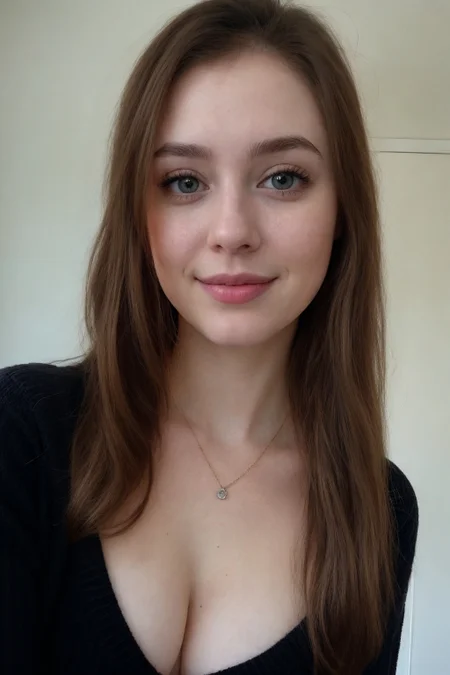
The girl in the first photo is really ugly.
Sorry have to block this cause I'm tired of looking at her ugly face every time the front page loads.
I guess we all have our preferences, and FWIW, the character image on your profile is ugly IMO. Keep in mind that the OPs model aims for realism, not idealism.
I'm sure anything that looks real to you is ugly as 2D girls don't sweat etc etc
someone who only ever sees women in porn
seek help
inpainting model does not work
By far the most realistic and clear model out there. I'm amazed at the quality of skin, color, shapes for humans.
You do not have CLIP state dict! I got this warning after I generated an image. What is this?
it would help to say which program you are using. it may be related to the image size in stable diffusion. in comfyui it happens to me when the clipskip info is lost or other info. you may also need to use a different image saver
Please tell me if this downloaded model is placed in Checkpoint or in VAE
Checkpoint
I want to know if the training hyper inpaint of models is different from the original inpaint models. Please give training hyper inpaint model
When it comes to humans, I still think that this is the best model there is. The quality of skin, lighting and adherence to prompts are just amazing.
I am using comfyui to interact with this model. I have a problem where no matter what prompt I use, the faces of any girl generated looks basically the same. Am I doing something wrong?
maybe try and change the seed?
@burk1336 Is this a serious reply or are you trolling? I'm not using the same seed. Other newer models don't have this issue. This one is just extremely biased and cooked too long is what I've determined.
Comfy supports wildcards. For your 1girl needs, you can have it pick from like 20 random names, 10 nationalities, 5 hair colours etc. That injects a lot of variety in the resulting faces. Also, if you use adetailer for faces, it supports wildcards as well, so you can put like 5 different smile types or eye colours (at higher denoise) in there as well.
Hi, thank you for this model ! I tried to train using Kohya but it's the only checkpoint that gets me an error? what settings do you recommand please?
V6.0 Hyper when???
thank you for this model!
How do you get natural breasts with this? Everything I make looks like Jan from the office after her surgery, me no likey.
Use the Adetailer extension with this detailer xD trust me. Otherwise you can create Lora an can use AI Tools like Promptchant to make your charakter naked. If you have more Questions feel free to asked...
@Russini Holly shit! a DETAILER for breast? xD
@Nintendero yeah haha
Impressive
What is the difference between the Hyper version and the non-Hyper version? Is there any documentation about this?
SD 1.5: Is the standard version, general-purpose image generation. This model is trained for general text-to-image generation tasks. It performs well for generating a wide range of content, including landscapes, portraits, and other creative visual styles.
SD 1.5 LCM: Is the enhanced consistency, ideal for maintaining spatial and logical consistency. The "LCM" or "Latent Consistency Model" represents an optimization where the model is adapted to improve certain aspects of consistency in generated outputs. Latent Consistency helps ensure that the details of a scene, such as a person’s appearance or pose, remain coherent across different regions of an image. This type of optimization is particularly useful for ensuring detailed accuracy in generated content. It tends to perform better in complex scenes where there is a need for maintaining logical and spatial consistency.
SD 1.5 Hyper: Uses HyperNetworks to boost model's responsiveness, greater control over output details. These augmentations enhance the original model by enabling it to generate more intricate features, respond to prompts with more nuanced control, and possibly integrate external learned information. It's useful for more detailed work or specific styles that require an increased understanding of prompts. HyperNetworks can increase the model’s adaptability to specific content, styles, or desired attributes while keeping the main weights mostly unchanged.
SD 1.5 Hyper-Inpaint: Adds HyperNetworks to an inpainting-capable version, enabling more precise editing and localized modifications of images. This version is also augmented with HyperNetworks, which allows it to inpaint more accurately and consistently. It makes it better at interpreting prompts related to the missing parts and generating content that fits seamlessly into the existing image. This model is particularly useful for creative tasks like editing an existing image, repairing damaged areas, or altering specific details in a generated or real image, while leveraging the extra detail and responsiveness provided by HyperNetworks.
I hope this helps!
tldr of what the other person said:
SD 1.5 (Base): Standard, general-purpose text-to-image model suitable for a wide range of content.
SD 1.5 LCM (Latent Consistency Model): Focuses on improved spatial and logical consistency within generated images, especially in complex scenes.
SD 1.5 Hyper (Hypernetworks): Enhanced responsiveness to prompts and finer control over output details through the use of Hypernetworks.
SD 1.5 Hyper-Inpaint: Combines Hypernetworks with inpainting capabilities for more precise and consistent image editing and localized modifications.
Does anyone know if I can run it with fooocus, especially in colab?
how can i install it on my system
Should we expect version 7 and when ? Thank you !
Howdy!
Are you by chance still working on the V6.0 B2 version or has the project, with last update earlier in the year, been sooort of discontinued?
Damn, it's fast !
can we have a hyper 6.0 sd 1.5 model please
Hi guys, first of all this model is amazing. Thank you for creating such an amazing art work! Does anyone know which width and height to use in empty latent image? :)
Now does V5.1 hyper VAE need a VAE, or nor? And is so, which one is it?
Nice - but with some restrictions
Verklemmte USA halt.
Some imperfections on the arm and leg, but nothing that a few attempts couldn't resolve, the model itself is very good.
What is the specific difference between “V5.1 Hyper” and “V5.1 Hyper_inpaint”?
The “V5.1 Hyper” version is used for normal image generation. “V5.1 Hyper_inpaint” is used with the “inpaint” function which is basically removing and adding objects to an image that you want to edit, for example adding a cup to an image (simple explanation) that's what I know, and sorry for the google translate English lol
@Lks9AI You are right, that's right
@Lks9AI You are right, that's right
this is the best model i have encountered for getting Photo realism for a wide range Nationalities.
I'm trying to use this VAE as a step in ADetailer with the ponyRealism_v22 model, but it just gives me an error when trying to run that step. Is it not compatible or am I missing something? (to be clear, I'm explicitly selecting "use separate VAE" in Adetailer)
This isn't a VAE. It's a checkpoint with a VAE already baked in.
hey there anyone please help m tryna train a lora of a realistic person can i train it with this model?? please help anyone
Yes, just download and select it when training.
@TeKniKo which version the vae one or novae one
For me there are mutations everywhere
My issue was way too big sizes
Yep... mutations of naked women
@chizuropop307 Hahahaha
At least here, it generates naked women 90% of the time, even with the prompt "fully dressed woman"
You talk like it something bad.
guys i wanna train a lora can anyone please suggest the best model for lora training of a realistic person kindly help m stuck tried many couldnt get the desired output
You might want to try Epicrealism Last Fame. One of very few models I was able to train a character Lora with for realism.
muito bom
So
Perfect model!
Hey, can anyone say Realistic Vision V6.0 B1 which version is the best till now 5.1 or 6.0 ?
Both have different base models. SDXL being the larger one would be better ig. Haven't tried 6.0 though.
Super nice and generates good quality images
This is really cool
Nice
I'm new in this and this is the better model i tried for inpainting. Very good!
what did u try?
nice
What software are you using to create animated pictures?
ComfyUI-look for it on Github,
This model wont obey me, i can't even make it generate red coloured eyes wtf
best super speed model 1.5
Awesome model!
The model isn't working! 😭
Thanks very nice model !
ok the best!!!! ever!!!! love you man.
The images from the model look awesome
"Fantastic job! This is a really good model – much respect for all the effort you put into it."
best model thx u
everything is bid now lol
Hi everyone, I'm new to this, can anyone tell me about the workflow?
Installed Stable Diffusion WebUI on CPU. Used Python 3.10, Git, virtual environment. Configured webui-user.bat for CPU mode and API access. Installed CPU-only PyTorch. Loaded model from Civitai. Works locally without GPU. In theory, the GPU is of course necessary
Tip: Use AI to generate prompts or debug setup issues — just describe your goal or error.
perfect 👍
How are you still able to use it?
Good
download does not work
Look amazing!
Been using this model for a few days. Loving it thus far.
Why is every picture have two women!
Waiting for an answer on this
So I found out the answer to this; this model was trained on lower resolution datasets. So try setting your output image size to 512x512 ~ 700 x 700 and then upscale from there to get the results you want, instead of generating big 1000x1000's from the get-go!
Image to image workflow for this model anyone?
bad model
At least for me this version (6.0VAE), seems... off. Version 5.1 VAE is great, I assumed the newest version would be just as good, if not better, but that doesn't seem to be the case. I've only produced two results with it so far, but that's enough to know that something is wrong. Using the same settings as 5.1, maybe that could be why, but I don't think so.
send your workflow details
why is it not available for generation
Can you share with us a basic .json workflow? I searched for hours in the net, without success. And the attached images are jpg... Thank you! ^_^
double..........
Thank you for the model. I converted it to qnn to run on qualcomm mobile devices. I have credited you as well.
https://huggingface.co/Mr-J-369/RealisticVisionHyper-SD1.5-qnn2.28
Thanks