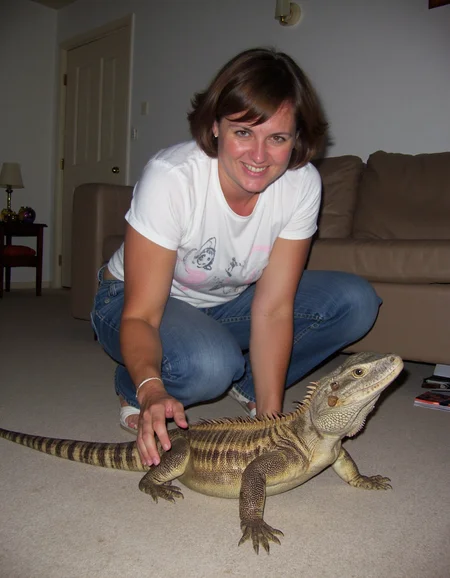
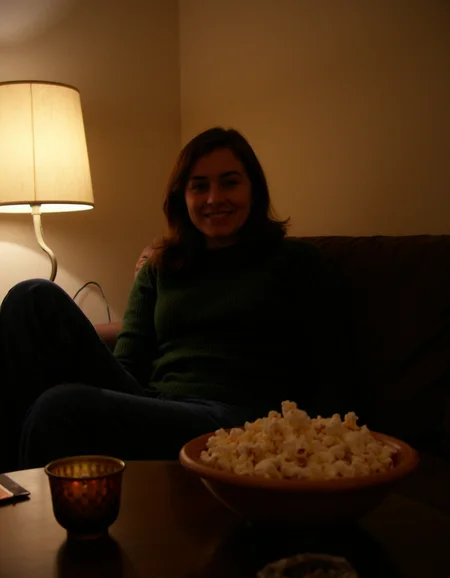
The latest version workflow and nodes are here
https://github.com/peterkickasspeter-civit/ComfyUI-ZImageTurboProgressiveLockedUpscale/tree/experiment
=====
Custom node: https://github.com/peterkickasspeter-civit/ComfyUI-ZImageTurboProgressiveLockedUpscale
Workflow is in the showcase images. More details here - https://www.reddit.com/r/StableDiffusion/comments/1r1qyj2/zimageturboprogressivelockedupscale_works_with_z/
Distill lora for base - https://huggingface.co/alibaba-pai/Z-Image-Fun-Lora-Distill/tree/main
*use either Z-Image-Fun-Lora-Distill-8-Steps.safetensors or Z-Image-Fun-Lora-Distill-4-Steps-2602-ComfyUI.safetensors
Description
GPT4o Prompt:
I am planning to train a LoRA for the Stable Diffusion text-to-image model, which uses the T5XXL transformer in its architecture. The prompts should be in natural language and follow a specific format. I will upload images and need you to help me create detailed prompts based on those images. The prompts should start with "Amateur photography of" and end with "on flickr in 2007, 2005 blog, 2007 blog." Always give me the prompt in a single paragraph.The format should be:Subject Description: Start by describing all the people in the image in detail. It is very important to include their race and ethnicity, physical attributes (such as height, build, skin tone, and hair color), facial features, attire, and any expressions or poses they are making. Be as specific as possible. Make sure to always include the build of the subjects (e.g., plus size, slim, petite) without missing it.Scene Description: Accurately convey what exactly the people are doing in the picture. Describe the setting, background elements, any objects they are interacting with, and the overall environment (urban, rural, indoor, outdoor, etc.).Image Quality Tags: Include descriptive tags that highlight the quality of the image. Use terms like slight motion blur, cluttered background, warm tones, bright natural light, high contrast, vivid colors, etc. These tags should reflect the mood and feel of the image as well.The final output should combine all these elements into a cohesive, detailed prompt that accurately reflects the image.FAQ
Comments (32)
the most useful lora on CivitAI. by far !
which picture metadata do you want? i dont want to delete and reupload. i will just give them here
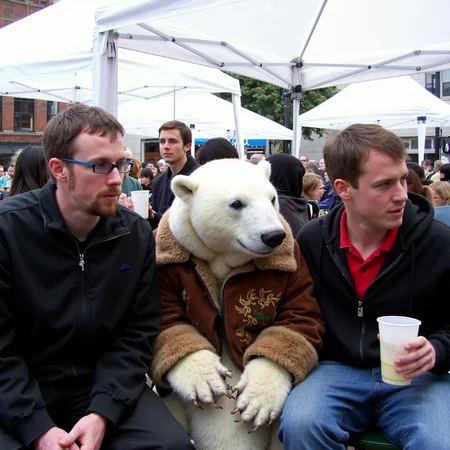
white bear PLZ :-)
@BNP222222 pls click on the image. someone asked it yesterday. i already posted it
fantastic lora, bringing realism one step closer, great job
I am using Forge, and it seems that when using dev-fp8 which uses around 12GB of VRAM, this Lora maxes out my VRAM at 16GB and basically brings the whole generation to a halt. Why is a 300mb file making VRAM usage so high? Is this a bug on Forge? I haven't tried it on Comfy UI.
960x1280 using a 4070 ti super (16GB)
@yoloswagg45 Most likely it's still a Forge bug, I can't get the lors to work stably, but in Comfy the lors also take longer to load and therefore the image generation takes more time
Make sure your Diffusion in Low Bits is set to Automatic fp16 LORA
@rlewisfr346 Ok, figured it out, let's see if it works. This made a huge difference, thank you. :)
Captioned with Joy_caption? which LLM? did you purposely omit anything from the captions (style words)?
I used gpt4o. No I did not omit anything. See my post in stable diffusion subreddit for the prompt. What is joy caption?
@peterkickasspeter
Thank you.
Joy_caption:
https://www.reddit.com/r/comfyui/comments/1ez78zl/natural_language_image_captioning_workflow_for/
Uses Llama 3.1 8B. pretty nice for batch captioning and keeping workflow within comfy
@dal_mac I just tired it. I feel like gpt4o gets the tiny details in the image that makes a huge difference when generating with flux. But it's good though
My article for version 2: https://civitai.com/articles/6897
weight 1 is terrible bro hahahaha. but thanks so much for the tests. your tests are more detailed than mine tbh
@peterkickasspeter Thanks for training them.
This LoRA is terrific! I also want to apologize to the creator. I left a previous comment that was incorrect because of a mistake I made in my generation. The issues I noted indeed seem to have been largely resolved in the new version.
I appreciate them responding to me and giving me the opportunity to double check myself. Kudos to them for all their hard work!
No problem. Glad you liked it
great lora,need nsfw vision to increase skin detail
i dont know. i dont want to mix nsfw images in the dataset i am using to train this specific lora. maybe try to use it with other lora's for skin texture and see if it works out for you. see @defnotarobot's article.
My Article about mixing this LoRA with another: https://civitai.com/articles/6992
I appreciate the testing, thanks so much. Would you be able to test it using https://www.reddit.com/r/StableDiffusion/comments/1eywnv8/comment/ljgjtw2/?utm_source=share&utm_medium=web3x&utm_name=web3xcss&utm_term=1&utm_content=share_button kind of prompts? I feel like some of the images are not utilizing the lora (like they don't have that everyday look to them although they look amateurish because of high lora weights. Perhaps its because none of the trigger words are in the prompt?)
@peterkickasspeter I did notice the vast majority of the prompts looked less-amateur even if they did look photorealistic. I will get back to this soon.
Take a look at this - https://civitai.com/images/26281196
I just gave your image to gpt4o for the prompt
@peterkickasspeter That is wild. Thanks for the tip.
God approves this Lora. God was an amateur too once. Especially when he created humanity. Keep up the good work and you'll surely get eternal life.
Just give me a RTX9090 with 2TB VRAM and let me die in peace
@ailu91 Get a good job and i will provide it for you. Now say thank you God.
so if i understand correctly V1 is obsolete right? or are both version just different? or should i combine them perhaps on lower strength?
V1 captioning is not so good. V2 and V3 have gpt4o captions. So use one of them.
@peterkickasspeter k ^^
Details
Files
amateurphotov2-000049.safetensors
Mirrors
FLUX-Amateur-Photography-LoRA-v2.safetensors
amateurphotov2-000049.safetensors
Flux1D_Lora_AmateurPhoto_v2-000049.safetensors
amateurphotov2-000049.safetensors
amateurphotov2-000049.safetensors
amateurphotov2-000049.safetensors
amateurphotov2-000049.safetensors
FLUX-Amateur-Photography-LoRA-v2.safetensors
amateurphotov2-000049.safetensors
amateurphotov2-000049.safetensors
flux-realism.safetensors
amatuer.safetensors
amateurphotov2-000049.safetensors
amateurphotov2.safetensors
amateurphotov2-000049.safetensors
amateurphotov2-000049.safetensors
amateurphotov2-000049.safetensors
Amateur_Photography_FLUX_[peterkickasspeter].safetensors
Available On (3 platforms)
Same model published on other platforms. May have additional downloads or version variants.