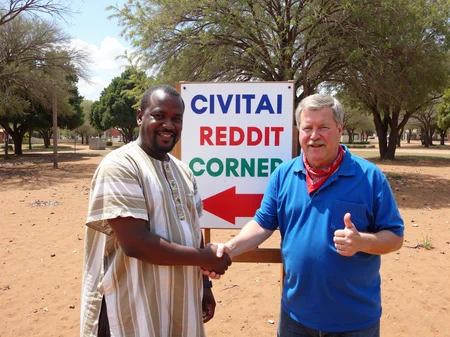

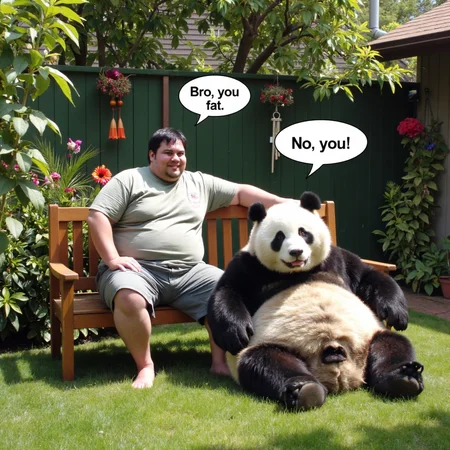

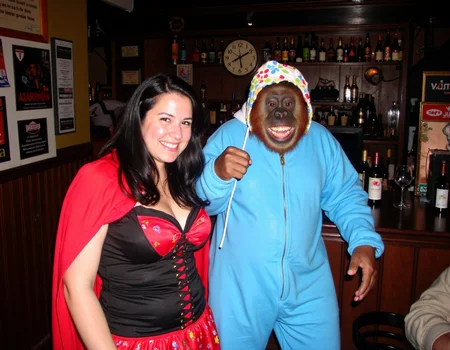



The latest version workflow and nodes are here
https://github.com/peterkickasspeter-civit/ComfyUI-ZImageTurboProgressiveLockedUpscale/tree/experiment
=====
Custom node: https://github.com/peterkickasspeter-civit/ComfyUI-ZImageTurboProgressiveLockedUpscale
Workflow is in the showcase images. More details here - https://www.reddit.com/r/StableDiffusion/comments/1r1qyj2/zimageturboprogressivelockedupscale_works_with_z/
Distill lora for base - https://huggingface.co/alibaba-pai/Z-Image-Fun-Lora-Distill/tree/main
*use either Z-Image-Fun-Lora-Distill-8-Steps.safetensors or Z-Image-Fun-Lora-Distill-4-Steps-2602-ComfyUI.safetensors
Description
FAQ
Comments (18)
THANKS FOR UR WORK VERY GUD
the greatest lora ever made.
Careful with the tips now. It's too much hahaha. Thank you 🙏
I can't believe what I'm looking at... No, I mean I believe because it looks so real, you know what I mean, right? xD
This is crazy. You're a God, really!
Struggling to get this to play with my character lora. It's coming out with artifacts. Any suggestions?
Hello, is this your personal lora? what lora weights are you using (both your character lora and this lora)? pls share your prompt and image (if you can) so that I can check
@peterkickasspeter Sorry I didn't get a notification for this. Yes it's a personal Lora. How can I share the images? I've managed to solve the artifacts (maybe that was just for that particular prompt?), but the issue I'm now facing is it keeps trying to make my character overweight 😅
With Heun with BETA, do you think use only 10 step instead eluer simple 20 step. Becasue the same time run ?
you can try and see but 10 steps is too low for flux dev i think
The FLUX LoRA of the year.
if i win the flux training contest, you bet v4 will have the most crappiest and amateurish quality this lora can offer :D
Raw and dirty. Excellent LoRA, thank you!
This is the best Lora ever. Is there anyways to make it smaller? My machine takes forever :(
i know, sorry. i wasted 8000 buzz experimenting with 18mb and 36mb loras. the quality takes a massive L. for now i will stick to 32 dim.
@peterkickasspeter I made a Lora of myself on Replicate and it's 176mb. I don't even know how to make them smaller. I only run into issues running 2 LORAs otherwise it works great!
You could merge the lora into the dev model that would speed things up.
@J77gonzales I will look into that for sure thank you!
Details
Files
amateurphoto-v3.5-000052.safetensors
Mirrors
amateurphoto-v3.5-000052.safetensors
amateurphoto-v3.5-000052.safetensors
amateurphoto-v3.5-000052.safetensors
amateurphoto-v3.5-000052.safetensors
amateurphoto-v3.5-000052.safetensors
amateurphoto-v3.5-000052.safetensors
amateurphoto-v3.5-000052.safetensors
amateurphoto-v3.5-000052.safetensors
amateurphoto-v3.5.safetensors
amateurphoto-v3.5.safetensors
amateurphoto-v3.5-000052.safetensors
amateurphoto-v3.5-000052.safetensors
amateurphoto-v3.5-000052.safetensors
amateurphoto-v3.5-000052.safetensors
amateurphoto-v3.5-000052.safetensors
Available On (2 platforms)
Same model published on other platforms. May have additional downloads or version variants.